
 Paid content
 Multilingual
 Visit website
 Updated: 2026-09-23 20:53
 Access: Normal
 Profile views 0
  Outbound visits 0
 Website Review
What is Picrew?
Picrew is a browser-based platform for making and sharing character images. Instead of drawing from scratch, you pick an existing "image maker" created by an artist, then assemble a character by choosing options for face, hair, eyes, clothing, accessories and background. The result is saved as an image you can use as an avatar, profile picture or reference for a story character.
The site works as two connected halves:
- Playing: browse the Discovery, Hot Now and Featured Tags sections, open a maker, and customize within whatever choices that maker allows.
- Creating: illustrators can publish their own image makers so other people can build characters from their art.
Who it suits
- Social media and gaming users who want a distinctive avatar without commissioning art.
- Writers, roleplayers and tabletop players who need a quick visual for an original character.
- Fan artists and illustrators who want their style to circulate through other people's creations.
- People exploring identity representation, since tags include categories like lgbt and fantasy alongside cute, pony and icon styles.
What to expect
The trade-off is control. You get speed and a consistent art style, but you can only combine the parts a given maker's artist drew — you cannot freely redraw or add anything outside those options. Quality, option count and content vary a lot between makers, so browsing several before settling on one is normal. Some makers are simple and fast; others are deep enough to occupy a long session.
There is also an ad-free option referenced on the site as app-exclusive, so if frequent ads bother you, check the current details there rather than assuming the browser experience is the same.
A practical next step
If you are making an avatar, start from a tag that matches your purpose — icon or avatar for profile pictures, oc for original characters — and open two or three makers before committing. If you are an illustrator, look at how popular makers structure their option menus; that structure, not just the art quality, is what makes a maker pleasant to use.
How do I create my own image maker on Picrew?
To create your own image maker on Picrew, you need to join as a Creator and upload the artwork that becomes the maker's parts. The homepage shows a "Turn your art into an image maker? Join as Creator" entry point, which is the starting gate for making rather than playing.
What the creator path involves
- Join as a Creator. The site separates playing from creating; the creator sign-up is the route to building a maker.
- Prepare your illustrations. A maker is assembled from your own drawn parts, so plan a consistent art style across all pieces.
- Build the maker. You arrange those parts into layers and choices that players combine.
- Publish and share. Once live, your maker appears in Discovery and can be found through tags.
A quick comparison: player vs creator
| Player | Creator | |
|---|---|---|
| Main action | Combine parts to make an image | Upload art and define the parts |
| Output | A finished character image | A reusable maker others can play |
| Entry point | Discovery, Hot Now, Featured Tags | "Join as Creator" |
Practical next step
Before signing up, sketch one small test maker: a face with three hairstyles, two eye sets, and two outfits. If you can keep the line weight and colour palette consistent across those seven pieces, you are ready to build a full maker.
Choosing tags matters
Tags drive discovery. The Featured Tags list includes terms like cute, character, lgbt, oc, icon, avatar, and fantasy. Pick tags that honestly describe your maker's style and audience; someone searching for an icon-sized avatar has different expectations from someone browsing fantasy character makers.
Trade-off to weigh
Picrew's strength is that makers are quick to play and easy to share, which suits casual creators and fan communities. The flip side is that a maker's variety is limited by how many parts you draw and upload, so a maker with few parts can feel repetitive fast. If you want deep customisation, budget more time for artwork before publishing.
Can I use Picrew images for personal or commercial projects?
Picrew's own pages do not state a single site-wide licence for the images you make. The permission that matters comes from each individual image maker's creator, so the answer is "it depends on the maker you used."
How to think about it
- Personal use (avatars, profile pictures, private roleplay, a character reference for yourself) is the common case, and many creators allow it. Still check the maker's notes.
- Commercial use (merchandise, paid commissions, ads, a game or book you sell, monetised streams or videos) is where creators often draw the line or require extra permission. Some allow it with credit or a fee; others forbid it outright.
- Editing and redistribution are separate questions again: recolouring, cropping or reposting the base image may be restricted even when personal use is fine.
Where to look
On a maker's page, look for the creator's description, rules or terms before you generate an image. Picrew's "How to Use Picrew" section explains the mechanics of making and sharing images, and creators often add their own usage notes in the maker description. If the rules are unclear or silent on commercial use, treat that as "ask first" rather than "allowed."
A practical example
Suppose you want a Picrew portrait as your Discord avatar — low risk, but read the maker's note anyway, since some creators ask for credit or forbid use in certain contexts. If you want the same portrait printed on stickers you sell, that is commercial use: message the creator, explain the project, and ask. Many are happy to say yes; some will decline, and a few will ask for a small fee or a link back.
Decision rule
Ask two questions: "Does this maker's description permit the use I have in mind?" and "Is my project commercial?" If the answer to the first is unclear or the second is yes, get explicit permission from the creator before publishing. If you cannot identify or contact the creator, choose a different maker whose terms are stated clearly.
For a starting point, browse makers on Picrew and read the creator's notes on the specific maker you like before you commit to using the image.
How do I find specific character makers or styles on Picrew?
Use Picrew's own browsing tools: the homepage's Hot Now and Featured Tags sections, plus search, are how you narrow a very broad catalogue down to a specific character type or art style. There is no single index of everything, so you find makers by combining a tag with a look at what's trending.
Practical routes
- Featured Tags are the fastest filter. The homepage lists tags such as
cute,character,lgbt,oc,icon,avatar,fantasy, andfirstimgmaker. Clicking one shows makers grouped under that theme. - Hot Now shows what is currently popular. Useful when you don't have a specific style in mind and just want something with a known, working maker behind it.
- Search works best with the vocabulary creators actually use: character type (
pony,angel,maid), mood (cute,dark), or purpose (icon,avatar,oc). - Creator pages are the most reliable way to get a consistent style. If you like one maker, open the creator's profile — many creators, such as the ones behind the 常盤製 series on the homepage, publish several makers in the same art style.
How to choose between them
| Goal | Best route | Trade-off |
|---|---|---|
| Find a specific character type | Search + Featured Tags | Tag naming is inconsistent, so try synonyms |
| Match an art style you already like | Creator profile | Limited to that creator's output |
| Browse without a clear idea | Hot Now | Popularity skews toward certain styles and languages |
A concrete example
Suppose you want a fantasy-style avatar for a profile picture. Start with the fantasy and avatar tags, scan the results for a line weight and colour palette you like, then open that creator's page and check whether they have other makers in the same style. That gives you a set of consistent images rather than one-off results.
Next step
If browsing feels overwhelming, pick one tag that describes your character and one that describes the mood, and search them together. If you want to go further, Picrew also invites artists to become creators and build their own image maker — see Picrew for the creator route and the app's ad-free option.
What are the benefits of Picrew Premium and how much does it cost?
Picrew Premium is described on the site as an app-exclusive way to play ad-free. That is the main benefit stated in the page evidence: removing ads while using Picrew through the app.
The page does not list a price, subscription length, or what else Premium includes, so the cost cannot be confirmed from the supplied information. To check the current cost and exact terms, open the Premium details from the Picrew app or the linked Premium page on Picrew and review the price shown in your app store or account region.
If ads are your main annoyance, Premium may be worth considering; if you mainly browse on the web or are happy to ignore ads, the free experience may be enough.
How do I share my Picrew creations with others?
On Picrew, sharing happens two ways: you can share a finished image you made with someone else's character maker, or you can publish a character maker you created yourself so others can use it.
Sharing an image you made
- Open the maker and build your character using its options.
- Use the site's save or download function to keep the finished image on your device.
- Upload that image to wherever you want it seen — social media, a profile picture, a forum post, or a message to a friend.
- If the maker's creator has posted usage rules, follow them, and credit the maker when they ask for it.
Sharing a maker you created Picrew's own page invites artists to "turn your art into an image maker" and to join as a Creator. Creating a maker is a separate process from playing one, so treat publishing as its own project rather than a single button.
Practical points to decide by
- Credit expectations vary by creator. Check the maker's page before posting, especially for commercial or profile use.
- Downloads are image files, not links to a live character. If you want someone to see the exact layered result, share the image itself.
- The site shows "Hot Now" and "Featured Tags" sections, which is a quick way to find makers that are currently popular and likely to have clear sharing norms.
Next step: pick a maker from the Hot Now or Featured Tags lists, read its description for rules, then save and post your result with credit to the maker. Picrew itself is at Picrew.
 Hosting and Email
 Amazon Route 53
 Hosting
 Location
 United States
 Pages, Search and Sharing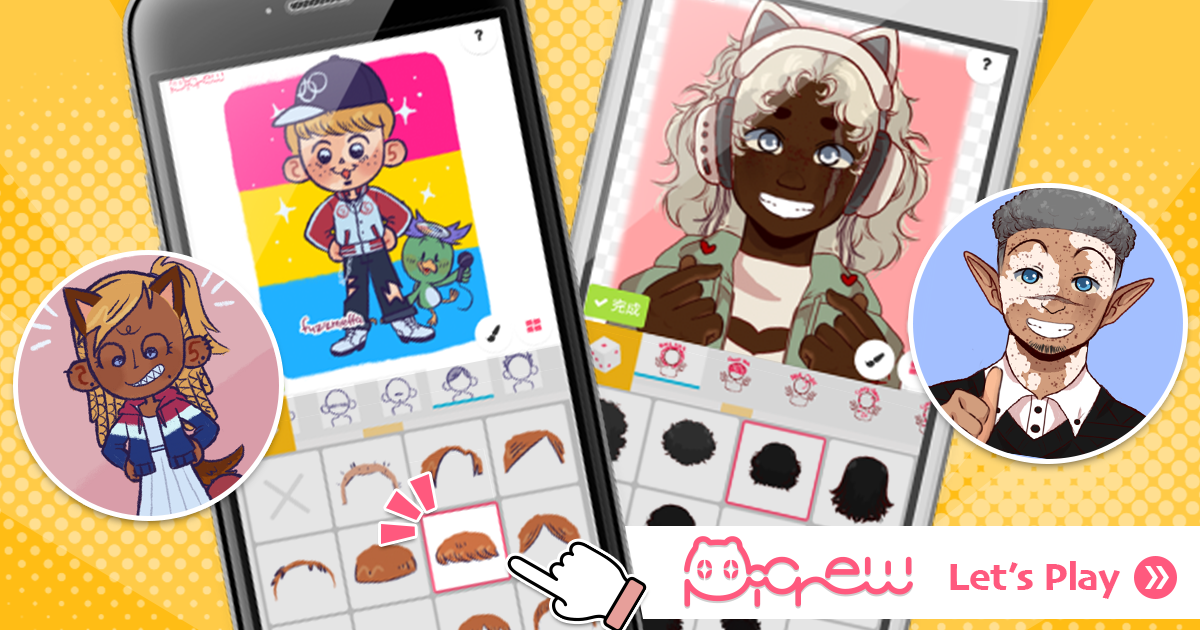


 All bots

 Registration details

 Identified technologies
User reviews (0)