
 简体中文
简体中文
pieces.app
Pieces builds artificial memory from your work so you can recover decisions, resume where you left off, and bring real context into every AI tool.
At a glance
- Category
- Artificial Intelligence
- Language
- English
- Paid-content signal
- Paid contentObserved
- Registered
- 2019
- Hosting
- VercelInferred
- HTTPS certificate trusted
- PassedObserved
- Last updated
Related questions
More questions →What Can I Do With the Memories Pieces Collects?
Pieces turns what already happened on your computer into a searchable memory, so you can ask questions about your own work, generate recaps and prep material from real context, and pick up interrupted work without retracing your steps. It's most useful if you work across many apps — email, chat, docs, meetings, AI tools, and code editors — and lose time reconstructing what you did, decided, or were about to do.
Ask anything about what you've already done
The core action is querying your own history instead of hunting through apps. Pieces captures a chronological timeline of your activity, and you can scope a prompt by time, source, or topic to find or curate exactly what you need.
That means questions like:
- "What did I decide about the pricing page last week?"
- "What was I working on before the meeting?"
- "Where did I leave the Figma review?"
Because the memory is formed from the apps you already use, the answers reflect your actual context rather than a summary you have to write yourself.
Generate recaps and prep in one click
Instead of manually assembling status updates, Pieces generates them from your real context. The site names these directly:
- Standup updates
- Morning briefs
- Meeting prep
- Day recaps
The practical value is turning "hours of retracing your steps" into a single click. If you spend the first 20 minutes of each day reconstructing yesterday, this is the workflow it targets.
Recover decisions and resume where you left off
Pieces is built to help you recover decisions and resume where you left off. When you switch between projects, tools, or days, the memory holds the thread: what was discussed, what was chosen, and what came next.
This is the difference between a note you remembered to write and a record that formed on its own. You don't need to have anticipated that a decision would matter later.
Feed real context into your AI tools
Pieces positions itself as a memory layer that brings real context into every AI tool. Rather than re-explaining your project, constraints, or prior decisions in each new chat, the memory supplies that background.
The site lists integrations across AI and work tools, including Claude, ChatGPT, Copilot, Codex, Perplexity, and Cursor — alongside email, chat, docs, design, and code editors. The point is that context follows you across tools instead of being trapped in one.
What gets captured
Pieces forms memories roughly every 2 seconds from the apps you use. Capture falls into a few categories:
| Category | Source | Notes |
|---|---|---|
| What you see | The currently focused application | Captured by default |
| What you use | What you copy & paste | Opt-in only |
| What you hear & say | Meetings and conversation apps | From meeting and conversation sources |
Sources span Gmail, Outlook, Chrome, Arc, Safari, Slack, Teams, Google Chat, Discord, Google Meet, Zoom, Microsoft Teams, Google Docs, Notion, Figma, and the AI and code tools listed above.
Privacy and security as fundamentals
Pieces describes privacy and security as fundamentals rather than add-ons. Note the distinction in capture: what you see is captured by default, while copy-and-paste capture is opt-in only. If you're evaluating it for sensitive work, check the privacy details on the site before enabling broader capture.
Where to start
- Install Pieces so it runs in the background on your computer.
- Work normally across your apps for a day or two so a timeline forms.
- Ask a scoped question about something you did — try filtering by time or source.
- Generate a standup update or day recap and compare it to what you'd have written manually.
- Connect an AI tool to see whether the added context changes the quality of its output.
Pricing and plan details are listed on the Pieces pricing page; check there for current terms rather than assuming a free tier.
How does Pieces capture and organize memories from the apps I already use?
Pieces runs in the background on your computer and forms memories every 2 seconds from the apps you already use, turning what already happened into a searchable timeline. It captures what you see in the currently focused application by default, with copy/paste capture and meeting/conversation audio as opt-in sources. You can then search, filter, and revisit any moment by time, topic, person, or tool — without changing how you work.
What Pieces captures, and when
The core mechanism is continuous background capture tied to the app in focus. According to Pieces, memories are formed every 2 seconds, which is what makes the timeline feel like a living record of your day rather than a set of manual notes.
Capture falls into three categories:
| Source type | What it covers | Default state |
|---|---|---|
| What you see | Content from the currently focused application | Captured by default |
| What you copy & paste | Clipboard activity | Opt-in only |
| What you hear & say | Meetings and conversation apps | Available as a source |
The distinction matters if you care about scope. Screen-level context is on by default; clipboard and audio are things you choose to include.
Which apps feed the memory
Pieces lists a broad set of supported apps and sources, grouped roughly by what they contribute to your timeline:
- Email: Gmail (threads, follow-ups, decisions, account context), Outlook (email history, commitments, meeting context)
- Browsers: Chrome (research trails, tabs, sources, web activity), Arc (web research, references, active project context), Safari (visited pages, research paths, useful sources)
- Team chat: Slack (threads, handoffs, decisions, open questions), Teams (chats, shared updates, calls, team context), Google Chat (conversations, asks, updates, decisions), Discord (community threads, feedback, support context)
- Meetings: Google Meet (decisions, action items, prep), Zoom (call takeaways, customer feedback, next steps), Microsoft Teams (meeting notes, chat context, project updates)
- Docs & design: Google Docs (drafts, comments, revisions, source material), Notion (project notes, specs, wikis, planning context), Figma (design reviews, comments, rationale, assets)
- AI tools: Claude (prompts, outputs, reasoning, reused context), ChatGPT (AI chats, drafts, summaries, task context), Copilot (code suggestions, edits, implementation context), Codex (agent activity, code changes, generated work), Perplexity (research answers, citations, source trails)
- Code editors: Cursor (agent work, code edits, commands, review context), VS Code (files, terminals, debugging, implementation trails), JetBrains (code navigation, edits, project context), Xcode (build context, app changes, debugging work)
The pattern is that Pieces plugs into the tools where decisions and context already accumulate, rather than asking you to move that work somewhere new.
How memories get organized
Captured activity is arranged chronologically into a searchable timeline. That structure supports a few concrete retrieval behaviors:
- Search and filter across any moment in your history.
- Scope prompts by time, source, or topic to find or curate exactly what you need.
- Ask about any time, topic, person, or tool — for example, "what did we decide about the Q3 launch?" or "what was I working on last Tuesday?"
- Generate recaps instantly from real context: standup updates, morning briefs, meeting prep, and day recaps.
The practical effect is that retracing your steps — which normally takes hours of scrolling through tabs, threads, and docs — becomes a single query against your own history.
What this means for your workflow
You don't have to adopt a new note-taking habit or manually file anything. Pieces works from the apps you already have open, so the memory layer builds itself as a byproduct of your normal day. The trade-off to weigh is scope: default screen capture is broad, while clipboard and audio are opt-in, so you control how much of your activity enters the timeline.
For pricing, plans, and platform availability, check Pieces pricing directly, since those details aren't covered here.
What Is Pieces and What Does It Do?
Pieces is an AI memory layer that runs in the background on your computer and builds a searchable record of your work as you go. It captures activity from the apps you already use — email, chat, browsers, docs, design tools, and AI assistants — so you can recover decisions, resume where you left off, and bring real context into other AI tools. It's most relevant if your work is spread across many apps and you regularly lose time reconstructing what happened or what you were about to do.
The core idea: memory instead of manual note-taking
Most productivity tools ask you to record things deliberately. Pieces works the other way around: it forms memories automatically from what you're already doing, then makes that record searchable and reusable.
According to the site, Pieces forms memories every 2 seconds from the apps you already use. That cadence is the point — the memory is meant to keep up with a normal working day rather than depend on you stopping to document it.
The stated purpose is to turn "what already happened" into "what you need to understand, do, or create next."
What it captures
Pieces organizes capture into a few categories, and the distinction matters because not everything is collected the same way:
| Category | What it draws from | Notes |
|---|---|---|
| What you see | The currently focused application | Captured by default |
| What you use | What you copy & paste | Opt-in only |
| What you hear & say | Meetings and conversation apps | From meetings and conversations |
The copy-and-paste channel being opt-in is worth noting if you handle sensitive text — that stream isn't on unless you turn it on.
The source list is broad and spans both work and personal tooling. Examples named on the site include:
- Email and messaging: Gmail, Outlook, Slack, Teams, Google Chat, Discord
- Browsers: Chrome, Arc, Safari
- Meetings: Google Meet, Zoom, Microsoft Teams
- Docs and planning: Google Docs, Notion, Figma
- AI tools: Claude, ChatGPT, Copilot, Codex, Perplexity
- Development: Cursor, VS Code, JetBrains, Xcode
For each, the site describes the kind of context captured — for example, Gmail yields threads, follow-ups, decisions, and account context; Slack yields team threads, handoffs, decisions, and open questions; Figma yields design reviews, comments, rationale, and assets.
What you can actually do with it
Three capabilities follow from having that memory:
Search and revisit any moment. The captured activity forms a chronological timeline you can search, filter, and revisit. You can ask questions about what you've done and scope the query by time, source, or topic.
Generate summaries from real context. Standup updates, morning briefs, meeting prep, and day recaps can be produced from your actual activity rather than from memory or guesswork. The site frames this as turning "hours of retracing your steps into one click."
Carry context across tools. Because the memory sits underneath your other applications, context can follow you between them — including into AI tools that would otherwise start from nothing.
Privacy and security
The site lists privacy and security as fundamentals rather than features. The concrete detail available is the capture model described above: focused-application capture is on by default, copy-and-paste capture is opt-in, and meeting capture comes from conversation apps and sources. If your work involves regulated or confidential material, that capture model is the first thing to evaluate against your own requirements.
Where it fits — and where it may not
Pieces is aimed at people whose work generates a lot of scattered context: researchers, engineers, designers, account and support teams, anyone living in meetings plus chat plus docs plus an AI assistant.
It's less obviously useful if your work already lives in one system with good native history, or if you can't have background capture running on your machine for policy reasons.
Two things the site references but this overview doesn't resolve: Pieces MCP and teams & enterprise offerings. If you need to connect Pieces to an MCP-compatible client or roll it out across an organization, those are the pages to check next, along with pricing at pieces.app/pricing.
How does Pieces handle privacy and security?
Pieces describes privacy and security as fundamentals of how it works, and the main privacy control it states explicitly is that clipboard content is captured only with opt-in. Beyond that, the public product page doesn't spell out storage, encryption, or compliance specifics, so anyone evaluating Pieces for sensitive or regulated work should confirm those details in the official privacy and security documentation before rolling it out.
What Pieces captures, and what it doesn't
Pieces runs in the background on your computer and forms memories from the apps you already use, roughly every two seconds. The page breaks capture into three categories, and only one of them is opt-in:
| Category | Source | Default behavior |
|---|---|---|
| What you see | The currently focused application | Captured by default |
| What you use | What you copy & paste | Opt-in only |
| What you hear & say | Meetings and conversation apps | Captured from those sources |
The practical takeaway: screen context from your active app and meeting audio are part of the default memory stream, while clipboard content is not. If clipboard capture is the part you're uncomfortable with, leaving it off is the intended default state.
The scope of capture is broad
The list of supported sources is long and spans personal and work tools — Gmail, Outlook, Chrome, Arc, Safari, Slack, Teams, Google Chat, Discord, Google Meet, Zoom, Google Docs, Notion, Figma, Claude, ChatGPT, Copilot, Codex, Perplexity, Cursor, VS Code, JetBrains, and Xcode, among others. Each entry is framed around what gets remembered: threads and decisions, research trails, meeting notes and action items, drafts and revisions, prompts and outputs, code edits and debugging trails.
That breadth is the point of the product — it's what makes the memory searchable across time, topic, person, or tool — but it also means the privacy question isn't "does Pieces capture anything sensitive?" so much as "which of these sources do I want feeding a persistent memory, and how is that memory protected?"
What the page does and doesn't tell you
What it states:
- Privacy and security are treated as fundamentals, not add-ons.
- Clipboard capture requires opt-in.
- Context is designed to follow you across every tool.
- There are separate paths for Pieces MCP and for teams & enterprise.
What it doesn't state on this page:
- Where memories are stored (locally, in the cloud, or both).
- What encryption is applied at rest or in transit.
- Retention, deletion, or export controls.
- Compliance certifications or enterprise admin controls.
Those are exactly the details that determine whether Pieces is appropriate for a given team, so treat the marketing framing as a starting point rather than an answer.
How to evaluate it for your situation
If you're an individual trying Pieces for personal use, the opt-in clipboard setting plus a quick review of which apps you connect is a reasonable first pass.
If you're considering it for a team or regulated environment, work through these before committing:
- Read the official privacy and security documentation and the team/enterprise materials linked from the site.
- Confirm data residency, encryption, and retention terms in writing.
- Check whether admin controls exist to restrict which sources can be captured org-wide.
- Decide whether meeting and screen capture are acceptable for the roles involved, since those are on by default.
- Verify how memories are deleted when someone leaves or a project ends.
The honest summary: Pieces is explicit that clipboard capture is opt-in and that privacy is a design principle, but the page-level evidence doesn't extend to the storage, encryption, and compliance specifics that most security reviews require. Get those from the official documentation, and treat any gap between the marketing language and the documentation as a question to resolve before deployment.
Does Pieces Have Pricing Plans, and Which One Should You Choose?
Pieces does have a pricing page — the site's navigation includes a "Pricing" link at pieces.app/pricing — so there is a commercial tier structure to check before you commit. The site also points to two distinct paths beyond the core product: Pieces MCP and Teams & Enterprise. That split is the clearest signal for how to choose: individual users evaluating the memory layer for themselves, versus teams and organizations that need shared or managed deployment. Exact prices, feature differences between tiers, and payment methods are not specified in the available site information, so treat the pricing page as the source of truth for those details.
What the site tells you about plan structure
From the homepage evidence, Pieces presents itself as "the memory layer for everything you do," running in the background on your computer and forming memories every 2 seconds from the apps you already use. Two entry points are surfaced for further exploration:
- Pieces MCP — positioned as a way to bring your captured context into AI tools.
- Teams & Enterprise — positioned for group or organizational use.
The presence of a dedicated Pricing link alongside these two paths suggests the decision isn't just "free vs. paid" but "which surface of the product you need." If you're a single user who wants your own work history searchable and reusable across AI tools, the individual path (and whatever the pricing page lists for it) is the relevant one. If you need multiple people working from shared context, or you're deploying inside an organization, the Teams & Enterprise path is the one to investigate.
How to decide which plan fits
Because the site doesn't publish tier-by-tier feature breakdowns in the material available, use your own usage pattern to frame the question, then verify against the pricing page:
| Your situation | What to look for on the pricing page |
|---|---|
| One person, personal machine, wants searchable memory of your own work | The individual/entry tier and what capture sources it includes |
| You mainly want context flowing into AI tools like Claude, ChatGPT, or Cursor | Whether Pieces MCP is included in the tier you're considering |
| A small team sharing decisions, threads, and handoffs | Team-level seats, shared memory, and admin controls |
| An organization with compliance or deployment requirements | Enterprise terms, security documentation, and procurement options |
The capture list matters here because it defines what "memory" actually covers on any plan. According to the site, Pieces captures what you see from the currently focused application, what you copy and paste (opt-in only), and what you hear and say from meetings and conversation apps. Supported sources named on the page include Gmail, Outlook, Chrome, Arc, Safari, Slack, Teams, Google Chat, Discord, Google Meet, Zoom, Microsoft Teams meetings, Google Docs, Notion, Figma, Claude, ChatGPT, Copilot, Codex, Perplexity, Cursor, VS Code, JetBrains, and Xcode. If a plan you're evaluating doesn't cover the sources you live in, the memory it builds will be incomplete regardless of price.
What to verify before choosing
The site states that privacy and security are treated as fundamentals, and that copy/paste capture is opt-in only. Beyond that, the available information doesn't specify data handling, retention, or regional storage details — so if those matter to your decision (especially for a team or enterprise purchase), confirm them directly rather than assuming.
Concretely, before you pick a plan:
- Open pieces.app/pricing and note which tiers exist and what each includes.
- Map your daily tools against the supported-source list above — a plan is only useful if it captures where your work actually happens.
- Decide whether you need individual memory or shared team context; that choice routes you to either the core product or Teams & Enterprise.
- Check whether Pieces MCP is part of the tier you want, since that's the bridge between your memory and external AI tools.
- For anything involving a team, budget, or compliance, contact the vendor — the public page doesn't carry enough detail to decide those cases alone.
The short version: yes, there's a pricing page, and the real decision is individual versus team/enterprise plus whether MCP access is included. Get the numbers and feature list from the official pricing page, since they aren't published in the material summarized here.
Website Overview
An established domain and managed infrastructure suggest continuity of operations and may support dependable delivery, although neither guarantees service quality. Page metadata, canonical configuration and social previews work together to provide more consistent search and sharing presentation.
Domain and Registration
Registered in 2019, this domain has about 7 years of history. That suggests continuity, although ownership and purpose may have changed. Transfer-protection status is present, helping reduce the risk of unauthorized domain transfers. The registrar is Squarespace Domains II LLC., a widely used domain service provider. The domain uses the common .app extension, which is not an independent safety signal.
DNS and Email
Nameservers are provided by Google Cloud DNS, indicating managed DNS hosting. MX records point to the Google Workspace email service. DNSSEC is enabled, allowing validating resolvers to authenticate signed DNS data. No CNAME was found; the observed records resolve directly to addresses. SPF and DMARC are configured. DKIM status is unknown.
TLS and Certificates
The certificate uses an RSA 2048-bit public key, offering broad client compatibility. The server supplied a complete certificate chain. No organization name is present in the certificate; the available fields are consistent with domain validation. The certificate was issued by Let's Encrypt, commonly associated with automated certificate services. The certificate's total validity is about 89 days, consistent with a short renewal cycle.
HTTP and Browser Security
The response lacks these common security headers: CSP. CORS permits any origin to read this response. This is common for public resources; sensitive responses need narrower handling. No X-Powered-By header was found, reducing one common source of backend fingerprinting information. No obvious internal addresses or debug information were found in the headers. The Server header contains the custom value Vercel.
Technology Stack Analysis
The public page identifies Nuxt, Google Tag Manager, Vercel without precise versions, leaving fewer clues for version-specific scanning.
Search and Social Sharing
Twitter Card metadata is configured. JSON-LD includes Organization data, helping describe the organization as an entity. The title has 44 characters, within a common display range. A meta description is present, with 146 characters. The observed directives allow indexing and link following.
Hosting and Email
 Google Cloud DNS
 Vercel
 Google Workspace
 United States
Inferred
216.150.1.1
United States
Inferred
216.150.1.1
Registration details
| Registrar | Squarespace Domains II LLC. |
|---|---|
| Registered | 2019-07-12 |
| Expires | 2027-07-12 |
| Domain status | client delete prohibited、client transfer prohibited |
| Nameservers | ns-cloud-d1.googledomains.com、ns-cloud-d2.googledomains.com、ns-cloud-d3.googledomains.com、ns-cloud-d4.googledomains.com |
| DNSSEC | signed |
DNS records
| Type | Name | Value | TTL | Priority |
|---|---|---|---|---|
| A | pieces.app | 216.150.1.1 | 1800 | — |
| MX | pieces.app | aspmx.l.google.com | 14400 | 1 |
| MX | pieces.app | alt1.aspmx.l.google.com | 14400 | 5 |
| MX | pieces.app | alt2.aspmx.l.google.com | 14400 | 5 |
| MX | pieces.app | alt3.aspmx.l.google.com | 14400 | 10 |
| MX | pieces.app | alt4.aspmx.l.google.com | 14400 | 10 |
| NS | pieces.app | ns-cloud-d1.googledomains.com | 21600 | — |
| NS | pieces.app | ns-cloud-d2.googledomains.com | 21600 | — |
| NS | pieces.app | ns-cloud-d3.googledomains.com | 21600 | — |
| NS | pieces.app | ns-cloud-d4.googledomains.com | 21600 | — |
| TXT | pieces.app | OSSRH-97680 | 14400 | — |
| TXT | pieces.app | google-site-verification=IPrP7UoREd6_QLDz2Ju7tDTewK06WYy0XUwBsvbP72E | 14400 | — |
| TXT | pieces.app | google-site-verification=lhKSzPb8v3tIzz23jgMIOjaM6NDP2nG2-aJL9vLCJvM | 14400 | — |
| TXT | pieces.app | linkedin-site-verification=176e7756-392b-4027-a915-55c75b749045 | 14400 | — |
| TXT | pieces.app | v=spf1 include:_spf.google.com include:sendgrid.net ~all | 14400 | — |
| DS | pieces.app | 3640 8 2 e426c712b5536732c5ccd7099281c56b5fac9fde1cc39756bed1ee888b0a201b | 1800 | — |
| DMARC | _dmarc.pieces.app | v=DMARC1; p=none; rua=mailto:[email protected] | 1800 | — |
TLS and certificates
HTTP response headers
| Header | Value |
|---|---|
| content-type | text/html; charset=utf-8 |
| cache-control | public, max-age=0, must-revalidate |
| server | Vercel |
| strict-transport-security | max-age=63072000 |
| x-frame-options | DENY |
| x-content-type-options | nosniff |
| referrer-policy | strict-origin-when-cross-origin |
| permissions-policy | camera=(), microphone=(), geolocation=() |
| access-control-allow-origin | * |
Identified technologies
Pages, Search and Sharing
| Meta description | Pieces builds artificial memory from your work so you can recover decisions, resume where you left off, and bring real context into every AI tool. |
|---|---|
| Canonical URL | https://pieces.app/ |
| Language | English (default) |
| Twitter Card | summary_large_image |
Social Sharing Preview
11 fields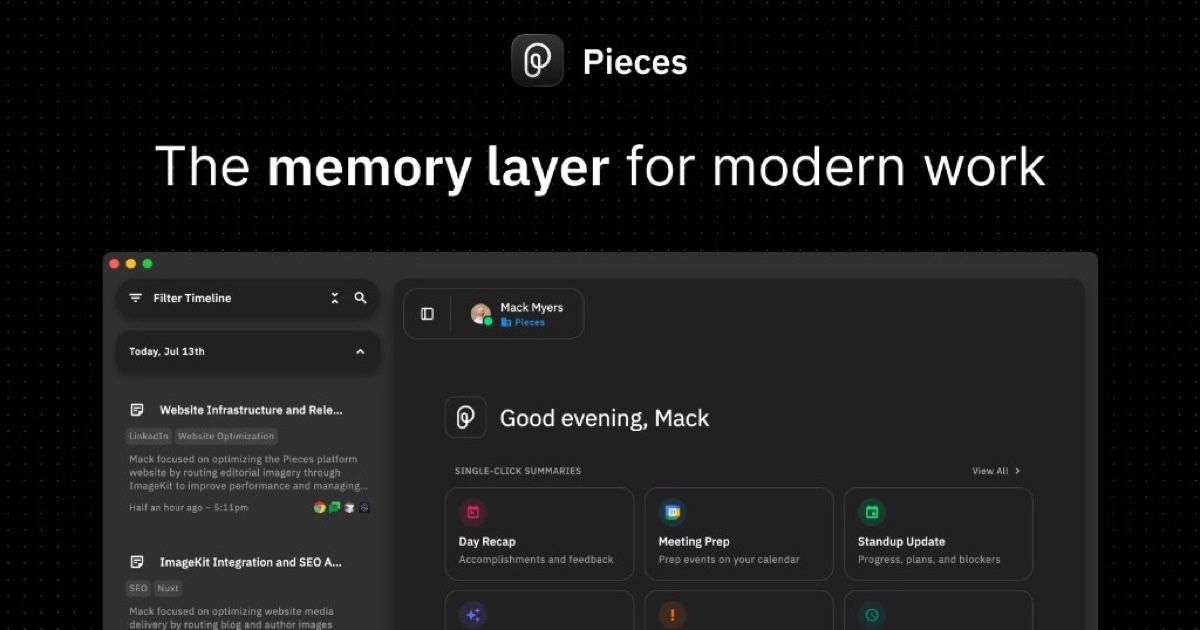

robots.txt (opens in a new tab)
244 rulesAll bots 1 allowed · 25 disallowed
- Allow
/ - Disallow
/campaigns - Disallow
/auth - Disallow
/install - Disallow
/migration - Disallow
/payments - Disallow
/downloads - Disallow
/enterprise-draft - Disallow
/mcp/tools - Disallow
/resources/prompts - Disallow
/index.md - Disallow
/about.md - Disallow
/support.md - Disallow
/support/desktop.md - Disallow
/support/piecesos.md - Disallow
/support/install.md - Disallow
/support/mcp.md - Disallow
/support/account.md - Disallow
/support/enterprise.md - Disallow
/pricing.md - Disallow
/enterprise.md - Disallow
/legal/privacy.md - Disallow
/legal/terms.md - Disallow
/legal/refund.md - Disallow
/mcp.md - Disallow
/mcp/bridge.md
gptbot 18 allowed · 9 disallowed
- Allow
/ - Allow
/llms.txt - Allow
/index.md - Allow
/about.md - Allow
/support.md - Allow
/support/desktop.md - Allow
/support/piecesos.md - Allow
/support/install.md - Allow
/support/mcp.md - Allow
/support/account.md - Allow
/support/enterprise.md - Allow
/pricing.md - Allow
/enterprise.md - Allow
/legal/privacy.md - Allow
/legal/terms.md - Allow
/legal/refund.md - Allow
/mcp.md - Allow
/mcp/bridge.md - Disallow
/campaigns - Disallow
/auth - Disallow
/install - Disallow
/migration - Disallow
/payments - Disallow
/downloads - Disallow
/enterprise-draft - Disallow
/mcp/tools - Disallow
/resources/prompts
oai-searchbot 18 allowed · 9 disallowed
- Allow
/ - Allow
/llms.txt - Allow
/index.md - Allow
/about.md - Allow
/support.md - Allow
/support/desktop.md - Allow
/support/piecesos.md - Allow
/support/install.md - Allow
/support/mcp.md - Allow
/support/account.md - Allow
/support/enterprise.md - Allow
/pricing.md - Allow
/enterprise.md - Allow
/legal/privacy.md - Allow
/legal/terms.md - Allow
/legal/refund.md - Allow
/mcp.md - Allow
/mcp/bridge.md - Disallow
/campaigns - Disallow
/auth - Disallow
/install - Disallow
/migration - Disallow
/payments - Disallow
/downloads - Disallow
/enterprise-draft - Disallow
/mcp/tools - Disallow
/resources/prompts
chatgpt-user 18 allowed · 9 disallowed
- Allow
/ - Allow
/llms.txt - Allow
/index.md - Allow
/about.md - Allow
/support.md - Allow
/support/desktop.md - Allow
/support/piecesos.md - Allow
/support/install.md - Allow
/support/mcp.md - Allow
/support/account.md - Allow
/support/enterprise.md - Allow
/pricing.md - Allow
/enterprise.md - Allow
/legal/privacy.md - Allow
/legal/terms.md - Allow
/legal/refund.md - Allow
/mcp.md - Allow
/mcp/bridge.md - Disallow
/campaigns - Disallow
/auth - Disallow
/install - Disallow
/migration - Disallow
/payments - Disallow
/downloads - Disallow
/enterprise-draft - Disallow
/mcp/tools - Disallow
/resources/prompts
claudebot 18 allowed · 9 disallowed
- Allow
/ - Allow
/llms.txt - Allow
/index.md - Allow
/about.md - Allow
/support.md - Allow
/support/desktop.md - Allow
/support/piecesos.md - Allow
/support/install.md - Allow
/support/mcp.md - Allow
/support/account.md - Allow
/support/enterprise.md - Allow
/pricing.md - Allow
/enterprise.md - Allow
/legal/privacy.md - Allow
/legal/terms.md - Allow
/legal/refund.md - Allow
/mcp.md - Allow
/mcp/bridge.md - Disallow
/campaigns - Disallow
/auth - Disallow
/install - Disallow
/migration - Disallow
/payments - Disallow
/downloads - Disallow
/enterprise-draft - Disallow
/mcp/tools - Disallow
/resources/prompts
claude-searchbot 18 allowed · 9 disallowed
- Allow
/ - Allow
/llms.txt - Allow
/index.md - Allow
/about.md - Allow
/support.md - Allow
/support/desktop.md - Allow
/support/piecesos.md - Allow
/support/install.md - Allow
/support/mcp.md - Allow
/support/account.md - Allow
/support/enterprise.md - Allow
/pricing.md - Allow
/enterprise.md - Allow
/legal/privacy.md - Allow
/legal/terms.md - Allow
/legal/refund.md - Allow
/mcp.md - Allow
/mcp/bridge.md - Disallow
/campaigns - Disallow
/auth - Disallow
/install - Disallow
/migration - Disallow
/payments - Disallow
/downloads - Disallow
/enterprise-draft - Disallow
/mcp/tools - Disallow
/resources/prompts
perplexitybot 18 allowed · 9 disallowed
- Allow
/ - Allow
/llms.txt - Allow
/index.md - Allow
/about.md - Allow
/support.md - Allow
/support/desktop.md - Allow
/support/piecesos.md - Allow
/support/install.md - Allow
/support/mcp.md - Allow
/support/account.md - Allow
/support/enterprise.md - Allow
/pricing.md - Allow
/enterprise.md - Allow
/legal/privacy.md - Allow
/legal/terms.md - Allow
/legal/refund.md - Allow
/mcp.md - Allow
/mcp/bridge.md - Disallow
/campaigns - Disallow
/auth - Disallow
/install - Disallow
/migration - Disallow
/payments - Disallow
/downloads - Disallow
/enterprise-draft - Disallow
/mcp/tools - Disallow
/resources/prompts
google-extended 18 allowed · 9 disallowed
- Allow
/ - Allow
/llms.txt - Allow
/index.md - Allow
/about.md - Allow
/support.md - Allow
/support/desktop.md - Allow
/support/piecesos.md - Allow
/support/install.md - Allow
/support/mcp.md - Allow
/support/account.md - Allow
/support/enterprise.md - Allow
/pricing.md - Allow
/enterprise.md - Allow
/legal/privacy.md - Allow
/legal/terms.md - Allow
/legal/refund.md - Allow
/mcp.md - Allow
/mcp/bridge.md - Disallow
/campaigns - Disallow
/auth - Disallow
/install - Disallow
/migration - Disallow
/payments - Disallow
/downloads - Disallow
/enterprise-draft - Disallow
/mcp/tools - Disallow
/resources/prompts
applebot-extended 18 allowed · 9 disallowed
- Allow
/ - Allow
/llms.txt - Allow
/index.md - Allow
/about.md - Allow
/support.md - Allow
/support/desktop.md - Allow
/support/piecesos.md - Allow
/support/install.md - Allow
/support/mcp.md - Allow
/support/account.md - Allow
/support/enterprise.md - Allow
/pricing.md - Allow
/enterprise.md - Allow
/legal/privacy.md - Allow
/legal/terms.md - Allow
/legal/refund.md - Allow
/mcp.md - Allow
/mcp/bridge.md - Disallow
/campaigns - Disallow
/auth - Disallow
/install - Disallow
/migration - Disallow
/payments - Disallow
/downloads - Disallow
/enterprise-draft - Disallow
/mcp/tools - Disallow
/resources/prompts
bytespider 0 allowed · 1 disallowed
- Disallow
/
meta-externalagent 0 allowed · 1 disallowed
- Disallow
/
No matching rules.
Sitemaps
1Recent Updates
- Website images
- Screenshots
- Network details
- Website Technologies
- Pages and Search Information
- HTTP Response Information
- TLS and certificates
- DNS Information
- Domain Registration
- Website profile
- Website Description
- Website Name
- Website profile
- Website Description
- Website Name
User reviews (0)