
 简体中文
简体中文 English
Website review
This review may include AI-generated content and is not individually verified. Domain, certificate and other facts come from the observed data on this page.
What is PlantTattoosAI?
PlantTattoosAI is a web tool that generates botanical tattoo concepts from a plant choice or a written prompt. According to its site, you can either pick from a curated set of 23 plants and four tattoo styles (blackwork realistic, fine line, traditional color, tribal), optionally narrow to a plant part such as flowers or leaves, or write a custom prompt to steer the design. It is aimed at people who want a starting point for a plant or flower tattoo rather than a finished, tattoo-ready drawing, and the site frames the output as something to share with your tattoo artist. Generation is described as typically taking under a minute.
Where it fits, and where it doesn't
The clearest use is early exploration: a Monstera deliciosa or Ficus lyrata piece in fine line versus blackwork realistic, compared side by side before you commit. Someone who knows the plant but not the style gets the most from the predefined-style route; someone with a specific composition in mind is better served by the custom prompt route.
The trade-off is that AI output is a concept, not a stencil. Tattoo artists routinely redraw references to fit body placement, scale, line weight and skin curvature, so treat generated images as mood and composition references. If you want a design that is genuinely yours, bring your own photos of a plant that matters to you and discuss them with the artist alongside the AI output.
A practical next step: shortlist two or three plants and two styles, generate a small set, and take the strongest two or three images to a consultation rather than choosing from the screen alone. For artist-drawn references, you can also browse portfolios on Instagram or look at healed-work galleries on Reddit tattoo communities to see how fine line and color botanicals age.
How do I turn a photo or name of a real plant into a tattoo-ready design with PlantTattoosAI?
PlantTattoosAI does not accept your own photo. You turn a real plant into a design by naming it: pick a plant from the site's curated list of 23 species (Monstera deliciosa, Ficus lyrata, Strelitzia reginae, Dracaena trifasciata and others), choose a style, optionally narrow it to a plant part such as flowers or leaves, and let the AI generate the design, which the site says typically takes under a minute. The four styles are blackwork realistic, fine line, traditional color and tribal. Alternatively, write a custom prompt to describe the plant and look you want.
Matching the tool to your plant
- On the list: Use predefined styles for the fastest, most predictable result—good if you want a Monstera leaf in fine line, for example.
- Not on the list: Use a custom prompt. A named cultivar, a plant from your own garden or a less common species will need description rather than selection.
- A specific plant you own: Describe its distinctive features in the prompt—leaf shape, flower color, growth habit—since the tool cannot see your photo.
From generation to skin
The output is a starting concept, not a finished stencil. Take it to your tattoo artist, as the site itself suggests, and expect the artist to redraw it for scale, placement and line weight. A fine-line design that looks delicate on screen may need thickening to age well on a forearm; a detailed leaf may lose definition at small wrist size. Discuss size and placement before committing.
As a next step, generate two or three variations of the same plant in different styles and compare them side by side with your artist. If you want to browse botanical references or artist work first, Instagram and Pinterest are common places tattoo seekers collect inspiration, though neither is a design tool.
Which plant species and tattoo styles can I choose from in the generator?
PlantTattoosAI offers a fixed catalog of 23 plant species and 4 tattoo styles. You pick a plant from its curated list, choose a style, and optionally narrow it to a specific plant part such as flowers or leaves—or skip the presets and write a custom prompt instead.
Plant species available
The list leans toward houseplants and tropicals, with a few temperate and carnivorous picks:
- Popular houseplants: Monstera deliciosa, Ficus lyrata (fiddle-leaf fig), Ficus elastica (rubber plant), Dracaena trifasciata (snake plant), Zamioculcas zamiifolia (ZZ plant), Aglaonema commutatum
- Tropicals and statement foliage: Strelitzia reginae (bird of paradise), Caladium bicolor, Ctenanthe lubbersiana, Ctenanthe oppenheimiana, Tradescantia zebrina, Tillandsia xerographica
- Flowers: Adenium obesum (desert rose), Anthurium scherzerianum, Gloriosa superba, Iris pseudacorus, Lilium lancifolium (tiger lily), Mandevilla sanderi, Xerochrysum bracteatum (strawflower)
- Unusual and niche: Sarracenia leucophylla (pitcher plant), Agave americana, Arctium lappa (burdock), Cannabis sativa
Tattoo styles available
- Blackwork realistic
- Fine line
- Traditional color
- Tribal
How to choose
Match the style to the plant's natural character and to where the tattoo will sit. Fine line suits delicate species like Tradescantia zebrina or Lilium lancifolium and works well at small sizes on wrists, ribs or ankles. Blackwork realistic plays to high-contrast foliage such as Monstera deliciosa or Caladium bicolor and holds up at larger scale on a forearm or thigh. Traditional color rewards bold blooms like Anthurium scherzerianum or Strelitzia reginae, while tribal pushes any plant toward abstraction—useful if you want the species to be a subtle reference rather than a literal illustration.
If your plant isn't in the 23-species list, the custom prompt route is the workaround: describe the species, the plant part and the style in your own words. Generated images typically arrive in under a minute, and the site frames them as references to share with your tattoo artist rather than finished stencils—so expect your artist to redraw and adapt line weight, placement and detail before inking.
For side-by-side botanical reference while you decide, Wikipedia covers the morphology of each species, and Kew Gardens has plant profiles useful for checking what a species actually looks like in flower.
Can I write a custom prompt to control the look of my botanical tattoo instead of using preset styles?
Yes. PlantTattoosAI offers a custom-prompt path alongside its preset options: instead of picking a predefined style, you write your own prompt to guide the AI. The site describes both routes as producing unique designs from your selections, typically in under a minute.
What each path gives you
| Approach | Best for | Trade-off |
|---|---|---|
| Preset styles (Blackwork realistic, Fine line, Traditional color, Tribal) | Fast results and a recognizable tattoo idiom; useful if you're still exploring | Less control over composition, line weight or mood beyond the chosen style |
| Custom prompt | Specific ideas—e.g., a fine-line monstera winding around a forearm, single-needle look, no shading | Results depend on how precisely you write; expect several attempts |
The preset route also lets you pick a plant from a curated list (23 species, including Monstera deliciosa, Ficus lyrata and Strelitzia reginae) and, for some combinations, choose a plant part such as flowers or leaves. Custom prompts are the better fit when your idea isn't tied to that list or when you want to steer the artistic treatment itself.
Writing a prompt that actually controls the look
Treat the prompt like a brief to an artist. Name the plant, the body placement, the style, the level of detail and what to leave out. For example: "Fine-line blackwork tattoo of a single monstera leaf with split fenestrations, wrapping the outer forearm, thin unshaded outlines, no color, clean white background." Vague prompts like "pretty botanical tattoo" tend to drift toward generic results.
A practical next step: generate two or three variants with the same prompt but one variable changed (line weight, or with versus without shading), then take the strongest to a tattoo artist. These are design drafts, not stencils—a tattooist will still adapt scale, placement and linework to your skin.
For broader botanical reference beyond this tool's library, Missouri Botanical Garden maintains detailed plant profiles useful for choosing accurate leaf and flower shapes.
Are the plant tattoo designs I generate unique and private enough to share safely with my tattoo artist?
Yes, within the limits of how the tool describes itself: PlantTattoosAI says it generates unique designs from your selections, and its FAQ addresses both customization and privacy. Uniqueness here means the AI composes a new image for your inputs rather than pulling a stock tattoo from a catalog; it does not guarantee no one else will ever produce a similar result. Privacy means the site states your designs are private—read that FAQ answer directly before uploading anything sensitive, since "private" can mean anything from not publicly listed to deleted after a set period.
What to check before sharing with an artist
- Confirm the privacy wording. Open the FAQ item "Are my plant tattoo designs private?" and note whether designs are stored, shown publicly, or used for training. If the answer is vague, treat the images as semi-public.
- Share the image files, not your account. Export or download the generated designs and send those to your artist by email or message. Avoid handing over login details.
- Expect the artist to redraw. AI output is a starting point. A tattoo artist will adapt line weight, scale, and placement for your skin and the body part—fine line designs that look crisp on screen can blur when small.
- Ask about exclusivity only if it matters to you. If you want a design no one else can reuse, commission the final artwork from your artist based on the AI reference.
A practical scenario
Suppose you want a Monstera deliciosa piece in fine line for your forearm. Generate several variations, pick the two or three whose leaf shapes and negative space you like, and send them with a note on size and placement. Your artist can then combine elements—say, the leaf arrangement from one and the line style from another—into a tattoo-ready drawing. That handoff is where uniqueness and safety both get settled: the AI gives you direction, and the artist gives you a design that is genuinely yours and technically sound.
As a next step, generate a small batch, save the files locally, and check the site's privacy FAQ before uploading or sharing anything you would not want seen publicly.
How much does PlantTattoosAI cost, and what do I get for the price?
PlantTattoosAI does not publish its price on the main page; the site only links to a separate Pricing page, so the exact cost has to be checked there before you commit. What the site does describe is the deliverable: AI-generated plant tattoo designs based on your choices, produced in under a minute, which you then take to a tattoo artist.
What the design process gives you
- Plant selection: 23 named plants, from Monstera deliciosa and Ficus lyrata to Strelitzia reginae and Sarracenia leucophylla.
- Style choice: four options — blackwork realistic, fine line, traditional color and tribal.
- Optional plant parts: for some combinations you can specify flowers or leaves.
- Custom prompts: instead of picking from the collection, you can write your own prompt to steer the design.
How to judge whether the price is fair
The value depends on how you plan to use the output, not on the number of generations alone. A concrete case: someone wanting a fine-line monstera piece for a forearm can generate several variations in a few minutes and bring the strongest one to an artist as a reference. That can save a paid consultation sketch, but it does not replace the artist's own drawing, which is usually what makes a tattoo actually work on skin.
Treat generated images as starting points. Ask your artist whether the line weights, contrast and detail density will hold up at the size and placement you want — fine line and tribal styles in particular can lose definition when scaled down or placed on curved areas.
Next step
Open PlantTattoosAI's Pricing page and compare the plan limits against how many designs you realistically expect to iterate through — most people need several attempts before landing on something worth inking. If the tiers are subscription-based, check whether a single short project justifies recurring cost versus paying an artist for a custom sketch directly.
 Cloudflare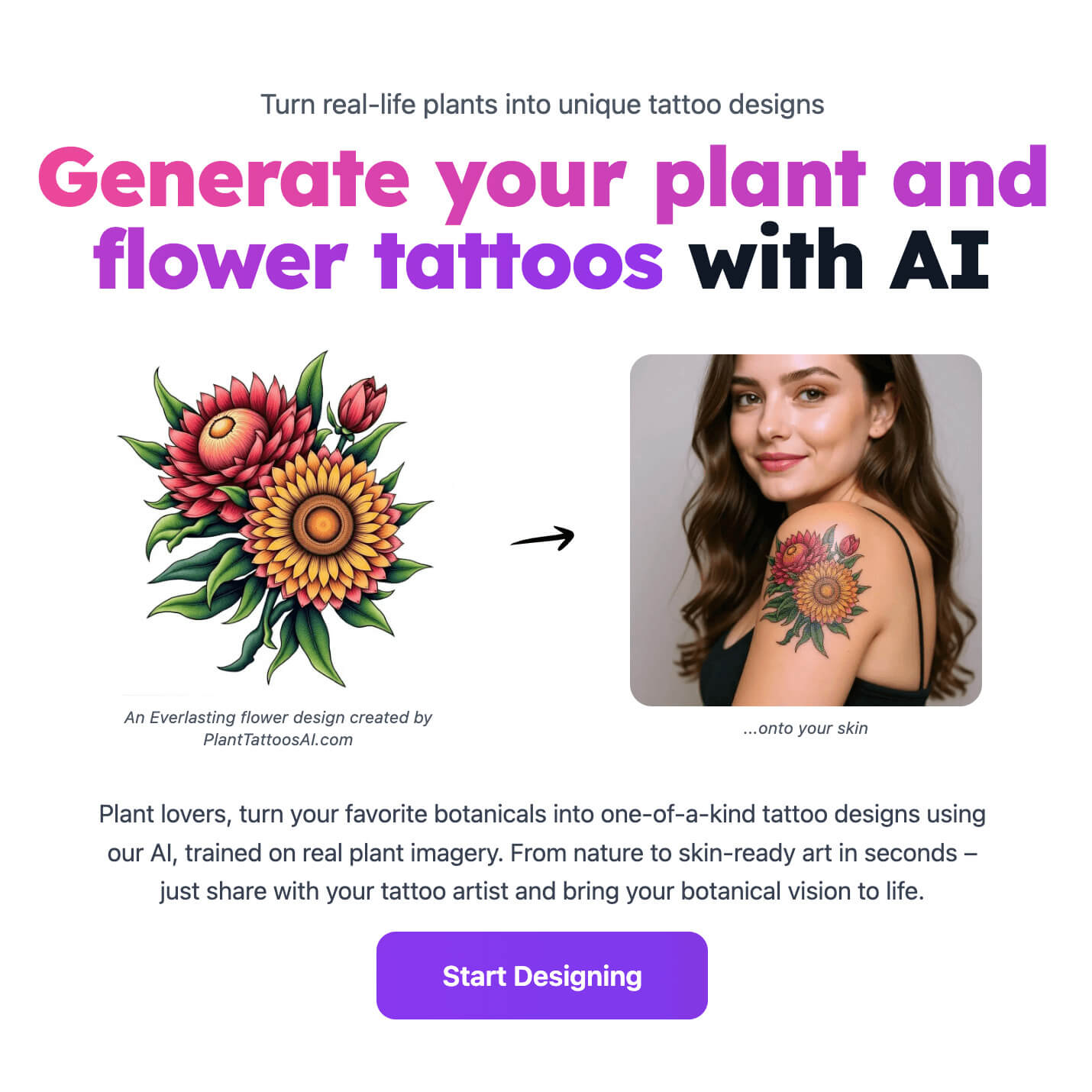

User reviews (0)