
 polar.sh
 Paid content
Categories: Payments Business Services
Polar is the Merchant of Record for developers building AI-era software: payments, subscriptions, and usage-based billing, with global tax handled for you.
 Visit website
 Updated: 2026-09-26 00:09
 Language: English (default)
 Access: Normal
 Profile views 5
 Outbound visits 1
Related questions
More questions →What Can You Actually Do With a Free Hosted REST API Like ReqRes?
A free hosted REST API like ReqRes gives you a real HTTP endpoint you can call immediately—no signup, no local server, no database setup. You get predictable JSON responses for users, resources, login, and registration, which makes it useful for front-end demos, integration tests, learning HTTP clients, and prototyping. What it is not is a production backend for your app: the data is shared, resets periodically, and you don't control the schema. If you need persistent, private data with auth and logs, that's where an account-based backend or a commercial licence comes in.
What "free REST API for testing and prototyping" actually means
The phrase sounds vague, so it helps to separate two things people often conflate:
- A mock/sample API — a public, hosted service with fixed or semi-fixed endpoints that return realistic-looking JSON. You don't own the data. It exists so you can point code at a URL and get a response.
- A real backend you configure — a service where you define collections, schemas, authentication, and logging, and where your data persists and belongs to you.
ReqRes's landing page describes both: a free REST API for testing and prototyping with real responses and no signup, plus an option to build your own backend with collections, auth, and logs at app.reqres.in. Those are different products with different trade-offs. The free public endpoints are the "point and go" part; the account-based backend is the "own your data" part.
What you can do with the no-signup public endpoints
1. Front-end demos without a backend
If you're building a UI and need data to render, you can fetch from a public endpoint instead of hardcoding arrays. This keeps your demo code closer to real fetch logic:
async function loadUsers(page = 1) {
  const res = await fetch(`https://reqres.in/api/users?page=${page}`);
  if (!res.ok) throw new Error(`HTTP ${res.status}`);
  const { data, total, page: current } = await res.json();
  return { users: data, total, page: current };
}
You get pagination fields, a data array, and support metadata—enough to build list views, loading states, and empty states.
2. Integration and contract tests
You can assert that your HTTP layer handles status codes, headers, and JSON shapes correctly. Typical checks:
GET /api/users/2returns200with adataobject.GET /api/users/23returns404(a non-existent user).POST /api/loginwith valid credentials returns a token; with missing fields returns400.
This is useful for testing your client wrapper, retry logic, error handling, and serialization—without spinning up your own server.
3. Learning HTTP clients and tooling
If you're new to fetch, Axios, curl, Postman, or HTTPie, a hosted API is a low-friction target. You can practice:
- Sending query parameters (
?page=2,?delay=3). - Setting headers and reading response headers.
- Handling
POST,PUT,PATCH,DELETE. - Observing status codes for success and failure.
4. Deliberate failure and latency testing
Endpoints that return 404 on purpose, or that accept a delay parameter, let you test how your app behaves when things go wrong or slow down. That's hard to do reliably against a happy-path local mock.
What the public endpoints are not good for
| Use case | Public sample endpoints | Account-based backend |
|---|---|---|
| Persistent, private data | No — shared and reset | Yes |
| Custom schema/collections | No | Yes |
| Authentication you control | Limited (demo login) | Yes |
| Request logs and debugging | No | Yes |
| Production traffic | Not intended | Depends on plan/licence |
| Team collaboration | No | Yes |
The key limitation: you don't own the data, and other people are hitting the same endpoints. Treat responses as illustrative, not authoritative.
When you'd move to an account-based backend
Consider app.reqres.in (collections, auth, logs) when any of these are true:
- You need your own collections and fields, not the fixed demo schema.
- You need data to persist between sessions and belong only to you.
- You need real authentication flows you can rely on in a demo or internal tool.
- You need request logs to debug what your client actually sent.
- You're working with a team and need shared, stable endpoints.
The trade-off is setup and, eventually, cost. The public endpoints require none; the backend requires an account and configuration.
Where pricing and licensing become relevant
The site signals a commercial licence and an upgrade path (with Stripe as the payment platform), but specific prices, plan tiers, and limits aren't stated here—so don't assume numbers. What you can reason about:
- Prototyping and learning → free public endpoints are usually enough.
- Internal tools, demos for clients, or anything you don't want reset → an account-based backend is the natural next step.
- Production or commercial use → check the licence terms and any paid plan, because "free for testing" and "free for commercial production" are not the same thing.
Before committing, read the current terms on the site rather than relying on secondhand summaries, since pricing and licence scope change.
A quick decision checklist
- Do you need data that persists and is private? If yes → account-based backend.
- Do you need a custom schema? If yes → account-based backend.
- Are you only testing HTTP behavior, UI rendering, or learning a client? If yes → free public endpoints.
- Will this touch real users or revenue? If yes → review the licence and any paid plan first.
- Do you need logs and team access? If yes → account-based backend.
If you answer "no" to 1, 2, 4, and 5, the free hosted API is likely all you need. If you answer "yes" to any of them, plan for the account-based path.
What Is Developer Marketing and How Does It Drive Signups?
Developer marketing is the practice of reaching software developers where they already learn and make tooling decisions—technical content, creator channels, open source, and community—and turning that attention into product signups. It differs from traditional marketing because the audience evaluates tools on technical merit, tries before trusting, and ignores polished ad copy. It's the right approach when your product is an AI or DevTools offering and your bottleneck is distribution rather than product quality.
Why distribution, not product, is usually the bottleneck
Most AI and DevTools teams are founded by people who can build. The failure mode described by DevTools Academy is "Great Product, Broken Distribution"—the tool works, but the people who would use it never hear about it in a context they trust.
Developers don't convert on impressions. They convert after seeing a credible peer use the tool, reading a technical walkthrough, or watching someone solve a real problem with it. That means the marketing job is not persuasion—it's placement in front of the right technical audience with proof attached.
How developer marketing differs from traditional marketing
| Dimension | Traditional marketing | Developer marketing |
|---|---|---|
| Primary audience | Broad buyers, often non-technical | Practitioners who evaluate the tool themselves |
| Trust source | Brand claims, ads | Peers, creators, open source maintainers |
| Content format | Campaigns, landing pages | Tutorials, demos, technical newsletters, community threads |
| Success signal | Impressions, brand recall | Signups, engagement, reposts, comments |
| Channel mix | Paid media, PR | YouTube, X, LinkedIn, Reddit, UGC, technical newsletters |
The practical consequence: budget spent on speculative reach tends to underperform compared to a systematic creator partnership framework, which is the shift DevTools Academy describes making for Orchids.
The creator-led distribution model
Creator-led developer marketing means partnering with technical creators who already have the audience you want, rather than buying reach through ads. DevTools Academy runs this across YouTube, X, LinkedIn, Instagram, TikTok, Reddit, UGC, and technical newsletters.
The mechanics that make it work:
- Credibility transfer. A creator who understands the tooling explains it in their own voice, so the recommendation carries weight an ad cannot.
- Depth over volume. The goal is "developers, not just impressions"—a smaller, engaged technical audience beats a large passive one.
- Repeatability. A creator program built once can produce consistent output quarter after quarter instead of one-off spikes.
For Stream, this approach was credited with 6,600+ sign-ups across every quarter of FY-2025, with a program built from the ground up spanning 60+ creators across YouTube, X, LinkedIn, open source, and newsletters.
What execution looks like end to end
DevTools Academy frames its work as "end-to-end developer GTM execution" and "numbers, not narratives." A workable sequence for a team running this themselves:
- Identify where your developers already are. Pick the two or three channels where your target users actually spend time—not all of them at once.
- Recruit creators with technical credibility. Prioritize people who can use the product and explain it, over reach alone.
- Give them something real to show. A working integration, a benchmark, or a solved problem produces better content than a feature list.
- Let the content run in the creator's format. Tutorials and demos outperform scripted promotion on technical channels.
- Measure signups and engagement, not just reach. Track comments, reposts, and sign-ups per channel so you can reallocate.
How to measure whether it's working
The evidence from DevTools Academy's case studies points to a measurement set that goes beyond impressions:
- Signups — the primary outcome. Stream: 6,600+ sign-ups across FY-2025 quarters.
- Engagement depth — comments and reposts as a signal of real technical interest. Oumi's LinkedIn launch produced 631+ comments and 269+ reposts on day one.
- Impressions and engagements at scale — Orchids reached 1.1M impressions and 10,000+ engagements in a single quarter.
- Consistency over time — growth that repeats every quarter, not a single viral moment.
Oumi's founder described the value as watching "the comment section turn into a deep-dive discussion on day one"—that discussion is the social proof that drives the next wave of signups.
When this approach fits
Creator-led developer marketing is a strong fit when:
- Your product is an AI or DevTools offering aimed at working developers.
- The product is good but under-distributed.
- You can support a program over multiple quarters rather than a single campaign.
- You're willing to trade speculative spend for a structured creator framework.
It's a weaker fit if your buyers are non-technical, if you have no working product to demonstrate, or if you need results within days rather than a quarter.
Where to start
If you want to assess your current position before committing, DevTools Academy offers a "See how your current GTM stacks up" entry point alongside strategy calls and published case studies. The useful first step for most teams is auditing which channels already produce signups, then concentrating creator partnerships there instead of spreading across every platform at once.
What Is SaaS? How Software-as-a-Service Works and When to Use It
SaaS (Software-as-a-Service) is a delivery model in which a vendor hosts an application and customers access it over the internet, typically paying a recurring subscription fee rather than buying a perpetual license. It fits most organizations that want faster deployment, lower upfront cost, and automatic updates — but it is a weaker fit when you need deep customization, strict data residency control, or the ability to run fully offline.
The core SaaS model
In a SaaS arrangement, three things move from the customer to the vendor:
- Infrastructure — servers, storage, and networking are owned and operated by the provider.
- Maintenance — patching, upgrades, and uptime are the provider's responsibility.
- Access — users reach the software through a browser or thin client, usually with per-user or usage-based billing.
You consume the software as a service rather than owning a copy of it. That single shift is what drives most of the benefits and most of the trade-offs below.
SaaS vs. on-premise, self-hosted, IaaS, and PaaS
These models are often confused because they all involve "the cloud." The difference is how much the vendor manages.
| Model | Who manages the app? | Who manages the infrastructure? | Typical customer control |
|---|---|---|---|
| SaaS | Vendor | Vendor | Configuration and data only |
| PaaS | Customer (builds/deploys) | Vendor | App code, runtime settings |
| IaaS | Customer | Customer (on rented VMs) | OS, middleware, app, data |
| On-premise | Customer | Customer (own hardware) | Everything |
| Self-hosted | Customer | Customer (own or rented) | Everything, but you install the vendor's software yourself |
A quick way to place them: with IaaS you rent the raw building blocks; with PaaS you rent a ready workbench to build on; with SaaS you rent the finished product. On-premise and self-hosted mean you run and maintain the software on infrastructure you control.
Main benefits and trade-offs
Benefits
- Lower upfront cost — no hardware purchase or large license fee; spend shifts to an operating expense.
- Faster setup — provisioning is usually measured in hours or days, not procurement cycles.
- Automatic updates — the vendor ships fixes and new features without a customer-side upgrade project.
- Elastic scalability — capacity can often be adjusted up or down as demand changes.
- Anywhere access — a browser and a connection are usually enough, which supports distributed teams.
Trade-offs
- Less data control — your data lives in the vendor's environment, subject to their architecture and regions.
- Limited customization — you generally configure within the vendor's boundaries rather than modifying the core.
- Vendor lock-in — migrating away can be costly if data export and integration are not well supported.
- Ongoing cost — subscriptions never "finish paying off" the way a perpetual license can.
- Dependency on connectivity and uptime — if the service is down or unreachable, work may stop.
Typical use cases and examples
SaaS is the default choice for horizontal needs like email, CRM, project management, and HR. It is also increasingly common as vertical SaaS — software built for one industry's specific workflows and compliance requirements.
Regulated industries are a useful illustration. Trust, corporate, and fund services providers handle sensitive client data and face audit and reporting obligations, so they tend to weigh data control and compliance heavily. Quantios, for example, describes itself as an AI-native SaaS platform for global corporate, trust, and fund services providers, positioned to help them reduce risk, boost efficiency, and scale. That is the vertical-SaaS pattern: the delivery model is standard SaaS, but the feature set and compliance posture are tailored to one sector.
How to evaluate a SaaS option
Use the same criteria regardless of vendor, and get specifics rather than assurances:
- Security — encryption in transit and at rest, access controls, and how incidents are handled.
- Compliance — which standards and regulations the vendor supports, and whether they match your obligations.
- Integration — APIs, prebuilt connectors, and how easily it fits your existing stack.
- Pricing model — per user, per usage, tiered, or a mix; understand what triggers a cost increase.
- Data portability and exit — can you export your data in a usable format, and what happens to it at contract end?
- Service levels — uptime commitments, support channels, and response times.
When SaaS is the right fit — and when it isn't
Choose SaaS when you want speed, predictable operating costs, and low maintenance overhead, and your data can reasonably live in a vendor's environment.
Reconsider when you need deep customization, must keep data strictly on your own infrastructure, operate in low-connectivity settings, or face regulations that rule out third-party hosting. In those cases, self-hosted or on-premise may be the better fit — or a SaaS vendor with strong regional and compliance guarantees.
What Are Open-Source UI Element Libraries and How Do They Differ From UI Frameworks?
An open-source UI element library is a collection of individual, ready-made interface pieces—buttons, cards, inputs, toggles, loaders—that you copy into your own project and adapt. A UI framework, by contrast, is a structured system of components, conventions, and often a theming layer that governs how your whole interface is built. The practical difference: an element library gives you a snippet; a framework gives you a way of working. If you need a polished button in ten minutes, reach for the element library. If you're building a 40-screen product with a team, you probably want the framework.
What "open-source UI element library" actually means
The term gets used loosely, so it helps to separate the parts:
- Open-source: the code is publicly available, and the license tells you what you may do with it—copy, modify, redistribute, or use commercially.
- UI element: a single, self-contained piece of interface, usually small enough to read in one sitting. A button with hover states, a pricing card, a search field.
- Library: a browsable, searchable collection of those elements, typically contributed by many different people.
On a site like Uiverse, elements are shared by a community and written in plain CSS or Tailwind. You find one you like, copy the markup and styles, paste them into your project, and adjust colors, spacing, and text to fit. There's no package to install and no build step required—which is exactly the appeal, and also the source of most of the confusion.
Element library vs. UI framework: the core differences
| Dimension | Open-source UI element library | UI framework / design system |
|---|---|---|
| Unit of reuse | A single snippet you copy | A component you import or call |
| Installation | None; paste into your code | Package install, config, sometimes a provider |
| Consistency | Depends on you; each element may look different | Enforced by shared tokens and APIs |
| Theming | Manual edits per element | Central theme/config file |
| Updates | You own the copy; no upstream updates | Version bumps bring fixes and changes |
| Accessibility | Varies per contributor; must be checked | Usually tested and documented |
| Best for | Prototypes, landing pages, small sites, one-off needs | Multi-page apps, teams, long-lived products |
| Learning curve | Low—read the CSS | Higher—learn the API and conventions |
The table isn't a verdict. It's a map of trade-offs. Element libraries win on speed and freedom; frameworks win on consistency and maintenance.
Licensing and attribution: what to check before you paste
This is where people get into trouble, and it's worth slowing down for.
- Find the license. Every element or collection should state one. Common open-source licenses include MIT, Apache-2.0, and BSD. Some projects use copyleft licenses like GPL, which can impose obligations if you redistribute your code.
- Understand what the license permits. MIT and Apache-2.0 are permissive: you can typically use the code in commercial and closed-source projects. Copyleft licenses may require you to release derivative source under the same terms.
- Check attribution requirements. Permissive licenses usually require you to keep the copyright notice and license text somewhere in your project. That's a real obligation, not a formality.
- Look for per-element terms. On community sites, the site's overall terms and the individual contributor's stated wishes may differ. If a contributor asks for credit, honor it.
- When in doubt, ask or avoid. If a snippet has no license at all, you don't have clear permission to reuse it. Treat "no license" as "not open source," even if the code is publicly visible.
This article is general information, not legal advice. For commercial products with real exposure, have someone qualified review the licenses you're relying on.
How to use a community element in your project: a practical workflow
Here's a repeatable process that avoids most of the usual mess.
1. Start from a real need, not a browsing session
Decide what you need first—"a compact primary button with a loading state"—then search. Browsing aimlessly produces a pile of pretty snippets that don't fit together.
2. Copy the smallest version that works
Take the markup and the styles. Strip anything you don't need: demo wrappers, extra animations, decorative layers. Less code means fewer surprises.
3. Convert it to your conventions
If your project uses design tokens or CSS variables, replace hard-coded values:
/* Before: hard-coded */
.button { background: #4f46e5; border-radius: 8px; }

/* After: token-based */
.button { background: var(--color-primary); border-radius: var(--radius-md); }
This one step is what keeps a copied element from looking like a foreign object in your UI.
4. Check accessibility before you ship
Community elements vary widely here. Verify at minimum:
- Keyboard focus is visible and the element is reachable by Tab.
- Color contrast meets WCAG AA (4.5:1 for normal text).
- Interactive elements use semantic HTML (
<button>, not a clickable<div>). - Form inputs have associated labels.
- Motion respects
prefers-reduced-motion.
5. Test in context
Paste it into a real page with real content. Long labels, small screens, and dark mode break more copied elements than anything else.
6. Note where it came from
Keep a short comment or an internal credits file: source, license, date. Future you—and your legal reviewer—will be grateful.
Where element libraries genuinely shine
- Prototypes and demos: you need something clickable today, not a design system.
- Landing pages and marketing sites: a handful of distinctive elements, each custom.
- Filling gaps: your framework lacks one specific component, and you don't want to build it from scratch.
- Learning: reading well-made CSS is one of the fastest ways to improve.
- Small projects: a personal site doesn't need a theming architecture.
Where they fall short
- Consistency at scale: ten elements from ten contributors rarely look like one product.
- Maintenance: you own every copy. When your design changes, you edit each one.
- Accessibility debt: you inherit whatever the contributor did or didn't do.
- No upstream fixes: a bug fixed in the original won't reach your copy.
- Integration friction: different naming conventions, different units, different assumptions about resets.
When to choose which
Choose an element library when the scope is small, the timeline is short, or you need a few distinctive pieces rather than a whole system.
Choose a framework or design system when multiple people build multiple screens over months, when consistency is a product requirement, or when accessibility and theming need to be guaranteed rather than checked.
A hybrid works well for many teams: adopt a framework for the structural components—forms, navigation, layout—and borrow individual elements for the places where you want personality. Just route every borrowed element through the same token and accessibility checks, so it lands as part of your system rather than beside it.
The short version: open-source UI element libraries are a fast, flexible way to get good-looking interface pieces into a project. They are not a substitute for a design system, and the license and accessibility details are the part worth reading carefully.
What Does "Open Source" Mean for a Zen Cart Online Store?
Open source means the software's source code is publicly available, so anyone can inspect, modify, and redistribute it. Zen Cart, the platform running this reptile supply store, is open-source e-commerce software: the store owner can read and change the code, and no license fee is paid to a vendor. That matters to a small shop because it removes per-sale or monthly software fees and allows deep customization — but it also means the owner (or a developer they hire) handles hosting, updates, and security. Note that "open source" here describes the store software, not the reptile foods and supplements sold on it.
Open source in plain terms
Proprietary store platforms typically charge a subscription or a percentage of sales and keep their code closed. Open-source platforms publish the code under a license that permits use and modification. In practice, for a store like this one:
- No license fee. You pay for hosting and your own time, not for permission to run the software.
- Full access to the code. Layouts, checkout flow, and product pages can be changed beyond what a theme editor allows.
- Community development. Fixes and add-ons come from contributors and other store owners, not only from one company.
What it looks like on this store
The page evidence shows a typical Zen Cart storefront: category navigation (Bee Pollen, Cat Grass, Chia Seeds, Dandelion, Sprouting Seeds, Supplements), an "All Products" listing, reviews, and an information block with About Us, Shipping & Returns, Privacy Notice, Conditions of Use, Order Status, Site Map, Gift Certificate FAQ, and Discount Coupons. That structure — categories, reviews, coupons, gift certificates, order status — is what the platform provides out of the box. The store also publishes care guides (Russian Tortoise Care, Box Turtle Care, Redfoot Tortoise Care) and growing instructions, which are content pages the owner added rather than built-in store features.
Benefits for a small pet supply shop
- Cost control. No platform subscription means a low fixed cost that doesn't scale with order volume.
- Custom catalog logic. A shop selling seeds, dried weeds, and supplements by weight can adjust product options, units, and shipping rules directly in the code.
- Content and commerce in one place. Care guides and growing instructions sit alongside the catalog, which supports the store's stated role of helping customers find foods for herbivore reptiles.
- No vendor lock-in on data. You can export and migrate your catalog if you decide to move.
Trade-offs to plan for
| Concern | What it means in practice |
|---|---|
| Hosting | You arrange your own web host and domain; the platform doesn't host the store for you |
| Security updates | You apply patches yourself or pay someone to; skipping them is the main risk |
| Technical maintenance | Theme changes, add-ons, and upgrades need someone comfortable with PHP-based code |
| Support | Help comes from forums, documentation, and paid developers rather than a single support line |
| Add-on quality | Third-party modules vary; test before relying on them for checkout or payments |
Deciding whether it fits your store
Choose an open-source cart like Zen Cart if you want no license fees, need code-level customization, and have either technical skills or a developer you can call. Choose a hosted subscription platform instead if you'd rather not manage hosting, patches, and upgrades, and you're comfortable paying monthly for that convenience. A middle path works for many small shops: run the open-source cart on managed hosting that handles server updates, and keep a developer on retainer for store-level changes.
If you're evaluating this specific store as a model, the useful signal is that a niche reptile supply shop can run a full catalog, reviews, coupons, and care content on open-source software without a platform fee — the cost shifts from subscriptions to maintenance.
Website Overview
Page metadata, canonical configuration and social previews work together to provide more consistent search and sharing presentation.
Domain and Registration
Transfer-protection status is present, helping reduce the risk of unauthorized domain transfers. The domain has about 4 years of registration history; its current configuration provides more context than age alone. The registrar is NameCheap, Inc., a widely used domain service provider. The domain uses the common .sh extension, which is not an independent safety signal.
DNS and Email
Nameservers are provided by Cloudflare, indicating managed DNS hosting. MX records point to the Google Workspace email service. DNSSEC is enabled, allowing validating resolvers to authenticate signed DNS data. No CNAME was found; the observed records resolve directly to addresses. SPF and DMARC are configured. DKIM status is unknown.
TLS and Certificates
The certificate uses an RSA 2048-bit public key, offering broad client compatibility. The server supplied a complete certificate chain. No organization name is present in the certificate; the available fields are consistent with domain validation. The certificate was issued by Let's Encrypt, commonly associated with automated certificate services. The certificate's total validity is about 89 days, consistent with a short renewal cycle.
HTTP and Browser Security
The response lacks these common security headers: X-Content-Type-Options, Referrer-Policy. CORS permits any origin to read this response. This is common for public resources; sensitive responses need narrower handling. No X-Powered-By header was found, reducing one common source of backend fingerprinting information. No obvious internal addresses or debug information were found in the headers. The Server header contains the custom value Vercel.
Technology Stack Analysis
The public page identifies Next.js, Tailwind CSS, Vercel without precise versions, leaving fewer clues for version-specific scanning.
Search and Social Sharing
Twitter Card metadata is configured. JSON-LD includes Organization data, helping describe the organization as an entity. The title has 59 characters, within a common display range. A meta description is present, with 155 characters. The observed directives allow indexing and link following.
 Hosting and Email
 Cloudflare
 Hosting
 Vercel
 Google Workspace
 Location
 United States
 Pages, Search and Sharing
| Meta description | Polar is the Merchant of Record for developers building AI-era software: payments, subscriptions, and usage-based billing, with global tax handled for you. |
|---|---|
| Canonical URL | https://polar.sh |
| Language | English (default) |
| Twitter Card | summary_large_image |
Social Sharing Preview
14 fields

Sharing metadata
| og:type | website |
|---|---|
| og:image | https://polar.sh/assets/brand/polar_og.jpg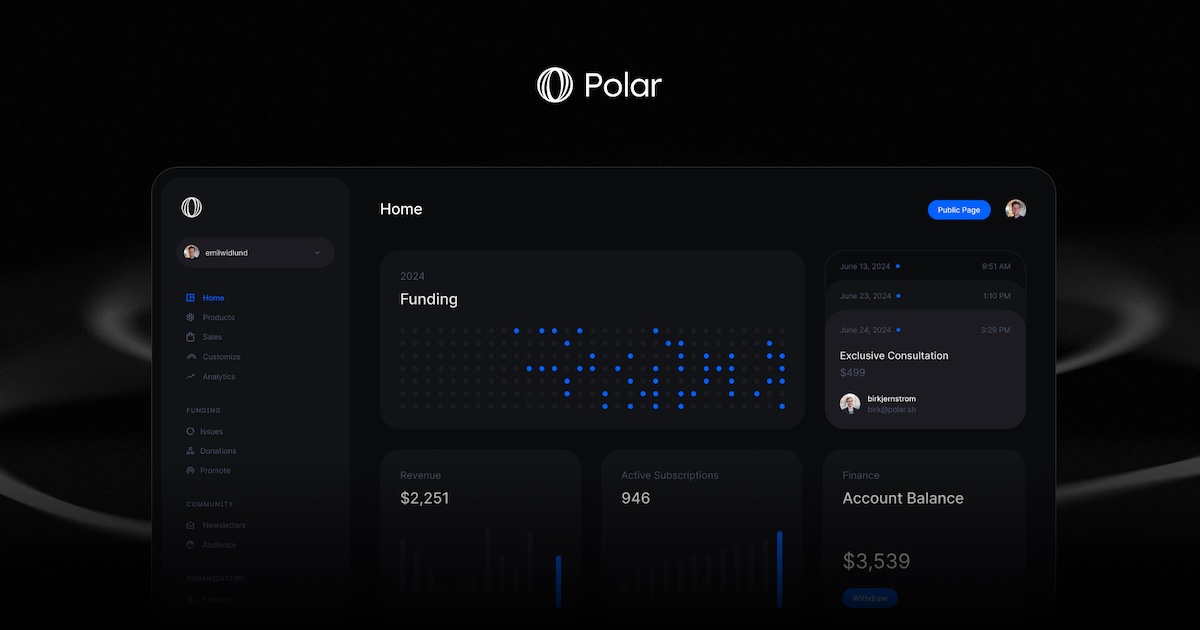 |
| og:title | Polar — A billing platform for the intelligence era | Polar |
| og:site_name | Polar |
| og:description | Polar is the Merchant of Record for developers building AI-era software: payments, subscriptions, and usage-based billing, with global tax handled for you. |
| og:image:width | 1200 |
| og:image:height | 630 |
| twitter:card | summary_large_image |
| twitter:image | https://polar.sh/assets/brand/polar_og.jpg |
| twitter:title | Polar — A billing platform for the intelligence era | Polar |
| twitter:image:alt | Polar |
| twitter:description | Polar is the Merchant of Record for developers building AI-era software: payments, subscriptions, and usage-based billing, with global tax handled for you. |
| twitter:image:width | 1200 |
| twitter:image:height | 630 |
robots.txt (opens in a new tab)
44 rules
All bots 1 allowed · 3 disallowed

 All bots

/
/dashboard//auth//verify-email/
oai-searchbot 1 allowed · 3 disallowed
//dashboard//auth//verify-email/
chatgpt-user 1 allowed · 3 disallowed
//dashboard//auth//verify-email/
gptbot 1 allowed · 3 disallowed
//dashboard//auth//verify-email/
perplexitybot 1 allowed · 3 disallowed
//dashboard//auth//verify-email/
perplexity-user 1 allowed · 3 disallowed
//dashboard//auth//verify-email/
claudebot 1 allowed · 3 disallowed
//dashboard//auth//verify-email/
claude-web 1 allowed · 3 disallowed
//dashboard//auth//verify-email/
anthropic-ai 1 allowed · 3 disallowed
//dashboard//auth//verify-email/
google-extended 1 allowed · 3 disallowed
//dashboard//auth//verify-email/
applebot-extended 1 allowed · 3 disallowed
//dashboard//auth//verify-email/
No matching rules.
Sitemaps
1 Registration details RDAP / WHOIS
| Registrar | NameCheap, Inc. |
|---|---|
| Registered | 2022-09-24 |
| Expires | 2028-09-24 |
| Domain status | clientTransferProhibited https://icann.org/epp#clientTransferProhibited |
| Nameservers | reese.ns.cloudflare.com、stephane.ns.cloudflare.com |
| DNSSEC | signed |
 DNS records
| Type | Name | Value | TTL | Priority |
|---|---|---|---|---|
| A | polar.sh | 216.150.1.1 | 600 | — |
| MX | polar.sh | aspmx.l.google.com | 300 | 1 |
| MX | polar.sh | alt1.aspmx.l.google.com | 300 | 5 |
| MX | polar.sh | alt2.aspmx.l.google.com | 300 | 5 |
| MX | polar.sh | alt3.aspmx.l.google.com | 300 | 10 |
| MX | polar.sh | alt4.aspmx.l.google.com | 300 | 10 |
| NS | polar.sh | reese.ns.cloudflare.com | 86400 | — |
| NS | polar.sh | stephane.ns.cloudflare.com | 86400 | — |
| TXT | polar.sh | anthropic-domain-verification-9md8gj=uTnRtrl6RJWLfY4kPHPVmC3Ar | 300 | — |
| TXT | polar.sh | cloudflare_dashboard_sso=bbdb68fc3b66aec671239f6b08846557 | 300 | — |
| TXT | polar.sh | google-site-verification=5gjQ0f6TmuEBhR34TP54i4z7rTM6NS4vLfH0NIWR8K4 | 300 | — |
| TXT | polar.sh | google-site-verification=Dr4VfvE0DVSdW3-g_oDfVzOCbHqmaqZU_lfzdL6Pfeo | 300 | — |
| TXT | polar.sh | google-site-verification=GHNrHeZ_0JUiXFXzJ5c6j1GrrpeTC-9VZVI2OgeOioc | 300 | — |
| TXT | polar.sh | google-site-verification=HOeTwvIAM8Y1sqX6274zQU8g424Mzqq6xsC7adA8FbY | 300 | — |
| TXT | polar.sh | google-site-verification=kijNAFV_5a8tFHGvSQ9jn1T8YTvqOp2_Nfymmvw5-xw | 300 | — |
| TXT | polar.sh | google-site-verification=nhEvHcS-qpOG59BTaWBXJgV7UJ5Sh8qHxTpFOwnHY6o | 300 | — |
| TXT | polar.sh | slack-domain-verification=W21byGlcNTKVK6bL7NpMohkgW4GdV8cDVzg9yKLA | 300 | — |
| TXT | polar.sh | speakeasy-domain-verification-sydq76=Wxc5WHtrqla20K3mIkHEe6hHL | 300 | — |
| TXT | polar.sh | stripe-verification=8A68B0230FBC22CB6D421412661E1BC33AC1E5FB7655B68613E468D20380A0BA | 300 | — |
| TXT | polar.sh | stripe-verification=984703a2b1d8df79810bd8ab5f324778f7ca2f476da5a5db3dcbcf468b57cbf8 | 300 | — |
| TXT | polar.sh | v=spf1 include:_spf.google.com -all | 300 | — |
| DS | polar.sh | 2371 13 2 4978f44d6df625474eb20434735a53b84ab8d2619b7ac75a05f510a954cf78e4 | 3600 | — |
| DMARC | _dmarc.polar.sh | v=DMARC1; p=reject; pct=100; rua=mailto:[email protected],mailto:[email protected]; sp=reject; aspf=r; | 300 | — |
 TLS and certificates
| Assessment | Normal configuration |
|---|---|
| Supported protocols | TLSv1.2、TLSv1.3 |
| Negotiated protocol | TLSv1.3 |
| Certificate subject | polar.sh |
| Issuer | Let's Encrypt |
| Valid until | 2026-11-01T00:13 · Remaining when checked: 36 days |
| Verification details | Certificate trust: Passed · Hostname match: Passed |
 HTTP response headers
| Header | Value |
|---|---|
| content-type | text/html; charset=utf-8 |
| cache-control | public, max-age=0, must-revalidate |
| server | Vercel |
| strict-transport-security | max-age=63072000 |
| content-security-policy | default-src 'self'; connect-src 'self' https://api.polar.sh https://polar-production-files.s3.amazonaws.com https://polar-public-files.s3.amazonaws.com https://api.stripe.com https://maps.googleapis.com https://*.google-analytics.com https://chat.uk.plain.com https://prod-uk-services-attachm-attachmentsuploadbucket2-1l2e4906o2asm.s3.eu-west-2.amazonaws.com; frame-src 'self' https://challenges.cloudflare.com https://*.js.stripe.com https://js.stripe.com https://hooks.stripe.com https://customer-wl21dabnj6qtvcai.cloudflarestream.com videodelivery.net *.cloudflarestream.com; script-src 'self' 'unsafe-eval' 'unsafe-inline' https://challenges.cloudflare.com https://*.js.stripe.com https://js.stripe.com https://maps.googleapis.com https://www.googletagmanager.com https://chat.cdn-plain.com https://embed.cloudflarestream.com; style-src 'self' 'unsafe-inline' https://fonts.googleapis.com; img-src 'self' blob: data: https://www.gravatar.com https://img.logo.dev https://lh3.googleusercontent.com https://avatars.githubusercontent.com https://polar-public-files.s3.amazonaws.com https://uploads.polar.sh https://prod-uk-services-workspac-workspacefilespublicbuck-vs4gjqpqjkh6.s3.amazonaws.com https://prod-uk-services-attachm-attachmentsbucket28b3ccf-uwfssb4vt2us.s3.eu-west-2.amazonaws.com https://i0.wp.com; font-src 'self'; object-src 'none'; base-uri 'self'; upgrade-insecure-requests; form-action 'self' https://api.polar.sh polar:; frame-ancestors 'none'; |
| x-frame-options | DENY |
| permissions-policy | payment=(), publickey-credentials-get=(), camera=(), microphone=(), geolocation=() |
| access-control-allow-origin | * |
| set-cookie | Redacted |
 Identified technologies
User reviews (0)