
 简体中文
简体中文 English
Website review
This review may include AI-generated content and is not individually verified. Domain, certificate and other facts come from the observed data on this page.
What is PostHog?
PostHog is a product analytics and development platform that combines analytics, session replay, error tracking, feature flags, experiments, surveys, logs and a managed data warehouse in one place. Its stated goal is to make your product "self-driving": rather than only reporting what happened, it aims to diagnose problems, suggest fixes and even ship code changes. The site says 500,000+ teams use it, and that 97% of users pay $0, with no credit card required.
What it actually does
The core idea is that product and company data live together, so questions can be answered across tools instead of in separate dashboards. PostHog describes ingesting analytics, replays, errors and logs, stitching them together on the fly, and piping in third-party data from 700+ sources.
It also pushes AI agents into the workflow. You can ask PostHog questions in plain language, and agents can be given product context so they can act — for example, querying product data from your editor via the PostHog MCP rather than switching to a browser. The site's own illustrative demo shows an agent investigating falling paid conversion by comparing Google Ads traffic, PostHog funnels, Stripe payments and GitHub changes, then recommending a shorter mobile checkout. That demo is explicitly labelled sample data, so treat it as a picture of the intended workflow, not a verified result.
Who it suits
| If you are… | PostHog is worth considering when… |
|---|---|
| A startup or product team | You want analytics, flags and experiments without stitching together several vendors |
| An engineering-led team | You want error tracking, logs and session replay next to the same data as product metrics |
| A data or platform team | You want a managed warehouse plus a CDP and the ability to query across sources |
| A team already deep in a specialist stack | The overlap may be more than you need; check integration and migration cost first |
Trade-offs to weigh
Breadth is the main appeal and the main risk. A single platform reduces tool sprawl and makes cross-source questions easier, but you are adopting one vendor's view of analytics, experimentation and AI-assisted development at once. The AI features are the least conventional part: letting agents read product context and propose or generate changes raises real questions about permissions, review and who is accountable for shipped code. The free tier and the "97% pay $0" figure suggest a generous entry point, but pricing that suits casual use may not suit high-volume event ingestion, so check the pricing page before committing.
A practical next step
Pick one concrete question your team currently answers slowly — say, why signups convert but paid upgrades stall — and see whether PostHog can trace it end to end using data you already have. Start with PostHog's free setup and the install wizard, and keep agent-driven code changes behind normal review until you trust the output.
How does PostHog's AI diagnose product issues and suggest fixes?
PostHog's AI works by connecting product data you already collect — analytics, session replays, error tracking, logs — with third-party sources, then reasoning across that combined picture to explain a problem and recommend a change. The site's illustrative demo shows the pattern: when paid conversion falls, the AI checks ad traffic, traces the signup-to-payment funnel, inspects payment declines, and reviews recent code changes, then concludes a new required field is hurting mobile checkout and suggests testing a shorter flow. The demo uses sample data, so treat it as a description of the intended workflow rather than a verified outcome.
The practical loop has three parts, per the page's own headings:
- Ask anything: query product and company data in one place instead of stitching tools together.
- Give agents product context: connect analytics, replays, errors, flags, experiments and your warehouse to AI agents.
- Ship: the AI can move from diagnosis toward generating code changes and pull requests.
For a concrete scenario: a growth team notices signups rising while revenue stalls. Instead of exporting funnel data, reading session replays separately, and asking an engineer to check deploys, they ask one question and get a traced answer with a suggested experiment. The trade-off is that the quality of the diagnosis depends on how much data is actually piped in — sparse instrumentation or missing payment data weakens the conclusion, and AI-suggested code still needs human review before merging.
If you want to evaluate it, start with one narrow, well-instrumented funnel and compare the AI's explanation against what you already know to be true. See PostHog for setup details.
How do I connect third-party data like Stripe or Google Ads into PostHog?
PostHog is designed to be the single place where product and company data come together, and the page explicitly calls out piping in third-party data from 700+ sources. The mechanism it points to is its CDP (customer data platform) and managed warehouse features: you send external data in, and it gets stitched together on the fly with your analytics, replays, errors, and logs so you can query everything in one place.
The page's own worked example shows what this looks like in practice. In the demo, PostHog AI investigates falling paid conversion by pulling Google Ads campaign traffic, PostHog funnels, Stripe payments and declines, and GitHub checkout changes, then concludes that a new required field is losing customers at mobile checkout. Note that this is labeled sample data, so treat it as an illustration of the intended workflow rather than a verified result.
Practical options for connecting a source
- Managed warehouse — PostHog lists this as a product for bringing external data in and querying it alongside product data. This is the natural fit for sources like Stripe or Google Ads.
- CDP — listed as a separate product, aimed at moving and syncing data between systems rather than just querying it.
- MCP / editor integration — the page shows
npx @posthog/wizard mcp addfor querying product data from your editor, which is about access to PostHog data, not ingestion of third-party data.
A sensible decision rule: if you mainly want to analyze Stripe revenue or Google Ads spend next to funnels and session replays, route it through the warehouse and join on a shared identifier such as user ID or email. If you need to act on that data (trigger emails, sync audiences, push events back out), the CDP is the better layer.
Next step
Check the specific connector for your source before committing. Start at PostHog and look for the data warehouse and CDP docs, then confirm whether Stripe and Google Ads have native connectors or require a pipeline tool. The critical thing to plan is your join key — without a consistent user identifier across PostHog, Stripe, and Ads, the data lands but won't stitch together the way the demo implies.
What does PostHog cost for a small team or startup?
PostHog is positioned as free to start for most small teams: its page states that 97% of users pay $0 and that no credit card is required, with a free setup path. For a startup, that usually means you can adopt product analytics, session replay, error tracking, feature flags and experiments without an upfront commitment, then only consider paid usage as event or replay volume grows. The page does not list specific tier prices here, so treat any exact figure as something to confirm on PostHog's pricing page rather than assume.
H3 What this means in practice
- Early-stage team (a few thousand events/month): likely stays on the free allowance; the main cost is setup time, not money.
- Growing product with heavy session replay or high event volume: costs scale with usage, so budget by volume rather than per-seat.
- Team wanting agents and warehouse features: these are part of the broader platform, and heavier data ingestion is where paid usage typically appears.
H3 A useful next step Estimate your monthly events and replay volume first, then check the pricing page against those numbers. If you are pre-revenue, start free and revisit once you cross the free thresholds; if you already have steady traffic, model the usage-based cost before committing.
For comparison, teams often weigh PostHog against Amplitude for analytics depth or Matomo if privacy-hosted analytics is the priority, but PostHog's draw for a startup is combining several tools in one place, which can reduce the number of separate bills.
Can I use PostHog from my code editor instead of the web app?
Yes. PostHog offers a way to work from your editor rather than switching to the browser. The page describes an MCP (Model Context Protocol) integration that lets you query product data and even launch features without opening the web UI. It also mentions a PostHog Desktop option.
What "from your editor" means here
- You install the PostHog MCP so your editor's AI assistant can reach your PostHog data.
- You can run one-off analytics queries and kick off new features from the same window you code in.
- The stated install command on the page is
npx @posthog/wizard mcp add.
What you still get from the web app
The browser app remains the place for the full surface area: dashboards, session replay, error tracking, feature flags, experiments, surveys, and the managed warehouse. The editor route is best thought of as a fast query-and-act layer, not a replacement for visual review.
A practical scenario
Say signups are climbing but paid conversions are dropping. Instead of clicking through funnels in a browser tab, you ask your editor's assistant to trace the path from ad click to payment, then have it check recent checkout changes. The page's own demo shows exactly this kind of multi-source investigation.
How to decide
| If you mainly... | Editor (MCP) | Web app |
|---|---|---|
| Ask ad-hoc data questions while coding | Strong fit | Works, more clicking |
| Watch replays or scan dashboards visually | Limited | Strong fit |
| Launch flags or experiments | Supported | Supported |
| Share findings with non-engineers | Awkward | Strong fit |
Next step: run the MCP install command above, then try one question you'd normally answer in the browser. If you find yourself missing replay or dashboard views, keep the web app open alongside it. For setup details, see PostHog.
How do I install PostHog and start tracking product analytics?
Start by installing the PostHog snippet or SDK, then confirm events are arriving before you build out dashboards. PostHog's own page points to a setup wizard that installs it for you, plus an AI-assisted install path: npx @posthog/wizard. For a terminal-first setup, the same wizard handles MCP configuration with npx @posthog/wizard mcp add.
A practical first-run sequence
- Create a project and copy its project API key.
- Install via the wizard, or add the JavaScript snippet/SDK to your app.
- Trigger one known action (signup, pageview, button click) and verify it appears in the activity view.
- Define a small set of named events you actually care about — signup completed, checkout started, purchase — rather than tracking everything raw.
- Add a funnel from landing page → signup → payment so you can see drop-off immediately.
What you get once events flow
PostHog's page describes a single place to ingest, store and query product and company data, with analytics, session replay, errors and logs stitched together, plus third-party data from 700+ sources. In practice that means you can move from "how many people signed up" to "what did the ones who didn't pay actually do" without exporting data between tools. The page also describes querying product data from your editor via MCP instead of switching to a browser, which suits developers who live in an IDE.
Choosing your install path
| Situation | Reasonable choice |
|---|---|
| Static site or quick test | Snippet, verify one event |
| React/Next.js or similar app | Official SDK via the wizard |
| You want editor-based querying | MCP setup with npx @posthog/wizard mcp add |
| Existing data warehouse in play | Plan how you'll connect it before instrumenting |
Watch-outs
Event naming discipline matters more than tooling: messy names make funnels and retention useless within weeks. Session replay and logs can capture sensitive input, so mask fields before enabling them broadly. Pricing is usage-based in most analytics tools, so check the current pricing page before instrumenting high-volume events like every scroll or hover.
Your next step: install, send one test event, and confirm it lands. Then define five events and one funnel — that's enough to answer real product questions.
 Cloudflare
 Vercel
 Google Workspace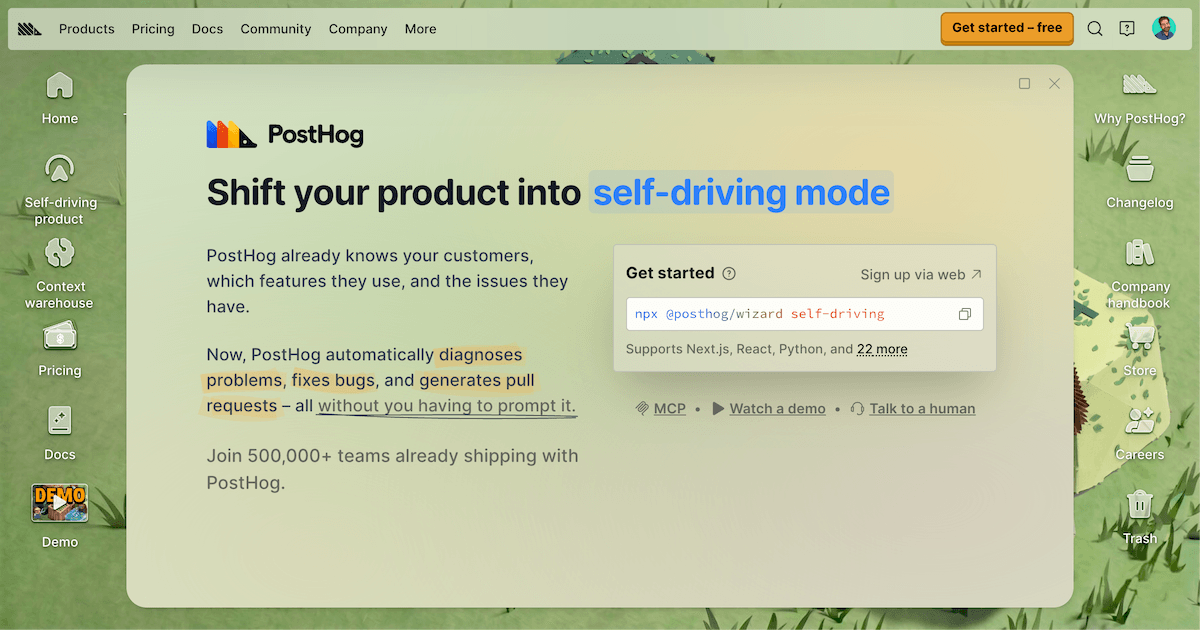

User reviews (0)