
 publicapis.dev
No paid content found
publicapis.dev
No paid content found
Categories: Development
A collection of public APIs for developers, categorized and crowdsourced. Animals, books, cryptocurrencies, development, music, weather and much more.
 Visit website
 Updated: 2026-09-28 06:48
 Language: English (default)
 Access: Normal
 Profile views 5
 Outbound visits 1
Related questions
More questions →What Is raylib and How Do You Start Making Games With It?
raylib is a simple, easy-to-use programming library for making videogames, written for C and usable from C++. It is code-first: there is no fancy interface, no visual helpers, no GUI tools or editors — you build games by writing code. That makes it a good fit if you already know some C or C++ and want direct control without an engine's editor layer, or if you want a small library you can learn from a cheatsheet and a pile of examples. If you want a drag-and-drop scene editor, raylib is deliberately not that.
What raylib actually is
raylib is a library, not a game engine. You write a program, call raylib functions for windows, input, graphics, audio, and math, and compile it like any other C program. The project describes itself as "a programming library to enjoy videogames programming; no fancy interface, no visual helpers, no gui tools or editors... just coding in pure spartan-programmers way."
Two consequences follow from that design:
- You learn by reading code. The project states it does not provide the typical API documentation or a big set of tutorials. Instead, it is meant to be learned from a cheatsheet covering the required functionality plus a large collection of examples.
- You bring your own structure. There is no editor to organize scenes, assets, or build settings, so project layout and build steps are yours to set up.
How it differs from Unity or Godot
The practical difference is where the work happens.
| Dimension | raylib | Typical editor-based engine |
|---|---|---|
| Primary workflow | Write C/C++ code | Build scenes in a visual editor, attach scripts |
| Built-in editor | None | Yes |
| Learning material style | Cheatsheet + examples | Docs, tutorials, editor guides |
| Language | C, with C++ support; 60+ bindings for other languages | Usually a fixed set of supported languages |
| Structure provided | Minimal — a template is offered as a starting point | Project/scene structure built in |
Neither column is "better" in the abstract. Choose raylib when you want to write the game as a program and keep the toolchain small. Choose an editor-based engine when you want visual scene assembly, asset pipelines, and a guided project structure.
The recommended learning path
The project points to a specific route rather than a tutorial series:
- Start with the cheatsheet. It lists the functionality you need, so you can see the available calls without reading full API docs.
- Read the examples. The project's stated position is that the best way to learn to code is reading code, and the examples show how each piece of functionality is used.
- Use the raylib game template if the options overwhelm you. It provides some structure and a Makefile that are quick to pick up, which is useful when you want a working layout instead of assembling one yourself.
- Join the Discord community. The project recommends it for staying up to date on raylib news and asking for help. Community-made tutorials also exist outside the official materials.
A concrete first task looks like this: install raylib, open one example that draws something and responds to input, compile and run it unchanged, then modify one value and recompile to confirm your build loop works. That verifies your setup before you write anything original.
Platforms and language bindings
raylib has been tested on multiple target platforms. The project notes that technically any platform supporting the C language and OpenGL graphics (or similar) can run raylib, or can be ported to it fairly easily.
You are not limited to C and C++. There are more than 60 language bindings, so you can use raylib from many other programming languages. If your preferred language is not C, check whether a binding exists before assuming you need to switch languages.
Extending it and what it powers
raylib can be combined with extra libraries for additional functionality. Some of those libraries are already used internally by raylib, while others are provided for you to integrate; most are single-file, header-only, and have no external dependencies — which keeps them easy to drop into a project.
raylib is also the base technology behind the raylib technologies tools: several multiplatform tools have been built with raylib and raygui. That is a useful signal if you want to see what the library looks like at application scale rather than in minimal examples.
Getting started checklist
- Confirm you are comfortable writing and compiling C or C++ (or pick one of the 60+ bindings for a language you already know).
- Accept that there is no editor: your project structure and build configuration are your responsibility.
- Learn from the cheatsheet and the examples rather than expecting full API documentation.
- Use the raylib game template if you want a ready-made structure and Makefile.
- Join the Discord community for news and help.
- Check the extra libraries before writing utility code that may already exist as a single-file dependency.
If that workflow sounds appealing — code, compile, read examples, iterate — raylib is designed exactly for it. If you want a visual editor and a guided project structure, an editor-based engine will get you to a running game with less setup work.
What Can You Actually Do With a Free Hosted REST API Like ReqRes?
A free hosted REST API like ReqRes gives you a real HTTP endpoint you can call immediately—no signup, no local server, no database setup. You get predictable JSON responses for users, resources, login, and registration, which makes it useful for front-end demos, integration tests, learning HTTP clients, and prototyping. What it is not is a production backend for your app: the data is shared, resets periodically, and you don't control the schema. If you need persistent, private data with auth and logs, that's where an account-based backend or a commercial licence comes in.
What "free REST API for testing and prototyping" actually means
The phrase sounds vague, so it helps to separate two things people often conflate:
- A mock/sample API — a public, hosted service with fixed or semi-fixed endpoints that return realistic-looking JSON. You don't own the data. It exists so you can point code at a URL and get a response.
- A real backend you configure — a service where you define collections, schemas, authentication, and logging, and where your data persists and belongs to you.
ReqRes's landing page describes both: a free REST API for testing and prototyping with real responses and no signup, plus an option to build your own backend with collections, auth, and logs at app.reqres.in. Those are different products with different trade-offs. The free public endpoints are the "point and go" part; the account-based backend is the "own your data" part.
What you can do with the no-signup public endpoints
1. Front-end demos without a backend
If you're building a UI and need data to render, you can fetch from a public endpoint instead of hardcoding arrays. This keeps your demo code closer to real fetch logic:
async function loadUsers(page = 1) {
  const res = await fetch(`https://reqres.in/api/users?page=${page}`);
  if (!res.ok) throw new Error(`HTTP ${res.status}`);
  const { data, total, page: current } = await res.json();
  return { users: data, total, page: current };
}
You get pagination fields, a data array, and support metadata—enough to build list views, loading states, and empty states.
2. Integration and contract tests
You can assert that your HTTP layer handles status codes, headers, and JSON shapes correctly. Typical checks:
GET /api/users/2returns200with adataobject.GET /api/users/23returns404(a non-existent user).POST /api/loginwith valid credentials returns a token; with missing fields returns400.
This is useful for testing your client wrapper, retry logic, error handling, and serialization—without spinning up your own server.
3. Learning HTTP clients and tooling
If you're new to fetch, Axios, curl, Postman, or HTTPie, a hosted API is a low-friction target. You can practice:
- Sending query parameters (
?page=2,?delay=3). - Setting headers and reading response headers.
- Handling
POST,PUT,PATCH,DELETE. - Observing status codes for success and failure.
4. Deliberate failure and latency testing
Endpoints that return 404 on purpose, or that accept a delay parameter, let you test how your app behaves when things go wrong or slow down. That's hard to do reliably against a happy-path local mock.
What the public endpoints are not good for
| Use case | Public sample endpoints | Account-based backend |
|---|---|---|
| Persistent, private data | No — shared and reset | Yes |
| Custom schema/collections | No | Yes |
| Authentication you control | Limited (demo login) | Yes |
| Request logs and debugging | No | Yes |
| Production traffic | Not intended | Depends on plan/licence |
| Team collaboration | No | Yes |
The key limitation: you don't own the data, and other people are hitting the same endpoints. Treat responses as illustrative, not authoritative.
When you'd move to an account-based backend
Consider app.reqres.in (collections, auth, logs) when any of these are true:
- You need your own collections and fields, not the fixed demo schema.
- You need data to persist between sessions and belong only to you.
- You need real authentication flows you can rely on in a demo or internal tool.
- You need request logs to debug what your client actually sent.
- You're working with a team and need shared, stable endpoints.
The trade-off is setup and, eventually, cost. The public endpoints require none; the backend requires an account and configuration.
Where pricing and licensing become relevant
The site signals a commercial licence and an upgrade path (with Stripe as the payment platform), but specific prices, plan tiers, and limits aren't stated here—so don't assume numbers. What you can reason about:
- Prototyping and learning → free public endpoints are usually enough.
- Internal tools, demos for clients, or anything you don't want reset → an account-based backend is the natural next step.
- Production or commercial use → check the licence terms and any paid plan, because "free for testing" and "free for commercial production" are not the same thing.
Before committing, read the current terms on the site rather than relying on secondhand summaries, since pricing and licence scope change.
A quick decision checklist
- Do you need data that persists and is private? If yes → account-based backend.
- Do you need a custom schema? If yes → account-based backend.
- Are you only testing HTTP behavior, UI rendering, or learning a client? If yes → free public endpoints.
- Will this touch real users or revenue? If yes → review the licence and any paid plan first.
- Do you need logs and team access? If yes → account-based backend.
If you answer "no" to 1, 2, 4, and 5, the free hosted API is likely all you need. If you answer "yes" to any of them, plan for the account-based path.
What Are Open-Source UI Element Libraries and How Do They Differ From UI Frameworks?
An open-source UI element library is a collection of individual, ready-made interface pieces—buttons, cards, inputs, toggles, loaders—that you copy into your own project and adapt. A UI framework, by contrast, is a structured system of components, conventions, and often a theming layer that governs how your whole interface is built. The practical difference: an element library gives you a snippet; a framework gives you a way of working. If you need a polished button in ten minutes, reach for the element library. If you're building a 40-screen product with a team, you probably want the framework.
What "open-source UI element library" actually means
The term gets used loosely, so it helps to separate the parts:
- Open-source: the code is publicly available, and the license tells you what you may do with it—copy, modify, redistribute, or use commercially.
- UI element: a single, self-contained piece of interface, usually small enough to read in one sitting. A button with hover states, a pricing card, a search field.
- Library: a browsable, searchable collection of those elements, typically contributed by many different people.
On a site like Uiverse, elements are shared by a community and written in plain CSS or Tailwind. You find one you like, copy the markup and styles, paste them into your project, and adjust colors, spacing, and text to fit. There's no package to install and no build step required—which is exactly the appeal, and also the source of most of the confusion.
Element library vs. UI framework: the core differences
| Dimension | Open-source UI element library | UI framework / design system |
|---|---|---|
| Unit of reuse | A single snippet you copy | A component you import or call |
| Installation | None; paste into your code | Package install, config, sometimes a provider |
| Consistency | Depends on you; each element may look different | Enforced by shared tokens and APIs |
| Theming | Manual edits per element | Central theme/config file |
| Updates | You own the copy; no upstream updates | Version bumps bring fixes and changes |
| Accessibility | Varies per contributor; must be checked | Usually tested and documented |
| Best for | Prototypes, landing pages, small sites, one-off needs | Multi-page apps, teams, long-lived products |
| Learning curve | Low—read the CSS | Higher—learn the API and conventions |
The table isn't a verdict. It's a map of trade-offs. Element libraries win on speed and freedom; frameworks win on consistency and maintenance.
Licensing and attribution: what to check before you paste
This is where people get into trouble, and it's worth slowing down for.
- Find the license. Every element or collection should state one. Common open-source licenses include MIT, Apache-2.0, and BSD. Some projects use copyleft licenses like GPL, which can impose obligations if you redistribute your code.
- Understand what the license permits. MIT and Apache-2.0 are permissive: you can typically use the code in commercial and closed-source projects. Copyleft licenses may require you to release derivative source under the same terms.
- Check attribution requirements. Permissive licenses usually require you to keep the copyright notice and license text somewhere in your project. That's a real obligation, not a formality.
- Look for per-element terms. On community sites, the site's overall terms and the individual contributor's stated wishes may differ. If a contributor asks for credit, honor it.
- When in doubt, ask or avoid. If a snippet has no license at all, you don't have clear permission to reuse it. Treat "no license" as "not open source," even if the code is publicly visible.
This article is general information, not legal advice. For commercial products with real exposure, have someone qualified review the licenses you're relying on.
How to use a community element in your project: a practical workflow
Here's a repeatable process that avoids most of the usual mess.
1. Start from a real need, not a browsing session
Decide what you need first—"a compact primary button with a loading state"—then search. Browsing aimlessly produces a pile of pretty snippets that don't fit together.
2. Copy the smallest version that works
Take the markup and the styles. Strip anything you don't need: demo wrappers, extra animations, decorative layers. Less code means fewer surprises.
3. Convert it to your conventions
If your project uses design tokens or CSS variables, replace hard-coded values:
/* Before: hard-coded */
.button { background: #4f46e5; border-radius: 8px; }

/* After: token-based */
.button { background: var(--color-primary); border-radius: var(--radius-md); }
This one step is what keeps a copied element from looking like a foreign object in your UI.
4. Check accessibility before you ship
Community elements vary widely here. Verify at minimum:
- Keyboard focus is visible and the element is reachable by Tab.
- Color contrast meets WCAG AA (4.5:1 for normal text).
- Interactive elements use semantic HTML (
<button>, not a clickable<div>). - Form inputs have associated labels.
- Motion respects
prefers-reduced-motion.
5. Test in context
Paste it into a real page with real content. Long labels, small screens, and dark mode break more copied elements than anything else.
6. Note where it came from
Keep a short comment or an internal credits file: source, license, date. Future you—and your legal reviewer—will be grateful.
Where element libraries genuinely shine
- Prototypes and demos: you need something clickable today, not a design system.
- Landing pages and marketing sites: a handful of distinctive elements, each custom.
- Filling gaps: your framework lacks one specific component, and you don't want to build it from scratch.
- Learning: reading well-made CSS is one of the fastest ways to improve.
- Small projects: a personal site doesn't need a theming architecture.
Where they fall short
- Consistency at scale: ten elements from ten contributors rarely look like one product.
- Maintenance: you own every copy. When your design changes, you edit each one.
- Accessibility debt: you inherit whatever the contributor did or didn't do.
- No upstream fixes: a bug fixed in the original won't reach your copy.
- Integration friction: different naming conventions, different units, different assumptions about resets.
When to choose which
Choose an element library when the scope is small, the timeline is short, or you need a few distinctive pieces rather than a whole system.
Choose a framework or design system when multiple people build multiple screens over months, when consistency is a product requirement, or when accessibility and theming need to be guaranteed rather than checked.
A hybrid works well for many teams: adopt a framework for the structural components—forms, navigation, layout—and borrow individual elements for the places where you want personality. Just route every borrowed element through the same token and accessibility checks, so it lands as part of your system rather than beside it.
The short version: open-source UI element libraries are a fast, flexible way to get good-looking interface pieces into a project. They are not a substitute for a design system, and the license and accessibility details are the part worth reading carefully.
What Is an Open-Source Data Management System Like CKAN?
An open-source data management system (DMS) is software whose source code is publicly available and that provides the core functions of publishing, sharing, and using data. CKAN is a leading example: it is an open-source DMS built to power data hubs and data portals, and it is used by hundreds of portals worldwide. It fits best when you need a catalog-style portal to publish datasets for others to find and reuse — typically government open data or enterprise internal data assets — rather than a general-purpose database or analytics platform.
What "open-source DMS" actually means
A DMS in this sense is not just storage. It is the layer that organizes data into a catalog, describes it with metadata, and gives people a way to discover and access it. The open-source part matters because it changes how you can adopt and extend the system.
Core capabilities of a DMS like CKAN, per the project's own description:
- Publish — make datasets available through a portal
- Share — expose data to external or internal audiences
- Use — let people find, understand, and reuse what is published
CKAN is written in Python and its repository shows roughly 5.1k stars and 2.1k forks, which indicates an active developer community around the codebase.
How CKAN fits as an open-source DMS
CKAN positions itself as "the world's leading open source data management system" and describes its purpose directly: it powers data hubs and data portals and makes it easy to publish, share, and use data. Two things follow from that framing:
- It is portal-oriented. The unit of work is the dataset and its metadata, presented through a browsable catalog — not raw tables or dashboards.
- It is a platform, not a single site. The same software is deployed across many separate portals, each with its own data and branding.
CKAN has also been added to the Digital Public Goods Registry, recognized as a data management system contributing to 9 of the 17 UN Sustainable Development Goals. That recognition is a signal of institutional trust, not a technical specification, so treat it as context rather than a feature.
Typical use cases
The project splits its audience into two broad groups, and the distinction is useful when deciding whether CKAN matches your situation.
Government open data portals
CKAN is used by national and regional government organizations across the European Union, the Americas, Asia, and Oceania to power official and community data portals. Named adopters include:
| Adopter | What they publish |
|---|---|
| Government of Canada | Tens of thousands of datasets making governmental data more accessible |
| Singapore Government | Economic, education, environment, finance, and health data |
| Australian Government | Public data from over 800 different organizations |
If your goal resembles these — a public catalog of many datasets from many sources — CKAN's design and its existing deployments are strong evidence of fit.
Enterprise internal data assets
CKAN has also been adopted by enterprise organizations in sectors such as resources, energy, pharmaceuticals, and finance to publish and manage internal data assets. Here the same catalog model is applied behind a firewall, for internal discovery rather than public release.
Open-source DMS vs. proprietary alternatives
The trade-off is not simply cost. It is about who controls the system and how much you can shape it.
- Control and extensibility — with open source you can inspect, modify, and self-host the software. With proprietary tools you generally accept the vendor's roadmap and hosting model.
- Cost structure — open-source licensing does not by itself mean zero cost; you still fund hosting, integration, and operations. The CKAN site does not publish pricing, so do not assume any deployment is free.
- Community vs. vendor support — CKAN offers both community support and commercial support, and its site provides a contact route ("Speak with us") plus named stewards who help organizations implement portals. Proprietary vendors typically bundle support into the license.
- Ecosystem evidence — a public showcase of government and enterprise portals lets you evaluate real deployments before committing.
Choose open source when you need control, self-hosting, or deep customization. Choose proprietary when you want a single accountable vendor and minimal operational burden, and are willing to accept less flexibility.
How to evaluate whether CKAN fits your project
Work through these before deciding:
- Confirm the shape of your need. Are you publishing a catalog of datasets for others to discover? If yes, CKAN's model matches. If you mainly need analytics, streaming, or transactional storage, look elsewhere.
- Check features against your requirements. Review the Features and Docs sections on ckan.org for the specific capabilities you need.
- Look at comparable deployments. Browse the Showcase for portals similar in scale and sector to yours.
- Decide on hosting and operations. Determine whether you will self-host or use commercial support, and budget for that.
- Assess community activity. Check the GitHub repository and community channels for current activity, since an active project is easier to depend on.
- Talk to the maintainers' stewards. The site's contact form is described as the best way to reach them if you want guidance on implementation.
Common sticking points
- Assuming "open-source" means "free to run." The software may be freely licensed, but hosting, integration, and support are real costs. The site does not state pricing, so verify directly.
- Treating CKAN as a database. It is a management and portal layer over data, not a replacement for your storage or processing systems.
- Skipping the fit check. The government and enterprise examples are useful precisely because they show the intended scale and use pattern — a single small internal dataset may not justify a full portal.
If your project is a data hub or portal where publishing, sharing, and discovery are the point, CKAN is a well-evidenced open-source option. If your needs center on analysis or transactions, it is the wrong tool, and the evaluation steps above will make that clear quickly.
Website Overview
Page metadata, canonical configuration and social previews work together to provide more consistent search and sharing presentation.
Domain and Registration
Transfer-protection status is present, helping reduce the risk of unauthorized domain transfers. The domain has about 4 years of registration history; its current configuration provides more context than age alone. The registrar is Namecheap Inc., a widely used domain service provider. The domain uses the common .dev extension, which is not an independent safety signal.
DNS and Email
The lowest TTL is 60 seconds, supporting rapid record changes at the cost of more frequent lookups. Nameservers are provided by vercel-dns.com, indicating managed DNS hosting. CAA records restrict which certificate authorities are authorized to issue certificates. No CNAME was found; the observed records resolve directly to addresses. No MX record was found. A conventional explicit inbound-mail route is not configured.
TLS and Certificates
The certificate uses an RSA 2048-bit public key, offering broad client compatibility. The server supplied a complete certificate chain. No organization name is present in the certificate; the available fields are consistent with domain validation. The certificate was issued by Let's Encrypt, commonly associated with automated certificate services. The certificate's total validity is about 89 days, consistent with a short renewal cycle.
HTTP and Browser Security
X-Powered-By exposes backend information: Next.js. All six checked browser-security headers are present. Their effectiveness still depends on the policy values and application behavior. No obvious internal addresses or debug information were found in the headers. The Server header contains the custom value Vercel. No explicit CDN or WAF marker was found in the response headers.
Technology Stack Analysis
The public page identifies Next.js, Vercel without precise versions, leaving fewer clues for version-specific scanning.
Search and Social Sharing
Twitter Card metadata is configured. JSON-LD includes Organization data, helping describe the organization as an entity. The title has 56 characters, within a common display range. A meta description is present, with 150 characters. The observed directives allow indexing and link following.
 Hosting and Email
 vercel-dns.com
 Hosting
 Location
 United States
 Pages, Search and Sharing
| Meta description | A collection of public APIs for developers, categorized and crowdsourced. Animals, books, cryptocurrencies, development, music, weather and much more. |
|---|---|
| Canonical URL | https://publicapis.dev |
| Language | English (default) |
| Twitter Card | summary_large_image |
Social Sharing Preview
15 fields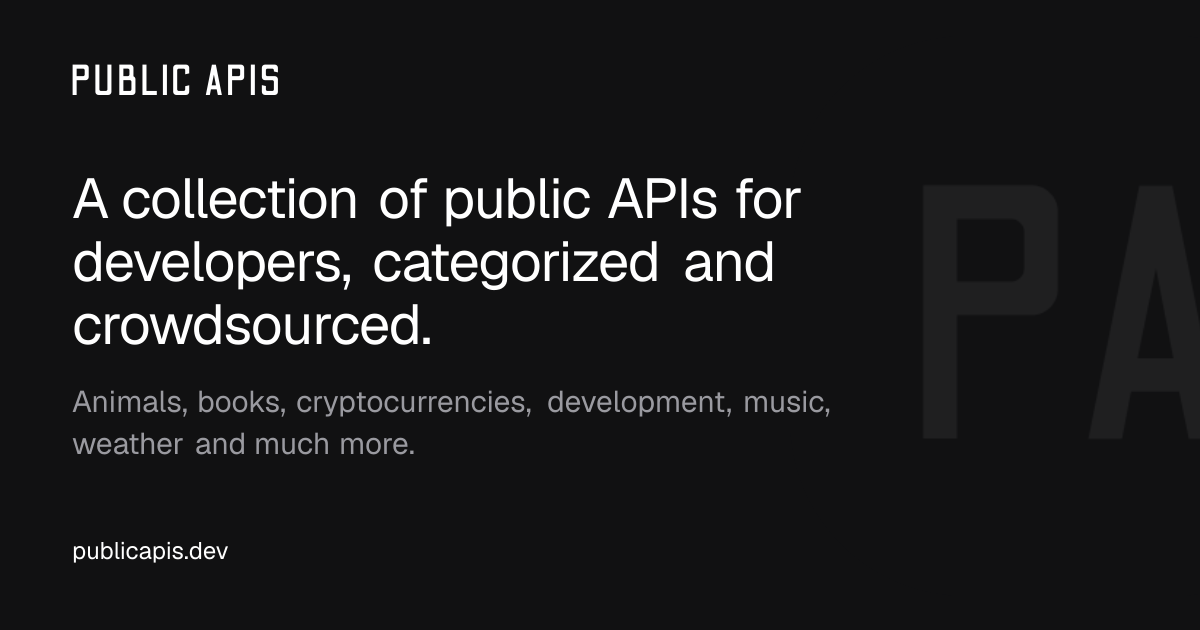

Sharing metadata
| og:url | https://publicapis.dev |
|---|---|
| og:type | website |
| og:image | https://publicapis.dev/og |
| og:title | A Collaborative List Of 1400+ Public APIs For Developers |
| og:locale | en_US |
| og:site_name | Public APIs |
| og:description | A collection of public APIs for developers, categorized and crowdsourced. Animals, books, cryptocurrencies, development, music, weather and much more. |
| og:image:width | 1200 |
| og:image:height | 630 |
| twitter:card | summary_large_image |
| twitter:site | @publicapis |
| twitter:image | https://publicapis.dev/og |
| twitter:title | A Collaborative List Of 1400+ Public APIs For Developers |
| twitter:creator | @marcelcruz |
| twitter:description | A collection of public APIs for developers, categorized and crowdsourced. Animals, books, cryptocurrencies, development, music, weather and much more. |
robots.txt (opens in a new tab)
80 rulesAll bots 1 allowed · 7 disallowed

 All bots

/
/sign-in/sign-up/bookmarks/skip-the-queue/unsubscribe/search/api/
gptbot 1 allowed · 7 disallowed
//sign-in/sign-up/bookmarks/skip-the-queue/unsubscribe/search/api/
chatgpt-user 1 allowed · 7 disallowed
//sign-in/sign-up/bookmarks/skip-the-queue/unsubscribe/search/api/
oai-searchbot 1 allowed · 7 disallowed
//sign-in/sign-up/bookmarks/skip-the-queue/unsubscribe/search/api/
claudebot 1 allowed · 7 disallowed
//sign-in/sign-up/bookmarks/skip-the-queue/unsubscribe/search/api/
claude-web 1 allowed · 7 disallowed
//sign-in/sign-up/bookmarks/skip-the-queue/unsubscribe/search/api/
perplexitybot 1 allowed · 7 disallowed
//sign-in/sign-up/bookmarks/skip-the-queue/unsubscribe/search/api/
google-extended 1 allowed · 7 disallowed
//sign-in/sign-up/bookmarks/skip-the-queue/unsubscribe/search/api/
ccbot 1 allowed · 7 disallowed
//sign-in/sign-up/bookmarks/skip-the-queue/unsubscribe/search/api/
applebot-extended 1 allowed · 7 disallowed
//sign-in/sign-up/bookmarks/skip-the-queue/unsubscribe/search/api/
No matching rules.
Sitemaps
1 Registration details RDAP / WHOIS
| Registrar | Namecheap Inc. |
|---|---|
| Registered | 2022-04-07 |
| Expires | 2027-04-07 |
| Domain status | client transfer prohibited |
| Nameservers | ns1.vercel-dns.com、ns2.vercel-dns.com |
| DNSSEC | unsigned |
 DNS records
| Type | Name | Value | TTL | Priority |
|---|---|---|---|---|
| A | publicapis.dev | 216.150.16.1 | 1800 | — |
| A | publicapis.dev | 216.150.16.193 | 1800 | — |
| NS | publicapis.dev | ns1.vercel-dns.com | 86400 | — |
| NS | publicapis.dev | ns2.vercel-dns.com | 86400 | — |
| TXT | publicapis.dev | google-site-verification=u6aM1dyzER_Dd7AhDSRZy9vhe1cXSUdgNlMt9Qhprzg | 60 | — |
| CAA | publicapis.dev | 0 issue "letsencrypt.org" | 60 | — |
| CAA | publicapis.dev | 0 issue "pki.goog" | 60 | — |
| CAA | publicapis.dev | 0 issue "sectigo.com" | 60 | — |
 TLS and certificates
| Assessment | Normal configuration |
|---|---|
| Supported protocols | TLSv1.2、TLSv1.3 |
| Negotiated protocol | TLSv1.3 |
| Certificate subject | publicapis.dev |
| Issuer | Let's Encrypt |
| Valid until | 2026-11-06T13:03 · Remaining when checked: 39 days |
| Verification details | Certificate trust: Passed · Hostname match: Passed |
 HTTP response headers
| Header | Value |
|---|---|
| content-type | text/html; charset=utf-8 |
| cache-control | public, max-age=0, must-revalidate |
| server | Vercel |
| strict-transport-security | max-age=63072000; includeSubDomains |
| content-security-policy | frame-ancestors 'none'; base-uri 'self' |
| x-frame-options | DENY |
| x-content-type-options | nosniff |
| referrer-policy | strict-origin-when-cross-origin |
| permissions-policy | camera=(), microphone=(), geolocation=() |
 Identified technologies
User reviews (0)