Website profiles · Technology insights · Alternatives

pushvideoai.com Paid content

Categories: Artificial Intelligence

PushVideo AI is the official AI Brand & Content Studio. Create logos, brand identity, social media posts, short videos, product mockups, marketing images, banners, posters, presentations and PDF guides — from one prompt.

Visit website

Updated: 2026-09-23 09:30 Language: English (default) Access: Normal

Profile views 6 Outbound visits 3
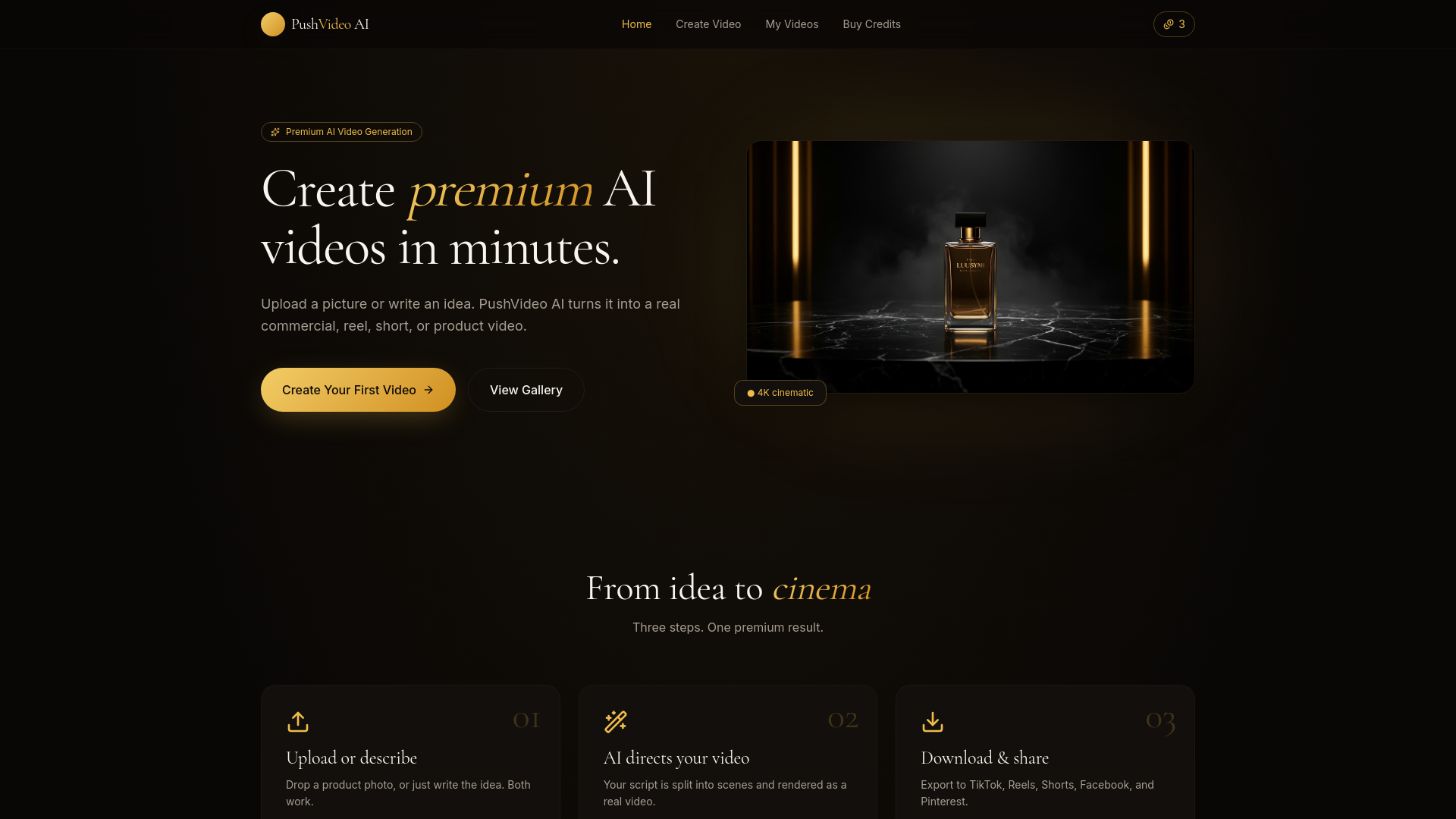
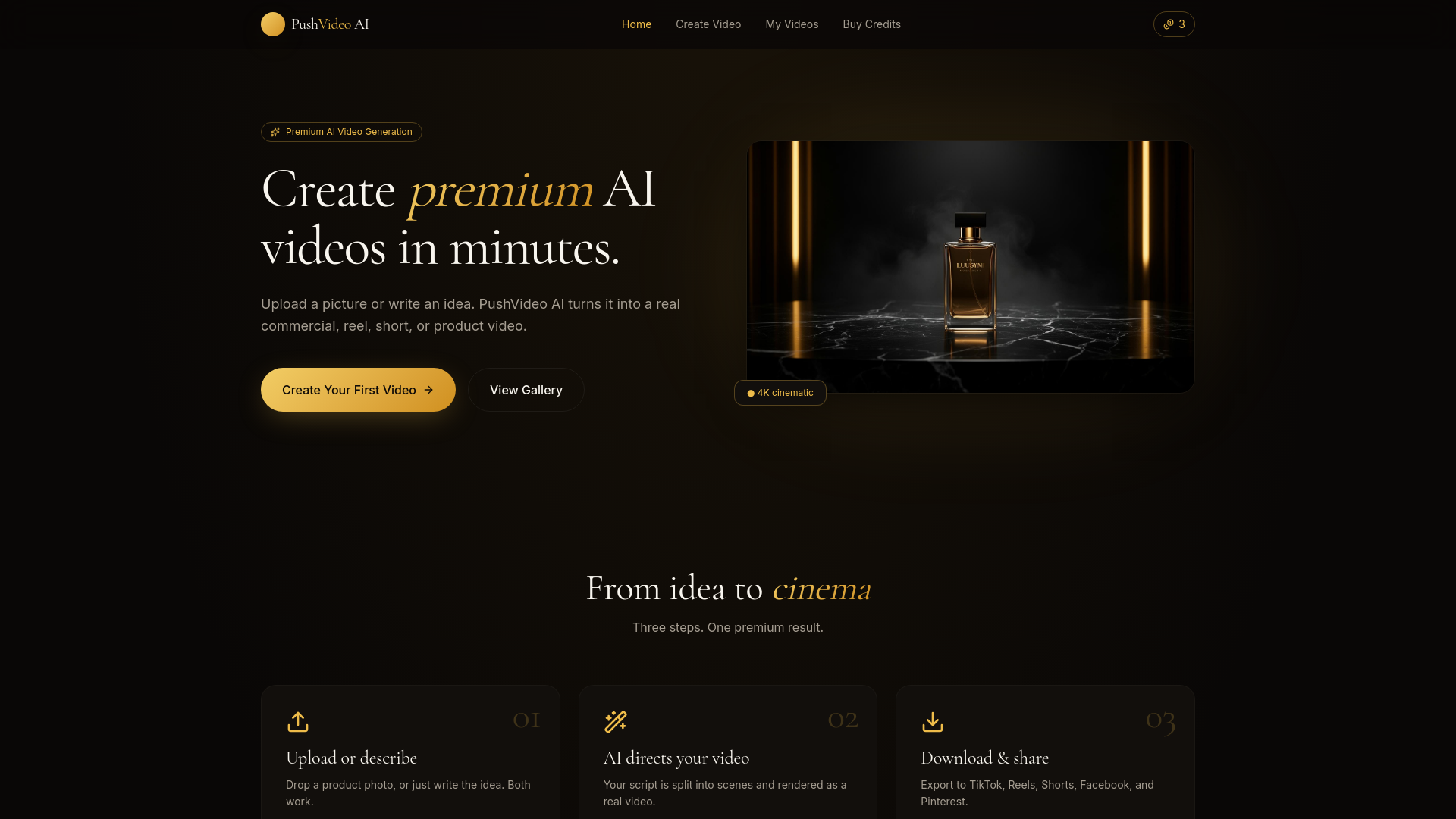
PushVideo AI Full homepage screenshot
Editorial Review

Website Review

What is PushVideo AI?

PushVideo AI is an official AI brand and content studio that turns a single text prompt into a spread of marketing and design assets. According to its site, you describe what you want, and it generates items such as logos, social media posts, short videos, product mockups, marketing images, banners, posters, presentations, and PDF guides. It's positioned for professionals, creators, and entrepreneurs who want to produce digital assets without deep technical or design skills.

H3 What it actually does

  • Brand identity and logos — one of several template categories, alongside social media packs and short video/reels.
  • Content formats — social posts, banners, posters, marketing images, product mockups, business presentations, and PDF guides.
  • Video — available, but the site describes the process as "designs and images first, video optional."
  • Extras — a "Why is this not converting?" tool that analyzes pasted sales copy, plus separate workflows for interior/space design and turning PDFs or documents into sellable digital products.

H3 How a session works You pick a template or describe your goal, optionally choose a creative direction (examples listed include Apple commercial, luxury hotel, Scandinavian minimal, Pinterest aesthetic, and Vogue editorial), and the system says it selects aesthetic, lighting, composition, branding, and social strategy automatically. The site states generation typically takes about 3–8 minutes and shows a live timer with a notice if it runs long.

H3 Who it suits

  • Small business owners who need a consistent set of launch assets — logo, social posts, a banner — without hiring separately for each.
  • Content creators who want short video and social visuals from the same prompt.
  • Sellers of digital products who want to convert documents into packaged, presentable files.

H3 Trade-offs to weigh The appeal is breadth from one prompt and one interface; the risk is that a single tool covering logos, video, mockups, and presentations may not match a specialist tool in any one area. The site's own framing — images first, video optional — suggests video is the secondary strength. Generation also takes minutes rather than seconds, so it's better for planned batches than rapid iteration.

A practical next step: before committing, test one real project end to end — for example, a logo plus three social posts for an actual product — and judge whether the output is usable with light editing. The site lists plans at PushVideo AI.

How do I create a full brand identity from a single prompt with PushVideo AI?

Open PushVideo AI, describe the brand in one detailed prompt, then generate the Full Brand Identity template. The page states this template produces a complete set of assets from one text prompt, and that generation takes roughly 3–8 minutes with a live timer.

H3 What to put in the prompt The page shows that the generator accepts a free-text description and offers aesthetic presets such as Apple commercial, luxury hotel, Scandinavian minimal, Pinterest aesthetic, and Vogue editorial. A useful prompt usually covers:

  • Business name and what it sells
  • Audience and the feeling the brand should give
  • Visual direction (minimal, bold, editorial, warm, etc.)
  • Where the assets will be used (social, product pages, print, presentations)
  • Any must-have elements like a logo mark, tagline or colour preference

H3 What "full brand identity" includes Based on the page, the Full Brand Identity template sits alongside Social Media Pack, Short Video/Reel, Product Mockups, Marketing Poster, Website Banner, PDF Guide and Business Presentation. So expect the identity output to extend into those formats rather than stopping at a logo. The page also notes images come first, with video optional.

H3 Practical workflow

  1. Write the prompt, choose a preset, and run the Full Brand Identity template.
  2. While it generates, prepare the sales copy you want to test — the page includes a "Why is this not converting?" tool that accepts homepage copy, product descriptions, emails, ads, headlines, pricing explanations and social posts.
  3. When assets appear, reuse the same prompt style for the Social Media Pack and Short Video/Reel so everything stays visually consistent.
  4. For physical or packaging needs, Push Product AI turns PDFs, DOCX, PPTX, TXT and Markdown into sellable digital products.

H3 A realistic reader scenario A solo founder launching a skincare line could prompt with "clean Scandinavian skincare for sensitive skin, calm and clinical, muted sage and cream palette, editorial photography feel," pick the Scandinavian minimal preset, and get a logo direction, social templates and a short video concept in one pass — instead of briefing a designer for each piece separately.

H3 Trade-offs to weigh One prompt keeps everything consistent and fast, which suits founders, creators and small teams without design resources. The cost is control: a single prompt can't fine-tune every asset the way a designer would, and the page notes generation can occasionally run long. If you need a precise logo lockup or exact print specifications, treat the output as a strong starting direction rather than a final file.

Next step: check the official plans page at PushVideo AI to see credit usage before generating multiple brand identities.

Can PushVideo AI generate short videos and social media posts for my business?

Yes. PushVideo AI is positioned as an AI brand and content studio that generates both short videos and social media posts from a text prompt. You describe what you want, and it produces the assets in one workspace rather than sending you to separate tools for design and video.

What you can ask it for

  • Short videos or reels
  • Social media posts and social media packs
  • Logos and full brand identity
  • Product mockups, marketing posters and website banners
  • Presentations and PDF guides

How it works in practice

The page describes a prompt-first flow: type a description, choose a template such as Social Media Pack or Short Video / Reel, and let the studio handle aesthetic, lighting, composition and branding choices automatically. A single generation is stated to take roughly 3–8 minutes, with a live timer and a notice if it runs long. Images come first; video is optional. A "Creative Director" mode is described as picking aesthetic, lighting, composition, branding and social strategy for you, and there are preset styles such as Scandinavian minimal, luxury hotel, Vogue editorial and Pinterest aesthetic.

Who this suits

  • A solo founder or small business owner who needs a month of posts and a reel without hiring a designer or editor
  • A creator who wants a consistent look across logo, banners and posts
  • A marketer producing product mockups and campaign images quickly

Trade-offs to weigh

  • Prompt-driven output trades fine-grained control for speed. If your brand has strict guidelines, expect to refine prompts or edit results afterwards.
  • A few minutes per generation is fast for a full asset set, but slower than a single-image tool if you only need one quick graphic.
  • One prompt producing many asset types is convenient, yet video quality and length are not detailed on the page, so test a short reel before committing a campaign to it.

Next step

Start with one concrete brief: state your business, audience, tone and the exact asset you need (for example, "three Instagram posts and one 15-second reel for a Scandinavian skincare brand"). Run the Social Media Pack and Short Video / Reel templates, compare the results against your brand, then decide whether to scale up. Check current plan details at PushVideo AI Plans.

What file formats does PushVideo AI support for turning documents into sellable digital products?

PushVideo AI lists PDF, DOCX, PPTX, TXT and Markdown as the document formats supported by its Push Product AI workflow, which is the feature aimed at turning documents into digital products you can sell. So if your source material is a written guide, report, slide deck or plain-text draft in one of those formats, it fits that workflow.

If your document is in another format, convert it first — most tools export to PDF or DOCX, which are both accepted. If you want to check what the finished product looks like or what the plans include, visit PushVideo AI.

How does the conversion analysis feature help improve my sales copy?

The conversion analysis feature takes sales copy you already have — homepage text, a product description, a sales email, an ad, a headline, a pricing explanation or a social post — and shows you what in that text may be costing you conversions. You paste the copy in, choose the type of asset it is, and get a diagnostic read rather than a rewrite you have to reverse-engineer.

How that translates into better copy

The practical value is narrowing where the problem is. People usually assume weak sales copy needs a full rewrite, when often one element is doing the damage: a headline that describes the product instead of the outcome, a pricing explanation that raises an objection it never answers, or a product description that lists features without saying who they are for. Because PushVideo AI asks you to label the copy type first, the feedback can be framed around what that format is supposed to do — a landing page headline and a sales email fail in different ways.

A useful loop with a tool like this:

  1. Run the copy you have and note the specific problem areas it flags.
  2. Rewrite only those lines, keeping the parts that were not flagged.
  3. Re-run the revised version and compare what changed.

That gives you a before-and-after you can judge yourself, instead of accepting or rejecting a whole new draft.

Where it fits in the wider studio

PushVideo AI presents itself as a single studio for brand and content assets — logos, social posts, short videos, mockups, banners, posters, presentations and PDF guides — generated from one prompt, with template categories such as Full Brand Identity and Social Media Pack. The conversion check is the piece aimed at the words rather than the visuals, which matters because a polished asset with a muddled message still underperforms. If you are already producing a campaign here, checking the copy in the same place keeps message and design from drifting apart.

Decide by what you need

  • Use the analysis when you have live copy and suspect it underperforms but cannot say why.
  • Skip it if you have no traffic or no offer yet — no copy diagnosis fixes a product nobody wants.
  • Pair it with the asset generators when you are launching something new and want the headline, the social post and the visual to argue the same point.

Next step: pick your single highest-traffic piece of copy — usually the homepage headline or your main product description — run that one first, and change only what gets flagged before testing again.

How do PushVideo AI credits work and what do the different plans include?

The page shows a single credit-based system rather than separate subscriptions per asset type. You spend credits when you generate, and the page's own example is a "Creative Director" run costing 12 credits. Credits are consumed per generation, so heavier formats — video, multi-asset brand kits — should be expected to draw more than a single image.

What the page actually confirms

  • Generation is prompt-driven: describe the asset, get output.
  • Templates listed: Full Brand Identity, Social Media Pack, Short Video / Reel, Product Mockups, Marketing Poster, Website Banner, PDF Guide, Business Presentation.
  • Typical run time is stated as roughly 3–8 minutes, with a live timer and a notice if it overruns.
  • Aesthetic presets exist (Apple commercial, luxury hotel, Scandinavian minimal, Pinterest aesthetic, Vogue editorial), and the "Creative Director" preset picks lighting, composition, branding and social strategy for you.
  • Text inputs are capped — the prompt field shows 0 / 20000 characters.
  • Quality tiers are named: Fast, Premium, Ultra.

Plan tiers and prices

The page links to a Plans page but the supplied evidence contains no plan names, credit allowances, or prices. Treat any specific number you see elsewhere as unverified until you check PushVideo AI directly.

How to choose

Your situation Sensible approach
Testing whether the output style suits you Start on the lowest tier, run one image-based asset, judge quality before buying more
Recurring social content Estimate assets per month, then compare that figure against each plan's credit allowance
One-off brand kit or video Check whether a single top-up is cheaper than a monthly plan you won't reuse

A practical next step

Pick one real task — say, a product mockup and a matching social post — and count the credits those two runs consume. Multiply by your monthly volume. That number, not the tier names, tells you which plan is worth paying for. If your work is mostly still images, the video capability is optional overhead; if you need reels regularly, weight it heavily.

Related questions

More questions →
What Is an AI Brand Studio and How Do You Use One?

An AI brand studio is a single tool that turns one text prompt into a whole set of brand and content assets — logos, brand identity, social posts, short videos, mockups, banners, posters, presentations, and PDF guides — instead of making you jump between a logo generator, a video tool, and a design app. PushVideo AI is one example: you describe what you want, and it generates the assets from that prompt. It fits professionals, creators, and entrepreneurs who need digital assets without technical complexity. If you only ever need one asset type, a single-purpose tool may be enough; an AI brand studio pays off when you need several assets that should look like they belong together.

How an AI brand studio differs from single-purpose tools

A dedicated AI logo generator makes logos. A dedicated AI video generator makes videos. An AI brand studio covers both, plus the formats in between, from the same starting point.

Dimension Single-purpose tool AI brand studio
Input One prompt per asset One prompt can drive multiple asset types
Output range One format Logos, identity, social posts, short videos, mockups, banners, posters, presentations, PDF guides
Consistency You manage it manually across tools Shared prompt and style settings keep assets aligned
Setup One tool per job One workspace

The trade-off: a specialist tool may give deeper control in its one format, while a studio trades some of that depth for breadth and consistency.

What you can generate

PushVideo AI lists these output types:

  • Full brand identity
  • Social media pack
  • Short video / reel
  • Product mockups
  • Marketing poster
  • Website banner
  • PDF guide
  • Business presentation

It also exposes separate workflows for specific jobs — a wallpaper workflow with a 32-step process for master artwork, panels, print files, licence, protected previews, and a verified ZIP, and a product workflow that turns PDF, DOCX, PPTX, TXT, and Markdown files into digital products.

The prompt-to-asset workflow

  1. Write the prompt. Describe what you want to make. The more specific the description, the more the output matches your intent.
  2. Pick a style or director preset if you want one. PushVideo AI offers presets such as Apple commercial, luxury hotel, Scandinavian minimal, Pinterest aesthetic, and Vogue editorial, plus a "Creative Director AI" option that it says picks aesthetic, lighting, composition, branding, and social strategy automatically.
  3. Generate. Output appears in the workspace. The site states generation takes roughly 3–8 minutes, with a live timer and a notice if it runs long.
  4. Review and reuse. Take the assets you need and keep the prompt and style settings for the next round.

What a good prompt includes

  • Subject — what the brand or product is
  • Audience — who it's for
  • Style / aesthetic — the visual direction
  • Format — which asset types you want
  • Constraints — colors, tone, or references to avoid

For example, instead of "make me a logo," a prompt like "minimal Scandinavian skincare brand for women in their 30s, soft neutral palette, logo plus three Instagram posts and a website banner" gives the studio enough to work with across formats.

Realistic expectations by asset type

Control and quality vary by output. Text-heavy formats like presentations and PDF guides depend heavily on how clearly you specify structure and content, while visual formats like logos and posters lean on the style presets. Generation is not instant — budget the stated 3–8 minutes per run, and expect longer jobs to be flagged rather than silently stalled.

Keeping a consistent brand look

  • Reuse the same style preset and prompt language across runs.
  • Keep a short written brand note (colors, tone, audience) and paste it into each prompt.
  • Generate the identity first, then feed that direction into social posts, videos, and mockups.
  • Regenerate rather than mix outputs from unrelated prompts.

When an AI brand studio is the right choice

Choose one if you need multiple asset types that should share a look and you want to start from a single prompt. Choose a specialist tool instead if you need maximum control in one format, or if you already have a brand system and only need to fill a single gap. PushVideo AI publishes a Plans page, so check current pricing and limits there before committing.

What Is PushVideo AI and What Can You Create With It?

PushVideo AI is an AI brand and content studio that generates a range of brand and marketing assets — logos, brand identity, social media posts, short videos, product mockups, banners, posters, presentations, and PDF guides — from a single text prompt. It fits professionals, creators, and entrepreneurs who need to produce digital assets without technical complexity. If you want to see what a generation run costs in credits or how plans are structured, check the Plans page at pushvideoai.com/plans.

How the one-prompt workflow works

The core mechanic is: describe what you want to make, then let the studio generate the assets.

  1. Write a prompt describing the asset you need — for example, a logo for a coffee brand, a social post for a product launch, or a short video for a service.
  2. Choose a creative style preset if you want to steer the output. The site lists presets such as Quality, Fast, Premium, Ultra, Cinematic, Director, Creative Director, AI Apple commercial, Luxury hotel, Scandinavian minimal, Pinterest aesthetic, and Vogue editorial.
  3. Generate. The Creative Director preset is described as automatically picking aesthetic, lighting, composition, branding, and social strategy.
  4. Wait for output. A run is stated to take roughly 3–8 minutes, with a live timer and a notice if it runs long. Everything appears below when ready.

The Creative Director preset is noted as using 12 credits. Other presets and asset types may differ, so treat the credit cost as something to confirm per run.

What you can create

The studio groups output into templates and asset types:

Category Examples
Brand Full brand identity, logos
Social Social media pack, social media posts
Video Short video / reel
Product Product mockups
Print & display Marketing poster, website banner
Documents PDF guide, business presentation

The site also lists adjacent tools that share the same prompt-driven approach:

  • Push Space AI — design and transform rooms or spaces with AI. The site notes "Designs Images first. Video optional."
  • Wallpaper AI — a dedicated 32-step workflow for master artwork, panels, print files, licence, protected previews, and a verified ZIP.
  • Push Product AI — turn PDFs and documents into professional digital products ready to sell. Supported inputs: PDF, DOCX, PPTX, TXT, and Markdown, with a 20,000-character limit shown.
  • Conversion checker — paste sales text (homepage copy, product description, email, ad, headline, pricing explanation, social post) to see what may be costing conversions.

Who it is built for

The site states it is built for professionals, creators, and entrepreneurs who want to create digital assets without technical complexity. That positions it as a fit when you need brand and content assets quickly and don't want to manage separate tools for logos, posts, and video. It is less obviously aimed at teams that need fine-grained manual control over every design layer, since the workflow is prompt-first.

Practical things to know before you start

  • Credits matter. The Creative Director preset uses 12 credits per the page evidence. Confirm credit costs for your chosen preset and asset type before committing to a large batch.
  • Time expectations. A run is stated to take about 3–8 minutes. Plan around that if you are producing multiple assets.
  • Style presets change the output. Choosing Cinematic, Vogue editorial, or Scandinavian minimal will steer aesthetic, lighting, and composition differently — pick based on the brand you are building.
  • Pricing and plan details are not specified in the available page evidence. Go to the Plans page for current pricing and credit information rather than assuming a free tier.
What Is an AI Content Studio and What Can You Create With It?

An AI content studio is a single platform that generates many kinds of brand and marketing assets from one text prompt, instead of making you switch between a logo maker, a video generator, and a social post tool. PushVideo AI is one example: you describe what you want, and it produces assets such as logos, social media posts, short videos, product mockups, marketing images, banners, posters, presentations, and PDF guides. It suits professionals, creators, and entrepreneurs who need digital assets without technical complexity. It is a weaker fit when you need one highly specialized output and nothing else.

How an AI content studio differs from single-purpose tools

A logo generator makes logos. A video generator makes videos. An AI content studio bundles those jobs into one prompt-driven workflow, so a single description can fan out into a coordinated set of assets.

Dimension Single-purpose AI tool AI content studio
Input One prompt, one output type One prompt, multiple output types
Asset range Narrow (e.g. logos only) Broad (logos, posts, video, mockups, banners, PDF guides)
Consistency You match styles manually across tools Shared prompt and style presets keep assets aligned
Best for A one-off, tightly scoped task A campaign or brand kit needing several asset types

The trade-off is depth versus breadth. A dedicated tool may offer finer control over its one output; a studio wins when you need several asset types that should look like they belong together.

What you can create from one prompt

PushVideo AI lists these output categories:

  • Logos and full brand identity
  • Social media posts and packs
  • Short videos / reels
  • Product mockups
  • Marketing posters and images
  • Website banners
  • PDF guides
  • Business presentations

The site also describes adjacent workflows, such as turning PDFs, DOCX, PPTX, TXT, and Markdown documents into sellable digital products, and a dedicated wallpaper workflow. These sit alongside the core prompt-to-asset generation rather than replacing it.

The prompt-to-asset workflow

  1. Describe what you want to make. You write a text prompt for the asset or asset set.
  2. Optionally pick a style preset. The site shows presets such as "Apple commercial," "Luxury hotel," "Scandinavian minimal," "Pinterest aesthetic," and "Vogue editorial." A "Creative Director AI" option is described as automatically choosing aesthetic, lighting, composition, branding, and social strategy.
  3. Generate. The site states generation takes roughly 3–8 minutes, with a live timer and a notice if it runs long.
  4. Collect the results. Outputs appear together once ready.

Note on cost: the page shows a credit indicator ("0 credits · uses 12") next to the Creative Director option, which implies generation consumes credits. The site does not publish prices in the material reviewed, so check the Plans page for current terms rather than assuming any tier is free.

When to choose a studio over separate tools

Choose an AI content studio when:

  • You need several asset types for one brand or campaign and want them visually consistent.
  • You are starting from a description, not from finished design files.
  • You want to avoid juggling multiple subscriptions and export formats.
  • You are a solo creator or small team without a dedicated designer for every asset.

Choose a dedicated specialist tool when:

  • You need precise, repeatable control over one output (for example, exact vector logo files or frame-accurate video editing).
  • Your project is a single asset with no related deliverables.
  • You have strict brand or legal requirements that demand manual review at each step.

Common limitations to plan around

  • Generation takes minutes, not seconds. The stated 3–8 minute window means it is not suited to rapid iteration in a live meeting.
  • Credit consumption. If each generation uses credits, budget them before running large batches.
  • Prompt quality drives output quality. Vague prompts produce generic results; the style presets help but do not replace a clear brief.
  • Review before publishing. AI-generated brand assets should be checked for accuracy, licensing, and brand fit before they go public.

If your goal is a coordinated set of brand and marketing assets from a written description, an AI content studio is the more efficient path. If your goal is one tightly controlled specialist output, a dedicated tool will usually serve you better.

What Is an AI Logo Generator and How Do You Create a Logo From a Prompt?

An AI logo generator turns a text description into logo concepts — typically a wordmark, an icon, or a combined lockup — in a few minutes. It is useful when you need a starting point or a quick visual identity for a project, but the output is a design concept, not a finished brand system. You still need to check legibility, scalability, and export quality before using it anywhere real.

What an AI logo generator actually produces

Most tools, including the AI logo generator inside PushVideo AI, generate image-based logo concepts from a prompt. That usually means one of these:

  • Wordmark — your brand name set in a styled typeface
  • Icon or symbol — a standalone mark without text
  • Combined lockup — icon plus wordmark arranged together
  • Full brand identity starter — logo plus color palette, typography direction, and sometimes social or mockup assets

What it does not produce on its own is a finished brand identity: no vector source file, no usage rules, no trademark clearance. Treat the first output as a concept to react to, not a final asset.

PushVideo AI describes itself as an AI Brand & Content Studio that generates logos alongside social media posts, short videos, product mockups, banners, posters, and presentations from one prompt. That matters because a logo rarely lives alone — you will need it on a banner, a post, or a mockup, and generating those from the same tool keeps the look consistent.

How to write a logo prompt that gets usable results

A vague prompt like "make me a logo" produces generic marks. Specify the dimensions that actually change the output:

Prompt element What to include Example
Brand name Exact spelling and capitalization "Northwind Coffee"
Industry What the business does specialty coffee roaster
Style Design direction minimalist, geometric, hand-drawn
Color Specific colors or palette deep green and cream
Typography Type mood clean sans-serif, bold serif
Mood Feeling to convey warm, premium, playful

A stronger prompt: "Minimalist logo for Northwind Coffee, a specialty roaster. Deep green and cream palette, clean sans-serif wordmark with a simple leaf icon, warm and premium feel."

PushVideo AI also offers style presets such as Apple commercial, luxury hotel, Scandinavian minimal, Pinterest aesthetic, and Vogue editorial, and a "Creative Director AI" mode that picks aesthetic, lighting, composition, branding, and social strategy automatically. Presets are a shortcut when you do not have a clear visual direction yet — but naming your own style usually gives you more control.

What to check in the output

Before you accept a generated logo, verify these:

  • Legibility at small sizes — shrink it to favicon or app-icon size. If the text or icon detail disappears, it will not work.
  • Scalability — a logo that only looks good large is not usable across formats.
  • Background transparency — check whether you can get a transparent or clean-background version, since logos get placed on many backgrounds.
  • Color consistency — confirm the colors match what you asked for and work in both light and dark contexts.
  • Export format — image-based generators typically output raster files (PNG/JPG). If you need a vector (SVG/EPS) for print or scaling, check whether the tool provides one; if not, plan to have the concept redrawn.

Common failure modes and how to iterate

Problem Likely cause Fix
Generic, forgettable mark Prompt too vague Add industry, style, and mood specifics
Unreadable text Too much detail or wrong typography Simplify; request a cleaner typeface
Colors feel off No palette specified Name exact colors or a mood
Icon and text clash Lockup not specified Ask for a combined lockup with clear hierarchy
Looks fine large, breaks small Over-detailed icon Request a simpler, bolder mark

Iterate one variable at a time. If you change style, color, and typography at once, you will not know which change helped.

How logo generation fits into a broader brand workflow

A logo is one asset in a set. Once you have a concept you like, the same visual direction should carry into social posts, banners, product mockups, and short videos. PushVideo AI is built around this idea — one prompt can generate a logo plus related brand and content assets, so the look stays consistent across formats. PushVideo AI notes that generating a full set (such as a Full Brand Identity or Social Media Pack) takes roughly 3–8 minutes, with a live timer and a notice if it runs long.

If you only need a logo, a single-purpose generator is enough. If you need the logo to appear across posts, mockups, and video, a studio that produces all of them from one prompt saves you from matching styles by hand.

When to use an AI logo generator — and when not to

Good fit: early-stage projects, personal brands, internal tools, prototypes, and anyone who needs a fast visual starting point without hiring a designer.

Poor fit: anything requiring trademark clearance, a vector source file for large-format print, or a legally defensible brand identity. For those, use the AI output as a concept and have a designer finalize it.

To start, open the tool, describe your brand in one prompt using the elements above, generate, then check the output against the legibility and scalability list before using it anywhere.

What to Look for in a Video Platform Beyond Hosting and Sharing

If you're evaluating a video platform for a small business or marketing team, hosting and sharing are just the entry point. The features that actually determine whether a platform fits your workflow fall into four areas: privacy and playback control, collaboration and review tools, marketing and analytics capabilities, and practical limits like storage and mobile support. Most general-purpose tools (cloud storage, social networks, free hosts) cover hosting well but leave gaps in the other three. This guide walks through what each area means in practice, so you can map features to your own situation instead of comparing endless checklists.

Start by separating three jobs: hosting, editing, and marketing

Video platforms tend to bundle three distinct functions, and confusion usually comes from mixing them up:

  • Hosting — storing a file, generating a player, delivering it reliably to viewers. This is the baseline.
  • Editing — trimming, assembling, adding captions or branding. Some platforms include basic editors; others expect you to edit elsewhere and upload the result.
  • Marketing and business features — privacy controls, lead capture, calls to action, analytics, team review workflows. These are what separate a "video host" from a "video platform."

A useful exercise: write down your last five video tasks (a product demo, a client pitch, a social clip, an internal training, a landing page embed). For each one, note which of the three jobs it required. If most of your tasks stop at hosting, a lighter tool may be enough. If several involve review cycles, gated access, or measuring viewer behavior, a fuller platform earns its cost.

Privacy and playback control: the business-vs-social divide

On social platforms, everything is public by default and wrapped in ads and recommendations. For business use, that's often the opposite of what you want. Look for:

  • Granular privacy settings — can you restrict a video to specific people, a password, a domain, or an embed location? Can you make it unlisted but still embeddable?
  • Ad-free playback — your product demo shouldn't end with a competitor's ad or an unrelated recommendation.
  • Customizable embeds — control over player color, logo, and whether related videos appear. This matters when the video sits on your own site and represents your brand.
  • Domain-level restrictions — the ability to limit playback to your own website prevents your content from being re-embedded elsewhere.

If your videos are purely promotional and public, these controls matter less. If you share client work, internal training, or pre-release material, they become the deciding factor.

Collaboration and review: the most common gap

This is where general-purpose tools most often fall short. A shared drive lets people comment on a file, but it doesn't give you a structured review process. A dedicated platform typically offers:

  • Timestamped comments — feedback attached to a specific moment in the video, so "the logo looks off" points to an exact frame.
  • Versioning — uploading a new cut while keeping the old one, so reviewers can see what changed.
  • Approval status — a clear "approved" or "needs changes" state rather than a scattered email thread.
  • Role-based access — reviewers who can comment but not download or reshare.

When this becomes relevant: as soon as more than two people need to sign off on a video, or when you're producing videos on a recurring schedule. For a solo operator publishing once a month, a simple comment thread may be sufficient.

Analytics and lead capture: beyond view counts

A raw view count tells you almost nothing actionable. Business-oriented platforms go further:

Feature What it tells you When it matters
Watch time / engagement graph Where viewers drop off Improving content or editing
Viewer identity Who watched (when gated) Sales follow-up, internal training
Lead capture forms Email collected before or during playback Demand generation
Calls to action Click-through to a page or booking link Converting viewers
Embed/domain reports Where your video is being watched Tracking campaign performance

If your goal is brand awareness, basic view counts may be fine. If you're using video to generate leads or train staff, the deeper metrics are the reason to choose a platform over a free host.

Practical limits that affect daily use

Feature lists rarely mention the constraints that cause friction later. Check these before committing:

  • Storage and bandwidth limits — how much you can upload, and whether high viewership triggers overage fees.
  • Upload size and length caps — relevant if you work with long recordings or high-resolution footage.
  • Mobile app support — can you upload, review, and respond to comments from a phone? For teams that shoot on mobile, this is a real workflow factor.
  • Export and portability — can you download your originals and embed codes if you leave? Lock-in is a hidden cost.
  • Integrations — does it connect to the tools you already use (your website builder, CRM, or project tracker)?

Deciding between a full platform and a lighter tool

Use these rough conditions as a starting point:

A lighter tool (free host, cloud storage, social platform) is likely enough if:

  • You publish occasionally and mostly to public channels.
  • One person handles video end to end.
  • You don't need gated access or viewer-level analytics.

A dedicated platform is worth evaluating if:

  • Multiple people review or approve videos.
  • You need privacy controls, ad-free playback, or branded embeds.
  • You're using video for lead generation, training, or client delivery.
  • You publish frequently enough that manual workarounds cost more than a subscription.

Pricing and plan details change often, so check the platform's current plans page directly rather than relying on secondhand comparisons. The right approach is to list your actual requirements first, then match them against what each option offers — not the other way around.

Website Overview

The available information shows a mix of normal operation and configuration gaps. Depending on how the website is used, these gaps may affect secure access or the consistency of its public presentation.

Domain and Registration

The domain was registered less than a year ago and has limited historical evidence to assess. Transfer-protection status is present, helping reduce the risk of unauthorized domain transfers. The domain uses the common .com extension, which is not an independent safety signal.

DNS and Email

Nameservers are provided by name.com, indicating managed DNS hosting. No CNAME was found; the observed records resolve directly to addresses. No MX record was found. A conventional explicit inbound-mail route is not configured. DNSSEC signatures were not detected, so this additional DNS authenticity protection is not confirmed. The lowest observed DNS TTL is 300 seconds.

TLS and Certificates

The public key uses EC with 256 bits. The server supplied a complete certificate chain. No organization name is present in the certificate; the available fields are consistent with domain validation. The certificate was issued within the Google Trust Services cloud or CDN ecosystem. The certificate's total validity is about 90 days, consistent with a short renewal cycle.

HTTP and Browser Security

The response lacks these common security headers: CSP, Permissions-Policy, clickjacking protection. No X-Powered-By header was found, reducing one common source of backend fingerprinting information. The cf-ray response header indicates a CDN or caching proxy in the delivery path. No obvious internal addresses or debug information were found in the headers. The Server header identifies cloudflare without an exact version.

Technology Stack Analysis

The public page identifies Cloudflare without precise versions, leaving fewer clues for version-specific scanning.

Search and Social Sharing

The meta description has 220 characters and may be shortened in search results. Twitter Card metadata is configured. JSON-LD includes Organization data, helping describe the organization as an entity. The title has 56 characters, within a common display range. The observed directives allow indexing and link following.

Hosting and Email

DNSname.com
HostingCloudflare
EmailUnknown
Location Germany flagFrankfurt am Main, Hesse, Germany 185.158.133.1

User reviews (0)

  • No reviews yet.

Pages, Search and Sharing

Meta descriptionPushVideo AI is the official AI Brand & Content Studio. Create logos, brand identity, social media posts, short videos, product mockups, marketing images, banners, posters, presentations and PDF guides — from one prompt.
Canonical URLhttps://pushvideoai.com/
LanguageEnglish (default)
Twitter Cardsummary_large_image
All bots 1 allowed · 21 disallowed
  • Allow/
  • Disallow/api/
  • Disallow/owner
  • Disallow/vault
  • Disallow/system
  • Disallow/quality
  • Disallow/checkout/
  • Disallow/reset-password
  • Disallow/forgot-password
  • Disallow/my-gallery
  • Disallow/my-videos
  • Disallow/history
  • Disallow/credits
  • Disallow/account
  • Disallow/auth/
  • Disallow/owner-recover
  • Disallow/revenue
  • Disallow/jobs
  • Disallow/product-inventory
  • Disallow/pricing-review
  • Disallow/marketplace/manage
  • Disallow/buyer-package

Registration details RDAP / WHOIS

RegistrarName.com, Inc.
Registered2026-05-20
Expires2027-05-20
Domain statusclient transfer prohibited
Nameserversns1hwy.name.com、ns2fln.name.com、ns3fqs.name.com、ns4jnz.name.com
DNSSECunsigned

DNS records

TypeNameValueTTLPriority
Apushvideoai.com185.158.133.1300—
NSpushvideoai.comns1hwy.name.com300—
NSpushvideoai.comns2fln.name.com300—
NSpushvideoai.comns3fqs.name.com300—
NSpushvideoai.comns4jnz.name.com300—

TLS and certificates

AssessmentNormal configuration
Supported protocolsTLSv1.2、TLSv1.3
Negotiated protocolTLSv1.3
Certificate subjectpushvideoai.com
IssuerGoogle Trust Services
Valid until2026-12-14T08:02 · Remaining when checked: 81 days
Verification detailsCertificate trust: Passed · Hostname match: Passed

HTTP response headers

HeaderValue
content-typetext/html; charset=utf-8
cache-controlno-cache, must-revalidate, max-age=0
servercloudflare
strict-transport-securitymax-age=31536000; includeSubDomains
x-content-type-optionsnosniff
referrer-policystrict-origin-when-cross-origin

Identified technologies

Cloudflare