
 Paid content
 Visit website
 Updated: 2026-10-10 23:54
 Language: English (default)
 Access: Normal
 Profile views 0
  Outbound visits 0
 Website Review
What is SayMyName?
SayMyName is a free, browser-based name pronunciation tool. It does two main things: it lets you look up any name and hear it spoken, and it lets you record a short “name card” so other people can hear how you say your own name.
The lookup side is aimed at the moment before you meet someone or say their name out loud. You type a name, listen to the audio, and can practise by repeating it. The page describes the audio as AI-powered, with language options (the example shown is Portuguese (Brazil)), and says searching requires nothing to install and no sign-up.
The name-card side is for the person whose name keeps getting mispronounced. You record it once, then share one link wherever your name already appears:
- Email signature — every message you send carries the pronunciation.
- Chat message — answer “how do you say your name?” once instead of repeatedly.
- Calendar invite — guests can hear it before the call starts.
- On the call — a name tag that plays the audio when tapped.
Who it suits
| Situation | What you get from it |
|---|---|
| Meeting new colleagues or clients | Hear a name correctly before you say it |
| Joining a new team | A card that new starters can hear on day one |
| Teaching, graduations, community groups | A shared reference for names that are often skipped or guessed |
| Anyone with a name that gets mangled | One recording that answers the question for good |
The trade-off is that a recording only helps if people actually click it, and AI-generated audio may not match every regional or personal variation. Where accuracy matters, a self-recorded card is the more reliable option.
A practical first step: if your own name is frequently mispronounced, create your card and paste the link into your email signature and calendar invites. If you are the one doing the learning, search the name before your next call and say it out loud once or twice first.
How do I find out how to pronounce someone's name correctly?
The fastest reliable answer is to ask the person and then hear them say it, not just read it. SayMyName is built around that idea: you can search a name and listen to AI-generated audio, or, better, the person records a short "name card" once and shares a link so anyone can hear their own pronunciation. According to the site's own description, searching and creating a card are free and a card takes about a minute.
A practical order of operations
- Check for an existing recording. Many people now put a pronunciation link in an email signature, chat profile or calendar invite. If a colleague has one, that is the most accurate source because it is their own voice.
- Ask directly, briefly. "I want to get your name right — how do you say it?" Then repeat it back immediately. This is normal and usually appreciated, not awkward.
- Try a lookup tool when you cannot ask. On SayMyName, you type a name and hear it spoken, which is useful before a first call or when preparing for an interview or introduction. Treat AI audio as a starting point, since accents and regional variants vary.
- Write down your own cue. After you hear it, note a simple phonetic reminder (for example, the site shows "uh MAH ruh oh KAH for" style hints). This is general advice, not a feature of the product.
- Practice out loud once. The site's practice step — press play, then say it yourself — mirrors how pronunciation actually sticks.
Choosing between searching and asking
| Situation | Best move | Why |
|---|---|---|
| Meeting someone in person | Ask and repeat back | Instant confirmation, builds rapport |
| Preparing for a call with a new colleague | Search the name, then confirm on the call | Reduces first-attempt errors |
| A colleague shares a name-card link | Use their recording | Their own voice beats any generated audio |
| Large event or class roster | Look up names in advance | Saves time and avoids singling people out |
Where a name card earns its keep
The site points to workplaces, graduations, classrooms, nonprofits and personal use. The pattern that works best is putting one link where your name already appears: an email signature, a chat introduction, or a calendar invite. A hiring manager reading a signature, or an interviewer seeing a guest's name before a call, gets the pronunciation without an extra exchange.
For teams, the useful habit is everyone recording a card once — the site describes hearing how a colleague says their own name before a call or introduction. That helps new starters on day one and removes the repeated "sorry, how do you say it?" cycle.
What to watch for
AI pronunciation can be wrong for names with multiple valid pronunciations, diaspora spellings or tonal languages. A generated clip is a hypothesis; the person is the authority. If you use a tool and the result sounds off, say so and ask them to correct you — that conversation costs less than months of getting it wrong.
Next step: if you want to fix this for your own name, record a card and paste the link into your email signature and chat profile. If you want to fix it for someone else's, search the name now, then confirm it the first time you speak with them.
How can I create a shareable name card so people say my name right?
Create a free name card on SayMyName by recording yourself saying your name once; the site then gives you a link you can paste anywhere your name already appears. According to the site's own description, card creation takes about a minute, is free, and needs no credit card. The card also shows a written pronunciation hint — the example on the page renders "Amara Okafor" as "uh MAH ruh oh KAH for" — so people who never press play still get a clue.
What to record
- Say your full name at a natural pace, then repeat it slightly slower.
- Add the short form or nickname you actually use ("Amara," "Dr. Okafor") so colleagues don't guess.
- If your name has a sound English speakers often mangle, say the name once, then the tricky part alone, then the whole name again.
- Record somewhere quiet; a phone microphone is fine.
Where to put the link
The site suggests placing one link wherever your name is already visible:
- Email signature — every message you send teaches one more person.
- Chat or team message — answer "how do you say your name?" once instead of every time.
- Calendar invites — people hear it before the call starts.
- On a call — a name tag that plays the audio when tapped.
A practical next step: record the card, then paste the link into your email signature and your next calendar invite. Those two spots cover most first introductions, and you can add the rest later.
When a card helps most
| Situation | Does a card help? | Why |
|---|---|---|
| New job, new team, repeated introductions | Yes | One recording replaces dozens of spoken corrections |
| Teaching, graduation, community events | Yes | Organisers can check pronunciation before they read names aloud |
| A name with sounds your local language lacks | Yes | Audio carries what spelling cannot |
| Close colleagues who already know you | Marginal | The card adds little once people have it right |
| Situations where you can't share links | No | The card needs a channel — email, chat, invite — to travel through |
Two ways to use it
The site frames the tool around two actions: look up someone else's name, or record your own. If you're the one preparing to say a colleague's name — a new starter, a candidate, a guest speaker — search the name and listen first. If you're the one being misnamed, record a card and share the link. Doing both is the habit that makes a team get names right without anyone having to ask a third time.
Related tools exist for the lookup side, such as Pronounce Names, but a personal card is the better fit when you want your own voice, not a stranger's approximation, to be the reference.
Is SayMyName free to use, or does it require a paid plan?
SayMyName is free for the two core actions described on its page: searching a name to hear it pronounced, and recording your own name card. The site states both are free, that creating a card requires no credit card, and that it takes about a minute. A pricing page exists, so paid options may be offered for other needs, but the page evidence does not describe what those paid tiers include.
What you can do without paying
- Look up a name: Type a name and hear an audio pronunciation. The page says nothing needs to be installed and you do not need to sign up.
- Record your own card: Capture your name once, then share a single link wherever your name appears — email signature, chat message, calendar invite or call name tag.
- Hear colleagues' cards: If teammates record their own, you can listen before a call or introduction rather than guessing.
Where a paid plan might matter
The page does not spell out paid features, so treat this as a decision criterion rather than a product claim: if you only need occasional lookups or a personal shareable card, the free route covers it. If you are rolling this out across a whole organisation — onboarding many staff, embedding cards in company systems, or needing admin controls — that is the point where checking the pricing page is worth your time.
A practical example
A hiring manager preparing for interviews can search candidate names in advance and listen to the audio, then share their own card link in the calendar invite so candidates hear the correct pronunciation before the call. Nothing in that workflow requires payment based on what the page describes.
For anyone weighing it up: start with a search and one recorded card. If those solve your problem, there is no reason to look further.
Where can I add my pronunciation card, like email signatures or calendar invites?
SayMyName's own page lists the places its name card is designed to be pasted: your email signature, a chat message, a calendar invite, and a call name tag. The card is a single link, so anywhere your name already appears in writing is a candidate.
The placements SayMyName suggests
- Email signature — sits under your title and company, so every message teaches one more person. The page's example shows "Hear how I say my name" as the link text.
- Chat message — useful for team channels and onboarding threads, where someone would otherwise have to ask in front of everyone.
- Calendar invite — guests can hear the name before the call starts, which matters most for first calls and panel sessions.
- On the call — a name tag that plays the audio when tapped, for people who never open the invite.
- Team directory or intro list — the page shows a team roster (Amara Okafor, Mei Ling Chen, Tomás Ibarra, Priya Raghunathan) where each person records once and colleagues can listen before a call.
How to choose
| Placement | Best for | Trade-off |
|---|---|---|
| Email signature | Anyone whose name is routinely misread | Easy to ignore; adds a line to every message |
| Chat message | Internal teams, new starters | One-off; gets buried in history |
| Calendar invite | First calls, interviews, panels | Only seen by people who open the invite |
| Call name tag | Live meetings | Requires the other person to tap it |
| Team roster | Groups that hire or onboard often | Needs everyone to record a card first |
A practical next step
Pick the one place your name is said wrong most often and start there — for most people that is either the email signature or the first calendar invite with a new contact. If your whole team is the problem, a shared roster beats individual signatures, because it removes the need for anyone to ask at all.
For pronunciation of names you encounter rather than your own, a dedicated lookup tool works alongside this: SayMyName itself handles both search and recording, and general references such as Pronounce Names or Forvo are useful when you want to hear a name spoken by native speakers before a meeting.
Can teams use SayMyName so colleagues hear each other's names before calls?
Yes. SayMyName is built around exactly that use case: each person records a name card once, and colleagues can play it back before a call or introduction, so nobody has to guess or ask a third time.
How it works in practice
- One recording per person. You record your own name card in about a minute; the card stores your name, how you say it, and a playable audio clip.
- Shared by link. The card lives at a URL you paste wherever your name already appears — email signature, chat message, calendar invite, or a name tag on a call.
- Two directions. Colleagues can search a name and hear it spoken, or open a teammate's card and hear that person's own recording.
The page_evidence shows a team view where colleagues appear together with their names, phonetic spellings and audio: Amara Okafor (uh MAH ruh oh KAH for), Mei Ling Chen, Tomás Ibarra (toh MAHS ee BAH rah) and Priya Raghunathan (PREE yuh rah goo NAH tun).
Where it fits best
| Scenario | Why the card helps |
|---|---|
| New starters on day one | Their name is heard correctly before anyone meets them |
| Distributed teams | Removes the "sorry, how do you say it?" loop in every new call |
| Client and intro calls | Guests can hear the name before the meeting starts |
| Universities, schools, nonprofits | The same card works in class, at graduation or in community settings |
Trade-offs to weigh
- Adoption is the whole game. A card only helps if colleagues actually open it. Teams that paste the link into signatures and calendar invites get value; teams that treat it as an optional extra won't.
- Recorded cards beat generated audio for people whose names are commonly mispronounced, because the person controls the pronunciation rather than an approximation.
- It complements, not replaces, asking. Someone may still prefer a different short form or pronunciation in a given context, so treat the card as the default, not the final word.
A practical next step
Ask each teammate to record a card, then add the link to the three places names are seen most: email signature, chat profile, and calendar invites. Before your next team call, play two or three cards aloud so the habit sticks. SayMyName is at SayMyName.
 Hosting and Email
 GoDaddy
 Hosting
 Vercel
 Google Workspace
 Location
 Walnut, California, United States
 Pages, Search and Sharing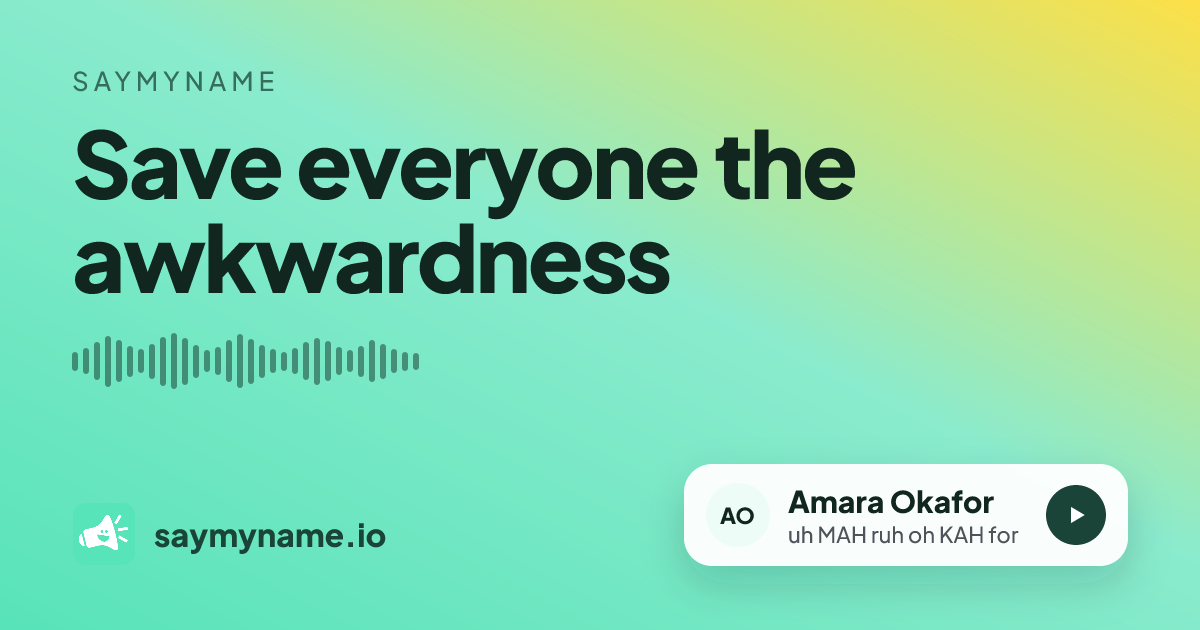



 All bots


 Registration details

 Identified technologies
User reviews (0)