Website profiles · Technology insights · Alternatives

showeet.com

Download free, high-quality PowerPoint and Google Slides templates. Creative designs for business, education, infographics, and more.

Paid content Multilingual
Visit website
Profile views 11 Outbound visits 3 Normal
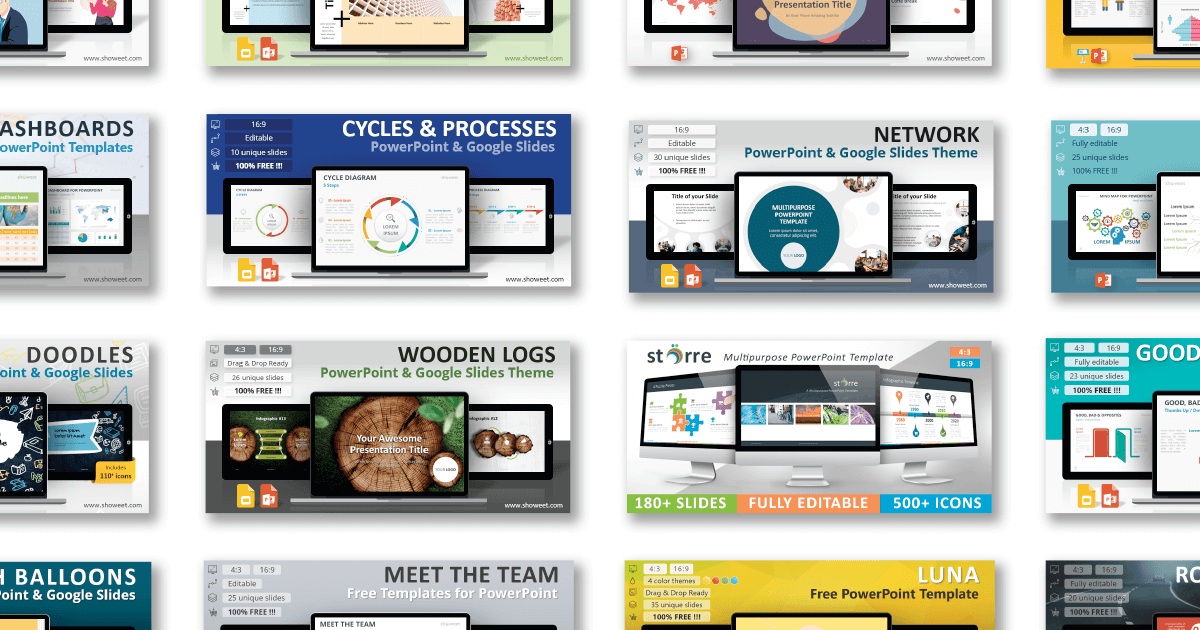
Showeet Full homepage screenshot

At a glance

Category
Design & Creativity
Language
English
Paid-content signal
Paid contentObserved
Registered
2009
Hosting
showeet.comInferred
HTTPS certificate trusted
PassedObserved
Last updated

Website review

This review may include AI-generated content and is not individually verified. Domain, certificate and other facts come from the observed data on this page.

What is Showeet?

Showeet is a library of free presentation templates and slide graphics for PowerPoint and Google Slides. Its focus is on ready-made visual content rather than general design articles: infographic sets, charts and diagrams, shapes and objects, and themed templates. A teacher explaining a food chain, a consultant mapping causes and effects, or a startup founder building a pitch deck can start from a designed slide instead of drawing diagrams from scratch.

H3 What you find there

  • Infographic sets built around a single visual metaphor, such as gears for connected ideas and workflows, fishbone layouts for causes and effects, or key-shaped graphics for solutions and processes.
  • Themed templates for specific occasions, such as seasonal retail or marketing promotions.
  • Topic collections that bundle related visuals, for example eco and sustainability slides or transport and logistics layouts.
  • Editable diagrams where the value is in the structure and styling; you adapt text, colours and data to your own content.

H3 How it compares with alternatives

Source Best for Trade-off
Showeet Free, visually distinctive infographic and diagram slides Smaller catalogue than major stock libraries; designs are shared, so they can look familiar
SlidesCarnival Free full-deck templates with a consistent theme Fewer specialised diagram sets
SlidesGo Large free template catalogue with many education and business themes Free downloads often require attribution
Canva Editing and presenting in the browser with brand controls Best experience tied to its own ecosystem

H3 Practical notes

Check the licence terms and required attribution before using a template in client work or a public event, and confirm whether a file is a full deck or a single diagram set. Because these are templates rather than custom design, expect to spend time replacing placeholder text, adjusting colour to your brand, and trimming slides you do not need.

Next step: pick the visual metaphor that matches your message first, then search for that category on Showeet rather than browsing the whole catalogue. If you need a fishbone diagram for a root-cause analysis, go straight to the cause-and-effect layouts; if you are presenting a multi-step process, start with the gears or cycle sets.

Are Showeet's PowerPoint and Google Slides templates really free to download?

Yes. Showeet presents its PowerPoint and Google Slides templates as free downloads, and the templates listed on its homepage are offered without a visible price or subscription requirement. The site's own description states "Download free, high-quality PowerPoint and Google Slides templates," and the homepage listings read as direct downloads rather than paid products.

What "free" likely means here

  • No price shown: The template listings on the homepage show no cost, tier or credit system.
  • PayPal appears as a payment platform, which suggests the site may accept donations or offer something paid elsewhere. That does not mean the templates themselves cost money, but it is worth checking the specific page before you rely on it.
  • Editable files: The descriptions emphasise that the diagrams and slides are editable, which matters more than price if you plan to adapt them.

Practical next step

Pick one template you actually need, open its individual page and check for a download button, any account requirement, and any note about attribution or commercial use. If those three things are clear, it is free for your purposes.

For example, if you are building a training deck on cause-and-effect analysis, the Fishbone Infographics set is the kind of item you would test first: download it, open it in PowerPoint, and confirm the shapes and text placeholders are editable before committing to it.

Decision criterion

Treat a template as genuinely free only if you can download it without paying, without creating a paid account, and with licence terms that permit your intended use. If a page asks for payment or restricts commercial use, that specific template is not free in the sense you need.

If you want a broader set of free presentation options to compare against, Showeet is the site in question, and you can also check SlidesCarnival and Slidesgo, which are known for free template libraries with clearly stated licence terms.

How do I edit Showeet's infographic templates to fit my own data?

Showeet's infographic templates are built as native PowerPoint or Google Slides files, so editing means working with ordinary shapes, text boxes and charts rather than locked images. You open the file in PowerPoint or Google Slides and change the text and numbers directly; the layouts are designed to be adjusted without design software.

Practical editing workflow

  • Download the template, then open it in PowerPoint (or upload the .pptx to Google Slides and convert it).
  • Click any label or number and type your own values. Most infographic sets use separate text boxes, so each figure is independently editable.
  • Recolour to match your brand: select a shape and use the fill/outline options, or adjust the theme colours so the change applies across the deck.
  • Resize or delete segments you don't need. If a diagram has more steps than your data, remove the extra shapes and re-space the remainder.
  • Duplicate a slide before heavy edits so you keep an untouched version to fall back on.

Matching the template to your data

The page evidence shows templates grouped by structure, which is the key decision criterion:

Template type Best for Editing note
Gears infographics Connected ideas, workflows, multi-step concepts Each gear holds one label; good when steps interlock rather than run in sequence
Fishbone infographics Causes, effects and processes Add or remove "bones" to match how many causes you have
Eco infographics Green strategies and sustainability messages Visual theme is fixed; swap content, not imagery, unless you replace shapes
Food infographics Nutrition, culinary and food-business topics Food-shaped diagrams suit category breakdowns rather than timelines

A concrete scenario

Suppose you're presenting quarterly logistics performance with a five-step process. Pick a cycle or gear diagram with five segments, replace each label with your stage name, and put your actual figures in the accompanying text boxes. If you only have four stages, delete one segment and nudge the rest around the circle so spacing stays even.

Next step

Open the template and edit one slide end-to-end before touching the rest. That reveals whether the text boxes behave as expected in your version of PowerPoint or Google Slides, and it tells you how much manual repositioning the layout will need. Showeet is at Showeet if you need to re-download the original.

Which Showeet template categories work best for business, education, or marketing presentations?

Showeet is strongest when you need a ready-made visual structure rather than a full deck: its catalog is organized around infographic and diagram sets that you drop into an existing presentation. Match the category to the job you're doing, not to the industry label.

Business presentations

The Charts & diagrams category does the heavy lifting for internal and client-facing work. Gears infographics suit connected ideas, workflows and multi-step processes; fishbone infographics suit cause-and-effect analysis, root-cause reviews and post-mortems; pin cycle diagrams suit repeating or cyclical processes with several options. For operations and supply-chain topics, the transport and logistics set gives you a themed layout instead of generic shapes.

Choose these when the message is a process, a cause chain or a set of options. They save the most time on slide types people usually rebuild from scratch.

Education

Education benefits from the same diagram logic, but the goal shifts from persuasion to explanation. Cycle, gear and cause-effect diagrams help students see relationships between steps, and the Shapes & objects category works well for topic-based lessons where the visual itself carries meaning — food-shaped diagrams for nutrition or culinary classes, eco-themed slides for environmental topics.

Choose these when you need to explain a sequence or system to a group with mixed prior knowledge. Avoid diagram sets that require dense labels; classroom slides usually need fewer words, not more.

Marketing and campaigns

Marketing leans on Templates and themed object sets. A seasonal template such as the Black Friday design is built for retail pitches and promotional decks, where the visual tone matters as much as the content. Eco infographics also fit sustainability messaging and green-strategy storytelling, which is common in brand and CSR presentations.

Choose these when the deck is short-lived and appearance-driven. For evergreen brand or product decks, a neutral diagram set will age better than a holiday template.

Quick comparison

Need Category to start with Trade-off
Explain a workflow or process Charts & diagrams (gears, cycle, fishbone) Editable, but you must adapt labels to your own content
Teach a concept or system Shapes & objects, eco/food infographics Strong visual metaphor; less suited to data-heavy slides
Run a campaign or promo Templates, seasonal designs Fast and on-theme, but dated quickly
Present operations data Transport & logistics set Themed layout helps, but check it fits your chart types

A practical next step

Skim the category listing and open two or three candidates before committing. Ask one question: does this diagram's structure match the shape of my argument — a chain, a cycle, a set of parallel options, or a single metaphor? If yes, the template will take minutes to fill in; if no, you'll spend longer fighting the layout than building one from scratch.

What license or attribution rules apply when I use Showeet templates in a client or commercial deck?

Showeet does not state a single site-wide license on its homepage. Its listing pages describe templates as "free" and "editable," but that is a description of the files, not a grant of commercial rights. For a client or commercial deck, treat the license as something you must verify per template before you build it into paid work.

What to check on each template page

  • Look for a license line, a Creative Commons badge, or a "for personal use only" note. Templates aimed at classrooms and personal projects often carry narrower terms than business-oriented ones.
  • Check whether attribution is required. Some free template sites ask for a credit or link back; others do not.
  • Confirm what you may modify and redistribute. Editing slides for your own deck is usually fine; reselling the template itself, or bundling it into a product you sell, is a different question.
  • Note any third-party elements. Fonts and icons inside a template can carry their own licenses, separate from the template.

Practical decision rule

If a template page has no clear license statement, do not assume commercial use is permitted. Instead:

  1. Contact Showeet through its site contact route and ask specifically about client work and commercial presentations.
  2. Keep the written reply with your project files.
  3. If you cannot get clarity, use the template only for internal drafts, then rebuild the final client deck with assets you have clear rights to.

A concrete scenario

You are preparing a paid pitch for a retail client and want the Black Friday template. Before you drop it into the deck, open that template's page and read the license text. If it permits commercial use, note whether a credit is required and where it should appear. If it is silent or restricted to personal use, either request permission or recreate the layout yourself using your own graphics.

Fallback sources with clearer terms

If you need templates with explicit commercial licensing, these are worth comparing:

  • SlidesCarnival — free templates with stated license terms per template.
  • SlidesGo — free and premium tiers, with license terms tied to the plan.
  • Canva — built-in licensing rules for commercial use, depending on the assets used.

For client work, the safest next step is a short email to Showeet naming the exact template and the intended use. That turns an ambiguous homepage claim into a documented answer you can rely on.

Do Showeet templates open correctly in both PowerPoint and Google Slides without reformatting?

Showeet explicitly markets its templates as working in both PowerPoint and Google Slides, and its catalogue is organised around that dual compatibility. In practice, "opens correctly" and "needs no reformatting" are two different standards, and the honest answer sits between them.

What the site itself indicates

Every template listing names both applications ("... for PowerPoint and Google Slides"), covering categories such as charts and diagrams, shapes and objects, and full presentation templates. That tells you the files are intended for both environments — not that a single file renders identically in each.

Where reformatting usually appears

Element Typical experience in PowerPoint Typical experience in Google Slides
Text boxes and bullets Usually faithful Line breaks and autofit can shift
Custom or downloaded fonts Fine if the font is installed Substituted unless added to Google Fonts
SmartArt and grouped shapes Editable as designed Often converted, sometimes flattened
Animations and transitions Full range Reduced set; some effects drop
Charts linked to data Editable source data May arrive as a static object

A concrete scenario

Suppose you download the Fishbone Infographics set to explain causes and effects in a project review. If you build and present in PowerPoint only, expect little or no cleanup. If you upload the same file to Google Slides so a remote colleague can comment, budget ten to fifteen minutes to check font substitution, re-align text inside the fishbone branches, and confirm any animation still plays. The diagram structure survives; the polish often needs a pass.

Decision criteria

  • Presenting solo in PowerPoint: treat the template as near drop-in.
  • Collaborating in Google Slides: choose templates with standard fonts and simple shapes rather than heavy SmartArt or animation.
  • Mixed team: build in Google Slides first, then export to PowerPoint, rather than the reverse.
  • Brand-critical decks: test one slide end-to-end before committing to a full template.

Useful next step

Open a template, immediately save a copy under your own name, then check three things in your target app: font names, text overflow inside shapes, and whether animations survived. If those three pass, the rest of the deck almost always will too.

For a wider pool of compatible starting points, SlidesCarnival and SlidesGo also publish dual-format templates, which is useful for comparing how the same design behaves across both apps.

Related questions

More questions →
Are Showeet Templates Really Free to Use?

Showeet advertises its PowerPoint and Google Slides templates as free to download, and the site's own description states it offers "free, high-quality" designs. However, "free to download" and "free to use however you want" are not the same thing. Before you drop a Showeet template into a client deck or a paid course, you need to check the license terms attached to that specific template, because the site's homepage does not spell out a single blanket usage policy.

What Showeet actually says

The site's tagline is explicit about cost: templates are described as free, with no pricing links or subscription tiers listed on the pages reviewed. The categories shown on the homepage — Charts & diagrams, Shapes & objects, and Templates — all present downloadable files rather than gated or paid products.

What the homepage does not provide is a clear, centralized license statement covering attribution, commercial use, or redistribution. That gap is the key thing to resolve before you rely on a template.

Why "free" needs a second look

A free download can still carry conditions. Common ones to watch for on template sites include:

  • Attribution requirements — you may need to credit the creator somewhere in your presentation or description.
  • Commercial-use limits — some free templates are fine for personal or classroom use but restricted for client work or resale.
  • Redistribution bans — you typically cannot re-upload the template file itself or sell it as your own product.
  • Modification rules — most sites allow editing, but some restrict how far you can alter and rebrand.

None of these are confirmed as Showeet's terms from the material available, so treat them as the checklist you apply when you open an individual template page.

How to confirm the terms for a specific template

  1. Open the individual template page (for example, the Gears Infographics, Fishbone Infographics, or Eco Infographics listings) rather than relying on the homepage.
  2. Look for a license, terms, or "usage" note near the download button or in the page footer.
  3. Check the file itself — many template downloads include a readme or a credits slide that states permitted use.
  4. If nothing is stated, assume the most restrictive reasonable interpretation and avoid commercial redistribution until you find explicit permission.

Practical decision guide

Your use case What to verify first
Personal or classroom presentation Usually the lowest-risk use; still check for attribution asks
Internal business deck Confirm commercial use is allowed
Client-facing or paid work Get explicit commercial permission or credit as required
Reselling or redistributing the template Almost always restricted — verify before doing this
Republishing as your own product Assume not allowed unless clearly stated

The bottom line

Showeet templates are presented as free to download, and there is no pricing or payment requirement shown for the templates reviewed. But the safe move is to treat each template's own license note as the authority, not the homepage. If you need a template for commercial or client work and cannot find clear permission, either credit the source as a precaution or choose a template with an explicit commercial license.

Are Showeet Templates Compatible With Both PowerPoint and Google Slides?

Yes. Showeet labels its templates for both PowerPoint and Google Slides, and the site's own catalog repeatedly uses that dual designation. In practice, the compatibility you get depends on the file format you download and how you open it, so the safe approach is to check the individual template page before you commit to it for a deck.

What Showeet says about compatibility

Showeet's site title and description describe the library as "Free PowerPoint & Google Slides Templates." Individual template listings follow the same pattern — for example, "Gears Infographics for PowerPoint and Google Slides," "Fishbone Infographics for PowerPoint and Google Slides," and "Eco Infographics for PowerPoint and Google Slides." That wording appears across multiple categories, including Charts & diagrams, Shapes & objects, and Templates.

So the dual-platform claim is consistent across the catalog rather than being a one-off label on a single item.

How the two platforms actually connect

The practical mechanism is straightforward:

  • PowerPoint opens .pptx files natively. If Showeet provides a .pptx download, it works directly in PowerPoint (desktop, web, or mobile).
  • Google Slides imports .pptx files. You upload the file to Google Drive and open it with Google Slides, or use File → Import slides inside an existing presentation. Google converts the file into its own format.

This means a single .pptx file can serve both platforms — but the conversion step is where differences appear.

Where compatibility can break down

Google Slides' .pptx import is good but not perfect. Elements most likely to shift during conversion:

Element Typical behavior after import
Standard text, shapes, solid fills Usually preserved
Custom fonts Substituted if the font isn't available in Google Slides
Complex animations and transitions Often simplified or dropped
SmartArt and some grouped objects May flatten or reposition
Embedded charts linked to Excel data May lose the live data link

Because Showeet's catalog leans heavily on infographics, diagrams, and multi-step visual layouts, animation and font substitution are the two issues most likely to affect you.

How to check a specific template before downloading

  1. Open the individual template page (not just the category listing).
  2. Look for the platform wording in the title or description — most items state "PowerPoint and Google Slides."
  3. Check the stated file format or download button. A .pptx file is the one that works in both.
  4. Note the slide count and any stated editability (Showeet describes many sets as "fully editable" or "editable diagrams"), since editable shapes survive conversion better than flattened images.

Practical workflow for using one template on both platforms

For PowerPoint: Download the .pptx, open it, and edit directly. This is the least risky path.

For Google Slides:

  1. Download the .pptx file.
  2. Upload it to Google Drive.
  3. Right-click the file → Open with → Google Slides (or double-click and choose Google Slides).
  4. Review fonts, animations, and diagram alignment before presenting.
  5. If you need to reuse it, save the converted Slides version separately so you don't re-import each time.

Verification step: After import, flip through every slide in Slideshow/Preview mode. Check that text boxes haven't overflowed and that infographic elements are still aligned. This takes a minute and catches most conversion problems.

Choosing based on your situation

  • If you present mainly in PowerPoint: download and use the .pptx directly; no conversion concerns.
  • If you present mainly in Google Slides: the templates work, but budget time to fix fonts and animations after import.
  • If you collaborate in Google Slides but present in PowerPoint: build in Slides, then export back to .pptx — expect a second round of minor formatting checks.
  • If a template relies heavily on animation: treat it as PowerPoint-first and test the Slides version before relying on it.

The short answer: Showeet templates are built to work on both platforms, and the .pptx format is the bridge. Compatibility is real, but it's "works with review" rather than "pixel-identical out of the box" — especially for animated or font-heavy infographics.

How to Download and Use a Showeet Template

Showeet offers free PowerPoint and Google Slides templates that you can download and edit for business, education, and infographic presentations. To use one, browse or search the site, open a template's detail page, download the file, then open it in PowerPoint or Google Slides and customize the text, colors, and shapes. The steps below cover the full process, plus the common snags to expect.

Find a template

Showeet organizes its library by category, and the homepage surfaces recent additions alongside a search box.

  • Browse by category: The site groups templates under labels such as Charts & diagrams, Shapes & objects, and Templates. Examples currently listed include Gears Infographics, Fishbone Infographics, Eco Infographics, Food Infographics, Key Infographics, a Black Friday Template, Transport & Logistics, and Pin Cycle Diagrams.
  • Search: Use the Search field if you already know roughly what you need (for example, "fishbone" or "logistics").
  • Page through results: The listing runs across multiple pages — the homepage shows Page 1 through Page 30 with a Next → link, so older templates are still reachable.

Each listing gives you a short description and a slide count, which helps you judge fit before opening anything. For instance, the Gears set is described as 20 editable diagrams, Eco Infographics as 15 slides, and Food Infographics as 30 food-shaped diagrams.

Download the file

  1. Click the template title or thumbnail to open its detail page.
  2. Read the description to confirm the format and slide count match what you need.
  3. Locate the download button or link on that page and start the download.

The homepage listings don't expose the download control directly — you have to go into the individual template page first. That's the step people most often skip when they can't find a download button.

Open and edit it

Once downloaded, open the file in PowerPoint or Google Slides, depending on the format you chose.

  • In PowerPoint: Open the file directly. Editable diagrams, shapes, and text boxes behave like normal slide objects.
  • In Google Slides: Upload the file to Google Drive, then open it with Google Slides. Expect minor shifts in fonts or spacing if the original used fonts Google doesn't carry.

Showeet describes its templates as editable, and the listings emphasize customization — the Gears set is pitched for "connected ideas" and "multi-step concepts," the Fishbone set for "causes, effects, and processes," and the Pin Cycle Diagrams for "5-8 option layouts." In practice that means you're swapping in your own labels and adjusting colors rather than rebuilding the graphics.

What you can typically change

Element What to do
Text Replace placeholder labels with your own content
Colors Recolor shapes and diagram segments to match your brand
Shapes and diagrams Resize, reposition, or delete segments you don't need
Slide count Duplicate or remove slides to match your talk length

Common snags

  • No download button visible: You're probably still on a category or listing page. Open the individual template page.
  • Fonts look wrong after opening: The template may use a font not installed on your machine. Substitute a similar font or install the original.
  • Layout breaks in Google Slides: Complex PowerPoint-specific effects don't always convert cleanly. Check each slide after importing.
  • You need a different slide count: Templates ship with a fixed number of slides (15, 20, 30, and so on), but you can duplicate or delete slides freely.

Before you commit

Showeet's library is broad and the templates are positioned as free and editable, which makes it a reasonable first stop for a presentation that needs ready-made diagrams rather than a blank deck. Check the specific template page for the format and slide count you need, and verify licensing terms on the site if you plan to use a template commercially.

What Is Showeet and What Does It Offer?

Showeet is a website that offers free, high-quality PowerPoint and Google Slides templates. It is aimed at anyone who needs ready-made presentation designs for business, education, infographics, and similar topics, and the templates can be downloaded directly from the site.

What kinds of templates are available?

The site organizes its library around presentation needs rather than a single style. Based on the categories and examples shown on the homepage, the main types include:

  • Charts & diagrams – editable diagrams for presenting connected ideas, workflows, causes and effects, or multi-step processes. Examples listed on the site include Gears Infographics, Fishbone Infographics, Food Infographics, Key Infographics, and Pin Cycle Diagrams.
  • Shapes & objects – themed visual sets such as Eco Infographics and Transport & Logistics slides.
  • Templates – complete presentation designs for specific occasions, such as a Black Friday template for retail pitches and marketing presentations.

Each listing typically states how many slides or diagrams are included. For instance, the Gears Infographics set contains 20 editable diagrams, the Eco Infographics set has 15 creative slides, the Food Infographics set has 30 food-shaped diagrams, and the Transport & Logistics set includes 15 slides.

Who is it for?

Showeet suits people who want to build a presentation quickly without designing diagrams from scratch. The subject coverage suggests it is useful for:

  • Business and marketing – workflows, process explanations, retail or seasonal promotions.
  • Education and training – step-by-step concepts and explanatory visuals.
  • Topic-specific decks – nutrition, culinary, food business, eco/green strategy, transport, and logistics.

How do you use it?

The workflow is straightforward: browse or search the site, open a template page, and download the file for PowerPoint or Google Slides. Because the diagrams are described as editable, you can adjust text, colors, and layout to fit your own content after downloading.

The site also has a search function and a paginated archive (the homepage shows links through Page 30), so you can browse older posts if the newest listings do not match your topic.

What to keep in mind

  • The templates are described as free to download, and PayPal appears among the site's payment platforms, which may relate to optional services rather than the templates themselves.
  • Availability of a specific template depends on what is currently listed; use the search box or the archive pages to check.
  • Since files are designed for both PowerPoint and Google Slides, confirm the format on the individual template page before downloading if you need one specifically.
How to Find Specific Template Types on Showeet

Showeet organizes its free PowerPoint and Google Slides templates into labeled categories and provides a search box, so the fastest way to find a specific type is to either search by keyword or browse the category that matches your need. The site's homepage lists templates with a category tag above each title — for example, "Charts & diagrams," "Shapes & objects," or "Templates" — and paginates older posts across numbered pages. If you already know roughly what you want (a diagram, an infographic, a seasonal theme), category browsing is usually quicker than scrolling.

Use the search box for a specific topic

The homepage includes a Search field. Enter a concrete term tied to your subject — "fishbone," "gears," "eco," "food," "Black Friday" — rather than a vague word like "business." The results return matching template posts, each showing its category label and a short description of what the template contains.

This works best when you have a clear keyword. For example, searching "fishbone" surfaces the Fishbone Infographics set, described as editable diagrams for presenting causes, effects, and processes.

Browse by category

Each template on the listing pages carries a category tag. From the homepage evidence, the visible categories include:

Category What it covers (per site listings)
Charts & diagrams Diagram sets such as gears, fishbone, food-shaped, key, and cycle pin diagrams
Shapes & objects Themed visual sets such as eco and transport/logistics
Templates Complete presentation themes such as the Black Friday template

Category tags tell you the format of the template, not the industry. A "Charts & diagrams" item can still serve a nutrition, logistics, or marketing topic — the Food Infographics set, for instance, is tagged Charts & diagrams but is aimed at nutrition, culinary, and food business subjects.

Page through older posts

Below the current listings, Showeet shows pagination: Page 1, Page 2 … Page 30, Next →. Newer templates appear first, so if what you want isn't on the first page, use the numbered links or Next → to move through the archive. This is the fallback when search returns nothing useful or when you'd rather scan everything in a category.

Match the template to your task

Before downloading, read the short description under each title — it states the slide count and intended use. Examples from the site:

  • Gears Infographics — 20 editable diagrams for connected ideas, workflows, and multi-step concepts.
  • Fishbone Infographics — editable diagrams for causes, effects, and processes.
  • Eco Infographics — 15 editable slides for eco concepts and green strategies.
  • Food Infographics — 30 food-shaped diagrams for nutrition, culinary, and food business topics.
  • Transport & Logistics — 15 slides with transport-themed visuals for logistics and data layouts.
  • Pin Cycle Diagrams — 5–8 option layouts for cycle-based visual storytelling.

Checking the slide count and stated purpose first saves you from downloading a set that doesn't fit your content.

Common sticking points

  • Searching too broadly. A term like "presentation" returns too much; a term like "fishbone" or "gears" returns the exact set.
  • Confusing category with topic. The category describes the visual format. If you need a subject-specific look, scan the descriptions rather than relying on the tag alone.
  • Stopping at page one. With roughly 30 pages of older posts, a specific template may sit further back — use pagination or search instead of assuming it isn't there.

Once you've located a template, the download and editing steps are a separate process; finding it is purely a matter of search terms, category tags, and pagination.

Website Overview

Identifiable technologies and additional version or configuration signals make the service easier to fingerprint, which may help targeted scanners narrow their checks. An established domain and managed infrastructure suggest continuity of operations and may support dependable delivery, although neither guarantees service quality.

Domain and Registration

Registered in 2009, this domain has about 17 years of history. That suggests continuity, although ownership and purpose may have changed. Transfer-protection status is present, helping reduce the risk of unauthorized domain transfers. The registrar is GoDaddy.com, LLC, a widely used domain service provider. The domain uses the common .com extension, which is not an independent safety signal.

DNS and Email

The observed email authentication setup is incomplete: DMARC is missing. Nameservers are provided by GoDaddy, indicating managed DNS hosting. MX records point to the Google Workspace email service. TXT records include verification markers for Google. Such markers may also remain after a service stops being used. DNSSEC signatures were not detected, so this additional DNS authenticity protection is not confirmed.

TLS and Certificates

The certificate uses an RSA 2048-bit public key, offering broad client compatibility. The server supplied a complete certificate chain. No organization name is present in the certificate; the available fields are consistent with domain validation. The certificate was issued by Let's Encrypt, commonly associated with automated certificate services. The certificate's total validity is about 89 days, consistent with a short renewal cycle.

HTTP and Browser Security

The checked browser-security headers were not detected, leaving fewer explicit browser-side safeguards. No X-Powered-By header was found, reducing one common source of backend fingerprinting information. The x-cache response header indicates a CDN or caching proxy in the delivery path. No obvious internal addresses or debug information were found in the headers. The Server header identifies nginx without an exact version.

Technology Stack Analysis

The public page identifies WordPress 7.1.2, jQuery, Google Analytics, nginx, with exact versions exposed for 1 technologies. These details can narrow vulnerability checks, although exposure alone is not a vulnerability.

Search and Social Sharing

The Generator tag identifies WordPress 7.1.2, making the publishing system easier to fingerprint. Twitter Card metadata is configured. JSON-LD includes Organization data, helping describe the organization as an entity. The page declares 4 language or regional alternatives using hreflang. The title has 51 characters, within a common display range.

Hosting and Email

DNSGoDaddy
Hostingshoweet.com
EmailGoogle Workspace
Approximate IP geolocation (inferred; a CDN or proxy may differ from the origin server) United States flagPiscataway, New Jersey, United States Inferred 64.176.203.213

Registration details

RDAP / WHOIS

RegistrarGoDaddy.com, LLC
Registered2009-06-12
Expires2027-06-12
Domain statusclient delete prohibited、client renew prohibited、client transfer prohibited、client update prohibited
Nameserversns17.domaincontrol.com、ns18.domaincontrol.com
DNSSECunsigned

DNS records

DNS

TypeNameValueTTLPriority
Ashoweet.com64.176.203.2133600—
AAAAshoweet.com2001:19f0:1000:7c87:5400:4ff:fe92:5b86600—
MXshoweet.comaspmx.l.google.com36001
MXshoweet.comalt1.aspmx.l.google.com36005
MXshoweet.comalt2.aspmx.l.google.com36005
MXshoweet.comaspmx2.googlemail.com360010
MXshoweet.comaspmx3.googlemail.com360010
NSshoweet.comns17.domaincontrol.com3600—
NSshoweet.comns18.domaincontrol.com3600—
TXTshoweet.comgoogle-site-verification=4l1V9AE7h91yJdy0LDi_4ip61Dnhu1go28TpHK3t8_U3600—
TXTshoweet.comgoogle-site-verification=Tu15tO3TmjnS1Cx5cz2P3zX9FqptTGVL47Xs2nwJzOE3600—
TXTshoweet.comv=spf1 include:_spf.google.com ~all3600—
CNAMEwww.showeet.comshoweet.com3600—

TLS and certificates

TLS / SSL

AssessmentNormal configuration
Supported protocolsTLSv1.2、TLSv1.3
Negotiated protocolTLSv1.3
Certificate subjectwww.showeet.com
IssuerLet's Encrypt
Valid until2026-11-21T23:06 · Remaining when checked: 49 days
Verification detailsCertificate trust: Passed · Hostname match: Passed

HTTP response headers

HTTP

HeaderValue
content-typetext/html; charset=UTF-8
servernginx

Identified technologies

WordPress 7.1.2jQueryGoogle Analyticsnginx

Pages, Search and Sharing

Meta descriptionDownload free, high-quality PowerPoint and Google Slides templates. Creative designs for business, education, infographics, and more.
Canonical URLhttps://www.showeet.com/
LanguageEnglish (default) · Multilingual
Twitter Cardsummary_large_image
scrapy 1 allowed · 0 disallowed
  • Allow/
All bots 0 allowed · 1 disallowed
  • Disallow/download/*

User reviews (0)

  • No reviews yet.