Website profiles · Technology insights · Alternatives

sketchrepo.com

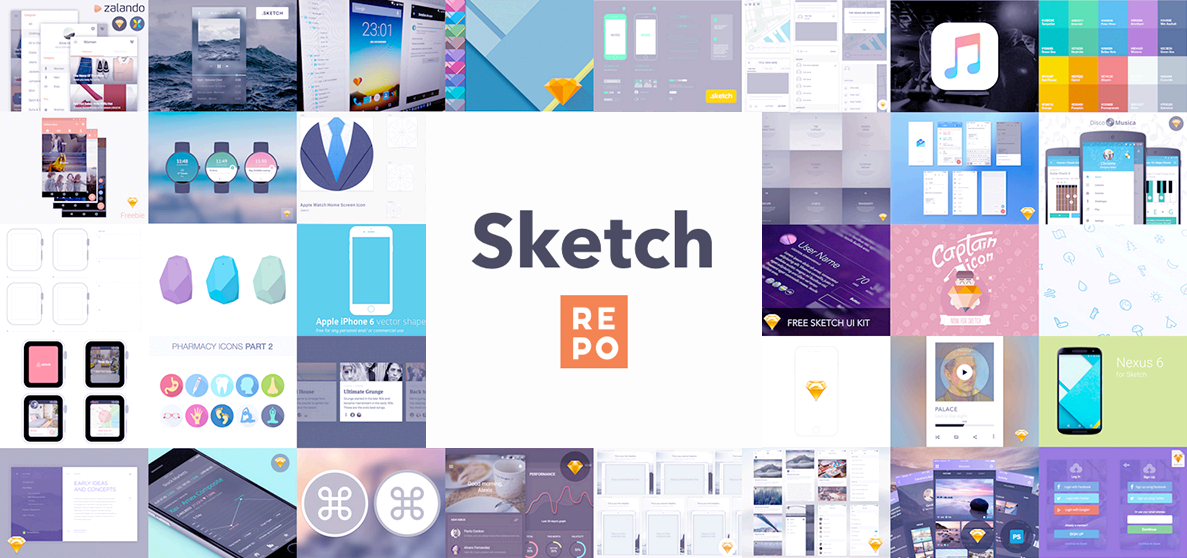
Sketch templates and Sketch resources for your next design project. Free, high quality icons, mockups, and UI kits for Sketch App.

Paid content
Visit website
Profile views 0 Outbound visits 0 Normal
Sketch Repo Full homepage screenshot

At a glance

Category
Design & Creativity
Language
English
Paid-content signal
Paid contentObserved
Registered
2015
Hosting
DigitalOcean, LLCInferred
HTTPS certificate trusted
PassedObserved
Last updated

Website review

This review may include AI-generated content and is not individually verified. Domain, certificate and other facts come from the observed data on this page.

What is Sketch Repo?

Sketch Repo is a resource library for designers who work in the Sketch app. It gathers free, downloadable assets—icons, device mockups, mobile UI kits, website layouts, and miscellaneous graphics—in one browsable place, so you can find starting material for a design project instead of building every element from scratch.

The site also carries a substantial collection of printable coloring pages and calendars. That makes it broader than a pure UI resource site: the same catalog serves designers looking for mockups and kits alongside parents, teachers, or anyone who wants a themed coloring sheet or a monthly calendar to print.

What you'll find there

  • Sketch resources — icon sets, iPhone mockups, e-commerce and online-learning app UI kits, dashboard concepts.
  • Coloring pages — seasonal and character-themed sheets, such as Halloween and Bluey pages.
  • Calendars — monthly printable calendars.
  • Miscellaneous graphics — standalone illustrations and concept templates.

Who it suits

A UI designer prototyping a mobile checkout flow could grab a credit-card checkout kit or an iPhone mockup to present work quickly. A teacher planning a Halloween lesson might use the coloring pages instead. The trade-off is that a general catalog like this mixes audiences: the design assets are meant for Sketch specifically, so Figma or Adobe XD users will need to import or convert files, and the coloring and calendar sections will be irrelevant to most professional design work.

As a next step, start from the category that matches your task—Mockups, Icons, or Mobile UI Kits for design work—rather than scrolling the latest feed, which mixes all content types. For comparison, other established design-resource libraries include Dribbble for inspiration and Figma for community files if you work outside Sketch.

Are the Sketch templates and resources on Sketch Repo free to download?

Yes. Sketch Repo presents its Sketch templates and resources as free to download. The site describes itself as offering “free, high quality icons, mockups, and UI kits for Sketch App,” and its resource listings—mockups, icon sets, mobile UI kits, calendars, and coloring pages—are presented as free items rather than paid products.

The practical catch is what “free” covers. The site positions itself as a discovery hub for Sketch App resources, so a download may come with its own license terms set by the original creator. Before using a mockup or UI kit in client work, check the individual resource page for attribution requirements or restrictions on commercial use.

A sensible next step: browse the category closest to your project—desktop mockups, mobile UI kits, icons, or miscellaneous assets—and open the specific item you want rather than downloading in bulk. If you design iPhone app screens, for example, the iPhone 14 Pro mockup listed on the homepage is the kind of asset to inspect first for file format and usage terms.

What types of Sketch resources, such as icons, mockups, and UI kits, can I find on Sketch Repo?

Sketch Repo is primarily a discovery site for free Sketch App design assets, and its catalogue is broader than the name suggests: alongside design files it also carries coloring pages and printable calendars. The design resources fall into a few recognizable groups.

Design resource categories

  • Icons — icon sets packaged as Sketch files, such as an arrows icon set, for use in interfaces, presentations or prototypes.
  • Mockups — device mockups for presenting screens in context, for example an iPhone 14 Pro mockup.
  • UI kits — mobile app design kits covering common product patterns, including an e-commerce app UI and an online learning app kit.
  • Concepts and illustrations — standalone design pieces and illustrations, such as a sales monitoring dashboard concept or an AI device illustration.

Non-design extras

The same catalogue mixes in coloring pages (Halloween themes, Bluey, Unicorn, Spider-Man, Sonic) and monthly calendars. These are useful for print or personal projects, but they're a different audience from someone assembling a product interface.

What this means in practice

If you're a designer starting a mobile app project, the practical path is to browse the UI kits and mockups first, since those save the most setup time, then pull individual icons to fill gaps. A designer presenting a checkout flow, for example, could start from the e-commerce app UI kit and drop screens into the iPhone mockup for a client review.

The trade-off is depth versus breadth. A general discovery site like this is good for quickly finding a free starting point across many categories, but kits vary in completeness and polish, so check what each file actually contains before committing to it. For larger or more specialised libraries, compare with dedicated marketplaces such as Sketch or UI8.

As a next step, open the category that matches your current project (icons, mockups or UI kits) rather than browsing the latest uploads, which are dominated by calendars and coloring pages.

How do I download and use a Sketch template from Sketch Repo in my design project?

Open the template's page on Sketch Repo, check that the file is listed as a Sketch resource, then download it and open the .sketch file in the Sketch app. From there, duplicate the file before editing and pull the components, symbols or artboards you need into your own project.

A practical workflow

  1. Find the right resource. Browse by category (mockups, icons, UI kits, mobile app design) rather than scrolling the latest feed, so the template matches your project.
  2. Check what the file contains. A UI kit usually gives you screens and reusable components; a mockup gives you a device frame for presenting designs; an icon set gives you individual symbols. Pick based on what you'll actually reuse.
  3. Download and save a clean copy. Keep an untouched original in a "resources" folder. Work from a duplicate so you can go back if you delete something you need.
  4. Import selectively. Copy the symbols, text styles or artboards you need into your working document. Bringing in an entire kit often clutters your layer list and introduces styles you won't use.
  5. Rename and restyle. Replace placeholder names and colors with your project's conventions before you build on top of them.

Choosing between resource types

Resource type Best for Main trade-off
UI kit Starting a screen layout quickly May impose a visual style you then have to undo
Mockup Presenting finished screens to clients or in a portfolio Mostly presentation value, little design reuse
Icon set Filling gaps in navigation and controls Consistency with your existing icons needs checking
Single template (e.g. a ticket or calendar concept) A specific layout you can adapt Narrow scope; limited reuse beyond that one screen

If you need a broader library of free Sketch files beyond what Sketch Repo lists, Sketch App Sources is a well-known directory covering similar categories.

A useful decision rule: if you expect to reuse a template's elements across several screens, import its symbols and styles; if you only need the layout once, rebuild it in your own file rather than carrying the whole template forward.

Can I find printable coloring pages and calendars on Sketch Repo alongside design resources?

Yes. Sketch Repo mixes design resources with printable material. The page lists Sketch mockups, icons, mobile UI kits and website templates next to Coloring and Calendars categories, with examples such as a Halloween Bluey coloring page, a Halloween haunted house coloring page, character coloring pages, and a November 2026 calendar.

What this means in practice

  • Designers can browse mockups, icon sets and UI kits for Sketch App projects in the same place as the other categories.
  • Teachers, parents or activity organizers can go straight to Coloring and Calendars for printable pages without digging through a design marketplace.
  • Mixed use: someone preparing a Halloween activity sheet and a quick app mockup can use one site for both, though the two audiences rarely overlap.

A useful next step

Decide by task, not by site: if you need a specific printable (a character page or a dated calendar), open that category first and check the format before printing. If you need Sketch-ready assets, start from the mockups, icons or UI kits sections instead. For broader printable libraries, Canva and Twinkl are established alternatives; for Sketch-specific resources, Sketch App Sources is a known catalog.

How can I get the weekly email of new Sketch App resources from Sketch Repo?

Sign up for the newsletter directly on Sketch Repo's homepage: scroll to the section promoting the weekly email and enter your address in the subscription field there. The site describes it as "the best Sketch App resources, every week, in your inbox" and notes that 5,500+ designers already subscribe, so the signup form is the intended route rather than searching individual resource pages.

A practical next step: after subscribing, bookmark the site's "Latest" and "Popular" sections so you can browse new UI kits, icons and mockups between emails instead of waiting for the digest. If the form doesn't appear, check that any content blocker isn't hiding page elements, since the signup box sits among promotional blocks.

For comparison, other design-resource sites run their own separate newsletters, so subscribing to one won't deliver another's updates. If you want broader coverage, you can follow Sketch Repo alongside communities like Dribbble or Behance, where designers often announce free Sketch files, though neither offers the same curated weekly Sketch-specific digest.

Related questions

More questions →
How Sketch Repo Keeps Users Updated on New Free Resources

Sketch Repo offers three ways to stay current: a weekly email newsletter, Facebook and Twitter updates, and on-site browsing through Latest, Popular, and Search sections. The newsletter is the most direct option if you want a curated digest rather than checking the site yourself; the site states that 5,500+ designers receive it. Social channels suit people who already use those platforms, while the Latest section works best for occasional browsing without any signup.

Weekly email newsletter

The site describes a weekly email that collects "the best Sketch App resources" in one message. This is the lowest-effort way to keep up if you don't want to revisit the homepage regularly.

  • What you get: A recurring digest of new templates, mockups, icons, and UI kits, based on the site's own description.
  • Who it suits: Designers who want a steady stream of assets without searching each week.
  • What to expect: The site presents the newsletter as curated ("best"), not a complete list of every upload. If you need every new item, browse Latest instead.

The signup appears on the homepage alongside the subscriber count. The available page information does not describe the exact signup form fields, so treat the email address as the only input you should expect to provide.

Social channels

Sketch Repo links to two social accounts for updates:

Channel Handle or page Best for
Facebook Sketch Repo page (Like/Follow prompt on site) Casual updates if you already use Facebook
Twitter/X @sketchrepo Quick posts and links to new resources

These are useful as a supplement, not a replacement. Social feeds mix updates with other content, so the newsletter or the Latest section gives a cleaner view of new resources.

Browsing new additions on the site

If you prefer not to subscribe to anything, the site's own navigation covers discovery:

  • Latest: Shows the most recent uploads. The homepage currently lists items such as a Super Mario Galaxy movie ticket concept template, a November 2026 calendar, and Halloween coloring pages.
  • Popular: Surfaces frequently viewed resources, useful when you want proven assets rather than the newest ones.
  • Search: Lets you look up specific resource types, such as mockups, icons, or UI kits.

The category menu (Desktop, Mockups, Icons, Coloring, Calendars, Mobile, UI Kits, Websites, Misc) also helps you jump straight to a resource type instead of scrolling through mixed updates.

Practical way to decide

  • Choose the newsletter if you want one weekly email and don't mind curated rather than complete coverage.
  • Choose Latest if you check the site occasionally and want to see everything new without signing up.
  • Use social channels only if you're already active there and want light-touch reminders.

One caveat: the site's update channels are described in general terms, and the available information doesn't specify newsletter frequency beyond "weekly" or whether every new resource is included. If completeness matters, combine the newsletter with a periodic check of the Latest section.

What Is Sketch Repo and What Can You Find on It?

Sketch Repo (sketchrepo.com) is a resource library for Sketch App design assets, offering free templates, mockups, icons, and UI kits, alongside coloring pages and printable calendars. It suits designers who need ready-made assets for a project and anyone looking for simple printable content, with no account required to browse. The site is supported by advertising and a weekly email newsletter rather than paid access.

What the site offers

The homepage organizes resources into a small set of clear categories:

Category Examples shown on the site
Mockups iPhone 14 Pro Mockup
Icons 56 Arrows Icons
Mobile UI Kits Credit Card Checkout, E-commerce App UI, Online Learning App Kit
Websites —
Misc Sales Monitoring Dashboard Concept, Fantastic Four 2025 Symbol, Humane Ai Pin Illustration
Coloring Pages Halloween Bluey, Halloween Haunted House, Unicorn, Spider-Man, Sonic
Calendars November 2026, January 2026

The mix is broader than the name suggests: the design-asset side (mockups, icons, UI kits) sits next to consumer content like coloring pages and monthly calendars. If you arrive expecting only Sketch files, expect to scroll past printable material too.

Who it is for

  • Designers building mobile app screens or marketing visuals who want a starting point rather than a blank canvas — the UI kits and mockups are the relevant section.
  • People looking for free printables — the coloring pages and calendars are grouped separately and are easy to find from the homepage.
  • Anyone evaluating the site before subscribing — browsing appears open; the newsletter is a separate opt-in promoted with the line that 5,500+ designers receive it weekly.

How to use it

  1. Open sketchrepo.com and scan the category list (Desktop, Mockups, Icons, Misc, Coloring, Calendars, Mobile, UI Kits, Websites) to pick the section matching your task.
  2. Open an individual resource page to see the preview and any download option.
  3. If you want new resources delivered, use the newsletter signup on the homepage; otherwise, bookmark the site and return when you need a specific asset.

Expected result: you either download an asset for your project or confirm the site has nothing for your current need — in both cases without creating an account.

Common snags: the homepage mixes design assets with coloring pages and calendars, so use the category labels rather than the "latest" feed to avoid irrelevant results. Resource pages may also carry sponsor placements, which are ads, not part of the download.

Things to keep in mind

  • The site describes its assets as free, high-quality icons, mockups, and UI kits for Sketch App. No pricing page or payment platform is listed, and the only commercial links are advertising placements ("Sponsor," "Advertise Here").
  • Sketch App files require the Sketch application to open and edit; the coloring pages and calendars are a different kind of content and are not design source files.
  • The site is run by Stelian Firez and Sergiu Firez, with About, Contact, and Privacy Policy pages available if you want to check ownership or reach out before relying on it.

If your task is "find a mobile UI kit or mockup to start a Sketch project," Sketch Repo is a reasonable first stop. If you need a specific asset type not represented in the categories above, check the category pages directly before assuming it is missing.

Who Runs Sketch Repo and How Is the Site Supported?

Sketch Repo is run by Stelian Firez and Sergiu Firez, and the site is supported by advertising and sponsor placements rather than by charging visitors for access. The homepage names both operators in its footer and lists About, Contact, and Privacy Policy pages, so there is a clear route to reach the people behind the site. The page also shows sponsor and "Advertise Here" links pointing to BuySellAds, which indicates where the ad inventory is sold.

Who is behind the site

  • Operators: Stelian Firez and Sergiu Firez are credited in the site footer.
  • Accountability pages: About, Contact, and Privacy Policy are all linked from the homepage, giving visitors a way to ask questions or raise issues.
  • Positioning: The site describes itself as "a great place to discover Sketch App resources for your next design project."

That combination matters if you are deciding whether to rely on the downloads: a named operator plus contact and privacy pages is a basic but useful trust signal.

How the site is funded

The homepage carries sponsor slots and "Advertise Here →" links that route to BuySellAds. That is the visible revenue mechanism: advertisers pay for placement, and visitors use the resource listings without a stated paywall.

The site does not publish a price list for its resources in the material available, so treat "free" as the site's own description of its resources rather than a verified licensing term. If you plan to use an asset in commercial work, check the individual resource's license before shipping it.

Audience and reach

Sketch Repo cites 5,500+ designers who trust the site with their email, and it promotes a weekly digest of "the best Sketch App resources" delivered to an inbox. That newsletter is the main way the site says it keeps people updated on new additions.

What the homepage shows as current

The latest listings visible on the page include:

Category Example listing
Calendars November 2026 Calendar
Coloring Pages Halloween Bluey Coloring Page, Halloween Coloring Pages, Halloween Haunted House Coloring Page
Misc Fantastic Four 2025 Symbol, Humane Ai Pin Illustration
Mockups iPhone 14 Pro Mockup
Icons 56 Arrows Icons
Mobile App Design Credit Card Checkout, E-commerce App UI, Online Learning App Kit
Misc Sales Monitoring Dashboard Concept

The category menu also lists Desktop, Mobile, UI Kits, and Websites, so the catalog spans more than Sketch files alone — coloring pages and calendars sit alongside design assets.

Practical takeaways before you rely on it

  • Check the license per download. The site's own description says "free," but the material available does not spell out commercial-use terms.
  • Use the newsletter for updates. Subscribing to the weekly digest is the stated way to hear about new resources; there is no other update mechanism described.
  • Reach out through Contact if you need clarification on a resource or a takedown, since named operators and a contact page are provided.
  • Expect ads. Sponsor placements are part of how the site runs, so ad content may appear alongside resource listings.

If your priority is a named, contactable operator and a browsable catalog of Sketch-oriented assets, Sketch Repo fits that description. If you need explicit licensing terms before using an asset commercially, verify them on the individual resource rather than assuming from the site's "free" label.

Do I Need Sketch App to Use the Resources on Sketch Repo?

Not always. Sketch Repo hosts a mix of resource types, and only some of them are tied to Sketch App. Sketch templates, icons, mockups, and UI kits are typically Sketch-compatible files intended for use in the Sketch App, a macOS design tool for UI and interface design. But the site also lists coloring pages and calendars, which are likely printable or image-based rather than Sketch files. The practical rule: check the individual resource page for its file format before downloading, and only assume you need Sketch when the resource is a design file.

What Sketch Repo Actually Hosts

Sketch Repo describes itself as a place to discover Sketch App resources for design projects, offering "free, high quality icons, mockups, and UI kits for Sketch App." The homepage categories show the range:

Category Typical resource Likely needs Sketch App?
Desktop Mockups Device mockups (e.g., iPhone 14 Pro Mockup) Yes, if delivered as a Sketch file
Icons Icon sets (e.g., 56 Arrows Icons) Yes, if delivered as a Sketch file
Mobile UI Kits App design kits (e.g., E-commerce App UI, Online Learning App Kit) Yes
Websites Web design templates Yes, if delivered as a Sketch file
Coloring Pages Printable coloring sheets (e.g., Halloween Bluey Coloring Page) No — these are for printing or coloring
Calendars Monthly calendars (e.g., November 2026 Calendar) No — these are for viewing or printing
Misc Illustrations and concept templates Depends on the file format

The homepage also surfaces items like a "Free Super Mario Galaxy Movie Ticket Concept Template," a "Fantastic Four 2025 Symbol," and a "Humane Ai Pin Illustration" under Misc — a reminder that "resource" on this site doesn't automatically mean "Sketch file."

How to Tell Before You Download

  1. Open the individual resource page rather than judging from the thumbnail or category alone.
  2. Look for the stated file format or file type on that page.
  3. If it's a .sketch file or explicitly labeled for Sketch App, you need Sketch (macOS) to open and edit it.
  4. If it's a coloring page or calendar, expect a printable or image format you can use without any design software.
  5. If the format isn't stated, treat it as unknown until you check — don't assume it will open in another design tool.

The expected result of this check is simple: you either confirm you need Sketch, confirm you don't, or decide the resource isn't worth the download without more information.

What If You Don't Have Sketch?

Sketch App is macOS-only, so Windows and Linux users can't open native Sketch files. If a resource you want is a Sketch file and you don't have the app, your options are limited to finding an equivalent resource in a format your tools support, or checking whether the resource page offers an alternative download. The site's own description frames its catalog around Sketch App, so design-file resources should be assumed to target that ecosystem unless a page says otherwise.

Common Sticking Points

  • Category ≠ format. Coloring pages and calendars sit alongside UI kits on the same site, so the category is a hint, not a guarantee.
  • "Free" is stated for the design resources in the site's description, but the site also carries sponsor and "Advertise Here" placements — those are ads, not indicators of paid downloads.
  • No account requirement is mentioned in the available site information, but that doesn't confirm downloads are login-free; check the download flow on the resource page itself.
  • Mockups and icons may be bundled in formats beyond Sketch on some pages — the page is the only reliable source.

Bottom Line

You need Sketch App for the design-oriented resources — templates, icons, mockups, and UI kits — when they're delivered as Sketch files. You don't need it for coloring pages and calendars. Since the site mixes both, verify the file format on each resource page before downloading, and don't assume a resource is Sketch-compatible just because it appears on Sketch Repo.

What Types of Design Resources and Templates Does Sketch Repo Categorize?

Sketch Repo groups its free resources into a small set of browsable categories: mockups (desktop and mobile), icons, UI kits, and a "Misc" section that also holds non-design extras like coloring pages and printable calendars. If you want a device frame, an icon set, or a full app screen kit, you can go straight to that category rather than searching the whole site. The categories are listed in the site's navigation and reflected in the resource titles shown on the homepage.

Mockups: Desktop and Mobile Device Frames

The Mockups category covers device frames you place your design inside to present it in context. The homepage shows both a Desktop Mockups entry and a Mobile entry, and a current example is an iPhone 14 Pro Mockup. In practice, this means you can find frames for showing a desktop layout or a phone screen without building the device chrome yourself.

Icons: Sets and Single-Purpose Packs

The Icons category holds icon sets rather than one-off graphics. A listed example is 56 Arrows Icons, which suggests packs organized around a single visual purpose. If your project needs a consistent arrow or interface icon style, this is the section to check first.

UI Kits: Mobile App Design, E-commerce, and Dashboards

UI Kits is the category for complete interface layouts you can adapt to a new project. The homepage lists several distinct examples:

  • Mobile App Design – Credit Card Checkout
  • E-commerce App UI
  • Online Learning App Kit
  • Sales Monitoring Dashboard Concept

These span checkout flows, shopping apps, education apps, and analytics dashboards, so the category is organized by app type rather than by a single template style.

Misc: Concepts, Illustrations, and Non-Design Extras

The Misc category collects items that don't fit the design-resource buckets above. Current examples include a Super Mario Galaxy movie ticket concept template, a Fantastic Four 2025 symbol, and a Humane Ai Pin illustration. This is also where the site's non-design content lives:

  • Coloring pages, such as Halloween Bluey, Halloween Haunted House, and Halloween coloring pages, plus themed sets like Unicorn, Spider-Man, and Sonic
  • Printable calendars, such as the November 2026 and January 2026 calendars

If your task is printing a calendar or a coloring sheet rather than designing an interface, Misc is the section to open.

Quick Reference

Category What you'll find Example from the site
Mockups Desktop and mobile device frames iPhone 14 Pro Mockup
Icons Themed icon sets 56 Arrows Icons
UI Kits Full app screen layouts E-commerce App UI, Sales Monitoring Dashboard
Misc Concepts, illustrations, coloring pages, calendars Super Mario Galaxy ticket concept, November 2026 Calendar

How to Choose a Starting Point

Match the category to what you need to produce. If you're presenting an existing screen, start with Mockups. If you're building a new app flow, start with UI Kits and adjust the layout. If you need a consistent visual language for buttons and navigation, start with Icons. If you need something printable or a one-off concept graphic, check Misc.

One caveat worth knowing before you commit: the resources are described as built for the Sketch App, so the file format matters if you use a different design tool. The site also promotes a weekly email digest, which it says 5,500+ designers subscribe to — useful if you'd rather receive new resources than browse categories each time.

Website Overview

An established domain and managed infrastructure suggest continuity of operations and may support dependable delivery, although neither guarantees service quality. Page metadata, canonical configuration and social previews work together to provide more consistent search and sharing presentation.

Domain and Registration

Registered in 2015, this domain has about 11 years of history. That suggests continuity, although ownership and purpose may have changed. Transfer-protection status is present, helping reduce the risk of unauthorized domain transfers. The registrar is Tucows Domains Inc., a widely used domain service provider. The domain uses the common .com extension, which is not an independent safety signal.

DNS and Email

MX records exist, but SPF, DKIM and DMARC were not detected. Protection against domain impersonation may be incomplete. Nameservers are provided by DigitalOcean, indicating managed DNS hosting. MX records point to the sketchrepo.com email service. No CNAME was found; the observed records resolve directly to addresses. DNSSEC signatures were not detected, so this additional DNS authenticity protection is not confirmed.

TLS and Certificates

The certificate uses an RSA 2048-bit public key, offering broad client compatibility. The server supplied a complete certificate chain. No organization name is present in the certificate; the available fields are consistent with domain validation. The certificate was issued by Let's Encrypt, commonly associated with automated certificate services. The certificate's total validity is about 89 days, consistent with a short renewal cycle.

HTTP and Browser Security

The checked browser-security headers were not detected, leaving fewer explicit browser-side safeguards. No X-Powered-By header was found, reducing one common source of backend fingerprinting information. The x-cache, via response header indicates a CDN or caching proxy in the delivery path. No obvious internal addresses or debug information were found in the headers. The Server header identifies nginx without an exact version.

Technology Stack Analysis

The public page identifies jQuery, nginx without precise versions, leaving fewer clues for version-specific scanning.

Search and Social Sharing

Twitter Card metadata is configured. The title has 56 characters, within a common display range. A meta description is present, with 130 characters. The observed directives allow indexing and link following. No Generator meta tag is publicly exposed.

Hosting and Email

DNSDigitalOcean
HostingDigitalOcean, LLC
Emailsketchrepo.com
Approximate IP geolocation (inferred; a CDN or proxy may differ from the origin server) United States flagClifton, New Jersey, United States Inferred 104.131.48.134

Registration details

RDAP / WHOIS

RegistrarTucows Domains Inc.
Registered2015-04-03
Expires2027-04-03
Domain statusclient transfer prohibited、client update prohibited
Nameserversns1.digitalocean.com、ns2.digitalocean.com、ns3.digitalocean.com
DNSSECunsigned

DNS records

DNS

TypeNameValueTTLPriority
Asketchrepo.com104.131.48.1341800—
MXsketchrepo.commail.sketchrepo.com1440010
NSsketchrepo.comns1.digitalocean.com1800—
NSsketchrepo.comns2.digitalocean.com1800—
NSsketchrepo.comns3.digitalocean.com1800—

TLS and certificates

TLS / SSL

AssessmentNormal configuration
Supported protocolsTLSv1.2
Negotiated protocolTLSv1.2
Certificate subjectsketchrepo.com
IssuerLet's Encrypt
Valid until2027-01-09T07:58 · Remaining when checked: 81 days
Verification detailsCertificate trust: Passed · Hostname match: Passed

HTTP response headers

HTTP

HeaderValue
content-typetext/html; charset=UTF-8
servernginx

Identified technologies

jQuerynginx

Pages, Search and Sharing

Meta descriptionSketch templates and Sketch resources for your next design project. Free, high quality icons, mockups, and UI kits for Sketch App.
Canonical URLhttps://sketchrepo.com
LanguageEnglish (default)
Twitter Cardsummary_large_image
All bots 1 allowed · 10 disallowed
  • Allow/wp-admin/admin-ajax.php
  • Disallow/wp-admin/
  • Disallow*/page/*/?s=*
  • Disallow/page/*/?s=*
  • Disallow/?s=*
  • Disallow/?s=
  • Disallow/sketchrepo.html
  • Disallow/sketchrepo_21_11.html
  • Disallow/sketchrepo_27_11.html
  • Disallow/sketchrepo_27_12.html
  • Disallow/sketchrepo_home_27.12.html
bingbot 1 allowed · 9 disallowed
  • Allow/wp-admin/admin-ajax.php
  • Disallow/wp-admin/
  • Disallow*/page/*/?s=*
  • Disallow/page/*/?s=*
  • Disallow/?s=
  • Disallow/sketchrepo.html
  • Disallow/sketchrepo_21_11.html
  • Disallow/sketchrepo_27_11.html
  • Disallow/sketchrepo_27_12.html
  • Disallow/sketchrepo_home_27.12.html
msnbot 0 allowed · 0 disallowed
  • IntervalCrawl delay 200 seconds
bytespider 0 allowed · 3 disallowed
  • Disallow*/page/*/?s=*
  • Disallow/page/*/?s=*
  • Disallow/?s=*
baiduspider 0 allowed · 3 disallowed
  • Disallow*/page/*/?s=*
  • Disallow/page/*/?s=*
  • Disallow/?s=*
thinkbot 0 allowed · 3 disallowed
  • Disallow*/page/*/?s=*
  • Disallow/page/*/?s=*
  • Disallow/?s=*
applebot 0 allowed · 3 disallowed
  • Disallow*/page/*/?s=*
  • Disallow/page/*/?s=*
  • Disallow/?s=*
oai-searchbot 0 allowed · 3 disallowed
  • Disallow*/page/*/?s=*
  • Disallow/page/*/?s=*
  • Disallow/?s=*
chatgpt-user 0 allowed · 3 disallowed
  • Disallow*/page/*/?s=*
  • Disallow/page/*/?s=*
  • Disallow/?s=*
gptbot 0 allowed · 3 disallowed
  • Disallow*/page/*/?s=*
  • Disallow/page/*/?s=*
  • Disallow/?s=*
claudebot 0 allowed · 3 disallowed
  • Disallow*/page/*/?s=*
  • Disallow/page/*/?s=*
  • Disallow/?s=*
perplexitybot 0 allowed · 3 disallowed
  • Disallow*/page/*/?s=*
  • Disallow/page/*/?s=*
  • Disallow/?s=*
amazonbot 0 allowed · 3 disallowed
  • Disallow*/page/*/?s=*
  • Disallow/page/*/?s=*
  • Disallow/?s=*
amzn-searchbot 0 allowed · 3 disallowed
  • Disallow*/page/*/?s=*
  • Disallow/page/*/?s=*
  • Disallow/?s=*
facebookbot 0 allowed · 3 disallowed
  • Disallow*/page/*/?s=*
  • Disallow/page/*/?s=*
  • Disallow/?s=*
meta-externalagent 0 allowed · 3 disallowed
  • Disallow*/page/*/?s=*
  • Disallow/page/*/?s=*
  • Disallow/?s=*
meta-externalfetcher 0 allowed · 3 disallowed
  • Disallow*/page/*/?s=*
  • Disallow/page/*/?s=*
  • Disallow/?s=*
ahrefsbot 0 allowed · 1 disallowed
  • Disallow/
exabot 0 allowed · 1 disallowed
  • Disallow/
riddler 0 allowed · 1 disallowed
  • Disallow/
smtbot 0 allowed · 1 disallowed
  • Disallow/
scoutjet 0 allowed · 1 disallowed
  • Disallow/
mj12bot 0 allowed · 1 disallowed
  • Disallow/
seebot 0 allowed · 1 disallowed
  • Disallow/
adbeat_bot 0 allowed · 1 disallowed
  • Disallow/
meanpathbot 0 allowed · 1 disallowed
  • Disallow/
mojeekbot 0 allowed · 1 disallowed
  • Disallow/
speedy spider 0 allowed · 1 disallowed
  • Disallow/
genieo 0 allowed · 1 disallowed
  • Disallow/
scrapy 0 allowed · 1 disallowed
  • Disallow/
gigablastopensource 0 allowed · 1 disallowed
  • Disallow/
semrushbot 0 allowed · 1 disallowed
  • Disallow/
proximic 0 allowed · 1 disallowed
  • Disallow/
ccbot 0 allowed · 1 disallowed
  • Disallow/
plukkie 0 allowed · 1 disallowed
  • Disallow/
lipperhey 0 allowed · 1 disallowed
  • Disallow/
obot 0 allowed · 1 disallowed
  • Disallow/
screaming frog seo spider 0 allowed · 1 disallowed
  • Disallow/
vegebot 0 allowed · 1 disallowed
  • Disallow/
screenerbot 0 allowed · 1 disallowed
  • Disallow/
garlik 0 allowed · 1 disallowed
  • Disallow/
businessbot 0 allowed · 1 disallowed
  • Disallow/
fast enterprise 0 allowed · 1 disallowed
  • Disallow/
nutch 0 allowed · 1 disallowed
  • Disallow/
spbot 0 allowed · 1 disallowed
  • Disallow/
jamesbot 0 allowed · 1 disallowed
  • Disallow/
qwantify 0 allowed · 1 disallowed
  • Disallow/
kraken 0 allowed · 1 disallowed
  • Disallow/
linkdex 0 allowed · 1 disallowed
  • Disallow/
sitecheck-sitecrawl by siteimprove.com 0 allowed · 1 disallowed
  • Disallow/

User reviews (0)

  • No reviews yet.