Website profiles · Technology insights · Alternatives

skillsudoku.com

Play free Sudoku online with fast controls, a mobile-friendly grid, and dedicated easy, medium, hard, and daily puzzle pages.

No paid content found
Visit website
Profile views 1 Outbound visits 10 Normal
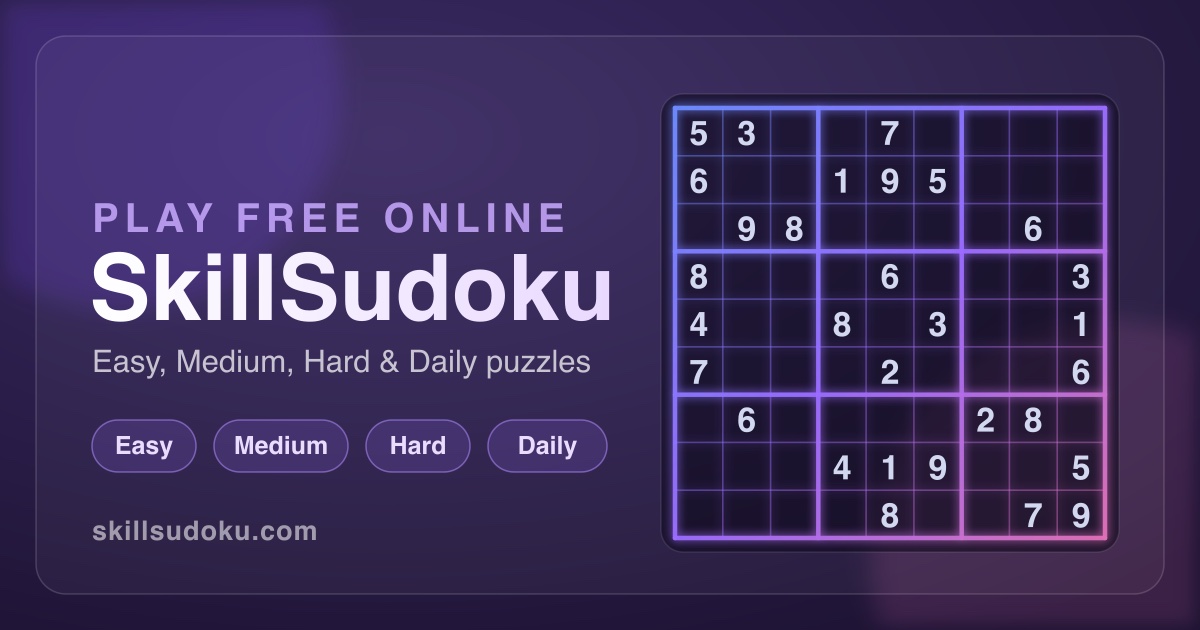
SkillSudoku Full homepage screenshot

At a glance

Category
Other
Language
English
Paid-content signal
No paid content foundObserved
Registered
2026
Hosting
CloudflareInferred
HTTPS certificate trusted
PassedObserved
Last updated

Website review

This review may include AI-generated content and is not individually verified. Domain, certificate and other facts come from the observed data on this page.

What is SkillSudoku?

SkillSudoku is a free browser-based Sudoku site built around a clean, distraction-light board. The puzzle sits front and center on the homepage, which loads straight into a medium board with touch-friendly number buttons and actions that don't reload the page. It's aimed at casual solvers who want a quick session on desktop or mobile without clutter or signup.

What it offers

  • Separate difficulty pages: Easy (more starting clues, quick openings for new players), Medium (balanced boards for regular practice), and Hard (lean grids that reward patient scanning and elimination).
  • A daily puzzle: one shared board per day, so everyone tackles the same grid.
  • Built-in learning material: a plain-English guide covering how to play, tips, common mistakes, and basic strategies such as scanning and elimination.
  • Mobile-friendly controls: large number buttons and an eraser, with an optional mistakes counter.
  • Native apps: iOS and Android versions offering the same boards, daily puzzles, and controls for offline or home-screen play.

Who it suits

A commuter who wants a five-minute medium puzzle on a phone will find the layout works well for that; a beginner can start on Easy and read the how-to-play guide alongside. Someone hunting for tournament-style variants or deep statistics may find the focus on classic Sudoku too narrow.

A practical next step

Start on the Medium board to gauge your rhythm, then move to Easy or Hard depending on whether you finish with time to spare or run out of clean deductions. If you want a fixed daily habit, bookmark the Daily page. For a broader puzzle habit, the site also points to free browser brain games such as math puzzles; other established options include The New York Times crossword and puzzle section.

How do I play Sudoku on SkillSudoku without signing up?

Open SkillSudoku in your browser and start solving on the board that loads on the homepage—no account, signup or login is involved. The page opens with a fresh medium puzzle, a 1–9 number pad, an Erase button and a New Game option, and actions happen without page reloads.

Step by step

  1. Click or tap an empty cell to select it.
  2. Enter a digit with the on-screen number buttons or your keyboard.
  3. Use Erase to clear a wrong entry; keep "Mistakes" off if you want an untracked, relaxed solve.
  4. Use New Game to reset the board, or pick a different difficulty page instead.

Choosing where to start

The site splits puzzles by intent rather than offering one board: Easy gives more starting clues for a gentler opening, Medium suits regular practice, Hard rewards patient scanning and elimination, and Daily is one shared board per day. If you are brand new, the guide section (how to play, tips, common mistakes, basic strategies) sits alongside the puzzle pages, so you can read a rule and immediately try it on the board.

A practical habit: begin on Easy for your first two or three sessions to learn how rows, columns and 3×3 boxes interact, then move to Medium once you can spot a single-candidate cell without guessing. On a phone, the large number buttons under the grid are the intended input method, so you can solve one-handed during a commute. If you prefer an installed app or offline play, the site also points to its iOS and Android versions—but the browser route needs nothing beyond the page itself.

What is the difference between the easy, medium, and hard Sudoku boards on SkillSudoku?

The difference is the number of starting clues and how much work the board asks of you. SkillSudoku presents all three on the same clean interface, so the main variable is difficulty rather than features.

  • Easy: More starting clues and quicker openings. Best for learning the rules, building confidence with scanning, or a short warm-up.
  • Medium: Balanced boards that the site treats as the default all-around practice mode—its homepage opens with a fresh medium board. Good for a regular solving rhythm once the basics feel automatic.
  • Hard: Leaner grids with fewer filled cells, rewarding patient scanning and careful elimination. Choose this when medium boards feel routine and you want longer, more deliberate sessions.

A practical way to decide: start on easy until you can finish without guessing, move to medium for daily practice, and treat hard as a stretch session rather than your default. If you want a shared benchmark, the daily puzzle gives everyone the same board, which makes it useful for comparing approaches with other solvers.

For learning support alongside any level, the site's guide area covers rules, tips, common mistakes, and basic strategies. You can start at SkillSudoku and switch levels from the same interface.

How does the daily Sudoku puzzle on SkillSudoku work?

SkillSudoku publishes one shared Sudoku puzzle per day on its Daily Sudoku page, so every visitor tackles the same board that day—useful if you compare times or solutions with friends, or want a fixed daily habit. The daily page keeps the same clean layout as the rest of the site: the board sits front and center, with touch-friendly number buttons, a timer, and quick actions (erase, new game, mistakes toggle) that work without page reloads. Difficulty is set by the daily puzzle itself rather than by you; for a level you choose, use the Easy, Medium, or Hard pages instead.

The site also offers the same daily puzzles through its iOS and Android apps, which helps if you prefer to play offline or from your home screen.

How to use it

  • Daily routine: Solve the day's board once, note your time, and compare with a friend who plays the same puzzle.
  • Practice on your own terms: Use Medium for regular solving rhythm, Easy for a gentler start, and Hard for patient scanning and elimination.
  • Learn as you go: The guide area covers how to play, tips, common mistakes, and basic strategies in plain English—worth reading before your first Hard board.

If you're choosing where to start, pick Daily when you want a shared challenge and a fixed time each day; pick a difficulty page when you want to control the challenge.

What strategies and tips does SkillSudoku offer for beginners learning Sudoku?

SkillSudoku's beginner help is organized into four short guide sections rather than a single rules page: How to Play, Tips, Common Mistakes, and Basic Strategies. The site describes this guide area as plain-English help for new players, so it works as a starting sequence: learn the rules first, then read the tips and mistakes lists, then move on to strategies.

What each section is for

Guide section Best used when
How to Play You are brand new and need the basic goal and rules
Tips You understand the rules and want a smoother first few puzzles
Common Mistakes You keep getting stuck or guessing too early
Basic Strategies You want a repeatable method instead of trial and error

The site also frames its difficulty pages as part of the learning path: Easy Sudoku has more starting clues and quicker openings for new players, Medium Sudoku is presented as balanced practice, and Hard Sudoku is described as lean grids that reward patient scanning and careful elimination. A sensible beginner route is several Easy boards, then Medium once you finish without guessing.

A practical beginner routine

  1. Read How to Play once, then solve an Easy board without using hints.
  2. Before each move, scan rows, columns and 3×3 boxes for a number that has only one possible cell.
  3. When stuck, switch to elimination: for one box, list which digits are already used in its row and column.
  4. Check the Common Mistakes section after a session, not before, so the advice matches something you actually experienced.
  5. Move to Medium only when you can finish Easy boards without guessing.

The site's own guide sections are the main source for its beginner advice; the specific tips and strategy explanations themselves are not reproduced in the page material provided. If you want a second explanation of the same techniques, Web Sudoku is a long-running Sudoku site with its own rules and solving guidance.

A useful decision criterion: if you are guessing more than once or twice per puzzle, drop back a difficulty level and practise scanning and elimination on that board before moving up.

Can I play SkillSudoku offline or on my phone via an app?

Yes. SkillSudoku offers dedicated iOS and Android apps, and the site states they provide the same clean boards, daily puzzles and quick controls as the browser version. The web version is also built for mobile play, with a touch-friendly grid and large number buttons, so you can play in a phone browser without installing anything.

Which option fits your situation

Situation Better choice Why
You mostly play at home with a stable connection Browser at SkillSudoku Nothing to install; the board opens straight into a medium puzzle
You commute, travel or have patchy signal The iOS or Android app The site presents the app as the way to play offline or from your home screen
You want the daily puzzle as a habit Either, but the app is more convenient Both are described as carrying the daily puzzle; the app avoids opening a browser each time
You are new and want to read the rules first Browser The guide pages on how to play, tips, common mistakes and basic strategies sit alongside the puzzles

A practical next step

If you plan to play on a train or in a waiting room, install the app once while you have Wi-Fi, then check that a puzzle loads with airplane mode on before you rely on it. If you only play in short breaks at a desk, the browser is the lower-friction choice and keeps your home screen clear.

One trade-off worth noting: the app gives you offline access but adds an install and update cycle, while the browser version is always current but depends on a connection. The site's own framing of the app is about convenience and home-screen access rather than extra puzzle types, so pick based on where you play, not on features.

Related questions

More questions →
What Is SkillSudoku and What Can You Do on the Site?

SkillSudoku is a free online Sudoku site that opens directly on a playable board, with dedicated pages for Easy, Medium, Hard, and Daily puzzles. It suits anyone who wants a quick browser-based game without a cluttered interface, and it works on both desktop and mobile. You can start solving immediately, switch difficulty levels, or read plain-English guides if you are still learning the rules.

What the site offers

The homepage loads with a fresh Medium board already in place, so there is no menu to navigate before your first move. The core features are:

  • Four puzzle paths: Easy, Medium, Hard, and Daily. Each has its own page while keeping the same interface.
  • Touch-friendly controls: large number buttons (1–9), an erase option, and a new-game action that work without page reloads.
  • A timer and mistake tracking: the board shows elapsed time, and a "Mistakes" indicator can be toggled on or off.
  • A guide section: how to play, tips, common mistakes, and basic strategies, written in plain language rather than filler text.
  • Mobile app options: the site points to iOS and Android apps for the same boards, daily puzzles, and controls.

Choosing the right puzzle page

The difficulty pages differ mainly in how many starting clues you get and how much scanning and elimination the solve requires.

Page What it is for Best if you…
Easy More starting clues and quicker openings Are new to Sudoku or want a warm-up
Medium Balanced boards for regular practice Want a steady, all-around solving rhythm
Hard Lean grids that reward patient scanning Are comfortable with elimination and want a deeper challenge
Daily One shared puzzle per day Like solving the same board as everyone else that day

If you are unsure where to begin, start on Easy for a session or two, then move to Medium once the basic scanning patterns feel automatic.

How to start playing

  1. Open skillsudoku.com. A Medium board is ready on the homepage.
  2. Pick a difficulty from the Easy, Medium, Hard, or Daily links if you want a different challenge.
  3. Select a cell on the grid, then tap a number from 1 to 9 to place it. Use Erase to remove an entry.
  4. Watch the timer and the Mistakes indicator. If mistakes are switched on, an incorrect entry will be flagged.
  5. Use New Game to load a fresh board at the same difficulty.

Expected result: you can complete a full puzzle without leaving the page or creating an account. The site describes the puzzles as free and playable in the browser with no signup.

Where new players get stuck

  • Guessing instead of scanning. The guide's strategy section focuses on scanning and elimination. Before placing a number, check which digits are already present in the row, column, and 3×3 box.
  • Jumping to Hard too early. Hard boards have fewer clues, so they depend on careful elimination rather than quick pattern matching. A few Medium sessions build the habit first.
  • Ignoring the mistake setting. If you want to learn from errors, leave Mistakes on; if you prefer an uninterrupted solve, switch it off and review at the end.
  • Losing track of time. The timer is useful for short sessions. Decide in advance whether you are playing for speed or for accuracy, since the two push different habits.

Practical notes

The site is built for short sessions on desktop and mobile, with the board placed above the fold so play starts right away. The Daily page gives one shared puzzle per day, which makes it a simple routine if you like comparing your solve with others. For offline play or a home-screen shortcut, the iOS and Android apps offer the same boards and controls. The site also links to a small set of other free browser brain games, such as math puzzles, if you want a change from Sudoku.

How Beginners Can Learn Sudoku with SkillSudoku's Guide

SkillSudoku's guide area is the starting point: read How to Play first for the basic rules, then move on to tips, common mistakes, and basic strategies such as scanning and elimination. Practice on the Easy board, which has more starting clues and quicker openings for new players. The site presents this as plain-English help rather than filler text, and the board sits above the fold so you can switch between reading and solving without hunting for the puzzle.

What the guide covers, in order

The site lays out a clear learning path rather than a single reference page:

  1. How to Play — the rules of Sudoku, so you know what a valid solution looks like.
  2. Tips — practical guidance for solving.
  3. Common mistakes — what to avoid as you start.
  4. Basic strategies — scanning, elimination, and clean step-by-step solving.

Work through them in that order. The rules page gives you the constraints; the strategy pages give you a method for applying them.

The two core techniques named on the site

  • Scanning — reading rows, columns, and boxes to spot where a number can and cannot go.
  • Elimination — removing candidates until only one option remains in a cell.

The site frames these as the foundation of "clean step-by-step solving," which is the habit worth building early: one justified placement at a time instead of guessing.

Practice on the Easy board first

The guide is paired with difficulty pages that keep the same interface while changing the challenge:

Page What it offers, per the site
Easy Sudoku More starting clues, quicker openings, a smooth entry point for new players
Medium Sudoku Balanced boards for regular practice and an all-around solving rhythm
Hard Sudoku Lean grids that reward patient scanning and careful elimination
Daily Sudoku One shared puzzle per day, so everyone tackles the same board

Start on Easy. When the openings stop feeling like work, move to Medium — the homepage itself opens with a fresh medium board, so that's the natural next step. Hard is described as rewarding patience and careful elimination, which is exactly what the strategy pages train.

How to run a first session

  1. Open the Easy Sudoku page.
  2. Read How to Play if you haven't already; keep the tips and common-mistakes pages open in another tab for your first few boards.
  3. Solve using scanning first: check each row, column, and box for numbers that appear once and constrain a cell.
  4. When scanning stalls, switch to elimination on the cells with the fewest candidates.
  5. Use the on-screen controls as needed — the board includes number buttons 1–9, an Erase button, New Game, and a Mistakes: Off setting.

Expected result: you finish a board without guessing, and you can explain why each number went where it did. That's the signal you're ready for Medium.

Common sticking points for beginners

  • Guessing too early. The site's emphasis on elimination and step-by-step solving points the other way: if you can't justify a placement, keep scanning.
  • Skipping the rules page. The guide is ordered for a reason — tips and strategies assume you know the constraints.
  • Jumping to Hard. Hard grids are described as lean, meaning fewer clues and more reliance on the techniques you haven't practiced yet. Build the habit on Easy and Medium first.
  • Losing track of mistakes. The Mistakes toggle is off by default on the board shown; decide deliberately whether you want that feedback while learning.

Taking it further

The guide links on to Benefits of Sudoku (focus, routine, mental warmups) and Sudoku Strategies for deeper practice. For a shared reference point, the Daily Sudoku gives everyone the same board each day — useful for comparing your solving approach with someone else's. The site also offers iOS and Android apps with the same boards, daily puzzles, and controls if you'd rather play from your home screen.

Why Play Sudoku on SkillSudoku, and What Benefits Does It Offer?

SkillSudoku is a free browser-based Sudoku site built around a single idea: keep the puzzle front and center. The homepage opens directly on a fresh medium board with touch-friendly number buttons and actions that work without page reloads. That layout suits short practice sessions, a daily habit, or a quick mental warm-up — and the site's own guide area frames Sudoku as a way to build focus, routine, and mental warmups. If you want a clean, low-clutter place to solve, this is a reasonable fit; if you need advanced solver tools or detailed statistics, the site's described features don't cover that.

What the layout actually does for focus

The board appears above the fold, so solving starts immediately — no scrolling past banners or menus. Number entry uses large on-screen buttons (1–9) plus an Erase control, which makes mobile play comfortable and quick. A timer runs on the board, and a "Mistakes: Off" indicator suggests you can control whether errors are flagged. New Game and difficulty links sit alongside the grid.

The practical effect: fewer decisions between "I want to solve" and "I am solving." For a puzzle that rewards sustained scanning, that reduction in friction matters more than any single feature.

A concrete example

Suppose you have five minutes between meetings. You open the site, land on a medium board, tap numbers directly, and leave when time is up — the puzzle state lives in the page, and you never navigate a menu to begin. That is the session the layout is designed for.

The benefits the site points to

SkillSudoku's guide section describes benefits in terms of focus, routine, and mental warmups. Read that as the site's own framing rather than a clinical claim:

  • Focus — a single grid, one task at a time, with the board dominating the screen.
  • Routine — the Daily Sudoku gives everyone the same board each day, which makes a consistent habit easy to keep.
  • Mental warmup — a medium board is a short, self-contained logic task you can finish or abandon without setup.

The site also links to a "Benefits of Sudoku" page and a "Sudoku Strategies" page for readers who want the reasoning behind scanning and elimination.

Choosing the right board for your session

The site separates puzzles by intent, and the same clean interface carries across all of them:

Page What it offers Best for
Easy More starting clues, quicker openings New players, warm-ups
Medium Balanced boards Regular practice, default homepage board
Hard Lean grids Patient scanning and careful elimination
Daily One shared puzzle per day A consistent routine

If you are unsure, start on Medium — it is the board the homepage presents by default, which signals it as the site's all-around rhythm.

Learning while you play

The guide area is written in plain English rather than filler, and it is organized as a path: how to play, then tips, common mistakes, and basic strategies. A beginner can read the rules, solve an Easy board, and return to the strategy pages when stuck. This is the main reason to choose SkillSudoku over a bare puzzle grid — the explanation sits one link away from the board.

Playing on mobile and offline

The grid and number buttons are built for touch, so phone play is comfortable. The site also offers iOS and Android apps for the same boards, daily puzzles, and controls — useful if you prefer playing from your home screen or without a browser tab. App store links are provided on the page; the site does not state pricing for the apps, so check the store listing before installing.

When SkillSudoku is the right choice — and when it isn't

Choose it if you want a free, no-clutter browser Sudoku with a clear difficulty ladder, a shared daily puzzle, beginner-friendly guides, and comfortable mobile input.

Look elsewhere if you need pencil-mark automation, solving hints, performance statistics, or competitive/ranked play — none of these are described on the site. The page also mentions a small set of partner brain games (including math puzzles) for variety, but they are separate from the Sudoku experience.

The simplest test: open the homepage. If a medium board with large number buttons is what you see and you can start tapping immediately, the site is doing exactly what it promises.

How Easy, Medium, Hard, and Daily Sudoku Differ on SkillSudoku

SkillSudoku's four puzzle modes differ mainly in how many starting clues you get and how much work each solve demands. Easy gives you more filled-in numbers for a quick, gentle start; Medium balances clues and challenge for regular practice; Hard strips the grid down so you have to scan and eliminate carefully; and Daily is one shared puzzle that everyone plays on the same day. Pick Easy if you're new or warming up, Medium for a routine session, Hard when you want a longer solve, and Daily if you like comparing your result with other players.

Easy Sudoku: more clues, faster openings

Easy boards come with more starting numbers, which means quicker openings and a smoother entry point for new players. If you're still learning the rules or want a low-pressure session, this is the place to start. The extra clues let you place numbers early and build momentum instead of staring at a nearly empty grid.

Medium Sudoku: the balanced default

Medium is the board SkillSudoku opens with on its homepage, and the site describes it as balanced boards for regular practice and the best all-around solving rhythm. It sits between the hand-holding of Easy and the patience required by Hard, so it works well as a daily habit or a warm-up before harder puzzles.

Hard Sudoku: fewer clues, more scanning

Hard grids are lean, with fewer starting clues. The site frames these as puzzles that reward patient scanning and careful elimination. Expect to spend more time noting candidates and crossing off possibilities rather than filling in numbers immediately. If you find Medium too quick, Hard is the natural next step.

Daily Sudoku: one puzzle for everyone

Daily Sudoku is a single shared puzzle per day, so everyone tackles the same board. That makes it useful if you want a common reference point — for example, solving it and then comparing notes or timing with friends. Unlike the difficulty pages, the Daily mode isn't about choosing your challenge level; it's about playing the same puzzle as everyone else that day.

Side-by-side comparison

Mode Starting clues Best for What to expect
Easy More clues Beginners, warm-ups Quick openings, early placements
Medium Balanced Regular practice Steady solving rhythm
Hard Fewer clues Experienced solvers Patient scanning and elimination
Daily One shared puzzle Playing alongside others Same board for everyone each day

How to choose

  • New to Sudoku or short on time: start with Easy.
  • Want a reliable daily routine: Medium is the balanced default.
  • Looking for a longer challenge: move to Hard.
  • Want to compare with other players: play the Daily puzzle.

All four modes share the same clean interface, touch-friendly number buttons, and fast actions that work without page reloads, so switching between them doesn't change how you play — only how hard the puzzle is. If you're still learning, the site's guide section covers how to play, tips, common mistakes, and basic strategies before you move up a level.

Can You Play SkillSudoku on Mobile, and Is There an App?

Yes. SkillSudoku works in a mobile browser, and the site also offers dedicated iOS and Android apps. The web version is built with a mobile-friendly grid and large number buttons, so you can play on a phone or tablet without installing anything. The apps are the better choice if you want the same boards and daily puzzles from your home screen or prefer playing offline.

Playing SkillSudoku in a Mobile Browser

SkillSudoku's homepage opens directly on a playable board — a fresh medium puzzle — with touch-friendly number buttons and actions that work without page reloads. That means you can start solving as soon as the page loads, with no signup step described on the site.

To play on a phone or tablet:

  1. Open skillsudoku.com in your mobile browser.
  2. Start on the medium board that loads on the homepage, or tap through to Easy, Hard, or Daily Sudoku depending on the session you want.
  3. Tap a cell on the grid, then tap a number from the 1–9 button row to fill it in.
  4. Use Erase to clear a cell and New Game to start a fresh board.
  5. Watch the timer and the "Mistakes" indicator as you go; the board reports "Puzzle solved" when you finish.

The layout keeps the board above the fold, so the puzzle stays front and center rather than being pushed down by menus or text. The site describes the number buttons as large specifically to make mobile play comfortable and quick.

What to expect on a small screen

  • Same interface across difficulty pages. Easy, Medium, Hard, and Daily all use the same clean layout — only the challenge level changes.
  • No page reloads for core actions. Entering numbers, erasing, and starting a new game happen in place.
  • One shared daily puzzle. The Daily Sudoku page gives everyone the same board each day, which is handy if you want to compare results with other players.

The SkillSudoku Apps for iOS and Android

SkillSudoku offers apps on both the App Store and Google Play. According to the site, the apps provide the same clean boards, daily puzzles, and quick controls as the web version.

The apps are worth considering if:

  • You want to launch the puzzle straight from your home screen instead of opening a browser.
  • You prefer playing offline — the site frames the apps as the option for offline play or home-screen access.
  • You play the daily puzzle as a routine and want a consistent entry point each day.

Download links for both stores appear in the "Take SkillSudoku with you" section of the site.

Browser vs. App: Which Should You Use?

Consideration Mobile browser iOS / Android app
Installation None — open the site Download from the App Store or Google Play
Board and controls Mobile-friendly grid, large number buttons Same boards and quick controls, per the site
Daily puzzle Available on the Daily Sudoku page Included
Offline play Not described as a browser feature Positioned by the site as the offline option
Best for Quick sessions, trying the site first Regular players who want home-screen access

If you just want to solve a puzzle now, the browser is the fastest route. If Sudoku is a daily habit, the app removes the step of navigating to the site each time.

Beyond the Board

Both the web and app versions connect to SkillSudoku's guide section, which covers how to play, tips, common mistakes, and basic strategies in plain language. If you are new to Sudoku, the Easy page offers more starting clues and quicker openings, while the Hard page leans on patient scanning and careful elimination. The site also links to additional free browser puzzles, such as daily Sudoku on a partner site and math puzzles, if you want more variety after finishing a board.

Website Overview

Page metadata, canonical configuration and social previews work together to provide more consistent search and sharing presentation.

Domain and Registration

The domain was registered less than a year ago and has limited historical evidence to assess. Transfer-protection status is present, helping reduce the risk of unauthorized domain transfers. The registrar is Cloudflare, Inc., a widely used domain service provider. The domain uses the common .com extension, which is not an independent safety signal.

DNS and Email

Nameservers are provided by Cloudflare, indicating managed DNS hosting. No CNAME was found; the observed records resolve directly to addresses. No MX record was found. A conventional explicit inbound-mail route is not configured. TXT records include verification markers for Google. Such markers may also remain after a service stops being used. DNSSEC signatures were not detected, so this additional DNS authenticity protection is not confirmed.

TLS and Certificates

The public key uses EC with 256 bits. The server supplied a complete certificate chain. No organization name is present in the certificate; the available fields are consistent with domain validation. The certificate was issued within the Google Trust Services cloud or CDN ecosystem. The certificate's total validity is about 90 days, consistent with a short renewal cycle.

HTTP and Browser Security

The response lacks these common security headers: CSP. No X-Powered-By header was found, reducing one common source of backend fingerprinting information. The cf-ray response header indicates a CDN or caching proxy in the delivery path. No obvious internal addresses or debug information were found in the headers. The Server header identifies cloudflare without an exact version.

Technology Stack Analysis

The public page identifies Cloudflare without precise versions, leaving fewer clues for version-specific scanning.

Search and Social Sharing

Twitter Card metadata is configured. JSON-LD includes Organization data, helping describe the organization as an entity. The title has 32 characters, within a common display range. A meta description is present, with 125 characters. The observed directives allow indexing and link following.

Hosting and Email

DNSCloudflare
HostingCloudflare
EmailUnknown
Approximate IP geolocation (inferred; a CDN or proxy may differ from the origin server) Location unknown Inferred 104.21.11.165

Registration details

RDAP / WHOIS

RegistrarCloudflare, Inc.
Registered2026-04-09
Expires2027-04-09
Domain statusclient transfer prohibited
Nameserversanita.ns.cloudflare.com、austin.ns.cloudflare.com
DNSSECunsigned

DNS records

DNS

TypeNameValueTTLPriority
Askillsudoku.com104.21.11.165300—
Askillsudoku.com172.67.149.150300—
AAAAskillsudoku.com2606:4700:3036::ac43:9596300—
AAAAskillsudoku.com2606:4700:3037::6815:ba5300—
NSskillsudoku.comanita.ns.cloudflare.com86400—
NSskillsudoku.comaustin.ns.cloudflare.com86400—
TXTskillsudoku.comahrefs-site-verification_2ea88c81fce9905f43f4f14ef8970151e9c370982bae3e103bbea165d04b57c0300—
TXTskillsudoku.comgoogle-site-verification=rGv-Hpt0d5o5aXeKzIjkCCpRJgMs6inmvweh7MjFOUA300—

TLS and certificates

TLS / SSL

AssessmentNormal configuration
Supported protocolsTLSv1.2、TLSv1.3
Negotiated protocolTLSv1.3
Certificate subjectskillsudoku.com
IssuerGoogle Trust Services
Valid until2027-01-01T18:17 · Remaining when checked: 70 days
Verification detailsCertificate trust: Passed · Hostname match: Passed

HTTP response headers

HTTP

HeaderValue
content-typetext/html
cache-controlpublic, max-age=0, must-revalidate
servercloudflare
strict-transport-securitymax-age=31536000; includeSubDomains
x-frame-optionsSAMEORIGIN
x-content-type-optionsnosniff
referrer-policystrict-origin-when-cross-origin
permissions-policycamera=(), microphone=(), geolocation=()

Identified technologies

Cloudflare

Pages, Search and Sharing

Meta descriptionPlay free Sudoku online with fast controls, a mobile-friendly grid, and dedicated easy, medium, hard, and daily puzzle pages.
Canonical URLhttps://skillsudoku.com/
LanguageEnglish (default)
Twitter Cardsummary_large_image
All bots 1 allowed · 0 disallowed
  • Allow/

User reviews (0)

  • No reviews yet.