
 简体中文
简体中文
sparetoolz.com
Peer-to-peer tool rental. Save money renting for the weekend—or list tools you already own and earn from neighbors. Pay only after acceptance.
At a glance
- Category
- Resources & Utilities
- Language
- English
- Paid-content signal
- No paid content foundObserved
- Registered
- 2018
- Hosting
- VercelInferred
- HTTPS certificate trusted
- PassedObserved
- Last updated
Related questions
More questions →How to Send Files and Clipboard Text Directly Between Devices With Peer-to-Peer Transfer
Peer-to-peer (P2P) transfer sends a file or piece of text straight from one device to another through the browser, so the data is not uploaded to and stored on a server in between. On SpaceDrop, a web app for peer-to-peer file and text exchange, you open the site on both devices, connect them, and send files or clipboard text directly. This works without installing an app, but both devices need a modern browser, an internet connection, and the page must stay open until the transfer finishes.
What peer-to-peer transfer means in practice
In a normal upload, your file goes from your device to a server, and the other person downloads it from that server. The file sits in the middle, and a copy may remain there.
In a P2P transfer, the two browsers connect to each other and data flows across that connection. SpaceDrop describes itself as a peer-to-peer file and text exchanging web application that transfers files or clipboard text directly between devices "without installing any app or uploading any server." The practical result: no middle copy is stored as part of the transfer, and the receiving device gets the data from the sending device.
The connection itself is typically established with WebRTC, the browser technology for real-time direct connections. You do not need to configure WebRTC yourself; the app handles the connection step.
Steps to connect two devices and start a transfer
The exact buttons and labels depend on the current SpaceDrop interface, so treat the steps below as the general flow rather than a fixed menu map.
- Open SpaceDrop on both devices. Use a modern browser on each device (for example, a laptop and a phone). No app install is required.
- Start a session on one device. One device acts as the sender or session starter. The app presents a way to pair the two devices — typically a code, link, or room identifier.
- Join from the second device. Enter or open the same pairing information on the other device so the two browsers can find each other.
- Wait for the connection to establish. The app should show that the devices are connected. If it does not, see the troubleshooting section below.
- Send the file or text. Choose a file to transfer, or paste clipboard text into the text field, then send.
- Confirm receipt on the other device. The receiving device accepts or saves the file, or copies the text. Keep both pages open until the transfer reports completion.
Expected result: the file appears on the receiving device, or the text is available to copy there, without the file having been uploaded to a storage server as part of the transfer.
Sending clipboard text as well as files
SpaceDrop is built for both files and text. The text path is useful when you want to move a URL, a password reset code, a snippet of code, or a paragraph from one device to another without emailing it to yourself.
- Files: select the file on the sending device and send it through the connected session.
- Clipboard text: paste the text into the app's text area on the sending device and send it; then copy it on the receiving device.
Because the text travels over the same direct connection, the same conditions apply: both devices connected, both pages open, transfer completed before you close anything.
What both devices need for the transfer to succeed
| Requirement | Why it matters |
|---|---|
| A modern browser with WebRTC support | The direct connection depends on browser support for real-time peer connections. |
| An internet connection on both devices | The browsers still need to reach each other and the app's signaling step to set up the connection. |
| Both pages kept open | Closing or navigating away from the page can end the session before the transfer completes. |
| A completed pairing step | The two browsers must be linked before any data can flow. |
| Enough time for the transfer to finish | Large files take longer; the session must stay alive until it is done. |
A practical example: you have a 200 MB video on a laptop and want it on a phone on the same Wi-Fi. You open SpaceDrop on both, pair them, start the send, and leave both screens on until the phone shows the file as received. If you lock the phone or close the tab midway, the transfer can fail and you would need to start again.
Common failure points and how to troubleshoot them
- Devices never connect. Re-check that you entered the same pairing code or link on both devices, and reload both pages before trying again. A stale session on one side is a frequent cause.
- Connection blocked on a restrictive network. Some corporate, school, or public networks block the traffic needed to establish direct connections. If pairing repeatedly fails on one network, try a different network on at least one device.
- Transfer stalls or drops. Keep both tabs in the foreground where possible, avoid locking the screen, and do not switch the sending device to another app for long periods during a large transfer.
- Browser incompatibility. If one device uses an old or unusual browser, switch to a current version of a mainstream browser and retry.
- Text does not arrive. Confirm the send action completed on the sending side and that you are copying from the receiving device's text area, not the sender's.
If a transfer fails partway, the simplest recovery is to start a fresh session on both devices rather than trying to resume the old one.
When to use this approach — and when not to
Peer-to-peer browser transfer fits quick, direct moves between two devices you control or trust: phone to laptop, laptop to tablet, or sharing a snippet of text across devices. It avoids installing software and avoids parking the file on a server as part of the transfer.
It is less suitable when the receiving device cannot keep a browser page open for the duration, when one side is on a network that blocks direct connections, or when you need a durable copy stored somewhere for later download. In those cases, a conventional upload-and-download service is the more reliable choice.
Website Overview
An established domain and managed infrastructure suggest continuity of operations and may support dependable delivery, although neither guarantees service quality. Page metadata, canonical configuration and social previews work together to provide more consistent search and sharing presentation.
Domain and Registration
Registered in 2018, this domain has about 8 years of history. That suggests continuity, although ownership and purpose may have changed. Transfer-protection status is present, helping reduce the risk of unauthorized domain transfers. The registrar is NameCheap, Inc., a widely used domain service provider. The domain uses the common .com extension, which is not an independent safety signal.
DNS and Email
Nameservers are provided by Namecheap, indicating managed DNS hosting. No CNAME was found; the observed records resolve directly to addresses. No MX record was found. A conventional explicit inbound-mail route is not configured. TXT records include verification markers for Google, Meta. Such markers may also remain after a service stops being used. DNSSEC signatures were not detected, so this additional DNS authenticity protection is not confirmed.
TLS and Certificates
The certificate uses an RSA 2048-bit public key, offering broad client compatibility. The server supplied a complete certificate chain. No organization name is present in the certificate; the available fields are consistent with domain validation. The certificate was issued by Let's Encrypt, commonly associated with automated certificate services. The certificate's total validity is about 89 days, consistent with a short renewal cycle.
HTTP and Browser Security
The response lacks these common security headers: CSP, X-Content-Type-Options, Referrer-Policy, Permissions-Policy, clickjacking protection. CORS permits any origin to read this response. This is common for public resources; sensitive responses need narrower handling. No X-Powered-By header was found, reducing one common source of backend fingerprinting information. No obvious internal addresses or debug information were found in the headers. The Server header contains the custom value Vercel.
Technology Stack Analysis
The public page identifies Next.js, Vercel without precise versions, leaving fewer clues for version-specific scanning.
Search and Social Sharing
Twitter Card metadata is configured. JSON-LD includes Organization data, helping describe the organization as an entity. The title has 52 characters, within a common display range. A meta description is present, with 142 characters. The observed directives allow indexing and link following.
Hosting and Email
 Namecheap
 Vercel
 United States
Inferred
216.150.1.1
United States
Inferred
216.150.1.1
Registration details
| Registrar | NameCheap, Inc. |
|---|---|
| Registered | 2018-01-05 |
| Expires | 2027-01-05 |
| Domain status | client transfer prohibited |
| Nameservers | dns1.registrar-servers.com、dns2.registrar-servers.com |
| DNSSEC | unsigned |
DNS records
| Type | Name | Value | TTL | Priority |
|---|---|---|---|---|
| A | sparetoolz.com | 216.150.1.1 | 1799 | — |
| NS | sparetoolz.com | dns1.registrar-servers.com | 1800 | — |
| NS | sparetoolz.com | dns2.registrar-servers.com | 1800 | — |
| TXT | sparetoolz.com | facebook-domain-verification=c8vd0t66iz6ktnrrfee5815xiaqs2q | 1799 | — |
| TXT | sparetoolz.com | google-site-verification=41IC6ynlewj5bb-emO82ik6OC6-to5naqPI48JeRL9M | 1799 | — |
| DMARC | _dmarc.sparetoolz.com | v=DMARC1; p=none; | 1799 | — |
TLS and certificates
HTTP response headers
| Header | Value |
|---|---|
| content-type | text/html; charset=utf-8 |
| cache-control | public, max-age=0, must-revalidate |
| server | Vercel |
| strict-transport-security | max-age=63072000 |
| access-control-allow-origin | * |
Identified technologies
Pages, Search and Sharing
| Meta description | Peer-to-peer tool rental. Save money renting for the weekend—or list tools you already own and earn from neighbors. Pay only after acceptance. |
|---|---|
| Canonical URL | https://sparetoolz.com |
| Language | English (default) |
| Twitter Card | summary_large_image |
Social Sharing Preview
14 fields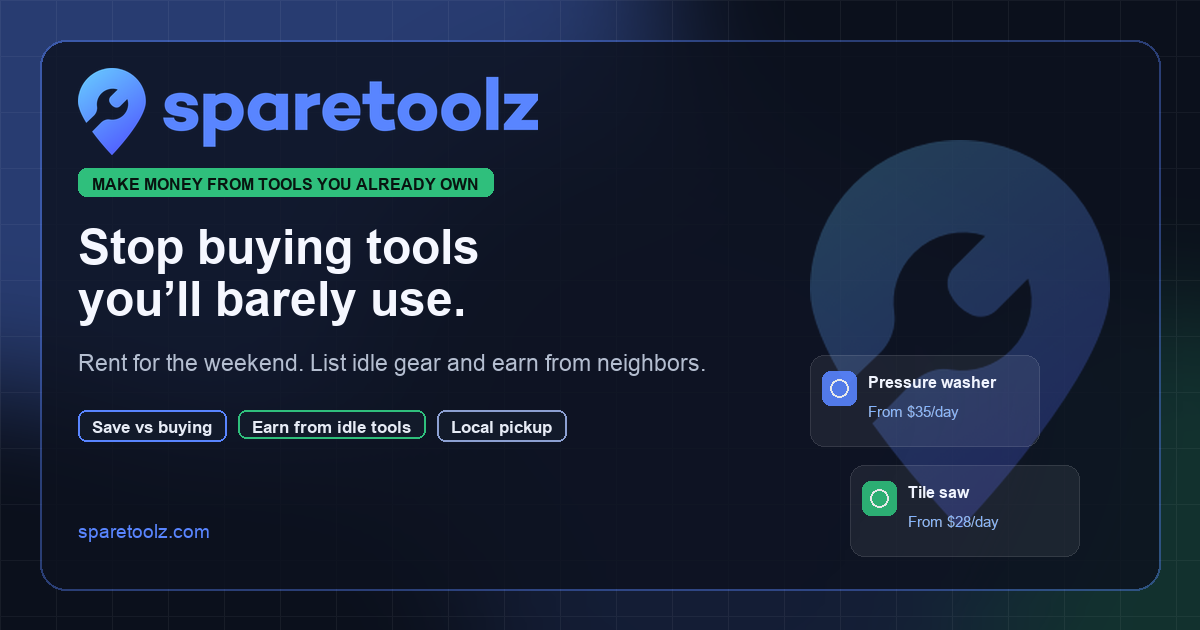

robots.txt (opens in a new tab)
11 rulesAll bots 1 allowed · 10 disallowed
- Allow
/ - Disallow
/admin - Disallow
/admin/ - Disallow
/api/ - Disallow
/me - Disallow
/inbox - Disallow
/rentals/ - Disallow
/settings/ - Disallow
/onboarding - Disallow
/dev - Disallow
/dev/
No matching rules.
User reviews (0)