
 简体中文
简体中文 English
Website review
This review may include AI-generated content and is not individually verified. Domain, certificate and other facts come from the observed data on this page.
What is Statsy?
Statsy is a hosted status-page service for developers and small teams. It gives you a public page where users can check whether your website, API, auth, database and other services are working, plus uptime history and incident updates. The pitch on its own site is speed and low cost: a free plan, no credit card, and a setup measured in minutes rather than onboarding calls.
Statsy
What you get
- A public status page at a
status.yoursite.com-style address, with custom domains reserved for paid plans. - Per-service states: Operational, Degraded or Outage.
- A rolling 90-day uptime history, tracked automatically.
- One-click email subscriptions so visitors get alerts without creating an account.
- Automated uptime monitoring that can update the page when a check fails or recovers.
- Scheduled maintenance entries, so planned downtime is separated from real incidents.
Who it suits
A solo developer or a small SaaS team that currently answers "is it down?" in support email and Slack. If your users are external customers, a status page reduces repetitive questions and shows you are aware of problems. If your users are only internal colleagues, a shared dashboard may be enough and this is optional.
Trade-offs to weigh
A status page is a communication tool, not a full incident-management system. It tells users what is broken; it does not by itself fix anything or replace on-call tooling. The free tier is a reasonable way to test whether customers actually visit the page. Paid plans matter mainly if you need a custom domain or faster monitoring checks — the site advertises a one-minute check interval on Pro, versus the free starting point. Decide based on how quickly you need to detect an outage, not on feature count.
A useful next step: open the live demo from the site and ask whether that page would have answered your last three support complaints. If yes, start on the free plan with two or three critical services and add more only when users ask.
How does Statsy compare to other status page services like Statuspage or Instatus?
Statsy targets a narrower job than Statuspage or Instatus: a public status page, uptime checks and incident updates that a solo developer or small team can stand up quickly, with a free tier and no onboarding calls. Statuspage is the enterprise-oriented incumbent, typically chosen when you need formal incident workflows, stakeholder communications and integrations across a large organization. Instatus sits closer to Statsy in spirit — a lightweight, design-conscious status page — but generally offers more customization and component flexibility.
Where the differences actually show up
- Setup effort: Statsy advertises a roughly five-minute signup-to-live path and a free forever plan. If your goal is "a page exists before my next deploy," that matters more than any feature matrix.
- Monitoring: Statsy bundles automated checks and a one-minute check interval on its Pro tier, so the page updates itself rather than relying on you to post manually. If you already run external monitoring, this is convenience rather than a requirement.
- Audience experience: Visitors subscribe by email in one click without creating an account, and see per-service states plus 90-day uptime history. That is the core of what most small SaaS users want when something breaks.
- Custom domain: Statsy puts
status.yoursite.combehind paid plans. If a branded domain is non-negotiable from day one, check that cost before committing. - Scale and process: Statuspage's advantage is organizational — many components, subscriber segmentation, and audit-friendly incident history. Instatus leans toward polish and flexibility for product teams that want the page to look like part of their brand.
A practical way to decide
Write down three things: how many services you need to display, whether you want the tool to detect outages for you, and whether anyone outside engineering will ever edit an incident. One or two services plus solo ownership points to Statsy or Instatus. Multiple teams, compliance reviews or customer-facing SLAs point to Statuspage.
As a concrete scenario: a two-person API startup with a website, an API and an auth service could publish a Statsy page this afternoon, let the checks fire alerts automatically, and revisit the choice only if they start selling to enterprise buyers who ask for formal post-incident reports. Start by viewing Statsy's live demo page and comparing its incident history format against what your own users would find reassuring.
Can I use my own custom domain for the status page with Statsy?
Yes. Statsy supports a custom domain for your public status page, so visitors see something like status.yoursite.com instead of a shared Statsy address. According to the site, custom domains are available on paid plans, while the free plan gives you a hosted status page without that branding option.
What this means in practice
- Free plan: you get a live status page and can start without a credit card, but your URL stays on Statsy's domain.
- Paid plans: you can point your own subdomain (commonly
status.orhealth.) at the page, which looks more trustworthy in incident emails and support replies. - Visitors don't need accounts: they can subscribe to email alerts with one click, which matters when you're sending customers to the page mid-incident.
A realistic scenario
Suppose your API starts timing out. You update the affected service to "Outage," and subscribers get an email. If that email links to status.yoursite.com, customers recognize the brand and trust the link. If it links to a third-party domain they've never seen, some will assume it's phishing and ignore it — exactly when you need them to read it.
How to decide
| Situation | Custom domain worth it? |
|---|---|
| Side project, few users, just want transparency | Probably not — free plan is enough |
| Paying customers, SLA or support expectations | Yes — consistent branding reduces confusion |
| You already run other subdomains (docs, api) | Yes — it fits your existing setup |
| You need it live in the next 10 minutes | Start free now, upgrade later if the plan allows |
Next step
Check the pricing page to confirm which tier includes custom domains, then decide on a subdomain name. Keep it short and predictable — status.yoursite.com is the convention users already expect, so they'll guess it correctly during an outage.
How does Statsy's free plan compare to its paid plans?
Statsy's free plan is a real, working status page rather than a trial: it covers the core loop of publishing service health and letting visitors subscribe to email alerts. Paid plans are where the operational extras live — custom domain, faster monitoring checks, and the automation that keeps the page current without you editing it.
What the page indicates
| Capability | Free plan | Paid plans |
|---|---|---|
| Public status page | Yes | Yes |
| Per-service states (Operational / Degraded / Outage) | Yes | Yes |
| 90-day uptime history | Yes, tracked automatically | Yes |
| Visitor email subscriptions | Yes, one-click, no account needed | Yes |
| Custom domain (status.yoursite.com) | No — paid only | Yes |
| Monitoring check interval | Not specified for free | 1 minute on Pro |
| Automated incident updates | Not stated as free | Implied by the monitoring/alerting flow |
The page states $0 to get started on the free plan, "forever," with no credit card, and describes signup-to-live as roughly five minutes on average. It does not publish prices for the paid tiers, so treat any specific figure you see elsewhere as unverified.
Who each tier suits
- Free: a solo developer or small team that wants a public "we know, we're on it" page plus an email list of affected users. If you're fine with a Statsy-hosted URL and can post incident updates yourself, there's little reason to upgrade.
- Paid: teams that want the page to look like part of their own product (custom domain), need faster detection than the free tier provides, or want downtime to flip the page automatically instead of waiting for a human to notice.
The trade-off to weigh
The free plan's real cost isn't money — it's that automated detection and branding sit behind the paid line. A status page is only as trustworthy as its update latency: if a service goes down and nobody edits the page for twenty minutes, visitors learn to stop checking it. So the practical question isn't "free vs. paid" but "will a person reliably update this page at 3 a.m.?" If yes, start free. If no, the monitoring tier is what makes the page honest.
Next step: open the live demo the page links to and check whether the free-tier presentation — default URL, default branding — is something you'd be comfortable sending customers to. If it is, sign up free and see the real plan limits inside the account before deciding.
Can Statsy automatically monitor my services and update the status page?
Yes. Statsy combines uptime monitoring with the status page itself, so a detected outage can update the page and notify subscribers without you editing anything by hand. The page evidence describes automated monitoring, a one-minute check interval on the Pro plan, per-service statuses (Operational, Degraded, Outage), and email alerts firing when a status changes.
What that looks like in practice
The evidence shows checks against URLs such as an API health endpoint and a dashboard, with response times and pass/fail states feeding the page. When one fails, the example sequence is: status changes, an alert email goes out, and a recovery email follows when the service returns. Visitors can subscribe in one click without creating an account, so they get those emails directly.
Where automation ends
Monitoring tells you that something is down; it does not explain why. The past-incident entries in the evidence are written by a person — "Resolved after scaling connection limits," "Fixed with index optimization." Expect to write the incident summary and any scheduled maintenance windows yourself. Monitoring also only covers what it can reach: an endpoint behind authentication, a background job with no HTTP surface, or a third-party dependency you don't control won't be caught by a simple URL check.
A quick decision test
- If you run an API, web app or dashboard with reachable URLs, automated checks map cleanly onto your services.
- If your failures are mostly silent data errors or slow batch jobs, monitoring will miss them and you'll rely on manual updates.
- If you already pay for a separate uptime monitor, check whether you'd rather consolidate rather than run two tools. Alternatives in this space include Atlassian Statuspage for larger organisations and Instatus for a lighter hosted option; compare on check frequency, custom domains and how subscriber emails are handled.
Next step
List the three to five URLs your users would notice failing — homepage, API health endpoint, login, dashboard. Those become your monitored services. Then decide your alert threshold: too sensitive and routine blips page your subscribers, too loose and they hear about outages from customers first.
How do I set up a status page with Statsy?
Statsy is built around a short path from signup to a live page: you create an account, define the services you want to show, and the page handles the public-facing side. According to the site, the average setup time is under five minutes, and the free plan requires no credit card.
The basic setup flow
- Sign up and start a page. The free plan is the entry point; the site describes it as "free forever" with $0 to get started.
- Add your services. Each one gets its own status line — the example page shows Website, API, Auth, Database, Email Delivery and Dashboard, each marked Operational, Degraded or Outage.
- Point monitoring at health endpoints. The demo shows checks against URLs such as
https://api.yourapp.com/health, returning values like142ms Operationalortimeout Outage. Status changes then fire alerts automatically. - Publish and let visitors subscribe. The page lives at a Statsy address by default; a custom domain such as
status.yoursite.comis listed as a paid-plan feature. Visitors subscribe to email alerts in one click without creating an account. - Log incidents and maintenance. Past incidents appear with a date and a short resolution note, and scheduled maintenance windows are listed separately with affected services.
What you get on the page itself
- Per-service health with three states: Operational, Degraded, Outage.
- A 90-day uptime history, tracked automatically (the demo shows 99.4%).
- Incident entries with resolution notes, plus completed and upcoming maintenance.
- Email subscriber alerts driven by monitoring rather than manual posting.
Who this suits, and the trade-offs
| Situation | Fit |
|---|---|
| Small team or solo developer wanting a public page fast | Strong — minimal setup, free tier, no onboarding calls |
| You need a custom domain and faster checks | Paid plan: custom domain is paid-only, and the 1-minute monitoring interval is listed on Pro |
| You want deep integrations, on-call scheduling or complex SLA reporting | Check the feature list first — the page emphasises simplicity over breadth |
The practical trade-off is the usual one for a lightweight tool: you trade configurability for speed. If your incident process is mostly "is the API up, and did we tell users," this covers it. If you need status pages tied into a broader alerting and on-call stack, verify those connections before committing.
Next step: open the live example or demo linked from the site and compare its service list against your own. That tells you in about a minute whether the default structure matches how you'd want to report outages.
 Cloudflare
 Vercel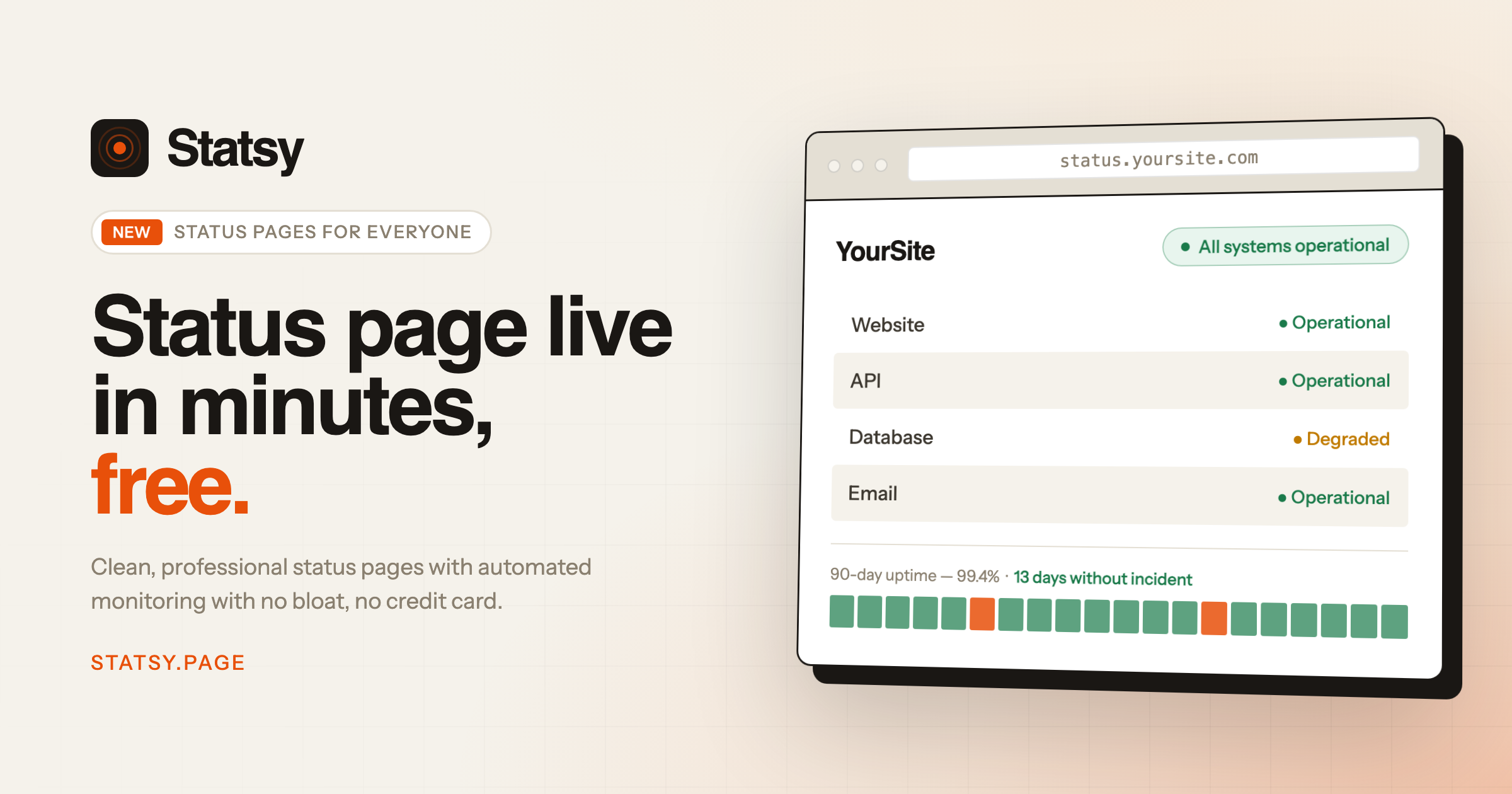

User reviews (0)