Website profiles · Technology insights · Alternatives

thechessdirectory.com

Hundreds of the coolest sites to learn about and play chess in any language.

No paid content found
Visit website
Profile views 3 Outbound visits 1 Normal
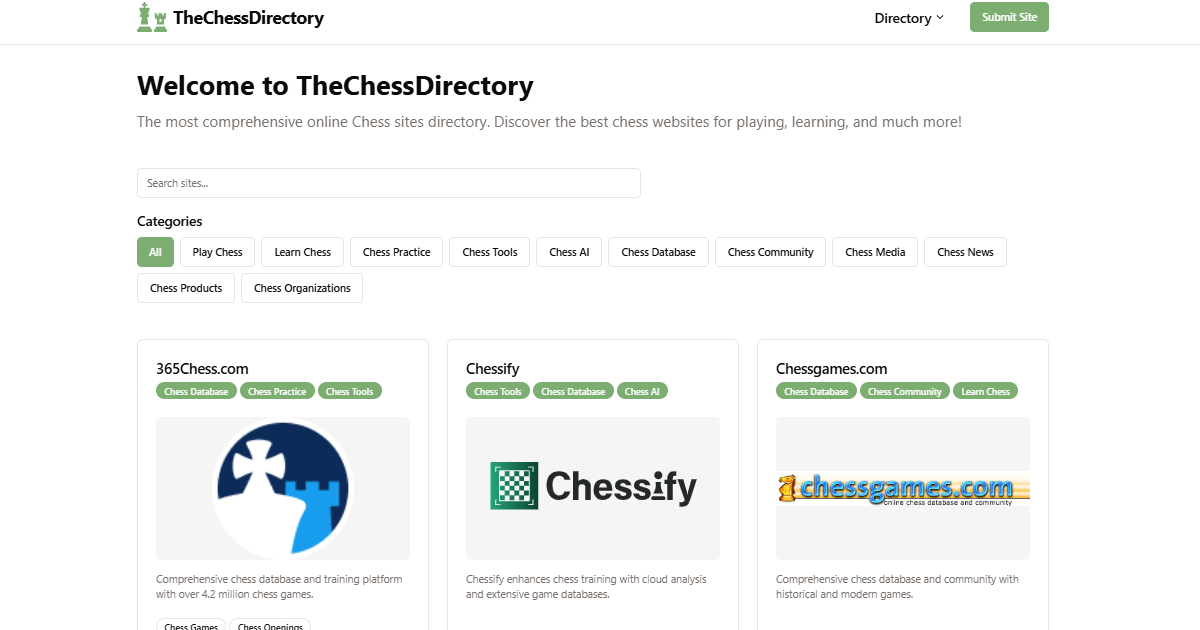
TheChessDirectory Full homepage screenshot

At a glance

Category
Games & Board Games
Language
English
Paid-content signal
No paid content foundObserved
Registered
2025
Hosting
Google LLCInferred
HTTPS certificate trusted
PassedObserved
Last updated

Website review

This review may include AI-generated content and is not individually verified. Domain, certificate and other facts come from the observed data on this page.

What is TheChessDirectory?

TheChessDirectory is a curated directory of chess websites, described as collecting hundreds of sites for learning about and playing chess, including resources in multiple languages. Rather than teaching chess itself or hosting games, it functions as an index: its value lies in pointing you toward other places to play, study and follow the game.

Who it suits

  • Beginners who don't yet know which chess sites are worth their time and want a starting shortlist rather than search-engine results.
  • Intermediate players looking to branch out from a single platform into tactics trainers, opening databases, endgame material or communities.
  • Non-English speakers, since the directory explicitly aims to cover sites in any language — useful when most chess content you encounter is English-only.
  • Coaches and club organisers assembling a resource list for students or members.

What to expect from a directory like this

A directory is only as good as its upkeep. When you use one, check how entries are organised (by skill level, language, or type of resource), whether descriptions explain what each site actually offers, and whether links still resolve. A short, well-annotated list is more useful than a long, stale one.

How to use it

Pick one goal at a time — say, daily tactics practice or finding opponents at your level — and choose two or three sites from the relevant category to try for a week. If you want a known reference point to compare against while browsing, established destinations include Lichess for free play and study tools, Chess.com for play, lessons and community, and ChessGames.com for historical games. Treat the directory as a discovery layer on top of those, not a replacement for them.

How can I use TheChessDirectory to find chess websites in my language?

TheChessDirectory is a curated index of chess sites rather than a search engine, so use it the way you would use a well-kept bookmark list: browse by category, then confirm the language of each site you open. Its stated scope is hundreds of chess sites for learning and playing, in any language, which means language is treated as a property of the individual sites rather than as a filter you can count on.

A practical way to work through it

  1. Start from the directory's category or topic groupings (learning, playing, resources) instead of scanning the whole list.
  2. Open promising entries in a new tab and look at the site's own language switcher or homepage text.
  3. Note the ones that serve your language, then bookmark them outside the directory so you build a personal shortlist.
  4. Check whether the site offers your language for the parts you actually need — lessons, playing interface, or community forums often differ.

What to expect, and where it falls short

Your situation How the directory helps The trade-off
You read English comfortably Broad choice, quick browsing Little added value over a normal search
You need another language You may discover smaller regional sites you would not have found Language is not a reliable filter, so you verify each site yourself
You want one good site, fast Curated entries reduce noise You still compare several before choosing

If you need a large, well-known alternative to cross-check, Lichess and Chess.com both offer multiple interface languages, which makes them useful baselines when judging whether a smaller site's translation is complete.

A concrete scenario

Suppose you want to play blitz and read tactics explanations in Polish. Browse the directory's playing and learning sections, open each candidate, and check two things: whether the board interface and menus are in Polish, and whether the instructional content is translated or only the navigation. A site with a translated menu but English lessons will frustrate you within a week.

As a decision rule: pick a site only when the language you need covers the feature you will use most. If the directory entry is ambiguous, treat that as a reason to check the site directly before committing.

What are some recommended websites for learning chess from beginner to advanced?

A structured path works better than a single site: use one resource for rules and basic tactics, another for playing real games, and a third for serious study once you plateau. TheChessDirectory is a directory that catalogs hundreds of chess sites across languages, which makes it useful as a starting map rather than a course itself.

A practical progression

  • Beginner: Learn how the pieces move, then drill basic mates and tactics. Interactive puzzle trainers beat passive video watching because you get immediate feedback on blunders.
  • Intermediate: Play longer time controls (15+10 or classical) so you actually calculate. Review every loss with an engine, but write down your own reasoning first.
  • Advanced: Study openings as plans, not memorized lines; work through annotated master games; and analyze your own games deeply before checking engine suggestions.

Where each kind of site fits

Stage What to use Why
Beginner Puzzle trainers, rule explainers Fast feedback, low cost of mistakes
Intermediate Play servers with rating pools Real opponents at your level, post-game review
Advanced Game databases, opening explorers, endgame trainers Depth, searchable master games, targeted weaknesses

Concrete scenario

A club player stuck around 1400 typically has two gaps: tactical vision and endgame technique. A week of 20 minutes of puzzles daily plus two studied rook-and-pawn endgames often moves the needle more than adding a fourth opening to their repertoire.

Next step

Browse TheChessDirectory to find a play server, a puzzle trainer, and a game database in your language, then commit to one of each for a month before adding more. Chess.com and Lichess are the most widely used play-and-study platforms, and Chess Tempo is a common choice for dedicated tactics and endgame training.

Where can I find platforms to play online chess with other players?

You can find multiplayer chess platforms through curated directories such as TheChessDirectory, which collects hundreds of chess sites for learning and playing across multiple languages. A directory is most useful when you want to compare options before committing to one platform, rather than relying on a single recommendation.

What to weigh when choosing a platform

Priority What to look for Trade-off
Quick casual games Large active player base, fast matchmaking Skill matching can feel uneven at peak hours
Improvement Post-game analysis, puzzles, rating history Extra tools often sit behind a paid tier
Playing friends Private game links, custom time controls Fewer opponents if you avoid public lobbies
Tournaments Scheduled events, club or arena formats Fixed start times require planning

A practical starting point

If you are new, pick one platform with a broad player base so you rarely wait for an opponent, and play longer time controls (10–15 minutes per side) while you learn. If you already play seriously, choose a site with strong analysis tools and a rating system that matches the one your local club uses.

Directory listings are a starting point, not a verdict: open two or three candidates, check whether they support your language and device, then create a free account on the one that fits.

How do I choose the best chess website for my skill level and goals?

The right chess site depends on whether you want to learn, play, or study seriously. Use TheChessDirectory to shortlist candidates by category, then test each against your actual goal rather than its reputation.

Match the site to your goal

  • Absolute beginner: Look for rules explanations, piece-movement drills, and slow games against weak opponents or puzzles. Avoid sites that drop you straight into fast time controls.
  • Improving club player: Prioritise tactics trainers, annotated games, and opening explorers. A site that only offers casual play will not move your rating much.
  • Competitive player: You need long time controls, rating pools, and analysis tools. Tournament calendars and federation links matter here.
  • Casual player: Fast games, variants, and a friendly interface beat deep study features you will never open.

Decide with a two-week test

Pick two sites and use only those for fourteen days, logging what you actually did. If you spent most of your time on puzzles, keep the puzzle site; if you kept playing blitz, admit that and choose the better blitz platform. This beats reading feature lists.

Practical comparison

Goal What to check Common trade-off
Learning rules Free lessons, no signup wall Limited playing strength
Tactics Puzzle volume, spaced repetition Fewer social features
Serious play Long time controls, anti-cheating Smaller player pool
Openings Database depth, engine integration Paywalls on recent games

TheChessDirectory itself is a directory rather than a playing or learning platform, so treat it as a starting point. For structured lessons, Chess.com and Lichess both cover beginners through advanced players, and Lichess keeps its core features free. For official ratings, tournaments, and rules, go to FIDE.

What are the most popular or highly rated chess websites listed in the directory?

TheChessDirectory is a curated index rather than a rating service, so it does not publish popularity rankings or star scores. Its value is in grouping chess sites by purpose and language, which means "most popular" is best answered by matching a site to what you actually want to do.

Useful categories to browse

  • Play and compete — servers for live games, blitz, and tournaments.
  • Learn and improve — tactics trainers, opening explorers, and instructional content.
  • Reference and data — game databases, player ratings, and historical archives.
  • Community and news — forums, blogs, and coverage of elite events.

Well-known sites you will typically find in such a directory

Site Best for Trade-off
Chess.com All-in-one play, lessons, puzzles Heavy interface; some features sit behind a subscription
Lichess Free play, analysis, study tools Fewer structured courses than commercial rivals
Chess24 Live commentary and elite tournament coverage Merged into Chess.com, so the experience has shifted
FIDE Official ratings, regulations, event results Reference material, not a playing or training platform
Chessgames.com Historical game database and player profiles Dated design; limited interactive coaching

How to choose

Start from your goal, not from a popularity list. If you want daily games and structured lessons, a large commercial platform fits. If cost or openness matters, a free, open-source server is the stronger pick. If you are researching openings or past games, a database beats a playing site.

A practical next step: open TheChessDirectory, pick the category that matches your goal, and shortlist two or three sites. Try each for a week on the same task — solving tactics, playing a few games, or looking up one opening — and keep the one that fits your routine.

Related questions

More questions →
Which Chess Websites Should You Use to Play, Learn, and Find Resources?

The right chess website depends on what you want to do: play games, study, analyze, or just browse what exists. For most people, the fastest path is to pick one play site, one study site, and one directory to discover the rest. TheChessDirectory (thechessdirectory.com) is a directory that lists hundreds of chess sites for learning and playing, in any language, which makes it a useful starting point when you don't yet know which platform fits you.

Start by separating your goal from the site

Most confusion comes from expecting one site to do everything well. Chess sites generally fall into four buckets, and each has different strengths.

Goal What you need Typical site type
Play games casually or competitively Large opponent pool, matchmaking, ratings Online play platform
Learn from scratch Lessons, puzzles, guided explanations Teaching/practice site
Analyze your own games Engine analysis, move review, database Analysis tool or database
Find other sites or communities Browsable index, filters by language/function Directory

If you only pick one site, you'll usually end up compromising on at least one of these. Picking one per bucket costs nothing extra in most cases and removes the trade-off.

Playing chess online: what actually differs between platforms

When comparing play sites, the differences that matter in practice are:

  • Opponent pool size — a bigger pool means faster matchmaking and opponents closer to your level.
  • Registration requirement — some sites let you play as a guest, others require an account before your first game.
  • Free vs. paid features — playing is often free, while advanced analysis, unlimited puzzles, or ad-free use may sit behind a paid tier.
  • Rating system — ratings are not comparable across platforms, so your level on one site won't transfer directly to another.
  • Time controls — bullet, blitz, rapid, and correspondence support varies.

A practical approach: create accounts on two play sites rather than one. If one is down, slow, or you want a different time control or opponent pool, you have a fallback without starting over.

A note on free access

TheChessDirectory's own listing does not state pricing for the sites it indexes, and the directory itself does not publish pricing signals. That means you should check each platform's current terms directly rather than assuming a site is fully free. "Free to play" and "free to use all features" are different claims, and only the site itself can confirm which applies.

Learning and improving: teaching sites vs. analysis tools

These are often confused, but they serve different moments.

Teaching and practice sites are for building skill: structured lessons, puzzle sets, and explanations aimed at beginners through intermediate players. They're most useful when you're starting out or fixing a specific weakness.

Analysis tools and databases are for reviewing what already happened: running an engine over your games, checking opening lines, or looking up how strong players handled a position. These are more useful once you can already play and want to understand your mistakes.

If you're a beginner, start with a teaching site and add analysis later. If you already play regularly, an analysis tool will improve your results faster than more lessons.

Why a chess directory is worth using

A directory solves a problem that search engines handle poorly: chess sites are numerous, overlapping, and often poorly described. TheChessDirectory describes itself as a directory of hundreds of chess sites for learning about and playing chess, filterable by language. That's useful in two situations:

  1. You want resources in a specific language. Searching in English tends to surface only English-language platforms, even when strong communities exist in other languages.
  2. You want to see the landscape before committing. Browsing a categorized list is faster than opening dozens of tabs from search results.

Use the directory as a discovery layer, then evaluate individual sites against the criteria above.

Choosing based on your situation

  • Just want to play casually: pick one large play platform, play as a guest if allowed, and only register if you want to track progress.
  • Serious about improving: one play site plus one analysis tool, and review your own games regularly.
  • Complete beginner: a teaching site first, and don't worry about ratings yet.
  • Looking for non-English resources: start with a directory filtered by language rather than a general search.
  • Want to see all options: browse the directory, shortlist two or three sites per goal, and test each for a week.

What to verify before committing to any site

Because pricing and access terms change and aren't published in the directory listing, confirm these directly on each site:

  • Whether an account is required to play or study.
  • Which features are free and which require payment.
  • Whether your game history and ratings are exportable if you leave.
  • What languages the interface and community support.

Checking these four things takes a few minutes and prevents the common frustration of investing time in a platform that doesn't match how you actually want to use it.

Which Chess Websites Should You Use to Learn Chess?

Use a small set of purpose-built sites rather than one all-in-one platform: a directory to discover resources, a play site for real games, a puzzle trainer for tactics, and an analysis board to review your own games. TheChessDirectory (thechessdirectory.com) is a directory of hundreds of chess sites for learning and playing in any language, which makes it a reasonable starting point when you don't yet know which specific sites exist. The rest of this guide maps sites to learning stages so you can build a path instead of collecting bookmarks.

Start With a Directory, Then Pick One Site per Job

A directory solves the discovery problem: you don't need to know site names in advance. TheChessDirectory describes itself as a directory of hundreds of chess sites covering learning and play, in multiple languages. Use it to shortlist candidates, then commit to one site per learning job so your practice doesn't fragment.

Learning job What the site must do What to look for
Learn the rules Explain piece movement, check, checkmate, castling, en passant Interactive board, not just text
Tactics training Serve puzzles at your level with immediate feedback Adjustable difficulty, puzzle rating
Play real games Pair you with opponents near your level Time controls, rating system
Review your games Let you step through moves and see mistakes Engine analysis, move annotations
Openings Show main lines and typical plans Explanations, not just move lists

Match Sites to Your Stage, Not to Hype

Just learning the rules

You need one interactive tutorial that lets you move pieces and see illegal moves rejected. Skip anything that opens with opening theory — you can't evaluate a line before you can spot a hanging piece.

Beginner: tactics before openings

Puzzle trainers are the highest-return resource at this stage. A puzzle site that adjusts difficulty to your solving rating keeps you in the zone where you're learning rather than guessing. Aim for short, frequent sessions; pattern recognition comes from volume and repetition, not from long study blocks.

Intermediate: convert your own games into lessons

This is where most self-taught players stall. The workflow:

  1. Play a game on a play site at a time control long enough to think (not bullet).
  2. Copy the moves into an analysis board.
  3. Run engine analysis and note the first move where your evaluation dropped sharply.
  4. Ask what you missed — a tactic, a loose piece, an undefended king — and write it down.
  5. Feed that weakness into your next puzzle session.

The point isn't the engine's answer; it's identifying the pattern behind your mistake so you can drill it.

Later: openings, with context

Only study openings once you stop losing pieces to simple tactics. Prefer resources that explain the idea behind a move over ones that only list variations, because you'll forget a line you don't understand.

Free vs. Paid: Where the Difference Actually Shows

Most learning stages have a workable free option; paid tiers tend to add depth and convenience rather than unlock the basics.

  • Rules and basic tactics: widely available free. Paying here rarely adds much.
  • Puzzles: free sets exist, but paid tiers often add unlimited puzzles, better difficulty tuning, and progress tracking.
  • Play: free play is common; paid may add more opponent pools, longer game archives, or fewer ads.
  • Analysis: basic engine review is often free; deeper reports, saved analysis, and structured lessons are typical paid features.

The practical rule: start free, and pay only when you hit a specific wall — for example, you've exhausted the free puzzle set at your level or you want your game history analyzed automatically.

Common Traps When Choosing Chess Sites

  • Collecting sites instead of using one. Five half-used accounts teach you less than one play site plus one puzzle trainer.
  • Starting with openings. Opening study pays off only after basic tactics are automatic.
  • Playing only fast games. Bullet and blitz give you little time to calculate, so mistakes don't register as lessons.
  • Skipping review. Games you don't analyze are practice in repeating your existing mistakes.
  • Ignoring language. If English isn't your first language, use the directory's multi-language coverage to find instruction in a language you read comfortably — you'll absorb explanations faster.

A Workable Weekly Setup

  • One play site, one or two longer games per week.
  • One puzzle trainer, short daily sessions.
  • One analysis board, used after every longer game.
  • The directory, used only when you need a new resource for a specific gap.

That's enough to keep improving without spreading yourself across a dozen platforms.

Which Chess Resources Should You Use to Learn and Play Chess?

Use a small, purpose-built set of chess resources rather than signing up for everything: one site for structured lessons, one for playing games, one for reviewing master games, and a directory or community when you want to branch out. The right mix depends on your level and whether you want free tools or a paid course structure. TheChessDirectory (thechessdirectory.com) is a directory of hundreds of chess sites across multiple languages, which makes it useful for discovery rather than as a single place to study or play.

The four types of chess resources

Most chess sites fall into one of these categories. Knowing which one you actually need prevents you from collecting bookmarks you never open.

Type What it does Best for
Learning platforms Structured lessons, puzzles, courses Beginners building fundamentals; improvers filling gaps
Playing sites Live and correspondence games, ratings, matchmaking Anyone who needs real games against real opponents
Game databases Searchable master games, opening explorers Players studying openings and typical plans
Communities and directories Forums, clubs, link collections, multi-language sites Finding new tools, opponents, or resources in your language

Matching resources to your level

Beginner

Start with a learning platform that teaches piece movement, basic tactics, and simple checkmates in sequence, then play short games against other beginners. Playing sites with low starting ratings and unrated modes are more useful here than databases — you don't yet have the pattern recognition to benefit from browsing master games.

Intermediate

Keep the learning platform for tactics and endgame drills, add a playing site for longer time controls, and start using a database to look up openings you keep losing against. This is the stage where a directory helps: you can compare several puzzle trainers or opening explorers before committing to one.

Advanced

The balance shifts toward databases, engine analysis, and playing stronger opposition. Structured beginner courses add little; annotated master games and opening research add a lot.

Free vs. paid: what actually differs

  • Free tiers typically cover playing games, basic puzzles, and limited database searches. They are enough to reach a solid club level if you use them consistently.
  • Paid tiers generally add structured courses, unlimited puzzle sets, deeper database filtering, and ad-free play.
  • The gap is usually in structure and volume, not in access to opponents — free playing sites are not meaningfully worse for casual games.

If you're unsure, run a free setup for a few months. Upgrade only when you can name the specific feature you're missing, such as a full course track or unlimited puzzle attempts.

Using a directory to find resources in your language

TheChessDirectory describes itself as a collection of hundreds of chess sites "in any language," which addresses a real gap: most well-known platforms are English-first, and learners often study better in their native language. Use a directory when you want to:

  • Find chess sites in a specific language
  • Discover niche tools (endgame trainers, notation converters, club finders) that don't rank well in search
  • Compare several options before picking one

Treat directory listings as a starting point, not a recommendation — check whether a site is active and whether its free tier covers what you need.

Build one path instead of ten accounts

The most common mistake is spreading practice across too many sites. A workable weekly routine:

  1. Lessons or puzzles — 20–30 minutes on one learning platform.
  2. Play — two or three games on one playing site, at a time control long enough to think.
  3. Review — analyze your own games first, then check a database for how stronger players handled the same opening.
  4. Branch out — once a month, use a directory or community to try one new tool.

Keep the first three steps on fixed sites so your rating, progress, and saved games stay in one place. Rotate only the fourth.

Quick selection guide

  • Want structured lessons from zero? Pick one learning platform and stay on it.
  • Want to play regularly? Pick one playing site with the time controls you prefer.
  • Want to study openings? Use a game database with an opening explorer.
  • Want resources in your language or niche tools? Start with a directory like TheChessDirectory, then narrow to one or two sites.
  • Not sure yet? Begin free, and upgrade only when you can name the missing feature.

Website Overview

Page metadata, canonical configuration and social previews work together to provide more consistent search and sharing presentation. An active inbound-mail setup with incomplete authentication may leave the domain more open to impersonation. Provider hosting alone does not close that gap.

Domain and Registration

Transfer-protection status is present, helping reduce the risk of unauthorized domain transfers. The domain has about 1 years of registration history; its current configuration provides more context than age alone. The registrar is NameCheap, Inc., a widely used domain service provider. The domain uses the common .com extension, which is not an independent safety signal.

DNS and Email

The observed email authentication setup is incomplete: SPF is missing. Nameservers are provided by Namecheap, indicating managed DNS hosting. MX records point to the Google Workspace email service. No CNAME was found; the observed records resolve directly to addresses. TXT records include verification markers for Google. Such markers may also remain after a service stops being used.

TLS and Certificates

The public key uses EC with 256 bits. The server supplied a complete certificate chain. No organization name is present in the certificate; the available fields are consistent with domain validation. The certificate was issued by Let's Encrypt, commonly associated with automated certificate services. The certificate's total validity is about 89 days, consistent with a short renewal cycle.

HTTP and Browser Security

X-Powered-By exposes backend information: Express. The response lacks these common security headers: CSP, X-Content-Type-Options, Referrer-Policy, Permissions-Policy, clickjacking protection. The via response header indicates a CDN or caching proxy in the delivery path. No obvious internal addresses or debug information were found in the headers. The Server header contains the custom value Google Frontend.

Technology Stack Analysis

The public page identifies Google Analytics, Express without precise versions, leaving fewer clues for version-specific scanning.

Search and Social Sharing

Twitter Card metadata is configured. The title has 47 characters, within a common display range. A meta description is present, with 76 characters. The observed directives allow indexing and link following. No Generator meta tag is publicly exposed.

Hosting and Email

DNSNamecheap
HostingGoogle LLC
EmailGoogle Workspace
Approximate IP geolocation (inferred; a CDN or proxy may differ from the origin server) United States flagKansas City, Missouri, United States Inferred 34.111.179.208

Registration details

RDAP / WHOIS

RegistrarNameCheap, Inc.
Registered2025-02-17
Expires2027-02-17
Domain statusclient transfer prohibited
Nameserversdns1.registrar-servers.com、dns2.registrar-servers.com
DNSSECunsigned

DNS records

DNS

TypeNameValueTTLPriority
Athechessdirectory.com34.111.179.2081799—
MXthechessdirectory.comsmtp.google.com17991
NSthechessdirectory.comdns1.registrar-servers.com1800—
NSthechessdirectory.comdns2.registrar-servers.com1800—
TXTthechessdirectory.combrevo-code:070bdb9e6901b92554eb8a9b8269589e300—
TXTthechessdirectory.comgoogle-site-verification=KUh1ht5sHEoB1VQTW_F9S8FCRuiRB-o3e6edkNXRTm4300—
TXTthechessdirectory.comreplit-verify=049d8610-13cf-4ad5-acfe-d09604b2d611300—
DMARC_dmarc.thechessdirectory.comv=DMARC1; p=none; rua=mailto:[email protected]300—

TLS and certificates

TLS / SSL

AssessmentNormal configuration
Supported protocolsTLSv1.2、TLSv1.3
Negotiated protocolTLSv1.3
Certificate subjectthechessdirectory.com
IssuerLet's Encrypt
Valid until2026-12-27T23:38 · Remaining when checked: 79 days
Verification detailsCertificate trust: Passed · Hostname match: Passed

HTTP response headers

HTTP

HeaderValue
content-typetext/html; charset=UTF-8
cache-controlpublic, max-age=0
serverGoogle Frontend
strict-transport-securitymax-age=63072000; includeSubDomains

Identified technologies

Google AnalyticsExpress

Pages, Search and Sharing

Meta descriptionHundreds of the coolest sites to learn about and play chess in any language.
Canonical URLhttps://thechessdirectory.com/
LanguageEnglish (default)
Twitter Cardsummary_large_image
googlebot 10 allowed · 6 disallowed
  • Allow/_next/
  • Allow/*.js
  • Allow/*.css
  • Allow/*.png
  • Allow/*.jpg
  • Allow/*.jpeg
  • Allow/*.svg
  • Allow/*.webp
  • Allow/api/sites
  • Allow/api/user
  • Disallow/admin/
  • Disallow/dashboard/
  • Disallow/dev/
  • Disallow/test/
  • Disallow/staging/
  • Disallow/*?*
All bots 0 allowed · 8 disallowed
  • Disallow/api/
  • Disallow/admin/
  • Disallow/dashboard/
  • Disallow/_next/
  • Disallow/dev/
  • Disallow/test/
  • Disallow/staging/
  • Disallow/*?*

User reviews (0)

  • No reviews yet.