Website profiles · Technology insights · Alternatives

thezenjournal.com

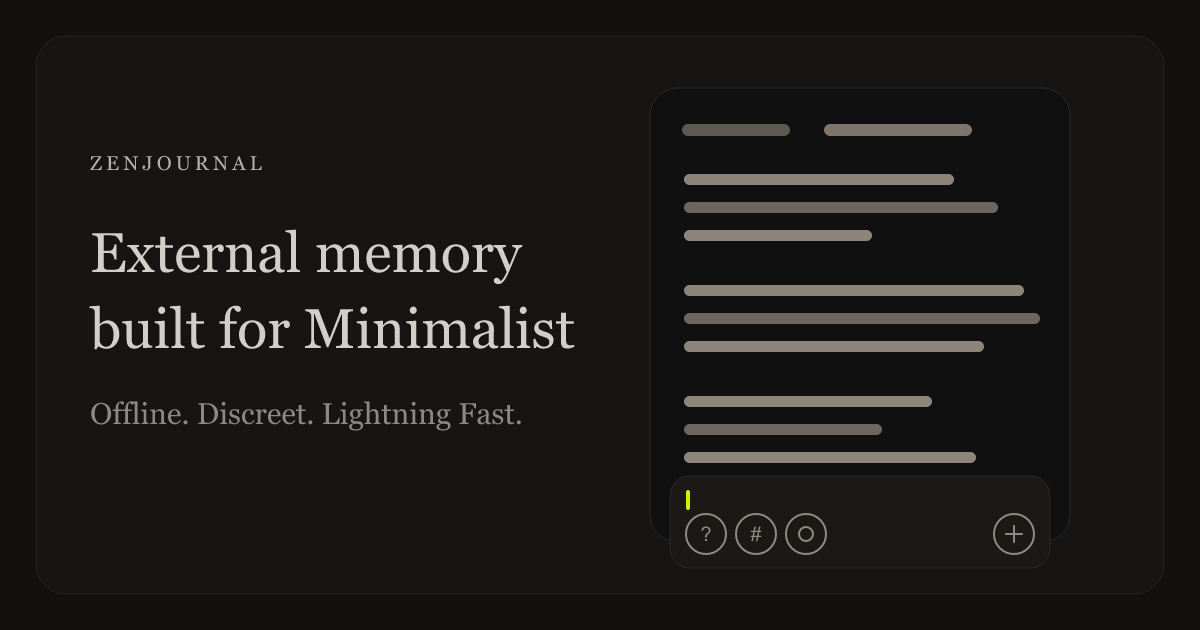
ZenJournal is a minimalist private journaling app for quick logging, search, and discreet writing. Open, type, done. No prompts, titles, or reminders.

No paid content found
Visit website
Profile views 10 Outbound visits 3 Normal
ZenJournal | Private Journaling App for Fast, Minimal Logging Full homepage screenshot

At a glance

Category
News
Language
English
Paid-content signal
No paid content foundObserved
Registered
2018
Hosting
CloudflareInferred
HTTPS certificate trusted
PassedObserved
Last updated

Website review

This review may include AI-generated content and is not individually verified. Domain, certificate and other facts come from the observed data on this page.

What is ZenJournal?

ZenJournal is a minimalist private journaling app built around speed and discretion. Its central idea is stated on the page as “Open, type.” There is no title field, no template, no new-entry button, no prompts, no mood surveys, and no notifications — the composer is already waiting when you open the app. The point is to capture a thought before it disappears, rather than to run you through a journaling ritual.

How it actually works

  • Lightning input: Start typing immediately. Entries are timestamped rather than titled, as shown in the page’s sample timeline entries.
  • Fast retrieval: Type ? to search your past entries instead of scrolling.
  • Discreet mode: Double-tap to hide the timeline; the text turns quiet so the app is less conspicuous in public. The page calls this “The 2-Tap Rule.”
  • Voice and Siri: The page shows a mic option and “Write with Siri,” so you can speak a thought instead of typing.
  • Heatmap: Scrolling past the end of the timeline reveals a heatmap — a lightweight view of when you’ve been writing.

Who it suits, and the trade-off

It fits people who want a low-friction capture tool: a quick line during a commute, a half-formed idea between meetings, or a private note in a café. It is less suited to anyone who wants structured entries, daily prompts, streaks, mood tracking, or reminders — those are deliberately absent. The trade-off is real: you give up organization and reflection scaffolding in exchange for near-zero friction.

A page review from “no_one_important_at_all” (Jan 2025) calls it “extremely straightforward” and says it “makes writing easy.” That matches the design intent, though it also means the app won’t coach you into a habit — the habit has to come from you.

One thing to check before committing

The page notes that Android is still on v3 and invites users to ask about updates via support or social. If you’re on Android and current features matter, verify the version situation first. Otherwise, the practical next step is simple: install it, type one sentence without a title, then double-tap to see whether the discreet mode matches how you’d actually use it in public.

How do I quickly log a thought in ZenJournal without creating a title or new entry?

Open ZenJournal and start typing—the composer is already waiting, so there is no title field and no new-entry button to tap first. When you're done, you're done; the app is built around that "open, type" motion rather than a create-then-save flow.

A few practical moves that follow from that design:

  • Just type. Skip naming the entry. The app's own framing is "no title, no template, no new-entry button."
  • Add a tag inline. The page shows entries ending in things like #idea, so hashtags appear to be how you categorize as you write instead of filling a metadata form.
  • Use ? for search. Per the features list, typing ? starts a search, which is the retrieval path when you never gave the thought a title.
  • Double-tap to hide. If you're writing somewhere public, double-tapping hides the timeline and quiets the text.
  • Speak it if typing is awkward. The page mentions tapping the mic or typing, plus writing with Siri.

Next step / decision criterion: if your habit is to capture half-formed thoughts in motion, this no-title model removes friction—but it also means you're relying on search and tags rather than titles to find things later. If you need named entries, folders, or a structured daily template, this approach will feel like it's missing scaffolding rather than staying out of your way.

One reviewer on the App Store, no_one_important_at_all (Jan 2025), described it as "extremely straightforward" and said it "makes writing easy." That matches the design intent: the value is speed of capture, not organization up front.

How do I search my past journal entries in ZenJournal?

Type ? in the composer. ZenJournal treats the question mark as the switch from writing to searching, and results appear as you type. There is no separate search screen to find first.

A few practical details:

  • Search is text-based. Because entries have no titles, search matches the words you actually wrote, so recall the phrase you used rather than a label you might have given it.
  • Start narrow, then loosen. If a specific word returns nothing, try a distinctive noun from the entry rather than a general one like "work" or "idea."
  • Tags are searchable text too. If you have been appending #idea or similar, searching that tag is the closest thing to filtering by category.

If you cannot find it

Searching depends on having written something worth matching. The habit that makes retrieval work is logging the concrete detail — a name, a place, a number — instead of only the mood. Entries in the page's own examples do this well: "Yosemite in grayscale" and "Morning pages before standup" are both findable later; "good day" would not be.

If you want a longer-form journal with dated pages and richer organization, a general-purpose app may suit you better — Day One is built around dated entries and photos. ZenJournal's trade-off is the reverse: almost no structure, which is why logging is fast and why search leans entirely on your own words.

How do I hide my journal from someone looking over my shoulder in ZenJournal?

Double-tap the timeline to enter discreet mode. According to ZenJournal's own description, this hides the timeline and makes the text turn quiet, so the app looks less like a journal when someone is nearby.

How it works in practice

  • Double-tap to hide: The page lists "Double-tap to Hide" as one of the demo steps, and the excerpt describes the effect directly: the timeline disappears and the text becomes visually subdued.
  • What it doesn't do: There's no mention of a lock, passcode, or biometric gate on the page, so treat this as a screen-level privacy measure rather than security against someone who picks up your unlocked phone.
  • Getting back: A second double-tap is the natural way to toggle it off, since the feature is described as a toggle rather than a one-way action.

A realistic scenario

You're on a train and want to log a thought about a work problem. You open ZenJournal, type, then double-tap before the person beside you glances over. The screen no longer shows a scrollable stream of past entries, which is the part that gives a journal away.

Where it fits among alternatives

Approach Best for Trade-off
ZenJournal discreet mode Quick hiding in the moment Not a lock; entries remain readable if someone keeps looking
Device-level app lock Stronger barrier Adds a step every time you open the app
Writing in a notes app Familiar, no setup Usually shows titles and lists that look like a journal

Next step

Decide what threat you're actually guarding against. If it's a glance, discreet mode is enough. If it's someone who might open the app deliberately, pair it with your phone's own app-locking feature, since ZenJournal's page doesn't advertise one. For a fuller picture of the app's minimal approach, see ZenJournal.

Is ZenJournal private and does it store my journal entries on a server?

ZenJournal is designed as a private, low-friction journal: the page describes “no titles, no prompts, no mood surveys, and no notifications,” and a double-tap hides the timeline so you can write discreetly in public. That tells you the intent — keep the act of journaling quiet and out of the way — but it does not, by itself, tell you where your words physically live.

On the server question, the page evidence does not state where entries are stored. It mentions an Android version, an App Store launch, search, Siri writing, and subscribing for updates, but nothing about cloud sync, accounts or encryption. So the honest answer is: privacy is the product’s stated posture, not a verified storage guarantee from this page.

If storage location matters to you, test it before trusting it:

  • Turn on airplane mode and write an entry. If it still saves and reappears after you restart the app, local storage is at least part of the picture.
  • Check the app’s own settings or store listing for an account, sync or backup option. If there is no account, there is usually less to sync.
  • Look for an export or backup path. Being able to pull your entries out yourself is the practical version of “private.”
  • Read the developer’s privacy policy, not the marketing page, for the words “server,” “cloud,” “backup” and “third party.”

A useful comparison is with journaling tools that are explicit about their model. Day One, for example, documents end-to-end encryption as an option for synced journals at Day One, while Obsidian stores notes as plain files on your device at Obsidian. ZenJournal sits closer to the second idea in spirit — quick, minimal, out of the way — but you should confirm the storage detail directly with its support or policy rather than assume it.

Next step: install it, write one throwaway entry in airplane mode, then search for it after reconnecting. That single test answers more about your data than any feature list.

Does ZenJournal work on Android and is the Android version up to date?

ZenJournal is available on Android, but it is not the current version. The site itself notes that “Android is still on v3,” while the Apple App Store release is v5. So Android users can use ZenJournal, but they should expect it to lag behind the iOS version rather than receive the same latest features.

For a practical decision:

  • If you use Android and want the newest ZenJournal experience: treat Android as a secondary, older build. The core idea still applies — open, type, no titles, fast logging — but the v5 launch is specifically tied to the Apple App Store.
  • If you use both Android and iPhone: your journaling setup may feel uneven. The iPhone version is the one the site presents as current.
  • If Android is your only device and you need timely updates: check before committing. The site says Android updates are not automatic and asks users to reach out through support or social if they are looking for updates there.

A useful next step is to test the core workflow on your own device: open the app, type a thought without adding a title, search with ?, and try the double-tap hide gesture. If those basics work well for you, the older Android build may still be enough. If you specifically want the v5-era experience, plan around iPhone or wait for an Android update.

For comparison, you can check the official App Store listing for the current version and the developer’s site for Android notes: ZenJournal.

Related questions

More questions →
How Is ZenJournal Different From Traditional Journaling Apps?

ZenJournal removes the structure that most journaling apps are built around: no titles, no templates, no prompts, no mood surveys, and no notifications. You open it and the composer is already waiting, so a thought can be logged in seconds. That makes it a better fit if you want low-friction capture and worse if you want guided reflection, long-form entries, or a daily writing habit enforced by reminders.

What traditional journaling apps assume

Most journaling apps are designed around a session. You pick a date, name the entry, answer a prompt or two, maybe rate your mood, and write until you feel finished. The structure is the product — it's what turns scattered notes into something that reads like a diary.

That structure has costs. Every field is a decision, and every decision is a chance to close the app instead. If your goal is to record a sentence before it evaporates, a title field is friction, not help.

What ZenJournal does instead

ZenJournal's own framing is "Open. Type. Done." The site describes it as "a private journal for thoughts that don't wait," and states plainly that there is no title, no template, and no new-entry button — the composer is already there when you arrive.

The interaction model is deliberately thin:

Action How it works in ZenJournal
Start writing Open the app; the composer is already active
Search Type ? to trigger search
Hide what's on screen Double-tap to hide the timeline
Voice input Tap the mic, or use Siri
Review patterns Scroll past the end of the timeline for a heatmap

The "2-Tap Rule" and "Fuss Anatomy" sections on the site point at the same idea: the app should stay out of the way. One App Store review quoted on the page puts it as "This app is extremely straightforward. It makes writing easy."

Discreet mode as a design choice

The site's own sample entries describe double-tapping to hide the timeline, after which "text turns quiet" and the app becomes usable in a cafe "without broadcasting a whole inner weather report." That's a different priority from apps that treat your journal as a place to linger. Here, being able to write in public without the screen announcing itself is a feature, not an afterthought.

Where the two approaches actually diverge

Capture speed vs. reflection depth. ZenJournal optimizes for the first thirty seconds of a thought. Traditional apps optimize for the twenty minutes after. If your entries tend to be "one draft, one person, one honest sentence," the minimal model wins. If they tend to be a page of processing, you'll feel the missing scaffolding.

Prompts vs. blank space. Prompts help people who don't know what to write. They hurt people who already know and just need somewhere to put it. ZenJournal has none — the site lists "no prompts, no mood surveys, and no notifications" as a set.

Reminders vs. no reminders. No notifications means nothing nudges you to open the app. That's the point for someone who journals in bursts when something is worth keeping, and a real drawback for someone who relies on a daily prompt to build the habit.

Search-first retrieval. Typing ? to search is a lighter gesture than navigating to a search screen. It suits a journal that accumulates many short entries rather than a smaller number of long ones — you find things by keyword, not by browsing dates.

Who should switch, and who shouldn't

Consider ZenJournal if:

  • You abandon journaling apps because the setup feels like homework
  • You want to write in public or in a waiting room without the screen drawing attention
  • Your entries are short, frequent, and unpolished
  • You'd rather search your past notes than reread them chronologically

Stay with a traditional app if:

  • You want prompts, mood tracking, or streaks to keep you going
  • Your entries are long-form and benefit from titles and structure
  • You need reminders to journal at all
  • You want your journal to feel like a finished document rather than a running log

Platform note before you commit

The site states that Android is still on v3 and directs users looking for updates there to reach out through support or social. The current release, v5, launched on the Apple App Store. If you're on Android, check what version you'd actually be getting before switching — the feature set described here reflects the current iOS release.

Pricing isn't specified on the page beyond a "subscribe for updates" link, so check the App Store listing for current terms rather than assuming a free tier.

What Features Does ZenJournal Offer for Fast, Minimal Journaling?

ZenJournal is built around one idea: capture a thought before it disappears. Its feature set supports that with a composer that is already open when you arrive, search triggered by a single character, a double-tap gesture that hides the timeline, and optional voice or Siri input. It suits people who want to log short, untitled entries throughout the day rather than compose structured diary pages — and who value speed and discretion over prompts, templates, or reminders.

Lightning Input: no title, no new-entry button

The core interaction is the absence of setup. There is no title field, no template, no mood survey, and no separate "new entry" button — the composer is already waiting when you open the app. You type, and the entry is logged.

This matters because most journaling friction happens before the first word: naming the entry, picking a notebook, answering a prompt. ZenJournal removes those steps entirely, which is what makes it usable for a thought you have while walking or waiting in line.

What an entry actually looks like

Entries in the app are timestamped and untitled. From the site's own sample timeline:

  • Wed, Jun 24 9:00 AM — a few sentences of morning pages
  • Wed, Jul 1 9:37 AM — a short product idea, tagged #idea
  • Tue, Aug 20 1:56 PM — a note about a photo, followed by a separate 2:33 PM voice entry marked 0:34

So a single day can hold several short entries at different times, mixing typed text, hashtags, and audio. Nothing needs a headline.

Fast Retrieval: search with ?

To find something you wrote earlier, you type ? and search. The site describes this as "Search anytime. Type ? followed…" — the ? character is the entry point to retrieval rather than a dedicated search screen you have to navigate to.

This is the counterpart to Lightning Input: if capture is frictionless, you accumulate a lot of untitled entries, so retrieval has to be equally fast. Searching by keyword is the main way to resurface a past thought without browsing the whole timeline.

Double-tap to Hide: discreet writing in public

Double-tapping hides the timeline, and the text "turns quiet." One of the site's own entries describes the effect directly:

"Found the feel of discreet mode today. Double tap to hide the timeline, text turns quiet, and suddenly the app is usable in a cafe without broadcasting a whole inner weather report."

If you write in public — on transit, in a café, between meetings — this is the feature that decides whether the app is usable at all. It is a privacy-of-attention feature rather than a security feature: it keeps what you're writing from being readable by whoever is nearby.

Voice input and Siri

You can tap the mic to speak a thought instead of typing it, and the site lists "Write with Siri" as a supported path. The sample timeline includes a 0:34 audio entry, so voice notes sit alongside typed ones in the same stream.

This is useful for the exact scenario the app is designed around: a thought arriving when your hands are busy or when typing would be too slow.

Heatmap and reflection

Scrolling past the end of the timeline reveals a heatmap — a visual record of when you've been writing. The site frames this under "Reflect," which is the closest thing to review the app offers. There are no streaks, no reminders, and no notifications pushing you to write, so the heatmap is something you look at deliberately rather than something that nags you.

What the app deliberately does not do

The feature list is as defined by its omissions:

Common journaling feature ZenJournal
Titles None
Templates or prompts None
Mood surveys None
Reminders / notifications None
New-entry button None — composer is always open

If your journaling habit depends on prompts, daily reminders, or structured reflection pages, this app will feel underbuilt. If those things are what stop you from writing, it removes them.

Platform note

The site states that Android is still on v3, while v5 has launched on the Apple App Store. If you're on Android, check the current version before assuming feature parity with what's described above, and use support or social channels to ask about updates.

Who it fits

ZenJournal fits you if you want to log short, timestamped thoughts many times a day, search them later by keyword, and write in public without an audience. It does not fit if you want guided prompts, a structured daily entry, or cross-platform feature parity today.

Where to Get ZenJournal and Which Platforms It Supports

ZenJournal is available on the Apple App Store, where v5 has launched. Android users can still get the app, but the Android version remains on v3, and the page does not promise a timeline for catching up. If you want release updates, the site points to following on X or subscribing.

Platform availability at a glance

Platform Status per the site What that means for you
iOS v5 launched on the Apple App Store Current version; install from the App Store
Android Still on v3 Usable, but behind iOS; no update date given

The site's own wording is that "v5 is launched on the Apple App Store" and that "Android is still on v3." It adds: "Looking for updates there? Let us know through support or social." So Android progress is framed as something you can ask about, not something with a published schedule.

How to get it and stay informed

  1. On iPhone or iPad: open the App Store and search for ZenJournal, or use the App Store listing linked from the site. The listing is where the v5 release lives.
  2. On Android: install the v3 build. Expect the older feature set rather than the v5 experience.
  3. For update news: the site suggests following on X or subscribing. The page shows a subscribe signal but no price or plan details, so treat subscription as an updates channel to check, not a confirmed free or paid tier.

What you are actually downloading

ZenJournal is built around speed and low friction rather than structured entries. The site describes it as a private journal for "thoughts that don't wait," with no titles, prompts, mood surveys, or notifications. The composer is already open when you arrive — you type, and you are done.

Its stated features include:

  • Lightning input — no title needed, just start typing to capture a thought before it disappears.
  • Fast retrieval — search anytime by typing ? followed by your query.
  • Discreet mode — double-tap to hide the timeline; text turns quiet so the app is usable in public without broadcasting what you are writing.
  • A heatmap — scroll past the end of the timeline to see it.

The site also mentions writing with Siri and a mic option for speaking a thought instead of typing.

Choosing based on your situation

  • If you are on iOS and want the current version: the App Store is the straightforward path, and you get v5.
  • If you are on Android: you can still journal with v3, but do not expect parity with what iOS users see. If the newer features matter to you, ask through support or social before committing.
  • If you mainly want release updates: following on X or subscribing is the channel the site names; there is no separate download or beta program described.

One practical note from the site's own example entries: the value people describe is not in features but in the app staying out of the way — "Open, type, done." If you want templates, reminders, or guided prompts, this is not that kind of app, and the platform question becomes secondary.

What Is ZenJournal and What Kind of Journaling Is It Designed For?

ZenJournal is a minimalist private journaling app built for fast, low-friction logging rather than structured long-form writing. You open it, type, and you're done — no title, no template, no new-entry button, no prompts, and no notifications. It suits people who want to capture fleeting thoughts before they disappear and who prefer writing that stays out of the way. It is available on the Apple App Store, and the site notes that Android is still on v3.

What makes it different

Most journaling apps ask you to set something up before you write: pick a template, name an entry, answer a mood prompt, or tap a "new entry" button. ZenJournal removes those steps. The composer is already waiting when you open the app, so the first action is typing.

The site frames this as a "2-Tap Rule" and a deliberately minimal "fuss anatomy" — the point being that anything between you and the thought costs you the thought.

Core behaviors

  • Open and type. No title field, no new-entry button. The entry starts as soon as you write.
  • Search anytime. Type ? to search your entries.
  • Double-tap to hide. The timeline hides and text turns quiet, so you can write in a cafe without broadcasting what you're doing.
  • Scroll past the end to reach the heatmap.
  • Voice input. Tap the mic to speak a thought instead of typing.
  • Siri support. The site lists "Write with Siri" as an input option.

What kind of journaling it fits

Fits well Fits poorly
Quick capture of passing ideas Structured daily prompts
Short, honest notes to yourself Long reflective essays with headings
Discreet writing in public Mood tracking or survey-style entries
Searching back through old thoughts Reminder-driven journaling habits
Idea logging (entries are tagged #idea in the site's own examples) Templated or formatted documents

The sample entries on the site read like real quick logs — a morning note before standup, a half-formed product idea, a line about a walk that solved a problem. That's the intended texture: short, dated, unpolished, and searchable later.

Privacy and platform notes

The app is described as private and discreet, with a hide mode for writing in public. The site does not detail encryption or data-handling specifics, so if those matter to you, check the App Store listing before committing.

Platform coverage is uneven: the current release focus is Apple (v5 on the Apple App Store), while Android remains on v3, and the site invites users to ask about Android updates through support or social channels.

Who should consider it

Choose ZenJournal if your problem is that thoughts arrive faster than you can open a notes app and set one up, and you want a private place to dump them with search to find them later. Look elsewhere if you want prompts, reminders, mood tracking, or a structured journaling practice — those are explicitly absent by design.

How does ZenJournal keep journaling private and discreet?

ZenJournal keeps journaling private and discreet by removing the things that usually make a journaling app noticeable: there are no titles, no prompts, no mood surveys, and no notifications, and the writing surface is already open when you arrive. For discretion in public, a double-tap hides the timeline and quiets the text so the screen doesn't broadcast what you're writing. These behaviors are described on the ZenJournal site; the app is positioned as a minimalist private journaling app for quick logging, search, and discreet writing.

What "private and discreet" means in ZenJournal

The design goal stated on the site is that the app "stays out of the way." Privacy and discretion here come from subtraction rather than from a separate privacy mode:

  • No titles, no templates, no new-entry button. The composer is already waiting, so there's no setup screen that names what you're about to write.
  • No prompts, no mood surveys, no notifications. Nothing on the screen or on your lock screen announces that journaling is happening.
  • Open, type, done. The logging loop is short, which reduces the time the app is visible.

A short loop matters for discretion: the less time you spend in the app, the less chance someone nearby reads over your shoulder or sees a distinctive journaling interface.

The 2-Tap Rule and discreet mode

ZenJournal's site describes a "2-Tap Rule" and a discreet mode. In the example entries shown on the site, the writer describes finding the feel of discreet mode: double-tap to hide the timeline, the text turns quiet, and the app becomes usable in a cafe "without broadcasting a whole inner weather report."

So the mechanism is:

  1. Double-tap — hides the timeline.
  2. Text turns quiet — the visual weight of what's on screen drops.
  3. Result — the app reads as a plain text surface rather than a journal with dates, entries, and structure.

This is a display-level form of discretion. It reduces what a bystander can infer from the screen; it is not described on the site as encryption or as a lock.

Reducing exposure through structure

The absence of structure is itself the privacy feature. Because there are no titles, no templates, and no entry button, there is no screen that says "New Journal Entry" or shows a list of dated entries by default. The site's example entries carry timestamps and hashtags like #idea, but those appear in the timeline view — the same view that a double-tap hides.

The trade-off is worth stating plainly: a minimal interface is discreet because it looks like typing, but it also means fewer built-in organizational cues. If you rely on titles or folders to find things later, this design works against that habit. ZenJournal's answer to retrieval is search rather than browsing.

Fast retrieval without browsing

The site describes search as part of the core loop: type ? followed by your query. For a private journal, search is the practical counterpart to a hidden timeline — you don't need to scroll through visible entries to find something, so you don't need the timeline on screen as often.

What the site does and doesn't claim

Claim on the site What it means for you
No titles, prompts, mood surveys, notifications Less on-screen and lock-screen signal that journaling is happening
Composer already open Shorter visible session
Double-tap to hide, text turns quiet Screen is less legible to bystanders
Search with ? Retrieval without keeping the timeline visible
"Private journaling app" positioning Stated intent, not a described security feature

The site's pricing signals include the word "subscribe," and it references an App Store listing and a v5 launch on the Apple App Store, with Android still on v3. The site does not describe encryption, passcode locks, or biometric protection, so don't assume those exist — if a lock screen is a requirement for you, verify it in the app itself before relying on it.

Who this fits

ZenJournal's discretion model suits you if your main risk is a glance from someone nearby and your main need is to capture a thought in seconds. It fits less well if you need the app itself to be locked, or if you want visible structure like titles and folders to organize entries.

Website Overview

An established domain and managed infrastructure suggest continuity of operations and may support dependable delivery, although neither guarantees service quality. Page metadata, canonical configuration and social previews work together to provide more consistent search and sharing presentation.

Domain and Registration

Registered in 2018, this domain has about 8 years of history. That suggests continuity, although ownership and purpose may have changed. Transfer-protection status is present, helping reduce the risk of unauthorized domain transfers. The registrar is Cloudflare, Inc., a widely used domain service provider. The domain uses the common .com extension, which is not an independent safety signal.

DNS and Email

Nameservers are provided by Cloudflare, indicating managed DNS hosting. MX records point to the Cloudflare Email Routing email service. No CNAME was found; the observed records resolve directly to addresses. SPF and DMARC are configured. DKIM status is unknown. TXT records include verification markers for Google. Such markers may also remain after a service stops being used.

TLS and Certificates

The public key uses EC with 256 bits. The server supplied a complete certificate chain. No organization name is present in the certificate; the available fields are consistent with domain validation. The certificate was issued within the Google Trust Services cloud or CDN ecosystem. The certificate's total validity is about 90 days, consistent with a short renewal cycle.

HTTP and Browser Security

The checked browser-security headers were not detected, leaving fewer explicit browser-side safeguards. No X-Powered-By header was found, reducing one common source of backend fingerprinting information. The cf-ray response header indicates a CDN or caching proxy in the delivery path. No obvious internal addresses or debug information were found in the headers. The Server header identifies cloudflare without an exact version.

Technology Stack Analysis

The public page identifies Cloudflare without precise versions, leaving fewer clues for version-specific scanning.

Search and Social Sharing

Twitter Card metadata is configured. JSON-LD includes Organization data, helping describe the organization as an entity. The title has 61 characters, within a common display range. A meta description is present, with 150 characters. The observed directives allow indexing and link following.

Hosting and Email

DNSCloudflare
HostingCloudflare
EmailCloudflare Email Routing
Approximate IP geolocation (inferred; a CDN or proxy may differ from the origin server) Location unknown Inferred 104.21.34.68

Registration details

RDAP / WHOIS

RegistrarCloudflare, Inc.
Registered2018-06-12
Expires2027-06-12
Domain statusclient transfer prohibited
Nameserversjill.ns.cloudflare.com、tom.ns.cloudflare.com
DNSSECunsigned

DNS records

DNS

TypeNameValueTTLPriority
Athezenjournal.com104.21.34.68300—
Athezenjournal.com172.67.199.198300—
AAAAthezenjournal.com2606:4700:3030::6815:2244300—
AAAAthezenjournal.com2606:4700:3037::ac43:c7c6300—
MXthezenjournal.comroute1.mx.cloudflare.net30023
MXthezenjournal.comroute3.mx.cloudflare.net30044
MXthezenjournal.comroute2.mx.cloudflare.net30093
NSthezenjournal.comjill.ns.cloudflare.com86400—
NSthezenjournal.comtom.ns.cloudflare.com86400—
TXTthezenjournal.comgoogle-site-verification=tQPD-LwkCQ3k9Z43TSOm0AnJwo_-xwhMb0Os0HqW21E300—
TXTthezenjournal.comv=spf1 include:_spf.mx.cloudflare.net ~all300—
DMARC_dmarc.thezenjournal.comv=DMARC1; p=none;300—

TLS and certificates

TLS / SSL

AssessmentNormal configuration
Supported protocolsTLSv1.2、TLSv1.3
Negotiated protocolTLSv1.3
Certificate subjectthezenjournal.com
IssuerGoogle Trust Services
Valid until2026-11-13T13:09 · Remaining when checked: 38 days
Verification detailsCertificate trust: Passed · Hostname match: Passed

HTTP response headers

HTTP

HeaderValue
content-typetext/html; charset=utf-8
servercloudflare

Identified technologies

Cloudflare

Pages, Search and Sharing

Meta descriptionZenJournal is a minimalist private journaling app for quick logging, search, and discreet writing. Open, type, done. No prompts, titles, or reminders.
Canonical URLhttps://thezenjournal.com
LanguageEnglish (default)
Twitter Cardsummary_large_image
All bots 0 allowed · 0 disallowed

User reviews (0)

  • No reviews yet.