

 Visit website
 Updated: 2026-09-30 01:41
 Language: English (default)
 Access: Normal
 Profile views 2
  Outbound visits 0
 Website Review
What is Tiny Helpers?
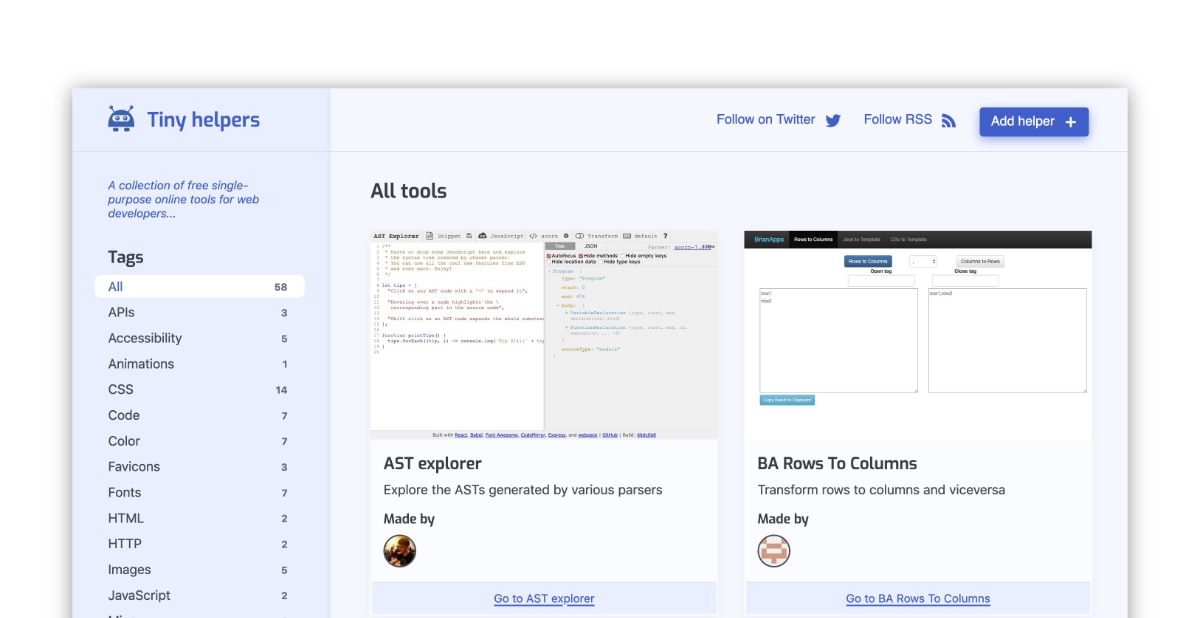
Tiny Helpers is a directory of free, single-purpose online tools for web developers. Rather than hosting the tools itself, it catalogs them: each entry gives a short description of what the tool does, a category tag, when it was added, and a link out to the tool's own site.
What you'll find there
The catalog leans toward small, focused utilities rather than full platforms. Recurring categories include:
- Color and accessibility — LCH-to-RGB conversion, hex word lookup, accessible palette builders, and brand-color contrast checkers.
- CSS and images — generators such as a 3D book image effect, plus image format conversion.
- Code utilities — minifiers, pretty-printers, and version-specific code runners.
- Miscellaneous — QR code generators, time trackers, and icon collections.
Who it suits
It's most useful when you have a narrow, one-off task — converting a color space, checking whether a palette passes contrast requirements, or generating a small asset — and you'd rather not install a package or sign up for a service. Because entries are tagged and sortable by name or date, it also works as a browse-by-category starting point when you don't know what tool you need yet.
The trade-off is inherent to the format: the site is an index, not a product. Quality, maintenance and privacy practices vary from tool to tool, since each link points to an independent site. Treat the listing as a lead, and check the individual tool before relying on it for anything sensitive.
Next step
If you're hunting for something specific, scan the Tags list first — it's faster than paging through "All tools." For a broader, long-established alternative in the same spirit, see Tiny Helpers alongside general collections like 10015 Tools, which bundles text, image, CSS and color utilities in one place.
How do I find a specific type of tool like a color picker or QR code generator on Tiny Helpers?
Use the Tags list and the keyword search on the All tools page. Tiny Helpers groups tools by category labels such as Color, CSS, Images, Accessibility, Misc and Code, so a color picker sits under Color and a QR generator under Misc. The page also shows each tool's name, one-line description and date added, which is usually enough to confirm you have the right one.
H3 Practical ways to narrow it down
- Scan the tag list first. Clicking a tag filters the collection to that category instead of scrolling the whole alphabetical list.
- Search by task, not product name. Terms like "color picker", "contrast", "QR" or "PHP" match the descriptions better than guessing a tool's title.
- Sort by name or date. Sort by name when you half-remember a title; sort by date when you want the newest additions in a category.
- Read the description line. It states the single job the tool does, which is the quickest way to reject near-misses.
H3 Example: finding two different tools
| What you need | Likely tag | Example entry |
|---|---|---|
| Convert or pick colors | Color | LCH Colour Picker, #HEXWORDS |
| Generate a QR code | Misc | 2QR |
| Check color accessibility | Accessibility / Color | Accessible Brand Colors, Accessible Palette |
H3 A useful next step
If you are choosing between several results, open two or three in separate tabs and test them with your own data before committing — these are single-purpose tools, so the fastest one to try is usually the right one. For broader toolboxes that bundle many categories, 10015 Tools is listed alongside the single-purpose entries, and for running code snippets across versions, 3v4l is the relevant entry.
One trade-off to keep in mind: Tiny Helpers is a directory, not a host, so quality and maintenance vary between tools. Prefer entries whose descriptions match your exact task, and treat older additions as candidates to verify rather than guaranteed-current tools.
A related directory worth knowing is Tiny Helpers itself for browsing by tag, while 10015 Tools covers the all-in-one approach if you would rather not switch between single-purpose sites.
Which Tiny Helpers tools can help me check if my website meets accessibility standards?
Tiny Helpers lists several single-purpose tools aimed at accessibility checks. They split into two broad jobs: auditing your colors, and testing how your markup behaves with assistive technology.
Color and contrast
- Accessible Brand Colors evaluates an existing brand palette for ADA compliance, so it suits the case where marketing has already fixed the colors and you need to know which pairings fail.
- Accessible color palette builder goes the other way: it generates palettes whose combinations conform to accessibility standards, useful when you can still choose the colors.
- Accessible colors finds the closest accessible color combination automatically, which is the quickest fix when a specific pairing must stay close to the original.
- Accessible Palette builds color systems with consistent lightness and contrast, better suited to design systems than one-off checks.
Structure, semantics and assistive tech
- Accessibility Cheatsheet is a practical reference of Universal Design approaches rather than a checker, so it fits the "what should I be doing" stage.
- Accessibility Link Tester generates links that let you test screen reader behaviour across different attribute, CSS and content combinations — handy when you suspect a specific link pattern is confusing.
- Accessibility Support looks up how a feature is supported across browsers and assistive technology, which is the right tool when you need to decide whether a technique is safe to ship.
How to choose
| If your question is… | Start with |
|---|---|
| "Does my existing palette pass?" | Accessible Brand Colors |
| "What palette should I use?" | Accessible color palette builder |
| "Can I keep this color and just nudge it?" | Accessible colors |
| "How do I test this link with a screen reader?" | Accessibility Link Tester |
| "Is this feature safe across assistive tech?" | Accessibility Support |
A practical next step: run your current palette through one of the color tools first, note the failing pairs, then use the cheatsheet to decide whether to change the color or the surrounding markup. These tools check specific aspects — color contrast and feature behaviour — rather than auditing a whole page, so pair them with your browser's built-in accessibility panel or a full audit service for the complete picture.
Browse the full list at Tiny Helpers.
What tools does Tiny Helpers offer for converting or optimizing images and PDFs?
Tiny Helpers is a directory of small, single-purpose tools rather than a suite of its own. For image and PDF work, it points to converters and generators that handle one job at a time.
Image and PDF tools listed
- Adobe Convert PDF to JPG — drag and drop a PDF and convert it to JPG, PNG or TIFF. Useful when you need a quick raster export of a document page for a slide, preview or email attachment.
- 3D Book Image CSS Generator — generates CSS that gives an image a book-like appearance. This is a styling effect, not a file-format converter, so reach for it when you want a product mockup or cover preview rather than a smaller file.
- 2QR — creates QR codes from a URL, bookmarklet or direct input. Handy for print handouts or event signage where a scannable link is easier than typing one.
What to expect and what to watch
These are browser-based, single-task utilities, so they suit quick one-off jobs: converting a PDF page for a client preview, dressing up a cover image, or generating a QR code for a flyer. For batch conversion, compression or resizing across many files, a dedicated image or PDF pipeline will usually be faster and more consistent.
If you need broader image or PDF processing, the directory also lists 10015 Tools, an all-in-one toolbox with text, image, CSS, code, color and social media categories, which may cover compression or editing tasks the single-purpose entries do not.
Next step
Open the tool that matches your output format first — PDF-to-image conversion, CSS book styling or QR generation — then check whether it accepts your input type before uploading anything sensitive. For recurring work, test one file and confirm the output resolution and file size meet your needs before committing a whole batch.
How can I use Tiny Helpers to test or format code snippets?
Tiny Helpers is a directory of small, single-purpose browser tools, so you use it as a starting point rather than as a formatter itself. Find a tool that matches your task, click through to the maker's site, and run your snippet there. The listing shows each tool's name, category tag, and the date it was added, which helps you judge whether it's still relevant.
Typical snippet tasks it covers
- Minify or pretty-print: Alchemize is listed under Code and handles HTML, JavaScript, and JSON snippets, including viewing them in a readable layout.
- Run code in multiple versions: 3v4l executes PHP across different versions online, useful when you need to check version-specific behavior.
- Check characters and entities: All Characters Unicode shows characters alongside their HTML/CSS equivalents, handy when a snippet contains odd symbols.
- Test accessibility-related markup: Accessibility Link Tester generates links that exercise screen-reader behavior with different attributes, CSS, and content combinations.
How to choose
| If your goal is | Look for a tool tagged | Example from the listing |
|---|---|---|
| Shrinking or reading code | Code | Alchemize |
| Comparing runtime versions | PHP | 3v4l |
| Inspecting characters | Unicode | All Characters Unicode |
| Verifying markup for assistive tech | Accessibility | Accessibility Link Tester |
A practical next step: open the site, use the Tags list to narrow to Code or Accessibility, and sort by date so you land on tools that have been added or refreshed recently. If you need a broader all-in-one option, 10015 Tools is listed as a collection spanning text, image, CSS, code, and color utilities, though a focused single-purpose tool is usually faster for one specific formatting job.
One trade-off to keep in mind: because each entry points to a separate third-party site, behavior, privacy, and long-term availability vary from tool to tool. For sensitive or proprietary snippets, prefer a tool you can verify or run locally.
Which Tiny Helpers tools are useful for generating CSS effects like book images?
For a CSS book-image effect, the closest match in this collection is the 3D Book Image CSS Generator, listed under CSS Images. It generates a book look for an image, so it suits authors, course creators and product-page designers who want a cover to appear as a physical book without building the perspective and shadow layers by hand. The trade-off is specificity: it produces one visual treatment, so a custom spine, unusual angle or animated opening will still need manual CSS.
If the effect is part of a broader styling job, two neighbouring entries help:
- LCH Colour Picker — converts colours between lch and rgb, useful when you want the cover, spine and page edges to share consistent lightness.
- Accessible Brand Colors — evaluates a brand palette against ADA contrast requirements, relevant if the book mockup sits on a coloured background or carries text.
Next step: open the generator with your cover image, export the CSS, then check the resulting shadow and text colours with a contrast tool before shipping. If the mockup must match an existing design system, treat the generated CSS as a starting point and adjust the palette rather than the structure.
 Hosting and Email
 Hosting
 Vercel
 Location
 Walnut, California, United States
 Pages, Search and Sharing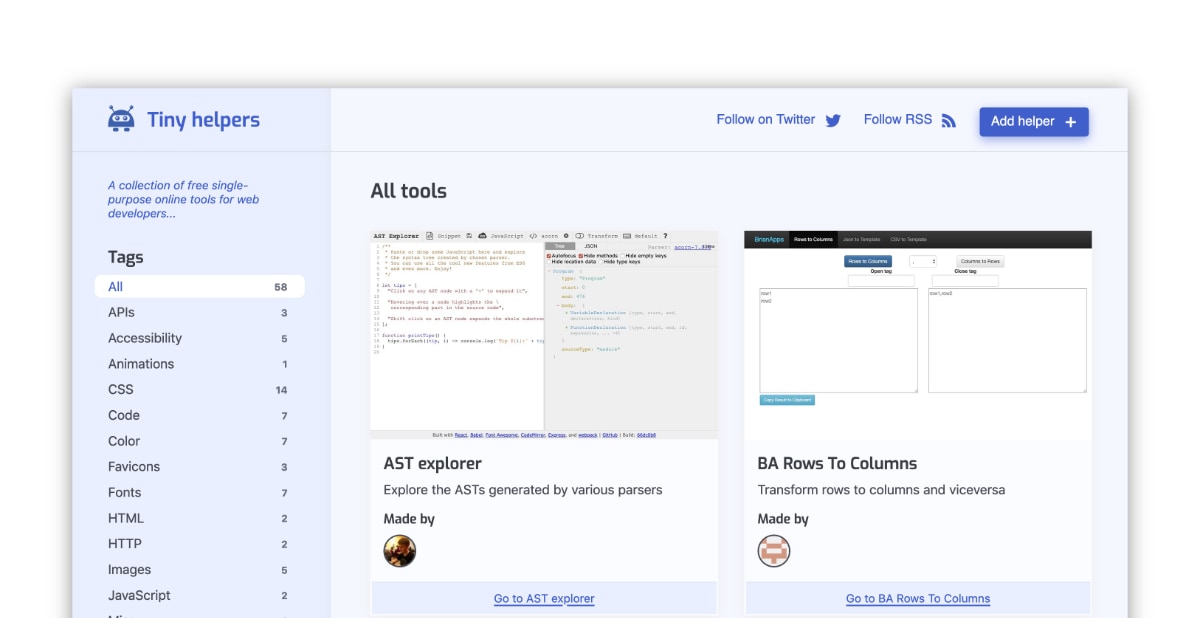


 Registration details

 Identified technologies
User reviews (0)