Website profiles · Technology insights · Alternatives

uncloud.life

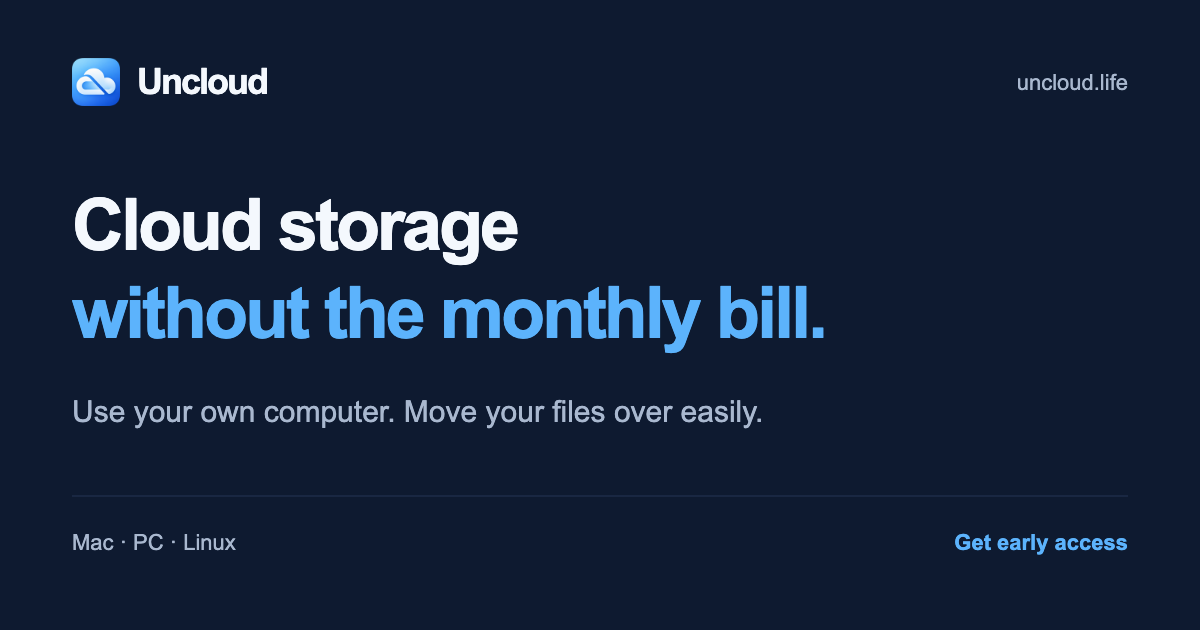
Cloud storage without the monthly bill. Use your own computer, move files over easily, and access them anywhere. Set up in minutes. Early access: $79 once.

Paid content
Visit website
Profile views 14 Outbound visits 16 Normal
Uncloud Full homepage screenshot

At a glance

Category
Software & Apps
Language
English
Paid-content signal
Paid contentObserved
Registered
2026
Hosting
VercelInferred
HTTPS certificate trusted
PassedObserved
Last updated

Website review

This review may include AI-generated content and is not individually verified. Domain, certificate and other facts come from the observed data on this page.

What is Uncloud?

Uncloud is a private cloud storage tool that turns a computer you already own into your own cloud server. Instead of paying a monthly subscription to a hosted service, you install Uncloud on a Mac, PC or Linux machine, choose where your files live, and connect your existing cloud accounts to move files over. The pitch is a one-time purchase rather than recurring storage fees, with access to your files from anywhere.

What it actually does

  • Uses your own hardware. Uncloud runs on a computer you already have, so there is no new device to buy and no storage tiers — capacity is whatever your computer and connected drives can hold.
  • Migrates your existing files. It connects to services like Dropbox and Google Drive and handles moving your files to your own machine, which is the step that usually stalls people who meant to cancel.
  • Gives each person their own space. Household members get separate accounts and files on hardware you control, with unlimited members and devices listed as included.
  • Keeps remote access. The convenience of reaching files anywhere is meant to stay, even though the storage sits with you.

Who it suits, and the trade-off

It fits households or individuals paying for several overlapping subscriptions — the page's example stacks Dropbox Family, Evernote, Google Drive, iCloud+ and OneDrive into roughly $42 a month, about $503 a year. If that pattern looks familiar, a one-time tool is the appealing part.

The trade-off is that you become the operator. Your files live on a machine that has to stay available for remote access, and you are responsible for backups, drive failures and internet uptime. A hosted service hides all of that behind the subscription. Uncloud is aimed at people who would rather own the setup than rent the convenience.

It is in early access, with a stated one-time early-access price and a 30-day trial when access arrives, and no payment taken at sign-up. If you are weighing it against staying put, compare Dropbox and Google One plan prices against what you currently pay, then decide whether the migration effort is worth trading a monthly bill for a machine you maintain.

How do I move my files from Dropbox or Google Drive to Uncloud?

Uncloud's own three-step description is: download the app, install it and choose where your files live, then connect your cloud accounts and move the files over. The migration step is presented as the part Uncloud handles for you — the page's pitch is that switching shouldn't feel like a project, so the product takes on the fiddly pieces rather than asking you to rebuild your folder structure by hand.

What the move involves in practice

  1. Decide where the files will live. Uncloud runs on a computer you already own and uses that machine's storage plus any connected drives. Before migrating, pick the drive with enough free space, and remember that a copy of your Dropbox or Google Drive data may briefly coexist with the new copy.
  2. Install and sign in. Install Uncloud on that primary computer and connect the cloud accounts you're leaving.
  3. Transfer, then verify. Run the migration, then spot-check a few folders — photos, shared documents, anything with unusual names or nested subfolders — before treating the move as complete.
  4. Cancel only after checking. Keep the old subscription active until you've confirmed the files open correctly in their new home.

One thing to plan around

Uncloud's model gives each household member a separate account and files, on hardware you control, with no storage tiers — capacity is whatever your computer and attached drives hold. That makes the migration a good moment to sort out who owns which files, because shared folders in Dropbox or Google Drive don't automatically become shared folders for everyone in the new setup. If two people currently edit the same document, agree on where it should live and who keeps the working copy.

A quick decision criterion

Migrate if your main reason for paying is storage volume you could hold yourself, and if at least one always-on computer can host the files. Think twice if you rely on browser-based real-time co-editing, or if nobody in the household wants to keep a machine running and backed up.

Useful next step

Start with one low-risk folder rather than your entire archive. Move it, open the files from a second device to confirm remote access works, and use that trial run to estimate how long the full migration will take.

For comparison while you decide, the subscriptions Uncloud names as typical are Dropbox and Google One.

How much money can I save by switching from monthly cloud subscriptions to Uncloud?

Uncloud's own pitch claims savings of up to $500 a year, and its example household adds up to $503.40 annually. That figure comes from a specific set of subscriptions listed on the page, so your real savings depend entirely on what you currently pay and what you actually cancel.

How the $500 figure is built

The page's example household totals $41.95 per month across five services:

Service (as listed on the page) Listed monthly price
Dropbox Family (up to 6 people) $19.99
Evernote Starter $14.99
Google Drive Google One Basic (100 GB) $1.99
iCloud+ (200 GB) $2.99
OneDrive Microsoft 365 Basic (100 GB) $1.99
Monthly total $41.95
Annual total $503.40

Against that, Uncloud Home is presented as a one-time early-access price of $79, rising to a standard $99, with no monthly storage fee. So in the page's own example, the first year nets roughly $400–$425 saved, and later years save the full subscription total — assuming you cancel everything in the list.

What determines your actual savings

  • Which subscriptions you drop. If you only cancel a $1.99 drive plan, a one-time $79 purchase takes years to pay back. The math only works when you retire several recurring bills.
  • Whether storage was your main reason for paying. Some of those plans bundle email, note-taking, office apps or family sharing. Cancelling them means losing those features too, not just the storage.
  • How much storage you need. Uncloud uses a computer you already own and connected drives, so capacity is whatever that hardware holds. If your data outgrows it, you may need to buy a drive — a cost the subscription comparison doesn't include.
  • Hardware and running costs. Leaving a computer on and available uses electricity, and that machine is now doing double duty. For most households this is small, but it is not zero.
  • Time horizon. A one-time fee favours you the longer you stay. A monthly subscription favours you if you might stop within a year.

A quick way to decide

Add up what you genuinely pay each month for storage and note apps you'd be willing to move, multiply by 12, and compare that to the one-time price plus any drive you'd need to buy. If the annual total is comfortably above the purchase price, the switch pays off within the first year. If it's a single low-cost plan, the break-even point stretches out and the case is weaker.

Worth noting: the page describes a 30-day free trial with no credit card and no payment today, so you can test whether moving your files is as painless as claimed before committing. If you want to check current subscription prices for comparison, see Dropbox and Google One.

Can multiple household members have separate accounts on Uncloud?

Yes. Uncloud's page states that each household member gets their own account and files, and that unlimited household members and devices are included in Uncloud Home. The files themselves live on hardware you control, and every account is separate rather than one shared login.

What that looks like in practice

  • Separate accounts, shared machine: One primary computer hosts the storage, but each person signs in to their own account and sees their own files.
  • No per-seat pricing: The one-time price covers the household, so adding a family member doesn't add a subscription line.
  • Access from anywhere: Members aren't limited to the host computer; the page lists "access files anywhere" as included.

Trade-offs to weigh

Aspect What Uncloud describes What to consider
Accounts Separate per person You manage the host machine and drives
Storage As much as your computer and connected drives hold Capacity is your hardware's limit, not a tier
Cost model One-time, unlimited members and devices No recurring storage fee
Setup Download, install, move files; page claims 5 minutes or less Migration from Dropbox, Google Drive and others is handled by the app

A concrete scenario

A four-person household currently pays for Dropbox Family, iCloud+ and Google One. Instead of sharing one Dropbox login and hoping nobody deletes the wrong folder, each person gets their own Uncloud account on a home Mac, and the old subscriptions can be cancelled once files are moved. The page's own example household totals about $41.95 per month, which it frames as up to roughly $500 a year in savings.

Decision criterion

If your main reason for paying for cloud storage is that family members need distinct, private spaces, Uncloud's per-person accounts directly address that. If instead you need off-site redundancy or access when your home hardware is offline, that's the trade-off to check before switching.

For comparison, the page links to current plans at Dropbox and Google One, both of which charge per plan or per person rather than once per household.

What kind of computer or hardware do I need to run Uncloud?

Uncloud is designed to run on a computer you already own, so there is no dedicated server or appliance to buy. According to the site, it supports Mac, PC and Linux, and the setup is described as download, install, then move your files over. One primary computer is included in the Uncloud Home plan, and that machine provides the storage — the page says you can use as much space as your computer and any connected drives can hold, with no storage tiers.

What that means in practice

  • A desktop or laptop that stays available is the sensible choice. If the computer is asleep or offline, other devices may not be able to reach your files.
  • Connected external drives count, so a modest laptop plus a large USB drive can work as your storage base.
  • No new hardware is required according to the page, though many people will still want an external drive for capacity or backup.

A quick decision guide

Your situation Practical fit
You have an always-on desktop or home server Best fit; storage and access are simplest
You have a laptop you carry around Workable, but files are only reachable when it is on and connected
You have a low-storage machine Add an external drive, since capacity follows the computer and attached drives
You want a dedicated box Not required; the product is built around existing hardware

If you are unsure, start by checking how much free space your main computer has and whether it tends to stay powered on. For a household, the page says each member gets a separate account and files on hardware you control, so the main computer effectively becomes the shared storage host. You can compare typical cloud plans at Dropbox or Google One to see what you would be replacing.

Is there a free trial or early access discount for Uncloud?

Yes. Uncloud advertises both: a 30-day free trial when you get access, and an early-access price of $79 instead of the $99 standard price. The trial requires no credit card, and no payment is taken today — you sign up to lock in the $79 launch price and get an email when it is ready.

What each offer actually means

  • 30-day free trial — starts when you receive access, not when you sign up. Treat it as the period to test whether your own computer and connected drives handle your file library comfortably.
  • Early-access discount — $79 once, versus $99 at standard price. It is a one-time payment tied to the launch window, not a subscription that converts later. Locking it in costs nothing now.

Is it worth it for you?

The break-even is quick if you are paying for household storage. Uncloud's own example adds up Dropbox Family, Evernote Starter, Google One Basic, iCloud+ and Microsoft 365 Basic to roughly $42 a month, or about $503 a year — so one year of those bills already exceeds the one-time price several times over.

The trade-off is that you supply the machine and the drives, and you keep it running. That suits a household with an always-on computer and a few terabytes of spare disk, and it suits anyone who dislikes recurring storage fees more than they dislike occasional maintenance. It suits you less if you travel constantly and need your files available when your home machine is off, or if nobody in the house wants to troubleshoot a drive.

A practical next step

Before signing up, do two things:

  1. Add up your current monthly storage and note subscriptions to see your real annual figure.
  2. Check free space on the computer you would use, including any connected drives, and confirm it covers your photo and document library with room to grow.

If both look comfortable, the early-access signup costs nothing today and preserves the $79 price. If you would rather compare the mainstream alternatives first, their official pricing pages are Dropbox and Google One.

Related questions

More questions →
How to Move Files from Dropbox or Google Drive to Uncloud

Uncloud is designed to move your files off subscription cloud services and onto a computer you already own, and the migration is the part it handles for you. According to the site, the process is three steps — download, install, and move your files over — and it connects to your existing cloud accounts (Dropbox, Google Drive, and others) to pull the files across. Uncloud claims setup takes 5 minutes or less on Mac, PC, or Linux, with no new hardware and no server setup. This guide covers what that means in practice, what you need before starting, and where the real friction tends to show up.

What you need before you start

  • A computer you already own running Mac, PC, or Linux. Uncloud uses this as your primary computer and the place your files will live.
  • Enough local storage. Uncloud has no storage tiers — you can use as much space as your computer and connected drives can hold. Check that your Dropbox/Google Drive footprint fits before you begin.
  • Your existing cloud account credentials, so Uncloud can connect and read the files you want to move.
  • A decision about what to keep. The site frames the goal as cancelling plans you no longer need, so it helps to know which accounts you're actually retiring.

Uncloud is in early access. The listed price is $79 one-time (regular $99), with a 30-day free trial when you get access and no credit card or payment required to sign up. Access is granted by email when it's ready, so the migration steps below assume you've been let in.

The three-step migration

1. Download Uncloud

Download the Uncloud app for your platform (Mac, PC, or Linux). This is the installer for the software that will run on your own computer.

2. Install and choose where your files live

Run the installer and pick the location for your files. The site says Uncloud handles the setup — you're choosing a destination, not configuring a server. This is the step that replaces what would otherwise be a self-hosted cloud project.

3. Connect your cloud accounts and move files over

Connect Dropbox, Google Drive, and other supported accounts, then move your files over. Uncloud reads from those accounts and transfers the files to your computer. Once the files are local and Uncloud is serving them, you can cancel the plans you no longer need.

Expected result: your files live on hardware you control, each household member has their own account and files, and you can access them anywhere — without a monthly storage fee.

What you get after migrating

Feature What it means for you
Unlimited household members and devices No per-seat or per-device pricing
Separate accounts and files for everyone Each person gets their own space on your hardware
Access files anywhere Remote access to the files on your computer
Easy file migration The Dropbox/Google Drive move-in described above
Software updates Included
1 primary computer The machine your files live on
No storage tiers Limited only by your computer and connected drives

Where the migration actually gets hard

The three steps are simple; the variables are yours. A few things worth planning around:

  • Total data size vs. local disk. Since there are no storage tiers, the ceiling is your hardware. If your cloud footprint is larger than your free disk space, you'll need to add a drive or move in stages.
  • Which accounts to connect. The site lists Dropbox, Google Drive, "and more" — confirm your specific provider is supported before you plan to cancel it.
  • The "project" problem. Uncloud's own pitch is that people meant to cancel but moving files felt like a project. The migration is the whole point of the product, so treat step 3 as the real work and steps 1–2 as setup.
  • Early access timing. You can't migrate until you have access. Signing up locks in the $79 launch price, but the move happens when Uncloud is ready for you.

Is it worth switching?

The math the site presents: an example household paying for Dropbox Family ($19.99/mo), Evernote Starter ($14.99/mo), Google One Basic 100 GB ($1.99/mo), iCloud+ 200 GB ($2.99/mo), and Microsoft 365 Basic 100 GB ($1.99/mo) totals $41.95/month, or $503.40/year. Against that, Uncloud is $79 once.

That comparison only holds if you actually cancel the subscriptions after moving — and if the files fit on hardware you already own. If you're paying for multiple overlapping storage plans and have the disk space, the migration is a one-time task that removes a recurring bill. If you rely on provider-specific features beyond file storage, check those before you cancel.

How Is Uncloud Different from Dropbox, Google Drive, and iCloud?

Uncloud is a private cloud storage product that runs on a computer you already own instead of rented storage tiers. The core differences from Dropbox, Google Drive, and iCloud are three: you supply the storage hardware, you pay once instead of monthly, and the product is built around a household with separate accounts rather than a single personal account. It is currently in early access at $79 one-time (regular price $99), with a 30-day free trial when you get access and no payment today.

The three differences that matter

1. Storage comes from your hardware, not a rented tier

Dropbox, Google Drive, and iCloud sell you a storage quota. You pick a plan size, and the provider holds the files on their servers.

Uncloud inverts this. According to the site, you "use a computer you already own" and "use as much storage as your computer and connected drives can hold. No storage tiers." The product description also states "No new hardware" is required.

That means your ceiling is whatever disk space you already have plus any drives you attach — not a number you buy from a provider.

2. One-time price instead of a recurring bill

The site frames the whole product around "Cloud storage without the monthly bill" and lists the price as "$79 one-time" during early access, with a $99 standard price. The included list explicitly says "No monthly storage fees."

The comparison the site makes is against stacked household subscriptions. Its example table uses U.S. prices billed monthly:

Plan Per month
Dropbox Family · up to 6 people $19.99
Evernote Starter $14.99
Google Drive Google One Basic · 100 GB $1.99
iCloud+ 200 GB $2.99
OneDrive Microsoft 365 Basic · 100 GB $1.99
Monthly total $41.95
Per year $503.40

Uncloud's claim is "Save up to $500 a year in subscription costs" by cancelling plans you no longer need. Treat that as an illustration of the math, not a guarantee — your savings depend entirely on which subscriptions you actually drop.

3. Built for a household, not one account

Uncloud Home includes "Unlimited household members and devices" and "Separate accounts and files for everyone," running "on hardware you control." Dropbox Family covers up to 6 people; Google One and iCloud+ are primarily single-account plans with family sharing bolted on. Uncloud's model is each person gets their own account and files from the start.

What stays the same

The convenience features you'd expect are still there:

  • Access files anywhere — listed as included.
  • Easy file migration — the site says you can "move files from Dropbox, Google Drive & more" and that "Uncloud handles the complicated parts."
  • Software updates — included.

How the setup works

The site describes three steps and claims "5 minutes or less":

  1. Download Uncloud — on a computer you already own (Mac, PC, or Linux).
  2. Install — choose where your files live; Uncloud handles the setup.
  3. Move your files over — connect your cloud accounts and migrate.

Note the inclusion line: "1 primary computer." The storage runs on that primary machine plus connected drives.

When Uncloud is the better fit

  • You already own a computer with enough free disk space (or can attach drives).
  • You're paying for several overlapping subscriptions and want to consolidate.
  • You want separate accounts for household members without per-seat pricing.
  • You prefer a one-time cost over an ongoing bill.

When Dropbox, Google Drive, or iCloud is still the better fit

  • You don't want to depend on your own hardware staying online and healthy.
  • You need provider-grade redundancy and uptime guarantees, which the site does not claim.
  • You want a mature, widely integrated product today — Uncloud is in early access, and access is granted by email when it's ready.

What to verify before deciding

The site does not state how files are encrypted, what happens if your primary computer goes offline, or how sync conflicts are resolved. Those are the questions to ask before migrating years of files. The trial terms are clear, though: 30-day free trial when you get access, no credit card, no payment today, and signing up locks in the $79 early-access price at launch.

Is Uncloud Worth the One-Time Price Compared to Monthly Cloud Subscriptions?

Uncloud is worth considering if you already pay for multiple cloud storage subscriptions and have a computer you can leave on as your storage host. The pitch is simple: pay $79 once during early access (regular price $99) instead of monthly fees, and save up to $500 a year according to Uncloud's own example. It is not worth it if you only pay for one cheap plan, need guaranteed uptime, or don't want to manage your own hardware.

How the Math Works

Uncloud's page presents an example household with these monthly subscriptions:

Plan Per month
Dropbox Family (up to 6 people) $19.99
Evernote Starter $14.99
Google Drive Google One Basic (100 GB) $1.99
iCloud+ 200 GB $2.99
OneDrive Microsoft 365 Basic (100 GB) $1.99
Monthly total $41.95
Per year $503.40

Against that $503.40 annual total, a one-time $79 payment breaks even in under two months. Even at the $99 standard price, break-even is roughly two and a half months.

But that comparison only holds if you actually cancel the subscriptions you no longer need. Uncloud replaces storage, not every service in that list. Evernote, for example, is a note-taking app, not just storage, so you may keep paying for it regardless.

A more realistic single-person comparison: if you only pay for Google One Basic at $1.99/month ($23.88/year), Uncloud's $79 takes over three years to pay off. The value scales with how many storage subscriptions you stack.

What You Get for the One-Time Price

According to Uncloud's page, the Uncloud Home plan includes:

  • Unlimited household members and devices
  • Separate accounts and files for everyone
  • Access files anywhere
  • Easy file migration from Dropbox, Google Drive, and more
  • Software updates
  • One primary computer as the host
  • Storage limited only by your computer and connected drives — no storage tiers

The "no storage tiers" point matters. Monthly providers charge more as your storage grows. Uncloud's cost stays flat as long as your own drives can hold the files.

What You're Actually Trading Away

You are not buying the same product as Dropbox or Google Drive. You are trading:

  • Monthly fees → one-time fee. Clear win if you have several subscriptions.
  • Provider-managed servers → your own computer. Your files live on hardware you control, but that hardware needs to be on and connected for remote access.
  • Guaranteed uptime → your own setup. Uncloud says setup takes 5 minutes or less and handles the complicated parts, but reliability ultimately depends on your machine and network.
  • Professional support infrastructure → software updates. The page lists software updates as included; it does not describe a support tier.

If your computer goes offline, your files are still on it locally, but remote access stops until it's back.

Who Should Consider It

Uncloud fits you if:

  • You pay for two or more storage subscriptions and the total approaches or exceeds $20/month
  • You have a spare or always-on computer (Mac, PC, or Linux) to act as the host
  • You want household members to each have separate accounts without per-seat fees
  • You're comfortable with a one-time purchase and a self-hosted model

Uncloud does not fit you if:

  • You rely on one inexpensive plan and rarely hit its limits
  • You need enterprise-grade uptime guarantees or compliance certifications
  • You don't have a computer you can keep running as the host
  • You want zero involvement in where your files physically live

Pricing and Trial Details

From Uncloud's page:

  • Early access price: $79 one-time (locks in at launch)
  • Standard price: $99
  • No payment today to sign up for early access
  • 30-day free trial when you get access, no credit card required
  • No monthly storage fees

The early-access model means you're reserving a price, not receiving the product immediately — Uncloud says it will email when it's ready. That timing risk is part of the decision: you're paying a discounted price in exchange for waiting.

The Bottom Line

Uncloud's value depends entirely on your current subscription total. At the example household's $41.95/month, the $79 one-time cost pays for itself in under two months and the claimed $500/year savings is arithmetically consistent with the listed prices. At a single $1.99/month plan, the payback stretches past three years and the case weakens considerably.

The deciding questions are: How much do you pay monthly for storage right now? Do you have a computer you can dedicate as the host? And are you willing to trade provider-managed reliability for ownership and a flat cost? If the answers point toward multiple subscriptions and an available machine, the one-time price is easy to justify. If not, the monthly plans you already have may still be the simpler choice.

What Is Uncloud and What Does It Do?

Uncloud is a private cloud storage tool that runs on a computer you already own, so you can reach your files from anywhere without paying a monthly storage fee. It is aimed at people who want to cancel subscriptions like Dropbox, Google Drive, iCloud+, or OneDrive but have put off moving years of files. According to the site, setup takes 5 minutes or less, and the product is sold as a one-time purchase: $79 early-access price versus a $99 standard price, with a 30-day free trial and no credit card required to sign up.

How Uncloud works

The core idea is that your own computer becomes the server. Instead of renting storage from a provider, you point Uncloud at storage you already have — the site says you can use as much space as your computer and connected drives can hold, with no storage tiers.

The setup is described in three steps:

  1. Download Uncloud — install it on a computer you already own (Mac, PC, or Linux).
  2. Install and choose where your files live — Uncloud handles the server configuration.
  3. Move your files over — connect your existing cloud accounts and transfer files across.

Once running, each household member gets a separate account and their own files, on hardware you control. Files remain accessible from anywhere, which is the convenience the monthly subscriptions were originally paying for.

What problem it solves

The site frames the problem as subscription fatigue rather than a lack of storage. Its example household bill looks like this:

Plan Per month
Dropbox Family (up to 6 people) $19.99
Evernote Starter $14.99
Google Drive Google One Basic (100 GB) $1.99
iCloud+ (200 GB) $2.99
OneDrive Microsoft 365 Basic (100 GB) $1.99
Monthly total $41.95

That totals $503.40 per year, which is where the "save up to $500 a year" claim comes from. The pitch is that the same files keep generating new bills across services, and the only thing stopping people from cancelling is that migrating the files feels like a project. Uncloud positions itself as the tool that removes that obstacle.

What's included

Per the site, the Uncloud Home plan includes:

  • Unlimited household members and devices
  • Separate accounts and files for everyone
  • Access files anywhere
  • Easy file migration
  • Software updates
  • One primary computer
  • Storage limited only by your computer and connected drives

There are no monthly storage fees and no storage tiers.

Pricing and availability

Uncloud is in early access. The listed terms are:

  • Early-access price: $79 one-time (locks in at launch)
  • Standard price: $99
  • Trial: 30-day free trial when you get access
  • No credit card and no payment today — you sign up to hold the $79 price and get an email when it's ready

Because it's early access, the practical condition is that you're reserving a price rather than using the product immediately. If you need a working migration today, that timing matters; if your goal is to stop renewing subscriptions at some point soon, locking in the lower price costs nothing now.

Who it fits, and who it doesn't

Uncloud makes sense if you already own a computer you can leave running, you're comfortable installing software, and your main motivation is eliminating recurring storage bills while keeping remote access. It also fits households where several people share plans, since member accounts aren't capped.

It's a weaker fit if you depend on provider-specific features beyond file storage, if you have no always-available machine to host the files, or if you need the service working immediately rather than at launch. The site doesn't detail platform-specific limitations, migration speed, or what happens if the host computer goes offline, so those are worth confirming before you commit.

How Uncloud Keeps Files Private and Accessible Anywhere

Uncloud stores your files on a computer you already own instead of on a third-party cloud server, which is what makes them private, and it lets you reach those files from anywhere, which is what keeps them convenient. The trade-off is that the page does not explain the technical method behind remote access, so you should confirm that detail before relying on it. Storage capacity is not a fixed tier either — it is whatever your computer and connected drives can hold.

Where your files actually live

The core privacy claim is simple: your files sit on hardware you control, not in a vendor's data center. According to the site, you "use the storage you already own," and Uncloud handles the setup so you don't run a server project yourself.

That changes the privacy model in a concrete way:

  • No third-party storage of your file contents. The files live on your machine and any drives attached to it.
  • No storage tiers. The page states you can "use as much storage as your computer and connected drives can hold," so capacity is a hardware question, not a plan question.
  • Separate accounts per person. Each household member gets their own account and files, on hardware you control, rather than sharing one login.

One limit worth noting: Uncloud is described as using "1 primary computer." So the private storage is anchored to a single machine, not spread across several.

How access works from other locations

The site promises you can "access files anywhere," and lists it as an included feature. What it does not do is describe the mechanism — there is no explanation of whether access runs through a relay, a direct connection, a web portal, or something else.

That gap matters for your decision. If remote access is the reason you're switching, treat "access anywhere" as a claim to verify rather than a documented feature. Ask Uncloud directly how remote access is established and what happens when your primary computer is offline.

What "private" does and does not guarantee

Storing files on your own computer removes the monthly cloud provider from the picture, but it does not automatically mean nothing else is involved. The page does not state whether any traffic passes through Uncloud's servers during remote access, so privacy here means "your files are not stored on someone else's cloud," not necessarily "no service is ever in the path."

Practical implications:

Question What the page supports
Where are files stored? On a computer you own, plus connected drives
Is there a storage cap? No tiers; limited by your hardware
Does each person get separate files? Yes, separate accounts for household members
How does remote access work? Not detailed on the page
How many computers? 1 primary computer

The setup path

Uncloud describes three steps, and the whole thing is framed as "5 minutes or less":

  1. Download Uncloud — on Mac, PC, or Linux, using a computer you already own.
  2. Install — choose where your files live; the site says it handles the setup.
  3. Move your files over — connect your cloud accounts and migrate files from Dropbox, Google Drive, and others.

The migration step is the part that usually blocks people, and the site addresses it directly with the line "You meant to cancel. Moving your files got in the way." Uncloud claims to handle the complicated parts of moving files off Dropbox and Google Drive.

Cost context

Uncloud Home is listed at $79 one-time during early access, against a $99 standard price. The page states there are no monthly storage fees, a 30-day free trial when you get access, no credit card required, and no payment today. Early access is meant to lock in the $79 at launch.

For comparison, the site's own example household shows $41.95 per month across Dropbox Family, Evernote, Google Drive, iCloud+, and OneDrive — about $503.40 per year. Whether that math applies to you depends entirely on which subscriptions you actually pay for.

What to confirm before deciding

  • Remote access method. The page does not explain it. Ask before you commit if anywhere-access is essential.
  • What happens if your primary computer is off. Not addressed on the page.
  • Migration scope. The site says it moves files from Dropbox, Google Drive, and more, but does not list every supported provider.
  • Launch timing. Early access means the product is not generally available yet; you sign up to lock in pricing and get emailed when it's ready.

Website Overview

Page metadata, canonical configuration and social previews work together to provide more consistent search and sharing presentation.

Domain and Registration

The domain was registered less than a year ago and has limited historical evidence to assess. Transfer-protection status is present, helping reduce the risk of unauthorized domain transfers. The registrar is GoDaddy.com, LLC, a widely used domain service provider. The domain uses the common .life extension, which is not an independent safety signal.

DNS and Email

Nameservers are provided by GoDaddy, indicating managed DNS hosting. MX records point to the Zoho Mail email service. SPF and DMARC are configured. DKIM status is unknown. TXT records include verification markers for Google. Such markers may also remain after a service stops being used. DNSSEC signatures were not detected, so this additional DNS authenticity protection is not confirmed.

TLS and Certificates

The certificate uses an RSA 2048-bit public key, offering broad client compatibility. The server supplied a complete certificate chain. No organization name is present in the certificate; the available fields are consistent with domain validation. The certificate was issued by Let's Encrypt, commonly associated with automated certificate services. The certificate's total validity is about 89 days, consistent with a short renewal cycle.

HTTP and Browser Security

The response lacks these common security headers: CSP, X-Content-Type-Options, Referrer-Policy, Permissions-Policy, clickjacking protection. CORS permits any origin to read this response. This is common for public resources; sensitive responses need narrower handling. No X-Powered-By header was found, reducing one common source of backend fingerprinting information. No obvious internal addresses or debug information were found in the headers. The Server header contains the custom value Vercel.

Technology Stack Analysis

The public page identifies Google Tag Manager, Vercel without precise versions, leaving fewer clues for version-specific scanning.

Search and Social Sharing

Twitter Card metadata is configured. JSON-LD includes Organization data, helping describe the organization as an entity. The title has 55 characters, within a common display range. A meta description is present, with 155 characters. The observed directives allow indexing and link following.

Hosting and Email

DNSGoDaddy
HostingVercel
EmailZoho Mail
Approximate IP geolocation (inferred; a CDN or proxy may differ from the origin server) United States flagUnited States Inferred 216.150.1.193

Registration details

RDAP / WHOIS

RegistrarGoDaddy.com, LLC
Registered2026-09-21
Expires2027-09-21
Domain statusclient delete prohibited、client renew prohibited、client transfer prohibited、client update prohibited
Nameserversns35.domaincontrol.com、ns36.domaincontrol.com
DNSSECunsigned

DNS records

DNS

TypeNameValueTTLPriority
A7e3fe06f210947ec.vercel-dns-016.com216.150.1.193300—
A7e3fe06f210947ec.vercel-dns-016.com216.150.16.193300—
MXuncloud.lifemx.zoho.com60010
MXuncloud.lifemx2.zoho.com60020
MXuncloud.lifemx3.zoho.com60050
NSuncloud.lifens35.domaincontrol.com3600—
NSuncloud.lifens36.domaincontrol.com3600—
TXTuncloud.lifegoogle-site-verification=U2YtvSbsbN5HJz8VANYGfTzgqi7zPqxgmB0iYlOtumA3600—
TXTuncloud.lifev=spf1 include:dc-8e814c8572._spfm.uncloud.life ~all3600—
TXTuncloud.lifezoho-verification=zb85452344.zmverify.zoho.com3600—
CNAMEwww.uncloud.life7e3fe06f210947ec.vercel-dns-016.com3600—
DMARC_dmarc.uncloud.lifev=DMARC1; p=none; rua=mailto:[email protected]; ruf=mailto:[email protected]; rf=afrf; pct=1003600—

TLS and certificates

TLS / SSL

AssessmentNormal configuration
Supported protocolsTLSv1.2、TLSv1.3
Negotiated protocolTLSv1.3
Certificate subjectwww.uncloud.life
IssuerLet's Encrypt
Valid until2026-12-20T02:58 · Remaining when checked: 71 days
Verification detailsCertificate trust: Passed · Hostname match: Passed

HTTP response headers

HTTP

HeaderValue
content-typetext/html; charset=utf-8
cache-controlpublic, max-age=0, must-revalidate
serverVercel
strict-transport-securitymax-age=63072000
access-control-allow-origin*

Identified technologies

Google Tag ManagerVercel

Pages, Search and Sharing

Meta descriptionCloud storage without the monthly bill. Use your own computer, move files over easily, and access them anywhere. Set up in minutes. Early access: $79 once.
Canonical URLhttps://www.uncloud.life/
LanguageEnglish (default)
Twitter Cardsummary_large_image
All bots 1 allowed · 0 disallowed
  • Allow/

Recent Updates

  • Website images
  • Screenshots
  • Network details
  • Website Technologies
  • Pages and Search Information

User reviews (0)

  • No reviews yet.