
 简体中文
简体中文 English
Website review
This review may include AI-generated content and is not individually verified. Domain, certificate and other facts come from the observed data on this page.
What is VERNAM?
VERNAM is a free, open-source tool that encrypts and decrypts files directly in your web browser. You drop a file onto the page, set a passphrase, and get an encrypted copy; to open a file someone sent you, you drop it in with the same passphrase. According to the site, nothing is uploaded, no account is needed, and it works offline.
It's aimed at people who want to send or store a sensitive file — a contract, a scan of an ID, a backup — without handing it to a cloud service. The encryption uses XChaCha20-Poly1305 with Argon2id key derivation, and the passphrase is the only key: it isn't stored anywhere, so a wrong or forgotten passphrase means the file can't be recovered. An optional "high security mode" makes each brute-force guess more expensive but needs more memory, which the site says isn't suited to low-RAM devices. Because it's open source, you can read the code or host it yourself.
As a practical next step, decide based on how you'll share the file: if you can pass the passphrase to the recipient through a separate channel (a call, a different messaging app), browser-based encryption like this fits well; if you need password recovery or team key management, it doesn't. The site's own passphrase generator produces six BIP39 words, which is a reasonable default if you don't already have a strong one. For broader context on privacy tooling, see PrivacyTools.
How do I decrypt a .vrn file that someone sent me?
Open the VERNAM website in a browser with JavaScript enabled, drop the .vrn file onto the page, and enter the exact passphrase the sender used. The page auto-detects whether a dropped file should be encrypted or decrypted, so there is no separate "decrypt" mode to find. The decrypted file is produced locally in your browser; nothing is uploaded.
The passphrase is the only key. It is never stored, so a wrong or mistyped passphrase simply fails with no recovery option. Ask the sender to resend it through a different channel than the one that delivered the file, and copy it exactly, including spacing and capitalization if it is a generated word list.
Practical checks before you start
- Use a desktop browser if possible. Decryption runs Argon2id key derivation in the browser, which can be slow or memory-hungry on phones and low-RAM devices. A laptop handles it more comfortably.
- Keep the tab open. Key derivation can take a moment; closing the tab mid-process means starting over.
- Verify the source of the file. Client-side decryption protects the file in transit and on the server side, but it does not tell you who sent it. Confirm with the sender out of band that they actually sent a
.vrnfile. - Expect no preview. The decrypted output is a file download, not an in-browser viewer, so you will need the right application to open whatever format comes out.
If it fails
A failure message almost always means a passphrase mismatch rather than a corrupted file, because each chunk is authenticated. Re-enter the passphrase carefully rather than retrying variations blindly. If the sender used the "high security mode" option, decryption will be correspondingly heavier; a low-memory device may struggle even with the correct passphrase.
For background on the design and the open-source code, see VERNAM and Privacy Guides, which covers client-side encryption tools and their trade-offs in more depth.
Is it safe to enter my passphrase into a browser-based encryption tool?
It depends on the tool. A browser-based encryptor is only as safe as the code it actually runs, and "runs locally" is a claim you should be able to verify rather than take on trust. VERNAM is designed around that model: its page states that encryption happens inside the browser, files and passphrases never touch a server, there is no account, and the code is open source and self-hostable. If those statements hold, entering a passphrase there is no more exposed than typing it into any other local app.
What makes a passphrase entry acceptable
- No upload path. The page says nothing is uploaded and the tool works offline, which you can test by disconnecting your network after the page loads.
- Client-side key derivation. VERNAM describes stretching the passphrase into a 256-bit key with Argon2id and sealing the file with XChaCha20-Poly1305 in chunks, so tampering is detected. That is a sensible, modern design.
- No recovery by design. The passphrase is the only key and is never stored, so a wrong passphrase simply fails. That protects you from the operator, but it also means a forgotten passphrase loses the file permanently.
- Auditable code. Open source lets a technical user read exactly what happens to the passphrase. A non-technical user is still relying on the reputation of the publisher (here, PrivacyTools.io) and on others having reviewed it.
Where the real risks sit
The main threats are not the cipher but the surroundings: a compromised or malicious browser extension, a tampered copy of the page served by a hostile network, a shared or infected computer, or a passphrase weak enough to be guessed. VERNAM's dice generator draws six words from the BIP39 list (about 66 bits of entropy per the page), which is a reasonable default for most files. Its "high security mode" raises Argon2id to 256 MiB and 3 passes, making each guess costlier, but the page itself warns this is not recommended for low-RAM devices.
Practical next step
For a sensitive document, load the page, disconnect from the network, confirm it still encrypts, generate a passphrase with the dice, and write that passphrase down somewhere offline before you start. If you want a second opinion on the cryptography or the publisher's track record, check PrivacyTools and the project's public repository. If you cannot inspect the code and do not trust the publisher, a locally installed encryption tool you control is the safer choice.
What happens if I forget my passphrase—can I recover the file?
No. If you forget the passphrase, the encrypted file cannot be recovered—by you or by anyone else. VERNAM states that the passphrase is the only key, is never stored anywhere, and that a wrong passphrase simply fails to decrypt. There is no account, no server-side copy and no reset path.
What this means in practice
- The passphrase is the whole key. If you lose it, the ciphertext stays unreadable. Decryption is all-or-nothing: the correct passphrase unlocks the file, anything else fails.
- There is no backup to fall back on. Because nothing is uploaded and no account exists, there is no “forgot passphrase” email or recovery code to request.
- Tampering is also detected. VERNAM encrypts and authenticates the file in chunks, so a corrupted or altered file fails rather than opening partially.
How to avoid locking yourself out
- Generate the passphrase with the built-in dice option. VERNAM draws six words from the BIP39 wordlist (about 66 bits of entropy), which is easier to write down accurately than a random character string.
- Store it separately from the file. Writing the passphrase on the same USB stick or in the same folder as the encrypted file defeats the purpose. Keep it in a password manager entry or on paper in a different place.
- Test before you rely on it. Encrypt a small throwaway file, then decrypt it with the passphrase you recorded. If that works, your record is correct.
- Keep a plaintext copy until the recipient confirms decryption. For files you send to someone else, hold the original until they report the file opened successfully.
Decision criterion
Use VERNAM when you can commit to safeguarding the passphrase yourself—for example, sending a sensitive document to a colleague over ordinary email, or archiving files on a shared drive. If you need a recovery path for a lost key (shared team vaults, long-term archives managed by others), client-side encryption with no key escrow is the wrong fit, and you should look at tools with managed key recovery instead. As general advice, decide who must be able to open the file if you are unavailable before choosing a no-recovery scheme.
For background on the cryptographic choices, the project credits PrivacyTools as its origin.
When should I turn on High security mode instead of the standard setting?
Turn it on when the file's sensitivity or lifespan justifies the extra wait and memory, and when you'll be encrypting on a device with plenty of RAM. In VERNAM's own description, High security mode makes each brute-force guess much costlier through heavier Argon2id key derivation (256 MiB memory, 3 passes), and the page warns it is not recommended for low-RAM devices. Standard protection is described as plenty for most files.
Practical cases for High security mode
- Long-lived archives: tax records, medical documents, identity scans or backups you intend to keep for years, where an attacker might have a long time to guess.
- Weak or reused passphrases: if you must use a passphrase you'll actually remember rather than the six-word generator, the heavier derivation buys back some margin. The stronger fix is still to use the generated passphrase.
- High-value single files: contracts, key material, financial exports, or anything whose exposure would be costly.
- Sharing with a recipient who will store it long-term: the setting is baked into the encryption, so the protection travels with the file.
When to stay on standard
- Bulk or repeated encryption: the page notes key derivation can take a moment, and High security mode multiplies that per file.
- Phones, older laptops or low-memory browsers: 256 MiB of derivation memory can stall or fail on constrained devices.
- Short-lived transfers: a file you'll delete or re-encrypt within days gains little from the heavier setting.
A concrete scenario
A freelancer encrypting a signed client contract to email and archive for seven years: generate the six-word passphrase, switch on High security mode on a desktop, encrypt once. The same freelancer encrypting twenty draft images for a quick handoff: standard mode, one passphrase, done.
Decision rule
Ask two questions: will this file still matter in a year, and is this device comfortable with heavy memory use? Two yeses means High security mode. One yes means standard, plus a generated passphrase. Neither means standard and move on.
The passphrase remains the single point of failure in either mode; the page states it is never stored and there is no recovery, so write it down before you encrypt. If you want to check the implementation yourself, the project is open source and can be self-hosted via VERNAM.
How does VERNAM's encryption compare to tools like 7-Zip or GPG for protecting files?
VERNAM is a browser-based, no-upload option for encrypting individual files with a passphrase, while 7-Zip and GPG are general-purpose local tools whose encryption is one feature among many. For a one-off "seal this file and send it to someone" task, VERNAM is the simplest path; for archiving, scripting or working inside existing workflows, 7-Zip or GPG usually fit better.
Where they differ in practice
| Aspect | VERNAM | 7-Zip | GPG |
|---|---|---|---|
| What it protects | Single files, encrypted in the browser | Archives, with optional password protection | Files or messages, typically for keys and signatures |
| Key model | One passphrase per file; no recovery if lost | Password on the archive | Public/private key pairs, or symmetric passphrase mode |
| Setup | None; open the page, drop a file | Install the app | Install and manage keys |
| Automation | Not the focus; interactive use | Command-line and GUI | Strong scripting and email integration |
| Best fit | Quick, ad-hoc sharing with someone non-technical | Bundling many files into one protected archive | Identity-based encryption, signing, developer workflows |
VERNAM's page describes its design in concrete terms: files are processed entirely in the browser, nothing is uploaded, no account is needed, and it uses XChaCha20-Poly1305 with Argon2id key derivation. It also offers a high-security mode with heavier key derivation (256 MiB memory, 3 passes), which the page notes is not recommended for low-RAM devices. The passphrase generator draws six words from the BIP39 list, described as roughly 66 bits of entropy. Crucially, the passphrase is the only key and is never stored, so a wrong passphrase simply fails with no recovery.
Those details shape the comparison. VERNAM's strength is that a recipient needs nothing but a browser and the passphrase, which makes it well suited to sending a contract, scan or photo to someone who will not install software. Its trade-off is that it is deliberately narrow: one file at a time, no key management, no signing, and no recovery path. 7-Zip handles the "protect this whole folder" case and is familiar on Windows, but its encryption settings depend on the version and options chosen, and a shared password archive still requires transmitting the password separately. GPG is the most capable for key-based trust and signing, but it demands more from both sender and recipient; a colleague without keys will struggle.
A decision rule
Choose by recipient and volume. If you are sending one file to a non-technical person and want zero installation, VERNAM is the pragmatic choice, provided you send the passphrase through a separate channel and accept that losing it means losing the file. If you are archiving many files or working offline on a machine you control, use 7-Zip. If you need signing, key-based trust or scripted encryption, use GPG.
For a concrete example: a freelancer sending a signed PDF to a client could encrypt it with VERNAM, then read the passphrase aloud over the phone. The same freelancer backing up a project folder each week would be better served by a 7-Zip archive or a GPG-encrypted tarball in a script.
 Cloudflare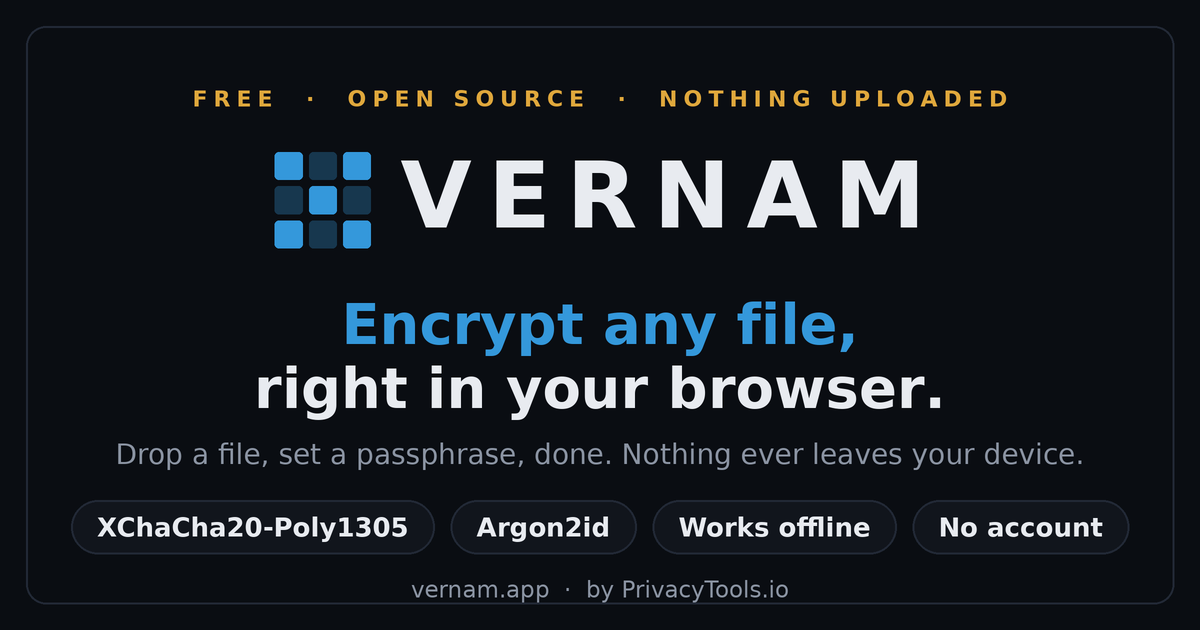

User reviews (0)