Website profiles · Technology insights · Alternatives

wallpapers-clan.com

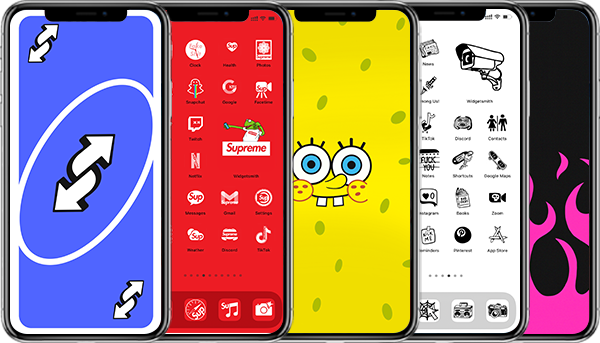
Cool Wallpapers for Phone. Aesthetic App Icons. Free Folder Icons. IG Highlight Icons. Cool PFPs. All this on the W-Clan, switch to style!

No paid content found
Visit website
Profile views 10 Outbound visits 14 Normal
Wallpapers Clan Full homepage screenshot

At a glance

Category
Design & Creativity
Language
English
Paid-content signal
No paid content foundObserved
Registered
2020
Hosting
CloudflareInferred
HTTPS certificate trusted
PassedObserved
Last updated

Website review

This review may include AI-generated content and is not individually verified. Domain, certificate and other facts come from the observed data on this page.

What is Wallpapers Clan?

Wallpapers Clan is a free wallpaper and device-customization site. Its own tagline sums it up: "Cool Wallpapers for Phone. Aesthetic App Icons. Free Folder Icons. IG Highlight Icons. Cool PFPs." It is aimed at people who want to restyle a phone or desktop around a fandom, character or aesthetic rather than browse generic stock photography.

What you'll find there

The homepage is organized into five main sections:

  • Phone wallpapers — character and pop-culture sets, with examples like Peppa Pig, Demon Slayer, Lilo & Stitch, Tomb Raider, Naruto, Jujutsu Kaisen, Hello Kitty, Dragon Ball and a "Chill Guy" meme pairing.
  • App icons — icon packs in styles such as pastel 3D, Fairy Tail, witchy, cute doodle, Gravity Falls and dark academia.
  • Desktop wallpapers — including One-Punch Man, Marvel, Pokémon, Minecraft, Studio Ghibli and minimal abstract designs.
  • Folder icons — desktop folder art themed around Death Note, Christmas and Howl's Moving Castle.
  • PFPs — profile pictures drawn from movies, TV, cartoons and games, such as Squid Game and SpongeBob.

The content leans heavily on anime, cartoons, games, comics and meme culture, with a playful, emoji-heavy tone throughout.

How it compares to alternatives

If you want… Wallpapers Clan is a good fit Look elsewhere if…
Matching fandom sets (wallpaper + icons + PFP) Yes — that's the core idea You only need one plain photo wallpaper
Phone and desktop in one place Yes, both are covered You need tablet- or watch-specific sizes
Curated character art Yes, organized by title and character You want original photography or abstract art

For a concrete example: if you're theming a phone around Jujutsu Kaisen, you could take a Satoru Gojo wallpaper, pair it with a matching icon pack and use a related image as your profile picture, so the lock screen, home screen and social profile feel consistent.

Next step: start from the section that matches your device — phone wallpapers for a handset, desktop wallpapers for a computer — then pick a single character or aesthetic and build the icons and PFP around it, rather than mixing unrelated themes.

How do I download and set a wallpaper or app icon from Wallpapers Clan on my phone?

Wallpapers Clan is a free gallery-style site for phone and desktop wallpapers, app icons, folder icons and profile pictures (PFPs). Downloads work like a normal image save — there is no account or app required.

On a phone

  1. Open the wallpaper, app icon or PFP you want in your mobile browser.
  2. Long-press the image and choose Save image / Download image (on iPhone, tap Share → Save to Photos).
  3. For a wallpaper: open Settings → Wallpaper (iOS) or long-press the home screen and pick Wallpapers (Android), then select the saved image. Choose lock screen, home screen, or both.
  4. For an app icon: you cannot replace a stock app icon directly on iOS or most Android launchers. You need a shortcut or launcher tool — on iPhone, use the Shortcuts app (Add Action → Open App → add to Home Screen → choose the photo as the icon). On Android, use a launcher that supports custom icons, such as Nova Launcher, or your phone's built-in icon editor if it has one.
  5. For folder icons and PFPs: folder icons apply through the same custom-icon route in your launcher; PFPs are uploaded in the relevant app's profile settings.

On desktop

Save the image, then right-click the desktop → Personalize / Change Desktop Background (Windows) or System Settings → Wallpaper (macOS). Folder icons on Windows are changed via right-click → Properties → Customize → Change Icon.

Practical notes

  • Match the image shape to your screen. Phone wallpapers are usually tall; desktop wallpapers are wide. Cropping a desktop image for a phone loses a lot of the composition.
  • App-icon images are meant to be used as the icon image inside a shortcut or launcher, not as a wallpaper.
  • Animated GIF wallpapers only animate on Android launchers and some third-party tools; iOS uses still images for wallpapers.

If you want wallpapers from other sources too, Unsplash is good for photography, and WallpaperAccess for fandom-specific sets.

Are the wallpapers, app icons, and PFPs on Wallpapers Clan free to use?

Yes. Wallpapers Clan presents its phone wallpapers, app icons, folder icons and PFPs as free downloads; the site's own description calls them "Free App Icons" and its copy says the collection includes free icons and that more free items are being added. Nothing on the page indicates a paid tier, credits or subscription.

That said, "free to download" and "free to use" are not quite the same thing. The page shows no licence statement, so for anything beyond a personal phone or desktop background you would need to check the site directly — especially for the character-based art.

H3 Practical breakdown

Item Free to download Good for Watch out for
Phone wallpapers Yes Personal lock/home screens Fan art of characters like Naruto, Demon Slayer or Hello Kitty
App icons Yes Customising a home screen layout Redistributing icon packs as your own
Folder icons Yes Desktop organisation Reusing in a commercial template
PFPs Yes Social avatars Brand or studio characters in a public profile

H3 Who this suits

If you just want a themed phone setup — say a Jujutsu Kaisen or Sanrio look — the free downloads cover that directly. The categories are organised by franchise and mood (anime, cartoons, games, memes, pastel aesthetics), so you can build a matching set of wallpaper, icons and avatar without hunting across several sites.

If you are a designer wanting assets for client work, a YouTube channel or merchandise, treat this as inspiration rather than a source. Character-based wallpapers generally sit in a grey area, and the site does not spell out commercial permissions.

H3 A quick test before you commit

Download one wallpaper and one icon set, apply them, and see whether the resolution holds up on your screen. Then decide whether you need a paid stock or licensed alternative for anything public-facing. For general-purpose, clearly licensed backgrounds, Unsplash and Pexels are safer defaults.

What types of themes and franchises are available in Wallpapers Clan's collections?

Wallpapers Clan organizes its downloads around pop-culture franchises and aesthetic styles rather than generic photo categories. Its collections span phone wallpapers, desktop wallpapers, app icons, folder icons and profile pictures, with the franchise themes repeated across those formats.

Franchises and themes visible in the collections

  • Anime: Naruto (Sasuke Uchiha, Itachi), Jujutsu Kaisen (Satoru Gojo), Dragon Ball (Son Goku), One-Punch Man (Saitama, Garou), Fairy Tail, Death Note, Howl's Moving Castle, My Neighbor Totoro.
  • Cartoons: Peppa Pig, Lilo & Stitch, Gravity Falls, Hello Kitty/Sanrio, SpongeBob.
  • Games: Tomb Raider (Lara Croft), Minecraft, Pokémon (Charizard), League of Legends (Jinx).
  • Comics, movies and TV: Marvel (Black Panther, Spider-Man), Squid Game.
  • Memes and internet culture: Chill Guy, plus matching-wallpaper sets.
  • Aesthetic and lifestyle styles: dark academia, witchy, pastel, 3D inflate, doodle, minimal abstract, plus seasonal sets such as Christmas and fashion/magazine covers.

How the formats differ

Format Typical use Trade-off
Phone wallpapers Lock and home screen backgrounds Franchise art can clash with icon colors
App icons Replacing standard app icons Usually needs a shortcut or launcher setup
Folder icons Tidying home-screen folders Only useful if you already group apps
Desktop wallpapers PC or laptop backgrounds Widescreen crops may cut off character art
PFPs Social profile pictures Small display size hides fine detail

A practical next step

If you want a coordinated home screen, pick one franchise first — say Jujutsu Kaisen — then match the wallpaper, app icons and folder icons from the same theme so the colors stay consistent. If you only need a single profile picture, skip the icon sets entirely, since they add setup work without changing how your profile looks.

For broader alternatives, Wallpaper Flare and Unsplash cover general photography and fandom wallpapers, though neither focuses on matching icon packs the way this collection does.

Can I use Wallpapers Clan's app icons and folder icons to customize my home screen on both iOS and Android?

Yes. Wallpapers Clan is built around exactly that kind of customization: its page evidence lists aesthetic app icons, desktop folder icons, phone wallpapers, desktop wallpapers and PFPs as separate collections. App icons and folder icons are image files, so they work on both iOS and Android — the difference is the setup work, not the files themselves.

How each platform handles it

Task iOS Android
Changing an app icon Shortcuts app: create a shortcut that opens the app, then add it to the Home Screen with your chosen image Most launchers let you long-press an icon and pick a new image directly
Folder appearance Not customizable — folders keep the system look, so the icons you download won't apply to folders Many launchers support custom folder icons and grid styling
Widgets and layout Limited to widgets and Shortcuts workarounds Launchers and icon-pack apps give much broader control

A concrete example

Say you pick the Witchy or Dark Academia app icon set from the Aesthetic App Icons section. On Android, you'd apply it through your launcher in a few minutes and the look would be consistent across the whole grid. On iOS, you'd rebuild each app you want to change as a Shortcut, one at a time — maybe 15–30 minutes for a full screen, and tapping a shortcut briefly routes through the Shortcuts app before opening the target app. That's the main trade-off: iOS gives you the aesthetic but costs you setup time and a small tap delay.

Before you start

Check what your launcher supports, since Android customization depends on it rather than on the icon files. If you're on iOS, decide up front whether you want a full-screen makeover or just your four or five most-used apps. Also note the site's folder icons are labelled for desktop, so treat them as a desktop or launcher-level option rather than something iOS Home Screen folders will accept.

For more icon and wallpaper options beyond this site, Reddit communities and Unsplash are useful for browsing styles, though neither is a dedicated icon-pack source.

How often does Wallpapers Clan add new wallpapers, app icons, and PFPs?

Wallpapers Clan does not publish a fixed update schedule on its site. The page describes the collection as something the team is "still cookin' up," which signals ongoing additions rather than a stated weekly or monthly cadence. If you need a reliable answer on frequency, check the newest items on the site over a couple of weeks and note how the "MORE" sections change.

What the site actually shows

The homepage is organized into five main categories, each with a "MORE" link to a deeper gallery:

  • Phone wallpapers
  • App icons
  • Desktop wallpapers
  • Folder icons
  • PFPs (profile pictures)

Content is grouped by theme, franchise or fandom — for example cartoons, anime, games, comics, movies and TV, holidays, and meme-style entries. That mix suggests updates are driven by whatever themes the team is currently adding, not by a calendar.

How to judge the update pace yourself

Use these practical checks instead of relying on a promise:

Check What it tells you
Newest items in each "MORE" gallery Whether fresh content is appearing across categories or only in one
Theme variety over time Whether updates follow trends (new anime, games, memes) or evergreen sets
Seasonal sections Holiday or event-based drops, which tend to be periodic rather than constant

Who this matters for

If you change your phone wallpaper or home screen icons often, a steady drip of new themes keeps the site useful. If you need a specific character or franchise, the risk is that your niche may not be refreshed often — so grab what you like when you see it rather than assuming it will be updated later.

A good next step: open the "MORE" page for the category you care about most, note the newest few entries, then revisit in two to three weeks to see whether anything new has appeared.

Related questions

More questions →
What is Wallpapers Clan?

Wallpapers Clan (wallpapers-clan.com) is a free wallpaper and customization asset site for phones and desktops. It hosts themed collections of phone wallpapers, desktop wallpapers, app icons, folder icons, and profile pictures (PFPs), organized around anime, cartoons, games, movies and TV, comics, and brands. If you want to restyle a home screen or desktop around a specific character or fandom, this is the kind of site you'd browse by collection rather than search by resolution.

What the site offers

The homepage is built around five main sections, each with its own "more" link to a larger catalog:

Section What it contains Example collections
Phone Wallpapers Vertical wallpapers for phone lock and home screens Peppa Pig, Lilo & Stitch sketch style, Naruto (Itachi & Sasuke), Jujutsu Kaisen (Satoru Gojo), Hello Kitty cozy rain cafe, Dragon Ball (Goku)
App Icons Icon sets for replacing app icons on a home screen Basic Pastel Inflate 3D, Fairy Tail, Witchy, Cute Doodle, Gravity Falls, Dark Academia
Desktop Wallpapers Horizontal wallpapers for PC and laptop screens One-Punch Man (Saitama, Garou), Black Panther, Pokémon (Charizard), Spider-Man, Minecraft floating islands, My Neighbor Totoro
Folder Icons Icons for home-screen folders Death Note, Christmas, Howl's Moving Castle
PFPs Profile pictures for social accounts Squid Game, Spongebob GIF, Pavlova Cookie

The content leans heavily on recognizable characters and franchises, so the practical way to use the site is to pick a fandom first and then take the matching wallpaper, icons, and PFP as a set.

How the collections are organized

Each section mixes themes rather than sorting strictly by category. A single row of phone wallpapers, for example, can jump from Cartoons to Games to Anime to Memes. The labels attached to each item (Cartoons, Games, Anime, Memes, Comics, Movies & TV, Holidays, Extra) act as the closest thing to a filter, so scan those tags when you're looking for a specific style.

Some entries also carry a format note — for instance, a Totoro desktop item is labeled as an anime GIF wallpaper, and one Spongebob PFP is labeled as a GIF. That tells you some assets are animated rather than static, which matters if your device or platform doesn't support animated images.

What you can do with the files

The site describes its output as wallpapers and icons you apply to your own device: set a phone wallpaper on your lock or home screen, swap app icons to match a theme, and use a PFP on a social profile. The homepage copy frames this as expressing yourself through a coordinated home screen — wallpapers plus matching icons.

A few practical notes before you commit to a set:

  • Match orientation to device. Phone wallpapers are vertical; desktop wallpapers are horizontal. Don't assume one works for the other.
  • Icons are a manual swap. Replacing app icons on most phones means creating shortcuts or using a launcher, so plan for that step rather than expecting a one-tap theme.
  • Check whether an asset is animated. GIF wallpapers and PFPs only display as intended where the platform supports animation.
  • Plan the whole set. Because collections are fandom-based, grabbing the wallpaper, app icons, folder icons, and PFP from the same theme gives a consistent look; mixing themes usually doesn't.

Who it's for

Wallpapers Clan suits people who want a themed, character-driven look for a phone or desktop and are willing to spend a few minutes applying icons and wallpapers manually. It's less suited to anyone who needs exact resolution specs, commercial licensing, or a one-click theme installer — the site presents itself as a browsable collection of cool wallpapers, free app icons, folder icons, and PFPs, and that's the scope to expect.

What Kinds of Themes and Styles Does Wallpapers Clan Offer?

Wallpapers Clan covers five content types — phone wallpapers, desktop wallpapers, app icons, folder icons, and PFPs (profile pictures) — and pulls its themes mainly from anime, cartoons, movies and TV, video games, comics, and internet meme culture. Styles range from pastel and cute to dark academia, neon, minimal, and 3D. If your taste runs to anime or cartoon characters, or you want a themed home screen rather than abstract art, the catalog is likely to fit; if you need strictly photographic or fine-art wallpapers, it is not the focus here.

The five content types

Each type serves a different part of customizing a device, and they are organized separately on the site.

Type What it is Where it applies
Phone wallpapers Lock and home screen backgrounds Phone
Desktop wallpapers Larger-format backgrounds Desktop/PC
App icons Replacement icons for individual apps Phone home screen
Folder icons Replacement icons for app folders Phone home screen
PFPs Profile pictures Social and messaging accounts

The site's own headings label these as "Some 🔥 Phone Wallpapers," "Aesthetic 🐆 App Icons," "Desktop 🪩 Wallpapers," "Desktop 🦩 Folder Icons," and "Cool 🧊 PFPs," with "more" links leading to fuller collections in each category.

Themes by franchise and fandom

The catalog is built around recognizable characters and titles rather than generic patterns. Examples drawn from the listings include:

  • Anime: Naruto (Sasuke Uchiha, Itachi & Sasuke matching wallpapers), Jujutsu Kaisen (Satoru Gojo), Dragon Ball (Son Goku), One-Punch Man (Saitama, Garou), Fairy Tail, Pokémon (Charizard), My Neighbor Totoro, Howl's Moving Castle, Death Note
  • Cartoons: Peppa Pig, Lilo & Stitch (sketch-style Stitch), Hello Kitty and Sanrio, Gravity Falls, SpongeBob
  • Movies and TV: Squid Game, Marvel (Black Panther, Spider-Man), Tomb Raider (Lara Croft)
  • Games: Minecraft, Cyberpunk, One-Punch Man game-adjacent art, Jinx (Rocket Launcher neon graffiti PC wallpaper)
  • Comics and brands: Marvel, Dior magazine-cover art
  • Memes and internet culture: Chill Guy meme, dark matching wallpapers

Some entries are crossovers or mashups — for example, "Inosuke Hashibira x Peppa Pig" — so the catalog leans toward playful combinations rather than straight official art.

Style directions

Beyond the franchise, the site tags items by visual style. Named styles in the listings include:

  • Aesthetic — the most common label, applied across app icons and wallpapers
  • Pastel — e.g., "Basic Pastel Inflate 3D App Icons"
  • Dark academia — a distinct app icon set
  • Witchy — "Aesthetic Witchy App Icons"
  • Cute / doodle — "Cute Doodle App Icons"
  • Minimal — "Minimal White Curve Abstract Desktop Wallpaper"
  • Neon — "Jinx Rocket Launcher Neon Graffiti PC Wallpaper"
  • 3D — the inflate-style icon set
  • Cozy — "Hello Kitty Cozy Rain Cafe Wallpapers"
  • Negative space — "Negative Space Lara Croft Tomb Raider Jungle Wallpapers"

There are also seasonal and holiday sets, such as Christmas folder icons, and animated options like a Totoro GIF wallpaper and a SpongeBob GIF PFP.

How to judge whether it matches your taste

The fastest check is to pick the category you care about and scan its theme list:

  1. Decide which content type you need — wallpaper, app icon, folder icon, or PFP.
  2. Look for a franchise or style you already like in the examples above.
  3. If your interest is character-driven (anime, cartoons, games), expect a good match; if it is photographic, typographic, or abstract-only, expect fewer options.
  4. Note that the site describes itself as still adding new wallpapers, icons, and PFPs, so the collection is presented as growing rather than fixed.

One practical caveat: matching sets exist (for example, "Itachi & Sasuke Intense Uchiha Matching Wallpapers" and "Chill Guy Meme Dark Matching Wallpapers"), which is useful if you want a coordinated look across a lock screen and home screen rather than a single image.

Are Wallpapers Clan Wallpapers, Icons, and PFPs Free to Use?

Wallpapers Clan presents its app icons as free and describes its collection as "free app icons," "free folder icons," and "cool wallpapers" — with no pricing, subscription, or payment information anywhere on the page. So for personal use on your own phone or desktop, you can browse and use the wallpapers, app icons, folder icons, and PFPs without paying. The one thing the site does not address is copyright: much of the content is built on branded, anime, and movie material, so "free to download" and "free to use commercially" are not the same thing.

What the site actually offers

The homepage organizes everything into five categories:

Category Examples from the site
Phone wallpapers Peppa Pig, Demon Slayer, Lilo & Stitch, Naruto, Jujutsu Kaisen, Hello Kitty, Dragon Ball
App icons Pastel Inflate 3D, Fairy Tail, Witchy, Cute Doodle, Gravity Falls, Dark Academia
Desktop wallpapers One-Punch Man, Marvel Black Panther, Spider-Man, Minecraft, My Neighbor Totoro, Dior magazine cover
Folder icons Death Note, Christmas, Howl's Moving Castle
PFPs Squid Game, Spongebob GIF, Pavlova Cookie

Each category links to a larger collection ("MORE PHONE WALLPAPERS," "MORE APP ICONS," and so on), so the homepage is a sample of a bigger library rather than the full catalog.

Why "free" is the reasonable reading

The site's own copy states it directly:

  • "free app icons" and "free folder icons" appear in the site description
  • The tagline promises "fresh wallpapers and a totally aesthetic home screen"
  • The about text says the team is "still cookin' up some dope wallpapers, free app icons, folder icons, PFPs, and more"

There are no price tags, no "pro" tier, no subscription prompts, and no payment platform signals on the page. When a site lists no cost and explicitly labels a product free, treating it as free for personal use is the straightforward conclusion.

The catch: brand and franchise content

This is the part that matters if you plan to do anything beyond decorating your own device.

Most of the catalog is fan-oriented material — Naruto, Demon Slayer, One-Punch Man, Spider-Man, Black Panther, Squid Game, Hello Kitty, Studio Ghibli, Minecraft, and a Dior magazine cover among them. These are third-party properties. A site offering them for free download doesn't grant you rights to the underlying characters or brands.

Practical implications:

  • Personal device use — setting a Naruto wallpaper or a Squid Game PFP on your own phone is the normal, intended use case.
  • Commercial use — selling prints, using an icon in a product, or putting a branded PFP on a business account is a different situation, and the site provides no license language to rely on.
  • Redistribution — re-uploading the collection elsewhere or bundling it into an app isn't covered by anything on the page.

If you need content you can safely use commercially, look for the site's original or abstract designs (for example, the "Minimal White Curve Abstract" desktop wallpaper) rather than franchise-based ones — though even then, confirm licensing before commercial use, since the page doesn't state one.

Quick answers

Do I need an account to download? The page shows no login requirement or account prompts, so browsing and downloading appear open.

Is there a paid tier? Nothing on the page indicates one. No pricing links, no payment platforms, no subscription language.

Can I use these on my phone's home screen? Yes — that's exactly what the app icons, folder icons, and phone wallpapers are designed for.

Can I use them in a YouTube video or a product? The site doesn't say. Given the heavy franchise content, assume no unless you've verified the rights separately.

Are the icons compatible with my phone? The site markets them for phone home screens generally, but it doesn't list specific platforms or setup instructions on this page, so check the individual collection pages for format details.

Bottom line

For personal use on your own devices, Wallpapers Clan's wallpapers, app icons, folder icons, and PFPs are free — the site says so and shows no paywall. The limitation isn't cost, it's rights: most of the library is fan content based on owned franchises, so keep it to personal use and treat any commercial or redistribution plan as something you'd need to clear independently.

What Is the Difference Between Wallpapers Clan's Phone Wallpapers, Desktop Wallpapers, App Icons, Folder Icons, and PFPs?

Wallpapers Clan splits its content into five distinct categories, each built for a different screen or purpose: phone wallpapers for mobile lock and home screens, desktop wallpapers for computer monitors, app icons for replacing individual app icons on a phone home screen, folder icons for the folders that group those apps, and PFPs (profile pictures) for social media avatars. If you want to restyle a phone, you'll mainly use phone wallpapers, app icons, and folder icons together. If you're decorating a computer or a social profile, you'd go to desktop wallpapers or PFPs instead.

Quick Comparison

Category Where it's used What it changes Example from the site
Phone wallpapers Phone lock/home screen Background image behind your apps Naruto Sasuke Uchiha "Itachi & Sasuke" matching wallpapers
Desktop wallpapers Computer monitor Full-screen background One-Punch Man Saitama "Cosmic Punch" desktop wallpaper
App icons Phone home screen The icon image for a single app Fairy Tail app icons, Dark Academia aesthetic app icons
Folder icons Phone home screen The icon shown on an app folder Death Note folder icons, Christmas folder icons
PFPs Social media profiles Your avatar/profile image Squid Game PFP, Funny Spongebob GIF PFP

Phone Wallpapers vs. Desktop Wallpapers

The core difference is the device and aspect ratio they're made for.

  • Phone wallpapers are vertical images sized for a phone screen. They sit behind your app grid and are usually visible on both the lock screen and home screen. The site organizes them by theme, with examples like Cartoons (Peppa Pig, Lilo & Stitch sketch style), Games (Lara Croft Tomb Raider jungle), Anime (Naruto, Jujutsu Kaisen's Satoru Gojo, Dragon Ball's Goku), and Memes (Chill Guy).
  • Desktop wallpapers are horizontal images sized for a computer monitor. They're viewed full-screen with no app grid on top. Examples include One-Punch Man's Saitama and Garou, Marvel's Black Panther and Spider-Man, Minecraft floating islands, and a Dior magazine cover model.

A phone wallpaper stretched onto a desktop (or vice versa) will crop or distort, so pick the category that matches your device. Note that some phone wallpapers are labeled "matching" or "time zone" sets, meaning they're designed to pair with another image — useful if you want a coordinated look across two phones or a lock/home screen pair.

App Icons vs. Folder Icons

Both live on your phone's home screen, but they replace different things.

  • App icons replace the icon of an individual app. The site groups them by style, such as Basic Pastel Inflate 3D, Anime Fairy Tail, Aesthetic Witchy, Cute Doodle, Cartoons Gravity Falls, and Dark Academia. You'd use these to give a single app (Messages, Camera, etc.) a custom look.
  • Folder icons replace the icon shown on a folder that contains multiple apps. Examples include Death Note, Christmas, and Howl's Moving Castle folder icons.

In practice, you'd combine them: set a phone wallpaper as the background, swap individual app icons, then apply a folder icon to any grouped apps so the whole home screen matches. The site presents app icons and folder icons as separate collections, so you'll need to browse both if you want a fully themed screen.

PFPs (Profile Pictures)

PFPs are avatars for social media profiles, not device backgrounds. They're typically square and viewed small, so they favor bold, recognizable subjects. The site's examples include a Squid Game PFP, a Funny Spongebob GIF PFP, and a Pavlova Cookie PFP. Some are animated (GIF), which suits platforms that support animated avatars. Use these when you want your profile image to match a fandom or aesthetic rather than to decorate a screen.

How the Site Organizes Browsing

Each category has its own section and a "more" link to expand the collection:

  • Some Phone Wallpapers → "MORE PHONE WALLPAPERS"
  • Aesthetic App Icons → "MORE APP ICONS"
  • Desktop Wallpapers → "MORE DESKTOP WALLPAPERS"
  • Desktop Folder Icons → "MORE FOLDER ICONS"
  • Cool PFPs → "MORE PFPS"

Content within each section is tagged by franchise or theme (Anime, Cartoons, Games, Comics, Movies & TV, Memes, Holidays), so you can jump to the fandom you want rather than scrolling everything.

Which Should You Pick?

  • Restyling your phone home screen: phone wallpapers + app icons + folder icons.
  • Changing your computer background: desktop wallpapers.
  • Updating a social profile: PFPs.
  • Wanting a coordinated set across devices: look for "matching" phone wallpapers and pick a desktop wallpaper from the same franchise.

The site describes its collection as including "free app icons" and "free folder icons" in its own copy, and states it is "still cookin' up" more wallpapers, icons, and PFPs — so the catalog is presented as growing rather than fixed.

How to Use Wallpapers Clan Wallpapers, App Icons, and PFPs on Phone or Desktop

Wallpapers Clan is a free wallpaper and customization site with separate sections for phone wallpapers, desktop wallpapers, app icons, folder icons, and PFPs. You use it by downloading the image you want, then applying it through your device's built-in wallpaper or icon settings. The site itself doesn't install anything — it supplies the images, and your phone or computer does the rest. This guide covers each type and the exact steps to apply it.

What Wallpapers Clan Offers

The site organizes its content into five main categories, each aimed at a different part of your device:

Category What it's for Where it goes
Phone Wallpapers Lock screen and home screen backgrounds Phone
App Icons Replacing individual app icons Phone home screen
Desktop Wallpapers Computer backgrounds Desktop/laptop
Folder Icons Custom folder images Desktop
PFPs Profile pictures Social media

The phone wallpaper section includes themed collections like Cartoons (Peppa Pig, Lilo & Stitch), Anime (Naruto, Jujutsu Kaisen, Dragon Ball), Games (Tomb Raider), and Memes (Chill Guy). Desktop wallpapers cover similar ground with anime, comics, games, and cars. App icons come in styles like Basic Pastel, 3D, Witchy, Cute Doodle, and Dark Academia.

Setting a Phone Wallpaper

  1. Open the Phone Wallpapers section and pick a collection (for example, Anime or Cartoons).
  2. Tap the wallpaper you want to use.
  3. Save the image to your phone — on most phones this is a long-press or a download button, depending on your browser.
  4. Open your phone's Photos/Gallery app, find the saved image, and tap the share or menu option.
  5. Choose "Set as wallpaper" or "Use as wallpaper."
  6. Select whether it applies to the lock screen, home screen, or both.

Expected result: The image appears as your background immediately after confirming.

Common snag: Some wallpapers are designed for a specific aspect ratio. If the image looks cropped or stretched, use your phone's built-in crop tool to adjust before confirming, or pick a wallpaper whose dimensions match your screen.

Replacing App Icons on Your Phone

App icons on Wallpapers Clan are image files, not an app. To use them, you need a shortcut-based method, since phones don't let you swap icons directly.

On iPhone (Shortcuts app):

  1. Download the app icon image you want and save it to Photos.
  2. Open the Shortcuts app and create a new shortcut.
  3. Add the "Open App" action and select the app you're replacing.
  4. Tap the shortcut's settings, choose "Add to Home Screen."
  5. Tap the icon placeholder, choose "Choose Photo," and select your downloaded icon.
  6. Name the shortcut and add it.

On Android:

  1. Download the icon image.
  2. Use a launcher that supports custom icons (most third-party launchers do).
  3. Long-press the app, select "Edit" or "Change icon," and pick the downloaded image.

Expected result: A new icon appears on your home screen that opens the target app when tapped.

Common snag: On iPhone, the original app icon stays in your App Library — you're adding a shortcut, not deleting the app. You can hide the original from the home screen if you want a clean look.

Applying Folder Icons on Desktop

Folder icons work the same way as app icons but for desktop folders:

  1. Download the folder icon image from the Desktop Folder Icons section.
  2. On Windows: right-click the folder → Properties → Customize → Change Icon → Browse → select your downloaded image.
  3. On Mac: select the folder, press Command+I to open Get Info, then drag the downloaded image onto the small folder icon in the top-left of the info window.

Expected result: The folder displays your custom image instead of the default folder icon.

Common snag: Windows needs the image in .ico format for folder icons in some versions. If a .png doesn't work, convert it first using an online converter.

Setting a Desktop Wallpaper

  1. Go to the Desktop Wallpapers section and choose an image.
  2. Download it to your computer.
  3. Windows: Right-click the desktop → Personalize → Background → Browse → select the image.
  4. Mac: Apple Menu → System Settings → Wallpaper → Add Photo → select the image.

Expected result: The image fills your desktop background.

Common snag: Desktop wallpapers come in different resolutions. If the image looks blurry, your monitor's resolution is higher than the image's. Pick a larger image or one labeled for your screen size.

Using a PFP on Social Media

  1. Open the PFPs section and pick an image (options include Squid Game, Spongebob GIF, and Pavlova Cookie).
  2. Download it to your device.
  3. Open the social platform where you want to use it (Instagram, Discord, X, etc.).
  4. Go to your profile settings → Edit profile → Change profile photo.
  5. Upload the downloaded image and save.

Expected result: Your new profile picture appears across the platform.

Common snag: Some platforms crop PFPs into a circle. If your image has important details near the edges, check the preview before saving — you may need to zoom out or reposition.

Quick Reference

  • Phone wallpaper: Download → Gallery → Set as wallpaper → choose lock/home/both.
  • App icon: Download → Shortcuts (iPhone) or launcher (Android) → assign to app.
  • Folder icon: Download → folder properties → change icon.
  • Desktop wallpaper: Download → system settings → background → select.
  • PFP: Download → social platform profile settings → upload.

All of these use the same basic flow: get the image from Wallpapers Clan, then apply it through your device's own settings. Nothing installs automatically, and you keep full control over what changes.

Website Overview

Identifiable technologies and additional version or configuration signals make the service easier to fingerprint, which may help targeted scanners narrow their checks. An established domain and managed infrastructure suggest continuity of operations and may support dependable delivery, although neither guarantees service quality.

Domain and Registration

Registered in 2020, this domain has about 6 years of history. That suggests continuity, although ownership and purpose may have changed. Transfer-protection status is present, helping reduce the risk of unauthorized domain transfers. The registrar is NameCheap, Inc., a widely used domain service provider. The domain uses the common .com extension, which is not an independent safety signal.

DNS and Email

The observed email authentication setup is incomplete: DMARC is missing. Nameservers are provided by Cloudflare, indicating managed DNS hosting. MX records point to the Namecheap Private Email email service. CAA records restrict which certificate authorities are authorized to issue certificates. No CNAME was found; the observed records resolve directly to addresses.

TLS and Certificates

The public key uses EC with 256 bits. The server supplied a complete certificate chain. No organization name is present in the certificate; the available fields are consistent with domain validation. The certificate was issued within the Google Trust Services cloud or CDN ecosystem. The certificate's total validity is about 90 days, consistent with a short renewal cycle.

HTTP and Browser Security

The checked browser-security headers were not detected, leaving fewer explicit browser-side safeguards. No X-Powered-By header was found, reducing one common source of backend fingerprinting information. The cf-ray, x-cache response header indicates a CDN or caching proxy in the delivery path. No obvious internal addresses or debug information were found in the headers. The Server header identifies cloudflare without an exact version.

Technology Stack Analysis

The public page identifies WordPress 6.8.10, jQuery, Google Analytics, Cloudflare, with exact versions exposed for 1 technologies. These details can narrow vulnerability checks, although exposure alone is not a vulnerability.

Search and Social Sharing

The Generator tag identifies WordPress 6.8.10, making the publishing system easier to fingerprint. Twitter Card metadata is configured. JSON-LD includes Organization data, helping describe the organization as an entity. The title has 62 characters, within a common display range. A meta description is present, with 138 characters.

Hosting and Email

DNSCloudflare
HostingCloudflare
EmailNamecheap Private Email
Approximate IP geolocation (inferred; a CDN or proxy may differ from the origin server) Location unknown Inferred 104.26.0.140

Registration details

RDAP / WHOIS

RegistrarNameCheap, Inc.
Registered2020-08-10
Expires2027-08-10
Domain statusclient transfer prohibited
Nameserversaudrey.ns.cloudflare.com、vicente.ns.cloudflare.com
DNSSECunsigned

DNS records

DNS

TypeNameValueTTLPriority
Awallpapers-clan.com104.26.0.140300—
Awallpapers-clan.com104.26.1.140300—
Awallpapers-clan.com172.67.72.212300—
AAAAwallpapers-clan.com2606:4700:20::681a:18c300—
AAAAwallpapers-clan.com2606:4700:20::681a:8c300—
AAAAwallpapers-clan.com2606:4700:20::ac43:48d4300—
MXwallpapers-clan.commx1.privateemail.com30010
MXwallpapers-clan.commx2.privateemail.com30010
NSwallpapers-clan.comaudrey.ns.cloudflare.com86400—
NSwallpapers-clan.comvicente.ns.cloudflare.com86400—
TXTwallpapers-clan.com_globalsign-domain-verification=nrUN07X6zEfnNqXcKGKGjs8cMC02jk5UDndNDWXk8T300—
TXTwallpapers-clan.comv=spf1 include:spf.privateemail.com ~all300—
CAAwallpapers-clan.com0 issue "comodoca.com"3600—
CAAwallpapers-clan.com0 issue "digicert.com; cansignhttpexchanges=yes"3600—
CAAwallpapers-clan.com0 issue "letsencrypt.org"3600—
CAAwallpapers-clan.com0 issue "pki.goog; cansignhttpexchanges=yes"3600—
CAAwallpapers-clan.com0 issue "ssl.com"3600—
CAAwallpapers-clan.com0 issuewild "comodoca.com"3600—
CAAwallpapers-clan.com0 issuewild "digicert.com; cansignhttpexchanges=yes"3600—
CAAwallpapers-clan.com0 issuewild "letsencrypt.org"3600—
CAAwallpapers-clan.com0 issuewild "pki.goog; cansignhttpexchanges=yes"3600—
CAAwallpapers-clan.com0 issuewild "ssl.com"3600—

TLS and certificates

TLS / SSL

AssessmentNormal configuration
Supported protocolsTLSv1.2、TLSv1.3
Negotiated protocolTLSv1.3
Certificate subjectwallpapers-clan.com
IssuerGoogle Trust Services
Valid until2026-12-06T09:39 · Remaining when checked: 67 days
Verification detailsCertificate trust: Passed · Hostname match: Passed

HTTP response headers

HTTP

HeaderValue
content-typetext/html; charset=UTF-8
cache-controlmax-age=0, public
servercloudflare

Identified technologies

WordPress 6.8.10jQueryGoogle AnalyticsCloudflare

Pages, Search and Sharing

Meta descriptionCool Wallpapers for Phone. Aesthetic App Icons. Free Folder Icons. IG Highlight Icons. Cool PFPs. All this on the W-Clan, switch to style!
Canonical URLhttps://wallpapers-clan.com/
LanguageEnglish (default)
Twitter Cardsummary_large_image
All bots 1 allowed · 1 disallowed
  • Allow/wp-admin/admin-ajax.php
  • Disallow/wp-admin/
grub-client 0 allowed · 1 disallowed
  • Disallow/
grub 0 allowed · 1 disallowed
  • Disallow/
looksmart 0 allowed · 1 disallowed
  • Disallow/
webzip 0 allowed · 1 disallowed
  • Disallow/
larbin 0 allowed · 1 disallowed
  • Disallow/
b2w/0.1 0 allowed · 1 disallowed
  • Disallow/
psbot 0 allowed · 1 disallowed
  • Disallow/
python-urllib 0 allowed · 1 disallowed
  • Disallow/
netmechanic 0 allowed · 1 disallowed
  • Disallow/
url_spider_pro 0 allowed · 1 disallowed
  • Disallow/
cherrypicker 0 allowed · 1 disallowed
  • Disallow/
emailcollector 0 allowed · 1 disallowed
  • Disallow/
emailsiphon 0 allowed · 1 disallowed
  • Disallow/
webbandit 0 allowed · 1 disallowed
  • Disallow/
emailwolf 0 allowed · 1 disallowed
  • Disallow/
extractorpro 0 allowed · 1 disallowed
  • Disallow/
copyrightcheck 0 allowed · 1 disallowed
  • Disallow/
crescent 0 allowed · 1 disallowed
  • Disallow/
sitesnagger 0 allowed · 1 disallowed
  • Disallow/
prowebwalker 0 allowed · 1 disallowed
  • Disallow/
cheesebot 0 allowed · 1 disallowed
  • Disallow/
lnspiderguy 0 allowed · 1 disallowed
  • Disallow/
ia_archiver 0 allowed · 1 disallowed
  • Disallow/
ia_archiver/1.6 0 allowed · 1 disallowed
  • Disallow/
teleport 0 allowed · 1 disallowed
  • Disallow/
teleportpro 0 allowed · 1 disallowed
  • Disallow/
miixpc 0 allowed · 1 disallowed
  • Disallow/
telesoft 0 allowed · 1 disallowed
  • Disallow/
website quester 0 allowed · 1 disallowed
  • Disallow/
moget/2.1 0 allowed · 1 disallowed
  • Disallow/
webzip/4.0 0 allowed · 1 disallowed
  • Disallow/
webstripper 0 allowed · 1 disallowed
  • Disallow/
websauger 0 allowed · 1 disallowed
  • Disallow/
webcopier 0 allowed · 1 disallowed
  • Disallow/
netants 0 allowed · 1 disallowed
  • Disallow/
mister pix 0 allowed · 1 disallowed
  • Disallow/
webauto 0 allowed · 1 disallowed
  • Disallow/
thenomad 0 allowed · 1 disallowed
  • Disallow/
www-collector-e 0 allowed · 1 disallowed
  • Disallow/
rma 0 allowed · 1 disallowed
  • Disallow/
libweb/clshttp 0 allowed · 1 disallowed
  • Disallow/
asterias 0 allowed · 1 disallowed
  • Disallow/
httplib 0 allowed · 1 disallowed
  • Disallow/
turingos 0 allowed · 1 disallowed
  • Disallow/
spanner 0 allowed · 1 disallowed
  • Disallow/
infonavirobot 0 allowed · 1 disallowed
  • Disallow/
harvest/1.5 0 allowed · 1 disallowed
  • Disallow/
bullseye/1.0 0 allowed · 1 disallowed
  • Disallow/
mozilla/4.0 (compatible; bullseye; windows 95) 0 allowed · 1 disallowed
  • Disallow/

User reviews (0)

  • No reviews yet.