
 简体中文
简体中文 English
Website review
This review may include AI-generated content and is not individually verified. Domain, certificate and other facts come from the observed data on this page.
What is AdNabu?
AdNabu is a product feed management app for Shopify stores. It builds and maintains the product data feeds that power shopping listings and ads on channels such as Google Shopping, Facebook, Instagram, TikTok, Bing, Snapchat, Pinterest and X. The core job is keeping one catalog accurate across many destinations, so a merchant does not have to fix the same product data repeatedly in each platform.
What it does in practice
- Feed creation and sync: Connects to a Shopify store and syncs products to channel feeds, including Google Merchant Center.
- Error fixing: Handles common feed problems such as GTIN errors, and supports products without GTIN identifiers.
- AI optimization: Suggests keywords and enriches listings to improve how products appear in shopping results.
- Bulk editing: Lets merchants edit multiple attributes and errors at once using filters, rather than opening products one by one.
- Localization: Supports multi-currency feeds and feeds in multiple languages.
- Rules and exclusions: Uses feed rules and blocklists to control which products go to which channel.
- Analytics and scoring: Provides dashboard metrics and per-product suggestions.
- Reviews and metafields: Displays verified reviews on listings and uses metafields to customize product data.
- Store types: Supports standard Shopify, Shopify Plus, agency-managed stores and headless storefronts.
Who it suits
A Shopify merchant selling across several channels is the clearest fit: the value comes from centralizing feed work instead of managing separate exports for Google, Meta, TikTok and others. Stores with messy catalogs, GTIN gaps or many product variants will get more from the error-fixing and bulk-edit tools than a small store selling a handful of items on one channel.
It is less obviously necessary if you sell only on your own storefront and do not advertise on shopping channels, since the product is fundamentally about feeding external platforms.
Trade-offs to weigh
Managing feeds in one app adds a layer between Shopify and each channel. That is convenient, but it also means trusting AdNabu's sync and rules to reflect what you intend, so checking a few live listings after setup is worthwhile. Multi-channel coverage is broad, yet each channel has its own quirks, so depth on your most important channel matters more than the total count.
AdNabu offers a free trial, and a practical next step is to connect one store, sync to your main channel, and review the error list and product scores before deciding whether to add the remaining channels. For comparison, Shopify's own marketplace lists feed apps, and Google Merchant Center is the destination most merchants start with; AdNabu's own site is AdNabu.
How does AdNabu help optimize product feeds for Google Shopping?
AdNabu is a Shopify-focused feed management app that prepares and maintains product data for Google Shopping and other channels. Its core promise is to reduce the manual work and error-fixing that usually sits between a Shopify catalog and Google Merchant Center.
What it does for Google Shopping
- AI feed optimization: Suggests keywords and enriches product listings so titles and attributes carry more of the terms shoppers actually search.
- Error resolution: Targets common Merchant Center problems, including GTIN issues, and supports custom products that have no GTIN.
- Instant Shopify sync: Pushes product data from Shopify into the Google Shopping feed without waiting on a manual export.
- Feed rules and bulk editing: Lets you create Merchant Center feed rules and edit many attributes or errors at once using smart filters.
- Multi-currency and multi-language feeds: Supports many currencies and languages, which matters if you sell across regions.
- Exclusions: Blocklists remove specific collections or product types from feeds, useful for clearance, wholesale or restricted items.
- Product score and analytics: Gives per-product suggestions plus dashboard metrics so you can see which listings need attention.
Who gets the most from it
A Shopify merchant running Google Shopping ads with a catalog large enough that manual fixes no longer scale. A few hundred SKUs with recurring GTIN or attribute errors is the typical sweet spot. Agencies managing several Shopify stores also benefit from bulk workflows and repeatable feed rules, and Shopify Plus or headless setups are explicitly supported.
Small catalogs with clean data may find the built-in Shopify Google channel sufficient; the value here is in optimization and error handling at volume, not in the initial connection.
Practical next step
Before installing, export your current Merchant Center diagnostics and count how many products are disapproved or limited. If the list is long and the causes repeat, AdNabu's bulk edit, GTIN fix and feed rules map directly onto that work. If only a handful of items are affected, fix them manually first and reassess.
For comparison, Google's own Merchant Center help documents feed rules and diagnostics, and Shopify's Google channel handles basic syncing. AdNabu sits between those two: more automation than the native channel, more Shopify-specific than a general feed tool. Pricing is listed on AdNabu, and a free trial is available, so you can test the error-resolution workflow against your own catalog before committing.
Can AdNabu integrate with my existing product review apps like Loox or Yotpo?
Yes. AdNabu lists integrations with review apps including Loox, Judge.me, Automizely (AfterShip), Stamped.io, Okendo, Fera.ai and Yotpo, so verified reviews can be displayed on your product listings and feeds. The listed capability is "Product Review Integration — Easily Display Verified Reviews On Listings," meaning the review data is pulled through into the feed rather than existing only on the product page.
What this means in practice
If you run a Shopify store using Loox or Yotpo, your reviews can appear alongside products in channels like Google Shopping, Facebook, Instagram, TikTok, Bing and Pinterest. Review content in feeds is useful because shoppers comparing products in a channel often decide before ever visiting your store.
How to set it up
- Install AdNabu from the Shopify App Store and connect your Shopify store.
- Connect the relevant sales channel (for example Google Merchant Center).
- Enable the review integration for your review app and map the review fields into the feed.
- Check a sample of live listings to confirm ratings and review counts render correctly.
The product is built for Shopify, including Shopify Plus and agency use, and offers a 14-day free trial. If you use a review app not on the list, confirm support before committing. AdNabu's own review app integrations are the authoritative source for the current list; Shopify's app store listing for Shopify App Store is where you can verify the latest integration set, and AdNabu has its own documentation.
Decision criterion
Choose this route if your review app is on the supported list and you want reviews visible in shopping channels. If your review provider is unsupported, or reviews are central to your on-site conversion only, the integration adds little; keep reviews on your product pages and focus feed effort on titles, images and GTIN accuracy instead.
What pricing plans does AdNabu offer and is there a free trial?
AdNabu uses a free-trial model rather than publishing a single flat price on its homepage. The page shows a 14-day free trial for the main app, plus shorter 7-day trials on some related apps. A "Pricing" link is present, which is where the current plan tiers and costs would be listed.
What the page makes clear
- Main AdNabu app: 14-day free trial.
- Some companion apps: 7-day free trials (for example, Facebook Product Feed and Meta/Facebook Pixels).
- At least one app: listed as free (Nabu for Google Ads Pixel).
- Paid plans: exist, but exact prices are not stated in the supplied page evidence.
How to decide
Use the trial to test whether the feature set matches your store before committing. The most relevant features for a Shopify merchant evaluating cost are AI feed optimization, error-free Google Merchant Center management, instant Shopify sync, multi-currency and multi-language feeds, and bulk editing.
A practical next step: open the pricing page, check which tier includes the channels you actually sell on (Google, Facebook, Instagram, TikTok, Bing, Pinterest, Snapchat, X), and confirm whether the trial covers the full feature set or a limited version.
For broader comparison, you can also review feed management options from Google Merchant Center and Meta Commerce Manager, though those are channel platforms rather than direct feed-management apps.
How does AdNabu handle multi-currency and multi-language feeds for international sales?
AdNabu treats multi-currency and multi-language feeds as separate feed settings rather than one global feed. According to the product page, it supports feeds in over 90 currencies and 30+ languages, so a Shopify merchant selling into several regions can generate localized versions of the same catalog instead of sending one English, USD-only feed everywhere.
What that means in practice
- Currency: You can produce feeds priced in each target market's currency, which matters because Google Shopping, Meta and other channels often expect prices to match the currency and landing page shown to that market.
- Language: You can create feeds in multiple languages, so titles, descriptions and other text attributes can be localized for each country or region.
- Channel coverage: The same feed setup is described for Google Shopping, Facebook, Instagram, TikTok, Bing, Snapchat, Pinterest and X (Twitter), so localization is handled at the feed level and reused across channels.
- Supporting features: Multi-currency and multi-language work alongside AI keyword suggestions, metafield-based customization, feed rules, blocklists and GTIN fixes, which are the tools you would use to tailor each localized feed.
A concrete scenario
A Shopify store selling apparel in the US, Germany and Japan would typically maintain one master catalog and then create region-specific feeds: USD/English for the US, EUR/German for Germany and JPY/Japanese for Japan. AdNabu's currency and language options cover the feed side of that setup; the merchant still needs localized product copy, correct tax and shipping settings, and market-specific pricing in Shopify.
How to decide
If you sell in more than one currency or language, check two things before committing: whether the currencies and languages you need are among those supported, and whether your Shopify markets are already configured with localized pricing and content. AdNabu can generate the localized feeds, but the underlying market data has to exist in Shopify first. A 14-day free trial is mentioned on the site, so testing one non-primary market before rolling out globally is a reasonable next step.
For broader context on how feed requirements differ by channel, see Google Merchant Center Help and Meta Business Help Center.
What types of errors can AdNabu fix in Google Merchant Center feeds?
AdNabu is built to catch and correct the feed problems that most often get Shopify products disapproved or suppressed in Google Merchant Center. The clearest example from its own feature list is GTIN errors: it includes a dedicated GTIN fix that resolves identifier-related issues on the product feed, and it also supports custom products that have no GTIN identifiers at all, so you can still promote unique or handmade items without them being rejected for a missing barcode.
Beyond identifiers, AdNabu addresses the broader category of attribute and data errors. Its bulk edit tool works with 20+ smart filters, letting you correct multiple attributes and errors across many products at once rather than editing each listing by hand. Feed rules let you create and customize Google Merchant Center feed rules, which is the standard mechanism for fixing mismatched or malformed values such as incorrect titles, descriptions, categories, availability or pricing formats before they reach Google.
A few other error sources are handled through feed structure rather than direct error correction. Multi-currency feeds support over 90 currencies and multi-language feeds cover 30+ languages, which prevents the currency and language mismatches that cause disapprovals in international campaigns. Blocklists let you exclude certain collections or product types from a feed entirely, which is a practical way to stop problem products from generating repeated errors. Product score gives qualitative and quantitative suggestions on individual products, so you can spot weak or incomplete listings before Google flags them. Instant Shopify sync keeps the feed aligned with your store, reducing the stale-data errors that appear when prices or stock change after a feed is submitted.
How to decide if this fits your situation
- If your main problem is GTIN or identifier errors, the dedicated GTIN fix and custom products support are directly relevant.
- If you have hundreds of SKUs with scattered attribute mistakes, bulk edit with smart filters and feed rules will matter more than any single fix.
- If you sell internationally, currency and language feed support prevents a whole class of errors that are hard to trace back to their source.
- If your errors come from discontinued or problematic lines, blocklists are the simplest route.
A useful next step is to export your current Merchant Center diagnostics, group the disapprovals by error type, and check whether AdNabu's listed capabilities map onto the top two or three categories. AdNabu offers a 14-day free trial on its main Google Shopping feed app, so you can test the fixes against your actual catalog rather than a sample. For comparison, Google's own Merchant Center help documentation explains each error code in detail, and Shopify covers the native Google channel for stores that only need basic feed syncing.
 Cloudflare
 Google Workspace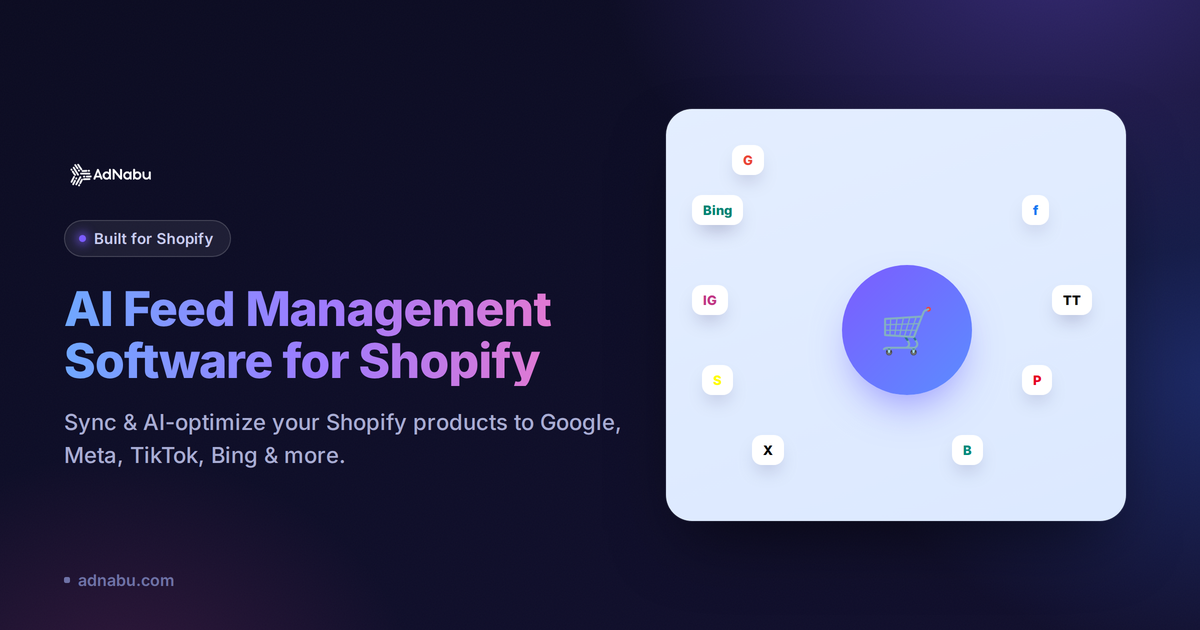
User reviews (0)