
 简体中文
简体中文
balsamiq.com
Wireframes and prototypes without the friction. Balsamiq is the fast wireframing and prototyping tool for product, tech, and business minds. Sketch, test, refine your UI—fast.
At a glance
- Category
- Resources & Utilities
- Language
- English
- Paid-content signal
- Paid contentObserved
- Registered
- 2007
- Hosting
- Amazon CloudFrontInferred
- HTTPS certificate trusted
- PassedObserved
- Last updated
Related questions
More questions →What Wireframing and Prototyping Features Does Balsamiq Offer?
Balsamiq is a wireframing and prototyping tool built around one idea: decide what's worth building before you hand anything off. It covers four capability areas — low-fidelity wireframing, interactive prototyping, AI-assisted generation, and MCP-based integration with coding tools — and it works for a solo founder or an enterprise team without user limits. If your goal is to align a team on structure and flow early, this is the relevant feature set; if you need pixel-perfect visual design, that's a different category of tool.
Wireframing: structure first, styling later
The core of the product is fast, low-fidelity UI sketching. The stated design intent is to keep attention on structure and layout so people "stop debating colors and start solving the real problem." That constraint is deliberate — the site frames it as removing friction rather than lacking polish.
What this means in practice:
- You sketch screens and flows quickly rather than building them.
- Reviewers comment on layout and logic instead of margins and fonts.
- Wireframes become the shared reference before a PRD or a long Slack thread.
The site's own framing is "wireframe in minutes," and the customer quotes reinforce the same trade-off. One full-stack developer describes productivity skyrocketing because focus stays on the core business idea rather than margins, colors, and fonts. A user since 2008 says other apps with "more bells & whistles" would distract him from initial, lo-fi interface designs. That's the honest read on the tool: the limitation is the feature.
Prototyping: from static sketch to something you can play with
Balsamiq takes you from a rough wireframe to an interactive prototype without writing code. The site's headline promise is going "from rough wireframe to interactive prototype without writing a single line of code," so your team can iterate, align, and decide.
The workflow implied by the page:
- Start from a wireframe (or generate one — see below).
- Make it interactive so it can be clicked through.
- Use it to test and demonstrate the flow before development.
This is where the tool stops being a drawing surface and becomes a decision instrument. A clickable prototype lets stakeholders react to a real sequence of screens rather than a static image, which is usually where disagreements about flow surface early enough to be cheap.
Balsamiq AI: rough input in, playable output out
Balsamiq AI is the fastest entry point if you're starting from nothing. You prompt it with rough ideas, or drop in a screenshot, and get something you can interact with immediately — then make it interactive.
Two things are worth separating here:
- Prompt-based generation — describe the idea in plain language and get a starting wireframe, avoiding the blank canvas.
- Screenshot input — bring an existing interface or reference and get something playable from it.
The site positions AI as combining "AI speed with human judgment," which is the right mental model: the AI produces a first draft, and you keep the judgment about what's actually worth building. Pricing pages reference AI credits, so generation is metered rather than unlimited — check the current plan details before assuming a volume.
MCP integration: wireframe where you think, build where you ship
Balsamiq exposes an MCP server, which lets you read, edit, and build on your projects from tools like Claude and Cursor. Boards can also be embedded wherever your team already works.
The stated philosophy is "start in one place before you move to every place" — Balsamiq is where you decide what's worth building, and the handoff to Claude, Cursor, or your dev team happens after that decision. If your team already works inside an AI coding tool, this removes the copy-paste step between deciding and building.
What it's not
The page is explicit that the teams shipping fastest aren't skipping the thinking — they're doing it faster. So the honest boundary is:
- Good fit: early structure, flow alignment, lo-fi review, quick prototype testing, teams that want to move from idea to shared artifact fast.
- Not the fit: high-fidelity visual design, final UI polish, or replacing a design system tool.
Trying it
The site offers a 14-day free trial, and pricing scales with team size with no user limits. If you want to evaluate it against your actual workflow, the useful test is to take one real feature you're about to build, wireframe it, make it interactive, and put it in front of the people who'd normally debate it in a document. That tells you more than any feature list.
What is Balsamiq and what is it used for?
Balsamiq is a wireframing and prototyping tool for product, tech, and business teams who want to decide what to build before writing code. You use it to turn rough ideas into low-fidelity wireframes and interactive prototypes, so the team aligns on structure and flow early—before anyone debates colors, fonts, or margins. It fits solo founders sketching a first concept and enterprise teams that need shared, secure workspaces alike.
What Balsamiq actually does
Balsamiq's stated goal is "the fastest path to building the right thing." In practice that means two connected jobs:
- Wireframing — laying out screens, navigation, and content structure in a deliberately rough style.
- Prototyping — linking those screens into something clickable you can test and iterate on, without writing a single line of code.
The low-fidelity look is intentional. As one long-time user put it, a tool with "more bells & whistles would distract me"—the point is to keep attention on the core business idea rather than on margins and fonts.
Core capabilities
| Capability | What it gives you |
|---|---|
| Wireframing + prototyping | Structure-first screens you can make interactive |
| AI-assisted generation | Prompt Balsamiq AI with rough ideas, or drop in a screenshot, and get something playable instantly |
| Collaboration | Comment on and share wireframes so the team aligns early |
| Embedding | Embed boards wherever your team already works |
| MCP server | Read, edit, and build on projects via Claude, Cursor, and similar tools |
The MCP integration reflects a specific workflow: decide what's worth building in Balsamiq first, then hand off to an AI coding tool or your dev team. Structure first, everything else second.
Who it's for
- Product builders and tech leaders who need to communicate structure before committing engineering time.
- Solo founders who need something fast and low-ceremony.
- Enterprise organizations that need security and no user limits.
Balsamiq positions itself as easy enough for a solo founder and powerful enough for an enterprise org, with pricing that flexes with team size.
When it's the right choice
Choose Balsamiq when the open question is what to build and how it flows—not how it looks. It's a poor fit if you need pixel-perfect visual design or production-ready UI assets; that's a later stage and a different tool.
A concrete example: a team has messy user research and needs to turn it into a UI overhaul. SparkToro used Balsamiq for exactly this and reported growing signups 20% after rebuilding their product. The value came from clarifying structure early, not from visual polish.
Getting started
Balsamiq offers a free 14-day trial. Pricing details and plan options are on the pricing page, and AI usage is tied to AI credits. Start with one real screen from your current project, sketch it roughly, link it to a second screen, and share it for comments—that loop is the whole workflow.
Is Balsamiq Secure and Suitable for Team Collaboration?
Balsamiq is built for teams of any size — the site states there are no user limits, and it positions itself as "secure, private, and ready for your whole team." Collaboration features let members align early on wireframes and prototypes, and the MCP server lets teams read, edit, and build on projects from tools like Claude and Cursor. If your IT team needs specific compliance certifications or data-residency guarantees, those details aren't covered in the available site material, so you'd need to confirm them directly with Balsamiq before rolling it out.
Security and privacy at a glance
Balsamiq's own messaging emphasizes that it is "secure, private, and ready for your whole team," and the site claims "security your IT team will love." That's a positioning statement rather than a technical specification, so treat it as a starting point for a security review, not a substitute for one.
What the available material supports:
- Private by design (as stated): Balsamiq describes itself as secure and private, aimed at whole-team adoption.
- No user limits: The site explicitly says "No user limits, no headaches," which matters for security reviews because you don't need to manage seat-based access sprawl.
- Enterprise-oriented framing: Balsamiq positions itself as "easy enough for solo founders & powerful enough for enterprise orgs."
What the available material does not cover: specific certifications (e.g., SOC 2, ISO 27001), encryption standards, data residency options, SSO/SAML support, or audit logging. If any of these are hard requirements for your IT team, verify them with Balsamiq directly.
Team collaboration features
Balsamiq's collaboration story centers on getting everyone aligned early, before high-fidelity design or development work begins.
| Capability | What it does | Why it matters for teams |
|---|---|---|
| Collaborative wireframing | Team members work on and comment on wireframes | Aligns vision before handoff |
| Commenting | Inline comments on wireframes (e.g., "Love this direction!" on a button wireframe) | Keeps feedback in context instead of scattered across chat |
| Interactive prototypes | Turn rough wireframes into clickable prototypes without code | Lets stakeholders test and react to flows early |
| Embedding | Embed boards wherever your team already works | Meets people in their existing tools |
| MCP server | Read, edit, and build on projects via Claude, Cursor, and more | Connects wireframing to AI-assisted workflows |
The site frames the collaboration value this way: teams "collaborate and get everyone aligned early to turn vision into clear wireframes, faster than writing a PRD or going back and forth in Slack."
Scaling across a team
Because Balsamiq states there are no user limits, adding collaborators doesn't require purchasing additional seats in the way many design tools do. The site says pricing "flexes with your team," so you can focus on building rather than managing per-seat costs.
For a team rollout, the practical sequence looks like:
- Confirm security requirements with Balsamiq (certifications, SSO, data handling) if your IT team needs them.
- Start with a small group — the 14-day free trial lets you test collaboration before committing.
- Embed boards in the tools your team already uses so adoption doesn't require a context switch.
- Connect via MCP if your team uses Claude, Cursor, or similar tools, so wireframes feed into existing AI-assisted workflows.
What teams actually report
The site includes customer quotes that speak to the collaboration and focus benefits:
- Erik van Eykelen, a founder and user since 2008, says he still loves Balsamiq for "initial, lo-fi user interface designs" because apps with "more bells & whistles would distract me."
- Njogu Amos, a full-stack developer, says his "productivity skyrockets" when prototyping with Balsamiq, with "more focus on the core business idea and less focus on margins, colors, fonts."
- Nakul Verma, a co-founder, highlights that "the customer support team at Balsamiq is one of the most helpful I've ever encountered."
There's also a documented outcome: SparkToro "rebuilt their product & grew signups 20%," with Rand Fishkin and his co-founder using Balsamiq to turn messy user research into a complete UI overhaul.
Bottom line
Balsamiq is designed for team collaboration with no user limits, early alignment features, and integration into existing workflows via embedding and an MCP server. Its security positioning is explicit but high-level in the available material — so if your IT team has specific compliance or data-handling requirements, confirm those details with Balsamiq before a full rollout. For teams that want fast, low-fidelity alignment without per-seat friction, the collaboration model fits well.
When to Use Balsamiq Instead of High-Fidelity Design Tools or Code
Use Balsamiq when the open question is what to build and how it's structured, not how it should look. It's a low-fidelity wireframing and prototyping tool built to keep attention on layout, flow, and content — so you can align a team or validate an idea before investing in visual polish or production code. Reach for Figma-style high-fidelity tools or start coding once the structure is settled and the remaining work is execution.
The core distinction: structure first, pixels later
Balsamiq's own framing is "Structure first. Everything else second." The product description emphasizes staying "focused on structure every step of the way, so people stop debating colors and start solving the real problem."
That's the whole trade-off. A high-fidelity tool gives you unlimited control over type, spacing, color, and states — which is exactly what you want at the end, and exactly what derails a conversation at the beginning. A rough wireframe can't be mistaken for a finished design, so reviewers argue about the flow instead of the shade of blue.
One Balsamiq user quoted on the site puts it plainly: "When prototyping a web or mobile application with Balsamiq, my productivity skyrockets. More focus on the core business idea and less focus on margins, colors, fonts, etc." Another long-time user says any app "with more bells & whistles would distract me."
When Balsamiq is the better choice
- You're still deciding what to build. The site's pitch is "the fastest path to building the right thing" — deciding "what's worth building before you hand anything off."
- You need team alignment fast. Balsamiq positions wireframing as faster than "writing a PRD or going back and forth in Slack." A shared picture resolves ambiguity that paragraphs don't.
- You want to test an idea before committing. Go "from rough wireframe to interactive prototype without writing a single line of code," then iterate.
- You're handing off to developers or a high-fidelity designer. The wireframe becomes the spec; the polished tool or the codebase comes after.
- You want to start from something rather than a blank canvas. Balsamiq AI takes "rough ideas" or a dropped-in screenshot and returns something playable, addressing the "no more blank canvas" problem.
When a high-fidelity tool or code is the better choice
- The structure is agreed and you're now polishing. Visual design, brand, motion, and precise interaction states belong in a high-fidelity tool.
- You need production-ready output. Balsamiq explicitly stops short of this — it's for deciding, not shipping.
- The design is the deliverable (marketing pages, brand-critical UI) where fidelity is the point from the start.
How the two fit together
Balsamiq describes itself as "one place to figure it out," then "build it anywhere." It's MCP-friendly, so teams can "read, edit, and build on your projects with Claude, Cursor, and more." The stated workflow: decide in Balsamiq, then hand off to Claude, Cursor, or your dev team.
A concrete example: a team rebuilding a signup flow. In Balsamiq they sketch three layout options, make one clickable, and get a decision in a 20-minute review. Only then does someone open a high-fidelity tool to style the winner — or hand the wireframe straight to a developer.
A quick decision table
| Situation | Better fit |
|---|---|
| Requirements unclear, need alignment | Balsamiq |
| Comparing multiple structural options | Balsamiq |
| Faster than a PRD or Slack thread | Balsamiq |
| Idea validation before build | Balsamiq |
| Visual polish, brand, motion | High-fidelity tool |
| Production-ready UI | Code / high-fidelity tool |
Trying it
Balsamiq offers a 14-day free trial, and pricing scales with team size with no user limits. If your next task is "figure out what this screen should do," start there; if it's "make this screen beautiful," you're already past the point where Balsamiq helps.
How does Balsamiq pricing work and is there a free trial?
Balsamiq offers a 14-day free trial, so you can evaluate the tool before paying anything. Beyond the trial, pricing is structured to flex with your team size, and Balsamiq states there are no user limits — which matters if you expect your team to grow or if you want to give occasional collaborators access without renegotiating a plan. The exact current figures, plan tiers, and AI credit details live on the official pricing page, so treat anything below as a guide to how the model works rather than a quote.
The free trial: what you get and what to check
The trial runs for 14 days and is the intended starting point — the site's main call to action is "Try it free for 14 days." Use it to test the parts of the workflow you actually care about:
- Wireframing speed — can you get a rough screen down in minutes rather than hours?
- Prototyping — go from a static wireframe to something clickable without writing code.
- AI-assisted generation — prompt Balsamiq AI with a rough idea or drop in a screenshot and get an editable starting point.
- Collaboration — comments and shared boards, so you can see whether your team aligns faster than over Slack or a written PRD.
Two things worth confirming on the pricing page before the trial ends: whether the trial covers AI credits, and what happens to your projects when it lapses.
How the pricing model is structured
Balsamiq describes pricing as flexing with your team, with no user limits. In practice that means the cost scales with the plan you choose rather than a per-seat count you have to manage — useful if you want to invite stakeholders, developers, or clients into a board without a per-head conversation.
| Dimension | What Balsamiq states | Why it matters for your decision |
|---|---|---|
| Trial | 14 days free | Enough to run a real project, not just click around |
| Team size | No user limits | Add collaborators without per-seat cost creep |
| Plan fit | Solo founders through enterprise orgs | One tool can carry you from first idea to handoff |
| AI | AI credits referenced on the pricing page | Check how credits are allocated and consumed |
| Security | Positioned as "secure, private, and ready for your whole team" | Relevant if IT has to sign off |
Because plan tiers and AI credit mechanics change, go to the official pricing page for current numbers rather than relying on secondhand summaries.
Who each tier of the model suits
- Solo founders and small teams — the trial plus a flexible plan lets you validate structure before committing budget. The low-fidelity style is a feature here: it keeps you focused on the core business idea instead of margins, colors, and fonts, as one long-time user put it.
- Product and tech teams — the value case is speed to alignment. Getting everyone into a shared wireframe early is cheaper than writing a full PRD and iterating in chat.
- Enterprise organizations — the no-user-limit model and the security positioning are the relevant hooks, since rollout usually depends on IT approval rather than individual licenses.
A concrete example: a five-person product team wants to sketch three flows, get feedback from two developers and a stakeholder, then hand off. With no user limits, all eight people can be in the boards during the trial, and you can judge whether the collaboration actually replaces the back-and-forth before you buy.
What to verify before you commit
- Current plan tiers and prices on the pricing page — the model is flexible, but the numbers are what you'll pay.
- AI credit allocation — the pricing page links to a dedicated AI credits section; understand how credits are consumed if AI generation is central to your workflow.
- Integration fit — Balsamiq supports embedding boards where your team already works and an MCP server for reading, editing, and building on projects via tools like Claude and Cursor. Confirm this matches your stack.
- Security requirements — if IT needs to approve, check the security details against your internal policy.
The short version
There is a free trial (14 days), pricing flexes with your team and carries no user limits, and the tool is positioned to serve everyone from solo founders to enterprise orgs. The trial is the right way to test whether the low-fidelity, structure-first approach fits how your team decides — and the pricing page is the only place to get current plan and AI credit specifics.
Website Overview
An established domain and managed infrastructure suggest continuity of operations and may support dependable delivery, although neither guarantees service quality. Several search or sharing settings need attention. Together they may make snippets, preview images or preferred URLs less consistent across platforms.
Domain and Registration
Registered in 2007, this domain has about 19 years of history. That suggests continuity, although ownership and purpose may have changed. Transfer-protection status is present, helping reduce the risk of unauthorized domain transfers. The domain uses the common .com extension, which is not an independent safety signal.
DNS and Email
The lowest TTL is 60 seconds, supporting rapid record changes at the cost of more frequent lookups. Nameservers are provided by Amazon Route 53, indicating managed DNS hosting. MX records point to the Google Workspace email service. DNSSEC is enabled, allowing validating resolvers to authenticate signed DNS data. CAA records restrict which certificate authorities are authorized to issue certificates.
TLS and Certificates
The certificate uses an RSA 2048-bit public key, offering broad client compatibility. The server supplied a complete certificate chain. No organization name is present in the certificate; the available fields are consistent with domain validation. The certificate was issued within the Amazon cloud or CDN ecosystem. The certificate is valid for about 197 days in total, with 150 days remaining.
HTTP and Browser Security
The response lacks these common security headers: Referrer-Policy, Permissions-Policy. No X-Powered-By header was found, reducing one common source of backend fingerprinting information. The x-cache, via response header indicates a CDN or caching proxy in the delivery path. No obvious internal addresses or debug information were found in the headers. The Server header contains the custom value AmazonS3.
Technology Stack Analysis
The public page identifies Google Tag Manager, Amazon CloudFront without precise versions, leaving fewer clues for version-specific scanning.
Search and Social Sharing
The meta description has 175 characters and may be shortened in search results. No homepage canonical URL was detected. If duplicate URLs exist, consolidation may be less explicit. Twitter Card metadata is configured. JSON-LD includes Organization data, helping describe the organization as an entity. The title has 57 characters, within a common display range.
Hosting and Email
 Amazon Route 53
 Google Workspace
 Seattle, Washington, United States
Inferred
18.160.41.106
Seattle, Washington, United States
Inferred
18.160.41.106
Registration details
| Registrar | Amazon Registrar, Inc. |
|---|---|
| Registered | 2007-10-11 |
| Expires | 2027-10-11 |
| Domain status | client transfer prohibited |
| Nameservers | ns-1087.awsdns-07.org、ns-1861.awsdns-40.co.uk、ns-506.awsdns-63.com、ns-737.awsdns-28.net |
| DNSSEC | signed |
DNS records
| Type | Name | Value | TTL | Priority |
|---|---|---|---|---|
| A | balsamiq.com | 18.160.41.106 | 60 | — |
| A | balsamiq.com | 18.160.41.129 | 60 | — |
| A | balsamiq.com | 18.160.41.28 | 60 | — |
| A | balsamiq.com | 18.160.41.98 | 60 | — |
| MX | balsamiq.com | aspmx.l.google.com | 3600 | 10 |
| MX | balsamiq.com | alt1.aspmx.l.google.com | 3600 | 20 |
| MX | balsamiq.com | alt2.aspmx.l.google.com | 3600 | 20 |
| MX | balsamiq.com | aspmx2.googlemail.com | 3600 | 30 |
| MX | balsamiq.com | aspmx3.googlemail.com | 3600 | 30 |
| MX | balsamiq.com | aspmx4.googlemail.com | 3600 | 30 |
| MX | balsamiq.com | aspmx5.googlemail.com | 3600 | 30 |
| NS | balsamiq.com | ns-1087.awsdns-07.org | 172800 | — |
| NS | balsamiq.com | ns-1861.awsdns-40.co.uk | 172800 | — |
| NS | balsamiq.com | ns-506.awsdns-63.com | 172800 | — |
| NS | balsamiq.com | ns-737.awsdns-28.net | 172800 | — |
| TXT | balsamiq.com | atlassian-domain-verification=gzKvh3uC1t71TyhcchgNOkT48hhMM5Wfks9lpD14VQGQbunIgqZ4bdGo9wREsAEY | 3600 | — |
| TXT | balsamiq.com | google-site-verification=wnA88ngoBu0_8CKox2fY7RQDmFVxWlrzqUEQShZ2gJY | 3600 | — |
| TXT | balsamiq.com | v=spf1 include:_spf.google.com include:spf.mtasv.net -all | 3600 | — |
| CAA | balsamiq.com | 0 issue "amazon.com" | 300 | — |
| CAA | balsamiq.com | 0 issue "amazonaws.com" | 300 | — |
| CAA | balsamiq.com | 0 issue "amazontrust.com" | 300 | — |
| CAA | balsamiq.com | 0 issue "awstrust.com" | 300 | — |
| CAA | balsamiq.com | 0 issue "comodoca.com" | 300 | — |
| CAA | balsamiq.com | 0 issue "digicert.com" | 300 | — |
| CAA | balsamiq.com | 0 issue "letsencrypt.org" | 300 | — |
| CAA | balsamiq.com | 0 issuewild "amazon.com" | 300 | — |
| CAA | balsamiq.com | 0 issuewild "amazonaws.com" | 300 | — |
| CAA | balsamiq.com | 0 issuewild "amazontrust.com" | 300 | — |
| CAA | balsamiq.com | 0 issuewild "awstrust.com" | 300 | — |
| CAA | balsamiq.com | 0 issuewild "comodoca.com" | 300 | — |
| CAA | balsamiq.com | 0 issuewild "digicert.com" | 300 | — |
| CAA | balsamiq.com | 0 issuewild "letsencrypt.org" | 300 | — |
| DS | balsamiq.com | 31603 13 2 b3e9823935057ea1e90ae90c925af8e15b09e4f919494d5e0331037bf1dfd43f | 86400 | — |
| DMARC | _dmarc.balsamiq.com | v=DMARC1; p=quarantine; pct=100; rua=mailto:[email protected]; sp=reject; aspf=r; | 300 | — |
TLS and certificates
HTTP response headers
| Header | Value |
|---|---|
| content-type | text/html |
| server | AmazonS3 |
| strict-transport-security | max-age=31536000 |
| content-security-policy | frame-ancestors 'self'; report-uri https://balsamiq.report-uri.com/r/d/csp/reportOnly; report-to https://balsamiq.report-uri.com/r/d/csp/reportOnly |
| x-frame-options | sameorigin |
| x-content-type-options | nosniff |
Identified technologies
Pages, Search and Sharing
| Meta description | Wireframes and prototypes without the friction. Balsamiq is the fast wireframing and prototyping tool for product, tech, and business minds. Sketch, test, refine your UI—fast. |
|---|---|
| Canonical URL | Not detected |
| Language | English (default) |
| Twitter Card | summary_large_image |
Social Sharing Preview
9 fields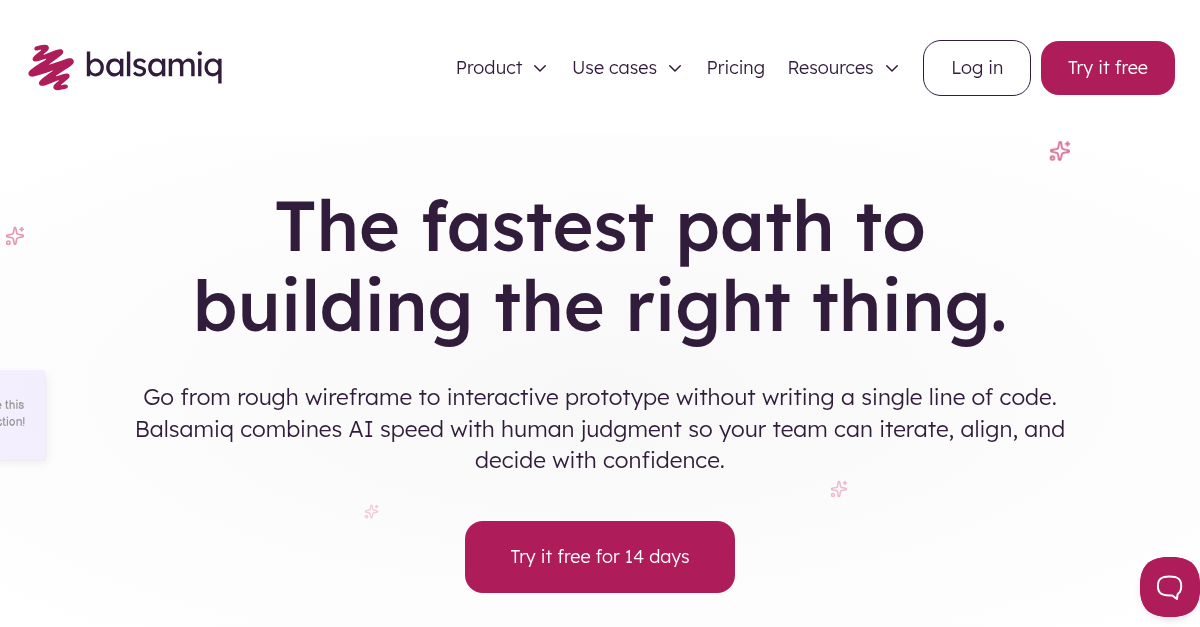

robots.txt (opens in a new tab)
HTTP 403Unknown
Sitemaps
1Recent Updates
- Website images
- Screenshots
- Network details
- Website Technologies
- Pages and Search Information
- HTTP Response Information
- TLS and certificates
- DNS Information
- Domain Registration
- Website profile
- Website Description
- Website Name
- Website profile
- Website Description
- Website Name
User reviews (0)