

 Visit website
 Updated: 2026-09-30 15:10
 Language: English (default)
 Access: Normal
 Profile views 2
  Outbound visits 0
 Website Review
What is Block Palettes?
Block Palettes is a Minecraft building-inspiration site built around color-and-block combinations. Instead of showing finished builds first, it centers on palettes: curated sets of blocks that work well together visually. The homepage features a rotating selection of "Featured Palettes" handpicked by staff each week, alongside a browsable "All Palettes" section.
What you can do there
- Browse palettes by theme or style — the site's categories include medieval, fantasy, farm, jungle, and modern, among others.
- See which blocks make up each palette, so you can gather the right materials before you start building.
- Create a free account to save palettes and submit your own.
- Take part in monthly building contests and showcases of community builds.
Who it suits
- Survival players planning a base who want a coherent material list rather than guessing at combinations.
- Creative builders stuck on color choices, who can use a palette as a starting constraint.
- Server owners or map makers who need a consistent look across several structures.
A practical example Suppose you're building a medieval village but your walls keep looking flat. Pick a featured medieval palette, note its stone, wood, and accent blocks, then apply that same set across every house. The result reads as one settlement rather than unrelated buildings.
One trade-off to weigh Palettes give you color harmony, not layout or structure ideas. If you need shape and detail inspiration, treat the palette as one input and look at finished builds elsewhere for form — for example Planet Minecraft for community build galleries, or Minecraft Wiki for block properties and variants.
Next step: open the All Palettes section, filter to the style closest to your project, and save two or three candidates before you start gathering materials.
How do I find a Minecraft block palette for a specific theme like medieval or modern?
Use the site's palette gallery as a starting point, then filter by theme and test the palette in your own build before committing to it.
How to narrow to a theme
- Start with the featured or "All Palettes" listing, then look for themed collections or tags such as medieval, fantasy, modern, farm, or jungle.
- Scan the block swatches visually: a palette that reads as "medieval" usually leans on stone, deepslate, spruce, and mossy variants, while "modern" palettes tend toward quartz, concrete, smooth stone, and glass.
- Open a palette you like to see the exact block list, then note which blocks provide the base, the accent, and the contrast.
A practical test before you build
Pick one small element — a wall section, a doorway, or a 5x5 floor patch — and place the palette blocks together in your world. Colors that look balanced as swatches can clash once lighting, shadows, and biome tint are involved. If the palette survives that test, scale it up.
Decision criteria
| Your goal | What to prioritize |
|---|---|
| Recognizable theme | Blocks strongly associated with that style (e.g., spruce and cobblestone for medieval) |
| Visual contrast | At least one light, one mid, and one dark tone |
| Build speed | A short block list you already have in storage |
| Large builds | Palettes that repeat well without looking flat |
If you want to contribute your own palette or join the monthly building contest mentioned on the site, a free account lets you create, save, and explore palettes. For broader inspiration alongside palette hunting, Planet Minecraft hosts themed build showcases, and Minecraft Wiki is useful for checking which blocks actually exist in your game version before you plan a palette.
How can I submit my own block palette to Block Palettes?
Submitting a palette to Block Palettes starts with creating a free account. The site's own interface shows a signup flow using an email address ("Continue with email"), and once you're signed in you can "Create, save and explore palettes." After that, use the site's submission option to publish a palette you've built.
Practical steps
- Create a free account with your email and confirm you're logged in.
- Build your palette in-game or in a planning tool, then note the exact block names.
- Use the palette creation/submission feature on the site to enter those blocks and save the palette.
- Add a clear name and, where the form allows, a short description so others understand the intended style (for example medieval, fantasy, farm, jungle or modern).
- Submit it for the public gallery and check back to see whether it appears.
What to expect Featured palettes are "handpicked by our staff weekly," so a submitted palette won't necessarily be featured. The site also runs a monthly building contest and showcases, which is a separate way to get visibility for what you build with a palette.
A useful next step Before submitting, compare your palette against a few featured examples to see how many blocks they use and how they balance contrast. If your palette reads as one flat colour, add one or two accent blocks; if it feels noisy, remove the weakest block. That self-check is general building advice, not a stated site rule.
If you also want to share builds rather than just colour combinations, Planet Minecraft hosts build showcases, while Block Palettes is the place for the palette itself.
How do the monthly building contests work and how do I enter?
The monthly building contests are community showcases: each month, Block Palettes highlights builds around a theme and features standout entries alongside its palette library. The page evidence confirms contests and showcases exist as part of the site's community side, but it doesn't spell out the current theme, deadline, or submission form. So treat the specifics as things to confirm on the site itself rather than fixed rules.
How to take part in practice:
- Create a free account with your email. The site's own prompt says an account lets you "create, save and explore palettes," and it's the natural prerequisite for submitting anything.
- Check the contests or showcase area for the active month's theme and cutoff. Themes are usually tied to build styles the palette library already covers, such as medieval, fantasy, farm, jungle, or modern.
- Build in your own world, then submit through the site's entry route. If no entry form is obvious, the submission channel is likely the same one used for uploading palettes.
- Expect the featured grid to be curated. The homepage notes featured palettes are "handpicked by our staff weekly," so visibility favors entries that read clearly and use color and contrast deliberately.
A useful next step: before building, pick three to five blocks that set your palette, test them in a small corner, then expand. For example, a medieval entry might pair stone, spruce, and mossy cobble with one accent block; a modern entry might use quartz, concrete, and gray glass with a single warm accent. Entries that name their palette and show the blocks used tend to be easier for others to learn from.
For broader Minecraft building references, Minecraft covers official blocks and updates, and Planet Minecraft hosts community builds and contests.
Can I save and organize my favorite block palettes with a free account?
Yes. A free account is what turns Block Palettes from a browsing site into a personal library: the page explicitly offers "Create, save and explore palettes with a free account," with email sign-up and login.
What that means in practice
- Saving: You can keep palettes you like instead of re-finding them through Featured or All Palettes.
- Organizing: The site frames accounts around creating as well as saving, so expect to build your own palettes alongside the ones you collect.
- Exploring: Featured palettes are handpicked weekly by staff, which is a good starting point before you branch into All Palettes.
A typical workflow
- Browse Featured or All Palettes and save anything that fits a current project.
- Group saves by build type — medieval, fantasy, farm, jungle, modern are all listed themes.
- Create your own palette when a build needs a variation, then save it for reuse.
- Check the monthly building contest and showcases for palettes other players actually used.
Trade-offs to weigh
| Approach | Good for | Limitation |
|---|---|---|
| Free account | Saving, creating, organizing palettes over time | Requires email sign-up and login |
| Browsing without an account | Quick one-off inspiration | Nothing is kept between visits |
If you build regularly in Minecraft, the account is worth it simply to avoid losing a palette you liked. Start by saving three Featured palettes for your next build, then create one of your own from those blocks — that single loop shows whether the site's organization suits how you work. For broader reference alongside it, Minecraft Wiki documents block properties and variants.
What Minecraft blocks work well together for a jungle or fantasy color scheme?
For a jungle or fantasy palette, the reliable pattern is one dominant green, one deep shadow tone, one warm accent, and one light highlight. The greens carry the vegetation, the dark tone gives depth in leaves and undergrowth, and the accent suggests flowers, fruit, or magic light.
Jungle-leaning combinations
- Leaves (oak, jungle, or azalea) with jungle logs and vines for the base layer.
- Moss blocks and mossy cobblestone to blend built structures into planting.
- Mud bricks or packed mud as a warm brown that reads as wet earth rather than wood.
- Glow lichen or sea lanterns hidden behind leaves for filtered, dappled light.
Fantasy-leaning combinations
- Deepslate or blackstone as the shadow base, with amethyst, warped, or crimson blocks as unnatural accents.
- Purpur and end stone for a pale, otherworldly structure against dark stone.
- Copper, oxidized copper, and prismarine for a weathered, magical ruin look.
- Crying obsidian or sculk for a darker, corrupted variant of the same scheme.
How to choose
| Goal | Dominant | Accent | Highlight |
|---|---|---|---|
| Lush jungle temple | Jungle leaves, moss | Mud bricks, cocoa | Glow lichen, lanterns |
| Overgrown ruins | Mossy cobblestone, vines | Oxidized copper | Amethyst, candles |
| Enchanted forest | Dark oak, deepslate | Warped fungus, purpur | Sea lanterns, glow berries |
| Swamp fantasy | Mud, mangrove | Crimson roots | Shroomlight, froglight |
A practical test: build a 5x5 wall sample of your chosen blocks in the actual biome lighting, since jungle shade and cave darkness change how greens and purples read. If you want pre-made combinations instead of building your own, browse the featured and community palettes on Block Palettes, then copy the block list into your world and adjust the accent to taste.
 Hosting and Email
 Cloudflare
 Hosting
 Location
 Pages, Search and Sharing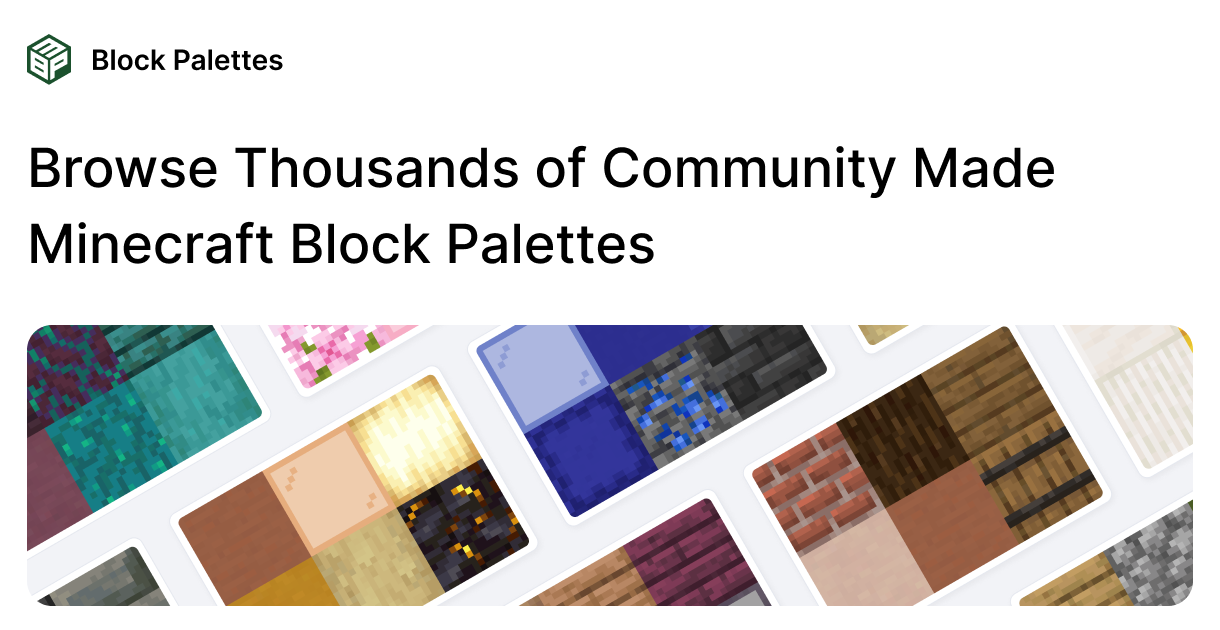


 Registration details

 Identified technologies
User reviews (0)