Website profiles · Technology insights · Alternatives

miniblox.io No paid content found

Categories: Games & Board Games

Play free with friends — no download, no sign-up, just click and play. A world of games like Minecraft, from Skywars to Survival. Unblocked at school!

Visit website

Updated: 2026-10-01 05:45 Language: English (default) Access: Normal

Profile views 0 Outbound visits 0
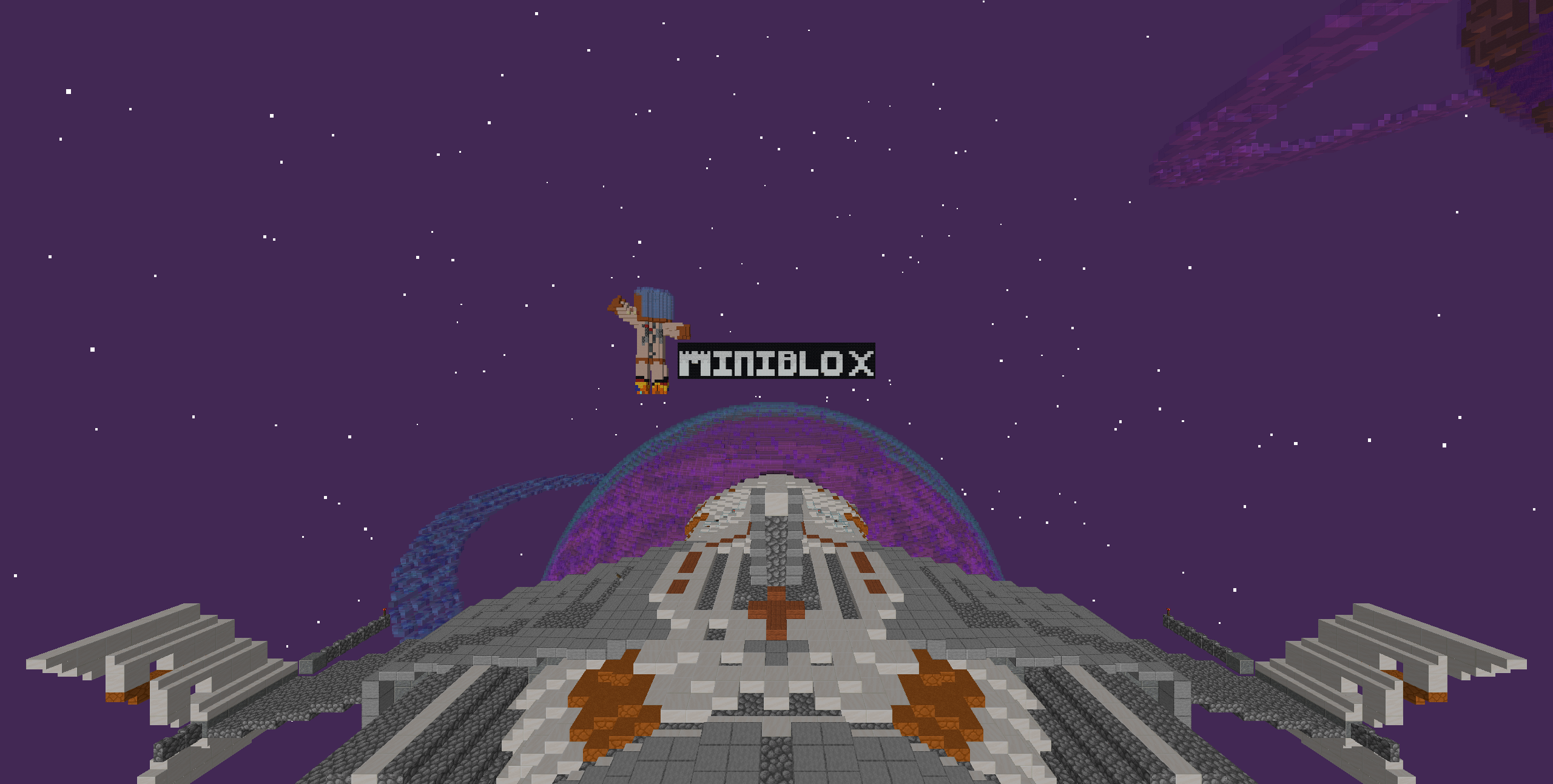
Miniblox Full homepage screenshot
Editorial Review

Website Review

What is Miniblox?

Miniblox is a free browser-based multiplayer block game — a Minecraft-style sandbox you play instantly at Miniblox, with no download and no account required. It combines two things: a hub of competitive minigames and a set of open-ended building and survival modes.

What you can actually play

  • Competitive rounds: Skywars, EggWars (the site's take on Bedwars), Murder Mystery, KitPvP, Block Hunt, One in the Quiver, Bridge Duels, Spleef, Blitz Build, Parkour.
  • Open-ended modes: Creative (unlimited blocks), Survival, Skyblock and OneBlock.
  • Private worlds: create your own and invite friends.

Who it suits

Player Best fit
Short on time, wants quick matches Minigames — rounds are short and start fast
Wants to build without setup Creative or a private world with friends
Wants progression and challenge Survival, Skyblock, OneBlock
On a school Chromebook Anything — it runs in the browser with nothing installed

The trade-off is depth versus convenience. Because everything runs in a browser tab, you get instant access and cross-device play, but expect a lighter, more minigame-focused experience than a full installed sandbox game. The site also positions itself as "unblocked," meaning it may be reachable on school networks — worth knowing, though network filters vary by school and can change without notice.

A practical first step: open the game list, pick EggWars or Skywars for a five-minute feel of how it plays, then move to Creative or a private world if you'd rather build than compete. If you're playing with friends, agree on one mode first — team modes like EggWars are the easiest to coordinate.

Can I play Miniblox at school or on a Chromebook if games are normally blocked?

Yes — that's exactly the situation Miniblox is built for. It runs in the browser with no download and no login, and the site describes itself as unblocked at school and working on Chromebooks. If your school normally blocks game sites, though, "unblocked" is a claim about the site, not a guarantee about your network: many schools filter by category or keyword, and a page can be reachable one week and blocked the next.

What actually matters for school or Chromebook play

  • No install: nothing to download, so you don't need admin rights or a managed-app install.
  • Low-spec friendly: browser-based block games generally run on modest Chromebook hardware, though crowded multiplayer worlds can still stutter on older machines.
  • Short sessions: modes like Skywars, Spleef, Bridge Duels and One in the Quiver are single-round matches, which suit a lunch break better than a long Survival world.
  • Account-free start: no signup means no email verification or personal details to enter.

If it's blocked anyway

Try it once on the school network before assuming it works. If the page won't load, the block is likely at the network level, and switching to a different game site usually hits the same filter. School-managed Chromebooks may also restrict what students can open regardless of the site itself.

Other browser-based options worth knowing

Site Style Notes
Miniblox Blocky multiplayer minigames No download, no login, school/Chromebook focus
Krunker Fast browser FPS Very light, but often filtered as a game site
Slither.io Simple .io multiplayer Extremely quick to load, single-round format
Skribbl.io Drawing and guessing Works well for group play in a short window

A practical next step: open Miniblox on the device and network you'll actually use, pick one short mode such as Spleef or Bridge Duels, and confirm it loads and plays before planning a session with friends. If it loads fine but feels laggy, drop to a less crowded mode rather than assuming the whole site is unusable.

How do I play Miniblox with friends in a private world?

Miniblox lets you create your own world and invite friends to join it. The site's overview lists "make your own world and invite friends to join you" as one of the main ways to play, alongside the public minigames. So the private-world route is a first-class option, not a hidden workaround.

The practical flow

  1. Open Miniblox in your browser and get into the game — no download or login is needed to start, so there's no account setup standing between you and a world.
  2. Choose the world-creation option rather than joining a public minigame lobby. The site groups its modes into two kinds: matchmade minigames (Skywars, EggWars, Murder Mystery, KitPvP, Spleef, and so on) and open-ended worlds (Creative, Survival, Skyblock, OneBlock). A private world is the second kind.
  3. Pick the mode you want the world to use. Creative gives unlimited blocks and is the easiest choice if you and your friends just want to build together; Survival, Skyblock or OneBlock suit a longer shared session where you gather and craft.
  4. Invite your friends from inside the world. The site describes inviting friends as part of the world-creation flow rather than a separate social system, so look for the invite control once the world is loaded.

What to expect

Public minigames are short, round-based and drop-in — good for a lunch break but not private. A world you create is the opposite trade-off: more setup, but you control who's in it and how long it runs. If your group only has twenty minutes, a private Survival world will feel slow; a private Creative world works fine for short bursts.

A concrete scenario

Say four of you are on school Chromebooks with a free period. One person opens Miniblox, creates a Creative world, and sends the invite to the other three. Everyone builds in the same space with no install and no accounts. If you'd rather compete, switch to a private match of a minigame instead — but note the site presents Skywars, EggWars and similar as public multiplayer modes, so teaming up with specific friends there depends on how matchmaking groups you.

Next step

Decide first whether you want to build together or compete together. Build together → create a Creative world and invite. Compete together → join the same minigame and coordinate from there. If you want a longer shared project, start a Survival or Skyblock world and treat the invite as the first move of a multi-session game.

For the full mode list, see Miniblox.

Which Miniblox minigame should I pick for a quick lunch break?

For a lunch break, pick a round-based minigame rather than an open-ended mode. On Miniblox, Skywars, EggWars, Murder Mystery, Spleef, One in the Quiver, and Bridge Duels all end on their own, so you can play one or two matches and leave without losing progress. Survival, Skyblock, OneBlock, and Creative are the opposite: they reward long sessions, so they fit evenings or weekends better than a 30-minute gap.

Quick options by mood

  • Want a fast fight: Skywars or Bridge Duels — short, self-contained matches.
  • Want a team game with friends: EggWars — protect your egg and attack others, solo or in teams.
  • Want something light and funny: Spleef or Block Hunt — simple rules, quick rounds.
  • Want a puzzle-ish break: Murder Mystery — deduction with a clear end point.

If your break is very short

Choose one mode and stay in it. Switching between modes between rounds eats the time you actually wanted to spend playing. A single Skywars or Spleef match usually fits better than trying EggWars, which can run longer when teams turtle.

Next step

Open Miniblox, pick Skywars or Spleef first, and play one round. If the round finishes with time to spare, queue again; if not, you have your answer for next lunch break.

Is Miniblox really free, or do I need to pay or sign up for anything?

Miniblox is presented as free to play in the browser, with no download and no sign-up required. You click in and start playing; there is no account gate described on the page.

What's actually free

  • Browser play: no install, no login mentioned.
  • Multiplayer modes: Skywars, EggWars, Murder Mystery, KitPvP, Block Hunt, Bridge Duels, Spleef, Parkour and others.
  • Building and survival modes: Creative, Survival, Skyblock, OneBlock.
  • Private worlds: the page says you can make your own world and invite friends.

Where the "free" claim has limits

"Free" here means free to access, not necessarily free of everything. The page mentions no payment platforms or prices, so there is no evidence of a paid tier, subscription or in-game store on this page. That does not prove none exists elsewhere — it just means the described experience is free entry with no sign-up.

Practical check before you commit

Open the site on the device you'll actually use (school Chromebook, library computer, phone) and try one short round of a mode like Spleef or Parkour. If it loads and plays without asking you to create an account, the core claim holds for your situation. If a prompt appears asking for payment or registration, treat that as the real answer rather than the marketing line.

Related options if the school network blocks it

  • CrazyGames — broad browser game library, some blocky and multiplayer titles.
  • Poki — instant-play browser games, no download.
  • Krunker — browser-based multiplayer shooter with a blocky style.

If your main goal is a lunch-break multiplayer match with no account, Miniblox fits that use case as described. If you need persistent progress, saved builds or cross-device accounts, check whether that exists in-game before investing time.

How is Miniblox different from Minecraft if it's a browser game?

Miniblox is a browser-based block game that borrows Minecraft's look and core loop — mine, build, fight — but is built around instant multiplayer minigames rather than a single persistent sandbox world. The page describes it as free, with no download and no login, and says it runs on school Chromebooks and is unblocked at school. That framing tells you what it is optimised for: short sessions, fast matchmaking, and getting into a game in a couple of clicks.

The practical differences

Miniblox (per its page) Minecraft (general)
Access Runs in the browser, no download, no sign-up Installed game or app; account required
Focus Dozens of multiplayer minigames plus Survival, Creative, Skyblock, OneBlock Open-ended sandbox survival and building, with multiplayer servers as one option
Session shape Round-based modes that fit a lunch break Long-term worlds you return to
Building Creative with unlimited blocks; Survival and Skyblock for gathering and crafting Full crafting, redstone, mobs, biomes and world generation
Cost Described as free Paid

The clearest split is in the game list. Modes like Skywars, EggWars, Murder Mystery, KitPvP, Block Hunt, Spleef and Bridge Duels are self-contained rounds with a win condition. Minecraft's equivalent experiences exist, but usually as community servers you have to find and join; here they are the main menu. Notably, the page positions EggWars as its version of Bedwars, so if you know that mode from elsewhere, you already know what to expect.

What you give up

A browser game of this kind typically trades depth for convenience. If you care about redstone contraptions, large redstone-and-farm builds, mods, or a world that persists and grows over months, the minigame-first structure will feel thin. If you care about playing with friends in ten minutes on a school laptop with nothing installed, it is the better fit.

Who it suits

  • Students on a Chromebook or school machine who want a quick round between classes.
  • Groups of friends who want to join the same match without accounts or setup.
  • Players who like PvP and party modes more than solo survival.

A useful next step

Decide by session length and device. If you have a managed school laptop and 15 minutes, start with a fast round-based mode such as Skywars or Spleef. If you want to build without limits, Creative or Skyblock is the closer match. If you want the full survival experience with crafting, mobs and long-term worlds, you are better served by Minecraft.

Related questions

More questions →
Unblocked Games at School: How to Play Free Block Games Like Minecraft in Your Browser

"Unblocked games" are browser-based games that a school or workplace network filter hasn't blocked, so they load directly in a tab instead of requiring an app install. Miniblox is one of them: a free blocky multiplayer game like Minecraft that runs in the browser with no download and no login, and its own site states it is unblocked at school or on a Chromebook. That combination — no install, no account, playable in a browser tab — is what makes it usable on a locked-down school device. If your school blocks the domain itself, or your device requires a sign-in you don't have, it won't load regardless of how the game is built.

What "unblocked" actually means

A game is "unblocked" when it isn't on your network's blocklist and doesn't need anything your device won't allow. Two separate things have to line up:

  • The network allows it. School filters usually block categories (game sites, streaming, social) rather than individual games. A browser game on a domain the filter hasn't flagged will load.
  • The device allows it. Chromebooks and managed school laptops often can't install software. A game that runs entirely in the browser sidesteps that restriction.

Miniblox fits both: it starts in the browser, needs no download, and needs no login. Note that "unblocked" is a statement about typical school filters, not a guarantee — filters change, and a school can block any domain at any time.

How to start playing in a browser

  1. Open a browser tab on your Chromebook, school laptop, or phone.
  2. Go to the game site (for Miniblox, miniblox.io).
  3. Pick a mode from the game list — the site lists Skywars, EggWars, Murder Mystery, KitPvP, Block Hunt, One in the Quiver, Bridge Duels, Spleef, Blitz Build, Parkour, Creative, Survival, Skyblock, and OneBlock.
  4. Click and play. Per the site, there's no sign-up step — you click and you're in. If a mode asks you to join a match, you're dropped into a round with other players.

Expected result: you're in a live match or world within a few seconds of clicking, with no account creation and nothing installed.

Modes that fit a short break

Multiplayer minigames are built as short rounds, which suits a lunch break or a few minutes between classes. From the site's own descriptions:

Mode What you do Round length
Skywars Grab a kit, drop onto a sky island, be the last one standing Short, match-based
EggWars Protect your egg, smash everyone else's, solo or in teams Short, match-based
Murder Mystery Find the killer before the killer finds you Short, match-based
Spleef Break the blocks under your friends and drop them Very short
Bridge Duels Bridge across the gap and out-duel your rival Very short
Parkour Race through jump-and-run courses Varies by course
Creative / Survival Build anything, or gather, craft, and survive Open-ended

For a quick session, the match-based modes (Skywars, EggWars, Murder Mystery, Spleef, Bridge Duels) end on their own. Creative and Survival are open-ended, so they're better when you have more time.

Browser block games vs. Minecraft

They share the blocky look and the build-and-survive loop, but they differ in ways that matter at school:

  • Access: Minecraft normally needs a purchase and an install; Miniblox runs free in a browser with no download or login, per the site.
  • Device fit: A browser game works on a Chromebook that can't install apps. Minecraft generally can't run that way.
  • Content: Miniblox centers on multiplayer minigames (Skywars, EggWars, and similar) plus Creative and Survival. Minecraft is a full sandbox with its own progression. If you want the minigame loop, the browser option covers it; if you want the full single-player sandbox, it doesn't.
  • Bedwars: The site notes you can play Bedwars free as EggWars — the same protect-your-base idea under a different name.

If it won't load at school

Work through these in order:

  1. Try a different network. Switch from school Wi-Fi to a phone hotspot. If it loads there, the school filter is the cause, not the game.
  2. Try a different browser or a fresh tab. A stale tab or an aggressive extension can stop a browser game from starting.
  3. Check whether the domain is blocked. If the page itself won't open, the filter has flagged it — no in-game setting will fix that.
  4. Check device policy. On a managed Chromebook, some sites are restricted by admin policy rather than by the network. That's outside your control.
  5. Wait and retry. Filters are updated on schedules; a site blocked this week may not be next week, and vice versa.

If none of these work, the block is coming from your school's network or device policy, and the fix isn't on the game's side.

What Does "Minecraft Unblocked" Mean and How Can You Play Block Games at School?

"Minecraft unblocked" usually means a browser-based block game that loads on a school network or Chromebook without a download, install, or login. Miniblox fits that description: it runs in the browser and is described as unblocked at school or on a Chromebook, with multiplayer modes like Skywars, EggWars, Survival, and Creative. The catch is that "unblocked" is never permanent — it depends on your school's filter settings, which can change at any time.

What "unblocked" actually means

In practice, the label covers three separate things:

  • Network access — the site isn't on your school's blocklist, so the page loads on campus Wi-Fi.
  • No install — nothing is downloaded to the device, which matters on locked-down school hardware.
  • No account — you can start playing without signing up or logging in.

Miniblox's own description covers all three: free, no download, no sign-up, and playable in the browser. That combination is what makes a game usable during a short break on a managed device.

Why browser games work on Chromebooks

Chromebooks are built around the browser, so a game that runs in a tab avoids the usual friction: no admin rights, no app store approval, no storage space. Miniblox states it runs great on any Chromebook with no install and starts instantly in the browser.

If you're testing whether a game will work on your device, check these in order:

  1. Open the site in a normal browser tab (not a school-managed app).
  2. Confirm the game loads without asking you to install anything.
  3. Check whether it asks for a login — Miniblox does not require one.
  4. Try joining a multiplayer round to confirm the connection isn't filtered separately.

What you can actually play

Miniblox groups its modes into competitive minigames and open-ended building. The multiplayer rounds tend to suit a lunch break because they finish quickly.

Mode What you do
Skywars Grab a kit, drop onto a sky island, be the last one standing
EggWars Protect your egg and break everyone else's, solo or in teams
Bedwars Played here as EggWars
Murder Mystery Find the killer before the killer finds you
KitPvP Pick a kit and fight in a free-for-all arena
Block Hunt Hide as a block or hunt down the hiders
One in the Quiver One arrow, one kill, most kills wins
Bridge Duels Bridge across the gap and out-duel your rival
Spleef Break the blocks under your friends and drop them
Blitz Build Copy the build as fast as you can
Parkour Race through jump-and-run courses
Creative Build anything with unlimited blocks
Survival Gather, craft, and survive in a blocky world
Skyblock Survive and grow on a tiny floating island
OneBlock Start on a single block and build a whole island

For a short break, Skywars, Spleef, and Bridge Duels end fastest. Creative and Survival are better if you have a longer stretch and want to keep a world going.

Playing with friends

Miniblox supports multiplayer directly, and you can make your own world and invite friends to join. That's the main difference from a single-player browser clone: the social side works without setting up a server. If you want to play together at school, agree on a mode first — team modes like EggWars are easier to coordinate than free-for-all arenas.

The honest limitation

"Unblocked at school" is a claim about how the site is currently treated, not a guarantee. School filters are updated by administrators, and a site that loads today can be blocked tomorrow. Likewise, a game being unblocked on one network says nothing about another school's setup. Treat any unblocked game as something to check on the day, not a permanent fixture.

Quick start

  1. Open the site in your browser — no download or sign-up needed.
  2. Pick a mode; start with a short round like Skywars or Spleef if time is limited.
  3. For Creative or Survival, create a world and invite friends if you want company.
  4. If the page won't load, assume the network filter changed rather than the game breaking.
What Does "Creative" Mean in Minecraft Building and Block Palettes?

"Creative" in Minecraft building usually means one of two things: Creative mode, the game mode where you have unlimited blocks and can fly, or a creative build style, meaning a palette or design that is original, colorful, or experimental rather than tied to a realistic theme like medieval or modern. On a site like Block Palettes, "creative" is closer to the second meaning — it describes palettes chosen for visual interest and originality, and it's also the mode most builders use to test those palettes before committing to a survival build.

Creative Mode vs. a Creative Palette

These two uses of the word get mixed up constantly, so it helps to separate them.

Creative Mode Creative Build Style
What it is A game mode (unlimited blocks, flight, instant breaking) A design approach or palette theme
Where you find it The world creation menu or /gamemode creative Palette galleries, tags, and featured sections
Main use Testing and prototyping builds fast Describing a look that's colorful, unusual, or non-thematic
Limitation Doesn't exist in survival without commands Has no fixed rules — it's a loose label

A palette can be creative in style whether you build it in Creative or Survival. The mode just changes how fast you can try things.

Using Creative Mode to Test Palettes

Creative mode is the practical tool behind most palette experimentation. The workflow is simple:

  1. Enter Creative mode in a test world — either pick it at world creation or use /gamemode creative if cheats are enabled.
  2. Build a small sample wall — a 5x5 or 7x7 patch is enough to judge how blocks read together.
  3. Place candidate blocks side by side — try the wall block, the accent block, and the trim block in the positions they'd actually occupy.
  4. Check it from a distance and in different light — fly back a few blocks and look at the patch in daylight, at night, and under torch light.
  5. Swap one block at a time — change only the accent, then only the trim, so you can tell which change actually improved the look.

The expected result is a palette you're confident in before you spend survival resources on it. The common snag is judging blocks from the inventory icon instead of placed in the world — textures look very different once they're next to each other.

Finding Creative Palettes on Block Palettes

Block Palettes organizes palettes into a Featured section, where staff handpick palettes weekly, alongside an All Palettes view. The site's stated purpose is helping Minecraft players find eye-pleasing palettes to build with, and it also runs monthly building contests and showcases.

To use it for a creative build:

  • Browse Featured Palettes first — these are curated, so they're a fast way to see combinations that already work.
  • Treat the palette as a color and texture recipe, not a block-for-block instruction. Note which blocks play the "base," "accent," and "detail" roles.
  • If you want to save or submit palettes, the site offers a free account created with an email — the signup prompt states "Create, save and explore palettes with a free account." Login is by email, with a password reset flow if needed.

The site's own keyword list — Minecraft, Building, Blocks, Colors, Creative, Medieval, Fantasy, Farm, Jungle, Modern — shows that "Creative" sits alongside themed categories rather than replacing them, which supports reading it as a style label as much as a mode.

Applying a Creative Palette to a Real Build

Once you have a palette you like, the transfer step matters more than the palette itself.

  • Keep the role structure. If the source palette uses one dominant block, one mid-tone accent, and one dark trim, keep those three roles even if you swap the actual blocks.
  • Match texture, not just color. A smooth block and a rough block of similar color still read differently at distance. Swap like-for-like where you can.
  • Limit your color count. Creative doesn't mean "use everything." Three to five related colors usually read better than eight unrelated ones.
  • Respect lighting and biome. A palette that looks great in a bright plains biome can go muddy in a dark forest or at night. Test in the context you'll actually build in.

Common Mistakes

  • Confusing the mode with the style. Saying a build is "creative" because it was made in Creative mode tells the reader nothing about how it looks.
  • Mixing too many unrelated colors. The most frequent palette failure — a creative palette still needs internal color logic.
  • Ignoring lighting and biome context. The same blocks shift in appearance depending on where and when they're viewed.
  • Copying blocks literally instead of copying the recipe. If you can't get an exact block, substitute by role and texture rather than abandoning the palette.

If your goal is to understand how color relationships work inside a palette, that's a separate question from what "creative" means — see the related explainer on how colors work in Minecraft block palettes.

What Is Skywars? How the Sky Island Battle Minigame Works

Skywars is a last-one-standing PvP minigame played on floating sky islands: you grab a kit, drop onto your own island, loot chests, bridge to your neighbors, and try to be the last player alive. On Miniblox you can play it free in your browser — no download, no login — which makes it one of the quicker ways to try a round during a break.

The core round flow

A typical Skywars round follows the same four beats, whether you play solo or on a team:

  1. Pick a kit. Before spawning, you choose a loadout that shapes your early game. Miniblox describes the mode simply as "grab a kit, drop onto a sky island and be the last one standing."
  2. Spawn on your island. Each player or team starts isolated on a small floating island, usually with a starter chest nearby.
  3. Loot and bridge. You open chests for gear and blocks, then build bridges across the gap to reach other islands. The gap is the whole point — falling means elimination.
  4. Fight and survive. You eliminate other players in melee or ranged combat, and the round ends when one player or team remains.

The win condition never changes: outlast everyone else. Everything else — kits, island layouts, chest contents — is variation on that theme.

What makes it different from other block minigames

Skywars sits in the same family as other round-based PvP modes, but the sky-island setup changes how you play:

Mode Core objective What decides the round
Skywars Be the last one standing Kits, looting speed, bridge control
EggWars Protect your egg, smash everyone else's Egg defense and team coordination
KitPvP Free-for-all arena fighting Kit choice and raw combat
Spleef Break blocks under opponents Movement and block-breaking timing

The distinguishing feature of Skywars is that the map itself is a hazard. You are not just fighting players — you are fighting the void, and a bad bridge is as deadly as a sword.

Solo vs team, and kit variation

Two variables change how a round feels:

  • Solo vs team modes. In solo you rely only on yourself; in team modes you can split looting, share gear, and cover each other's bridges. Team play rewards coordination more than individual skill.
  • Kit loadouts. Different kits front-load different advantages — some push early aggression, others favor resource gathering or defense. The kit you pick effectively sets your opening strategy before the first block is placed.

Because these are configuration choices rather than fixed rules, the same mode can play very differently from round to round.

How to play Skywars free in your browser

Miniblox runs Skywars directly in the browser, alongside dozens of other multiplayer minigames like EggWars, Murder Mystery, KitPvP, Block Hunt, Bridge Duels, Spleef, and Parkour. According to the site, it is free to play with no download and no login, and it is described as unblocked at school or on a Chromebook.

To jump in:

  1. Open the Miniblox site in your browser.
  2. Go to the game modes list and select Skywars.
  3. Pick a kit when prompted.
  4. Spawn, loot your island, and start bridging.

Expected result: you land on your island with a kit, and the round runs until one player or team is left. If you want a mode with a similar round structure but a different objective, EggWars is the closest alternative on the same site.

One practical note: because rounds are short and self-contained, Skywars fits a lunch break better than open-ended modes like Survival or Creative, where progress carries across sessions.

What Are the Best Free Browser Games Like Minecraft and How Do They Compare?

Miniblox is a free browser-based block game that plays like Minecraft without a download or login. It runs in the browser and is described as unblocked at school or on a Chromebook. Instead of one open sandbox, it bundles dozens of multiplayer modes — Skywars, EggWars, Survival, Creative, Skyblock and more — so the right pick depends on whether you want fast competitive rounds, long-term building, or pure creative freedom.

How browser block games differ from Minecraft

The core difference is not the blocks — it is the delivery and the structure.

Dimension Minecraft (desktop) Miniblox (browser)
Install Download and install No download, starts in browser
Account Login required No login, per site description
Device Depends on hardware Runs on Chromebooks
Access at school Often blocked Described as unblocked
Structure One persistent sandbox world Dozens of separate minigames plus Survival/Creative
Multiplayer Servers or realms Built around playing with friends

If your goal is a single long-term world you keep forever, Minecraft fits better. If your goal is to jump into blocky multiplayer within a minute — especially on a school device — a browser game like Miniblox fits better.

The main game modes and who each one suits

Miniblox groups its modes into competitive minigames and open-ended building/survival. Match the mode to what you actually enjoy.

Competitive PvP and round-based modes

  • Skywars — grab a kit, drop onto a sky island, be the last one standing. Best for players who like short, high-stakes rounds.
  • EggWars — protect your egg and smash everyone else's, solo or in teams. This is the free equivalent of Bedwars, so pick it if you want team strategy with a defend-and-attack loop.
  • KitPvP — pick a kit and fight in a free-for-all arena. Good for pure combat practice.
  • Murder Mystery — find the killer before the killer finds you. A social-deduction twist rather than straight building.
  • Bridge Duels — bridge across the gap and out-duel your rival. One-on-one, skill-focused.
  • Spleef — break the blocks under your friends and drop them. Simple, chaotic, quick.
  • Block Hunt — hide as a block or hunt down the hiders. Fun if you prefer hiding and deception over fighting.
  • One in the Quiver — one arrow, one kill, most kills wins. A precision-aim mode.

Building, survival, and creative modes

  • Creative — build anything with unlimited blocks. This is the closest match to Minecraft's creative mode and the right choice if you just want to build without pressure.
  • Survival — gather, craft and survive in a blocky world. Pick this if you want the classic Minecraft loop of resource gathering and progression.
  • Skyblock — survive and grow on a tiny floating island. A constrained survival challenge that rewards planning.
  • OneBlock — start on a single block and build a whole island. Similar appeal to Skyblock but with an even tighter start.

Skill and casual modes

  • Parkour — race through jump-and-run courses. No combat, just movement skill.
  • Blitz Build — copy the build as fast as you can. A speed-building test rather than free building.

How to choose based on what you want

Use these conditions to decide quickly:

  • You have a short break (a lunch period): pick round-based modes — Skywars, EggWars, Spleef, Bridge Duels. They finish fast.
  • You want to play with friends as a team: EggWars (teams) or Block Hunt work well because they depend on coordination.
  • You want to build without limits: Creative.
  • You want a survival challenge: Survival, Skyblock, or OneBlock, in order of increasing constraint.
  • You are on a school Chromebook and need something unblocked: the browser format is the deciding factor — no install and no login means nothing to set up on a locked-down device.
  • You want the Bedwars experience for free: play EggWars, which the site describes as its Bedwars equivalent.

How to start playing

  1. Open the Miniblox site in your browser. No download or login step is described.
  2. Choose a mode from the game list — for a first session, Skywars or EggWars gives you a complete round quickly.
  3. For multiplayer, invite friends to join your world or match, since the game is built around playing with friends.
  4. If you want to build instead of compete, switch to Creative or start a Survival/Skyblock world.

Expected result: you are in a blocky multiplayer game within the browser, with no install and no account creation.

Common snags to expect

  • Mode mismatch: jumping into Survival when you only have ten minutes will feel slow. Round-based modes suit short sessions.
  • Assuming it is identical to Minecraft: the block aesthetic is similar, but the experience is a collection of minigames plus lighter survival/creative modes, not one deep persistent world.
  • Access assumptions: the site describes itself as unblocked at school and Chromebook-friendly, but actual access depends on your school's network rules — that is a condition to check, not a guarantee.

Website Overview

Page metadata, canonical configuration and social previews work together to provide more consistent search and sharing presentation. An active inbound-mail setup with incomplete authentication may leave the domain more open to impersonation. Provider hosting alone does not close that gap.

Domain and Registration

Transfer-protection status is present, helping reduce the risk of unauthorized domain transfers. The domain has about 4 years of registration history; its current configuration provides more context than age alone. The registrar is Gandi SAS, a widely used domain service provider. The domain uses the common .io extension, which is not an independent safety signal.

DNS and Email

MX records exist, but SPF, DKIM and DMARC were not detected. Protection against domain impersonation may be incomplete. Nameservers are provided by Cloudflare, indicating managed DNS hosting. MX records point to the Google Workspace email service. No CNAME was found; the observed records resolve directly to addresses. TXT records include verification markers for Google. Such markers may also remain after a service stops being used.

TLS and Certificates

The public key uses EC with 256 bits. The server supplied a complete certificate chain. No organization name is present in the certificate; the available fields are consistent with domain validation. The certificate was issued within the Google Trust Services cloud or CDN ecosystem. The certificate's total validity is about 90 days, consistent with a short renewal cycle.

HTTP and Browser Security

The checked browser-security headers were not detected, leaving fewer explicit browser-side safeguards. No X-Powered-By header was found, reducing one common source of backend fingerprinting information. The cf-ray, x-cache, via response header indicates a CDN or caching proxy in the delivery path. No obvious internal addresses or debug information were found in the headers. The Server header identifies cloudflare without an exact version.

Technology Stack Analysis

The public page identifies Cloudflare, Amazon CloudFront without precise versions, leaving fewer clues for version-specific scanning.

Search and Social Sharing

Twitter Card metadata is configured. JSON-LD includes Organization data, helping describe the organization as an entity. The title has 8 characters, within a common display range. A meta description is present, with 150 characters. The observed directives allow indexing and link following.

Hosting and Email

DNSCloudflare
HostingAmazon CloudFront
EmailGoogle Workspace
Location Location unknown 104.26.14.196

User reviews (0)

  • No reviews yet.

Pages, Search and Sharing

Meta descriptionPlay free with friends — no download, no sign-up, just click and play. A world of games like Minecraft, from Skywars to Survival. Unblocked at school!
Canonical URLhttps://miniblox.io/
LanguageEnglish (default)
Twitter Cardsummary_large_image
All bots 1 allowed · 0 disallowed
  • Allow/

Registration details RDAP / WHOIS

RegistrarGandi SAS
Registered2022-08-27
Expires2027-08-27
Domain statusclientTransferProhibited https://icann.org/epp#clientTransferProhibited
Nameserversedward.ns.cloudflare.com、liv.ns.cloudflare.com
DNSSECunsigned

DNS records

TypeNameValueTTLPriority
Aminiblox.io104.26.14.196300—
Aminiblox.io104.26.15.196300—
Aminiblox.io172.67.74.70300—
AAAAminiblox.io2606:4700:20::681a:ec4300—
AAAAminiblox.io2606:4700:20::681a:fc4300—
AAAAminiblox.io2606:4700:20::ac43:4a46300—
MXminiblox.ioaspmx.l.google.com36001
MXminiblox.ioalt1.aspmx.l.google.com36005
MXminiblox.ioalt2.aspmx.l.google.com36005
MXminiblox.ioalt3.aspmx.l.google.com360010
MXminiblox.ioalt4.aspmx.l.google.com360010
NSminiblox.ioedward.ns.cloudflare.com86400—
NSminiblox.ioliv.ns.cloudflare.com86400—
TXTminiblox.iogoogle-site-verification=p-V8OxKzuATVNPX0lAKcBNMWvoWr8hR1gwa2TzR6PFA3600—

TLS and certificates

AssessmentNormal configuration
Supported protocolsTLSv1.2、TLSv1.3
Negotiated protocolTLSv1.3
Certificate subjectminiblox.io
IssuerGoogle Trust Services
Valid until2026-12-12T18:54 · Remaining when checked: 72 days
Verification detailsCertificate trust: Passed · Hostname match: Passed

HTTP response headers

HeaderValue
content-typetext/html
cache-controlmax-age=0
servercloudflare

Identified technologies

CloudflareAmazon CloudFront