
 nogard.dev
No paid content found
nogard.dev
No paid content found
Categories: Games & Board Games
Minecraft Bedrock creator since 2016. Addons, maps, resource packs and 3D models, over 5 million downloads, and 25 free Minecraft and Hytale tools.
 Visit website
 Updated: 2026-09-29 13:13
 Language: English (default)
 Access: Normal
 Profile views 3
 Outbound visits 5
Related questions
More questions →How Music Video Editing Shapes a Song's Chart and Promotional Run
Music video editing is not just a creative afterthought—it is a release strategy. The cut you publish, how long it runs, how it is paced, and which versions you distribute across platforms all influence how a song is promoted, how playlists and programmers treat it, and whether the video supports or complicates a chart run. For artists, managers, and labels, understanding the difference between creative editing and chart-rule compliance is essential before the first frame goes live.
Why the Edit Is a Business Decision
A song can exist without a video, but once a video is attached, it becomes part of the song's commercial identity. Editors and directors shape that identity through:
- Length – a full narrative video may run four to six minutes, while a platform-friendly cut may be trimmed to match the song's radio edit.
- Pacing – faster cuts suit short-form clips and social teasers; slower, sustained shots suit lyric videos and performance pieces.
- Versioning – the same song may need a clean version, an explicit version, a vertical cut, and a shortened edit for different outlets.
Each of these choices affects where the video can be placed, how it is promoted, and how it interacts with the song's chart eligibility.
The Main Edit Types and When to Use Them
Radio Edit
A shortened, often lyrically cleaned version timed to fit radio formatting. Use it when the song is being serviced to radio and you want the video to mirror what programmers are playing. If the video runs significantly longer than the radio edit, some promotional partners will use the shorter cut instead, which can split audience attention.
Lyric Video
A lower-cost, text-driven edit that can be released quickly, often before or alongside the official video. It is useful for maintaining momentum in the first days of a release, when fans want something to watch immediately. Lyric videos are also easier to update or replace if a lyric correction is needed.
Performance Cut
Focuses on the artist performing, often in a single setting or with minimal narrative. This is the most flexible format for promotional use because it can be trimmed, looped, or reformatted for vertical platforms without losing coherence.
Narrative Cut
A story-driven edit, usually the "official" video. It carries the most editorial weight but is also the hardest to shorten without losing meaning. If a narrative video is the primary release, plan a separate shorter cut for platforms that favor brevity.
Vertical / Short-Form Cut
A re-edited version framed for vertical screens, often using the hook or chorus. This is not simply a cropped version of the horizontal video—good vertical edits re-time cuts to the platform's pacing and place the most recognizable moment early.
How Edit Choices Interact With Promotion and Charts
Chart rules vary by territory and by chart, and they change over time. The safe approach is to treat the following as general principles rather than fixed rules:
- Version strategy matters. Releasing multiple edits of the same song can help promotion, but it can also complicate how streams and sales are counted if the versions are treated as separate releases. Check the current rules of the specific chart you care about before splitting a release.
- Timing matters. A video released before or at the same time as the song can concentrate attention. A video released weeks later can extend a song's promotional life but may miss the initial chart window.
- Platform fit matters. A video that is poorly formatted for a major platform will get less promotional support, which can indirectly affect the song's visibility.
None of this guarantees a chart position. Editing supports a release; it does not replace audience demand.
A Practical Version Plan
Before editing begins, decide which versions you actually need. A workable starting point:
- Official video – the primary creative cut, full length.
- Radio edit video – matches the radio edit length and lyrics.
- Lyric video – fast turnaround, released early if needed.
- Vertical cut – 15–60 seconds, hook-first, for short-form platforms.
- Clean version – if the song has explicit content and you want broader placement.
For each version, note the intended platform, the target length, and the release date. This prevents last-minute re-edits that delay a rollout.
Common Mistakes to Avoid
- Assuming one cut works everywhere. A four-minute narrative video rarely performs well as a short-form clip without re-editing.
- Ignoring chart-rule details. If you plan to release multiple versions, confirm how they will be counted before release day.
- Letting the edit drift from the audio. If the video uses a different mix or edit than the released audio, make sure that is intentional and documented.
- Releasing the lyric video too late. Its main value is speed; if it arrives after the official video, it adds little.
What to Watch For in Industry Coverage
Industry news outlets track release strategies, version rollouts, and chart-rule changes. When reading coverage of a music video release, pay attention to:
- Whether the video is described as an official video, lyric video, or visualizer.
- Whether multiple versions were released and in what order.
- Whether the coverage mentions chart performance, and if so, which chart and which tracking period.
These details tell you more about the strategy than the video's creative style alone.
Bottom Line
Music video editing is a promotional tool with real consequences for how a song is positioned. Decide your version plan before you shoot, match each cut to its platform, and verify chart-rule details for your territory before splitting a release. Creative editing and release strategy are not opposites—the best rollouts treat them as the same job.
What Are Battle Maps in Tabletop RPGs and How Do You Make One?
A battle map is a scaled, top-down map used during tabletop RPG encounters to show where characters, monsters, and terrain sit relative to each other. You use one when positioning matters — combat, chases, traps, room-by-room exploration — and skip it for purely narrative scenes. You can make one by drawing terrain in a vector editor, placing assets, then exporting for screen, print, or a virtual tabletop. DungeonFog is one tool built for exactly this workflow.
Battle map vs. world map: what's the difference
These two map types answer different questions, and mixing them up is the most common early mistake.
| Battle map | World / overland map | |
|---|---|---|
| Scale | One encounter area (a room, a cave, a street) | A region, kingdom, or continent |
| Grid | Usually 1-inch or 5-foot squares | Rarely gridded |
| Detail | Tactical: cover, doors, furniture, elevation | Strategic: roads, towns, terrain |
| Used for | Combat and precise movement | Travel, planning, campaign context |
A battle map zooms in far enough that a single chair or pillar changes your tactics. A world map zooms out far enough that a single chair is invisible. You generally need both over a campaign, but they serve different moments at the table.
When to actually put a battle map down
Reach for a battle map when the answer to "where exactly is everyone?" changes the outcome:
- Combat — line of sight, flanking, area-of-effect spells, and movement speed all depend on position.
- Dungeon crawling — doors, corridors, and room shapes matter for exploration and ambushes.
- Chases and escapes — distance and obstacles drive the tension.
- Stealth and traps — who is standing where determines what gets triggered.
Skip the map for shopping, negotiation, travel montages, and any scene where nobody cares about exact distance. Forcing a grid onto a conversation slows the game down.
How to make a custom battle map
DungeonFog describes a three-step process: create a map, place assets, then export and play. Here's what each step involves and what to expect.
1. Draw the terrain
Start with the layout — dungeon walls, building floor plans, or overland terrain. DungeonFog uses a vector-based editor, which means shapes stay sharp when you scale or print them, rather than turning blurry like a stretched bitmap. Draw the rooms and corridors first; decoration comes later.
2. Place assets
Populate the map with props, furniture, and terrain features. DungeonFog's library lists over 3,000 assets spanning different time periods and settings, and new asset packs are released monthly as part of its premium content subscription. Search the library for the pieces that match your story rather than settling for whatever's closest.
3. Export and play
You can play with others inside DungeonFog itself, or export and print the map. Exporting is where your earlier choices pay off — a vector map holds up at print resolution, and a well-scaled grid keeps tokens aligned.
Key considerations before you commit
- Grid scale. Decide your squares-per-inch (or per-5-feet) before you draw, not after. Changing it later means redoing the layout.
- Resolution. If you plan to print, you need higher resolution than for on-screen play. Vector output helps here.
- Asset library size. A bigger library means less time hunting for the right prop — but also more browsing. Check whether the library covers your campaign's setting (fantasy, modern, horror, etc.).
- Where you'll play. On screen, printed, or inside a virtual tabletop each has different export needs.
Ways to play with your map
- On screen — display the map on a TV or monitor laid flat or mounted, and move physical minis on top.
- Printed — export at print resolution and tile the pages for a physical battle mat.
- In a virtual tabletop — play with others inside DungeonFog, or export the file for use in your VTT of choice.
The practical takeaway
If you only need a quick sketch, paper and a marker still work. If you want reusable, high-detail maps that survive printing and scaling, a vector editor with a large asset library saves real time across a campaign. DungeonFog fits that second case — free to sign up, with premium memberships and a marketplace for additional content. Check the pricing page for current tiers before committing, since asset packs and premium features sit behind that subscription.
Anarchy vs Towny vs Skyblock: Which Minecraft Server Mode Fits Your Play Style?
The three modes differ mainly in how much protection you get, how much you must cooperate, and how often other players can ruin your plans. Anarchy gives you total freedom with no rules and no safety net, so it suits players who enjoy constant PVP risk and self-reliance. Towny adds land claims, towns, and shared rules, so it suits players who want to build safely and work with a group. Skyblock isolates you on a small floating island where you start from almost nothing, so it suits players who prefer steady progression and low direct conflict. If you want open-world danger, pick Anarchy. If you want community and protected builds, pick Towny. If you want a controlled solo-to-co-op challenge, pick Skyblock.
The core loop of each mode
Anarchy: no rules, no protection
Anarchy servers usually have no land claims, no staff intervention, and no reset. The core loop is simple: gather resources, hide your base, gear up, and fight or flee. Everything you build can be found and destroyed. That is not a bug; it is the point.
What this means in practice:
- Protection: none. Coordinates leak, bases get raided.
- Cooperation: optional and temporary. Alliances form and break.
- Conflict: constant and unrestricted, including traps, griefing, and spawn camping.
- Progression: you define it. There is no quest line or rank ladder.
Towny: claims, towns, and shared rules
Towny is a land-claim and town plugin style. You join or create a town, and the town owns claimed land. Inside claims, other players generally cannot break blocks or open containers unless the town allows it.
The core loop:
- Protection: strong inside town claims, weak in the wilderness.
- Cooperation: central. Towns share resources, taxes, and defense.
- Conflict: possible between towns and in unclaimed land, but usually regulated by server rules.
- Progression: build your town, expand claims, climb town ranks, and sometimes run for mayor or nation leadership.
Skyblock: start with almost nothing
Skyblock drops you on a small island, often with a tree, a chest, and a single block of ice or lava. You generate resources slowly and expand outward.
The core loop:
- Protection: usually high on your own island; other players often cannot reach or edit it.
- Cooperation: optional. Many servers allow island co-op, but solo play works.
- Conflict: low on most Skyblock servers. Competition is usually economic or leaderboard-based rather than direct PVP.
- Progression: clear and incremental. You unlock farms, generators, and better gear over time.
How the three modes compare
| Factor | Anarchy | Towny | Skyblock |
|---|---|---|---|
| Land protection | None | Strong in claims | Strong on your island |
| Required cooperation | None | High | Low to medium |
| Direct PVP risk | Very high | Medium, often rule-bound | Low on most servers |
| Time to first safe base | Long, you must hide it | Short, claim land | Short, island is private |
| Best for | PVP and survival risk | Community builders | Solo progression and farming |
| Worst for | Players who hate losing builds | Lone wolves who dislike rules | Players who want open-world exploration |
Matching a mode to your play style
Ask yourself three questions.
1. How do you feel about losing your base? If losing hours of work to another player sounds exciting rather than devastating, Anarchy fits. If it sounds like a waste of time, Towny or Skyblock is safer.
2. Do you want to talk to other players regularly? Towny rewards communication: applying to a town, paying taxes, coordinating builds. Skyblock can be played almost silently. Anarchy interaction is often hostile or transactional.
3. How much time can you commit per session? Anarchy punishes long absences because your base may be found while you are offline. Towny and Skyblock are more forgiving; claims and private islands usually persist.
Cross-platform and Bedrock access
If you play on Bedrock, mobile, or console, check whether the mode you want supports cross-platform play. Some networks run Bedrock and Java together, but plugin behavior can differ. Land claims, island protection, and PVP mechanics may work slightly differently on Bedrock. Before committing to a long build, confirm that your platform can use the same protection commands as Java players.
Common beginner misconceptions
- "Anarchy means no one helps anyone." False. Anarchy players often trade, team up, and share coordinates within trusted groups. The difference is that nothing enforces those agreements.
- "Towny means I am completely safe." Only inside claims. Wilderness travel, nether trips, and unclaimed outposts still carry risk.
- "Skyblock is always single-player." Many servers offer island co-op, visitor permissions, and community markets. You can be as social or as isolated as you like.
- "I need to pick one mode forever." Most networks let you play multiple modes with the same account. Try each for a few hours before deciding.
A quick decision path
- I want danger and no rules → Anarchy
- I want a protected base and a town community → Towny
- I want a private island and steady progress → Skyblock
- I am on Bedrock and want cross-platform play → confirm mode support first, then choose based on the three questions above.
Pick the mode that matches your tolerance for risk and your appetite for cooperation. You can always switch later, but starting in the right mode saves you from losing your first base to a mechanic you did not expect.
Website Overview
Page metadata, canonical configuration and social previews work together to provide more consistent search and sharing presentation.
Domain and Registration
Transfer-protection status is present, helping reduce the risk of unauthorized domain transfers. The domain has about 2 years of registration history; its current configuration provides more context than age alone. The registrar is CloudFlare, Inc., a widely used domain service provider. The domain uses the common .dev extension, which is not an independent safety signal.
DNS and Email
Nameservers are provided by Cloudflare, indicating managed DNS hosting. MX records point to the Zoho Mail email service. CAA records restrict which certificate authorities are authorized to issue certificates. No CNAME was found; the observed records resolve directly to addresses. SPF and DMARC are configured. DKIM status is unknown.
TLS and Certificates
The public key uses EC with 256 bits. The server supplied a complete certificate chain. No organization name is present in the certificate; the available fields are consistent with domain validation. The certificate was issued within the Google Trust Services cloud or CDN ecosystem. The certificate's total validity is about 90 days, consistent with a short renewal cycle.
HTTP and Browser Security
The response lacks these common security headers: HSTS, CSP, Permissions-Policy, clickjacking protection. CORS permits any origin to read this response. This is common for public resources; sensitive responses need narrower handling. No X-Powered-By header was found, reducing one common source of backend fingerprinting information. The cf-ray response header indicates a CDN or caching proxy in the delivery path. No obvious internal addresses or debug information were found in the headers.
Technology Stack Analysis
The public page identifies Cloudflare without precise versions, leaving fewer clues for version-specific scanning.
Search and Social Sharing
Twitter Card metadata is configured. The title has 54 characters, within a common display range. A meta description is present, with 147 characters. The observed directives allow indexing and link following. No Generator meta tag is publicly exposed.
 Hosting and Email
 Cloudflare
 Hosting
 Zoho Mail
 Location
 unknown
104.21.72.187
Location
Location unknown
104.21.72.187
 Pages, Search and Sharing
| Meta description | Minecraft Bedrock creator since 2016. Addons, maps, resource packs and 3D models, over 5 million downloads, and 25 free Minecraft and Hytale tools. |
|---|---|
| Canonical URL | https://nogard.dev/ |
| Language | English (default) |
| Twitter Card | summary_large_image |
Social Sharing Preview
11 fields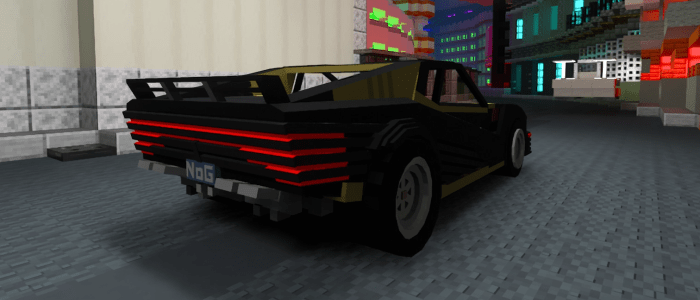

Sharing metadata
| og:url | https://nogard.dev/ |
|---|---|
| og:type | website |
| og:image | https://nogard.dev/minecraft/bedrock/cyberpunk-2077-addon/gallery/2.png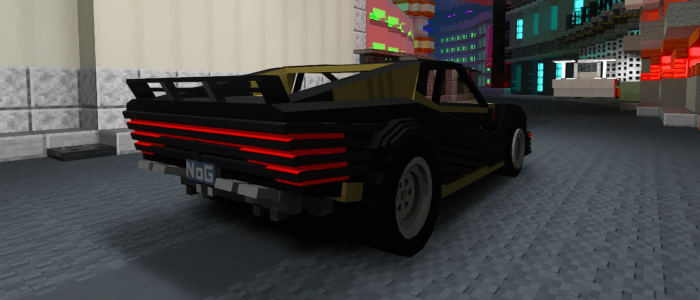 |
| og:title | Nogard - Minecraft Addons, Resource Packs & Free Tools |
| og:locale | en_US |
| og:description | Minecraft Bedrock creator since 2016. Addons, maps, resource packs and 3D models, over 5 million downloads, and 25 free Minecraft and Hytale tools. |
| twitter:url | https://nogard.dev/ |
| twitter:card | summary_large_image |
| twitter:image | https://nogard.dev/minecraft/bedrock/cyberpunk-2077-addon/gallery/2.png |
| twitter:title | Nogard - Minecraft Addons, Resource Packs & Free Tools |
| twitter:description | Minecraft Bedrock creator since 2016. Addons, maps, resource packs and 3D models, over 5 million downloads, and 25 free Minecraft and Hytale tools. |
robots.txt (opens in a new tab)
4 rulesAll bots 0 allowed · 0 disallowed

 All bots
googlebot-image 1 allowed · 0 disallowed

/
googlebot-news 1 allowed · 0 disallowed
/
googlebot-video 1 allowed · 0 disallowed
/
bingbot 1 allowed · 0 disallowed
/
No matching rules.
Sitemaps
1 Registration details RDAP / WHOIS
| Registrar | CloudFlare, Inc. |
|---|---|
| Registered | 2024-05-16 |
| Expires | 2034-05-16 |
| Domain status | client transfer prohibited |
| Nameservers | joyce.ns.cloudflare.com、salvador.ns.cloudflare.com |
| DNSSEC | unsigned |
 DNS records
| Type | Name | Value | TTL | Priority |
|---|---|---|---|---|
| A | nogard.dev | 104.21.72.187 | 300 | — |
| A | nogard.dev | 172.67.153.221 | 300 | — |
| AAAA | nogard.dev | 2606:4700:3033::6815:48bb | 300 | — |
| AAAA | nogard.dev | 2606:4700:3037::ac43:99dd | 300 | — |
| MX | nogard.dev | mx.zoho.eu | 600 | 10 |
| MX | nogard.dev | mx2.zoho.eu | 600 | 20 |
| MX | nogard.dev | mx3.zoho.eu | 600 | 50 |
| NS | nogard.dev | joyce.ns.cloudflare.com | 86400 | — |
| NS | nogard.dev | salvador.ns.cloudflare.com | 86400 | — |
| TXT | nogard.dev | google-site-verification=7ibTP-yW3F_3-OkbAutW7862KZsqNkpwUyhhJWEnXHQ | 300 | — |
| TXT | nogard.dev | openai-domain-verification=dv-t2DFxz7wBI7fKpp8MZsAtL0I | 300 | — |
| TXT | nogard.dev | v=spf1 include:zohomail.eu -all | 300 | — |
| TXT | nogard.dev | yandex-verification: 0dc72332820a7f47 | 300 | — |
| CAA | nogard.dev | 0 issue "comodoca.com" | 3600 | — |
| CAA | nogard.dev | 0 issue "digicert.com; cansignhttpexchanges=yes" | 3600 | — |
| CAA | nogard.dev | 0 issue "letsencrypt.org" | 3600 | — |
| CAA | nogard.dev | 0 issue "pki.goog; cansignhttpexchanges=yes" | 3600 | — |
| CAA | nogard.dev | 0 issue "ssl.com" | 3600 | — |
| CAA | nogard.dev | 0 issuewild "comodoca.com" | 3600 | — |
| CAA | nogard.dev | 0 issuewild "digicert.com; cansignhttpexchanges=yes" | 3600 | — |
| CAA | nogard.dev | 0 issuewild "letsencrypt.org" | 3600 | — |
| CAA | nogard.dev | 0 issuewild "pki.goog; cansignhttpexchanges=yes" | 3600 | — |
| CAA | nogard.dev | 0 issuewild "ssl.com" | 3600 | — |
| DMARC | _dmarc.nogard.dev | v=DMARC1; p=quarantine; rua=mailto:[email protected]; ruf=mailto:[email protected]; sp=quarantine; adkim=r; aspf=r; pct=100 | 600 | — |
 TLS and certificates
| Assessment | Normal configuration |
|---|---|
| Supported protocols | TLSv1.2、TLSv1.3 |
| Negotiated protocol | TLSv1.3 |
| Certificate subject | nogard.dev |
| Issuer | Google Trust Services |
| Valid until | 2026-11-09T09:31 · Remaining when checked: 40 days |
| Verification details | Certificate trust: Passed · Hostname match: Passed |
 HTTP response headers
| Header | Value |
|---|---|
| content-type | text/html; charset=utf-8 |
| cache-control | public, max-age=0, must-revalidate |
| server | cloudflare |
| x-content-type-options | nosniff |
| referrer-policy | strict-origin-when-cross-origin |
| access-control-allow-origin | * |
 Identified technologies
User reviews (0)