
 简体中文
简体中文
bringyour.ai
Stop rebuilding your agent setup every time you switch tools. Move, sync, distill, or build local-first AI operating context across Claude Code, Codex, and Cursor.
At a glance
- Category
- Artificial Intelligence
- Language
- English
- Paid-content signal
- Paid contentObserved
- Registered
- 2026
- Hosting
- Fly.io, Inc.Inferred
- HTTPS certificate trusted
- PassedObserved
- Last updated
Related questions
More questions →How Bring Your AI Handles Privacy and File Safety
Bring Your AI is built local-first: the CLI runs on your own machine, target config stays local, and your original files are never changed. Safety comes from three layers working together — read-only source files, snapshot-before-write with rollback, and review-gated plans you approve before anything moves. If you need to migrate agent context across Claude Code, Codex, and Cursor without handing your setup to a hosted service, this design is aimed at exactly that.
The privacy boundary: local-first by default
The product's stated position is that local-first is the product, not a setting you enable.
- The CLI runs on your machine. Migration, sync, and distillation happen locally rather than on a remote service.
- Target config stays local. Platform-native configuration is not centralized or uploaded.
- No hosted account required for sync. Machines sync through a local hub you can place in your own Git repo, so the "central" copy is one you control.
- No-data remote MCP. The remote MCP path is described as no-data, and safe MCP follow-up is included in the audit.
- License verification is local. Checkout produces a signed local license proof, and validation does not phone home.
One boundary is worth reading carefully: the page describes remote discovery as the edge of the local-first model. Local-first covers the CLI, the hub, and target config — it does not mean every optional capability is offline, so check the specific path you plan to use.
File safety: read-only sources, snapshots, rollback
The write behavior is the part most people care about, because a bad migration can wreck a working setup.
| Guarantee | What it means in practice |
|---|---|
| Source files are read-only | Your existing Claude Code or Codex setup is read, not modified |
| Target files are snapshotted before write | A rollback point exists before any change lands |
| Rollback snapshots | Restore the previous state if the result isn't right |
| Merge keeps existing Codex setup | Migrating in doesn't wipe what's already configured |
| Original files unchanged | Stated as a core property, not a best effort |
The preview step is where you verify this before committing:
$ bringyour preview --from claude-code --to codex
Claude Code found.
Codex found.
Move supported: yes
Existing setup can be kept: yes
Original files will not be changed.
Then the migration itself reports what it did and where the rollback point lives:
$ bringyour migrate --from claude-code --to codex --policy merge
rollback snapshot: ~/.codex/.bringyour-snapshots/...
validation: BRINGYOUR-VALIDATE.md
✓ memories + rules
✓ MCP review notes
✓ skills + validation
✓ rollback snapshots
! hook differences flagged
✓ PII scrub audit
Two details matter here. First, --policy merge is what preserves an existing Codex setup; a different policy may behave differently, so confirm before running. Second, the ! on hook differences is a flag, not a failure — hooks often can't be translated cleanly between harnesses, and the tool surfaces that instead of silently dropping them.
Review-gated execution and the audit artifact
Nothing runs unreviewed. Plans are review-gated, meaning you inspect the migration plan before it executes, and the output includes an audit artifact covering:
- hooks
- MCP review notes
- secrets
AGENTS.md/CLAUDE.mdscope- validation notes
The MCP migration guide preserves command and environment references while flagging values that should stay in Keychain or environment variables rather than being written into config. The PII scrub audit in the migration output is the same idea applied to personal data.
Distillation: keeping the useful parts, stripping the risky ones
If your concern is sharing or archiving a setup, the distill path creates a sanitized Claude, Codex, or Cursor harness bundle with redaction metadata and verification. This is the right path when you want a portable snapshot rather than a live migration — the redaction metadata tells a reviewer what was removed, and verification confirms the bundle is intact.
What to check before you rely on it
- Run
previewfirst, every time. It tells you whether the move is supported and whether your existing setup can be kept. - Confirm your policy.
mergepreserves existing target setup; other policies may not. - Read the flagged items. Hook differences and MCP values that belong in Keychain or env are the two places where a migration can look clean but behave differently.
- Keep the snapshot path. It's printed in the migration output — that's your rollback.
- Check the specific path's boundary. Local-first covers the CLI, hub, and target config; remote discovery is described as the edge of that model.
Pricing and access terms aren't covered here — the site lists a Pricing page, a Buy page, and a Team Migration Pack at $499 for up to 10 people, with lifetime access offered while the product is young. Check those pages directly for current terms rather than assuming what's included.
What Are the Four Product Paths in Bring Your AI?
Bring Your AI splits its toolkit into four distinct jobs: Move an existing setup between tools, Sync machines through a local hub, Distill a sanitized snapshot, and Build a first setup from public GitHub history. Which one fits you depends on whether you already have a working agent setup, whether you work across multiple machines, and whether you need to share or hand off context safely.
All four paths share the same constraints: the CLI runs locally, source files are read-only, target files are snapshotted before any write, and platform-native config stays target-local.
The four paths at a glance
| Path | Use it when | What it produces |
|---|---|---|
| 01 Move my setup | You already built context in one harness and want it in another | Migrated memories, rules, voice, workflows, MCP review notes, hooks, validation files, session analytics artifacts |
| 02 Sync machines | You work across machines and want one central hub | A local hub (placeable in your own Git repo) syncing Claude Code, Codex, and Cursor |
| 03 Distill a snapshot | You want to share or archive the useful parts without the risky ones | A sanitized Claude, Codex, or Cursor harness bundle with redaction metadata and verification |
| 04 Build from history | You have no setup yet and don't want to start from a blank rules file | A reviewed starter kit with confidence scores and source citations |
01 Move my setup
This is for keeping context you already built rather than rebuilding it. The migration carries memories, rules, voice, workflows, MCP review notes, hooks, validation files, and session analytics artifacts from a source harness to a target harness.
The workflow is preview-then-migrate:
$ bringyour preview --from claude-code --to codex
Claude Code found.
Codex found.
Move supported: yes
Existing setup can be kept: yes
Original files will not be changed.

$ bringyour migrate --from claude-code --to codex --policy merge
rollback snapshot: ~/.codex/.bringyour-snapshots/...
validation: BRINGYOUR-VALIDATE.md
✓ memories + rules
✓ MCP review notes
✓ skills + validation
✓ rollback snapshots
! hook differences flagged
✓ PII scrub audit
Two things to note in the output. First, --policy merge keeps your existing Codex setup rather than overwriting it. Second, hook differences are flagged, not silently applied — hooks are the part most likely to need manual review because they are platform-specific.
02 Sync machines
Sync keeps a central local hub without a hosted account. You place the hub in your own Git repo, and Claude Code, Codex, and Cursor sync through it.
The design constraint matters here: plans stay review-gated, and platform-native config stays target-local. So syncing does not mean one machine's config silently overwrites another's native settings — you review before anything lands.
Choose this path if you regularly switch between machines and are tired of drift between them. Skip it if you work on a single machine, where Move or Build covers you.
03 Distill a snapshot
Distill answers a different question: not "how do I move this" but "what is safe to keep or hand off?" It creates a sanitized harness bundle for Claude, Codex, or Cursor, with redaction metadata and verification attached.
The audit artifact checks hooks, MCP review notes, secrets, AGENTS.md/CLAUDE.md scope, and validation notes. The MCP migration guide preserves command and env references while flagging values that should stay in Keychain or environment variables rather than in the bundle.
Pick this path when you want to share a setup with a teammate, archive it, or publish it — anywhere the raw version would leak secrets or machine-specific paths.
04 Build from history
Build is for the blank-page problem. Instead of writing a rules file from scratch, it turns public GitHub work history into a first Claude Code or Codex setup, with confidence scores and source citations so you can see where each suggestion came from.
This is the only path that assumes you have no existing setup to move. If you already have context worth keeping, start with Move instead.
How to choose
- Have a working setup in one tool, want it in another? → 01 Move
- Work across multiple machines? → 02 Sync
- Need to share, archive, or publish a setup safely? → 03 Distill
- Starting from nothing? → 04 Build
The paths are not exclusive. A common sequence is Build (or Move) first, then Sync once you work across machines, then Distill when you need to hand context to someone else.
Pricing note
The site lists a Team Migration Pack at $499 for up to 10 people, alongside a Pricing page and a Buy page. The page also references "lifetime access while the product is young" and states "no subscription." Check the pricing page directly for current tiers and what each includes, since the available material does not break down per-path pricing.
Bring Your AI Pricing and Licensing Options
Bring Your AI sells lifetime access rather than a subscription. The pricing page lists a Team Migration Pack at $499 for up to 10 people, and the site states there is no subscription. Licensing is handled through a signed local license proof issued after checkout, with no phone-home validation. If you are an individual buyer, the site's pricing and buy pages are the places to check for the current option that applies to you, since the indexed evidence only names the team pack explicitly.
What the pricing page shows
| Item | Detail from site |
|---|---|
| Team Migration Pack | $499 |
| Seats covered | Up to 10 people |
| Access model | Lifetime access while the product is young |
| Subscription | None stated |
| License delivery | Signed local license proof after checkout |
| License validation | No phone-home validation |
The phrase "lifetime access while the product is young" is the site's own framing. It signals that the lifetime model is tied to the product's current stage, so it is worth reading the pricing page directly before buying if long-term terms matter to you.
How licensing works
Licensing is local-first, matching the rest of the product. After checkout you receive a signed local license proof. Validation happens on your machine rather than by contacting a remote server, which the site describes as "no phone-home validation."
This matters if you work in environments where outbound license checks are blocked or undesirable. It also means the license proof is a file you keep, not an account state you log into.
What you are actually buying
The purchase is not just a license key. Bring Your AI is a toolkit for moving, syncing, distilling, and building AI agent context across Claude Code, Codex, and Cursor. A license covers use of that toolkit, including:
- Move an existing setup — memories, rules, voice, workflows, MCP review notes, hooks, validation files, and session analytics artifacts.
- Sync machines through a local hub you can place in your own Git repo, without a hosted account.
- Distill a sanitized harness bundle with redaction metadata and verification.
- Build from history — turn public GitHub work history into a first Claude Code or Codex setup with confidence scores and source citations.
Choosing between options
The evidence names one concrete SKU: the Team Migration Pack at $499 for up to 10 people. That fits a team standardizing agent context across several developers and tools. For a single user, check the pricing and buy pages for the individual option, because the indexed material does not state a solo price.
Two conditions to weigh before buying:
- Team size. The $499 pack covers up to 10 people. If your team is larger, confirm whether additional seats are sold separately.
- Tool coverage. The toolkit targets Claude Code, Codex, and Cursor. If your stack is outside those, the migration paths may not apply.
Practical notes before checkout
- Source files are read-only, and target files are snapshotted before any write, so a migration does not overwrite your existing setup.
- Merge policy keeps an existing Codex setup rather than replacing it.
- A rollback snapshot is created during migration, which gives you a way back if something looks wrong.
- The audit artifact checks hooks, MCP review notes, secrets, AGENTS.md/CLAUDE.md scope, and validation notes.
If you need a receipt of what changed, the validation file (BRINGYOUR-VALIDATE.md) and rollback snapshots give you a reviewable trail.
What Is Bring Your AI and What Does It Do?
Bring Your AI is a local-first toolkit for moving, syncing, distilling, or building the context around AI coding agents — specifically Claude Code, Codex, and Cursor. It exists to solve one problem: every time you switch tools, you rebuild your agent setup from scratch. Bring Your AI carries that setup across instead. It's relevant if you already have memories, rules, skills, hooks, or MCP review notes invested in one harness and don't want to lose them when you try another.
The problem it addresses
Agent setups accumulate over time. Memories, rules, voice and workflow conventions, MCP review notes, hooks, validation files, and session analytics artifacts all live inside a specific tool's configuration. When you move to a different harness, none of that transfers automatically, so you either rebuild it manually or start over with a blank rules file.
Bring Your AI treats that accumulated context as portable property rather than tool-specific baggage.
Four product paths
The toolkit separates four jobs, which is useful because they have different risk profiles:
| Path | What it does | When you'd use it |
|---|---|---|
| Move my setup | Transfers memories, rules, voice, workflows, MCP review notes, hooks, validation files, and session analytics artifacts from one harness to another | You're switching tools and want to keep what you built |
| Sync machines | Keeps a central local hub across Claude Code, Codex, and Cursor, placeable in your own Git repo | You work across multiple machines without a hosted account |
| Distill a snapshot | Produces a sanitized harness bundle with redaction metadata and verification | You want to share or archive a setup without leaking risky parts |
| Build from history | Turns public GitHub work history into a first Claude Code or Codex setup, with confidence scores and source citations | You're starting fresh and don't want to face a blank rules file |
How the migration actually works
The CLI runs on your machine. A preview step shows what will happen before anything is written:
$ bringyour preview --from claude-code --to codex
Claude Code found.
Codex found.
Move supported: yes
Existing setup can be kept: yes
Original files will not be changed.
Then the migration itself:
$ bringyour migrate --from claude-code --to codex --policy merge
rollback snapshot: ~/.codex/.bringyour-snapshots/...
validation: BRINGYOUR-VALIDATE.md
✓ memories + rules
✓ MCP review notes
✓ skills + validation
✓ rollback snapshots
! hook differences flagged
✓ PII scrub audit
Three things are worth noting in that output. The --policy merge flag keeps an existing Codex setup rather than overwriting it. Source files are read-only, and target files are snapshotted before any write, so rollback is possible. Hook differences are flagged rather than silently copied, because hooks are the part most likely to behave differently across harnesses.
Privacy and write behavior
The privacy boundary is the product's central claim: the CLI runs locally, target config stays local, and there's no hosted account required for syncing. The license check is a signed local proof after checkout with no phone-home validation. Remote MCP is described as no-data.
On writes, the stated behavior is:
- Source files are read-only
- Target files are snapshotted before write
- Merge policy preserves an existing Codex setup
- MCP migration preserves command and env references, and flags values that should stay in Keychain or environment variables
Pricing
The site lists a Team Migration Pack at $499 for up to 10 people, described as lifetime access while the product is young. A pricing page and a general buy page also exist. No subscription is mentioned. Check the current pages before purchasing, since "while the product is young" implies terms may change.
Who this is for
You're a reasonable fit if you've built meaningful context in one agent harness and are considering another, or if you work across multiple machines and want a local hub instead of a hosted sync service. The review-gated, snapshot-before-write design matters most if you're migrating hooks or MCP configuration, where a silent copy could break things.
You're probably not the target if you only use one tool on one machine and have little accumulated configuration — there's nothing to move, and building from public GitHub history is a convenience rather than a necessity.
What Does Bring Your AI Audit and Validate?
Bring Your AI audits the parts of an agent setup that are easy to break or leak when you move between tools: hooks, MCP review notes, secrets, the scope of AGENTS.md/CLAUDE.md, and validation notes. It also runs a PII scrub audit and produces a validation artifact (BRINGYOUR-VALIDATE.md) that records what was checked and which hook differences were flagged. This applies when you use the CLI to move, sync, or distill a setup across Claude Code, Codex, and Cursor — the audit is part of that flow, not a separate hosted service.
What the audit checks
| Area | What it looks at |
|---|---|
| Hooks | Flags differences between source and target hook setups |
| MCP review notes | Carries over MCP review notes and flags values that should stay in Keychain or env |
| Secrets | Flags secret values that shouldn't be written into target config |
AGENTS.md / CLAUDE.md scope |
Checks the scope of these context files |
| Validation notes | Confirms validation notes are present and consistent |
| PII | Runs a PII scrub audit |
The MCP migration guide preserves command and environment variable references, and flags values that should remain in Keychain or an environment variable rather than being inlined.
How validation runs
Validation happens as part of a migrate command. A preview first confirms what will move, then the migrate step writes a validation file and takes a rollback snapshot.
$ bringyour preview --from claude-code --to codex
Claude Code found.
Codex found.
Move supported: yes
Existing setup can be kept: yes
Original files will not be changed.

$ bringyour migrate --from claude-code --to codex --policy merge
rollback snapshot: ~/.codex/.bringyour-snapshots/...
validation: BRINGYOUR-VALIDATE.md
✓ memories + rules
✓ MCP review notes
✓ skills + validation
✓ rollback snapshots
! hook differences flagged
✓ PII scrub audit
- Input: a source harness (e.g. Claude Code) and a target harness (e.g. Codex).
- Action: preview, then migrate with a policy such as
merge. - Expected result: a
BRINGYOUR-VALIDATE.mdfile, a rollback snapshot path, checkmarks for the categories that passed, and a!flag for anything that needs review — here, hook differences.
What "review-gated" means in practice
The audit doesn't silently rewrite your setup. Source files are read-only, target files are snapshotted before any write, and a merge policy keeps an existing Codex setup. Anything the audit flags (hook differences, secrets that belong in Keychain or env) is surfaced for you to review rather than auto-applied.
Where the audit fits
The audit and validation run inside the four product paths: moving an existing setup, syncing machines through a local hub, distilling a sanitized snapshot, and building a first setup from history. In the distill path, the audit is what produces the redaction metadata and verification for a sanitized bundle.
Limits to keep in mind
- The audit reports and flags; it does not guarantee a conflict-free migration. Hook differences are flagged, not resolved.
- Local-first is the stated design: the CLI runs on your machine, target config stays local, and license verification is a signed local proof after checkout with no phone-home validation.
- Pricing and access terms aren't covered here — check the site's pricing and buy pages for current details, including the Team Migration Pack listed at $499 for up to 10 people.
Website Overview
Limited stack disclosure and few obvious backend markers suggest a more restrained public footprint. That reduces easy fingerprinting clues but is not proof of overall security. Several search or sharing settings need attention. Together they may make snippets, preview images or preferred URLs less consistent across platforms.
Domain and Registration
The domain was registered less than a year ago and has limited historical evidence to assess. Transfer-protection status is present, helping reduce the risk of unauthorized domain transfers. The registrar is GoDaddy.com, LLC, a widely used domain service provider. Registration contact information is publicly available through RDAP. The domain uses the common .ai extension, which is not an independent safety signal.
DNS and Email
The observed email authentication setup is incomplete: SPF is missing. Nameservers are provided by GoDaddy, indicating managed DNS hosting. MX records point to the Amazon SES email service. No CNAME was found; the observed records resolve directly to addresses. DNSSEC signatures were not detected, so this additional DNS authenticity protection is not confirmed.
TLS and Certificates
The public key uses EC with 256 bits. The server supplied a complete certificate chain. No organization name is present in the certificate; the available fields are consistent with domain validation. The certificate was issued by Let's Encrypt, commonly associated with automated certificate services. The certificate's total validity is about 89 days, consistent with a short renewal cycle.
HTTP and Browser Security
The response lacks these common security headers: CSP. No X-Powered-By header was found, reducing one common source of backend fingerprinting information. The via response header indicates a CDN or caching proxy in the delivery path. No obvious internal addresses or debug information were found in the headers. The Server header contains the custom value Fly/6d530f8f2 (2026-09-29).
Technology Stack Analysis
No obvious technology stack is exposed. This may reflect restrained information disclosure, although the underlying technologies remain unknown.
Search and Social Sharing
The title has 74 characters and may be truncated in search results. The meta description has 163 characters and may be shortened in search results. Twitter Card metadata is configured. JSON-LD includes Organization data, helping describe the organization as an entity. The observed directives allow indexing and link following.
Hosting and Email
 GoDaddy
 Amazon SES
 Mississippi, United States
Inferred
66.241.124.108
Mississippi, United States
Inferred
66.241.124.108
Registration details
| Registrar | GoDaddy.com, LLC |
|---|---|
| Registered | 2026-04-18 |
| Expires | 2028-04-18 |
| Domain status | client delete prohibited、client renew prohibited、client transfer prohibited、client update prohibited |
| Nameservers | ns11.domaincontrol.com、ns12.domaincontrol.com |
| DNSSEC | unsigned |
DNS records
| Type | Name | Value | TTL | Priority |
|---|---|---|---|---|
| A | bringyour.ai | 66.241.124.108 | 600 | — |
| AAAA | bringyour.ai | 2a09:8280:1::105:d224:0 | 600 | — |
| MX | bringyour.ai | inbound-smtp.us-east-1.amazonaws.com | 3600 | 10 |
| NS | bringyour.ai | ns11.domaincontrol.com | 3600 | — |
| NS | bringyour.ai | ns12.domaincontrol.com | 3600 | — |
| DMARC | _dmarc.bringyour.ai | v=DMARC1; p=none; | 3600 | — |
| DMARC | _dmarc.bringyour.ai | v=DMARC1; p=quarantine; adkim=r; aspf=r; rua=mailto:[email protected]; | 3600 | — |
TLS and certificates
HTTP response headers
| Header | Value |
|---|---|
| content-type | text/html; charset=utf-8 |
| cache-control | public, max-age=300 |
| server | Fly/6d530f8f2 (2026-09-29) |
| strict-transport-security | max-age=31536000; includeSubDomains |
| x-frame-options | DENY |
| x-content-type-options | nosniff |
| referrer-policy | strict-origin-when-cross-origin |
| permissions-policy | geolocation=(), microphone=(), camera=() |
Identified technologies
Technology stack: Unknown
Pages, Search and Sharing
| Meta description | Stop rebuilding your agent setup every time you switch tools. Move, sync, distill, or build local-first AI operating context across Claude Code, Codex, and Cursor. |
|---|---|
| Canonical URL | https://bringyour.ai |
| Language | English (default) |
| Twitter Card | summary_large_image |
Social Sharing Preview
12 fields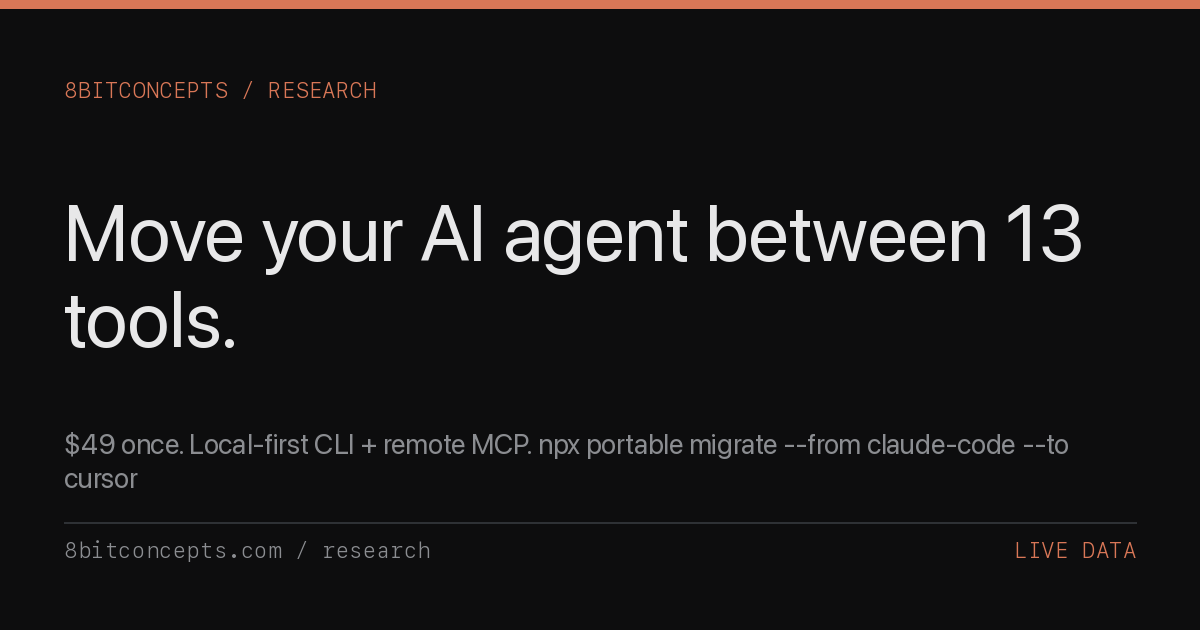

robots.txt (opens in a new tab)
23 rulesAll bots 1 allowed · 0 disallowed
- Allow
/
gptbot 1 allowed · 0 disallowed
- Allow
/
chatgpt-user 1 allowed · 0 disallowed
- Allow
/
oai-searchbot 1 allowed · 0 disallowed
- Allow
/
claudebot 1 allowed · 0 disallowed
- Allow
/
claude-searchbot 1 allowed · 0 disallowed
- Allow
/
claude-user 1 allowed · 0 disallowed
- Allow
/
claude-web 1 allowed · 0 disallowed
- Allow
/
anthropic-ai 1 allowed · 0 disallowed
- Allow
/
perplexitybot 1 allowed · 0 disallowed
- Allow
/
google-extended 1 allowed · 0 disallowed
- Allow
/
meta-externalagent 1 allowed · 0 disallowed
- Allow
/
facebookbot 1 allowed · 0 disallowed
- Allow
/
ccbot 1 allowed · 0 disallowed
- Allow
/
bytespider 1 allowed · 0 disallowed
- Allow
/
amazonbot 1 allowed · 0 disallowed
- Allow
/
diffbot 1 allowed · 0 disallowed
- Allow
/
youbot 1 allowed · 0 disallowed
- Allow
/
duckassistbot 1 allowed · 0 disallowed
- Allow
/
petalbot 1 allowed · 0 disallowed
- Allow
/
firecrawlagent 1 allowed · 0 disallowed
- Allow
/
applebot 1 allowed · 0 disallowed
- Allow
/
applebot-extended 1 allowed · 0 disallowed
- Allow
/
No matching rules.
Sitemaps
1Recent Updates
- Website images
- Screenshots
- Network details
- Website Technologies
- Pages and Search Information
- HTTP Response Information
- TLS and certificates
- DNS Information
- Domain Registration
- Website profile
- Website Description
- Website Name
- Website profile
- Website Description
- Website Name
User reviews (0)