Website profiles · Technology insights · Alternatives

cleanup.pictures

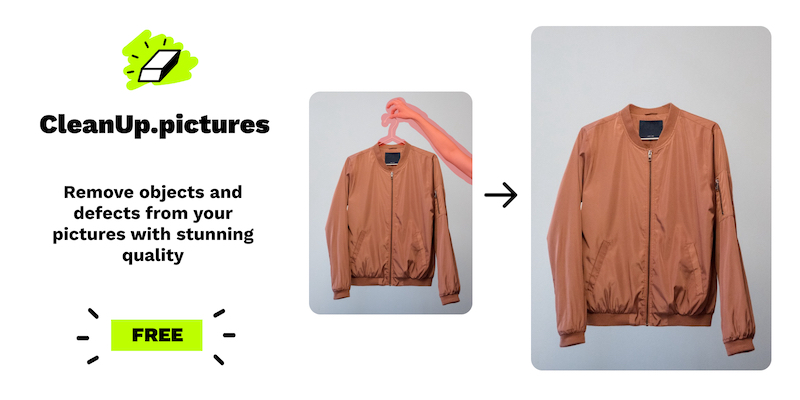
Remove unwanted objects from photos, people, text, and defects from any picture for free. It's extremely easy in just a few clicks with our creative editing tool.

Paid content
Visit website
Profile views 9 Outbound visits 4 Normal
Cleanup.pictures Full homepage screenshot

At a glance

Category
Image Tools
Language
English
Paid-content signal
Paid contentObserved
Registered
2021
Hosting
FastlyInferred
HTTPS certificate trusted
PassedObserved
Last updated

Website review

This review may include AI-generated content and is not individually verified. Domain, certificate and other facts come from the observed data on this page.

What is Cleanup.pictures?

Cleanup.pictures is a browser-based photo retouching tool built around AI inpainting. You brush over something you want gone—an object, a person, text, a date stamp, a watermark, a scratch or crack—and the tool fills that area with pixels reconstructed from the surrounding image. The page frames it as "retouch images in seconds," and its own FAQ describes inpainting as object removal that has moved on from the old clone-stamp approach.

What it is good at

  • Removing discrete, unwanted elements rather than making global color or exposure edits
  • Quick jobs where you want a plausible background fill without careful manual masking
  • Working directly in a browser with drag-and-drop, so no install and no heavy learning curve

Who the page says it is for

Audience Stated use
Photographers Removing tourists or time stamps before printing, cleaning portraits, repairing cracks in old photos
Creative agencies Remixing existing photos and swapping parts for new visuals
Real estate Depersonalizing and decluttering photos of rooms and apartments
E-commerce Cleaning product shots and repurposing them for social media
Developers An API for embedding inpainting into their own products

Practical trade-offs

The main constraint is resolution. The page lists a free tier with unlimited images but resolution capped at 720p, and a paid Pro tier with unlimited resolution and a higher-quality refiner. So the free version suits web-sized images and quick social posts; if you need to print, deliver to a client, or crop into a large file, the resolution ceiling becomes the deciding factor. The API is billed by usage, which makes sense for teams embedding the feature rather than editing one-off photos.

The other thing worth knowing is that inpainting quality depends on context. Removing a small object against a textured but repetitive background—grass, brick, sky, fabric—tends to look seamless. Removing a large person from a busy scene with strong shadows and reflections is harder for any inpainting tool, because the model has to invent detail that was never photographed.

A second opinion

Dawn Veltri, director of marketing at Raek, is quoted on the page saying she had spent significant time cleaning a photo in similar programs and kept getting "weird smears and lines," then finished the same photo in Cleanup.pictures in about 30 seconds without those artifacts. That is a single user's report about a specific image, not a general quality guarantee, but it points at the real differentiator for this class of tool: how cleanly the fill blends rather than how many features it has.

Next step

Try one representative image first—ideally the kind you actually need to fix, at the resolution you actually need. If the result holds up at full size, the tool fits; if you can see smearing or softness where the fill meets the original, that is the signal to either upgrade for the higher-resolution refiner or handle that particular edit in a desktop editor.

How does Cleanup.pictures compare to other inpainting apps?

Cleanup.pictures competes mainly on speed and simplicity, not on being a full photo editor. Its pitch is object removal in a few clicks, and one customer quote on the page—Dawn Veltri, a marketing director—describes finishing in about 30 seconds after struggling with "weird smears and lines" in similar programs. That is her experience, not a benchmark; the practical takeaway is that cleanup.pictures optimizes for a quick, clean patch rather than manual retouching control.

Where it tends to fit

  • Fast one-off removals: tourists, timestamps, watermarks, logos, cracks, clutter in real-estate or product shots.
  • Workflows where you do not want to learn masking, cloning or layer tools.
  • Batch-ish creative work where "good enough in seconds" beats "perfect in ten minutes."

Where it may not

  • If you need precise control over the fill (choosing source areas, blending by hand), a traditional editor with a clone/heal tool is still more flexible.
  • If you need a broader editing suite—background replacement, uncropping, generative fill—the page points to ClipDrop Pro as the bundle that includes those alongside cleanup.
  • The free tier limits resolution to 720p; higher-resolution output sits behind Pro. For print, large product images or client deliverables, that limit matters more than the removal quality itself.

How to choose

Need Better fit
Remove one object, fast, low-res web use Cleanup.pictures free
Same, but full-resolution or client work Cleanup.pictures Pro or a full editor
Object removal plus background/fill tools A bundled suite such as ClipDrop
Pixel-level control over the retouch Desktop editor with clone/heal

A concrete test: take one of your own problem photos—say, a room shot with a stray cable—and run it through cleanup.pictures, then through whatever editor you already own. Compare not just the result but the time and the number of corrections you had to make. If you are processing many images or need print resolution, check the resolution and pricing terms before committing, since the free tier caps at 720p.

What image resolutions can Cleanup.pictures handle?

Cleanup.pictures handles two resolution tiers depending on the plan. On the free tier, output is limited to 720p. On the paid Pro tier, resolution is unlimited.

That distinction matters more than it first appears. Inpainting quality depends on how much surrounding context the model can see, so a 720p cap is usually fine for social posts, profile pictures, and quick web images, but it becomes a real constraint for print, large-format real estate photography, or e-commerce images that need to stay sharp when zoomed.

Practical decision guide

  • Web, social, and casual photo cleanup: the free 720p limit is typically enough.
  • Print, portfolio, or client deliverables: you will want the Pro tier's unlimited resolution.
  • High-volume or automated workflows: the API uses usage-based pricing, so resolution and cost scale with your own pipeline rather than a fixed cap.

If you are unsure, upload one of your largest real files first and check the exported dimensions before committing. For a comparable browser-based option, ClipDrop is worth a look, since Cleanup.pictures' own upgrade path points there.

How much does Cleanup.pictures cost?

Cleanup.pictures shows a free tier and two paid routes. The free plan covers unlimited images but limits resolution to 720p. Pro starts at "3" per month (currency not specified in the page evidence) and adds unlimited resolution plus a high-quality refiner. A ClipDrop Pro option starts at "11" per month and bundles Cleanup with remove background, replace background, uncrop, generative fill and other tools. API access is separate and usage-based.

Quick comparison

Plan What you get Main trade-off
Free Unlimited images, resolution capped at 720p Fine for quick social or web edits; not for print or large files
Pro (from 3) Unlimited resolution, high-quality refiner Best for photographers and client work needing detail
ClipDrop Pro (from 11) Cleanup plus background, uncrop and generative tools Pay more if you want one subscription for several editing tasks
API Usage-based pricing For developers embedding inpainting into an app

How to choose

  • If you only remove a date stamp or a stray object from a casual photo, start free and see whether 720p is enough.
  • If you sell, print or publish images, the resolution limit is the deciding factor, so Pro is the practical choice.
  • If you regularly need background removal or uncropping too, compare ClipDrop Pro against paying for separate tools.
  • If you are building a product, check the API documentation for usage-based rates before committing.

The page notes that special pricing applies to the API, so confirm current numbers on the official site before budgeting. As a next step, test one real photo on the free tier, then judge whether the output resolution meets your final use.

Can I use Cleanup.pictures to remove watermarks or text from images?

Yes. Cleanup.pictures is explicitly built for removing text, logos, date stamps and watermarks, alongside objects, people and defects. You paint over the area you want gone and the tool reconstructs the background behind it.

Where it fits well

  • Photographers stripping timestamps from prints, or removing tourists from holiday shots before delivering them to clients.
  • Creatives remixing an existing photo by replacing parts of it with their own content.
  • Real estate agents depersonalising listing photos — removing signage, clutter or personal items from a room.
  • E-commerce sellers tidying product shots and social visuals.

Practical trade-offs

The free tier limits output resolution to 720p, so a cleaned image will not hold up if you need it for print or a large hero banner. Paid tiers lift that limit and add a higher-quality refiner pass. Per the page, the API is priced on usage and is aimed at developers embedding inpainting in a product rather than one-off edits.

Dawn Veltri, Director of Marketing at Raek, noted that comparable programs left smears and lines on a photo she was cleaning, while Cleanup.pictures finished the same edit in about 30 seconds without those artefacts. That points to the real differentiator here: the quality of the fill on textured or gradient backgrounds, not just the ability to erase something.

A useful test before committing

Run one hard case first — a watermark sitting over a busy background such as foliage, fabric or brick. Flat areas like sky or plain walls are easy for any inpainting tool; complex texture is where smearing shows up. If that single test looks clean at the resolution you actually need, the tool will handle your routine work.

One caution on scope

If you are removing a watermark you do not own the rights to, the tool will do it, but the legal exposure sits with you, not the software. For your own timestamps, logos and stray objects, there is no such issue.

For occasional low-resolution cleanups, the free tier is enough. For client deliverables, print work or batch processing, budget for a paid plan. If you need inpainting inside your own application, look at the API instead of the web editor.

Is there an API available for integrating Cleanup.pictures into my own application?

Yes. Cleanup.pictures offers an API, and it is positioned as a developer option rather than only a consumer web tool. The page lists "Developers API" among its use cases and states that you can get high-quality inpainting in your product via the API, with "special pricing" and usage-based pricing.

H3 What that means in practice

The API is for object removal and inpainting: erasing unwanted objects, people, text, logos, watermarks, or defects from an image. The same page describes the consumer tool as free with resolution limited to 720p, and a Pro tier that unlocks unlimited resolution and a high-quality refiner. If you integrate the API, the page signals usage-based pricing rather than a flat consumer plan, so the practical question is how your image volume and resolution map to cost.

H3 A realistic integration scenario

Say you run a marketplace or real-estate listing site. Sellers upload photos, and you want to automatically remove a date stamp or a stray object before the image goes live. You would send the image to the API from your backend, receive the cleaned image, and store or serve it. That fits the page's stated use cases for e-commerce, real estate, and agencies.

H3 Decision criteria

  • If you need batch or automated cleaning, the API is the relevant path; the web editor is for one-off manual edits.
  • Check the API documentation for input formats, resolution limits, and rate limits before committing.
  • Compare usage-based API pricing against the Pro plan if your volume is low and manual editing is acceptable.
  • For heavy volume, model the per-image cost at your typical resolution, since the consumer free tier's 720p limit does not necessarily describe API terms.

Next step: open the API documentation linked from Cleanup.pictures and confirm the current endpoints, supported formats, and usage-based pricing before you build.

Related questions

More questions →
What Is Cleanup.pictures? AI Photo Retouching Explained

Cleanup.pictures is a free, browser-based photo retouching tool that removes unwanted objects, people, text, and defects from images using AI inpainting technology. You drag and drop an image onto the page, brush over what you want gone, and the tool fills that area with content that matches its surroundings. It suits anyone who needs quick object removal without installing software or learning a full editing suite — photographers cleaning up client photos, real estate agents depersonalizing listings, e-commerce sellers polishing product shots, and creatives remixing existing images.

How It Works

The core technology is inpainting, which Cleanup.pictures describes as a retouch technology for removing unwanted objects from photos. Older inpainting tools worked like a clone tool, but AI-driven inpainting produces noticeably better results by reconstructing the masked area rather than copying pixels from elsewhere.

The workflow is deliberately minimal:

  1. Input — drag and drop an image onto the page (or upload it).
  2. Action — brush over the object, person, text, or defect you want removed.
  3. Result — the tool fills the brushed region with generated content that blends into the surrounding image.

There is no menu navigation to learn and no layer management. The site positions this simplicity as a feature: "Stay in the creative flow by using tools that are not on your way."

What You Can Remove

The tool handles a broad set of cleanup tasks, and the site organizes them by use case:

Use case Typical removals
Photographers Timestamps, tourists in holiday photos, cracks on old photographs, portrait cleanup for profile pictures
Creative agencies Unwanted elements for remixing existing photos into new visuals
Real estate Objects cluttering rooms, flats, houses, or apartments; depersonalizing listing photos
E-commerce Distractions in product shots for stores and social media
General Text, logos, date stamps, and watermarks

One user quoted on the site, Dawn Veltri (Director of Marketing at Raek), describes switching from similar programs that produced "weird smears and lines" and finishing the same edit in about 30 seconds without those artifacts. That's a useful benchmark: the practical difference between inpainting tools tends to show up in edge quality, not in whether removal works at all.

Resolution and Pricing Tiers

Cleanup.pictures offers three paths, and the resolution limit is the main dividing line:

  • Free — unlimited images, but resolution is limited to 720p.
  • Pro — starting from $3, unlimited images, unlimited resolution, and a high-quality refiner.
  • ClipDrop Pro — starting from $11, which bundles Cleanup alongside remove background, replace background, uncrop, generative fill, and other tools.

There is also an API for developers who need high-quality inpainting inside their own product. The site notes that special, usage-based pricing applies and points to API documentation for details.

The free tier's 720p cap is the key constraint to check against your own use. If your output only lives on screen — social posts, web listings, quick previews — 720p may be enough. If you're printing photos for customers, as the photographer use case describes, you'll likely need the unlimited-resolution Pro tier.

When to Choose It

Cleanup.pictures fits best when you want fast, single-purpose object removal and don't need a full editing environment. The drag-and-drop, brush, done loop is the whole product.

Consider the alternatives if:

  • You need multiple editing tools in one place — ClipDrop Pro bundles Cleanup with background removal, uncropping, and generative fill for a higher monthly price.
  • You need high-resolution output but not a subscription — check whether the API's usage-based pricing fits a one-off or low-volume job better than a Pro plan.
  • You need precise manual control — AI inpainting is fast, but a traditional editor with clone and healing tools gives you pixel-level direction when the automatic fill misses.

For everything else — a timestamp on a scanned photo, a stranger in the background of a holiday shot, a logo you need gone from a product image — the free tier is a reasonable place to test whether the results meet your standard before paying for resolution.

How does Cleanup.pictures compare to other inpainting apps?

Cleanup.pictures is worth using if you want fast, smear-free object removal on a browser-based tool, and you're fine with 720p output on the free tier. It stands out from older clone-stamp style inpainting apps mainly in output quality and speed, and from broader editing suites by staying focused on one job: removing unwanted things from a photo. If you need full-resolution exports, high-volume API calls, or a complete editing workflow, you'll likely need the paid tier or a different tool.

Where Cleanup.pictures differs from typical inpainting apps

The core difference is the underlying method. Traditional inpainting relied on a Clone tool — you manually copy pixels from one area to cover another, which is slow and tends to leave visible seams. Cleanup.pictures uses AI-based inpainting, which predicts what should fill the masked area based on surrounding content.

That method change shows up in the results. One user quoted on the site, Dawn Veltri (Director of Marketing at Raek), describes spending significant time with similar programs and "getting weird smears and lines," then finishing the same photo with Cleanup.pictures "in 30 secs without the smears and lines." The practical takeaway: the tool's main claim to superiority is cleaner edges and less manual cleanup, not a longer feature list.

What it handles

  • Objects — unwanted items in a scene
  • People — e.g. tourists in a holiday photo
  • Text, logos, watermarks, date stamps — including timestamp removal for photographers
  • Defects — such as cracks on scanned photographs

The site lists use-cases for photographers, creative agencies, real estate, and e-commerce, plus an API for developers. For real estate specifically, it's positioned for depersonalizing and cleaning photos of rooms, flats, and houses.

Free vs. paid: what actually changes

Free Pro ClipDrop Pro API
Price 0 from 3 from 11 Usage-based
Images Unlimited Unlimited Unlimited —
Resolution Limited to 720p Unlimited Unlimited —
Quality Standard High quality refiner — —
Extras — — Remove/replace background, uncrop, generative fill, other tools Documentation provided

Two conditions matter here. First, the free tier's 720p cap is the real constraint — unlimited images won't help if your output resolution is too low for print or large displays. Second, the paid plans link out to ClipDrop's pricing flow, so Pro and ClipDrop Pro are part of the same subscription family rather than separate products. The site notes that special pricing applies for API use.

How to judge it against your alternative

Ask three questions before choosing:

  1. Do you need full resolution? If yes, the free tier won't work for you — budget for Pro or above.
  2. Is your job object removal only? If you also need background replacement, uncropping, or generative fill, ClipDrop Pro bundles those; a single-purpose tool may leave you switching apps.
  3. Do you need it programmatically? The API is usage-based with its own pricing, so compare that against whatever inpainting API you're already considering.

If your answer is "just remove things cleanly, at web resolution, for free," Cleanup.pictures is a reasonable default. If you need print-quality output or a broader toolkit, treat the paid tiers as the real comparison point, not the free version.

How to Remove Unwanted Objects from a Photo with Cleanup.pictures

Cleanup.pictures removes objects, people, text, and defects from a photo by having you brush over the area you want gone, then letting AI fill that area automatically. You upload or drag and drop an image, paint over the unwanted content, and download the retouched result. It works on any picture, and the free tier handles images up to 720p resolution.

What you need before starting

  • A photo containing something you want removed — a person, object, text, logo, date stamp, watermark, or a defect like a crack.
  • A browser to reach cleanup.pictures. The tool runs on the platform, so no separate software install is described.
  • Awareness of resolution limits: the Free plan is capped at 720p. If your image is larger and you need full resolution, that requires the Pro tier.

Step-by-step: removing an object

  1. Upload the image. Drag and drop a photo onto the page, or use the upload area. The page prompt is "Drag & drop an image above to get started for free."
  2. Brush over what you want removed. Paint the object, person, text, or defect. This selection is what the AI will replace.
  3. Let the AI fill the area. Cleanup.pictures uses inpainting — a retouch technology that removes unwanted objects from photos — to fill your brushed selection automatically. Older clone-tool approaches produced smears and lines; the AI-based method is what the site credits for cleaner results.
  4. Download the retouched result. Save the cleaned image.

The whole interaction is designed to take seconds. One user quoted on the site, Dawn Veltri (Director of Marketing at Raek), described spending significant time on a similar program and getting "weird smears and lines," then finishing the same photo with Cleanup.pictures "in 30 secs without the smears and lines."

What you can remove

The site lists these use cases:

Use case What gets removed
Photographers Time stamps, tourists from holiday pictures, cracks on photographs
Portraits Blemishes and distractions for profile pictures
Real estate Unwanted objects; depersonalizing rooms, flats, houses, apartments
E-commerce Cleaning product shots for stores and social media
General Unwanted text, logos, date stamps, watermarks

Resolution and cost

  • Free: $0, unlimited images, resolution limited to 720p.
  • Pro: starting from $3, unlimited images, unlimited resolution, high-quality refiner.
  • ClipDrop Pro: starting from $11, includes Cleanup plus remove background, replace background, uncrop, generative fill, and other tools.
  • API: usage-based pricing, with separate documentation and special pricing.

The pricing page links to a ClipDrop subscription flow, so the paid tiers are tied to ClipDrop. If you only need occasional small-image edits, the free tier covers that; if you need full-resolution output, plan for Pro.

Common snags

  • Large images come back at 720p on Free. If your source is high-resolution and you need it preserved, the free tier won't do it.
  • Selection quality drives the result. Brush only the area you want replaced; the AI fills exactly what you mark.
  • Text, logos, and watermarks are supported targets, not just physical objects — the same brush-and-fill flow applies.

When to use it

Reach for Cleanup.pictures when you need a fast object, person, text, or defect removal on a single image and either the 720p free output is enough or you're ready to pay for full resolution. For batch or programmatic work, the API is the documented route.

What image resolutions and pricing does Cleanup.pictures offer?

Cleanup.pictures offers a free tier that handles unlimited images at up to 720p resolution, and a Pro tier starting at $3 that removes the resolution cap and adds a high-quality refiner. If you need inpainting inside your own product rather than through the web app, there is also an API billed on usage, with separate pricing.

Resolution and pricing at a glance

Plan Price Images Resolution Extras
Free $0 Unlimited Limited to 720p —
Pro Starting from $3 Unlimited Unlimited High-quality refiner
ClipDrop Pro Starting from $11 Unlimited Unlimited Cleanup, remove background, replace background, uncrop, generative fill, and other tools
API Usage-based — — Separate pricing applies; see API documentation

Two things are worth noting from this table. First, the free plan's only real constraint is resolution — you are not limited by a monthly image count. Second, the $3 Pro tier and the $11 ClipDrop Pro tier are different products: the cheaper one is Cleanup.pictures' own Pro plan, while ClipDrop Pro bundles Cleanup together with a broader toolset.

What the free plan actually gets you

The free tier is enough for most casual retouching. You can remove unwanted objects, people, text, logos, watermarks, or date stamps, and you can do it on as many images as you like. The catch is that output is capped at 720p.

That cap matters depending on your end use:

  • Fine for: social media posts, Instagram stories, quick profile pictures, casual sharing.
  • Problematic for: print work, e-commerce product shots that need to zoom, real estate listings, or any image where the client expects full camera resolution.

If you are a photographer printing for customers, or an agency delivering to a client, 720p will usually not be acceptable — that is the point at which Pro becomes the practical choice.

What Pro adds

Pro starts from $3 and changes two things:

  1. No resolution limit. You keep the original resolution of your source image.
  2. High-quality refiner. This is a quality pass on top of the standard inpainting result, aimed at cleaner edges and fewer artifacts in the filled area.

The "starting from" wording means the $3 figure is an entry point, not necessarily a flat price for every billing option. Check the pricing page for the current rate that applies to you before committing.

The API option

If you want inpainting built into your own product or workflow rather than done manually in the browser, Cleanup.pictures exposes an API. It is priced on usage, and the site notes that special pricing applies — so this is not a flat subscription you can compare directly against the Free and Pro tiers. The API documentation is the place to get actual rates and limits.

How to decide

  • You retouch occasionally and only post online → Free. Unlimited images, 720p is fine.
  • You deliver images to clients, print, or sell products → Pro from $3. The resolution cap is the deciding factor, not the image count.
  • You want Cleanup plus background removal, uncropping, and generative fill in one subscription → ClipDrop Pro from $11.
  • You are building inpainting into software → API, usage-based.

One caveat on the free plan: because there is no stated image limit, the resolution cap is doing all the work of separating the tiers. If your images are already small or you are only publishing at web sizes, you may never hit a reason to pay.

What Is Inpainting and How Does Cleanup.pictures Use It?

Inpainting is a retouching technique that removes unwanted content from a photo and reconstructs the empty area so it blends with its surroundings. Cleanup.pictures applies AI-based inpainting to do this automatically: you upload an image, mark what you want gone, and the tool fills the gap in a few clicks. It suits anyone removing objects, people, text, logos, date stamps, or defects from a picture — photographers, creatives, real estate agents, and e-commerce sellers are the use cases the site names. The free tier handles images up to 720p; higher resolution and a quality refiner sit behind paid plans.

How inpainting works

Traditional inpainting grew out of clone and stamp tools: you copied pixels from one part of the image and pasted them over the problem area, then blended the seams by hand. That approach works but is slow and easy to get wrong — visible smears and lines are a common result.

AI-based inpainting changes the input. Instead of copying pixels, the model reads the surrounding context — texture, lighting, edges, perspective — and generates new pixels that plausibly belong there. The practical difference is that you spend your time selecting what to remove, not repairing the fill.

The workflow is the same in both cases:

  1. Input — the original image plus a mask marking the region to remove.
  2. Action — the tool fills the masked region using the surrounding image as context.
  3. Expected result — the marked object is gone and the area looks like it was never there.

What Cleanup.pictures does with it

The site describes its core function as removing unwanted objects, people, text, and defects from any picture, and frames the whole product around inpainting. Concretely, the page lists these uses:

  • Photographers — removing timestamps, removing tourists from holiday photos before printing, cleaning portrait photos for profile pictures, and removing cracks on old photographs.
  • Creative agencies — remixing existing photos by replacing parts with their own content, without leaving the creative flow.
  • Real estate — depersonalizing and cleaning photos of rooms, flats, houses, or apartments by removing unwanted objects.
  • E-commerce — uploading product photos directly and producing cleaner product shots for social media and store listings.
  • Text and marks — removing unwanted text, logos, date stamps, or watermarks.

The interface is drag-and-drop: you drop an image above the fold and start for free. The site's own framing is speed — "retouch images in seconds" — and one customer quote speaks to the quality gap versus older tools. Dawn Veltri, Director of Marketing at Raek, describes spending significant time cleaning a picture with similar programs and getting "weird smears and lines," then editing the same photo with Cleanup.pictures in 30 seconds "without the smears and lines."

Why AI inpainting beats clone-tool retouching

The site's own answer to "why is Cleanup.pictures better than other inpainting apps?" is that inpainting used to work like a clone tool, and artificial intelligence now gives much better results. That claim lines up with the mechanism: a clone tool can only reuse pixels that already exist in the image, so it struggles with gradients, repeating patterns, and areas where no clean source patch exists. A generative fill can synthesize what isn't there.

This matters most in the cases the site highlights — removing a person from a busy background, erasing a watermark over textured surfaces, or patching cracks across a face. Those are exactly the situations where a copied patch tends to show.

Resolution, pricing, and access

The pricing table on the page lays out the tiers:

Plan Price Limits
Free 0 Unlimited images, resolution limited to 720p
Pro starting from 3 Unlimited images, unlimited resolution, high quality refiner
ClipDrop Pro starting from 11 Cleanup, remove background, replace background, uncrop, generative fill, and other tools
API Usage-based pricing Separate API documentation; special pricing applies

Two things worth noting before you commit. First, the free tier's 720p cap is a real constraint if you're preparing images for print or large displays — check your target output size against it. Second, the "Try Free" link on the page routes to ClipDrop's pricing flow, so the paid path runs through ClipDrop rather than a standalone Cleanup.pictures checkout. If you need inpainting inside your own product, the API is the relevant route and is priced by usage.

When to use it, and when not to

Cleanup.pictures fits tasks where you want a specific object gone and the surrounding area gives the model enough context to rebuild it — a tourist in a landscape, a logo on a wall, a timestamp in a corner. It's a poor fit if you need to add content rather than remove it (that's generative fill, offered in the ClipDrop Pro bundle), or if you need full-resolution output on the free plan.

For a quick test: take one image you'd normally spend ten minutes cloning by hand, run it through the free tier, and compare the fill quality against your manual result. If the 720p limit is the only thing holding you back, that tells you whether Pro is worth it for your volume.

Website Overview

Several search or sharing settings need attention. Together they may make snippets, preview images or preferred URLs less consistent across platforms. An active inbound-mail setup with incomplete authentication may leave the domain more open to impersonation. Provider hosting alone does not close that gap.

Domain and Registration

Transfer-protection status is present, helping reduce the risk of unauthorized domain transfers. The domain has about 4 years of registration history; its current configuration provides more context than age alone. The registrar is Squarespace Domains II LLC, a widely used domain service provider. The domain uses the common .pictures extension, which is not an independent safety signal.

DNS and Email

The observed email authentication setup is incomplete: DMARC is missing. Nameservers are provided by Google Cloud DNS, indicating managed DNS hosting. MX records point to the Google Workspace email service. DNSSEC is enabled, allowing validating resolvers to authenticate signed DNS data. No CNAME was found; the observed records resolve directly to addresses.

TLS and Certificates

The certificate uses an RSA 2048-bit public key, offering broad client compatibility. The server supplied a complete certificate chain. No organization name is present in the certificate; the available fields are consistent with domain validation. The certificate was issued within the Google Trust Services cloud or CDN ecosystem. The certificate's total validity is about 90 days, consistent with a short renewal cycle.

HTTP and Browser Security

The response lacks these common security headers: CSP, X-Content-Type-Options, Referrer-Policy, Permissions-Policy, clickjacking protection. No X-Powered-By header was found, reducing one common source of backend fingerprinting information. The x-cache, x-served-by response header indicates a CDN or caching proxy in the delivery path. No obvious internal addresses or debug information were found in the headers. No CORS permission header was found, so browsers normally restrict cross-origin script access.

Technology Stack Analysis

The public page identifies Fastly without precise versions, leaving fewer clues for version-specific scanning.

Search and Social Sharing

The title has 85 characters and may be truncated in search results. The meta description has 162 characters and may be shortened in search results. No homepage canonical URL was detected. If duplicate URLs exist, consolidation may be less explicit. Open Graph is partially configured; og:title, og:type is missing. Twitter Card metadata is configured.

Hosting and Email

DNSGoogle Cloud DNS
HostingFastly
EmailGoogle Workspace
Approximate IP geolocation (inferred; a CDN or proxy may differ from the origin server) United States flagUnited States Inferred 199.36.158.100

Registration details

RDAP / WHOIS

RegistrarSquarespace Domains II LLC
Registered2021-10-18
Expires2026-10-18
Domain statusclient delete prohibited、client transfer prohibited
Nameserversns-cloud-d1.googledomains.com、ns-cloud-d2.googledomains.com、ns-cloud-d3.googledomains.com、ns-cloud-d4.googledomains.com
DNSSECsigned

DNS records

DNS

TypeNameValueTTLPriority
Acleanup.pictures199.36.158.10014400—
MXcleanup.picturesaspmx.l.google.com144001
MXcleanup.picturesalt1.aspmx.l.google.com144005
MXcleanup.picturesalt2.aspmx.l.google.com144005
MXcleanup.picturesalt3.aspmx.l.google.com1440010
MXcleanup.picturesalt4.aspmx.l.google.com1440010
NScleanup.picturesns-cloud-d1.googledomains.com21600—
NScleanup.picturesns-cloud-d2.googledomains.com21600—
NScleanup.picturesns-cloud-d3.googledomains.com21600—
NScleanup.picturesns-cloud-d4.googledomains.com21600—
TXTcleanup.picturesfirebase=cleanup-pictures14400—
TXTcleanup.picturesv=spf1 include:_spf.firebasemail.com ~all14400—
TXTcleanup.picturesv=spf1 include:_spf.google.com ~all14400—
DScleanup.pictures12404 8 2 fbb081b2620946c79b227b94f351b82ec1ae0225c9e3dcc8d505a82fc47841e53600—

TLS and certificates

TLS / SSL

AssessmentNormal configuration
Supported protocolsTLSv1.2、TLSv1.3
Negotiated protocolTLSv1.3
Certificate subjectprofissionaisnobrasil.com.br
IssuerGoogle Trust Services
Valid until2026-10-28T20:12 · Remaining when checked: 35 days
Verification detailsCertificate trust: Passed · Hostname match: Passed

HTTP response headers

HTTP

HeaderValue
content-typetext/html; charset=utf-8
cache-controlmax-age=3600
strict-transport-securitymax-age=31556926

Identified technologies

Fastly

Pages, Search and Sharing

Meta descriptionRemove unwanted objects from photos, people, text, and defects from any picture for free. It's extremely easy in just a few clicks with our creative editing tool.
Canonical URLNot detected
LanguageEnglish (default)
Twitter Cardsummary_large_image
All bots 0 allowed · 0 disallowed

No sitemaps found

Recent Updates

  • Website profile

User reviews (0)

  • No reviews yet.