
 简体中文
简体中文 English
Website review
This review may include AI-generated content and is not individually verified. Domain, certificate and other facts come from the observed data on this page.
What is Click the Red Button?
Click the Red Button is a random website generator. One press drops you on a site you probably haven't seen before — a browser game, an interactive art piece, or an odd corner of the web — and it opens right there in the page, with the button still waiting when you're done. The site describes its collection as 470+ hand-picked destinations, sorted into Games, Art and Fun, with no account or install required.
How it actually behaves
- One button, three filters. You choose a category (Games, Art or Fun) or leave it open, then press. The page also mentions pressing Space to shuffle.
- No repeats within a category until you've been through everything in it, according to the site.
- Favorites and history are local. A heart saves anything worth revisiting, and everything you land on is logged, so a site whose name you forgot is still findable later. Both live in your browser rather than an account.
- The catalogue leans playful and niche. The listed examples include browser games (Run 3, Krunker, Stickman Hook), multiplayer toys like Multiplayer Piano and JKLM.FUN, generative art such as Zoom Quilt and the Waterfall Effect, and curiosities like Windows 93 and the Shaye Saint John Archive.
Who it suits, and the trade-off
It fits a specific mood: ten spare minutes, no particular goal, and an appetite for surprise. A student killing time between lectures, or someone who liked the old StumbleUpon model, gets a lot out of it — the curation does the searching for you, and the local favorites mean a lucky find isn't lost.
The trade-off is the flip side of randomness. You can't search for a specific thing, so it's poor for "I want a tower-defense game right now." And hand-picked doesn't mean universally appealing: a niche art piece or an archival oddity is a miss if you wanted something to play.
Next step: if you want to play rather than browse, pick the Games filter and press a few times; if you'd rather wander, leave it unfiltered and heart anything that looks worth a second visit. For more curated link collections, Neocities hosts many personal site directories worth a look.
How does Click the Red Button avoid showing me the same random site twice?
It avoids repeats by tracking which sites you've already seen within a category and not surfacing one again until you've been through everything in that category. According to the site itself, "no site repeats until you have been through everything in that category." The pool is finite—470+ hand-picked sites, split into Games, Art and Fun—so the no-repeat rule is really a "don't cycle back until exhausted" guarantee, not an infinite promise of novelty.
What this means in practice
- Pick a category first. The no-repeat tracking works per category, so your experience differs depending on whether you stay in Games or wander across all three. If you only care about games, expect the Games pool to run dry sooner than the full 470+.
- Your history is the safety net. Everything you land on is saved to your history, so a site you liked but didn't favorite is still findable later. Favorites and history live in your browser—no account or email required.
- Favorites are your shortlist. The heart button marks keepers, which is the practical way to build a personal collection out of a random stream.
Concrete scenario
Say you're killing twenty minutes and only want browser games. You stay in Games, press through a dozen titles, and each one is new to you. Eventually you'll notice repeats creeping in—that's the signal you've worked through the category, and the sensible move is to switch to Art or Fun, or check your history for anything you skipped past too quickly.
Decision criterion
If your goal is maximum variety, cycle across all three categories rather than exhausting one. If your goal is a reliable game fix, the single-category pool will feel smaller, so treat favorites as your real library and the button as a discovery tool. And because tracking is browser-based, expect the no-repeat memory to reset if you clear site data or switch browsers—though the page evidence doesn't spell out exactly how that's stored.
Next step: press once, and the moment something looks interesting, hit the heart before moving on—random discovery rewards saving things immediately, since finding them again depends on history you may not think to check.
Can I save or bookmark a random website I discover so I can find it again later?
Yes. Click the Red Button lets you keep sites you land on, and it does this in two separate ways.
Saving a site you like
Tap the heart on any site you want to keep. Favorites are stored in your browser, so there is no account, email or sign-up involved. The trade-off is that favorites live in that one browser: clearing your browser data or switching devices will lose them.
Finding something you forgot to save
Every site you land on is also recorded in your history, so a site whose name you can't recall is still findable later. This is the safety net for the moment you click past something interesting without hearting it.
Which to use
- Heart it when you already know you want to return to a specific game or art piece.
- Rely on history when you're browsing quickly and only realize later that something was worth keeping.
- Use your browser's own bookmarks if you want a copy that survives clearing site data or moving to another device.
The practical habit: heart anything that makes you pause, and treat history as the backup rather than the plan. For a starting point, the site itself is at Click the Red Button.
What kinds of websites can I expect to land on, like games, art, or weird sites?
You can expect all three, sorted into three filterable categories: Games, Art, and Fun. The page describes the pool as 470+ hand-picked sites, and each press lands you on something in the selected category — a browser game, an interactive art piece, or one of the internet's stranger corners.
What each category looks like in practice
- Games — mostly instant-play browser titles, the kind you open in a tab and abandon after ten minutes. Examples named on the page include Run 3, Stickman Hook, Krunker, Cluster Rush, and multiplayer drawing/word games like JKLM.FUN and Mojiparty. Expect lightweight, no-install, reflexes-and-friends material rather than deep narrative games.
- Art — interactive toys and visual experiments: Zoom Quilt, Multiplayer Piano, Oimo Physics Toys, Virtual Graph Paper, Method Draw, and optical-illusion pieces like Ouchi Illusion. These reward poking at them for a minute or two; they're closer to digital playgrounds than to galleries.
- Fun — the oddity bucket. Archived and retro web culture (Windows 93, Emupedia, Wayback Machine), novelty generators (What's My Starbucks Name, Emoji Combos), and genuinely strange finds (Endless Horse, Shaye Saint John Archive, Dead Malls).
Which to pick
| If you want… | Choose | Trade-off |
|---|---|---|
| Something to actually play | Games | Hit-or-miss if you're picky about genre; you can't search by genre |
| A two-minute curiosity break | Art | Some pieces need patience or a mouse to make sense |
| Weird, nostalgic, or shareable | Fun | High variance — some finds are baffling rather than delightful |
A useful next step: if you have a specific mood, lock the category filter first rather than pressing blind, since a random draw from all 470+ spreads your odds thin. The page also notes that sites don't repeat until you've been through a category, and that hearts and history are stored in your browser without an account — so a session of pressing is cumulative rather than purely random each time.
If you'd rather browse curated lists than press a button, Neocities hosts a large community of personal and retro-styled sites, and Internet Archive covers the archived-web side of the Fun category.
Is Click the Red Button free to use, and do I need to create an account?
Yes—Click the Red Button is free to use, and no account is needed. The site describes itself as a one-button random website generator with "no sign up," and favorites are stored in your browser rather than tied to a login.
What that means in practice
- No sign-up barrier: You can press the button immediately and land on a random site, whether it's a browser game, interactive art, or a stranger corner of the web.
- Favorites are local: The heart icon saves sites you want to revisit, but those favorites live in your browser. Clearing browser data or switching devices would likely lose them, since there's no account to sync across.
- History works the same way: Everything you land on is recorded so you can find a site again later, again without an account.
A useful way to decide
If you just want quick, low-commitment browsing, this fits well—open it, press the button, and explore. If you're the type who wants a durable, portable list of favorite discoveries across devices, plan to keep your own notes or bookmarks alongside the in-browser heart, since there's no account layer to rely on.
For comparison, some discovery sites do require accounts to save collections; here the trade-off is simplicity over sync. If you want a broader curated directory as a fallback, Click the Red Button itself is the entry point, and you can pair it with your browser's native bookmarking for anything worth keeping.
How can I use Click the Red Button to find new browser games to play?
Press the red button with the Games filter selected, and each press opens a random hand-picked browser game in the same tab; when you close it, the button is still there for another press. That single loop—press, play, return—is the fastest way to sample games you would not have searched for yourself.
A practical routine
- Choose Games rather than the mixed All view, so every press lands on something playable.
- Give each game a short trial—two or three minutes—before deciding.
- Tap the heart on anything worth revisiting; favorites are stored in your browser, so no account is needed.
- Rely on history when you forget a name: every site you land on is recorded, so a game you liked an hour ago remains findable.
- Keep pressing. The page states that no site repeats until you have been through everything in that category, so the Games filter works as a finite tour rather than a slot machine that keeps serving the same titles.
What the selection looks like
The games named on the page span several moods: quick arcade runs (Run 3, Stickman Hook), multiplayer shooters and party games (Krunker, JKLM.FUN, Mojiparty), strategy (Territorial.io), puzzle and word play (Crossword Nexus, 4 Colors Multiplayer), and oddities such as Club Penguin: Cart Surfer and Emupedia. That spread suits someone who wants variety rather than a single genre.
| Your goal | How to use the site | Trade-off |
|---|---|---|
| Kill five minutes | Press once, play whatever appears | Hit-or-miss; you may land on something slow to load |
| Find a game to return to | Heart the keepers, check history later | Favorites live in that browser only |
| Explore a genre | Use Games, then note which titles you like | No genre sub-filters are described, so you cannot request "puzzles only" |
| Play with friends | Watch for multiplayer titles like JKLM.FUN or Mojiparty | You still need to share the game's own link with friends |
A concrete example
Suppose you have a free half hour and no idea what to play. Open the site, select Games, and press. You land on a parkour runner; it is fine but not for you, so you press again and get a multiplayer party game. You heart that one, play for ten minutes, then close the tab. Later that evening you cannot recall its name—your history has it. The next session, you start from your favorites instead of pressing blind.
When this approach fits—and when it does not
This is discovery, not curation by taste: the picks are described as hand-selected, but the order is random, so you cannot ask for "a deep RPG" or "something under two minutes." If you want a specific genre or a long-term main game, a dedicated game portal such as itch.io is a better starting point. Use Click the Red Button when you want surprise and breadth; use a catalog when you want precision.
 GoDaddy
 Vercel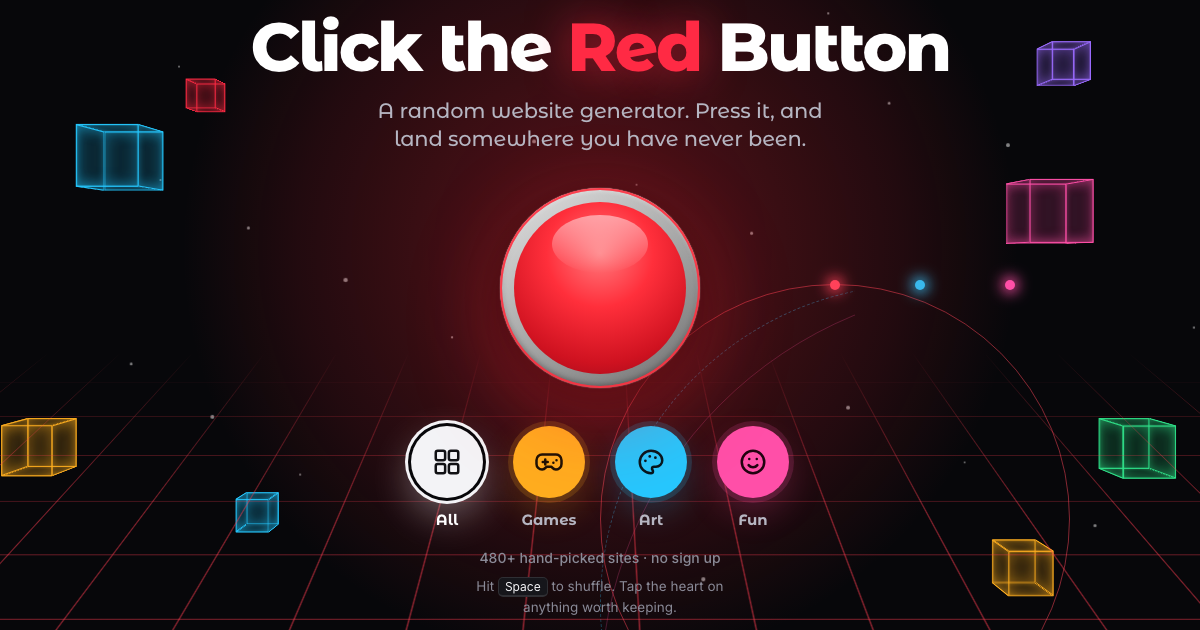

User reviews (0)