
 简体中文
简体中文
cloudinary.com
Streamline media management and improve user experience by automatically delivering images and videos, enhanced and optimized for every user.
At a glance
- Category
- Video & Film
- Language
- English
- Paid-content signal
- Paid contentObserved
- Registered
- 2011
- Hosting
- CloudflareInferred
- HTTPS certificate trusted
- PassedObserved
- Last updated
Related questions
More questions →What to Look for in a Video Platform Beyond Hosting and Sharing
If you're evaluating a video platform for a small business or marketing team, hosting and sharing are just the entry point. The features that actually determine whether a platform fits your workflow fall into four areas: privacy and playback control, collaboration and review tools, marketing and analytics capabilities, and practical limits like storage and mobile support. Most general-purpose tools (cloud storage, social networks, free hosts) cover hosting well but leave gaps in the other three. This guide walks through what each area means in practice, so you can map features to your own situation instead of comparing endless checklists.
Start by separating three jobs: hosting, editing, and marketing
Video platforms tend to bundle three distinct functions, and confusion usually comes from mixing them up:
- Hosting — storing a file, generating a player, delivering it reliably to viewers. This is the baseline.
- Editing — trimming, assembling, adding captions or branding. Some platforms include basic editors; others expect you to edit elsewhere and upload the result.
- Marketing and business features — privacy controls, lead capture, calls to action, analytics, team review workflows. These are what separate a "video host" from a "video platform."
A useful exercise: write down your last five video tasks (a product demo, a client pitch, a social clip, an internal training, a landing page embed). For each one, note which of the three jobs it required. If most of your tasks stop at hosting, a lighter tool may be enough. If several involve review cycles, gated access, or measuring viewer behavior, a fuller platform earns its cost.
Privacy and playback control: the business-vs-social divide
On social platforms, everything is public by default and wrapped in ads and recommendations. For business use, that's often the opposite of what you want. Look for:
- Granular privacy settings — can you restrict a video to specific people, a password, a domain, or an embed location? Can you make it unlisted but still embeddable?
- Ad-free playback — your product demo shouldn't end with a competitor's ad or an unrelated recommendation.
- Customizable embeds — control over player color, logo, and whether related videos appear. This matters when the video sits on your own site and represents your brand.
- Domain-level restrictions — the ability to limit playback to your own website prevents your content from being re-embedded elsewhere.
If your videos are purely promotional and public, these controls matter less. If you share client work, internal training, or pre-release material, they become the deciding factor.
Collaboration and review: the most common gap
This is where general-purpose tools most often fall short. A shared drive lets people comment on a file, but it doesn't give you a structured review process. A dedicated platform typically offers:
- Timestamped comments — feedback attached to a specific moment in the video, so "the logo looks off" points to an exact frame.
- Versioning — uploading a new cut while keeping the old one, so reviewers can see what changed.
- Approval status — a clear "approved" or "needs changes" state rather than a scattered email thread.
- Role-based access — reviewers who can comment but not download or reshare.
When this becomes relevant: as soon as more than two people need to sign off on a video, or when you're producing videos on a recurring schedule. For a solo operator publishing once a month, a simple comment thread may be sufficient.
Analytics and lead capture: beyond view counts
A raw view count tells you almost nothing actionable. Business-oriented platforms go further:
| Feature | What it tells you | When it matters |
|---|---|---|
| Watch time / engagement graph | Where viewers drop off | Improving content or editing |
| Viewer identity | Who watched (when gated) | Sales follow-up, internal training |
| Lead capture forms | Email collected before or during playback | Demand generation |
| Calls to action | Click-through to a page or booking link | Converting viewers |
| Embed/domain reports | Where your video is being watched | Tracking campaign performance |
If your goal is brand awareness, basic view counts may be fine. If you're using video to generate leads or train staff, the deeper metrics are the reason to choose a platform over a free host.
Practical limits that affect daily use
Feature lists rarely mention the constraints that cause friction later. Check these before committing:
- Storage and bandwidth limits — how much you can upload, and whether high viewership triggers overage fees.
- Upload size and length caps — relevant if you work with long recordings or high-resolution footage.
- Mobile app support — can you upload, review, and respond to comments from a phone? For teams that shoot on mobile, this is a real workflow factor.
- Export and portability — can you download your originals and embed codes if you leave? Lock-in is a hidden cost.
- Integrations — does it connect to the tools you already use (your website builder, CRM, or project tracker)?
Deciding between a full platform and a lighter tool
Use these rough conditions as a starting point:
A lighter tool (free host, cloud storage, social platform) is likely enough if:
- You publish occasionally and mostly to public channels.
- One person handles video end to end.
- You don't need gated access or viewer-level analytics.
A dedicated platform is worth evaluating if:
- Multiple people review or approve videos.
- You need privacy controls, ad-free playback, or branded embeds.
- You're using video for lead generation, training, or client delivery.
- You publish frequently enough that manual workarounds cost more than a subscription.
Pricing and plan details change often, so check the platform's current plans page directly rather than relying on secondhand comparisons. The right approach is to list your actual requirements first, then match them against what each option offers — not the other way around.
What Can You Actually Do With a Free Hosted REST API Like ReqRes?
A free hosted REST API like ReqRes gives you a real HTTP endpoint you can call immediately—no signup, no local server, no database setup. You get predictable JSON responses for users, resources, login, and registration, which makes it useful for front-end demos, integration tests, learning HTTP clients, and prototyping. What it is not is a production backend for your app: the data is shared, resets periodically, and you don't control the schema. If you need persistent, private data with auth and logs, that's where an account-based backend or a commercial licence comes in.
What "free REST API for testing and prototyping" actually means
The phrase sounds vague, so it helps to separate two things people often conflate:
- A mock/sample API — a public, hosted service with fixed or semi-fixed endpoints that return realistic-looking JSON. You don't own the data. It exists so you can point code at a URL and get a response.
- A real backend you configure — a service where you define collections, schemas, authentication, and logging, and where your data persists and belongs to you.
ReqRes's landing page describes both: a free REST API for testing and prototyping with real responses and no signup, plus an option to build your own backend with collections, auth, and logs at app.reqres.in. Those are different products with different trade-offs. The free public endpoints are the "point and go" part; the account-based backend is the "own your data" part.
What you can do with the no-signup public endpoints
1. Front-end demos without a backend
If you're building a UI and need data to render, you can fetch from a public endpoint instead of hardcoding arrays. This keeps your demo code closer to real fetch logic:
async function loadUsers(page = 1) {
  const res = await fetch(`https://reqres.in/api/users?page=${page}`);
  if (!res.ok) throw new Error(`HTTP ${res.status}`);
  const { data, total, page: current } = await res.json();
  return { users: data, total, page: current };
}
You get pagination fields, a data array, and support metadata—enough to build list views, loading states, and empty states.
2. Integration and contract tests
You can assert that your HTTP layer handles status codes, headers, and JSON shapes correctly. Typical checks:
GET /api/users/2returns200with adataobject.GET /api/users/23returns404(a non-existent user).POST /api/loginwith valid credentials returns a token; with missing fields returns400.
This is useful for testing your client wrapper, retry logic, error handling, and serialization—without spinning up your own server.
3. Learning HTTP clients and tooling
If you're new to fetch, Axios, curl, Postman, or HTTPie, a hosted API is a low-friction target. You can practice:
- Sending query parameters (
?page=2,?delay=3). - Setting headers and reading response headers.
- Handling
POST,PUT,PATCH,DELETE. - Observing status codes for success and failure.
4. Deliberate failure and latency testing
Endpoints that return 404 on purpose, or that accept a delay parameter, let you test how your app behaves when things go wrong or slow down. That's hard to do reliably against a happy-path local mock.
What the public endpoints are not good for
| Use case | Public sample endpoints | Account-based backend |
|---|---|---|
| Persistent, private data | No — shared and reset | Yes |
| Custom schema/collections | No | Yes |
| Authentication you control | Limited (demo login) | Yes |
| Request logs and debugging | No | Yes |
| Production traffic | Not intended | Depends on plan/licence |
| Team collaboration | No | Yes |
The key limitation: you don't own the data, and other people are hitting the same endpoints. Treat responses as illustrative, not authoritative.
When you'd move to an account-based backend
Consider app.reqres.in (collections, auth, logs) when any of these are true:
- You need your own collections and fields, not the fixed demo schema.
- You need data to persist between sessions and belong only to you.
- You need real authentication flows you can rely on in a demo or internal tool.
- You need request logs to debug what your client actually sent.
- You're working with a team and need shared, stable endpoints.
The trade-off is setup and, eventually, cost. The public endpoints require none; the backend requires an account and configuration.
Where pricing and licensing become relevant
The site signals a commercial licence and an upgrade path (with Stripe as the payment platform), but specific prices, plan tiers, and limits aren't stated here—so don't assume numbers. What you can reason about:
- Prototyping and learning → free public endpoints are usually enough.
- Internal tools, demos for clients, or anything you don't want reset → an account-based backend is the natural next step.
- Production or commercial use → check the licence terms and any paid plan, because "free for testing" and "free for commercial production" are not the same thing.
Before committing, read the current terms on the site rather than relying on secondhand summaries, since pricing and licence scope change.
A quick decision checklist
- Do you need data that persists and is private? If yes → account-based backend.
- Do you need a custom schema? If yes → account-based backend.
- Are you only testing HTTP behavior, UI rendering, or learning a client? If yes → free public endpoints.
- Will this touch real users or revenue? If yes → review the licence and any paid plan first.
- Do you need logs and team access? If yes → account-based backend.
If you answer "no" to 1, 2, 4, and 5, the free hosted API is likely all you need. If you answer "yes" to any of them, plan for the account-based path.
How to Get Started with Cloudinary
Cloudinary is an AI-native image and video API platform for automating the entire visual media lifecycle at scale. If you want to start using it, the official site offers two direct entry points: Sign Up for Free for self-serve access, and Contact Sales if you need an enterprise plan or want to talk through a business use case first. Before committing to either, you can browse the role-based and use-case sections to confirm the platform fits your needs.
Start With the Right Entry Point
The homepage presents two primary calls to action:
| Entry point | Best for | What happens next |
|---|---|---|
| Sign Up for Free | Developers, builders, and small teams who want to test the platform hands-on | You create an account and begin working with the media APIs |
| Contact Sales | Enterprises, commerce teams, or anyone needing a custom plan | You start a conversation about your requirements |
If you are unsure which applies, the deciding factor is usually scale and procurement: individual experimentation and small builds fit the free sign-up path, while organizational rollouts, governance needs, or custom agreements point toward sales.
Check Whether Your Role Is Covered
Cloudinary organizes its offering around specific roles, so you can quickly see if your workflow is addressed:
- Developers — ship faster with media APIs
- Builders — create and experiment with low-code tools and AI
- Commerce Teams — drive conversions with optimized images and video
- Product Teams — deliver high-performance visual experiences
- DAM and Content Teams — maintain control and consistency at scale
- Content Ops — streamline workflows and scale media operations
- AI Agents — equip agents with context-rich media
- Marketers — launch and adapt content across every channel
Finding your role here is a useful signal that the platform's defaults and tooling will match how you actually work.
Match a Use Case to Your Goal
The site groups solutions by outcome. Use this to sanity-check your primary need before registering:
- Web performance — fast, responsive images and video optimized automatically for every device and network
- Omnichannel content — create once and adapt everywhere via real-time transformations for web, mobile, and social
- Commerce experiences — rich, optimized product visuals aimed at engagement and conversions
- Scalable media operations — automate tagging, moderation, approvals, and workflows
- Centralized asset management — organize, search, and control media with AI-powered metadata and governance
- AI-powered media automation — generate, transform, and optimize media dynamically with AI and agents
If one of these describes your project, you have a concrete starting point for what to build or evaluate first.
Verify Integration Fit Before You Commit
Cloudinary states it connects to your entire tech stack through prebuilt integrations, APIs, and MCP server support, so applications, AI tools, LLMs, and agents can connect to your media stack. Named integrations span a wide range, including Adobe, AWS, Contentful, Contentstack, Figma, Google, HubSpot, Mailchimp, Microsoft, Netlify, Salesforce, Sanity, WordPress, and Zapier, among many others.
Before signing up, scan this list for the tools you already use. If your core stack appears, setup is likely to be smoother; if it does not, the APIs and MCP server support are the fallback path to check.
Scale Signals Worth Knowing
For readers weighing whether the platform suits a larger organization, the site cites:
- 80 billion assets under management
- 4 million developers
- Thousands of leading brands, from startups to global enterprises
- Recognition as a Visionary in the Gartner® Magic Quadrant™ for DAM platforms
- Leader in the IDC MarketScape for Worldwide Intelligent DAM
These are positioning claims from the vendor, useful as context rather than independent proof.
A Practical First Sequence
- Identify your role and primary use case from the sections above.
- Scan the integration list for your existing tools.
- Choose Sign Up for Free to test hands-on, or Contact Sales if you need enterprise terms.
- For pricing specifics, go directly to the pricing page rather than inferring costs from the homepage.
The fastest way to decide is to pick the entry point that matches your scale, then validate the platform against your actual stack and use case.
What Is Cloudinary and What Does It Do?
Cloudinary is an image and video API platform that automates the entire visual media lifecycle — upload, storage, transformation, optimization, and CDN delivery — so you don't have to build that pipeline yourself. It fits teams that need to serve optimized images and video at scale across web, mobile, social, and other channels, and that would rather call an API than maintain their own media infrastructure. If you only need to store a handful of static files, it's more than you need; if you're manually resizing images or running your own transcoding jobs, it's aimed squarely at you.
What Cloudinary actually handles
The platform covers what the site calls "every stage of the visual media lifecycle, connected." In practice that breaks into a few jobs:
- Upload and storage — media assets go into Cloudinary rather than (or alongside) your own storage, with 80 billion assets under management as a stated scale signal.
- Transformation — real-time transformations generate the right crop, format, or size per request instead of you pre-generating variants.
- Optimization and delivery — assets are automatically enhanced and optimized, then served through a CDN so each user gets a version suited to their device and network.
- AI-powered automation — tagging, moderation, approvals, and generation/transformation tasks can be automated, which the site frames as an "AI-native" capability.
The through-line is automation: you define rules or call APIs, and the platform produces and delivers the optimized result.
Who it's built for
Cloudinary positions itself for several distinct groups, and the fit depends on which one you are:
| Audience | What they get |
|---|---|
| Developers | Media APIs to ship faster without building media infrastructure |
| Builders | Low-code tools and AI for creating and experimenting |
| Commerce teams | Optimized product visuals aimed at conversions |
| Product teams | High-performance visual experiences |
| DAM and content teams | Centralized asset management with AI metadata and governance |
| Content ops | Automated tagging, moderation, approvals, and workflows |
| AI agents | Context-rich media for agent workflows |
| Marketers | Content adapted across every channel |
If you're a solo developer, the API and low-code paths are the relevant ones. If you're managing a large asset library, the DAM and governance angle matters more.
How it connects to your stack
Cloudinary advertises prebuilt integrations, APIs, and MCP server support, so applications, AI tools, LLMs, and agents can connect to the media stack. The listed integration ecosystem is broad — it includes CMS and DAM platforms (Contentful, Sanity, Contentstack, Adobe, Bynder-adjacent tools), commerce systems (Salesforce, HubSpot, Akeneo), design and creative tools (Figma, Adobe), automation platforms (Zapier, Make, n8n), cloud infrastructure (AWS, Netlify), and AI tooling (Cursor, Claude, Codex).
The practical takeaway: before assuming you'll need custom glue code, check whether your CMS, commerce platform, or automation tool already has a listed integration.
Scale and recognition signals
Two numbers are stated directly on the site: 80 billion assets under management and 4 million developers. It also cites thousands of brands from startups to global enterprises, a Visionary placement in the Gartner® Magic Quadrant™ for DAM platforms, and a Leader position in the IDC MarketScape for Worldwide Intelligent DAM. Treat these as vendor-reported positioning rather than independent benchmarks, but they indicate the platform is built for enterprise-scale media operations, not just small projects.
What to check before committing
- Pricing and plan limits — the site links to a pricing page, but plan details, usage tiers, and any free-tier constraints aren't specified in the material here. Check the pricing page directly before assuming a free tier covers your volume.
- Whether you need the full lifecycle — if you already have storage and a CDN and only need transformations, confirm which capabilities you'd actually use.
- Integration fit — verify your specific CMS, framework, or agent tooling appears in the integration list, or that the API/MCP path covers it.
- Governance needs — if you're a DAM or content team, the AI metadata and enterprise governance features are the ones worth evaluating in a trial.
The fastest way to judge fit is to sign up and run one real asset through upload → transform → delivery, then compare the output and effort against whatever you're doing today.
How to Find Cloudinary Pricing and Plan Options
Cloudinary publishes a dedicated pricing page at cloudinary.com/pricing, which is the authoritative source for current plan tiers and costs. The homepage also offers two entry points — "Sign up for free" and "Contact sales" — so you can either self-serve into a free tier or talk to sales about a custom or enterprise arrangement. Because plan details and prices change, treat the pricing page itself as the reference rather than any secondhand summary.
Where the pricing information lives
- Pricing page:
https://cloudinary.com/pricing— linked directly from the site navigation as "Pricing." This is where plan tiers and their associated costs are listed. - Free sign-up: The homepage presents a "SIGN UP FOR FREE" call to action, indicating a free entry path exists. The site does not state on the homepage what limits or features that free tier includes — check the pricing page for that.
- Sales contact: A "CONTACT SALES" option sits alongside the free sign-up, which is the route for enterprise or custom-volume discussions.
What to evaluate alongside the price
Cloudinary positions itself as an "AI-native platform and APIs for automating the entire image and video lifecycle at scale." That scope means the right plan depends on more than a headline number. When comparing tiers, weigh these dimensions:
| Dimension | Why it matters for plan choice |
|---|---|
| Media volume | The site cites 80 billion assets under management globally; your own asset count and monthly transformations drive tier fit |
| Use case | The site lists distinct solutions — web performance, omnichannel content, commerce, media operations, asset management, AI automation — each with different feature emphasis |
| Team type | Homepage segments include developers, builders, commerce teams, product teams, DAM/content teams, content ops, AI agents, and marketers |
| Integrations | Prebuilt integrations span AWS, Adobe, Figma, WordPress, Salesforce, HubSpot, Zapier, n8n, and many others, plus APIs and MCP server support |
| Governance needs | Enterprise-grade governance and AI-powered metadata are called out under centralized asset management — relevant if you need control and consistency at scale |
A practical way to decide
- Open the pricing page and note which tiers exist and what each includes.
- Map your own usage against the dimensions above — start with monthly media volume and your primary use case.
- If your needs look standard, the free sign-up path lets you start without a sales conversation.
- If you need custom volume, governance, or enterprise terms, use the contact sales route.
- Re-check the pricing page before committing, since published tiers and costs are subject to change.
Common sticking points
- Assuming the free tier's limits. The homepage confirms a free sign-up exists but does not specify its caps; only the pricing page does.
- Treating price as the only variable. With a platform covering upload, storage, optimization, CDN delivery, and AI automation, feature scope per tier often matters as much as cost.
- Overlooking integration fit. If your stack already includes tools like Figma, Salesforce, or WordPress, confirm the relevant integration is available at your chosen tier.
For the definitive answer on current plans and costs, go to cloudinary.com/pricing.
Website Overview
An established domain and managed infrastructure suggest continuity of operations and may support dependable delivery, although neither guarantees service quality. Page metadata, canonical configuration and social previews work together to provide more consistent search and sharing presentation.
Domain and Registration
Registered in 2011, this domain has about 15 years of history. That suggests continuity, although ownership and purpose may have changed. Transfer-protection status is present, helping reduce the risk of unauthorized domain transfers. The registrar is GoDaddy.com, LLC, a widely used domain service provider. The domain uses the common .com extension, which is not an independent safety signal.
DNS and Email
The lowest TTL is 60 seconds, supporting rapid record changes at the cost of more frequent lookups. Nameservers are provided by Amazon Route 53, indicating managed DNS hosting. MX records point to the Google Workspace email service. CAA records restrict which certificate authorities are authorized to issue certificates. No CNAME was found; the observed records resolve directly to addresses.
TLS and Certificates
The certificate includes the organization field Cloudinary Ltd. The certificate uses an RSA 2048-bit public key, offering broad client compatibility. The server supplied a complete certificate chain. The certificate is valid for about 198 days in total, with 62 days remaining. The SAN includes a wildcard covering multiple hostnames at the same subdomain level. Shared private keys can increase the impact of a compromise.
HTTP and Browser Security
The response lacks these common security headers: HSTS, X-Content-Type-Options, Referrer-Policy, Permissions-Policy, clickjacking protection. No X-Powered-By header was found, reducing one common source of backend fingerprinting information. The cf-ray, x-cache response header indicates a CDN or caching proxy in the delivery path. No obvious internal addresses or debug information were found in the headers. The Server header identifies cloudflare without an exact version.
Technology Stack Analysis
The public page identifies WordPress, Bootstrap, Google Tag Manager, Cloudflare without precise versions, leaving fewer clues for version-specific scanning.
Search and Social Sharing
Twitter Card metadata is configured. JSON-LD includes Organization data, helping describe the organization as an entity. The title has 53 characters, within a common display range. A meta description is present, with 141 characters. The observed directives allow indexing and link following.
Hosting and Email
 Amazon Route 53
 Cloudflare
 Google Workspace
 United States
Inferred
162.159.130.82
United States
Inferred
162.159.130.82
Registration details
| Registrar | GoDaddy.com, LLC |
|---|---|
| Registered | 2011-05-24 |
| Expires | 2027-05-24 |
| Domain status | client delete prohibited、client renew prohibited、client transfer prohibited、client update prohibited |
| Nameservers | ns-1002.awsdns-61.net、ns-1383.awsdns-44.org、ns-1712.awsdns-22.co.uk、ns-31.awsdns-03.com |
| DNSSEC | unsigned |
DNS records
| Type | Name | Value | TTL | Priority |
|---|---|---|---|---|
| A | cloudinary.com | 162.159.130.82 | 281 | — |
| A | cloudinary.com | 162.159.133.82 | 281 | — |
| MX | cloudinary.com | aspmx.l.google.com | 604800 | 10 |
| MX | cloudinary.com | alt1.aspmx.l.google.com | 604800 | 20 |
| MX | cloudinary.com | alt2.aspmx.l.google.com | 604800 | 30 |
| MX | cloudinary.com | aspmx2.googlemail.com | 604800 | 40 |
| MX | cloudinary.com | aspmx3.googlemail.com | 604800 | 50 |
| NS | cloudinary.com | ns-1002.awsdns-61.net | 170115 | — |
| NS | cloudinary.com | ns-1383.awsdns-44.org | 170115 | — |
| NS | cloudinary.com | ns-1712.awsdns-22.co.uk | 170115 | — |
| NS | cloudinary.com | ns-31.awsdns-03.com | 170115 | — |
| TXT | cloudinary.com | E929CDE6EC | 60 | — |
| TXT | cloudinary.com | ZOOM_verify_YnFdk0a_SVOeQsrFkDAw3w | 60 | — |
| TXT | cloudinary.com | _globalsign-domain-verification=GaGrzKSbOyHY9Um2Am5NvwDZwSemQX-5spDUySXEMd | 60 | — |
| TXT | cloudinary.com | _globalsign-domain-verification=KyIKtD7fu9Ee2_8xeoMJ3v3U3LWPj5KeHOqt1ezR55 | 60 | — |
| TXT | cloudinary.com | _globalsign-domain-verification=adJ8DZKP197BdksRA1nVsKnFdFxA73yn87JkfXnkGV | 60 | — |
| TXT | cloudinary.com | _globalsign-domain-verification=wAjXNKtW3Y8szz2Q6oZ7yT5uNFGnEMGLOdsqds5i7S | 60 | — |
| TXT | cloudinary.com | _globalsign-domain-verification=xfkrv3yRwA5GGm0E4l5RlcNKTqVD8KAYsYdCYTBMF0 | 60 | — |
| TXT | cloudinary.com | adobe-idp-site-verification=dc770567c4b551a01e7bbd3773ab78263937af7386dfd73b29c61999b189cfbb | 60 | — |
| TXT | cloudinary.com | anthropic-domain-verification-ahtwyk=rR5AAJIaQrLQGx0obBnmCFl1J | 60 | — |
| TXT | cloudinary.com | apple-domain-verification=9725Cuj5C2pv0pDl | 60 | — |
| TXT | cloudinary.com | atlassian-domain-verification=4qAEhg1IeneaBDd0dmGEojqrJ5bc7tn0xU2Q8wFAiQDzbB7ziCHfbGP016WcTZi2 | 60 | — |
| TXT | cloudinary.com | atlassian-domain-verification=AOkxKQ8+4TPDqZMLgRg3JcEgNv1n1hmpcgF+sk0fO+NEa/7kt3rBKaUYhD7s8cJV | 60 | — |
| TXT | cloudinary.com | bugcrowd-verification=5c5b71cd093242bf89c6388dbe0c69a4 | 60 | — |
| TXT | cloudinary.com | canva-site-verification=Kl0q0ZIanShnW8gR52ytWQ | 60 | — |
| TXT | cloudinary.com | citrix-verification-code=9723523c-d414-4cf5-9665-c1d0125613ad | 60 | — |
| TXT | cloudinary.com | cursor-domain-verification-kpmf7r=3pt7fLFks6F999bPd0yIEOZtH | 60 | — |
| TXT | cloudinary.com | globalsign-domain-verification=FnXWfFjPqReOGiIH8ITAbUasqKxnix6ftvTUzPOKHF | 60 | — |
| TXT | cloudinary.com | google-site-verification=A1dO3ZsGzgmtgtHo7qonoP6c3fYm1kQTZzOX9u3VZqs | 60 | — |
| TXT | cloudinary.com | google-site-verification=CFzRyyT8KTPku4FwnzGwxjalAapaqu4PpBdCFcCVoFQ | 60 | — |
| TXT | cloudinary.com | google-site-verification=IUZlHaCBR7o_H_ncjfnilE6CCczfKJvzpAdKWsYnpc0 | 60 | — |
| TXT | cloudinary.com | google-site-verification=MRRRc8wtC4o6SL0Np4xi1jwYnJ7HDGsLtshcGbhF6JE | 60 | — |
| TXT | cloudinary.com | google-site-verification=P1zoyMZh51bRZGuhe357QkfX3Ugk6VVPPfTPJm-jkl4 | 60 | — |
| TXT | cloudinary.com | google-site-verification=Pk-y_XynqF6gS-fjm5i_vVv8l55wjXksNW-VNVZzUSY | 60 | — |
| TXT | cloudinary.com | google-site-verification=WuAhXm9G0EkFHiIlbYIaraoNxVZGI93flftpmqNhIfc | 60 | — |
| TXT | cloudinary.com | google-site-verification=_Ww1ZnQG2b-udqYE3mFCVvLuZTcDxzcGBuiDlgD16F0 | 60 | — |
| TXT | cloudinary.com | google-site-verification=s-cOkL0qyyKvsGk-DH_C8AhKe5tG-CR1LX9kBX3q3do | 60 | — |
| TXT | cloudinary.com | google-site-verification=sPD-Zn6B_UmCjOjKOne9BORhWQHaZUmeK-kTvtay-x0 | 60 | — |
| TXT | cloudinary.com | google-site-verification=uRUhDtR2nJ0-1DE6d3xz8bkLd8or1yvaOs2bl6XZwKA | 60 | — |
| TXT | cloudinary.com | google-site-verification=vgC5-DZAGiIczqth3TiN20lAvgpPN1v9lZevLV-Yark | 60 | — |
| TXT | cloudinary.com | google-site-verification=w539prDJbBR_2FVPm01o1ctmXWYG4uDJOS95n1kKKqE | 60 | — |
| TXT | cloudinary.com | jamf-site-verification=FdG93okZ9vmqgX0mZ4qcVA | 60 | — |
| TXT | cloudinary.com | loadmill-challenge=009b5a8530f899fea581482957a9760c | 60 | — |
| TXT | cloudinary.com | miro-verification=110e327f5cb83311fd9b95b1ef3b5abd82b800a1 | 60 | — |
| TXT | cloudinary.com | onetrust-domain-verification=144ac5be800f48f7bab3778cbee9baae | 60 | — |
| TXT | cloudinary.com | openai-domain-verification=dv-52IApjp7nEuw9GlwhJH1cumH | 60 | — |
| TXT | cloudinary.com | phish-insight-verification=D5BY4DQ6G9M2DI1F8W927H3SHE83U4IXXTMPZS1M | 60 | — |
| TXT | cloudinary.com | ps-cd-verification=81515af9-b33b-4fdc-830b-ae47ab29e88e | 60 | — |
| TXT | cloudinary.com | status-page-domain-verification=f43zl7h4ytsc | 60 | — |
| TXT | cloudinary.com | v=spf1 include:_spf.salesforce.com include:_spf.google.com ip4:23.21.109.197 ip4:23.21.109.212 ip4:147.160.167.0/26 include:mail.zendesk.com include:sendgrid.net include:stspg-customer.com ~all | 60 | — |
| TXT | cloudinary.com | wiz-domain-verification=2dca44a9fab85c8e8418b6460b131ef7ea9cac9f8a46c9555ab34ca16eec6838 | 60 | — |
| TXT | cloudinary.com | zapier-domain-verification-challenge=265f79eb-bb9f-4457-aec4-1201d5bea917 | 60 | — |
| CAA | cloudinary.com | 0 issue "amazon.com" | 300 | — |
| CAA | cloudinary.com | 0 issue "amazonaws.com" | 300 | — |
| CAA | cloudinary.com | 0 issue "amazontrust.com" | 300 | — |
| CAA | cloudinary.com | 0 issue "awstrust.com" | 300 | — |
| CAA | cloudinary.com | 0 issue "certainly.com" | 300 | — |
| CAA | cloudinary.com | 0 issue "digicert.com" | 300 | — |
| CAA | cloudinary.com | 0 issue "globalsign.com" | 300 | — |
| CAA | cloudinary.com | 0 issue "godaddy.com" | 300 | — |
| CAA | cloudinary.com | 0 issue "letsencrypt.org" | 300 | — |
| CAA | cloudinary.com | 0 issue "pki.goog" | 300 | — |
| CAA | cloudinary.com | 0 issue "ssl.com" | 300 | — |
| DMARC | _dmarc.cloudinary.com | v=DMARC1; p=quarantine; pct=1; rua=mailto:[email protected]; ruf=mailto:[email protected]; | 220 | — |
TLS and certificates
HTTP response headers
| Header | Value |
|---|---|
| content-type | text/html; charset=UTF-8 |
| cache-control | public, max-age=43200 |
| server | cloudflare |
| content-security-policy | default-src 'self' *.crazyegg.com; script-src 'self' 'unsafe-inline' 'unsafe-eval' cloudinary.com *.cloudinary.com *.googletagmanager.com www.google-analytics.com *.google.com cdnjs.cloudflare.com unpkg.com cdn.jsdelivr.net stackpath.bootstrapcdn.com app-ab12.marketo.com snap.licdn.com *.zoominfo.com connect.facebook.net munchkin.marketo.net consent.cookiebot.com vidassets.terminus.services googleads.g.doubleclick.net radar.cedexis.com www.googleadservices.com maps.googleapis.com *.fastcdn.co *.instapage.com *.instapagemetrics.com *.redditstatic.com *.gstatic.com *.crazyegg.com *.wp.com *.driftt.com script.mocky.com *.googleoptimize.com *.6sc.co ml314.com tags.srv.stackadapt.com *.convertexperiments.com *.infinigrow.com cdn.debugbear.com cdn.cookielaw.org *.onetrust.com js.zi-scripts.com ws-assets.zoominfo.com tracking-api.g2.com *.adroll.com cdn.cr-proxy.com ddzuuyx7zj81k.cloudfront.net cdn.parsely.com *.openai.com; script-src-elem 'self' 'unsafe-inline' cloudinary.com *.cloudinary.com *.openai.com code.jquery.com *.amazonaws.com cdn.jsdelivr.net cdn.parsely.com cdn.cr-proxy.com stackpath.bootstrapcdn.com *.googletagmanager.com www.google-analytics.com *.google.com *.zoominfo.com cdn.omniconvert.com *.calibermind.com unpkg.com app-ab12.marketo.com snap.licdn.com connect.facebook.net munchkin.marketo.net consent.cookiebot.com vidassets.terminus.services googleads.g.doubleclick.net radar.cedexis.com www.googleadservices.com maps.googleapis.com *.fastcdn.co *.instapage.com *.instapagemetrics.com *.redditstatic.com *.gstatic.com *.crazyegg.com *.wp.com *.driftt.com script.mocky.com *.googleoptimize.com ml314.com *.6sc.co bat.bing.com static.ads-twitter.com www.clarity.ms tags.srv.stackadapt.com app.omniconvert.com web.omniconvert.com *.convertexperiments.com *.infinigrow.com ddzuuyx7zj81k.cloudfront.net dss6ntp5q2r0o.cloudfront.net cdnjs.cloudflare.com cdn.debugbear.com cdn.cookielaw.org *.onetrust.com js.zi-scripts.com ws-assets.zoominfo.com tracking-api.g2.com *.adroll.com app.convert.com cdn.cr-proxy.com; style-src 'self' 'unsafe-inline' fonts.googleapis.com *.typekit.net unpkg.com cdnjs.cloudflare.com app-ab12.marketo.com *.google.com *.cloudinary.com *.crazyegg.com *.wp.com *.driftt.com script.mocky.com *.googleoptimize.com tags.srv.stackadapt.com cdn.jsdelivr.net cdn.cookielaw.org *.googletagmanager.com; style-src-elem 'self' 'unsafe-inline' fonts.googleapis.com *.googletagmanager.com *.typekit.net unpkg.com cdnjs.cloudflare.com app-ab12.marketo.com *.google.com *.cloudinary.com *.crazyegg.com *.wp.com *.driftt.com script.mocky.com *.googleoptimize.com tags.srv.stackadapt.com cdn.jsdelivr.net cdn.cookielaw.org; img-src 'self' data: cloudinary.com *.cloudinary.com *.postrelease.com s.seedtag.com *.facebook.net *.google.com www.google-analytics.com pagead2.googlesyndication.com cm.g.doubleclick.net www.google.co.uk www.google.de www.google.hr www.google.co.il www.google.es *.google.com rtb-csync.smartadserver.com match.sharethrough.com d.turn.com onetag-sys.com pm.w55c.net p1.parsely.com p1-irl.parsely.com pix.revjet.com sync.smartadserver.com sync.adstir.com sync.commander1.com ardrone.swoop.com tag.crsspxl.com segments.company-target.com ps.eyeota.net googleads.g.doubleclick.net secure.gravatar.com match.adsrvr.org wec-assets.terminus.services wec-assets-api.terminus.services px.ads.linkedin.com *.google.ca *.facebook.com benchmark.1e100cdn.net *.cedexis-test.com cedexis.pc.cdn.bitgravity.com ptcfc.com ubiquity.cedexis.us-east-1.prod.endpoints.ubiquity.aws.a2z.com media-akam.licdn.com *.citrix-itm-test.com ubiquity.cedexis.eu-west-1.prod.endpoints.ubiquity.aws.a2z.com direct.cedexis.us-east-1.prod.endpoints.ubiquity.aws.a2z.com a-cedexis.msedge.net 20059b.ha.azioncdn.net *.cedexis.fastlylb.net test.cedexis.gamma.endpoints.ubiquity.aws.a2z.com *.cdnvideo.ru essl-cdxs.edgekey.net direct.cedexis.ap-northeast-1.prod.endpoints.ubiquity.aws.a2z.com *.endpoints.ubiquity.aws.a2z.com level3ssl.optimicdn.com img-cedexis.mncdn.com ced |
| x-content-type-options |
Identified technologies
Pages, Search and Sharing
| Meta description | Streamline media management and improve user experience by automatically delivering images and videos, enhanced and optimized for every user. |
|---|---|
| Canonical URL | https://cloudinary.com/ |
| Language | English (default) |
| Twitter Card | summary_large_image |
Social Sharing Preview
13 fields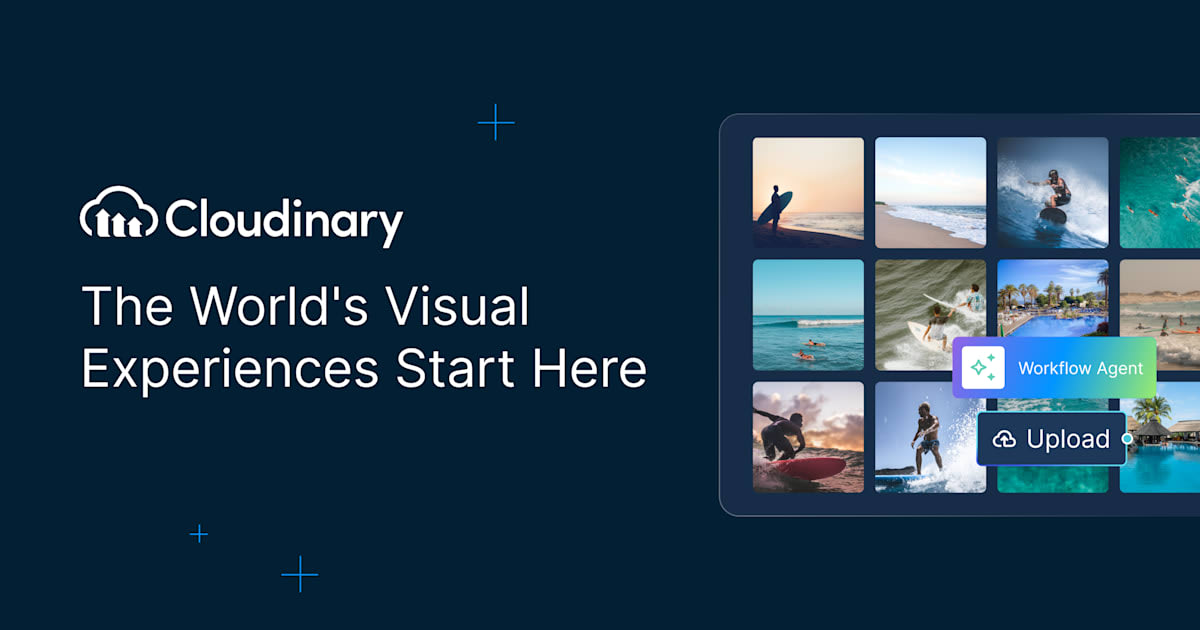
robots.txt (opens in a new tab)
12 rules008 0 allowed · 1 disallowed
- Disallow
/
semrushbot-sa 1 allowed · 0 disallowed
- Allow
/
semrushbot-si 1 allowed · 0 disallowed
- Allow
/
All bots 0 allowed · 9 disallowed
- Disallow
/blog/tag/* - Disallow
/blog/author/* - Disallow
/blog/20* - Disallow
/careers/jobs/* - Disallow
/demos/* - Disallow
/documentation/sdks/* - Disallow
/invites/* - Disallow
/users/* - Disallow
/feed/*
No matching rules.
Sitemaps
7- https://cloudinary.com/sitemap.xml(opens in a new tab)
- https://cloudinary.com/blog/post-sitemap.xml(opens in a new tab)
- https://cloudinary.com/glossary-sitemap.xml(opens in a new tab)
- https://cloudinary.com/guides-sitemap.xml(opens in a new tab)
- https://cloudinary.com/documentation/sitemap.xml(opens in a new tab)
- https://cloudinary.com/tools-sitemap.xml(opens in a new tab)
- https://cloudinary.com/page-sitemap.xml(opens in a new tab)
Recent Updates
- Website images
- Screenshots
- Network details
- Website Technologies
- Pages and Search Information
- HTTP Response Information
- TLS and certificates
- DNS Information
- Domain Registration
- Website profile
- Website Description
- Website Name
- Website profile
- Website Description
- Website Name
User reviews (0)