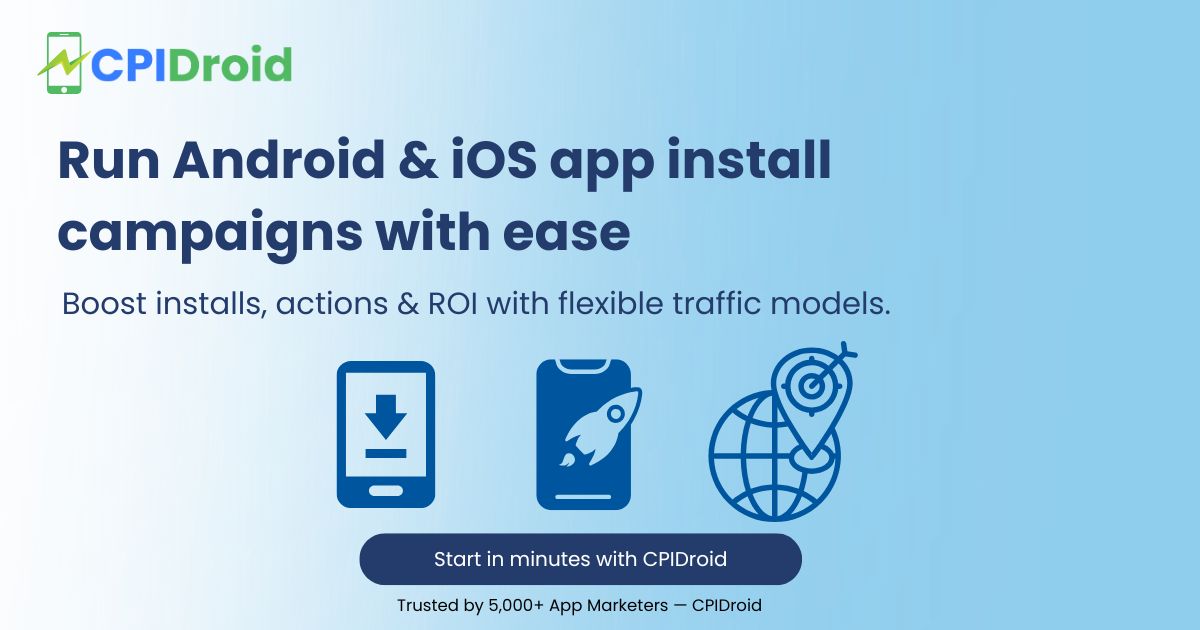
CPIDroid Full homepage screenshot

At a glance

Category
Marketing
Language
English
Paid-content signal
Paid contentObserved
Registered
2016
Hosting
CloudflareInferred
HTTPS certificate trusted
PassedObserved
Last updated

Website review

This review may include AI-generated content and is not individually verified. Domain, certificate and other facts come from the observed data on this page.

What is CPIDroid?

CPIDroid is a mobile advertising platform that combines a demand-side platform (DSP) for advertisers with a supply-side platform (SSP) for publishers. In plain terms: app developers and brands use it to buy app installs and other user actions, while app owners and traffic sources use it to monetise their inventory. It is operated by an India-based company that describes itself as DPIIT-recognised and ISO 9001 certified for quality management.

What it does for advertisers

The core offer is cost-per-install (CPI) and cost-per-action (CPA) campaigns for Android, iOS and web apps. Advertisers can choose rewarded or non-rewarded traffic, run campaigns themselves on a self-serve platform or hand them to an account manager, and target installs, actions or leads. The site's own headline claim is a cost per install from $0.08, with a bid-and-budget model: a $100 budget at a $0.10 bid is presented as roughly 1,000 conversions. It also offers keyword installs, which aim to associate installs with specific search terms, and web, desktop and mobile traffic buying.

What it does for publishers

Publishers and traffic owners can plug in through the SSP side, which the site describes as an offerwall-based network with both incentivised and non-incentivised options. SDK integration is mentioned for tracking, and the platform advertises anti-fraud and fraud-detection measures so advertisers pay for installs from real users and devices.

Practical trade-offs

  • Cost versus quality: Very low CPI rates usually mean broader, lower-intent traffic. If your app depends on paying users or long retention, cheap installs can look good on a dashboard and disappointing in revenue.
  • Incentivised versus non-incentivised: Rewarded traffic can lift volume quickly but often retains worse. Non-incentivised campaigns usually cost more per install but attract users who chose the app on its merits.
  • Self-serve versus managed: Self-serve suits teams that already know their target CPI and creative testing cadence. Managed setup suits advertisers who want someone else to tune bids and placements.
  • Keyword installs: Useful when you want installs tied to search terms relevant to your category, but they should be judged on organic ranking movement and downstream retention, not install count alone.

Who it suits

Indie developers and small studios testing a new app on a tight budget, and mid-sized advertisers running CPI or CPA campaigns at volume, are the most natural fit. Larger brands with strict brand-safety and attribution requirements should verify tracking integration, fraud controls and reporting before committing meaningful spend.

A useful next step

Before spending, decide your real target: cheap install volume, keyword ranking, or paying users. Then pick the campaign type that matches, start with a small test budget, and compare cost per install against day-7 and day-30 retention. That comparison, not the headline CPI, tells you whether the channel works for your app. If you want a broader view of the app-install market before choosing a network, it is worth comparing offers from established players such as AppsFlyer on the measurement side and Adjust for attribution.

How can I reduce my cost per install using CPIDroid?

CPIDroid positions itself as a self-serve or managed mobile ad platform with both demand-side (advertiser) and supply-side (publisher) tools, so reducing cost per install (CPI) on it is mostly a matter of campaign setup and traffic choice rather than a single setting. The site advertises CPI starting from $0.08 per successful conversion and a bid/budget model: if you set a $100 budget at a $0.10 bid, you are told to expect roughly 1,000 conversions. Treat that as an illustrative calculation from the platform, not a guaranteed rate — your real CPI depends on your app's category, target countries, and how competitive your bid is.

Practical levers on the platform

  • Pick rewarded vs. non-rewarded traffic deliberately. CPIDroid states it offers both incentivised (offerwall) and non-incentivised (creative-based) inventory. Rewarded installs typically come cheaper but often retain worse and convert to paying users less often. If your goal is pure volume and store ranking signals, rewarded can lower CPI; if you need users who actually transact, non-incentivised traffic usually justifies a higher CPI.
  • Match campaign type to goal. The platform supports CPC, CPI and CPA campaigns. Running CPA (actions and leads) instead of CPI shifts spend toward users who complete a specific event, which can make your effective cost per valuable user lower even when the headline CPI looks higher.
  • Use keyword installs where search visibility matters. CPIDroid lists Android and iOS keyword installs separately from general installs. Keyword-driven installs can support ranking for specific search terms, but they are usually priced above generic installs, so reserve them for the terms you actually want to rank for.
  • Start with a tight bid and a small budget. Because the model is bid-based, an aggressive opening bid buys volume fast but raises your average CPI. Begin lower, watch the conversion rate, and raise the bid only for segments that deliver installs at acceptable quality.
  • Terminate underperforming campaigns. The site says unused budget is refunded to your balance when you stop a campaign, with no stated hidden fees. That makes it low-risk to cut a source that is not hitting your target cost.
  • Rely on fraud filtering. CPIDroid claims anti-fraud and fraud detection systems so you pay for real installs from real devices. Cheap traffic is only cheap if the installs are genuine; verify this with your own attribution data rather than assuming it.

A concrete scenario

Suppose you are launching a mid-size Android utility app in India and Southeast Asia with a $500 test budget. You could split it: $300 on non-incentivised CPI campaigns at a moderate bid to measure retention, and $200 on rewarded traffic at a lower bid to test whether cheap volume still produces day-7 activity. Compare cost per retained user, not just cost per install, before scaling either side.

Decision criteria

If your priority is… Lean toward… Trade-off
Lowest headline CPI Rewarded/offerwall traffic, lower bids Weaker retention and engagement
Users who take actions CPA campaigns, non-incentivised inventory Higher cost per install
Store search ranking Keyword installs Higher price per install
Fast, controlled testing Small budget, self-serve, terminate freely Requires your own quality tracking

Next step

Before committing budget, open the platform's install and pricing pages to see current campaign options and minimum bids, and confirm the tracking setup (the site references SDK integration and AppsFlyer attribution experience) so you can measure retention and in-app events — not just installs. For independent attribution and fraud verification, AppsFlyer is a common companion tool, and Adjust is another established option; comparing their numbers against the platform's reported conversions is the fastest way to tell whether a low CPI is real.

What are the benefits of using CPIDroid's DSP and SSP for app promotion?

CPIDroid bundles two sides of mobile advertising into one platform: a demand-side platform (DSP) for advertisers buying installs and actions, and a supply-side platform (SSP) for publishers monetising their apps or traffic. The benefit depends on which side you sit on.

If you are promoting an app (DSP side)

  • One dashboard for several campaign goals. The site describes CPC, CPI and CPA campaigns, so you can optimise for a click, an install, or a downstream action without switching tools.
  • Incentivised and non-incentivised traffic. CPIDroid offers both rewarded offerwall inventory and creative-based non-incent campaigns. Rewarded traffic is usually cheaper and faster to scale but tends to retain worse; non-incent traffic costs more and is better for quality-sensitive apps. Having both in one place lets you test the trade-off.
  • Self-serve or managed. You can set up campaigns yourself or hand them to an account manager — useful if you lack a UA specialist but still want control later.
  • Budget control and refunds. The site describes a bid/budget system (for example, a $0.10 bid on a $100 budget implies roughly 1,000 conversions) and says you can terminate a campaign with the unspent balance refunded.
  • Fraud filtering. CPIDroid states that anti-fraud and fraud-detection measures apply, and that you pay for real installs from real users and devices.

A practical scenario: a small Android studio with a $500 test budget could run a low-bid CPI campaign to gauge install volume and cost, then move budget into CPA once it knows which in-app event predicts paying users.

If you are monetising an app (SSP side)

  • Access to advertiser demand. An SSP connects your inventory to advertisers buying installs and actions, which suits apps with offerwall, rewarded video or interstitial placements.
  • Choice of rewarded or non-rewarded formats, matching the site's description of both incentivised and non-incentivised inventory.
  • Reported tracking integration. The page mentions SDK integration for proper tracking, which is how installs and post-install events get attributed.

Trade-offs to weigh

Consideration What it means in practice
Low headline CPI Cheap installs often come from incentivised users; check retention and in-app purchase rates, not just install count.
Ranking claims CPIDroid itself notes ranking depends on many factors and needs a proper strategy — treat installs as one input, not a guarantee.
Attribution You still need a mobile measurement partner to verify installs and events independently.
Scale vs. quality Offerwall volume scales quickly; non-incent placements scale more slowly but usually deliver stronger cohorts.

A sensible next step

Decide your primary metric first. If it is install volume at minimum cost, start with a small rewarded CPI test and track day-7 retention. If it is paying users, run a CPA campaign and compare cost per paying user against your existing channels. Use the same measurement setup on both so the comparison is fair, and confirm current pricing and minimum budgets directly with CPIDroid before committing spend.

How does CPIDroid ensure real installs and prevent fraud?

CPIDroid says it charges only for real conversions — installs or actions from real users and devices — and attributes that to built-in anti-fraud measures and fraud detection systems. In practice, that means you pay on a cost-per-install or cost-per-action basis rather than for raw clicks or impressions, so inflated or bot-driven traffic shouldn't generate billable events if the detection works as described.

What the platform states

  • Pay for real installs only, from real users and devices, per the site's own description.
  • Anti-fraud and fraud detection systems are credited as the mechanism behind that claim.
  • Bid and budget controls: the site gives the example that a $100 budget at a $0.10 bid yields roughly 1,000 conversions — a simple way to sanity-check expected volume.
  • Termination and refunds: campaigns can be stopped at any time, with unused budget returned to your balance according to the site.

How to judge it in practice

Because the site describes the outcome rather than the detection method, treat the anti-fraud claim as a starting position and verify it with your own data. A practical setup for an advertiser:

  1. Use a mobile measurement partner (for example, AppsFlyer or Adjust) so installs are validated independently of the network's own reporting.
  2. Compare network-reported installs against MMP-attributed installs for the same period; a large gap is the first warning sign.
  3. Watch post-install behaviour, not just install counts — retention at day 1 and day 7, session depth, and in-app events expose incentivised or low-quality users that a raw CPI number hides.
  4. Segment by traffic type. CPIDroid offers both rewarded (incentivised) and non-rewarded inventory. Incentivised users often install, complete the action, and leave; if your goal is paying users or subscribers, weight your budget toward non-incentivised campaigns and measure each separately.
  5. Start with a small test budget and a fraud-postback or rejection rule in your MMP, then scale only the sources that survive.

Who this suits

CPI/CPA buying at low headline rates fits developers who need volume quickly — a new app testing store ranking, or a utility app monetised by ads where a large, cheap user base has some value even at lower engagement. It fits less well for apps whose economics depend on subscription revenue or long retention, where a cheap install that never returns is a net loss regardless of the fraud controls.

For comparison on measurement and fraud standards, the Mobile Marketing Association publishes industry guidance at Mobile Marketing Association, and the attribution vendors above document how to configure fraud postbacks.

Can I set up a self-service campaign on CPIDroid, or do I need an account manager?

Yes. CPIDroid supports both routes: you can build a campaign yourself on its self-serve platform, or hand setup to an account manager.

What each route suits

  • Self-service fits teams that already know their target CPI/CPA, creatives and daily budget, and want to launch quickly without a call. You create the campaign, pick the traffic type, set bids and budget, and monitor results yourself.
  • Managed setup fits first-time advertisers, or anyone running multi-geo or multi-app campaigns who wants help with targeting, creatives and pacing. CPIDroid states you can contact an account manager for assistance.

A practical middle path: launch one small self-serve campaign to learn the platform's reporting and traffic quality, then bring in a manager if you scale to several apps or geos.

Decisions you still make either way

  • Campaign type: CPC, CPI or CPA, depending on whether you want clicks, installs, or downstream actions and leads.
  • Traffic type: rewarded (incent) or non-incent. Rewarded traffic is usually cheaper and faster but tends to retain worse; non-incent costs more but delivers users closer to organic behaviour. Choose based on whether you need volume for ranking or quality for revenue.
  • Bid and budget: CPIDroid uses a bid/budget model — its own example is a $100 budget at a $0.10 bid yielding 1,000 conversions. Treat that as arithmetic, not a performance promise.
  • Tracking: the page mentions SDK integration for proper tracking, so confirm attribution before spending.

The trade-off to weigh

Self-service saves time and keeps control, but you own optimisation. Managed setup adds human help, but you depend on someone else's responsiveness and priorities. Neither removes the need for your own fraud checks and retention monitoring.

Next step: decide your campaign goal and traffic type first, then choose the route that matches your in-house capacity. If you want a benchmark for install pricing before committing, compare with other networks such as AppsFlyer for attribution and measurement context, or Adjust for mobile analytics.

What types of campaigns (CPI, CPA, CPC) does CPIDroid offer?

CPIDroid offers CPI, CPA and CPC campaigns. In its own wording, you can "Create CPC / CPI / CPA campaigns as per your goals." The three models bill on different actions, so the right choice depends on what you count as success.

What each campaign type is for

  • CPI (cost per install): The advertiser pays for each app install. Best when the goal is download volume, a launch push, or feeding an attribution partner with install events before deeper optimization.
  • CPA (cost per action): The advertiser pays when a user completes a defined action, such as a registration, lead, purchase or in-app event. Best when installs are cheap but you need downstream value, and when your app or site already tracks events reliably.
  • CPC (cost per click): The advertiser pays per click to a destination. Best for driving traffic to a web page, landing page or store listing when you want volume and control at the top of the funnel rather than a guaranteed install.

How the choice changes your setup

Campaign type You pay for Typical goal Main trade-off
CPI An install Downloads, launch momentum Cheap installs can be low-quality if fraud controls are weak
CPA A completed action Signups, leads, purchases Needs accurate event tracking; fewer partners can deliver volume
CPC A click Traffic, testing creatives and offers No guaranteed install or action, so quality depends on your funnel

CPIDroid also splits traffic into rewarded (incent) and non-rewarded (non-incent) sources, and supports self-serve or managed setup. That matters more than the acronym: rewarded installs are usually cheaper and faster but often retain worse, while non-incent traffic costs more and behaves closer to organic users.

A practical next step

Pick the model that matches the metric you are judged on. If you are launching and need installs, start with CPI and watch day-1 and day-7 retention, not just cost per install. If your app already fires in-app events, run a small CPA test alongside it and compare cost per paying user rather than cost per install. Keep a small CPC test running to see which creatives and store listings convert clicks into installs.

The page advertises a starting point of $0.08 per successful conversion, with a bid-and-budget system: a $100 budget at a $0.10 bid would yield roughly 1,000 conversions. Treat that as a floor illustration, not a guaranteed rate — actual costs vary by geography, platform and traffic type. For reference on attribution and campaign measurement, AppsFlyer and Adjust document how install and in-app event tracking is typically set up, and Android Developers covers Play Store listing and install-referrer mechanics.

Related questions

More questions →
What Are App Promotion Services and How Do You Choose One for Your App?

App promotion services are platforms or agencies that drive installs, actions, or traffic to your Android, iOS, or web app, usually on a pay-per-result basis. They fit teams that want measurable user acquisition without building an in-house ad-buying operation. The main decision is which campaign type matches your goal (installs vs. actions), and whether the provider charges only for real, verified conversions.

What app promotion services actually do

A promotion service connects your app to traffic sources and charges you when a defined result happens. On CPIDroid, campaigns can be created as CPC, CPI, or CPA depending on your goal, and traffic comes in both incentivized (rewarded offerwall) and non-incentivized (creative-based) forms.

Campaign type You pay for Typical goal
CPI Each install Grow download volume
CPA Each action or lead Registrations, sign-ups, in-app events
CPC Each click Traffic and top-of-funnel testing

The platform describes itself as a DSP + SSP ad network, meaning advertisers and publishers are matched on the same system. It states advertisers can reduce cost per install to $0.08, with a bid and budget system: a $100 budget at a $0.10 bid would yield roughly 1,000 conversions.

Match the service to your actual goal

  • Need raw install volume fast: choose a CPI campaign. This is the cheapest per-unit option in the model above and the fastest to launch.
  • Need users who take a specific action: choose CPA. You pay for the action or lead rather than the download, which filters out installs that never engage.
  • Need ranking movement: keyword install campaigns exist (Android and iOS keyword installs), but ranking depends on many factors and requires a proper strategy — it is not a guaranteed outcome of buying installs.
  • Need web or desktop traffic: separate traffic products cover mobile, desktop, and web, so a web app can be promoted without an app store.

If your goal is ambiguous, start with CPI to establish baseline volume, then layer CPA once you know which in-app events predict retention.

How to evaluate a provider before spending

Four checks matter more than headline pricing:

  1. Real installs and fraud controls. CPIDroid states you pay for real installs from real users and devices, backed by anti-fraud and fraud detection systems. Ask any provider how they filter incentivized traffic from fraudulent devices.
  2. Attribution tracking. The platform references SDK integration for proper tracking and cites AppsFlyer attribution training. Without a mobile measurement partner (MMP) or SDK in place, you cannot verify which installs came from the campaign.
  3. Refund and termination terms. CPIDroid says campaigns can be terminated anytime with the remaining amount refunded to balance, with no hidden costs or fees. Confirm this in writing for any vendor.
  4. Self-serve vs. managed. CPIDroid offers both: run campaigns yourself on the self-serve platform, or contact an account manager. Self-serve suits teams with existing UA experience; managed suits teams launching their first campaign.

Budget and bidding: what to expect

Pricing is conversion-based with no stated additional costs — you pay for what converts. The bid/budget mechanic is straightforward: your budget divided by your bid equals your expected number of conversions. A lower bid stretches budget further but may reduce delivery volume; a higher bid competes for more traffic. No credit card is required to get started, and there is no indication of a free tier beyond that — you fund campaigns to run them.

Getting started

  1. Set up tracking first — integrate the SDK or MMP so installs and actions are attributed correctly.
  2. Choose your campaign type (CPC, CPI, or CPA) based on the goal you identified above.
  3. Decide traffic type: incentivized or non-incentivized, depending on whether you want rewarded users or organic-style acquisition.
  4. Set your bid and budget, then launch. Start small to measure conversion quality before scaling.
  5. Monitor and adjust, or hand management to an account manager if you prefer.

The common failure point is skipping step 1: without attribution, you cannot tell real conversions from noise, and no refund policy will fix that.

How Does Android App Marketing Work and How Do You Run a CPI/CPA Campaign?

Android app marketing is the process of getting your app in front of Android users and paying for measurable outcomes—usually installs (CPI) or in-app actions and leads (CPA). On a platform like CPIDroid, you can run either model on a self-serve basis or with a managed account team, set a bid and budget, and pay only for successful conversions. This works best when you have a clear goal (installs vs. actions), a defined budget, and tracking in place so real installs can be separated from fraud.

What Android app marketing covers

Android app marketing is broader than just buying installs. It includes:

  • User acquisition — driving new installs from the Play Store.
  • Action and lead campaigns — paying for a defined event after install (signup, purchase, form fill).
  • Keyword installs — targeting users who search specific terms, which can support visibility and ranking.
  • Monetization — for publishers, earning from app traffic through an SSP.

CPIDroid positions itself as an AdTech platform with a built-in DSP (for advertisers) and SSP (for publishers), connecting both sides. It supports Android, iOS, and web app promotion, so the same account can run campaigns across platforms.

How Android differs from iOS or web promotion

The mechanics are similar—you still choose CPI or CPA, set bids, and track conversions—but the destination differs:

Channel Where the user lands Typical campaign goal
Android Google Play Store listing Installs, keyword installs, actions
iOS App Store listing Installs, keyword installs, actions
Web Website or web app Traffic, actions, leads

CPIDroid lists separate products for Android installs, iOS installs, Android keyword installs, iOS keyword installs, web traffic, desktop traffic, and mobile traffic—so you pick the channel that matches your app.

CPI vs. CPA: which pricing model to choose

Both models are available, and the choice depends on what you actually want to pay for.

  • CPI (cost per install) — you pay when a user installs the app. Best when your goal is volume and you'll handle retention and monetization yourself.
  • CPA (cost per action) — you pay when a user completes a defined action or lead. Best when you want to pay only for higher-value outcomes.

CPIDroid states you can reduce cost per install to $0.08, and that pricing has "no additional costs—pay for what matters to you." The platform uses a bid and budget system: if your budget is $100 and you bid $0.10 per conversion, you get 1,000 conversions. That relationship is the core lever for controlling cost.

When to pick each

  • Choose CPI if you need installs fast and want to optimize ranking or reach.
  • Choose CPA if your app has a clear in-app event (purchase, signup) and you'd rather pay for that.
  • Choose keyword installs if search visibility matters to your strategy.

Note that CPIDroid explicitly says ranking "depends on many factors & requires proper strategy"—installs alone don't guarantee rank.

How to set up an install or action campaign

The platform offers two paths: self-serve or managed.

Self-serve setup

  1. Create your account — CPIDroid states no credit card is required to get started.
  2. Choose your campaign type — CPC, CPI, or CPA, based on your goal.
  3. Select traffic type — incentivized (offerwall) or non-incentivized (creative-based).
  4. Set your bid and budget — e.g., $0.10 bid with a $100 budget for roughly 1,000 conversions.
  5. Add tracking — CPIDroid references SDK integration for proper tracking (the site mentions AppsFlyer attribution experience).
  6. Launch and monitor — review conversions and adjust bids as needed.

Managed setup

If you'd rather not run it yourself, you can contact an account manager for help. This is useful if you're new to CPI/CPA or want the platform's team to configure targeting and tracking.

Incentivized vs. non-incentivized traffic

CPIDroid offers both:

  • Incentivized (offerwall) — users get a reward for installing. Can drive volume quickly.
  • Non-incentivized (creative-based) — users install without a reward. Often better for retention quality.

The right choice depends on whether you prioritize volume or user quality.

Verifying real installs and controlling cost

CPIDroid states you "pay for real installs only, from real users & devices," citing anti-fraud measures and fraud detection systems. To make that verifiable on your side:

  • Integrate tracking (SDK or attribution partner) so installs are attributed to your campaign, not just counted by the network.
  • Watch your effective cost per install — compare actual spend against conversions to confirm you're near your target bid.
  • Use the bid/budget formula to set expectations: budget ÷ bid = approximate conversions.

Pausing or terminating a campaign

If a campaign isn't working, CPIDroid says you can terminate it anytime, and the remaining balance is refunded—"no hidden costs or fees." This makes it low-risk to test a small budget first.

Practical starting point

If you're new to Android app marketing, a reasonable first step is a small CPI test: set a modest budget, pick a bid near the $0.08–$0.10 range, integrate tracking, and measure real installs before scaling. If your app has a strong in-app event, test a CPA campaign in parallel to compare cost per valuable user. Use the self-serve option to learn the mechanics, and switch to managed support if you want help with strategy or setup.

What Is Mobile App Marketing and How Do You Promote an App?

Mobile app marketing is the set of activities that gets the right users to discover, install, and keep using your app. The core goal is not just downloads — it is installs from real users who stay active. A typical promotion plan combines a campaign model (CPI, CPA, or CPC), a traffic type (incentivized or non-incentivized), a budget and bid, and tracking to verify results. Platforms like CPIDroid, an ad network with built-in DSP and SSP, let advertisers run these campaigns on a cost-per-install or cost-per-action basis, with stated costs per install starting from $0.08.

The main campaign models and when each fits

Model You pay for Best when
CPI (cost per install) Each completed install Your goal is volume of installs and you want a simple, predictable cost
CPA (cost per action) A defined action or lead You need users to complete a step beyond install, such as a signup or purchase
CPC (cost per click) Each click You want traffic to a page or creative and will optimize the conversion yourself

CPIDroid supports all three: "Create CPC / CPI / CPA campaigns as per your goals." The choice depends on what you can measure and what you actually value. If installs are the outcome you care about, CPI keeps the metric aligned with payment. If installs are cheap but users don't convert, CPA shifts the risk toward the action you care about.

Incentivized vs non-incentivized traffic

This distinction affects user quality more than almost any other setting.

  • Incentivized traffic comes from offerwalls where users receive a reward for installing. Volume is usually easier to scale, but intent may be lower.
  • Non-incentivized traffic comes from creatives-based campaigns where users install without a reward. Intent is typically higher, though volume can be harder to scale.

CPIDroid offers both: "Rewarded or Non-Rewarded — Acquire users from our high converting offerwalls or creatives based non-incent campaign." The practical rule: test both, then judge by retention and in-app behavior, not by install count alone.

How to launch a basic campaign

  1. Define the goal. Decide whether you are optimizing for installs, actions, or traffic. This determines whether you run CPI, CPA, or CPC.
  2. Choose a network or platform. Look for one that supports your campaign model, offers both traffic types, and provides fraud detection. CPIDroid states it pays only for "real installs only, from real users & devices" using anti-fraud measures and fraud detection systems.
  3. Set budget and bid. CPIDroid uses a bid and budget system: "If your budget is $100 and you willing to bid $0.1 per conversion, you will get 1000 conversions." Your expected conversions are budget divided by bid.
  4. Choose setup mode. Run it yourself on a self-serve platform or ask an account manager for a managed setup.
  5. Track results. Integrate tracking so installs and actions are attributed correctly. CPIDroid notes it integrated an SDK for proper tracking in a client review.
  6. Adjust or stop. CPIDroid allows you to terminate a campaign at any time, with the remaining balance refunded and "no hidden costs or fees."

Metrics to monitor

  • Cost per install (CPI) — your core efficiency number; CPIDroid advertises a starting point of $0.08 per successful conversion.
  • Conversion rate — installs or actions divided by clicks; tells you whether the creative and targeting work.
  • Retention — whether users come back after day 1, day 7, and day 30. This is the real test of traffic quality.
  • Action rate — for CPA campaigns, the share of installs that complete the target action.

Watch retention alongside CPI. A very low CPI with poor retention usually means the traffic is not the audience you want.

Checks before choosing a partner

  • Fraud prevention and real-install verification. Ask how installs are validated. CPIDroid cites anti-fraud measures and fraud detection as the basis for paying only for real installs.
  • Tracking integration. Confirm SDK or attribution support so you can verify conversions independently.
  • Payment terms. CPIDroid states no credit card is required to get started and that unused budget is refunded on termination. Confirm current terms on the platform before committing spend.
  • Certifications and track record. CPIDroid lists DPIIT (Govt. of India) certification, ISO 9001 certification, and AppsFlyer training completion, and states it is "trusted by great companies."

A note on ranking claims

App store ranking depends on many factors and requires a proper strategy — CPIDroid itself notes that "ranking depends on many factors & requires proper strategy." Treat install campaigns as one input into visibility, not a guaranteed ranking mechanism.

Does Aldersgate United Methodist Church Have a Mobile App?

As of the information available on the church's website, Aldersgate United Methodist Church in Wichita, Kansas does not advertise a dedicated mobile app. The site presents itself as the primary online hub for the congregation, with its mission of "Making Disciples of Jesus Christ for the Transformation of the World" front and center. If a mobile app exists, it is not prominently featured on the homepage. The most reliable way to confirm is to contact the church office directly or check the website for any new announcements.

That said, "no app advertised" is not the same as "no app at all." Churches sometimes launch apps quietly, link them only in weekly bulletins, or roll them out through a congregation-wide email. This article explains what a church mobile app usually includes, how to verify whether Aldersgate has one, and how to stay connected in the meantime.

What a Church Mobile App Typically Offers

Most church apps are built around a handful of core functions. If Aldersgate launches or already operates one, you can reasonably expect some combination of the following:

  • Sermons and worship — audio or video of past services, sometimes with notes or discussion questions.
  • Events calendar — worship times, Bible studies, youth group meetings, outreach days, and seasonal services.
  • Giving — online donations via credit card, debit card, or bank transfer, often with recurring gift options.
  • Prayer requests — a form or feed where members can submit and pray for needs.
  • Groups and ministries — sign-ups, rosters, and communication for small groups, choirs, or volunteer teams.
  • Push notifications — reminders for services, weather cancellations, or special announcements.
  • Connection cards — a digital way for first-time visitors to share contact information.

Not every app includes all of these. Some churches use a general-purpose platform that bundles them together; others rely on separate tools for giving and communication.

How to Check Whether Aldersgate Has an App

Because app availability changes and the website may not always reflect the latest tools, verify through more than one channel:

  1. Search the website. Look for a menu item labeled "App," "Mobile," "Connect," or "Media." Check the footer, too, since app links are sometimes placed there.
  2. Search your phone's app store. Try terms like "Aldersgate United Methodist," "Aldersgate Wichita," or "Aldersgate Church." Be careful to match the correct city and denomination, since other churches share the Aldersgate name.
  3. Call or email the church office. This is the fastest way to get a definitive answer. Ask specifically: "Do we have a mobile app, and if so, what is it called and where do I download it?"
  4. Ask an usher or greeter on Sunday. They often know about new tools before they appear online.
  5. Check the weekly bulletin or newsletter. App launches are frequently announced there first.

If you find an app, confirm it is officially affiliated with the church before entering any personal or payment information.

If There Is No App: Other Ways to Stay Connected

A dedicated app is convenient, but it is not the only way to remain plugged into church life. These alternatives cover most of what an app would do:

Need Alternative
Worship times and location Church website homepage
Sermons Website media page, podcast, or social media
Events Website calendar, bulletin, or email newsletter
Giving Online giving link on the website, or giving during service
Prayer requests Email, phone call, or prayer chain
Announcements Email newsletter, social media, or Sunday bulletin

For a first-time visitor, the simplest starting point is the website's contact page: send a message introducing yourself and ask how the church prefers to communicate. For a long-time member, the church office can add you to the email list or connect you with the right ministry leader.

A Practical Checklist for Getting Connected

Use this sequence whether or not an app exists:

  1. Visit the church website and note the worship times and address.
  2. Find the "Contact" or "About" page and save the office phone number and email.
  3. Sign up for the email newsletter if a sign-up form is available.
  4. Follow the church on any social media accounts linked from the site.
  5. Ask the office directly about a mobile app, online giving, and prayer request channels.
  6. If an app is confirmed, download it, create an account, and enable notifications for the updates you want.

A Note on Accuracy

App availability, features, and download links can change at any time, and a website may lag behind those changes. Nothing in this article should be treated as a guarantee that Aldersgate United Methodist Church does or does not currently offer an app. Treat the church office as the authoritative source, and confirm details before relying on any tool for giving or personal information.

If you are a member or visitor hoping for an app, it is also reasonable to ask the church whether one is planned. Congregations often gauge interest before investing in a new platform, and a simple question can move the conversation forward.

What Is iOS App Marketing and How Do You Promote an iOS App?

iOS app marketing is the process of getting people to discover, install, and keep using your app on iPhone and iPad. The goal is usually two-layered: drive App Store installs first, then push users toward a post-install action such as a purchase, signup, or subscription. You can run it yourself through a self-serve ad platform or hand it to a managed account team, and you pay per result rather than for impressions alone. This guide covers the campaign models, setup steps, App Store-specific factors, and how to verify you're paying for real users.

The two goals of iOS app marketing

Most iOS campaigns map to one of two objectives:

  • Install volume — you want more devices with your app on them. This is the classic cost-per-install (CPI) play.
  • Post-install actions — you want users to do something after installing, such as completing a level, making a purchase, or submitting a lead. This is a cost-per-action (CPA) play.

Ranking in the App Store is a separate but related outcome. CPIDroid notes that ranking "depends on many factors & requires proper strategy" — paid installs can support a ranking push, but they aren't a guaranteed ranking lever on their own.

Choosing a campaign model: CPI vs CPA vs CPC

The model you pick should match what you can measure and what you're willing to pay for.

Model You pay for Best fit when
CPI Each successful install You need volume and can measure installs reliably
CPA Each completed action or lead You have a clear in-app event and want quality over raw count
CPC Each click You want traffic to a page or listing and will optimize downstream yourself

CPIDroid supports all three: "Create CPC / CPI / CPA campaigns as per your goals." If your goal is installs, CPI is the direct route. If your goal is revenue or signups, CPA ties spend to outcomes you actually care about. CPC is useful when you're testing creative or landing pages before committing to a cost-per-result model.

How to set up an iOS campaign

The exact menu labels vary by platform, but the inputs and decisions are consistent. Here's the sequence:

  1. Define the conversion event. Decide whether you're optimizing for the install or a post-install action. This determines whether you run CPI or CPA.
  2. Choose traffic type. CPIDroid offers both incentivized (rewarded) and non-incentivized traffic: "Acquire users from our high converting offerwalls or creatives based non-incent campaign." Rewarded traffic tends to be cheaper and higher volume; non-incent traffic tends to produce users with more genuine intent. Pick based on whether you need scale or quality.
  3. Set your bid and budget. CPIDroid uses a bid/budget system: "If your budget is $100 and you willing to bid $0.1 per conversion, you will get 1000 conversions." Your effective volume is budget ÷ bid, so set the bid at a level that still delivers and the budget at what you can afford to spend.
  4. Prepare creatives. Non-incent campaigns rely on creatives, so have your ad assets ready before launch.
  5. Set up tracking and attribution. CPIDroid's reviews mention SDK integration "for a proper tracking," and the company completed an AppsFlyer attribution webinar. Proper attribution is what lets you connect an install or action back to the campaign that produced it — without it, you can't tell which spend is working.
  6. Launch and monitor. Start the campaign, watch cost per conversion, and compare it against your target.

You can run this yourself on a self-serve platform or ask an account manager to set it up for you — CPIDroid offers both: "Setup campaign by yourself on our self-serve platform or contact account manager for help."

App Store-specific factors

Two things distinguish iOS marketing from generic mobile marketing:

  • Keyword installs. Users often find apps by searching the App Store, so keyword-driven installs target people searching relevant terms. CPIDroid lists dedicated iOS keyword install products, separate from general iOS installs.
  • Ranking signals. App Store ranking responds to install velocity, retention, ratings, and other factors. Paid installs can contribute to velocity, but as noted above, ranking "depends on many factors" — treat paid installs as one input, not a switch.

A practical split is to use paid installs to build initial volume and keyword installs to reinforce the terms you want to rank for, while organic discovery grows from ratings and retention over time.

Verifying real installs and avoiding fraud

Paying for installs only makes sense if the installs are real. CPIDroid states: "Pay for real installs only, from real users & devices, thanks to our anti-fraud measures & fraud detection systems." When evaluating any iOS install provider, check for:

  • Anti-fraud and fraud-detection systems that filter fake devices and click farms
  • Attribution integration (SDK or a partner like AppsFlyer) so you can independently verify installs
  • A refund path for terminated campaigns — CPIDroid says if you stop a campaign, the remainder "will be refunded back to balance, no hidden costs or fees"

If a provider can't show you how installs are verified, treat the numbers as unverified.

Measuring cost per install and ROI

Track these numbers from day one:

  • Cost per install (CPI) — total spend ÷ installs. CPIDroid advertises a starting point of "$0.08 From per successful conversion," which is a floor, not a guarantee for every app or geography.
  • Cost per action (CPA) — total spend ÷ completed actions, if you're running a CPA campaign.
  • ROI — revenue attributed to the campaign ÷ campaign spend. This is the number that decides whether you scale or stop.

Because CPIDroid charges per successful conversion, your spend maps directly to results, which makes ROI math straightforward: if you know your revenue per user, you can compare it against your cost per conversion.

Common pitfalls and when to adjust or stop

  • Optimizing for installs when you need revenue. High install volume with low retention or purchases produces a bad ROI even at a low CPI. If your goal is revenue, run CPA.
  • Ignoring attribution. Without tracking, you can't tell which traffic source or creative is working, and you'll scale the wrong thing.
  • Assuming paid installs guarantee ranking. They don't. Ranking needs a broader strategy.
  • Letting an underperformer run. CPIDroid lets you "terminate" a campaign at any time, with the remaining balance refunded. If cost per conversion stays above your target after a reasonable test, pause or stop it and reallocate budget.

Getting started

CPIDroid's signup requires only an email — "No credit card required" — and you can create your first campaign on the self-serve platform or request help from an account manager. The platform is DPIIT/DIPP certified and ISO 9001 certified, and it supports both advertiser (DSP) and publisher (SSP) sides. For current pricing and plan details, see the platform's pricing page rather than assuming rates beyond the advertised $0.08 starting point.

Website Overview

An established domain and managed infrastructure suggest continuity of operations and may support dependable delivery, although neither guarantees service quality. Several search or sharing settings need attention. Together they may make snippets, preview images or preferred URLs less consistent across platforms.

Domain and Registration

Registered in 2016, this domain has about 10 years of history. That suggests continuity, although ownership and purpose may have changed. Transfer-protection status is present, helping reduce the risk of unauthorized domain transfers. The registrar is Cloudflare, Inc., a widely used domain service provider. The domain uses the common .com extension, which is not an independent safety signal.

DNS and Email

Nameservers are provided by Cloudflare, indicating managed DNS hosting. MX records point to the Google Workspace email service. DNSSEC is enabled, allowing validating resolvers to authenticate signed DNS data. CAA records restrict which certificate authorities are authorized to issue certificates. No CNAME was found; the observed records resolve directly to addresses.

TLS and Certificates

The public key uses EC with 256 bits. The server supplied a complete certificate chain. No organization name is present in the certificate; the available fields are consistent with domain validation. The certificate was issued within the Google Trust Services cloud or CDN ecosystem. The certificate's total validity is about 90 days, consistent with a short renewal cycle.

HTTP and Browser Security

The response lacks these common security headers: HSTS, CSP, Referrer-Policy, Permissions-Policy, clickjacking protection. No X-Powered-By header was found, reducing one common source of backend fingerprinting information. The cf-ray response header indicates a CDN or caching proxy in the delivery path. No obvious internal addresses or debug information were found in the headers. The Server header identifies cloudflare without an exact version.

Technology Stack Analysis

The public page identifies jQuery, Google Analytics, Sentry, Cloudflare without precise versions, leaving fewer clues for version-specific scanning.

Search and Social Sharing

The title has 142 characters and may be truncated in search results. The meta description has 369 characters and may be shortened in search results. No homepage canonical URL was detected. If duplicate URLs exist, consolidation may be less explicit. Open Graph is partially configured; og:type is missing. The observed directives allow indexing and link following.

Hosting and Email

DNSCloudflare
HostingCloudflare
EmailGoogle Workspace
Approximate IP geolocation (inferred; a CDN or proxy may differ from the origin server) Location unknown Inferred 104.21.12.192

Registration details

RDAP / WHOIS

RegistrarCloudflare, Inc.
Registered2016-04-18
Expires2028-04-18
Domain statusclient transfer prohibited
Nameserversray.ns.cloudflare.com、sue.ns.cloudflare.com
DNSSECsigned

DNS records

DNS

TypeNameValueTTLPriority
Acpidroid.com104.21.12.192300—
Acpidroid.com172.67.132.95300—
AAAAcpidroid.com2606:4700:3032::6815:cc0300—
AAAAcpidroid.com2606:4700:3035::ac43:845f300—
MXcpidroid.comaspmx.l.google.com3001
MXcpidroid.comalt1.aspmx.l.google.com3005
MXcpidroid.comalt2.aspmx.l.google.com3005
MXcpidroid.comalt3.aspmx.l.google.com30010
MXcpidroid.comalt4.aspmx.l.google.com30010
NScpidroid.comray.ns.cloudflare.com86400—
NScpidroid.comsue.ns.cloudflare.com86400—
TXTcpidroid.comcryptomus=c16b0cf6300—
TXTcpidroid.comgoogle-site-verification=IceHDLuN20tBiEMrXeZy4yB1MO86eGdwO2x5lub1Otk300—
TXTcpidroid.comgoogle-site-verification=pmxDAelqv08YoyuHXN5hTF46JsAFndNyvUAh40gU4iE300—
TXTcpidroid.comv=spf1 include:mail.zendesk.com include:sparkpostmail.com include:_spf.google.com include:_spf.elasticemail.com ~all300—
TXTcpidroid.comyandex-verification: ad4d43bc1dd501e1300—
CAAcpidroid.com0 issue "comodoca.com"3600—
CAAcpidroid.com0 issue "digicert.com; cansignhttpexchanges=yes"3600—
CAAcpidroid.com0 issue "letsencrypt.org"3600—
CAAcpidroid.com0 issue "pki.goog; cansignhttpexchanges=yes"3600—
CAAcpidroid.com0 issue "ssl.com"3600—
CAAcpidroid.com0 issuewild "comodoca.com"3600—
CAAcpidroid.com0 issuewild "digicert.com; cansignhttpexchanges=yes"3600—
CAAcpidroid.com0 issuewild "letsencrypt.org"3600—
CAAcpidroid.com0 issuewild "pki.goog; cansignhttpexchanges=yes"3600—
CAAcpidroid.com0 issuewild "ssl.com"3600—
DScpidroid.com2371 13 2 1608896bc85707c2d24e32581416cdf5aad8e80e3a08aac85b52926d84d2ed0986400—
DMARC_dmarc.cpidroid.comv=DMARC1; p=none; rua=mailto:[email protected]; ruf=mailto:[email protected]; sp=none; ri=86400300—

TLS and certificates

TLS / SSL

AssessmentNormal configuration
Supported protocolsTLSv1.2、TLSv1.3
Negotiated protocolTLSv1.3
Certificate subjectcpidroid.com
IssuerGoogle Trust Services
Valid until2027-01-06T18:07 · Remaining when checked: 89 days
Verification detailsCertificate trust: Passed · Hostname match: Passed

HTTP response headers

HTTP

HeaderValue
content-typetext/html; charset=UTF-8
cache-controlno-store, no-cache, must-revalidate
servercloudflare
x-content-type-optionsnosniff
set-cookieRedacted

Identified technologies

jQueryGoogle AnalyticsSentryCloudflare

Pages, Search and Sharing

Meta descriptionWe are a DPIIT & ISO 9001 Certified AdTech Platform with built-in DSP & SSP connecting Advertisers & Publishers at scale. Advertisers can Promote App on CPI Basis & Reduce Cost per Install to $0.08. Buy App Downloads for Android, iOS App Cheap & Fast. Buy Android Installs (Play Store) | Buy iOS Installs (App Store) - Promote & Rank your Android, iOS App Cheap & Fast.
Canonical URLNot detected
LanguageEnglish (default)
Twitter CardNot detected
All bots 0 allowed · 0 disallowed

User reviews (0)

  • No reviews yet.