Website profiles · Technology insights · Alternatives

cultofthepartyparrot.com

THE PARROT INSISTS

No paid content found
Visit website
Profile views 0 Outbound visits 0 Normal
Cult of the Party Parrot Full homepage screenshot

At a glance

Category
Development
Language
English
Paid-content signal
No paid content foundObserved
Registered
2016
Hosting
NetlifyInferred
HTTPS certificate trusted
PassedObserved
Last updated

Website review

This review may include AI-generated content and is not individually verified. Domain, certificate and other facts come from the observed data on this page.

What is Cult of the Party Parrot?

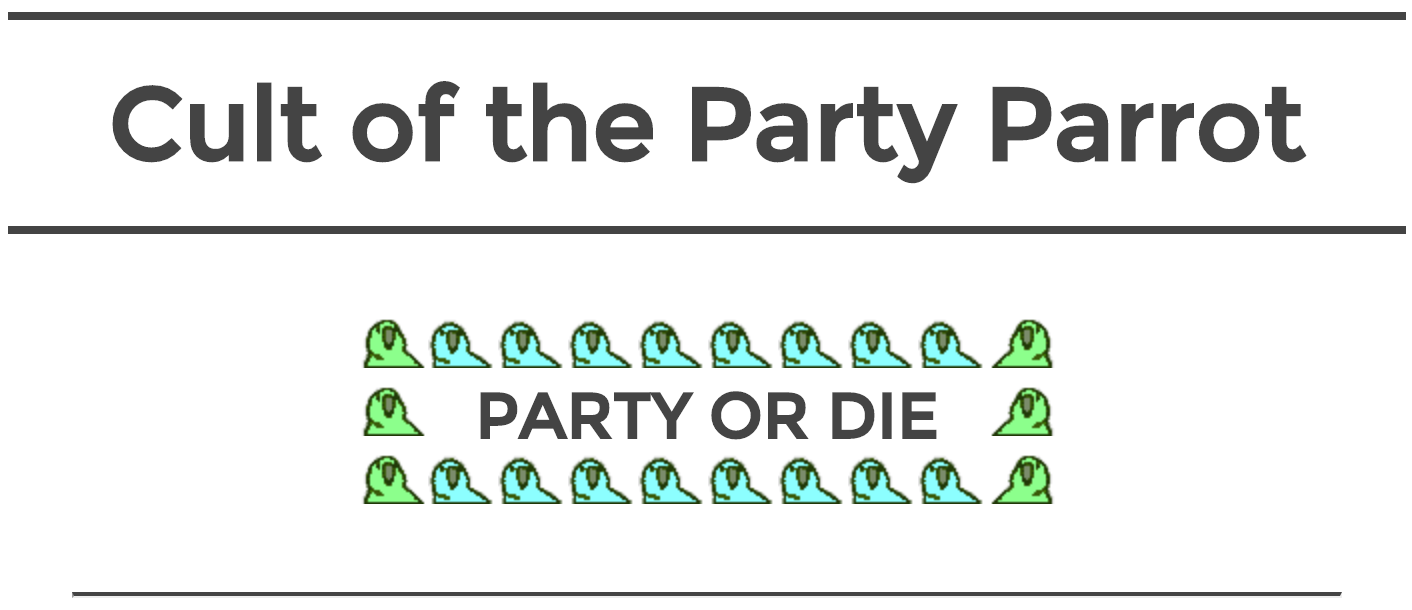
Cult of the Party Parrot is a fan-made gallery of animated parrot images, built around the "Party Parrot" emoji-style character. The page presents a long, loosely organised catalogue of parrot variants — each one a small looping animation that plays when you click the parrot — and frames the whole thing with the joke slogan "PARTY OR DIE."

The catalogue is the point. Variants range from straightforward spins on the original (Reverse, Fast, Ultra Fast, Slow, Slo-mo, Shuffle) to themed parrots tied to moods and occasions: Goth, Old Timey, Sad, Bored, Chill, Sleepy, Confused, Angry, Love, Birthday Party, Christmas, Pumpkin, Mardi Gras, Jedi, Sith, Pirate, Papal, Soviet, Matrix, and many more. Some are marked as open-source, and a few carry an asterisk, which suggests a note on the page about their status or origin. There are also multi-part sets, such as the nine-frame Parrot Wave and conga-line sequences, plus food parrots (🍕, 🍔, 🍌, Taco, Sushi, Donut, Ice-Cream) and drink parrots (Coffee, Margarita, Dark Beer, Happy Hour).

Who it is for

  • Chat and forum users looking for reaction images or animated emotes to drop into conversations.
  • Developers and tinkerers who want small looping assets for demos, README files or internal tools — the open-source and GitHub-labelled parrots point in that direction.
  • Anyone browsing for fun: the appeal is the sheer volume and the running gag of inventing yet another parrot.

Practical notes

The animations are the content, so clicking a parrot to play it is the main interaction; expect a lot of scrolling if you want to see the full set. Because the collection is broad and uneven, it helps to arrive with a purpose — a specific mood, holiday or joke — rather than browsing end to end. If you plan to reuse an animation, check the note attached to that particular parrot rather than assuming every variant shares the same terms.

A useful next step: pick two or three parrots that match your context (for example, Deploy or Ship It for release notes, Popcorn for a waiting thread), confirm their usage note, and save them locally so you are not dependent on the page loading.

How do I use a Party Parrot emoji or animation in Slack or Discord?

Party Parrot animations are used by downloading the GIF you want from Cult of the Party Parrot and uploading it as a custom emoji in Slack or Discord. The site is a gallery of named parrot variants rather than an app: the page lists options like Party Parrot, Fast Parrot, Sad Parrot, Conga Line Parrot, Shuffle Parrot, Deal With It Parrot, and themed sets such as Fiesta, Christmas, or Portal Parrot, with a note to click a parrot to play its animation. Pick the variant that matches the moment, then follow your chat platform's custom-emoji upload steps.

A simple workflow

  1. Open the gallery and click a parrot to preview the animation.
  2. Choose the variant whose name matches the tone you want—celebration, sympathy, confusion, or a specific theme.
  3. Save the animation file.
  4. In Slack, add it to your workspace's custom emoji with a short :name:; in Discord, upload it as a server emoji.
  5. Type the emoji name in a message to post it.

Choosing a variant

Occasion Reasonable pick from the gallery
Shipping code or a launch Ship It Parrot, Deploy Parrot, Github Party Parrot
Celebration Party Parrot, Fiesta Parrot, Birthday Party Parrot
Bad news or bugs Sad Parrot, Fix Parrot, Explody Parrot
Group energy Conga Line Parrot, Parrot Wave variants, Shuffle Parrot
Reaction or joke Deal With It Parrot, Popcorn Parrot, Confused Parrot

Practical notes

Slack custom emoji are workspace-wide, so an admin may need to approve additions; Discord emoji are per server and usually require the Manage Emoji permission. Animated emoji can be visually busy in long threads, so reserve the fastest variants for short reactions. If you only want to share a single animation without adding an emoji, sending the GIF file directly in the channel works too.

As a next step, pick one signature parrot for your team—say Ship It Parrot—and use it consistently so it reads as a shared signal rather than random decoration.

Can I download or copy the Party Parrot GIFs for my own chat or project?

Yes, in practice you can copy the Party Parrot animations for personal chat use or a project. The site presents them as a browsable collection of animated parrots, and its page marks several entries as open-source, including "Open-source Parrot HD" and "Github Party Parrot HD". That open-source signal points to the GitHub-hosted parrot set as the cleaner source for reuse, rather than saving individual animations from the page one by one.

What this means for different uses

  • Chat reactions and personal use: Saving an animation or linking to it in a messaging app is straightforward; each parrot is shown as an animation you can click to play.
  • Project or repository use: If you plan to bundle the images, the GitHub parrot collection is the more reliable route because it is explicitly labelled as the source. Check the repository's licence before shipping anything, especially in a commercial product.
  • Credits and provenance: Even for open-source assets, keep a note of where the set came from. The page's tone makes clear this is a community meme collection, so attribution fits the spirit of the project.

Practical next step: For a quick chat reaction, pick the animation you want and save or copy it. For anything you will distribute, start from the GitHub parrot collection, confirm the licence terms, and keep the original filenames so you can trace each animation back to its source.

Is the Party Parrot collection open source, and can I contribute a new parrot variant?

Yes. The collection is presented as open source, and the page includes an "Open-source Parrot" variant alongside the rest of the animated parrots. In practice, that means the artwork and animation files are the kind of thing a community can reuse, remix and extend rather than a closed set you can only view.

What that means for contributing

  • You can build on existing parrots. The page lists many derivatives of the same base animation — reversed, faster, slower, shuffling, conga-line and themed versions — which shows variants are made by modifying a shared template rather than drawing each from scratch.
  • A new variant is a plausible contribution. A "Party Parrot" in a new theme (a holiday, a fandom, a workplace joke) fits the pattern the collection already follows.
  • Check the project's own contribution rules first. Open source covers licensing and reuse; the specific process for submitting a new parrot (file format, frame size, naming, where to send it) is set by the maintainers. Look for a contributing guide or repository on the site before you start animating.

A practical next step

Pick one existing parrot closest to your idea, copy its frames, and change only what makes your variant distinct — a hat, a colour shift, a prop. That keeps your submission consistent with the collection's look and makes it far easier for a maintainer to accept. If you want to see how a similar open, community-driven animation project organises contributions, GitHub hosts many such repositories where the issue tracker and pull-request flow show the expected steps.

What are the most popular Party Parrot variants like Shuffle Parrot, Conga Line Parrot, and Deal With It Parrot?

The most popular Party Parrot variants are the ones that pair a clear, recognizable motion with a specific chat mood. On Cult of the Party Parrot, the collection is presented as a gallery of animated parrots, each labeled by name—so "popularity" here is best read as which animations people reach for most often, not a measured ranking.

What the named variants do

Variant Motion and feel Typical use
Shuffle Parrot A repeating side-to-side shuffle Light celebration, "we're moving along"
Conga Line Parrot Parrots linked in a line, moving together Team wins, group momentum, shared progress
Deal With It Parrot The deadpan "deal with it" attitude Dry humor, shrugging off a bad outcome

The gallery also includes related spins such as Shuffle Further Parrot, Reverse Conga Line Parrot, Deal With It Now Parrot, and Conga Party Parrot, which extend the same jokes.

How to choose

Pick by the emotion you want to send, not by novelty. Shuffle suits low-key approval; Conga Line signals collective effort; Deal With It signals irony or dismissal. For a team chat reacting to a shipped feature, Conga Line reads as shared success, while Deal With It reads as "fine, moving on."

As a next step, open the gallery and click a parrot to preview its animation before choosing—motion is the whole point, and still images won't tell you whether a variant fits the tone of your message.

How do the animated parrots play, and what do the HD and asterisk labels mean?

The parrots are click-to-play animations: each parrot on the page is a static image that starts moving when you click it, and the page's own instruction says "(click parrot to play animation)." They are not embedded videos, so playback is a single looping clip per parrot rather than a player with controls. The variety is the point: the list runs from straightforward Party Parrot and Fast Parrot through themed variants such as Goth Parrot, Cop Parrot, Jedi and Sith Parrot, and the Parrot Wave series (1–9), which is designed to be triggered in sequence so the wave travels across several parrots.

What the labels mean

The page does not define its labels in text, so the following reads them from how they are used in the parrot list:

  • HD — appended to many names (Party Parrot HD, Fast Parrot HD, Conga Line Parrot HD). It marks a higher-resolution version of that parrot's animation, so the same character appears twice: a standard-size version and an HD one. If you are placing a parrot in a slide deck, chat client or large display, pick the HD entry; for small inline use the standard one is enough.
  • Asterisk (*) — a marker, not part of the parrot's name. It appears on a subset of entries (Open-source Parrot, Conga Line Parrot, Fast Parrot, Matrix Parrot, Portal Parrot and others), which suggests a flag for a particular category of parrot rather than a different animation style. Treat it as a sorting hint: the starred entries are the ones worth checking first if you want the well-known or widely reused animations.
  • Suffixes like "Reverse," "Further," "Now" and "(Orange Portal)/(Blue Portal)" — these are distinct variants, not duplicates. Reverse versions play the same motion backwards; "Further" extends a shuffle; the portal colours are two separate animations meant to be paired.

Practical use

A concrete case: you are assembling a demo GIF set for a team chat and want a short "deploying" reaction plus a celebratory one. Click Deploy Parrot and Party Parrot HD to confirm the motion suits you, then grab the HD version for anything shown at full width. If you need a matched pair — a wave travelling across a row, or two portals opening toward each other — plan the order before you download, because the sequence is what makes those variants read correctly.

A useful decision rule: choose by destination size first (HD or standard), then by motion type (single loop, reverse, or multi-parrot sequence). If a parrot's label includes an asterisk, open it before the unstarred neighbours — it is the page's own way of pointing you at the notable ones.

Related questions

More questions →
How to Find a Specific Party Parrot Variant on Cult of the Party Parrot

The fastest way to find a specific parrot on Cult of the Party Parrot is to use your browser's find function (Ctrl+F on Windows/Linux, Cmd+F on Mac) and type the variant's name, such as "Goth," "Coffee," or "Birthday." The site presents every variant as a named entry in one long gallery, so scanning names is more reliable than scanning images. This works best when you already know the variant's name or a keyword from it; if you only remember the visual, you'll need to scroll and watch for the animation.

What the page actually is

Cult of the Party Parrot is a single-page gallery of animated parrot variants. The page heading reads "Cult of the Party Parrot" with the tagline "PARTY OR DIE," and the instructions note that you click a parrot to play its animation. There is no search box, filter, or category menu described on the page—just a long, flat list of named entries.

Step-by-step: locate a variant

  1. Open the site at cultofthepartyparrot.com.
  2. Trigger find: press Ctrl+F (Windows/Linux) or Cmd+F (Mac). A small search bar appears in your browser.
  3. Type a distinctive word from the name, not the whole phrase. For example:
    • "Goth" for Goth Parrot
    • "Coffee" for Coffee Parrot
    • "Birthday" for Birthday Party Parrot
    • "Sith" or "Jedi" for the Star Wars variants
  4. Jump between matches with Enter/Return or the up/down arrows in the find bar. Because many names share words like "Parrot," a unique word narrows results fastest.
  5. Click the matched parrot to play its animation, per the page's own instruction.

Expected result: your browser highlights the matching name and scrolls it into view; clicking the entry plays the animation.

Reading the names and markers

Variant names describe a theme or mood rather than a file code, which makes keyword search practical. Examples from the page include Sad Parrot, Goth Parrot, Coffee Parrot, Birthday Party Parrot, Disco Parrot, Pirate Parrot, and Sushi Parrot.

Some entries carry markers that distinguish versions of the same idea:

Marker What it suggests Example
"HD" A higher-definition version of that variant Parrot HD, Goth Parrot HD
Asterisk (*) A flagged or special entry in the list * Open-source Parrot HD, * Matrix Parrot
Numbered series Sequential frames of one animation Parrot Wave (1) through Parrot Wave (9)
Paired names Two related versions Portal Parrot (Orange Portal) / (Blue Portal)

If a search for "Parrot" returns too many hits, add the theme word. If you want the HD version specifically, include "HD" in your search term.

Common snags

  • Too many matches: "Parrot" appears in nearly every name. Search the theme word instead.
  • Similar names: "Conga Line Parrot" and "Reverse Conga Line Parrot" both match "Conga." Use "Reverse" to disambiguate.
  • Series entries: Wave parrots are numbered 1–9; search "Wave" and step through matches to find the frame you want.
  • Nothing found: the name may differ from what you remember (e.g., "Old Timey" rather than "Vintage"). Try a shorter fragment.

When you don't know the name

Without a name to search, you have to browse. Scroll the gallery and click entries whose names match the mood or theme you want—the naming is descriptive enough that "Sleepy," "Angry," or "Fiesta" will point you to the right animation. This is slower but works when you're exploring rather than retrieving a known variant.

What is Cult of the Party Parrot?

Cult of the Party Parrot (cultofthepartyparrot.com) is a fan-made gallery site that collects and displays animated "Party Parrot" variants — emoji-style parrot animations in dozens of themed versions. You visit it to browse the collection and click any parrot to play its animation. It is not a store, not an official product page, and there is no account or download flow described on the page; the tone is purely playful, summed up by the page's own tagline, "PARTY OR DIE."

What you'll find on the page

The page is essentially one long grid of parrot names, each tied to an animation. The heading reads "Cult of the Party Parrot," with the subheading "PARTY OR DIE," and an instruction to click a parrot to play its animation.

The variants fall into a few loose groups:

  • Motion styles — Party Parrot, Fast Parrot, Ultra Fast Parrot, Slow Parrot, Slo-mo Parrot, Reverse Parrot, Shuffle Parrot, Moonwalking Parrot, Rotating Parrot, Fading Parrot, Invisible Parrot.
  • Themed characters — Goth Parrot, Pirate Parrot, Jedi Parrot, Sith Parrot, Harry Potter Parrot, Papal Parrot, Soviet Parrot, White Walker Parrot, Gentleman Parrot, Dad Parrot.
  • Food and drink — 🍕 Parrot, 🍔 Parrot, 🍌 Parrot, Taco Parrot, Sushi Parrot, Ice-Cream Parrot, Coffee Parrot, Margarita Parrot, Dark Beer Parrot.
  • Occasions and moods — Birthday Party Parrot, Christmas Parrot, Mardi Gras Parrot, Halloween-adjacent entries like Pumpkin Parrot and Evil Parrot, plus Sad Parrot, Bored Parrot, Confused Parrot, Love Parrot, Angry Parrot.
  • Multi-parrot sequences — Conga Line Parrot, Reverse Conga Line Parrot, Twins Parrot, Triplets Parrot, and a numbered series of Parrot Wave (1) through Parrot Wave (9).

Many entries carry an "HD" label, and a smaller number are marked with an asterisk. The page text does not explain what the asterisk means, so treat it as an unexplained marker rather than a guarantee of anything specific.

How to use it

  1. Open cultofthepartyparrot.com in a browser.
  2. Scan the grid for a name that matches the mood or theme you want.
  3. Click the parrot to play its animation. The page states this directly: "click parrot to play animation."
  4. To see a different one, pick another name from the list.

There is no search box, filter, or category menu described on the page — the list itself is the interface, so browsing means scrolling and reading names.

What it is not

  • Not a store. No pricing, cart, or payment information appears on the page.
  • Not an official emoji set. It presents itself as a fan/community collection, with a cult-like in-joke framing.
  • Not a documented API or download library. One entry is labeled "Open-source Parrot HD," but the page does not lay out licensing terms or a download process for the collection as a whole.

Practical notes

  • Because animations play on click rather than automatically, the page stays light until you interact with it — useful if you only want to check one or two.
  • Names are inconsistent in style (some with emoji, some with asterisks, some with "HD"), so if you're looking for a specific variant, scan for the distinctive word rather than expecting alphabetical order.
  • If you need a parrot for a chat client, slide, or project, this page is a reasonable place to find the canonical name of a variant; whether and how you can reuse it depends on terms the page doesn't spell out, so check before republishing.

In short: it's a browsable, click-to-play catalog of Party Parrot animations — go for the variety and the joke, not for transactions or documentation.

What the HD and Asterisk Labels Mean on Cult of the Party Parrot

The HD and asterisk labels on Cult of the Party Parrot are informal tags, not formal categories. "HD" appears to mark a higher-definition version of a parrot animation, while an asterisk (*) sits next to selected variants, likely flagging special or notable entries. The site itself does not explain either label, and the markings are inconsistent across the list, so they are best read as loose editorial notes rather than a documented system.

What the page actually shows

The site presents a single long list of parrot names under the heading "PARTY OR DIE," with the instruction "(click parrot to play animation)." Names range from plain entries like "Parrot" and "Bored Parrot" to tagged ones such as "Parrot HD," "Reverse Parrot HD," and "Conga Line Parrot HD *." The tags follow no visible rule: some HD entries carry an asterisk, some do not, and many variants appear with no tag at all.

The HD label

  • Most likely meaning: a higher-resolution rendering of the same animation, so it looks sharper on larger displays.
  • What it is not: a separate animation. The base name (e.g., "Conga Line Parrot") stays the same; HD is an attribute of that entry.
  • Practical effect: if you are choosing between a plain and an HD version of the same parrot, expect the same motion with cleaner output. If you only need a small icon, either works.

The asterisk label

  • Most likely meaning: a flag for a variant the maintainers considered special, notable, or worth calling out.
  • What it is not: a license marker, a required-attribution tag, or a difficulty rating. Nothing on the page states what the asterisk stands for.
  • Practical effect: treat it as a hint that the entry is distinctive, not as a rule about how you may use it.

Why the labels are inconsistent

The list reads like a community-maintained collection that grew over time: entries were added by different people, in different batches, with different conventions. That explains why "Parrot HD" and "Parrot" can coexist, why some HD entries are starred and others are not, and why a few names (like "Norwegian Blue Parrot HD *") stack both tags. Reading the labels as informal tags matches the evidence better than assuming a hidden taxonomy.

How to use this when picking a parrot

  1. Find the base name first. Scan for the animation you want (e.g., "Shuffle Parrot"), then check whether an HD or starred version exists nearby.
  2. Prefer HD when display size matters. For a large screen, slide, or video capture, the HD entry is the safer pick.
  3. Don't read the asterisk as permission or restriction. If you plan to reuse an animation, the label tells you nothing about rights; check the project's own repository or terms instead.
  4. Click to verify. The page says clicking a parrot plays its animation, so confirm the motion matches the name before you commit to it.

Common sticking points

  • Assuming HD means a different animation. It usually does not; compare the base names.
  • Assuming the asterisk means "featured" or "official." The page gives no such definition, so treat any interpretation as a guess.
  • Expecting a legend. None is provided, and the inconsistency suggests none was ever intended.

If you need a definitive answer on what a specific tag means, the site's own source or repository is the place to look; the page text alone does not settle it.

How to View and Use the Parrot Animations on Cult of the Party Parrot

Cult of the Party Parrot is a single-page gallery of named parrot animations. To view one, click the parrot's image or name and the animation plays in place; the page itself states this with the instruction "(click parrot to play animation)" under its "PARTY OR DIE" heading. There is no account, search, or download flow described on the page—it is a browse-and-click collection.

What the page actually offers

The gallery is a long, flat list of variants rather than a categorized library. Each entry is a parrot name, often with a resolution or source label attached. From the page evidence, the labels you will see include:

Label What it signals on this page
HD A higher-resolution version of that variant (e.g., "Party Parrot HD", "Shuffle Parrot HD")
* (asterisk) Marks certain entries in the list; the page does not define the asterisk in the visible text
"Open-source" Appears on at least one entry ("Open-source Parrot HD"), suggesting that variant is offered for reuse
Plain name The base variant without an HD or source marker

Variants range from the core "Party Parrot HD" and "Shuffle Parrot HD" to themed ones like "Goth Parrot HD", "Deal With It Parrot HD", "Coffee Parrot HD", "Jedi Parrot HD", "Sith Parrot HD", and "Norwegian Blue Parrot HD". There are also sequence-style entries such as "Parrot Wave (1)" through "Parrot Wave (9)", which implies a multi-frame animation you view across several entries.

Step by step: viewing an animation

  1. Open cultofthepartyparrot.com in a browser.
  2. Scan the list for the variant you want—names are the only navigation, so use your browser's find function (Ctrl+F or Cmd+F) and type part of a name, e.g., "Conga" or "Shuffle".
  3. Click the parrot image or its name. Expected result: the animation plays in place on the page.
  4. To see a higher-resolution version, look for the same name with "HD" appended and click that entry instead.

Common sticking points

  • Nothing seems clickable. The instruction is explicit—click the parrot itself, not just the surrounding text. If a click does nothing, try the image directly.
  • You can't find a variant. The list is unsorted and very long; browser find is faster than scrolling. Names are inconsistent in style (some with HD, some with asterisks), so search a distinctive word rather than the full label.
  • You expected categories or filters. None are shown on the page; it is one continuous list.
  • You want to reuse an animation. Only entries marked "Open-source" carry that signal in the visible text. Treat unmarked variants as view-only unless you confirm licensing elsewhere; the page excerpt does not state terms for them.

Deciding whether this page fits your need

Use it if you want to quickly preview a specific parrot animation by name, or grab a higher-resolution version of a known variant. It is a poor fit if you need organized browsing by theme, a searchable catalog, or clear licensing information for every asset—those features are not evidenced on the page. For reuse, start with the "Open-source Parrot HD" entry and verify terms at the source before publishing.

Website Overview

An established domain and managed infrastructure suggest continuity of operations and may support dependable delivery, although neither guarantees service quality. Several search or sharing settings need attention. Together they may make snippets, preview images or preferred URLs less consistent across platforms.

Domain and Registration

Registered in 2016, this domain has about 10 years of history. That suggests continuity, although ownership and purpose may have changed. Transfer-protection status is present, helping reduce the risk of unauthorized domain transfers. The registrar is NameCheap, Inc., a widely used domain service provider. The domain uses the common .com extension, which is not an independent safety signal.

DNS and Email

Nameservers are provided by Cloudflare, indicating managed DNS hosting. No CNAME was found; the observed records resolve directly to addresses. No MX record was found. A conventional explicit inbound-mail route is not configured. DNSSEC signatures were not detected, so this additional DNS authenticity protection is not confirmed. The lowest observed DNS TTL is 300 seconds.

TLS and Certificates

The public key uses EC with 256 bits. The server supplied a complete certificate chain. No organization name is present in the certificate; the available fields are consistent with domain validation. The certificate was issued within the Google Trust Services cloud or CDN ecosystem. The certificate's total validity is about 90 days, consistent with a short renewal cycle.

HTTP and Browser Security

The response lacks these common security headers: CSP, X-Content-Type-Options, Referrer-Policy, Permissions-Policy, clickjacking protection. No X-Powered-By header was found, reducing one common source of backend fingerprinting information. The cf-ray response header indicates a CDN or caching proxy in the delivery path. No obvious internal addresses or debug information were found in the headers. The Server header identifies cloudflare without an exact version.

Technology Stack Analysis

The public page identifies Google Analytics, Cloudflare, Netlify without precise versions, leaving fewer clues for version-specific scanning.

Search and Social Sharing

No homepage meta description was detected, leaving snippet selection more dependent on page text. No homepage canonical URL was detected. If duplicate URLs exist, consolidation may be less explicit. The title has 24 characters, within a common display range. The observed directives allow indexing and link following. No Generator meta tag is publicly exposed.

Hosting and Email

DNSCloudflare
HostingNetlify
EmailUnknown
Approximate IP geolocation (inferred; a CDN or proxy may differ from the origin server) Location unknown Inferred 104.21.17.200

Registration details

RDAP / WHOIS

RegistrarNameCheap, Inc.
Registered2016-01-05
Expires2027-01-05
Domain statusclient transfer prohibited
Nameserversjo.ns.cloudflare.com、owen.ns.cloudflare.com
DNSSECunsigned

DNS records

DNS

TypeNameValueTTLPriority
Acultofthepartyparrot.com104.21.17.200300—
Acultofthepartyparrot.com172.67.178.65300—
AAAAcultofthepartyparrot.com2606:4700:3030::ac43:b241300—
AAAAcultofthepartyparrot.com2606:4700:3035::6815:11c8300—
NScultofthepartyparrot.comjo.ns.cloudflare.com86400—
NScultofthepartyparrot.comowen.ns.cloudflare.com86400—

TLS and certificates

TLS / SSL

AssessmentNormal configuration
Supported protocolsTLSv1.2、TLSv1.3
Negotiated protocolTLSv1.3
Certificate subjectcultofthepartyparrot.com
IssuerGoogle Trust Services
Valid until2026-12-16T20:52 · Remaining when checked: 47 days
Verification detailsCertificate trust: Passed · Hostname match: Passed

HTTP response headers

HTTP

HeaderValue
content-typetext/html; charset=UTF-8
cache-controlpublic, max-age=1800
servercloudflare
strict-transport-securitymax-age=31536000

Identified technologies

Google AnalyticsCloudflareNetlify

Pages, Search and Sharing

User reviews (0)

  • No reviews yet.