
 简体中文
简体中文 English
Website review
This review may include AI-generated content and is not individually verified. Domain, certificate and other facts come from the observed data on this page.
What is Distro Fighter?
Distro Fighter is a browser-based quiz on Distro Fighter that recommends a Linux distribution and desktop environment through a retro arcade "fighter" format. Rather than a plain questionnaire, it frames the choice as a matchup: 32 Linux distros and 16 desktops are pitted against each other, and your answers decide which one wins. It also includes a terminal campaign mode for people who want a longer, more game-like path through the same decision.
Who it suits
- Linux newcomers who find distro comparison charts dry and want a playful way to narrow the field before reading documentation.
- Tinkerers curious which desktop environment matches their habits, since desktops are treated as a separate bracket from distros.
- People who enjoy retro arcade styling and don't mind a quiz being framed as a fight rather than a survey.
What to keep in mind
The result is a starting point, not a verdict. A quiz can capture broad preferences—stability versus novelty, lightweight versus feature-rich—but it can't assess your hardware, your workflow, or how comfortable you are with the command line. Treat the recommendation as a shortlist, then check the distro's official documentation and try it in a live session before committing.
The page runs on JavaScript, so the quiz needs it enabled to work.
A practical next step: take the quiz once answering honestly, note the top two or three results, and compare them on release cadence and package management—the two factors that most affect day-to-day experience.
How does the Distro Fighter quiz choose a Linux distro for me?
Distro Fighter is an arcade-style quiz that narrows down Linux distributions and desktop environments based on your answers. According to the site, it pits 32 Linux distros and 16 desktops against each other in a retro fighting-game format, so rather than a long checklist it presents choices as matchups and uses your picks to eliminate options until a fitting distro and desktop remain. The page itself is a JavaScript-driven arcade quiz, so the full question flow only appears once the app runs in your browser.
What to expect from the format
The "brawl" framing suggests pairwise comparisons: you choose between two contenders, and the winner advances. That approach suits people who find spec tables overwhelming and would rather react to simple either/or choices. The trade-off is that a fighting-game metaphor can feel arbitrary if you want to understand why a distro was recommended, and it may not capture nuanced needs like specific hardware support or enterprise requirements.
A practical way to use it
Treat the result as a starting shortlist, not a final verdict. If the quiz points you to, say, a beginner-friendly distro with a particular desktop, verify the current release and hardware compatibility on the distro's own site before installing. For broader context on how distributions differ, DistroWatch tracks releases and desktop options across projects, which helps you sanity-check the quiz's pick against your actual use case—gaming, development, or reviving older hardware.
Is Distro Fighter free to use, and does it require an account?
Distro Fighter appears to be free to use and does not require an account. The page presents it as a browser-based arcade quiz—"find your Linux distro & desktop"—with no sign-in, subscription or payment step described. The only stated requirement is JavaScript: the page notes the quiz "needs JavaScript to run the fights," so a modern browser with scripting enabled is what you need to start.
What this means in practice
- No account: You can treat it as a quick, anonymous session—useful if you just want a recommendation without handing over an email or creating a profile.
- Free access: Nothing on the page suggests a paid tier or locked results, so expect the quiz and its outcome to be available immediately.
- Browser dependency: With JavaScript disabled, the quiz won't load. If you browse with script blockers, allow scripts for this site first.
A sensible next step: open it in a normal browser window, complete the quiz once, and note the recommended distro and desktop. If you're weighing options for a specific machine—an old laptop versus a new desktop—run it again with that context in mind, since the result is only as good as the answers you give.
How does Distro Fighter's terminal campaign mode differ from the arcade quiz?
The supplied page evidence does not describe the terminal campaign mode in any detail; it only confirms that Distro Fighter is an arcade quiz matching 32 Linux distros and 16 desktops, and that the quiz requires JavaScript. So the difference between the two modes cannot be stated from the page itself.
What can be said with confidence is the general shape of such a split, presented as advice rather than as verified features of this site:
- Arcade quiz: typically a short, guided sequence of questions with a visual, game-like presentation, aimed at newcomers who want a recommendation quickly without knowing Linux terminology.
- Terminal campaign mode: usually a text-driven, command-line-style experience with more steps, more typing and possibly progression or scoring, aimed at people who already enjoy terminals and want a longer, more playful exploration.
How to decide which to try
| If you are… | Start with |
|---|---|
| New to Linux and want a quick distro suggestion | Arcade quiz |
| Comfortable in a shell and want a longer, themed challenge | Terminal campaign mode |
| Comparing desktop environments as much as distros | Either, but expect the arcade quiz to be faster |
A practical next step: open the site, run the arcade quiz first to get a baseline recommendation, then try the terminal campaign and note whether it asks different kinds of questions or weights desktop choice differently. That comparison will tell you far more about the real differences than any description.
For independent background on the distros and desktops involved, DistroWatch and GNOME are useful references while you interpret your result.
Which Linux distros and desktop environments are included in Distro Fighter?
The site's own description says Distro Fighter covers 32 Linux distributions and 16 desktop environments, presented as an arcade-style quiz that matches you to a distro and desktop. The visible page evidence confirms the arcade-quiz framing ("This arcade quiz needs JavaScript to run the fights") but does not list the individual names, so the specific distros and desktops aren't verifiable from the supplied material.
What this means in practice
The 32/16 split suggests two separate decisions rather than one combined result:
- Distro choice (32 options): the operating-system family and its release model, package base and defaults.
- Desktop choice (16 options): the interface layer — panel layout, workflow and customization style.
A newcomer who mainly wants a familiar, low-friction desktop can treat the desktop result as the more actionable half; someone maintaining servers or older hardware should weight the distro result more heavily, since release cadence and support windows matter more there than the interface.
Next step
Run the quiz once answering honestly about your habits, then retake it answering as the ideal version of yourself; a stable result across both runs is a reasonable signal. Before installing anything, confirm the suggested distro is still actively maintained and check its desktop's hardware requirements on the project's own site — for example Ubuntu or Linux Mint for beginner-friendly defaults, and Arch Linux if you want a rolling release and are comfortable with manual setup.
Can Distro Fighter recommend a distro for beginners or for specific hardware?
Distro Fighter can point beginners and hardware-specific users toward a distro, but it does so through a playful arcade quiz rather than a detailed compatibility check. Its own description frames it as a retro-style quiz where 32 Linux distros and 16 desktops "brawl" to find a fit, plus a terminal campaign mode. The page itself is JavaScript-driven—the visible text only says the quiz needs JavaScript to run the fights—so the recommendation quality depends on the questions it asks once loaded, which the page evidence doesn't spell out.
Who it suits
- Complete beginners who want a low-pressure starting point and a shortlist to research further. Treat the result as a first suggestion, not a verdict.
- Desktop-curious users deciding between environments as much as distros, since the quiz covers 16 desktops alongside the distros.
- People who enjoy gamified tools and won't mind an arcade framing over a spec sheet.
Where it falls short for hardware
A quiz format typically asks about preferences—experience level, look and feel, workflow—rather than probing your specific machine. It is unlikely to account for things like an older laptop with limited RAM, a recent GPU needing current drivers, or unusual Wi-Fi and peripheral support. For hardware-sensitive choices, verify against the distro's own documentation and community hardware notes before committing.
A practical next step
Run the quiz to get two or three candidates, then cross-check each against your actual hardware and a beginner-friendly resource. For broader, hardware-aware guidance, consult established references such as DistroWatch for release and hardware notes, or Ubuntu if you want a well-documented beginner baseline to compare against. Decide by matching the shortlist to your machine's constraints, not by the quiz result alone.
 Cloudflare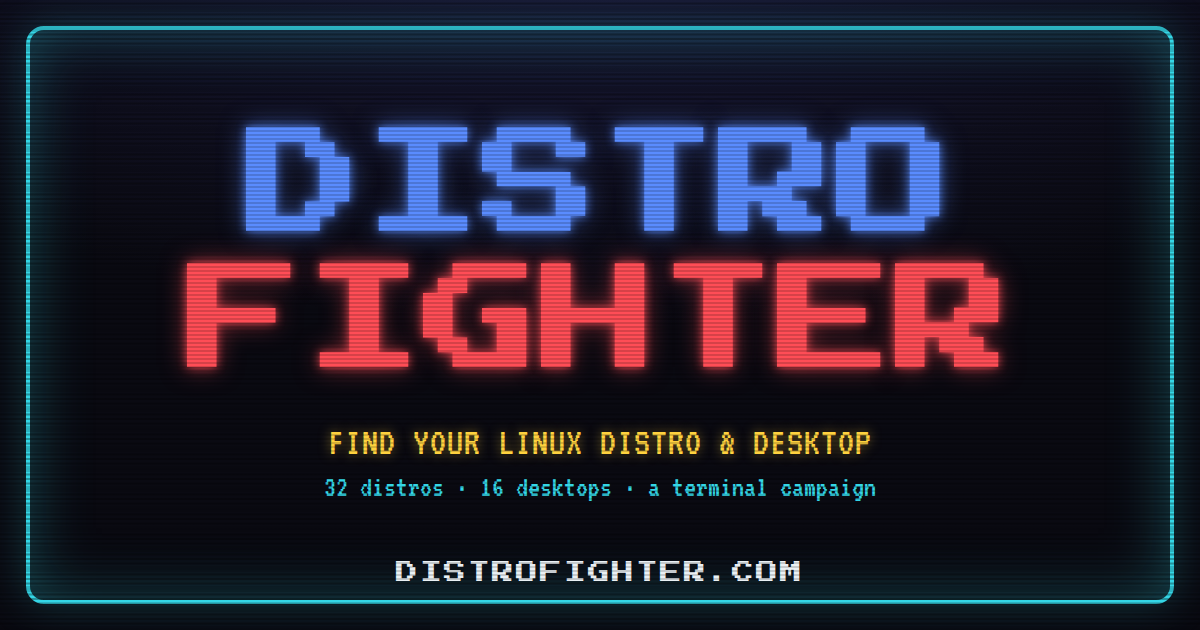

User reviews (0)