Website profiles · Technology insights · Alternatives

duplicati.com

Duplicati is a free, open-source backup solution that offers zero-trust, fully encrypted backups for your data. Integrating with all major cloud providers ensuring your data is securely stored and easily accessible.

Paid content
Visit website
Profile views 7 Outbound visits 1 Normal
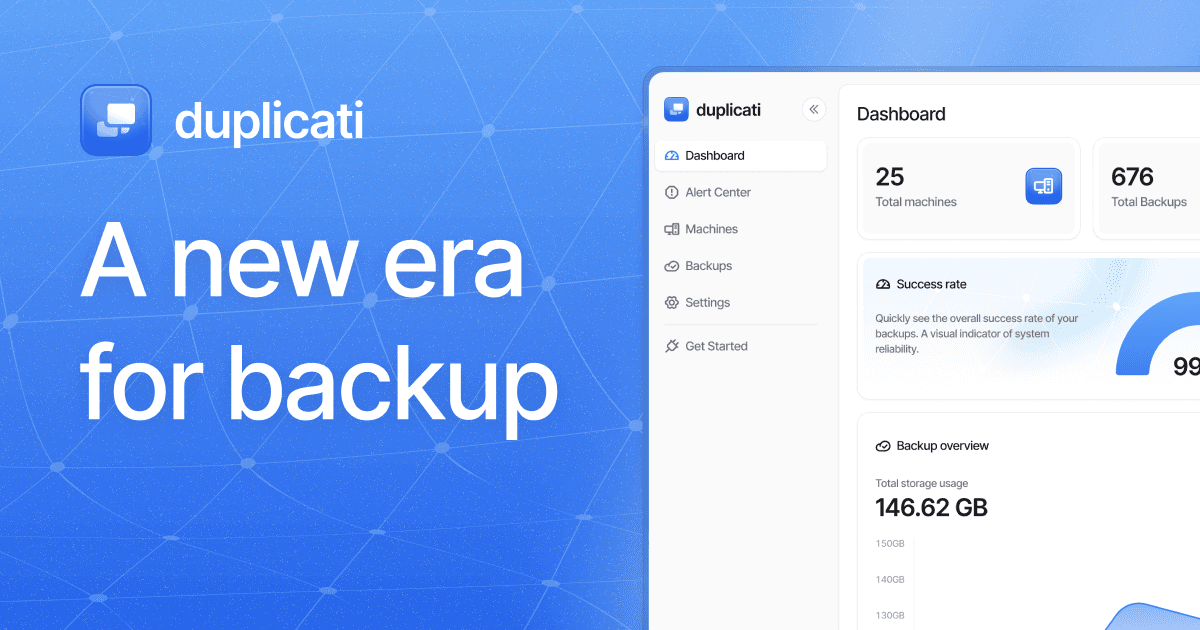
Duplicati Full homepage screenshot

At a glance

Category
Development
Language
English
Paid-content signal
Paid contentObserved
Registered
2009
Hosting
Amazon.com, Inc.Inferred
HTTPS certificate trusted
PassedObserved
Last updated

Website review

This review may include AI-generated content and is not individually verified. Domain, certificate and other facts come from the observed data on this page.

What is Duplicati?

Duplicati is a free, open-source backup tool built around encrypted, "bring your own storage" backups. Rather than selling you storage, it connects to destinations you already use — S3-compatible services, WebDAV, SFTP, or local hardware — and manages the backup jobs, encryption and retention from a single console. The page positions it as an alternative to commercial products such as Acronis, with the emphasis on zero vendor lock-in and zero-trust encryption.

Who it suits

  • Individuals and small teams who want encrypted backups without paying a storage markup.
  • IT staff backing up servers, NAS devices, desktops and laptops to cloud or on-prem targets.
  • Organisations with data-sovereignty rules that need cloud data copied back to local SAN or private S3 storage.
  • Multi-site teams that want central policies but delegated day-to-day management.

How it works in practice

You choose the destination; Duplicati encrypts the data before it leaves your machine and pushes it there. The page lists several directions this can take: on-prem to cloud (local machines to AWS S3, Azure Blob Storage, Wasabi or Backblaze B2), cloud to on-prem (Microsoft 365, Google Workspace or S3 buckets to a local SAN or private S3 cluster), and local to local over SFTP or SMB so traffic stays on the internal network.

For larger deployments, the platform side adds agent-based installation that runs silently in the background, centrally created backup configurations pushed to many clients at once, and role separation so global admins can hand regional backup management to local IT.

Trade-offs to weigh

The main appeal is also the main demand: you supply and pay for storage separately, so you take on provider selection, credentials and any egress costs. An open-source engine is battle-tested and auditable, but a self-managed setup expects more from you than a fully hosted service. If you want one vendor to handle storage and support, this is a poor fit; if you already have storage and want control, it fits well.

Next step

Decide your destination first — a cloud bucket, an SFTP/SMB target, or a local archive — then check that Duplicati supports it and try a small test job before rolling it out. For a quick comparison of what else is available, see Duplicati and the official pages for Backblaze or Wasabi if you are choosing storage.

How does Duplicati compare to Acronis for hybrid cloud backup?

Duplicati and Acronis both target hybrid cloud backup, but they solve the problem from opposite directions. Duplicati is built around bring-your-own-storage (BYOS): you supply the destination — S3, WebDAV, SFTP, Azure Blob, Backblaze B2, Wasabi, or local hardware — and Duplicati handles encryption and scheduling without charging storage or bandwidth fees of its own. Acronis is a packaged platform where storage, management console, and support come from one vendor. The real choice is between controlling your storage stack and outsourcing it.

Where they diverge

Dimension Duplicati Acronis
Storage model BYOS; you pick and pay the provider Vendor-bundled cloud plus some third-party targets
Cost shape Software/subscription cost separate from storage Bundled subscription, often per-workload or capacity
Lock-in Low; switch providers without changing backup logic Higher; data and management tied to the vendor
Management Centralized policies, multi-site delegation, silent agents Mature central console, broad endpoint and workload coverage
Best fit Teams with storage already in place or sovereignty rules Teams wanting one throat to choke and integrated support

Practical scenarios

  • A company already committed to Backblaze B2 or a private S3 cluster can point Duplicati at it and avoid paying twice for storage.
  • An organization with data-residency requirements can back up Microsoft 365 or Google Workspace down to an on-prem SAN or private S3 cluster, keeping traffic internal.
  • A multi-site business can let global admins push one backup configuration to regional clients while delegating local management to regional IT.
  • A team that wants a single vendor for storage, console, and support, and is willing to pay for that convenience, is a better Acronis candidate.

How to decide

Start with where your data must physically live and who already bills you for storage. If the answer is "our own buckets or NAS," Duplicati's zero-lock-in model fits and avoids duplicate storage spend. If the answer is "we'd rather not run any of it," a bundled platform is simpler even at a higher recurring cost. Then check the workloads you actually need protected — endpoints, servers, NAS, and SaaS mail/drive — against each product's coverage before committing.

A useful next step: list your current storage providers and their egress and retrieval charges, then compare that total against a bundled per-workload quote. The storage bill usually decides the question faster than the feature list.

What storage providers does Duplicati support for bring your own storage?

Duplicati's "bring your own storage" model means it connects to storage you already pay for rather than reselling its own. The page evidence names these specific targets:

  • Cloud object storage: AWS S3, Azure Blob Storage, Wasabi Hot Storage, Backblaze B2
  • Protocols: S3, WebDAV, SFTP, SMB
  • Local and on-prem: local hardware, NAS, on-prem SAN, private S3 clusters

It also describes three directions of flow: on-prem to cloud (local servers, NAS, desktops and laptops up to S3-compatible cloud), cloud to on-prem (Microsoft 365, Google Workspace or S3 buckets down to a local SAN or private S3 cluster), and local to local (machines to NAS over SFTP or SMB, keeping traffic internal).

A practical next step: list the storage you already have and the protocol it exposes. If it speaks S3, SFTP, WebDAV or SMB, it likely fits. If your provider only offers a proprietary API, check compatibility before committing. For data-sovereignty requirements, the cloud-to-on-prem path is the one to plan around.

How can I centrally manage backups across multiple sites and departments with Duplicati?

Duplicati's platform is built for exactly this scenario: a global admin defines backup policies once, then delegates day-to-day management to regional IT staff, while agents run silently in the background on each host. The design goal is "centralized control, distributed power" — one console for policy and oversight, local autonomy for the people closest to the machines.

What central management covers

  • Multi-site and departmental delegation: a global admin can hand off backup management for a region or department to local IT without giving them control of everything.
  • Centralized backup policies: create a backup configuration once and push it to many clients, instead of rebuilding jobs machine by machine.
  • Silent, agent-based deployment: agents run in the background and are not accessible on the host, so end users can't casually disable or tamper with them.
  • Bring your own storage: you choose the target — S3, WebDAV, SFTP, Azure Blob, Wasabi, Backblaze B2, or local hardware — and Duplicati follows. No storage fees or bandwidth limits are added by Duplicati itself.

A concrete rollout scenario

Say you run three offices plus a remote sales team. You define one policy set at headquarters: laptops back up nightly over SFTP to each office's NAS; servers go to object storage; Microsoft 365 and Google Workspace data lands in an on-prem SAN for data-sovereignty reasons. Each regional admin logs in to see only their site's jobs and restore requests. When you change retention, you push the change once and it propagates to every client.

Where it fits and where it doesn't

Situation Duplicati's central management is a good fit Consider something else
Storage choice You want to pick providers and avoid lock-in You want one vendor to supply storage and backup together
Team structure Global policy, regional operators A single admin for a handful of machines
Compliance Data must stay in a specific region or on-prem You need a fully managed service with no self-hosting

Next step: before deploying agents widely, pick two pilot sites with different storage targets — for example one SFTP-to-NAS office and one S3 office — and test policy push, delegation permissions, and a restore from each. If you need vendor-supported storage or a hosted control plane, check the pricing and enterprise pages at Duplicati to see what's included versus self-managed.

What encryption and zero-trust features does Duplicati offer for data security?

Duplicati's core security promise is client-side encryption with a storage-agnostic design: backups are encrypted before they leave your machine, and the destination provider only ever holds encrypted data. The site frames this as "zero-trust, fully encrypted backups" and "zero vendor lock-in," meaning you choose the storage backend and Duplicati follows.

What that means in practice

  • Encryption happens at the source. Data is encrypted locally, so cloud or remote storage providers do not receive readable copies. This matters if you use a consumer cloud account or a shared NAS you don't fully control.
  • You supply the storage (BYOS). Duplicati connects to S3, WebDAV, SFTP, Azure Blob Storage, Backblaze B2, Wasabi, and local hardware. The security benefit is that trust is split: the software handles encryption, the provider handles durability. A provider breach exposes ciphertext, not your files.
  • Agent-based, silent deployment. Agents run in the background and are not accessible on the host, which reduces the chance of a local user tampering with backup jobs or reading configuration.
  • Centralized policies. Administrators create backup configurations once and push them to many clients, so encryption settings and retention rules stay consistent across departments and sites rather than drifting per machine.

Trade-offs worth knowing

Zero-trust encryption shifts responsibility to you for key and passphrase management. If you lose the passphrase, the backup is unrecoverable — no provider can reset it. Client-side encryption also adds CPU overhead on the source machine, which is usually minor for incremental backups but noticeable on large first runs. And because storage is bring-your-own, you still need to secure the storage account credentials separately; encryption protects data confidentiality, not account access.

A concrete scenario

A small company backs up laptops and a NAS to Backblaze B2. With Duplicati, each machine encrypts locally, the admin pushes one policy to all agents, and regional IT staff manage their own site without seeing other departments' data. If the B2 account were compromised, the attacker gets encrypted blocks.

Next step

Decide first where your encryption keys and passphrases will live — a password manager or an offline record — because that determines whether your zero-trust setup is recoverable. Then confirm your chosen backend appears in the supported list. For a second opinion on the approach, the project is open source and its code is publicly auditable; the official repository is linked from Duplicati.

Is Duplicati free or paid, and what are the pricing options?

Duplicati is available as a free, open-source backup tool, and the vendor also offers paid plans for its managed platform. In other words, "free vs. paid" here maps to two different things: the open-source engine you run yourself, and the hosted/enterprise platform with centralized management.

Free (open source)

  • Free to download and use, with no license fee.
  • You supply your own storage — the site emphasizes "bring your own storage" with no added storage fees or bandwidth limits from Duplicati.
  • Suitable if you are comfortable installing and configuring backups yourself, and you only need encryption and scheduling, not central administration.

Paid (platform plans)

  • The site separates "Individuals" and "Enterprise" tracks and has a dedicated pricing page, so paid tiers exist for both personal and organizational use.
  • Paid plans are aimed at the management layer: deploying agents silently, pushing one backup policy to many machines, and delegating regional or departmental administration from a central console.
  • The trade-off is cost and vendor dependency for the console versus the convenience of standardized, multi-site backup management.

How to decide

  • One machine, your own NAS or cloud bucket, and you don't mind manual setup: the free open-source version is the natural fit.
  • Many endpoints across sites, a need for central policies and delegated admin, or compliance-driven data placement (for example, backing up cloud data to on-prem storage for sovereignty): evaluate the paid platform tiers.

Next step: check the official pricing page at Duplicati to compare the Individuals and Enterprise options, then confirm whether your storage provider (S3, WebDAV, SFTP, Azure Blob, Backblaze B2, Wasabi, or local hardware) is supported before committing.

Related questions

More questions →
What Are Open-Source UI Element Libraries and How Do They Differ From UI Frameworks?

An open-source UI element library is a collection of individual, ready-made interface pieces—buttons, cards, inputs, toggles, loaders—that you copy into your own project and adapt. A UI framework, by contrast, is a structured system of components, conventions, and often a theming layer that governs how your whole interface is built. The practical difference: an element library gives you a snippet; a framework gives you a way of working. If you need a polished button in ten minutes, reach for the element library. If you're building a 40-screen product with a team, you probably want the framework.

What "open-source UI element library" actually means

The term gets used loosely, so it helps to separate the parts:

  • Open-source: the code is publicly available, and the license tells you what you may do with it—copy, modify, redistribute, or use commercially.
  • UI element: a single, self-contained piece of interface, usually small enough to read in one sitting. A button with hover states, a pricing card, a search field.
  • Library: a browsable, searchable collection of those elements, typically contributed by many different people.

On a site like Uiverse, elements are shared by a community and written in plain CSS or Tailwind. You find one you like, copy the markup and styles, paste them into your project, and adjust colors, spacing, and text to fit. There's no package to install and no build step required—which is exactly the appeal, and also the source of most of the confusion.

Element library vs. UI framework: the core differences

Dimension Open-source UI element library UI framework / design system
Unit of reuse A single snippet you copy A component you import or call
Installation None; paste into your code Package install, config, sometimes a provider
Consistency Depends on you; each element may look different Enforced by shared tokens and APIs
Theming Manual edits per element Central theme/config file
Updates You own the copy; no upstream updates Version bumps bring fixes and changes
Accessibility Varies per contributor; must be checked Usually tested and documented
Best for Prototypes, landing pages, small sites, one-off needs Multi-page apps, teams, long-lived products
Learning curve Low—read the CSS Higher—learn the API and conventions

The table isn't a verdict. It's a map of trade-offs. Element libraries win on speed and freedom; frameworks win on consistency and maintenance.

Licensing and attribution: what to check before you paste

This is where people get into trouble, and it's worth slowing down for.

  1. Find the license. Every element or collection should state one. Common open-source licenses include MIT, Apache-2.0, and BSD. Some projects use copyleft licenses like GPL, which can impose obligations if you redistribute your code.
  2. Understand what the license permits. MIT and Apache-2.0 are permissive: you can typically use the code in commercial and closed-source projects. Copyleft licenses may require you to release derivative source under the same terms.
  3. Check attribution requirements. Permissive licenses usually require you to keep the copyright notice and license text somewhere in your project. That's a real obligation, not a formality.
  4. Look for per-element terms. On community sites, the site's overall terms and the individual contributor's stated wishes may differ. If a contributor asks for credit, honor it.
  5. When in doubt, ask or avoid. If a snippet has no license at all, you don't have clear permission to reuse it. Treat "no license" as "not open source," even if the code is publicly visible.

This article is general information, not legal advice. For commercial products with real exposure, have someone qualified review the licenses you're relying on.

How to use a community element in your project: a practical workflow

Here's a repeatable process that avoids most of the usual mess.

1. Start from a real need, not a browsing session

Decide what you need first—"a compact primary button with a loading state"—then search. Browsing aimlessly produces a pile of pretty snippets that don't fit together.

2. Copy the smallest version that works

Take the markup and the styles. Strip anything you don't need: demo wrappers, extra animations, decorative layers. Less code means fewer surprises.

3. Convert it to your conventions

If your project uses design tokens or CSS variables, replace hard-coded values:

/* Before: hard-coded */
.button { background: #4f46e5; border-radius: 8px; }

/* After: token-based */
.button { background: var(--color-primary); border-radius: var(--radius-md); }

This one step is what keeps a copied element from looking like a foreign object in your UI.

4. Check accessibility before you ship

Community elements vary widely here. Verify at minimum:

  • Keyboard focus is visible and the element is reachable by Tab.
  • Color contrast meets WCAG AA (4.5:1 for normal text).
  • Interactive elements use semantic HTML (<button>, not a clickable <div>).
  • Form inputs have associated labels.
  • Motion respects prefers-reduced-motion.

5. Test in context

Paste it into a real page with real content. Long labels, small screens, and dark mode break more copied elements than anything else.

6. Note where it came from

Keep a short comment or an internal credits file: source, license, date. Future you—and your legal reviewer—will be grateful.

Where element libraries genuinely shine

  • Prototypes and demos: you need something clickable today, not a design system.
  • Landing pages and marketing sites: a handful of distinctive elements, each custom.
  • Filling gaps: your framework lacks one specific component, and you don't want to build it from scratch.
  • Learning: reading well-made CSS is one of the fastest ways to improve.
  • Small projects: a personal site doesn't need a theming architecture.

Where they fall short

  • Consistency at scale: ten elements from ten contributors rarely look like one product.
  • Maintenance: you own every copy. When your design changes, you edit each one.
  • Accessibility debt: you inherit whatever the contributor did or didn't do.
  • No upstream fixes: a bug fixed in the original won't reach your copy.
  • Integration friction: different naming conventions, different units, different assumptions about resets.

When to choose which

Choose an element library when the scope is small, the timeline is short, or you need a few distinctive pieces rather than a whole system.

Choose a framework or design system when multiple people build multiple screens over months, when consistency is a product requirement, or when accessibility and theming need to be guaranteed rather than checked.

A hybrid works well for many teams: adopt a framework for the structural components—forms, navigation, layout—and borrow individual elements for the places where you want personality. Just route every borrowed element through the same token and accessibility checks, so it lands as part of your system rather than beside it.

The short version: open-source UI element libraries are a fast, flexible way to get good-looking interface pieces into a project. They are not a substitute for a design system, and the license and accessibility details are the part worth reading carefully.

Is Duplicati Right for Individuals or Enterprises?

Duplicati is a free, open-source backup solution that fits individuals and small teams who want encrypted, zero-trust backups to storage they already own, and it also offers a platform aimed at larger organizations that need centralized, multi-site management. The deciding factor is usually not the backup engine itself but how much centralized control, delegation, and policy standardization you need. If you are backing up a handful of machines to your own cloud or NAS, the open-source tool is likely enough. If you need to push one backup policy to many clients across departments or regions, the platform and enterprise offerings are the relevant path.

What Duplicati actually is

Duplicati describes itself as a free, open-source backup solution offering zero-trust, fully encrypted backups, with integration across major cloud providers. Its positioning is "Hybrid Cloud Backup with Zero Vendor Lock-In," built on a "battle tested open-source engine."

The core idea is Bring your own storage (BYOS): you choose the storage provider, and Duplicati follows. According to the site, there are no added fees for storage and no limits on bandwidth — you pay your storage provider directly rather than paying Duplicati a markup on storage.

That matters because it changes the cost model. Instead of a per-gigabyte backup subscription, your cost is whatever your chosen storage costs, plus any Duplicati plan you select if you go beyond the open-source tool.

Who each offering is for

The site separates its audience into Individuals, Enterprise, and a Duplicati Platform, with a Pricing page for plan comparison. Based on the page structure, here is how to think about the split:

Consideration Individuals / small setups Enterprise / platform
Storage Your own S3, WebDAV, SFTP, NAS, or local hardware Same BYOS model, plus on-prem targets for sovereignty
Control Per-machine configuration Centralized console, pushed policies
Deployment Manual install per machine Silent, agent-based deployment running in the background
Multi-site Not a focus Multi-site management with delegated regional admins
Policy Set up per client Create once, push to multiple clients instantly

The page evidence supports each of these enterprise capabilities directly: multi-site management that lets global admins delegate local backup management to regional IT staff; silent agent-based deployment where agents run in the background and are not accessible on the host; and centralized backup policies created once and pushed to multiple clients.

If none of those three matter to you, you are probably in the individual camp and can evaluate the open-source tool on its own.

Supported backup directions

Duplicati's use cases span four directions, which is useful for matching it to your environment:

  • On-prem to cloud — back up local servers, NAS, desktop, and laptop directly to AWS S3, Azure Blob Storage, Wasabi Hot Storage, or Backblaze B2.
  • Cloud to on-prem (local archive) — back up Microsoft 365, Google Workspace, or S3 buckets directly to an on-prem SAN or private S3 cluster, which the site frames as meeting data sovereignty laws.
  • Local to local — secure local machine backups to network-attached storage via SFTP or SMB, keeping all traffic on the internal network.
  • Storage protocols — the platform manages encrypted backups across S3, WebDAV, SFTP, and local hardware from a single console.

The cloud-to-on-prem direction is the one most likely to decide an enterprise evaluation, because it addresses data residency requirements that a pure cloud-to-cloud tool cannot.

How to decide

Work through these questions in order:

  1. Do you need to keep data in a specific jurisdiction or on your own hardware? If yes, the cloud-to-on-prem local archive path is the relevant capability, and it is described as supporting data sovereignty requirements.
  2. Do you manage more than one site or department? If yes, multi-site management with delegated regional admins is the feature to evaluate. If you are one person with three laptops, it is overhead you do not need.
  3. Do you need to deploy without user interaction? Silent, agent-based deployment that is not accessible on the host is aimed at fleets, not single machines.
  4. Do you want to standardize policy across clients? Creating a configuration once and pushing it to multiple clients is the enterprise workflow; individuals typically configure each machine.
  5. Is avoiding vendor lock-in a priority? The BYOS model means your data lives in storage you chose, so switching storage providers does not require switching backup vendors.

If you answered no to questions 1 through 4, start with the open-source tool and the Individuals path. If you answered yes to two or more, compare the Platform and Enterprise options on the Pricing page before committing.

What to verify before you commit

  • Pricing and plan limits. The site has a dedicated Pricing page, but the specific tiers, seat counts, and any storage or bandwidth terms are not detailed in the available page evidence. Check that page directly rather than assuming the open-source tool and the paid plans have identical feature sets.
  • Your storage provider is on the supported list. The named cloud targets are AWS S3, Azure Blob Storage, Wasabi Hot Storage, and Backblaze B2, with WebDAV, SFTP, and SMB for other destinations. Confirm yours appears.
  • Whether you need the console. Centralized management across S3, WebDAV, SFTP, and local hardware from a single console is a platform capability; the open-source engine alone is configured differently.
  • Login and account requirements. The site shows Log in and Get Started actions, but the evidence does not specify what account or login is required for each tier. Do not assume the open-source download and the platform have the same access model.

The short version: Duplicati's engine and BYOS model suit individuals who want encrypted backups without storage markup, while the platform and enterprise offerings exist for organizations that need centralized policy, silent deployment, and multi-site delegation. Match your answer to the five questions above, then confirm the specifics on the Pricing page.

How Does Duplicati Keep Backups Secure?

Duplicati protects backups by encrypting data on your machine before it is sent to storage, so the storage provider only ever holds encrypted files. This applies to the free, open-source Duplicati engine and to the platform described on duplicati.com, which is built around zero-trust, fully encrypted backups. The practical result: anyone with access to your bucket, NAS, or cloud account sees ciphertext, and only someone holding your passphrase can restore the data.

Encryption happens before data leaves the machine

The security model starts at the client, not at the storage destination. Duplicati encrypts backup data locally and then uploads it, which is why the site describes the backups as "zero-trust" and "fully encrypted." The storage provider is treated as untrusted by design — it stores and serves files, but it is not given the keys needed to read them.

This is the key difference from backup tools that rely on server-side encryption, where the provider holds the keys. With Duplicati, the encryption boundary is your own device.

What "zero-trust" means here

Zero-trust in this context is about not trusting the storage layer with your plaintext:

  • Encryption is applied before upload, so the destination never receives readable data.
  • The storage provider is not part of the trust boundary. Whether you use AWS S3, Azure Blob Storage, Wasabi Hot Storage, Backblaze B2, WebDAV, SFTP, or local hardware, the data arrives already encrypted.
  • Access is controlled by your passphrase, not by the provider's account permissions. Someone who gains access to your storage account still cannot read the backup contents without the passphrase.

You choose the storage, so you control exposure

Duplicati's "Bring your own storage (BYOS)" model means you decide where encrypted data lands. The site lists several supported directions:

Direction Example from the site
On-prem to cloud Local servers, NAS, desktop, and laptop to AWS S3, Azure Blob Storage, Wasabi Hot Storage, or Backblaze B2
Cloud to on-prem Microsoft 365, Google Workspace, or S3 buckets to an on-prem SAN or private S3 cluster
Local to local Local machine backups to NAS via SFTP or SMB, keeping traffic on the internal network

Because encryption happens first, the choice of destination affects availability, cost, and data-sovereignty compliance — not whether the data is readable by the provider.

Independent platform backup and centralized control

The site describes "Independent Platform Backup" and a console that manages encrypted backups across S3, WebDAV, SFTP, and local hardware. For organizations, the relevant security features are:

  • Centralized backup policies — create a configuration once and push it to multiple clients, so encryption settings are applied consistently rather than per-machine.
  • Silent, agent-based deployment — agents run in the background and are not accessible on the host, reducing the chance of local tampering or casual access.
  • Multi-site management — global admins can delegate local backup management to regional IT staff while keeping a clean separation between departments.

What to verify before you rely on it

Encryption strength depends on how you configure and protect the backup:

  1. Set a strong passphrase and store it safely. Duplicati encrypts before upload, but a weak or lost passphrase undermines either confidentiality or recoverability.
  2. Test a restore. Confirm you can decrypt and restore from your chosen destination before you need it.
  3. Keep the passphrase out of the storage account. If the passphrase and the encrypted data sit in the same compromised account, the zero-trust benefit is reduced.

For the exact encryption options and defaults, check the Duplicati documentation for your version, since the site's overview focuses on the zero-trust, fully encrypted model rather than specific cipher settings.

What Is Duplicati? A Free, Open-Source Backup Tool With Zero Vendor Lock-In

Duplicati is a free, open-source backup solution that creates zero-trust, fully encrypted backups and stores them wherever you choose — major cloud providers, your own servers, or local hardware. It fits you best if you want encrypted backups without being locked into a single storage vendor, and you're comfortable managing backup configuration yourself or through a central console.

What Duplicati actually does

At its core, Duplicati encrypts your data before it leaves your machine, then sends it to a storage destination you control. The website describes this as "zero-trust, fully encrypted backups," meaning the storage provider never needs to see your data in a readable form.

The key idea behind the product is Bring Your Own Storage (BYOS). Duplicati doesn't sell you storage and doesn't charge storage or bandwidth fees — you pick the provider or hardware, and Duplicati follows. That's what "zero vendor lock-in" means in practice: switching storage backends doesn't mean rebuilding your backup strategy from scratch.

Where you can send backups

Duplicati supports a range of storage environments, so you can match the destination to your cost, compliance, or performance needs.

Direction Example destinations
On-prem to cloud AWS S3, Azure Blob Storage, Wasabi Hot Storage, Backblaze B2
Cloud to on-prem Microsoft 365, Google Workspace, or S3 buckets backed up to an on-prem SAN or private S3 cluster
Local to local Network-attached storage over SFTP or SMB, keeping traffic on the internal network

It also lists S3, WebDAV, SFTP, and local hardware as supported storage types managed from a single console.

Who it's built for

Duplicati targets two broad groups:

  • Individuals — people who want encrypted backups to cloud or local storage without paying a storage markup.
  • Enterprises — teams that need centralized control across many machines.

For the enterprise side, the site highlights:

  • Multi-site and departmental management — global admins can delegate local backup management to regional IT staff.
  • Silent, agent-based deployment — agents run in the background and aren't accessible on the host.
  • Centralized backup policies — configure a backup once and push it to multiple clients instantly.

This separation matters if you need clean boundaries between departments without adding overhead.

What to check before you commit

A few things are worth confirming on your own, since the source material doesn't cover them:

  • Pricing details — the site has a Pricing page, but the excerpt doesn't state which tiers are free versus paid. Check that page directly if cost matters to your decision.
  • Your specific storage backend — confirm your provider or hardware is on the supported list before planning a migration.
  • Your encryption and key management requirements — "zero-trust, fully encrypted" tells you data is encrypted client-side, but you should verify how keys are handled for your compliance needs.

The short version

Duplicati is a free, open-source backup engine for people who want encrypted backups and the freedom to choose their own storage. If you value avoiding vendor lock-in and are willing to manage configuration, it covers cloud-to-cloud, on-prem-to-cloud, and local-to-local scenarios from one console. If you need a fully managed, storage-included service, that's a different category of tool — and you'd want to compare it against Duplicati's BYOS model on cost and control.

What Storage Destinations Does Duplicati Support?

Duplicati supports cloud object storage, remote protocols, and local hardware, so you can point backups at storage you already own or pay for. Based on the site's own description, supported destinations include AWS S3, Azure Blob Storage, Wasabi Hot Storage, Backblaze B2, WebDAV, SFTP, SMB, and local drives or NAS. The key condition: Duplicati is "bring your own storage" (BYOS), so you supply the storage account and Duplicati writes encrypted backups to it.

Cloud object storage

Duplicati's site names these cloud targets directly:

  • AWS S3
  • Azure Blob Storage
  • Wasabi Hot Storage
  • Backblaze B2

These are object-storage services, which fits Duplicati's model of writing encrypted backup blocks to a remote bucket. Because you bring your own account, the storage cost and bandwidth terms come from the provider you choose, not from Duplicati.

Remote protocols

For servers, NAS devices, and self-hosted storage, Duplicati lists:

  • WebDAV
  • SFTP
  • SMB

These cover the common cases: WebDAV for web-accessible storage endpoints, SFTP for secure file transfer to a remote host, and SMB for network shares on a local network. The site specifically describes local-to-local backups going to network-attached storage "via SFTP or SMB," keeping traffic on the internal network.

Local hardware and NAS

Duplicati supports backing up to local hardware and network-attached storage. The site describes:

  • Local to local: secure local machine backups to NAS via SFTP or SMB.
  • On-prem to cloud: local servers, NAS, desktops, and laptops backed up directly to AWS S3, Azure Blob Storage, Wasabi, or Backblaze B2.
  • Cloud to on-prem: Microsoft 365, Google Workspace, or S3 buckets backed up to an on-prem SAN or private S3 cluster, which the site frames as a way to meet data sovereignty requirements.

What "bring your own storage" means for you

The site states there are no added fees for storage and no limits on bandwidth from Duplicati's side, because you choose the provider. In practice:

Your situation Destination to consider
You already pay for cloud storage AWS S3, Azure Blob Storage, Wasabi, or Backblaze B2
You run a NAS or file server SFTP or SMB to that device
You need data to stay on-premises Local hardware, on-prem SAN, or a private S3 cluster
You use a web-accessible storage endpoint WebDAV

How to confirm a destination works for you

  1. Identify where your data should live (cloud bucket, NAS share, or local disk).
  2. Check that the destination matches one of the supported types above.
  3. Have the connection details ready for that destination (for example, bucket credentials for S3, or host and credentials for SFTP/SMB).
  4. Configure the backup job to write to that destination; Duplicati encrypts the data before it leaves your machine.

The practical takeaway: if your storage speaks S3, Azure Blob, WebDAV, SFTP, or SMB, or is a local drive or NAS, Duplicati can likely use it as a backup target. For the current list of supported backends and any provider-specific setup notes, check the Duplicati documentation and downloads pages.

Website Overview

An established domain and managed infrastructure suggest continuity of operations and may support dependable delivery, although neither guarantees service quality.

Domain and Registration

Registered in 2009, this domain has about 17 years of history. That suggests continuity, although ownership and purpose may have changed. Transfer-protection status is present, helping reduce the risk of unauthorized domain transfers. The domain uses the common .com extension, which is not an independent safety signal.

DNS and Email

Nameservers are provided by one.com, indicating managed DNS hosting. MX records point to the Google Workspace email service. DNSSEC is enabled, allowing validating resolvers to authenticate signed DNS data. CAA records restrict which certificate authorities are authorized to issue certificates. No CNAME was found; the observed records resolve directly to addresses.

TLS and Certificates

The public key uses EC with 256 bits. The server supplied a complete certificate chain. No organization name is present in the certificate; the available fields are consistent with domain validation. The certificate was issued within the Google Trust Services cloud or CDN ecosystem. The certificate's total validity is about 89 days, consistent with a short renewal cycle.

HTTP and Browser Security

The response lacks these common security headers: CSP, Referrer-Policy, Permissions-Policy, clickjacking protection. No X-Powered-By header was found, reducing one common source of backend fingerprinting information. No obvious internal addresses or debug information were found in the headers. The Server header contains the custom value Framer/26fa766. No explicit CDN or WAF marker was found in the response headers.

Technology Stack Analysis

The public page identifies Framer 291a518, Google Tag Manager without precise versions, leaving fewer clues for version-specific scanning.

Search and Social Sharing

The meta description has 215 characters and may be shortened in search results. The Generator tag identifies Framer 291a518, making the publishing system easier to fingerprint. Twitter Card metadata is configured. The title has 9 characters, within a common display range. A viewport declaration is present, providing a basis for mobile layout.

Hosting and Email

DNSone.com
HostingAmazon.com, Inc.
EmailGoogle Workspace
Approximate IP geolocation (inferred; a CDN or proxy may differ from the origin server) United States flagUnited States Inferred 35.71.142.77

Registration details

RDAP / WHOIS

RegistrarCSL Computer Service Langenbach GmbH d/b/a joker.com
Registered2009-04-09
Expires2027-04-09
Domain statusclient transfer prohibited
Nameserversns01.one.com、ns02.one.com
DNSSECsigned

DNS records

DNS

TypeNameValueTTLPriority
Aduplicati.com35.71.142.773600—
Aduplicati.com52.223.52.23600—
MXduplicati.comaspmx.l.google.com4320010
MXduplicati.comalt1.aspmx.l.google.com4320020
MXduplicati.comalt2.aspmx.l.google.com4320020
MXduplicati.comaspmx2.googlemail.com4320030
MXduplicati.comaspmx3.googlemail.com4320030
MXduplicati.comaspmx4.googlemail.com4320030
MXduplicati.comaspmx5.googlemail.com4320030
NSduplicati.comns01.one.com14400—
NSduplicati.comns02.one.com14400—
TXTduplicati.comMS=ms9038396043200—
TXTduplicati.comgoogle-site-verification=Pd3X27MkqoFuAsPjFUXWNWdMKsk9VeEnRPaCgDLuXzQ43200—
TXTduplicati.comjetbrains-domain-verification=x049eglpq2ks4ntwfa748twh3600—
TXTduplicati.comlinkedin-site-verification=473aa9c5-84fb-4039-b52c-ad3f561ede573600—
TXTduplicati.comv=spf1 include:_spf.google.com -all43200—
CAAduplicati.com0 issue "letsencrypt.org"3600—
CAAduplicati.com0 issue "pki.goog"3600—
DSduplicati.com44347 8 2 a95e400739962c84334f8038014f7f47231e378bf2d71e6e4db7fc179ec53d9486400—
DMARC_dmarc.duplicati.comv=DMARC1; p=reject; rua=mailto:[email protected];3600—

TLS and certificates

TLS / SSL

AssessmentNormal configuration
Supported protocolsTLSv1.2、TLSv1.3
Negotiated protocolTLSv1.3
Certificate subjectduplicati.com
IssuerGoogle Trust Services
Valid until2026-12-09T21:56 · Remaining when checked: 65 days
Verification detailsCertificate trust: Passed · Hostname match: Passed

HTTP response headers

HTTP

HeaderValue
content-typetext/html
cache-controlpublic, max-age=0, must-revalidate
serverFramer/26fa766
strict-transport-securitymax-age=31536000
x-content-type-optionsnosniff

Identified technologies

Framer 291a518Google Tag Manager

Pages, Search and Sharing

Meta descriptionDuplicati is a free, open-source backup solution that offers zero-trust, fully encrypted backups for your data. Integrating with all major cloud providers ensuring your data is securely stored and easily accessible.
Canonical URLhttps://duplicati.com/
LanguageEnglish (default)
Twitter Cardsummary_large_image
All bots 1 allowed · 0 disallowed
  • Allow/

User reviews (0)

  • No reviews yet.