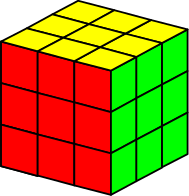
Website profiles · Technology insights · Alternatives

f2l-trainer.top

Master F2L algorithms for Rubik's Cube speedsolving. Features 3D visualization, smart cube support, and algorithm drills.

No paid content found
Visit website
Profile views 5 Outbound visits 1 Normal
F2L Trainer Full homepage screenshot

At a glance

Category
Games & Board Games
Language
English
Paid-content signal
No paid content foundObserved
Registered
2023
Hosting
FastlyInferred
HTTPS certificate trusted
PassedObserved
Last updated

Website review

This review may include AI-generated content and is not individually verified. Domain, certificate and other facts come from the observed data on this page.

What is F2L Trainer?

F2L Trainer is a web-based practice tool for the F2L (First Two Layers) stage of Rubik's Cube speedsolving. Its stated focus is drilling F2L algorithms, with 3D visualization and smart cube support as its main features. The site itself presents little beyond its name, so treat the description as a summary of intent rather than a detailed feature list.

F2L Trainer

Who it suits

  • CFOP solvers past the beginner stage who can already solve the cube and want faster, more consistent F2L pairs.
  • Smart cube owners who want their physical turns recognized during practice.
  • Learners who think visually and benefit from seeing a 3D cube rather than reading notation.

What to expect from the features named

3D visualization usually means an on-screen cube you can rotate and follow as cases are demonstrated. That helps most when you're trying to understand why a pair solves a certain way, not just memorizing a sequence.

Smart cube support means the trainer can read moves from a connected cube, so practice can be tracked without typing in algorithms. This is the feature that matters if you want feedback on real solves rather than clicking through steps.

Algorithm drills implies repetition-based practice, typically case-by-case. The value depends on whether cases are grouped sensibly and whether you can isolate the ones you keep fumbling.

A practical next step

Pick five F2L cases you solve slowly, drill only those in short sessions, then test them in full timed solves. If the 3D view and smart cube tracking make that loop easier, the tool is doing its job. If you don't own a smart cube, judge it purely on the visualization and drill quality — that's the part that still works without extra hardware.

For broader F2L explanations and alternative case lists, general cube resources such as SpeedCubeDB and J Perm cover the same ground from a tutorial angle.

How can I use F2L Trainer to improve my Rubik's Cube solving speed?

Use F2L Trainer as a focused practice tool for the first two layers (F2L), the stage where most intermediate solvers lose the most time. The site describes 3D visualization, smart cube support, and algorithm drills, so the intended loop is: see the case, understand the move sequence, then repeat it under light time pressure until recognition becomes automatic.

A practical routine

  1. Diagnose first. Time your solves and note where you stall. If your cross is fine but you pause before each pair, F2L is your bottleneck and this trainer fits.
  2. Learn by case family, not by list. Work through one type at a time — for example, pairs where the corner and edge are already joined but misoriented — rather than grinding the full algorithm set in random order.
  3. Use the 3D view to build recognition, not just memory. The goal is to see a scrambled pair and know the solution before your hands move. Pause the drill, predict the moves, then check.
  4. Drill for accuracy, then speed. Slow, correct repetitions beat fast, sloppy ones; speed follows once you stop hesitating.
  5. If you own a smart cube, use it for feedback. It can log your actual turns, which is more honest than your memory of a solve.
  6. Move to full solves. After a drill session, do timed solves to make sure the patterns transfer under real conditions.

Who benefits most

  • Beginners who just learned F2L: good for turning rough understanding into fluent execution.
  • Solvers stuck on look-ahead: useful if your pauses come from not recognizing cases quickly.
  • Advanced solvers: less valuable, since the gains are mostly in advanced look-ahead and influencing later steps.

Trade-off to keep in mind

Drilling isolated cases can make you fast at cases you already recognize while ignoring the harder skill of tracking pieces during a real solve. Treat it as one part of practice, not the whole of it. For a broader reference on methods and algorithms, SpeedCubeDB and J Perm cover alternatives; the official World Cube Association site is the place for competition rules and results if you want a target to aim at.

Next step: pick your two slowest F2L case types, drill them for ten minutes, then do five timed solves and compare your split times before and after.

Does F2L Trainer work with smart cubes, and if so, which ones?

Yes—smart cube support is listed as a feature of F2L Trainer on F2L Trainer, alongside 3D visualization and algorithm drills. The available page information confirms that smart cubes are supported but does not name specific models or brands.

What that means in practice

  • You can expect to connect a smart cube and have your solves or drills tracked automatically, rather than entering moves by hand.
  • Because no model list is published on the page, compatibility likely depends on whether your cube's app or Bluetooth protocol is one the trainer has integrated. Common smart-cube ecosystems (for example, cubes paired with their own companion apps) vary in how openly they expose move data.

How to check for your cube

  1. Open the trainer and look for a device or connection option (often a cube icon or settings menu).
  2. Put your smart cube in pairing mode and see whether it appears in the list.
  3. If it doesn't appear, check the site's help or FAQ section for a supported-device list—this is the most reliable source, since model support changes with updates.

If your cube isn't detected, the 3D visualization and manual drills still work, so you lose automatic move tracking but not the core F2L practice. For a concrete case: a solver with a Bluetooth cube from a major brand would first try pairing in-app; if the cube is absent, they'd fall back to on-screen drills while watching for a compatibility update.

What F2L algorithms does F2L Trainer cover, and how are they organized?

F2L Trainer is built around the F2L step of the CFOP method — the stage where you pair each corner with its matching edge and slot both into the first two layers. Rather than teaching a single fixed algorithm list, it organizes practice around the 41 standard F2L cases that arise from different corner-edge pair positions and orientations.

How the cases are typically grouped

  • Basic cases (roughly the first ~10): pair already joined in the top layer, needing only an insertion. These are the ones most solvers learn first.
  • Split pair cases: corner and edge separated in the top layer, requiring a short setup to join them before insertion.
  • Corner-in-slot cases: the corner is already in the first layer but twisted or in the wrong slot, so the edge must be brought down and the pair extracted.
  • Edge-in-slot cases: the edge is already placed but the corner is not, requiring a similar extraction move.
  • Both pieces in the wrong slots: the most awkward group, needing a longer sequence to free both pieces.

The site's page evidence only confirms the name "F2L Trainer" and the features listed in its description — 3D visualization, smart cube support, and algorithm drills — so treat the grouping above as the standard way F2L sets are organized rather than a confirmed list from this page.

What the practice tools do

The 3D visualization lets you see the cube state for each case and rotate it, which matters more for F2L than for last-layer algorithms because the pieces are spread across the cube. Smart cube support means a connected cube can detect your turns during a drill, so you get feedback on whether you executed the case correctly instead of judging by eye. Algorithm drills repeat cases so the recognition and execution become automatic.

A practical starting routine

Pick one group at a time — start with basic insertions, then split pairs. Drill each case until you can recognize it in under a second without rotating the whole cube, then move on. If you have a smart cube, use the drill mode to catch the cases where you're quietly making an extra move.

For comparison, J Perm hosts a widely used F2L algorithm list, and CubeSkills covers F2L within a broader CFOP course.

Can I practice F2L algorithms on F2L Trainer without a physical cube?

Yes. F2L Trainer is built around on-screen 3D visualization, so you can drill F2L cases with no cube in your hands — the app shows the cube state and you follow the algorithm from there. Smart cube support is an optional extra, not a requirement.

What that means in practice

  • No-cube mode: Watch the 3D cube animate or step through a case, then reproduce the moves mentally or by clicking/turning on screen. Useful for learning case recognition and recalling which algorithm applies.
  • With a smart cube: The trainer can track your real turns, which suits people who want feedback on execution speed and accuracy rather than just recall.

Trade-off to weigh

Approach Best for Limitation
Screen only Learning cases, memorising algorithms, practising anywhere No feedback on your real finger speed or turn accuracy
Screen + smart cube Timing, execution drilling, competition-style practice Requires owning a compatible cube

Suggested next step: pick one F2L case family (for example, basic corner-edge pairs) and run it screen-only until you can name the case and its algorithm without hesitation. If you later want to measure speed, that is the point to consider a smart cube.

Is F2L Trainer suitable for beginners, or is it only for advanced solvers?

F2L Trainer is aimed at solvers who already know how to solve a Rubik's Cube and want to get faster at the first two layers, not at people learning the cube from scratch. If you can't yet complete a solve without instructions, this isn't the place to start.

The site's stated focus is mastering F2L algorithms for speedsolving, with 3D visualization, smart cube support and algorithm drills. Those features assume you understand cube notation and the basic structure of F2L — pairing a corner with its edge and inserting both together — because the value comes from repetition and recognition practice, not from first-time explanation.

Who gets the most from it

  • Improving beginners (around 1–2 minutes): Useful once you've moved past a layer-by-layer beginner method and want to replace it with intuitive F2L. Expect to pause often at first; the drills help you build pattern recognition.
  • Intermediate solvers (30–60 seconds): The strongest fit. You likely know F2L conceptually but are slow at spotting pairs, and structured drilling targets exactly that weakness.
  • Advanced solvers (under 30 seconds): Still useful for cleaning up awkward cases, but you'll spend more time on lookahead and last-layer work than on F2L algorithms.

Trade-offs to weigh

Your situation Likely fit
Can't solve a cube unaided Poor — learn the beginner method first
Knows beginner method, wants F2L Good, with patience
Knows F2L, wants speed Strong
Sub-30, chasing last-layer gains Limited

The main limitation is that algorithm drilling builds muscle memory for cases you already recognize; it won't teach you why F2L works. If you skip the intuitive stage, you may end up memorizing sequences you can't adapt mid-solve.

A practical next step: time yourself on a normal solve, then count how many seconds you lose hunting for pairs. If that's your biggest chunk of time, F2L practice pays off. If your last layer is the bottleneck, spend your sessions there instead. For written walkthroughs and community discussion, Speedcubing.com and Speedcubing Solved are worth reading alongside a trainer.

Related questions

More questions →
What is F2L Trainer?

F2L Trainer is a web-based practice tool for Rubik's Cube speedsolvers who want to improve their First Two Layers (F2L) stage. According to the site's own description, it offers 3D visualization, smart cube support, and algorithm drills. It is aimed at cubers who already know F2L in principle and want faster, more automatic recognition and execution.

What the site provides

Based on the available site information, F2L Trainer focuses on three things:

  • 3D visualization — cases are shown as three-dimensional cube states rather than flat diagrams, so you can see how pieces relate in space.
  • Smart cube support — if you own a smart cube, the trainer can connect to it and track your actual turns.
  • Algorithm drills — repeated practice of F2L cases, the core loop for building recognition speed.

The site's stated purpose is to help you "master F2L algorithms for Rubik's Cube speedsolving."

Who it is for

F2L Trainer suits you if:

  • You can already solve a cube and have started learning CFOP.
  • You know some F2L cases but still pause to figure out others.
  • You want to drill recognition and execution rather than learn from scratch.

It is less useful if you are still learning basic layer-by-layer solving, since F2L assumes comfort with the cube's notation and piece movement.

How to use it in practice

A typical session looks like this:

  1. Open the trainer and pick a set of F2L cases to work on.
  2. Read the 3D cube state, decide your solution, then execute it.
  3. If you use a smart cube, connect it so your turns are recorded; otherwise follow the on-screen state.
  4. Repeat the same case type until recognition feels immediate, then move to the next set.

The expected result is faster pattern recognition: you see a pair and know the move sequence without consciously reasoning through it.

Things to check before relying on it

  • Smart cube compatibility — the site mentions smart cube support, but the specific models supported are not listed in the available information. Confirm your cube works before building a routine around it.
  • Pricing and login — the site description does not state whether an account or payment is required. Treat access terms as unconfirmed until you check the site directly.
  • Algorithm source — different cubers use different F2L solutions for the same case. The trainer shows one approach; if your preferred solution differs, use the drills for recognition practice rather than memorizing its exact sequences.

Bottom line

F2L Trainer is a focused practice environment for the F2L stage, combining 3D case display, optional smart cube tracking, and repetitive drilling. It is worth trying if your goal is speed and consistency in F2L, provided your smart cube is supported and the access terms fit how you practice.

Who Should Use F2L Trainer?

F2L Trainer is best suited to cubers who already know how to solve a 3x3 and want to get faster at F2L, the step where most beginners lose the most time. It is not a starting point for someone who has never solved a cube. The site describes itself as a tool to "master F2L algorithms for Rubik's Cube speedsolving," with 3D visualization, smart cube support, and algorithm drills — so the value it offers depends on you already having a base to build on.

Who gets the most out of it

You already solve the cube but your F2L is slow

If you can finish a solve using a beginner method and you are now learning or refining F2L, this is the target audience. The drills are built around repetition of F2L cases, which is exactly the gap between "I know the method" and "I can do it quickly."

You learn better from seeing than from reading

The 3D visualization is the feature that separates this from a static algorithm list. If written notation alone does not stick for you, seeing the case rotate in three dimensions addresses a real learning problem.

You want structured repetition, not just a reference

Algorithm drills imply a practice loop rather than a lookup table. If your problem is that you know the cases but keep hesitating, drilling is the relevant activity.

You own a smart cube

Smart cube support is listed as a feature. If you have compatible hardware, this is a reason to consider the site specifically over a plain algorithm page — though you should confirm your cube is supported before relying on it.

Who should look elsewhere first

  • Complete beginners. If you cannot yet solve a 3x3, F2L is not the right thing to practice. Learn a full beginner method first, then come back.
  • People looking for a full solve trainer. The scope here is F2L, not the whole solve (cross, OLL, PLL). If you need end-to-end practice, this covers only one stage.
  • Anyone wanting a purely offline tool. It is a website, so practice depends on browser access.

Quick self-check

Your situation Is F2L Trainer a fit?
Can solve a 3x3, F2L is your bottleneck Yes
Learning F2L cases for the first time Yes, as a visual aid
Cannot solve a cube yet No — learn the basics first
Need OLL/PLL or full-solve training Not the focus
Have a smart cube and want feedback Worth checking compatibility

What to verify before committing

The site's own description confirms 3D visualization, smart cube support, and algorithm drills. It does not state pricing, account requirements, or which smart cube models are supported. Check those three things directly on the site before you build a practice routine around it — particularly smart cube compatibility, since that feature is only useful if your hardware is on the list.

If you are past the beginner stage and F2L is where your times stall, this is aimed at you. If you are still learning to solve at all, it is not yet your tool.

What Is F2L in Rubik's Cube Speedsolving?

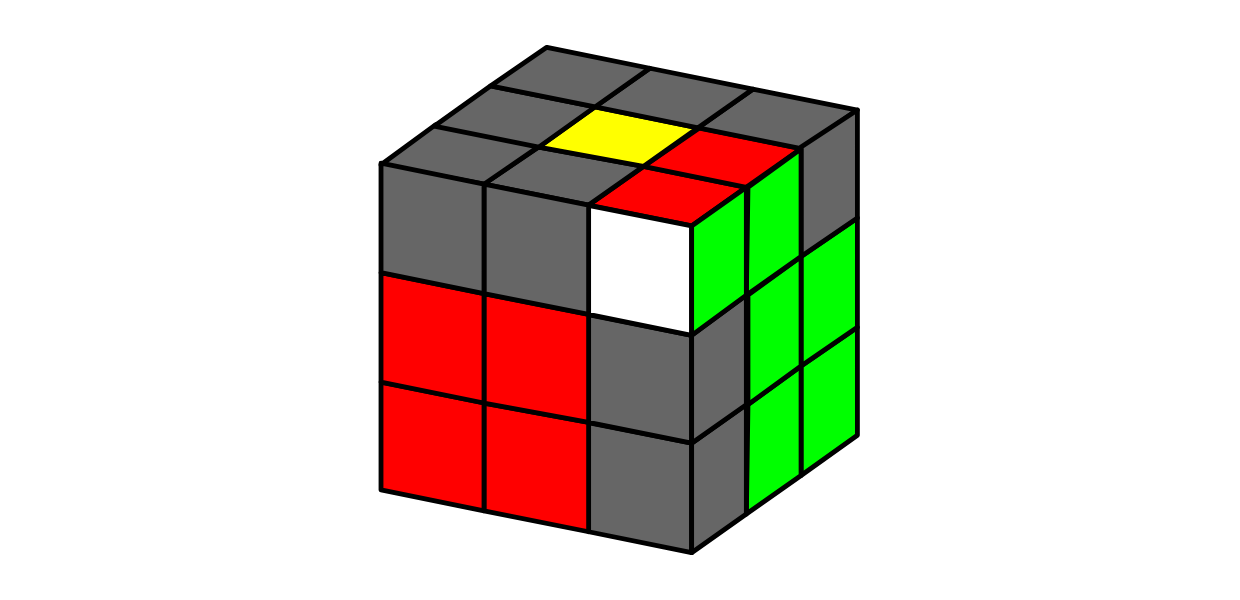
F2L stands for First Two Layers. In the CFOP speedsolving method, it is the step where you solve the bottom layer and the middle layer together, by pairing each corner with its matching edge and inserting the pair into the correct slot. F2L matters because it is usually the longest and most variable part of a CFOP solve, so improving it tends to produce the biggest time gains. This explanation is for anyone who already knows how to solve a cube and wants to understand where F2L fits and why it deserves dedicated practice.

Where F2L sits in the CFOP method

CFOP breaks a solve into four stages:

  1. Cross — solve the four bottom edges.
  2. F2L — solve the four corner–edge pairs that complete the first two layers.
  3. OLL — orient the last layer.
  4. PLL — permute the last layer.

The cross and F2L together build the entire bottom two layers. OLL and PLL then finish the top layer. Because F2L covers four separate pairs and each pair can appear in many configurations, it is the stage with the most decisions per solve.

Why F2L is the bottleneck

A beginner layer-by-layer solve handles corners and edges in separate passes. F2L combines them: you find a corner, find its edge, join them into a pair, and slot the pair in. That is fewer moves overall, but it demands more lookahead and pattern recognition.

The practical consequence is that F2L is where most of your thinking time goes. A slow cross costs a second or two; a hesitant F2L can cost ten or more. That is why solvers treat F2L as the main target for improvement rather than memorizing more last-layer algorithms.

Two ways to approach F2L

Approach What it means Trade-off
Algorithmic Memorize a set of sequences for common pair cases Fast to execute once recognized, but recognition and recall take practice
Intuitive Understand how to move a pair into a slot using general principles Slower to learn at first, but easier to adapt to unfamiliar cases

Most solvers end up mixing the two: intuitive handling for the cases they understand, plus a few memorized sequences for awkward ones. Neither approach is wrong; the choice depends on how much you want to memorize versus how much you want to reason on the fly.

What dedicated F2L training involves

Because F2L cases are numerous and situational, isolated drilling helps more than full solves for building recognition. A trainer typically lets you:

  • See a specific F2L case set up on a cube.
  • Attempt the solution yourself.
  • Compare against a known solution.
  • Repeat the same case until the pattern is automatic.

The F2L Trainer site describes itself as offering 3D visualization, smart cube support, and algorithm drills for mastering F2L algorithms. Those three features map onto the training loop above: visualization shows the case, drills let you repeat it, and smart cube support can connect a physical cube to the practice session.

What to expect as you improve

Early on, F2L feels like solving four separate puzzles in sequence. With repetition, the cases start to cluster into recognizable families, and you begin to plan the next pair while inserting the current one. That shift — from solving one pair at a time to tracking pairs ahead — is the real milestone, and it comes from volume of practice rather than from learning more algorithms.

If you are deciding whether to invest time in F2L practice: it is worth it once you can solve the cube reliably and want to move past beginner times. If you are still learning the basic solve, finish that first — F2L assumes you can already find pieces and turn accurately.

How F2L Trainer Uses 3D Visualization and Smart Cube Support for Practice

F2L Trainer is a browser-based tool for practicing First Two Layers (F2L) algorithms, and it approaches practice through three connected features: 3D visualization of the cube state, optional smart cube support for tracking real turns, and algorithm drills for repetition. The 3D view is the core of the tool and works without any hardware; smart cube support is an add-on for solvers who own a compatible cube and want their physical turns reflected on screen. If you are learning F2L or drilling algorithms, the visualization and drill features are what you will use most; smart cube support matters mainly if you already train on a smart cube and want feedback tied to your actual movements.

What the 3D visualization does

The 3D visualization renders the cube so you can see the current state and the effect of each F2L step rather than reading notation alone. This matters for F2L specifically because the method is about pairing a corner and an edge and inserting them together — a spatial task that is hard to internalize from letters and symbols.

In practice, the 3D view lets you:

  • See the cube state before and after a move sequence, so you can connect an algorithm to the resulting piece positions.
  • Track which pair you are solving, since F2L is organized around four corner-edge pairs rather than a single sequence.
  • Check your understanding by comparing what you expect a case to look like with what the visualization shows.

A useful way to use it: pick one F2L case, apply the algorithm in the 3D view, and watch how the corner and edge move together into the slot. Repeat until you can predict the result before the animation finishes. That prediction step is what transfers to solving on a physical cube.

How smart cube support fits in

Smart cube support connects a compatible smart cube to the trainer so your real turns can be tracked and reflected in the practice session. The purpose is to close the gap between practicing on screen and practicing in your hands: instead of clicking or tapping moves, you turn the cube and the tool follows along.

This is most useful when:

  • You already own a smart cube and want your drill sessions to use it.
  • You want feedback on the moves you actually made, not just the moves you intended.
  • You are training recognition and execution together, where the physical turn is part of the skill.

If you do not have a smart cube, you lose nothing essential — the 3D visualization and drills still work on their own. Treat smart cube support as an enhancement for hardware owners, not a requirement for learning F2L.

Using algorithm drills for repetition

Algorithm drills are the repetition layer: you run the same F2L cases repeatedly to build recognition and muscle memory. The value of drilling is not doing a case once correctly, but reaching the point where you recognize the case and execute without conscious recall.

A practical drill routine:

  1. Select a small set of cases — for example, one or two F2L cases you keep getting wrong.
  2. Run each case in the 3D view first until you can predict the outcome.
  3. Drill the case repeatedly, using the visualization to confirm the result.
  4. If you have a smart cube, do the same drill with real turns so the trainer tracks your execution.
  5. Rotate in new cases only after the current ones feel automatic.

The common mistake is drilling too many cases at once. F2L has many cases, and spreading attention across all of them slows recognition. Narrow sets drilled to fluency beat broad, shallow practice.

Choosing how to practice

Your situation What to use Why
New to F2L, no smart cube 3D visualization + drills Learn the spatial logic of pairing and insertion without hardware
Own a smart cube, training execution Smart cube support + drills Your real turns are tracked, so practice matches solving conditions
Struggling with specific cases 3D visualization on those cases only Isolates the cases causing hesitation
Building speed after learning cases Drills, with or without smart cube Repetition converts recognition into automatic execution

What to expect and what to watch for

The 3D visualization is the most reliable part of the workflow because it needs no extra equipment. Smart cube support depends on having a compatible cube, so check that your cube is supported before building your routine around it. Drills are only as useful as the cases you choose — if you drill cases you already know, you will plateau.

Start with the 3D view to understand a case, add drills to make it automatic, and bring in smart cube support only if you already train on a smart cube and want your physical turns to count.

Website Overview

The available information shows a mix of normal operation and configuration gaps. Depending on how the website is used, these gaps may affect secure access or the consistency of its public presentation.

Domain and Registration

Transfer-protection status is present, helping reduce the risk of unauthorized domain transfers. The domain has about 2 years of registration history; its current configuration provides more context than age alone. The registrar is Porkbun LLC, a widely used domain service provider. Registration contact information is publicly available through RDAP. The domain uses the common .top extension, which is not an independent safety signal.

DNS and Email

Nameservers are provided by porkbun.com, indicating managed DNS hosting. No CNAME was found; the observed records resolve directly to addresses. No MX record was found. A conventional explicit inbound-mail route is not configured. TXT records include verification markers for Google. Such markers may also remain after a service stops being used. DNSSEC signatures were not detected, so this additional DNS authenticity protection is not confirmed.

TLS and Certificates

The certificate uses an RSA 2048-bit public key, offering broad client compatibility. The server supplied a complete certificate chain. No organization name is present in the certificate; the available fields are consistent with domain validation. The certificate was issued by Let's Encrypt, commonly associated with automated certificate services. The certificate's total validity is about 89 days, consistent with a short renewal cycle.

HTTP and Browser Security

The response lacks these common security headers: CSP, X-Content-Type-Options, Referrer-Policy, Permissions-Policy, clickjacking protection. CORS permits any origin to read this response. This is common for public resources; sensitive responses need narrower handling. No X-Powered-By header was found, reducing one common source of backend fingerprinting information. The x-cache, x-served-by, via response header indicates a CDN or caching proxy in the delivery path. No obvious internal addresses or debug information were found in the headers.

Technology Stack Analysis

The public page identifies SvelteKit, Fastly without precise versions, leaving fewer clues for version-specific scanning.

Search and Social Sharing

No homepage canonical URL was detected. If duplicate URLs exist, consolidation may be less explicit. Twitter Card metadata is configured. The title has 11 characters, within a common display range. A meta description is present, with 121 characters. The observed directives allow indexing and link following.

Hosting and Email

DNSporkbun.com
HostingFastly
EmailUnknown
Approximate IP geolocation (inferred; a CDN or proxy may differ from the origin server) United States flagUnited States Inferred 185.199.108.153

Registration details

RDAP / WHOIS

RegistrarPorkbun LLC
Registered2023-12-01
Expires2033-12-01
Domain statusclient transfer prohibited、client delete prohibited
Nameserverscuritiba.ns.porkbun.com、fortaleza.ns.porkbun.com、maceio.ns.porkbun.com、salvador.ns.porkbun.com
DNSSECunsigned

DNS records

DNS

TypeNameValueTTLPriority
Af2l-trainer.top185.199.108.153600—
Af2l-trainer.top185.199.109.153600—
Af2l-trainer.top185.199.110.153600—
Af2l-trainer.top185.199.111.153600—
AAAAf2l-trainer.top2606:50c0:8000::153600—
AAAAf2l-trainer.top2606:50c0:8001::153600—
AAAAf2l-trainer.top2606:50c0:8002::153600—
AAAAf2l-trainer.top2606:50c0:8003::153600—
NSf2l-trainer.topcuritiba.ns.porkbun.com86400—
NSf2l-trainer.topfortaleza.ns.porkbun.com86400—
NSf2l-trainer.topmaceio.ns.porkbun.com86400—
NSf2l-trainer.topsalvador.ns.porkbun.com86400—
TXTf2l-trainer.topgoogle-site-verification=oIVtwJT6TUFhN6_Ie7vE29ONR0sYtT5SodayNfsY8uE600—

TLS and certificates

TLS / SSL

AssessmentNormal configuration
Supported protocolsTLSv1.2、TLSv1.3
Negotiated protocolTLSv1.3
Certificate subjectf2l-trainer.top
IssuerLet's Encrypt
Valid until2026-11-29T01:38 · Remaining when checked: 56 days
Verification detailsCertificate trust: Passed · Hostname match: Passed

HTTP response headers

HTTP

HeaderValue
content-typetext/html; charset=utf-8
cache-controlmax-age=600
serverGitHub.com
strict-transport-securitymax-age=31556952
access-control-allow-origin*

Identified technologies

SvelteKitFastly

Pages, Search and Sharing

Meta descriptionMaster F2L algorithms for Rubik's Cube speedsolving. Features 3D visualization, smart cube support, and algorithm drills.
Canonical URLNot detected
LanguageEnglish (default)
Twitter Cardsummary_large_image

No robots.txt found

No sitemaps found

User reviews (0)

  • No reviews yet.