Website profiles · Technology insights · Alternatives

floik.com Paid content

Categories: Artificial Intelligence Productivity Education & Learning

Create interactive SOPs, step-by-step guides, feature walkthroughs, and professionally narrated videos from any screen recording or MP4 with Floik

Visit website

Updated: 2026-10-03 12:06 Language: English (default) Access: Normal

Profile views 1 Outbound visits 0
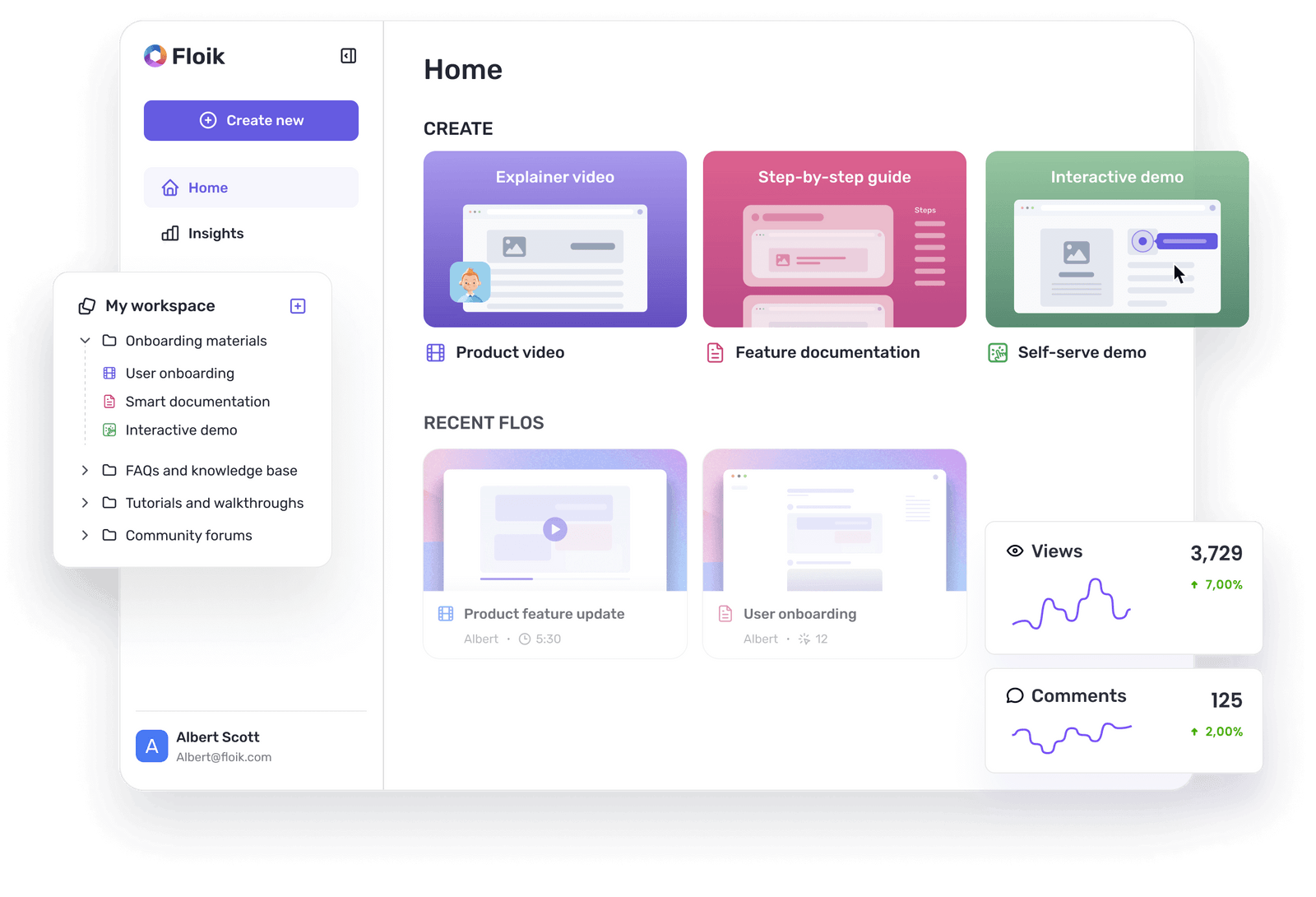
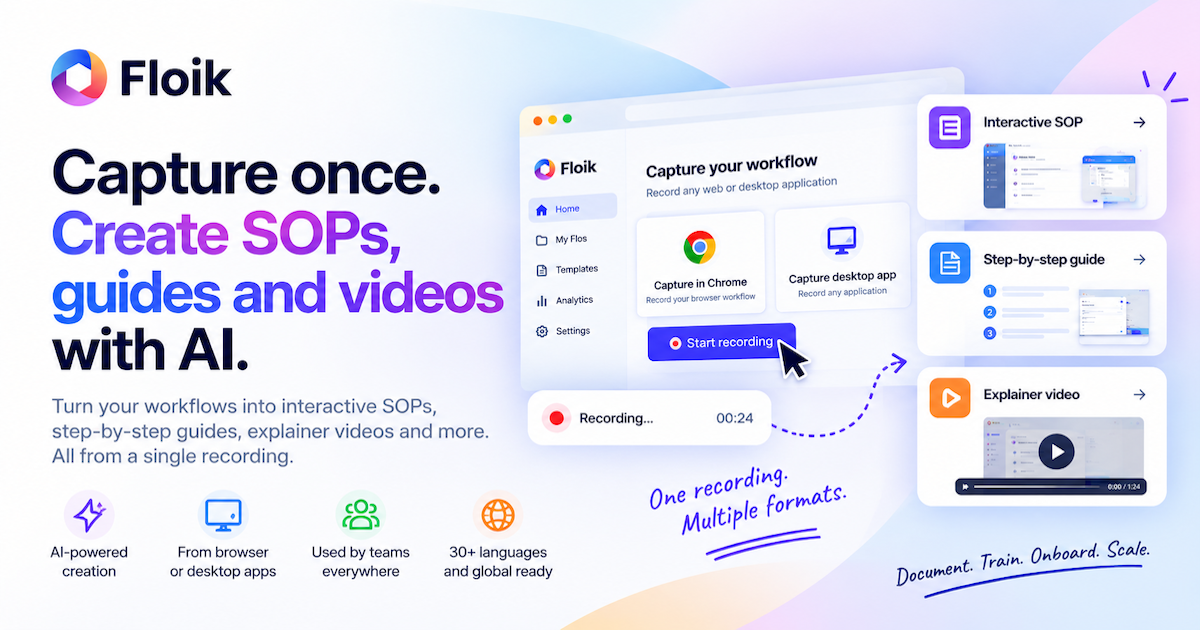
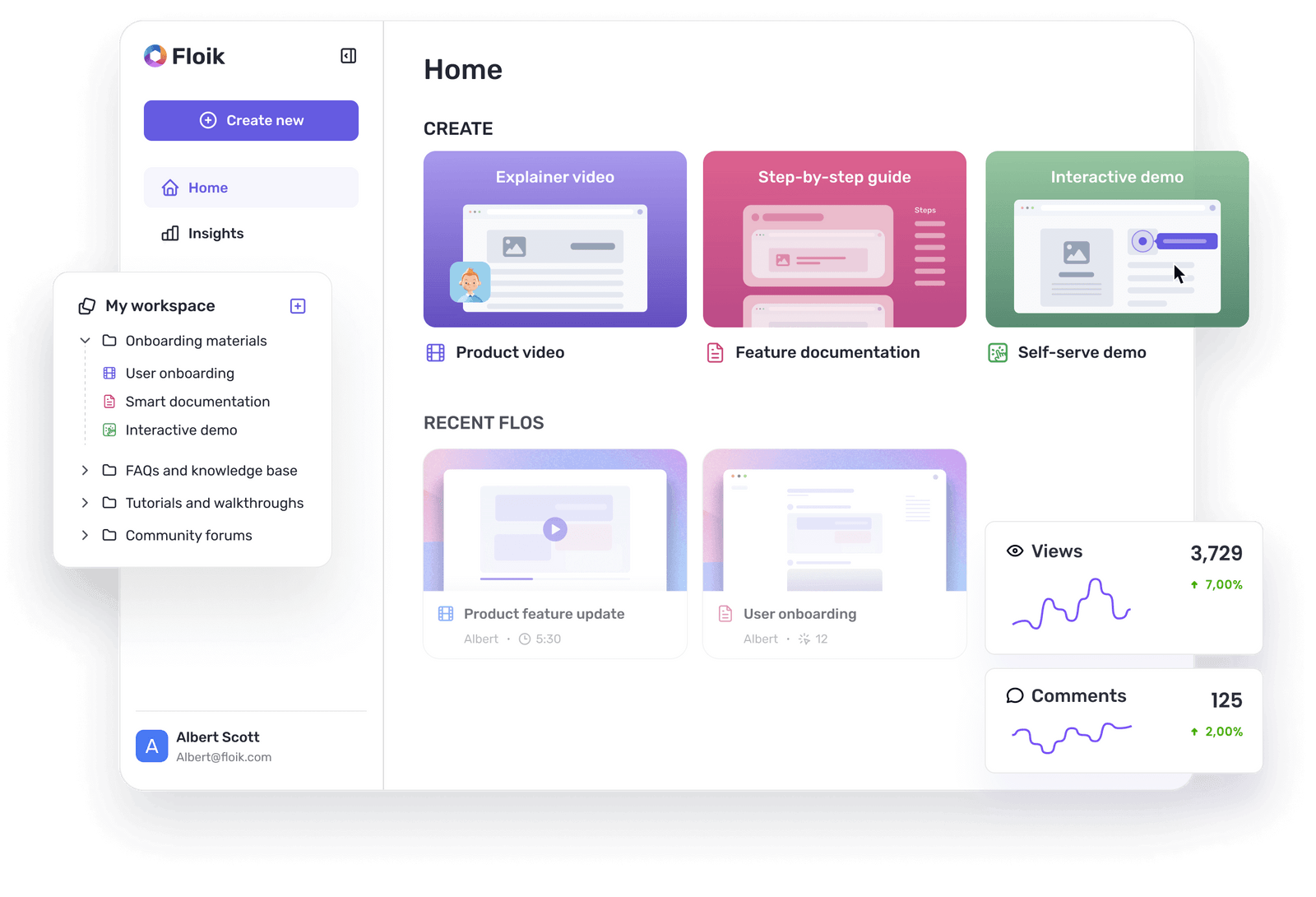
Floik Full homepage screenshot
Editorial Review

Website Review

What is Floik?

Floik is an AI platform for turning screen recordings and MP4 videos into structured, shareable process knowledge. Instead of asking someone to write up a process after the fact, you capture the workflow once and Floik generates formats such as interactive step-by-step guides, clickable demos, interactive videos with hotspot interactions, and narrated walkthroughs. The core pitch on its homepage is "Record once. Turn every workflow into knowledge everyone can use."

What it produces

Floik's page groups its output into three main formats:

  • Interactive Guide — clickable, step-by-step demos that walk a viewer through a process.
  • Interactive Video — demos with hotspot interactions layered onto the video.
  • Explainer Video — narrated product walkthroughs, with AI voiceover and background music options.

Supporting capabilities include custom branding, embedding the finished piece anywhere, and browser-based capture, so recording happens in the browser rather than through a separate installed tool.

Who it is for

The page frames Floik around teams that "run on processes," with use cases split between internal and external audiences:

  • Support teams deflecting repeat tickets by answering top ticket drivers once.
  • Product and marketing teams announcing features so customers actually notice what shipped.
  • Customer education teams teaching a product inside their own academy.
  • Onboarding and training teams teaching the software itself rather than a slide deck.
  • Sales enablement and buyer education.

How it differs from plain screen recording

A raw screen recording shows what happened; it does not explain what to click next or let a viewer practice. Floik's value is in the conversion step: the recording becomes a structured sequence of labeled steps and clickable elements, which is what makes it usable as an SOP or a self-serve help article. The trade-off is that an interactive guide is less suited to open-ended explanation or persuasion than a narrated video, and a narrated video is less suited to a viewer who wants to follow along in their own account. Many teams end up producing both from one capture, which is the main efficiency argument.

Practical next step

If you are evaluating it, pick one recurring question your team answers repeatedly — a setup step, a settings change, a feature that generates tickets — and run that single workflow through the free plan. Judge the output on whether a new user could complete the task without asking a follow-up question, and whether the embedded result looks acceptable inside the tool your audience already uses. Floik lists a free plan with no credit card and a pricing page for comparison at Floik.

How do I create an interactive SOP from a screen recording with Floik?

Start by recording the workflow in your browser, then let Floik's AI turn that recording into a structured, clickable SOP. According to the page, the process is: capture the workflow, let AI build the SOP, and generate it in three steps. You can record directly in the browser or upload an existing MP4, and Floik outputs an interactive guide with clickable step-by-step instructions rather than a passive video.

What the output looks like

Floik's example SOP breaks a task into numbered steps such as navigating to a URL, clicking "Create," selecting a menu option, and clicking toolbar buttons. Each step is a discrete instruction with a visual anchor, so a new hire can follow along without guessing where to click.

Formats you can generate from one recording

Format Best for
Interactive Guide Clickable, self-paced SOPs and process documentation
Interactive Video Demos with hotspot interactions
Explainer Video Narrated walkthroughs for training or customer education

Practical steps

  1. Record the workflow in your browser or upload an MP4.
  2. Let Floik's AI structure the recording into steps.
  3. Customize with branding, background music, or AI voiceover.
  4. Share via embed, link, or export.

A concrete scenario

A support lead records a five-step fix for a common ticket. Instead of writing it up afterward, the recording becomes an interactive guide the team can embed in the help center. The page cites a customer who reduced support tickets by 40% and another who saved 20 hours weekly, though those are vendor-reported results.

Decision criterion

Choose this approach when the process is visual and click-based. If the workflow is mostly text or policy, a written SOP may be faster. Floik offers a free plan with no credit card, and pricing details are at Floik.

Can Floik help reduce customer support tickets by turning common issues into self-service guides?

Yes. Floik is built to turn a screen recording into structured, visual instructions — interactive guides, SOPs, feature walkthroughs and narrated videos — which is exactly the format that lets customers solve a recurring problem without contacting support. The page explicitly lists "Support ticket deflection" as a use case, and cites a customer story in which Additive reduced support tickets by 40% using Floik. Treat that figure as the vendor's reported customer result, not a guaranteed outcome.

How the workflow fits ticket deflection

The page describes a three-step pattern: capture the workflow (browser capture or an uploaded MP4), let AI structure it into steps, then customise and share. The output is a clickable step-by-step guide with numbered actions such as "Click 'Create'" or "Select 'Focus time' from the menu" — the same granularity a support agent would walk a customer through.

That granularity is the point. A help-centre article tells someone what to do; an interactive guide shows them where to click in their own screen context. For issues that are purely navigational — where a setting lives, how to invite a teammate, how to export a report — the guide alone often ends the conversation.

Where to place the guides

Floik's page notes that you can embed showcases where people already work, and it lists resources like a help centre and documentation. Practical placements, based on that:

  • In-product help widgets next to the feature that generates the tickets.
  • Help centre articles for the top ticket drivers, replacing or supplementing text steps.
  • Onboarding and academy content so customers learn the workflow before they hit the wall.
  • Sales enablement demos if the same confusion appears pre-purchase.

When this works, and when it doesn't

Ticket type Good fit for a self-service guide?
"Where is this button / how do I do X" Yes — visual steps resolve it fast
Repeated onboarding or setup questions Yes — record once, reuse
Feature adoption questions after a release Yes — walkthroughs and demos
Billing disputes, bugs, data errors No — needs a human or a fix

A concrete next step

Pull your last 50 tickets, tag them by root cause, and pick the two or three issues that appear most often and are purely instructional. Record one of them in Floik, embed the guide at the point of friction, and compare ticket volume for that issue over the following weeks. If the guide doesn't move the number, the problem was probably not a knowledge gap.

For comparison shopping, it's worth looking at how dedicated knowledge-base tools approach the same job, such as Intercom or Zendesk, since they pair article hosting with the ticketing data you'd need to measure deflection. Floik's advantage is the speed of turning a recording into a structured guide rather than writing one by hand; its limitation is that it produces the guide, not the measurement or the help-centre infrastructure around it.

What are the differences between Floik's interactive guides, interactive videos, and explainer videos?

Floik splits its output into three formats that answer different questions: “show me where to click,” “let me try the flow,” and “explain why this matters.”

Interactive guide — a clickable, step-by-step walkthrough. Floik's page shows it as a numbered sequence of actions (“Navigate to…”, “Click Create”, “Select Focus time”), so it reads like a live SOP. Best for onboarding, support deflection and any process where the viewer must follow exact steps in a real interface. The trade-off is narrowness: it teaches one path well and assumes the viewer has access to the product.

Interactive video — a screen recording with hotspot interactions layered on top. The viewer watches a real demonstration but can pause and engage with specific points rather than passively absorbing the whole clip. Suited to feature launches, sales demos and buyer education, where attention and “notice what we shipped” matter more than reference accuracy. It costs more production effort than a guide and is harder to update when the UI changes.

Explainer video — a narrated product walkthrough, with AI voiceover, branding and background music available. This is the format for context and persuasion: what a feature is for, why it exists, how the pieces fit. It works in academies, marketing pages and customer-education libraries, but it is the least suited to precise, repeatable instructions.

Format Viewer does Strongest use Main trade-off
Interactive guide Clicks through steps SOPs, onboarding, ticket deflection Teaches one path; needs product access
Interactive video Watches and interacts with hotspots Feature demos, sales enablement, adoption More effort; ages with UI changes
Explainer video Watches and listens Customer education, positioning, academies Persuades rather than instructs

A practical decision rule: if a wrong click has a cost, choose the guide; if you need someone to notice and care about a feature, choose the interactive video; if you need them to understand the bigger picture, choose the explainer. Many teams run all three from one recording, which is the efficiency Floik is built around.

Next step: take a single screen recording you already have and map it against the table above — pick the format that matches the moment your audience is in, rather than the format that looks best. For a broader look at how this compares with other tools, see Floik.

How does Floik's pricing compare to other SOP and guide creation tools?

Floik's own pricing page is the only place to confirm current tiers and limits, so treat any comparison as directional rather than exact. What the product page does make clear is the shape of the offer: a free plan with no credit card, browser-based capture, and output in three formats — interactive guides, interactive video with hotspots, and narrated explainer videos — plus embedding, branding, AI voiceover and a teamspace. That combination matters for pricing because you are paying for both capture and multi-format publishing, not just screenshot annotation.

Where cost differences usually appear

Most tools in this category look similar at the entry level and diverge on three axes:

  • Seat-based vs. usage-based pricing. Documentation platforms often charge per editor seat, which is cheap for a small writing team but expensive when everyone who records a process needs an account. Video-first tools often meter by video count or export minutes instead.
  • Editing depth. Lightweight capture tools are inexpensive but assume you will fix steps by hand. Floik's page emphasises AI-generated SOPs from a recording plus AI voiceover, which is the kind of automation usually reserved for higher tiers elsewhere.
  • Output flexibility. If you need clickable guides, hotspot video and narrated video from one recording, bundling them in one subscription is usually cheaper than buying a screenshot-guide tool and a separate video editor.

A practical comparison frame

Need What to weigh Typical trade-off
Internal SOPs for a small ops team Per-seat cost vs. unlimited viewers Seat pricing is fine until many people must record
Customer-facing feature demos Embedding, branding, hotspot interactivity Cheaper tools often export flat images or plain video
Support deflection content Whether guides can be updated without re-recording Video-only tools age badly when the UI changes
Training and onboarding libraries Narration and voiceover quality AI voiceover saves studio time but may need review

Choosing between Floik and alternatives

Compare on the unit you actually consume. If your bottleneck is editing time, weigh automation and AI voiceover heavily; if it is distribution, weigh embedding and viewer access. Ask each vendor two questions: does a viewer ever need a paid seat, and what happens to a guide when the interface changes? A guide that must be re-recorded from scratch has a hidden cost that never shows up on the pricing page.

For reference points, it is worth checking how established documentation and demo tools structure their plans — for example Scribe, Tango, Arcade and Loom — then map their limits against Floik's free plan and its Pricing page. Start by listing your three most-repeated workflows and the format each one needs; that list will tell you which pricing model actually fits.

Can I embed Floik guides and videos into my own website or knowledge base?

Yes. Floik is built around sharing its output beyond the app itself — the page explicitly lists "Embed anywhere" as a key capability, and the formats it produces (interactive guides, interactive video demos, explainer videos) are the kind of assets you can place in a help center, product page or internal wiki rather than only sending a link.

What that looks like in practice

  • Interactive guides — clickable, step-by-step demos with numbered hotspots (for example, "Click Create," "Select Focus time"). These suit a knowledge base article where a reader follows along in the real product.
  • Interactive video — a recording with hotspot interactions layered on top, useful for feature walkthroughs where you want viewers to branch or click.
  • Explainer video — a narrated walkthrough with AI voiceover, which fits a product page or onboarding email where no interaction is expected.

Choosing between embed and link

Situation Better fit
Support article answering one recurring question Interactive guide embedded inline
Launch announcement showing a new feature Interactive video on a landing page
Sales follow-up or customer academy lesson Explainer video, link or embed
Internal onboarding for staff Guide or video in your team wiki

A concrete scenario: a support team facing repeated "how do I set up X" tickets records the process once, generates a guide, and embeds it at the top of the relevant help article. The reader completes the steps in context instead of reading prose and switching tabs. Floik's own customer stories describe this pattern — Marie reportedly saved 20 hours a week, and Additive reportedly cut support tickets by 40% (those are Floik's published customer claims, not independent verification).

Practical checks before you commit

  1. Confirm the embed works inside your specific platform — some knowledge bases and CMSs restrict iframes or strip scripts.
  2. Decide whether you need the guide to stay in sync with your UI; when your product changes, an embedded guide is visible to everyone at once, which is an advantage over downloadable PDFs but also means errors are public.
  3. Check branding and music/highlight options if the embed sits on a customer-facing page rather than an internal one.
  4. Compare against a dedicated documentation tool if your main need is long-form written docs rather than visual walkthroughs — for example Intercom or Zendesk for help-center hosting, or Loom if simple screen-video sharing is enough.

Next step: open Floik's gallery of live examples, find one embedded in a page similar to yours, and test whether that embed renders correctly in your own knowledge base before building out a full library.

Related questions

More questions →
How Floik Turns a Screen Recording into an SOP or Interactive Guide

Floik takes a screen recording or MP4 and converts it into structured, visual instructions—an interactive guide, an SOP, a feature walkthrough, or a narrated video—rather than asking someone to reconstruct the process afterward. You start by capturing your screen in the browser or uploading a video, and the AI builds the step-by-step structure from what you recorded. This works if you already have a workflow you can perform on screen; it is not a tool for writing a process from scratch without a recording.

The basic flow

Floik's own framing is "Record once. Turn every workflow into knowledge everyone can use." The pipeline has three stages:

  1. Capture — record your screen in the browser, or bring in an existing MP4.
  2. Generate — AI turns the real work into structured, visual instructions, producing numbered steps from your actions.
  3. Customize and share — edit, brand, then share, embed, or export.

The homepage shows what generated output looks like: a numbered sequence such as "Navigate to app.example.com/dashboard → Click 'Create' → Select 'Focus time' from the menu → Click 'View' in the toolbar → Click 'Freeze' to lock the row." That is the core value: the steps come from what you actually did, not from someone retyping the process later.

What the AI produces

Floik supports multiple output formats from the same recording:

Format What it is
Interactive Guide Clickable step-by-step demos
Interactive Video Demos with hotspot interactions
Explainer Video Narrated product walkthroughs
SOP Structured, visual instructions for a process

Because the source is a recording, the generated guide reflects real screens and real click targets. Interactive elements—clickable steps and hotspots—let a viewer follow along rather than just watch.

Customizing the result

Once generated, Floik lists these editing capabilities:

  • Custom branding — apply your own branding to showcases.
  • Embed anywhere — place showcases where your audience already works.
  • Music element — add background music.
  • Highlight element — draw attention to specific areas with precision.
  • AI voiceover — narrate walkthroughs automatically.
  • Pre-recording HTML edit — edit webpage text before recording (Floik documents this separately as "Learn How to Edit Webpage Text Before Recording").

For teams, there is a Teamspace for shared work.

Sharing and distribution

Finished guides can be shared, embedded, or exported. Floik's positioning is "Put the answer where people already work," which matches the embed-anywhere capability—useful when the guide needs to live inside a help center, product, or internal wiki rather than a separate destination.

Where this fits by use case

Floik lists these use cases, which indicate when a recording-to-guide workflow is the right choice:

  • Support ticket deflection — answer top ticket drivers once.
  • Product adoption and feature demos — make sure customers notice what you shipped.
  • Customer education — teach your product inside your own academy.
  • Training and onboarding — train people on the software, not a slide deck.
  • Sales enablement and buyer education — demo center content.

If your goal is one of these—turning a repeatable software process into something a team or customer can follow—the recording-first approach fits. If you need to author a process that has no on-screen component, a recording tool is the wrong starting point.

Getting started

Floik states there is a free plan with no credit card required, browser capture, and share/embed/export options. The homepage offers two entry points: "Create your first SOP" and "See how it works." Pricing details are on a separate pricing page, and Floik also publishes a gallery of 400+ live examples, a help center, and a changelog—useful for checking whether a specific format matches what you need before committing.

One practical note from the site's own example: the generated steps are only as good as the recording. If you click through a workflow cleanly, the resulting guide reads cleanly; if you wander or backtrack, expect to edit the output. The pre-recording HTML edit feature exists precisely because what's on screen at capture time becomes part of the guide.

What to Look for in a Video Platform Beyond Hosting and Sharing

If you're evaluating a video platform for a small business or marketing team, hosting and sharing are just the entry point. The features that actually determine whether a platform fits your workflow fall into four areas: privacy and playback control, collaboration and review tools, marketing and analytics capabilities, and practical limits like storage and mobile support. Most general-purpose tools (cloud storage, social networks, free hosts) cover hosting well but leave gaps in the other three. This guide walks through what each area means in practice, so you can map features to your own situation instead of comparing endless checklists.

Start by separating three jobs: hosting, editing, and marketing

Video platforms tend to bundle three distinct functions, and confusion usually comes from mixing them up:

  • Hosting — storing a file, generating a player, delivering it reliably to viewers. This is the baseline.
  • Editing — trimming, assembling, adding captions or branding. Some platforms include basic editors; others expect you to edit elsewhere and upload the result.
  • Marketing and business features — privacy controls, lead capture, calls to action, analytics, team review workflows. These are what separate a "video host" from a "video platform."

A useful exercise: write down your last five video tasks (a product demo, a client pitch, a social clip, an internal training, a landing page embed). For each one, note which of the three jobs it required. If most of your tasks stop at hosting, a lighter tool may be enough. If several involve review cycles, gated access, or measuring viewer behavior, a fuller platform earns its cost.

Privacy and playback control: the business-vs-social divide

On social platforms, everything is public by default and wrapped in ads and recommendations. For business use, that's often the opposite of what you want. Look for:

  • Granular privacy settings — can you restrict a video to specific people, a password, a domain, or an embed location? Can you make it unlisted but still embeddable?
  • Ad-free playback — your product demo shouldn't end with a competitor's ad or an unrelated recommendation.
  • Customizable embeds — control over player color, logo, and whether related videos appear. This matters when the video sits on your own site and represents your brand.
  • Domain-level restrictions — the ability to limit playback to your own website prevents your content from being re-embedded elsewhere.

If your videos are purely promotional and public, these controls matter less. If you share client work, internal training, or pre-release material, they become the deciding factor.

Collaboration and review: the most common gap

This is where general-purpose tools most often fall short. A shared drive lets people comment on a file, but it doesn't give you a structured review process. A dedicated platform typically offers:

  • Timestamped comments — feedback attached to a specific moment in the video, so "the logo looks off" points to an exact frame.
  • Versioning — uploading a new cut while keeping the old one, so reviewers can see what changed.
  • Approval status — a clear "approved" or "needs changes" state rather than a scattered email thread.
  • Role-based access — reviewers who can comment but not download or reshare.

When this becomes relevant: as soon as more than two people need to sign off on a video, or when you're producing videos on a recurring schedule. For a solo operator publishing once a month, a simple comment thread may be sufficient.

Analytics and lead capture: beyond view counts

A raw view count tells you almost nothing actionable. Business-oriented platforms go further:

Feature What it tells you When it matters
Watch time / engagement graph Where viewers drop off Improving content or editing
Viewer identity Who watched (when gated) Sales follow-up, internal training
Lead capture forms Email collected before or during playback Demand generation
Calls to action Click-through to a page or booking link Converting viewers
Embed/domain reports Where your video is being watched Tracking campaign performance

If your goal is brand awareness, basic view counts may be fine. If you're using video to generate leads or train staff, the deeper metrics are the reason to choose a platform over a free host.

Practical limits that affect daily use

Feature lists rarely mention the constraints that cause friction later. Check these before committing:

  • Storage and bandwidth limits — how much you can upload, and whether high viewership triggers overage fees.
  • Upload size and length caps — relevant if you work with long recordings or high-resolution footage.
  • Mobile app support — can you upload, review, and respond to comments from a phone? For teams that shoot on mobile, this is a real workflow factor.
  • Export and portability — can you download your originals and embed codes if you leave? Lock-in is a hidden cost.
  • Integrations — does it connect to the tools you already use (your website builder, CRM, or project tracker)?

Deciding between a full platform and a lighter tool

Use these rough conditions as a starting point:

A lighter tool (free host, cloud storage, social platform) is likely enough if:

  • You publish occasionally and mostly to public channels.
  • One person handles video end to end.
  • You don't need gated access or viewer-level analytics.

A dedicated platform is worth evaluating if:

  • Multiple people review or approve videos.
  • You need privacy controls, ad-free playback, or branded embeds.
  • You're using video for lead generation, training, or client delivery.
  • You publish frequently enough that manual workarounds cost more than a subscription.

Pricing and plan details change often, so check the platform's current plans page directly rather than relying on secondhand comparisons. The right approach is to list your actual requirements first, then match them against what each option offers — not the other way around.

What is Floik? An AI Platform for Turning Recordings into SOPs and Guides

Floik is an AI platform that converts a screen recording or MP4 into structured knowledge content: interactive guides, SOPs, feature walkthroughs, and narrated videos. It fits teams that already have a process captured on screen and need to turn it into something reusable for onboarding, support, or customer education — without rebuilding the steps manually. According to the site, you can start on a free plan with no credit card, capture in the browser, then share, embed, or export the result.

What Floik actually produces

The core idea on the homepage is "Record once. Turn every workflow into knowledge everyone can use." Instead of asking someone to reconstruct a process after the fact, Floik works from the real recording and turns it into visual, structured instructions.

It outputs three main formats:

  • Interactive Guide — clickable, step-by-step demos. The homepage example shows numbered steps like "Navigate to app.example.com/dashboard," "Click Create," "Select Focus time from the menu," and "Click Freeze to lock the row."
  • Interactive Video — demos with hotspot interactions layered on top of the video.
  • Explainer Video — narrated product walkthroughs.

So the same source recording can become a self-serve guide, an interactive demo, or a polished narrated video, depending on the audience.

How the workflow runs

The homepage describes the process in three steps: capture the workflow, let AI build the SOP, then generate instantly. In practice:

  1. Capture — record your screen in the browser, or bring in an existing MP4.
  2. Generate — Floik turns the recording into structured steps rather than a raw video file.
  3. Customize — apply branding, add background music, and use highlight elements to draw attention to specific parts of the screen.
  4. Distribute — share, embed anywhere, or export.

One capability worth noting: Floik supports pre-recording HTML edits, so you can edit webpage text before recording. That matters if you need to hide sensitive data or clean up the UI before the recording becomes customer-facing content.

Who it's built for

Floik lists solutions by use case, which is the fastest way to judge fit:

Use case What it addresses
Support ticket deflection Answer your top ticket drivers once
Product adoption & feature demos Make sure customers notice what you shipped
Customer education Teach your product inside your own academy
Training & onboarding Train people on the software, not a slide deck

It also lists buyer education, sales enablement, customer activation, and customer enablement as use cases. The common thread is process knowledge that needs to reach other people — internally or externally.

Evidence it works for teams

The site cites two customer outcomes: Marie saved 20 hours every week with Floik, and Additive reduced support tickets by 40%. These are the vendor's own reported results, so treat them as directional rather than guaranteed — your results depend on how much of your support or training load is repetitive process content.

Floik also states it is "trusted by teams" and offers a gallery of 400+ live examples, which is a practical way to see real output before committing.

Practical details to know

  • Free plan, no credit card — stated on the homepage for getting started.
  • Browser capture — you don't need separate recording software to begin.
  • Embed anywhere — outputs can be embedded where your audience already works.
  • Custom branding — apply your own branding to showcases.
  • Teamspace — suggests multi-person use rather than a solo tool.
  • Pricing page exists at floik.com/pricing for comparing tiers, though specific prices aren't stated in the available material.

When Floik is a good fit — and when it isn't

Consider Floik if you have recurring processes that live in screen recordings, and you need them turned into guides or demos that others can follow without you walking them through it. It's especially relevant if your bottleneck is support tickets, onboarding, or feature adoption.

Look elsewhere if you only need video hosting and sharing with no step-by-step structure, or if you need to produce content that isn't screen-based. Floik's value comes from converting recorded workflows into structured, interactive knowledge — if that's not your problem, the format conversion won't help.

The fastest way to decide is to check the gallery for output that resembles what you'd need, then test the free plan with one real workflow.

How Floik Compares to Alternative SOP and Guide Creation Tools

Floik is an AI platform that turns a screen recording or MP4 into an interactive guide, SOP, feature walkthrough, or narrated video. It fits teams that already have a process worth capturing and want structured, visual instructions without rebuilding the steps by hand. If your main need is hosting and sharing finished video, Floik is not positioned as a video host — it is positioned as a capture-to-documentation tool. The site lists a free plan with no credit card required, browser capture, and share/embed/export options, so you can test the core workflow before committing.

What Floik actually does

The core promise on the homepage is "Record once. Turn every workflow into knowledge everyone can use." The mechanism described is straightforward: you capture a workflow, and AI builds the SOP from that recording rather than asking someone to reconstruct the process afterward.

Floik produces three output formats:

  • Interactive Guide — clickable, step-by-step demos
  • Interactive Video — demos with hotspot interactions
  • Explainer Video — narrated product walkthroughs

The homepage shows the kind of structured output this produces, with numbered steps such as "Navigate to app.example.com/dashboard," "Click 'Create'," and "Select 'Focus time' from the menu." That is the key difference from a plain screen recording: the result is a sequence of discrete, labeled actions, not just a video file.

Where Floik differentiates

Dimension What Floik offers
Input Any screen recording or MP4
Output formats Interactive Guide, Interactive Video, Explainer Video
AI role Builds the SOP from the captured workflow
Customization Custom branding, background music, highlight element
Distribution Embed anywhere, share, or export
Editing Pre-recording HTML edit (edit webpage text before recording)
Collaboration Teamspace
Entry cost Free plan, no credit card

Two capabilities are worth calling out because they affect output quality rather than just convenience. The highlight element lets you guide attention precisely within a step, and pre-recording HTML edit lets you change webpage text before you record — useful when you need to hide sensitive data or fix a label before it becomes part of a permanent SOP.

Who each option suits

Floik is a strong fit if:

  • You have repeatable software workflows that generate support tickets or onboarding questions
  • You want the same recording to serve as both an interactive guide and a narrated video
  • You need to embed instructions where people already work, rather than sending them to a separate portal
  • You want to evaluate the tool before paying, since a free plan exists

Floik may not be the right fit if:

  • You primarily need video hosting, streaming, or a media library — the site does not present Floik as a hosting platform
  • Your documentation is mostly text or static screenshots with no recording step
  • You need to compare against a specific named competitor, since the site's comparison page is the authoritative source for that and this article does not reproduce its claims

Use cases Floik names

The site organizes its solutions around specific jobs:

  • Support ticket deflection — answer your top ticket drivers once
  • Product adoption and feature demos — make sure customers notice what you shipped
  • Customer education — teach your product inside your own academy
  • Training and onboarding — train people on the software, not a slide deck

It also lists buyer education, sales enablement, customer activation, and customer enablement as use cases. If your problem maps to one of these, the format-to-use-case match is likely close.

Evidence from customers

The homepage cites two results: Marie saved 20 hours per week with Floik, and Additive reduced support tickets by 40%. These are the vendor's own reported outcomes, so treat them as directional rather than guaranteed. The useful takeaway is the shape of the claimed benefit — time saved on documentation and reduced inbound support volume — which is what you would want to measure in your own trial.

How to decide

  1. Confirm your input exists. If you can record the workflow, Floik's premise applies. If you only have written steps, there is nothing for the AI to build from.
  2. Pick your primary output. Decide whether you need an interactive guide, an interactive video, or a narrated explainer — or whether one recording serving all three is the actual value for you.
  3. Test with a real workflow. Use the free plan to record a process that currently generates questions, and check whether the generated steps are accurate enough to publish.
  4. Check distribution. Confirm that embed, share, or export reaches the place your audience already works.
  5. Compare directly if a specific alternative is in play. Floik's site has a "Compare Floik versus the alternatives" page — use it for competitor-specific claims rather than relying on general descriptions.

The decision usually comes down to one question: do you need a tool that converts recordings into structured, interactive documentation, or do you need a place to host video you have already produced? Floik is built for the first case.

What are Floik's pricing options and is there a free plan?

Floik's site states that a free plan is available and that no credit card is required to start, and it links to a dedicated pricing page for comparing plans. Beyond those two facts, the public page content does not list specific plan names, prices, seat limits, or feature-by-feature tiers, so any exact figure or tier comparison would have to come from the pricing page itself.

What the site confirms about cost

Two claims appear directly on the Floik homepage:

  • Free plan — listed as a starting option.
  • No credit card — required to begin.

The homepage also surfaces a Pricing link and a Compare Pricing link, which is where plan-level detail lives. The page does not publish dollar amounts, per-seat rates, or a free-vs-paid feature matrix in the content available here.

One pricing-adjacent item does appear on the page: a 10% Independence Day discount with coupon code JULY4QC2024. Treat that as a dated promotion rather than a standing price — it is tied to a specific holiday and may no longer be valid.

What you can actually do on the free plan

The homepage does not enumerate free-plan limits. What it does show is the set of capabilities the product is built around, which is the list you would check against each tier on the pricing page:

Capability What it covers
Interactive Guide Clickable step-by-step demos
Interactive Video Demos with hotspot interactions
Explainer Video Narrated product walkthroughs
AI voiceover Generated narration
Custom branding Your own branding on showcases
Embed anywhere Embed showcases on external sites
Music element Background music
Highlight element Draw attention to specific areas
Teamspace Shared workspace

Because the free plan's boundaries aren't published on the homepage, the practical move is to open the pricing page and check which of these rows sit above the free line — particularly Teamspace, custom branding, and AI voiceover, since collaboration and branding are the features most often gated to paid tiers in this category.

How to decide without guessing

  1. Open the Pricing page from the site navigation.
  2. Compare plans on the dimensions that matter to you: number of guides/videos, seats or teamspace access, branding removal, and export options.
  3. Check whether the free plan covers your first real project — the homepage describes the workflow as recording once and letting AI build the SOP, so test that end-to-end on the free tier before paying.
  4. If you need team collaboration, confirm whether Teamspace is included at your intended tier.

Signals worth weighing

The homepage cites two customer outcomes: Marie saved 20 hours per week with Floik, and Additive reduced support tickets by 40%. These are vendor-published case references, not independent benchmarks, and they don't tell you anything about price. They are useful only as an indication of the use cases Floik positions itself for — support ticket deflection, product adoption, customer education, and training/onboarding.

The page also notes 400+ live examples in its gallery, which is a reasonable way to judge output quality before committing to a paid plan.

Bottom line

A free plan exists and doesn't require a credit card, so you can evaluate the core record-to-guide workflow at no stated cost. For actual plan pricing, seat limits, and which features are paid, go to the pricing page — the homepage doesn't publish those numbers, and the July 4th coupon is a time-limited promotion rather than a reliable indicator of standard pricing.

Website Overview

Page metadata, canonical configuration and social previews work together to provide more consistent search and sharing presentation.

Domain and Registration

Transfer-protection status is present, helping reduce the risk of unauthorized domain transfers. The domain has about 5 years of registration history; its current configuration provides more context than age alone. The registrar is NameCheap, Inc., a widely used domain service provider. The domain uses the common .com extension, which is not an independent safety signal.

DNS and Email

The lowest TTL is 60 seconds, supporting rapid record changes at the cost of more frequent lookups. Nameservers are provided by Amazon Route 53, indicating managed DNS hosting. MX records point to the Google Workspace email service. CAA records restrict which certificate authorities are authorized to issue certificates. No CNAME was found; the observed records resolve directly to addresses.

TLS and Certificates

The certificate uses an RSA 2048-bit public key, offering broad client compatibility. The server supplied a complete certificate chain. No organization name is present in the certificate; the available fields are consistent with domain validation. The certificate was issued within the Amazon cloud or CDN ecosystem. The certificate is valid for about 394 days in total, with 163 days remaining.

HTTP and Browser Security

The response lacks these common security headers: X-Content-Type-Options, Referrer-Policy, Permissions-Policy. No X-Powered-By header was found, reducing one common source of backend fingerprinting information. The cf-ray, x-cache, via response header indicates a CDN or caching proxy in the delivery path. No obvious internal addresses or debug information were found in the headers. The Server header identifies cloudflare without an exact version.

Technology Stack Analysis

The public page identifies Webflow, Google Analytics, Cloudflare, Amazon CloudFront without precise versions, leaving fewer clues for version-specific scanning.

Search and Social Sharing

Twitter Card metadata is configured. JSON-LD includes Organization data, helping describe the organization as an entity. The title has 57 characters, within a common display range. A meta description is present, with 146 characters. The observed directives allow indexing and link following.

Hosting and Email

DNSAmazon Route 53
HostingAmazon CloudFront
EmailGoogle Workspace
Location United States flagSeattle, Washington, United States 18.160.41.116

User reviews (0)

  • No reviews yet.

Pages, Search and Sharing

Meta descriptionCreate interactive SOPs, step-by-step guides, feature walkthroughs, and professionally narrated videos from any screen recording or MP4 with Floik
Canonical URLhttps://www.floik.com
LanguageEnglish (default)
Twitter Cardsummary_large_image
All bots 0 allowed · 7 disallowed
  • Disallow*src=
  • Disallow*utm_expid=
  • Disallow*source=
  • Disallow*utm_source=
  • Disallow*utm_campaign=
  • Disallow*utm_content=
  • Disallow*utm_medium=
  • IntervalCrawl delay 300 seconds
googlebot 1 allowed · 0 disallowed
  • Allow/
googlebot-image 1 allowed · 0 disallowed
  • Allow/
googlebot-video 1 allowed · 0 disallowed
  • Allow/
bingbot 1 allowed · 0 disallowed
  • Allow/
bingpreview 1 allowed · 0 disallowed
  • Allow/
twitterbot 1 allowed · 0 disallowed
  • Allow/
twitterbot/1.0 1 allowed · 0 disallowed
  • Allow/
skypeuripreview 1 allowed · 0 disallowed
  • Allow/
gptbot 1 allowed · 0 disallowed
  • Allow/
google-extended 1 allowed · 0 disallowed
  • Allow/
google-notebooklm 1 allowed · 0 disallowed
  • Allow/
perplexitybot 1 allowed · 0 disallowed
  • Allow/
perplexity-user 1 allowed · 0 disallowed
  • Allow/
claudebot 1 allowed · 0 disallowed
  • Allow/
claude-web 1 allowed · 0 disallowed
  • Allow/
amazonbot 1 allowed · 0 disallowed
  • Allow/
duckassistbot 1 allowed · 0 disallowed
  • Allow/
youbot 1 allowed · 0 disallowed
  • Allow/
ccbot 1 allowed · 0 disallowed
  • Allow/

Registration details RDAP / WHOIS

RegistrarNameCheap, Inc.
Registered2021-05-09
Expires2028-05-09
Domain statusclient transfer prohibited
Nameserversns-1288.awsdns-33.org、ns-1841.awsdns-38.co.uk、ns-412.awsdns-51.com、ns-694.awsdns-22.net
DNSSECunsigned

DNS records

TypeNameValueTTLPriority
Awww.floik.com18.160.41.11660—
Awww.floik.com18.160.41.12560—
Awww.floik.com18.160.41.4760—
Awww.floik.com18.160.41.8860—
MXfloik.comaspmx.l.google.com3001
MXfloik.comalt1.aspmx.l.google.com3005
MXfloik.comalt2.aspmx.l.google.com3005
MXfloik.comalt3.aspmx.l.google.com30010
MXfloik.comalt4.aspmx.l.google.com30010
NSfloik.comns-1288.awsdns-33.org172800—
NSfloik.comns-1841.awsdns-38.co.uk172800—
NSfloik.comns-412.awsdns-51.com172800—
NSfloik.comns-694.awsdns-22.net172800—
TXTfloik.comapple-domain-verification=qgw5HJTOqgRydI9E300—
TXTfloik.comgoogle-site-verification=yUglALOAAZVRo5JPVL6IVVrQB1lC2DWQDS3pQchKnAA300—
TXTfloik.comstripe-verification=ef32e4612f88c82c819f1690559605b87c1cd07b3c9028685db5b3f8733dcc32300—
TXTfloik.comv=spf1 include:_spf.google.com include:sendgrid.net -all300—
CAAfloik.com0 issue " letsencrypt.org"300—
CAAfloik.com0 issue " pki.goog"300—
CAAfloik.com0 issue "amazontrust.com"300—
DMARC_dmarc.floik.comv=DMARC1; p=reject; rua=mailto:[email protected]; pct=100; adkim=s; aspf=s; fo=1300—

TLS and certificates

AssessmentNormal configuration
Supported protocolsTLSv1.2、TLSv1.3
Negotiated protocolTLSv1.3
Certificate subjectfloik.com
IssuerAmazon
Valid until2027-03-15T23:59 · Remaining when checked: 163 days
Verification detailsCertificate trust: Passed · Hostname match: Passed

HTTP response headers

HeaderValue
content-typetext/html; charset=utf-8
servercloudflare
strict-transport-securitymax-age=31536000; includeSubDomains; preload
content-security-policyframe-ancestors 'self'
x-frame-optionsSAMEORIGIN

Identified technologies

WebflowGoogle AnalyticsCloudflareAmazon CloudFront