Website profiles · Technology insights · Alternatives

wondercraft.ai Paid content

Categories: Artificial Intelligence

AI-native video studio with a real editor, every top model, and an AI agent as your creative assistant. Create videos, podcasts, and more by simply chatting with AI.

Visit website

Updated: 2026-10-03 12:45 Language: English (default) Access: Normal

Profile views 2 Outbound visits 0
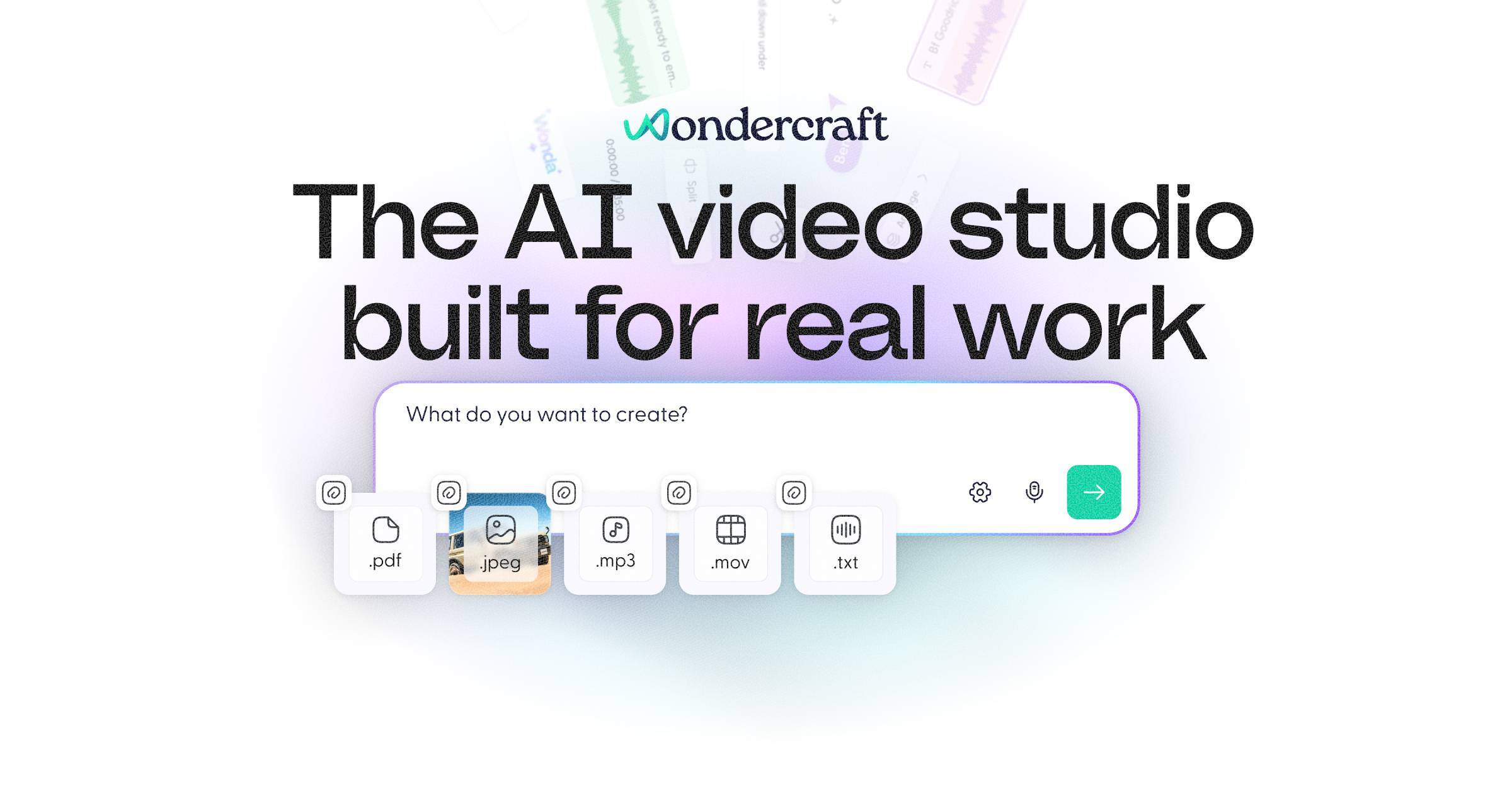
Wondercraft Full homepage screenshot
Editorial Review

Website Review

What is Wondercraft?

Wondercraft is an AI-native studio for producing business-ready video and audio, with a real editor and an AI assistant you interact with by chatting. Rather than a single generator, it gathers models for video, avatars, images, voice and sound into guided workflows, so a script can become narration, scenes and music without leaving one place.

Its toolset spans common production tasks:

  • Video creation: text-to-video, image-to-video and prompt-based clips or B-roll that arrive ready to edit and export.
  • Presenting: AI avatars for on-screen presenters with adjustable voices, styles and emotions.
  • Audio: text-to-speech, voice cloning for narration, dubbing and versions, plus an AI podcast generator that plans, records and auto-edits episodes with music and chapters.
  • Special formats: AI meditation sessions with calm voices, music and ambience.

A practical example: a training team with an existing script can generate narration in several languages, add an avatar presenter, drop in B-roll, and export versions for different regions. The trade-off is that the product favours guided, template-like workflows over frame-by-frame control, so highly bespoke motion design may still need a traditional editor. The page also signals an API for integrating generation, models and editing, and labels some video capabilities as upcoming rather than live.

Next step: if you want to judge fit, take one real script from your team and run it end to end, checking whether the guided workflow gets you to an acceptable export before you commit.

How does Wondercraft compare to other AI video generators for business use cases?

Wondercraft positions itself as an AI video studio for business-ready content, not a single-purpose clip generator. Its differentiator is breadth: video models, avatars, image-to-video, text-to-speech, voice cloning, and podcast/audio tools sit inside one guided workflow. For a business buyer, that matters less as a feature list and more as a question of whether you need one coherent pipeline or several best-of-breed tools stitched together.

Where it fits best

  • Internal training and L&D. Teams producing onboarding, compliance, or product-training videos benefit from avatars, narration, and versioning without a full production crew. The page explicitly names L&D and training leaders among its users.
  • Audio-first content that may become video. Podcast generation, meditation sessions, and voice cloning are first-class here, so teams already making audio can extend into video rather than starting over.
  • Multi-language and multi-version output. Voice cloning and text-to-speech across styles and languages suit dubbing and localized variants, a common enterprise requirement.

How the trade-offs compare

Need Wondercraft's approach Typical alternative
One tool, many formats Video, avatars, audio, podcasts in one studio Separate tools per format
Business workflows Guided, template-like flows Often prompt-only, less structured
Model choice Aggregates "every top model" per the page Usually locked to one in-house model
Editing control Advertises a real editor plus an AI agent Varies; often minimal post-generation editing
Best for Teams needing volume and consistency Creators chasing a single viral clip

The practical risk of an all-in-one studio is depth: a specialist tool may beat it on any one capability, such as photoreal avatars or cinematic B-roll. Wondercraft's counter-argument is workflow continuity — you avoid exporting between four subscriptions and losing project context.

A concrete way to decide

Pick your single most important output — say, a 3-minute onboarding video in three languages. Build that one asset in Wondercraft and in your current stack. Compare time-to-first-draft, how much manual editing remains, and whether the result is presentable without a designer. If Wondercraft wins on all three, the breadth is worth it; if it only ties, keep your specialist tools.

For adjacent options, compare against Descript for editing-led audio and video workflows, Synthesia for avatar-centric corporate training, and HeyGen for avatar and translation work. Check Wondercraft's own pricing and enterprise pages before committing, since plan limits usually decide business fit more than features do.

Can I use Wondercraft to create a podcast from scratch without recording equipment?

Yes. Wondercraft is positioned as an AI-native studio for creating podcasts and video, and its listed tools include an AI podcast generator that can plan, record, and auto-edit episodes with music and chapters, plus text-to-speech and AI voice cloning for narration. That means the core production steps — scripting, voiceover, editing, music and chaptering — can be handled inside the browser without a microphone, mixer or acoustic treatment.

What this looks like in practice

A typical no-equipment workflow:

  1. Write or paste your episode script.
  2. Choose a synthetic voice, or clone a voice from a sample if you want a consistent host identity.
  3. Let the generator assemble narration, music and chapters.
  4. Review and adjust in the editor, then export.

Where it fits and where it doesn't

  • Good fit: solo explainer shows, internal training or L&D content, narrated documentaries, repurposing blog posts into audio, and multilingual versions of the same episode.
  • Weaker fit: interview shows where the appeal is two real people reacting in real time, and any format where listeners expect an authentic, unedited human voice. Synthetic narration can also feel flat over long conversational segments.

A useful test: if your podcast's value comes from information and structure, AI generation removes the equipment barrier almost entirely. If it comes from personality and spontaneity, you'll still want a mic — or you should design the format around narration rather than conversation.

A practical next step

Before committing a full series, produce one short pilot episode end to end and listen on phone speakers and headphones. Check pronunciation of names and jargon, pacing between chapters, and whether the voice matches your brand. If the pilot holds up, batch the rest. If not, the same toolset can still handle scripting, music and editing while you record only the voice parts yourself — a hybrid that often sounds better than either extreme.

For comparison, dedicated audio editors such as Descript focus on editing recorded speech, while Podcastle also leans into AI voice and remote recording. Wondercraft's distinguishing angle is combining podcast and video generation with an AI assistant in one studio.

What are the pricing plans and is there a free trial available?

Wondercraft's public page confirms a Pricing link but does not list plan names, tiers, or prices in the supplied page evidence. So the honest answer is: check the official pricing page for current numbers rather than relying on a summary.

Wondercraft

What the page does say about trying it The main call to action is "Start creating" with the line "No credit card required." That wording typically signals a free entry point or free tier rather than a time-limited trial, but the page evidence does not state which it is.

There is also a "Join the waitlist" form and a note that video is "Live for Audio only today" with "Launch next week." If you need video specifically, availability may depend on waitlist access rather than a standard trial.

How to decide

  • If you only need audio (podcasts, text to speech, voice cloning), the free start path is likely enough to test quality.
  • If you need video, avatars, or image-to-video, ask about waitlist timing before committing.
  • For team or enterprise use, the page points to a demo call and an Enterprise section — those conversations usually set seat counts and usage limits, which matter more than the headline price.

Practical next step Open the pricing page, then compare it against one concrete task: upload a script, generate a two-minute clip, and check whether the export and editing limits match how you actually work. If the free path covers that test, you can judge fit before paying.

How does Wondercraft handle voice cloning and is it safe for commercial projects?

Wondercraft treats voice cloning as a production tool inside its broader AI studio: you clone voices from samples for narration, dubbing and versioning, then combine them with its video, avatar, image-to-video and text-to-speech tools. The practical benefit is consistency—one approved voice can carry across episodes, localized cuts and multiple video versions without re-recording.

On the safety question, the page itself does not spell out consent requirements, ownership terms or commercial-use rights. Those are the details that decide whether a clone is safe for client work, so treat them as things to verify rather than assume.

What to check before using a cloned voice commercially

  • Consent and rights: Confirm you have written permission from the speaker, or that you are cloning your own voice.
  • Licence scope: Ask whether commercial use, client deliverables and paid distribution are covered.
  • Model training and retention: Understand whether your voice samples are stored, reused or deleted.
  • Indemnity: Clarify who is responsible if a voice is disputed.
  • Disclosure rules: Some platforms and jurisdictions require labelling synthetic voice.

A concrete scenario

An L&D team wants one narrator across 12 training modules in three languages. Cloning the approved narrator is efficient, but the safe path is to get the narrator's signed release, confirm the plan covers commercial internal and external use, and keep the original recordings on file as proof of consent.

Note that the page's own testimonials come from named individuals such as Steven Bartlett and Kay Hsu; those are their observations about the product, not independent verification of licensing terms.

For current terms, start with Wondercraft and its pricing and documentation pages, then put your specific commercial use case in writing to the vendor before you publish.

Can I integrate Wondercraft with my existing workflow using an API?

Yes. Wondercraft offers an API for integrating its generation, models and editing into your own workflow, so you can drive it from your existing tools rather than working only inside its web studio.

H3. What the API covers According to the site, the API is intended for "generation, models, and editing" — meaning you can trigger content creation and apply edits programmatically. Wondercraft's broader toolkit includes AI voice cloning, text-to-speech, AI podcast generation, AI video generation, image-to-video, text-to-video and AI avatars. If you need any of those capabilities inside an existing pipeline, the API is the route to explore.

H3. Who this suits

  • Teams already producing audio or video at volume, who want to avoid manual uploads and re-renders.
  • Product or platform builders adding narration, dubbing or generated video into their own app.
  • L&D and training groups that standardise on Wondercraft but need output to flow into an LMS or asset library.

H3. Practical next step Open Wondercraft's documentation, which the site lists alongside how-tos and SDKs, and look for the endpoints matching your use case. Start with one narrow job — for example, converting a script to narration in several languages — before wiring in video or avatar generation. Check authentication, rate limits and how edited projects are versioned, since those details determine whether the API fits a production pipeline or only prototyping.

H3. Trade-offs to weigh An API gives you automation and repeatability, but you take on error handling, retries and storage yourself. If your team mainly needs occasional one-off videos, the guided in-app workflows may be faster than building an integration. For a broader view of the category, see Descript and ElevenLabs, both of which also publish developer APIs.

Related questions

More questions →
What AI creation tools does Wondercraft offer?

Wondercraft is an AI-native video studio that bundles the latest AI models across video, avatars, images, voice, and sound into guided workflows. If you need to produce business-ready video, podcasts, or narrated audio without assembling a separate tool for each step, its toolset is worth checking against your content needs. The platform describes itself as used by 250,000 creatives and teams, with no credit card required to start creating.

Video and visual tools

These cover the moving-image side of production, from prompt to exportable clip.

  • AI video generator — Creates clips and B-roll from prompts, ready to edit and export.
  • Text to video — Turns scripts into scenes with auto visuals, narration, and music.
  • Image to video — Animates still images into dynamic shots with motion and depth.
  • AI Avatars — Generates on-screen presenters with voices, styles, and emotions.

The practical division: use the video generator when you need supporting footage, text to video when you're starting from a written script, and image to video when you already have stills you want to bring to life. Avatars add a presenter layer when a talking head is required.

Audio and voice tools

Wondercraft's audio suite covers both long-form and short-form narration.

  • AI podcast generator — Plan, record, and auto-edit episodes with music and chapters.
  • Text to speech — Converts any script to natural audio in many styles and languages.
  • AI voice cloning — Clones voices from samples for narration, dubbing, and versions.
  • AI meditation — Generates guided sessions with calm voices, music, and ambience.

Voice cloning is the one to think about carefully: it's positioned for narration, dubbing, and producing multiple versions, which suggests it's aimed at teams repurposing the same content across languages or formats. The meditation tool is a narrower, purpose-built generator rather than a general audio feature.

How the tools fit together

The tools aren't isolated — the value is in combining them within one workflow. A script can become narration via text to speech, visuals via text to video, and a presenter via avatars, then export as a finished video. The same audio pipeline feeds podcast episodes and meditation sessions.

Wondercraft also notes a Convo Mode (described as editable NotebookLM-style audio) that launched alongside its video offering.

Supporting resources for teams

Beyond the creation tools, Wondercraft provides:

  • API — Integrate generation, models, and editing programmatically.
  • Documentation — Reference docs, how-tos, and SDKs.
  • Guides — Examples and docs for creating with Wondercraft.
  • Case studies — How real teams ship with the platform.
  • Ambassador Program — A community of creators earning with Wondercraft.

The API and documentation matter if you're evaluating this for a team rather than solo use — they determine whether Wondercraft can slot into an existing production pipeline instead of staying a standalone app.

Choosing based on your content type

If you mainly produce… The relevant tools are…
Marketing or training video AI video generator, text to video, avatars, image to video
Podcasts AI podcast generator, voice cloning, text to speech
Narrated or dubbed audio Text to speech, voice cloning
Guided/wellness audio AI meditation
Automated or scaled production API, documentation, SDKs

Wondercraft's own framing targets L&D, training, and creative leaders at large organizations, so the toolset leans toward repeatable, business-ready output rather than one-off experiments. Pricing details and enterprise terms are listed on its pricing page — check there for current plans, since the site doesn't state costs in the material above.

What to Look for in a Video Platform Beyond Hosting and Sharing

If you're evaluating a video platform for a small business or marketing team, hosting and sharing are just the entry point. The features that actually determine whether a platform fits your workflow fall into four areas: privacy and playback control, collaboration and review tools, marketing and analytics capabilities, and practical limits like storage and mobile support. Most general-purpose tools (cloud storage, social networks, free hosts) cover hosting well but leave gaps in the other three. This guide walks through what each area means in practice, so you can map features to your own situation instead of comparing endless checklists.

Start by separating three jobs: hosting, editing, and marketing

Video platforms tend to bundle three distinct functions, and confusion usually comes from mixing them up:

  • Hosting — storing a file, generating a player, delivering it reliably to viewers. This is the baseline.
  • Editing — trimming, assembling, adding captions or branding. Some platforms include basic editors; others expect you to edit elsewhere and upload the result.
  • Marketing and business features — privacy controls, lead capture, calls to action, analytics, team review workflows. These are what separate a "video host" from a "video platform."

A useful exercise: write down your last five video tasks (a product demo, a client pitch, a social clip, an internal training, a landing page embed). For each one, note which of the three jobs it required. If most of your tasks stop at hosting, a lighter tool may be enough. If several involve review cycles, gated access, or measuring viewer behavior, a fuller platform earns its cost.

Privacy and playback control: the business-vs-social divide

On social platforms, everything is public by default and wrapped in ads and recommendations. For business use, that's often the opposite of what you want. Look for:

  • Granular privacy settings — can you restrict a video to specific people, a password, a domain, or an embed location? Can you make it unlisted but still embeddable?
  • Ad-free playback — your product demo shouldn't end with a competitor's ad or an unrelated recommendation.
  • Customizable embeds — control over player color, logo, and whether related videos appear. This matters when the video sits on your own site and represents your brand.
  • Domain-level restrictions — the ability to limit playback to your own website prevents your content from being re-embedded elsewhere.

If your videos are purely promotional and public, these controls matter less. If you share client work, internal training, or pre-release material, they become the deciding factor.

Collaboration and review: the most common gap

This is where general-purpose tools most often fall short. A shared drive lets people comment on a file, but it doesn't give you a structured review process. A dedicated platform typically offers:

  • Timestamped comments — feedback attached to a specific moment in the video, so "the logo looks off" points to an exact frame.
  • Versioning — uploading a new cut while keeping the old one, so reviewers can see what changed.
  • Approval status — a clear "approved" or "needs changes" state rather than a scattered email thread.
  • Role-based access — reviewers who can comment but not download or reshare.

When this becomes relevant: as soon as more than two people need to sign off on a video, or when you're producing videos on a recurring schedule. For a solo operator publishing once a month, a simple comment thread may be sufficient.

Analytics and lead capture: beyond view counts

A raw view count tells you almost nothing actionable. Business-oriented platforms go further:

Feature What it tells you When it matters
Watch time / engagement graph Where viewers drop off Improving content or editing
Viewer identity Who watched (when gated) Sales follow-up, internal training
Lead capture forms Email collected before or during playback Demand generation
Calls to action Click-through to a page or booking link Converting viewers
Embed/domain reports Where your video is being watched Tracking campaign performance

If your goal is brand awareness, basic view counts may be fine. If you're using video to generate leads or train staff, the deeper metrics are the reason to choose a platform over a free host.

Practical limits that affect daily use

Feature lists rarely mention the constraints that cause friction later. Check these before committing:

  • Storage and bandwidth limits — how much you can upload, and whether high viewership triggers overage fees.
  • Upload size and length caps — relevant if you work with long recordings or high-resolution footage.
  • Mobile app support — can you upload, review, and respond to comments from a phone? For teams that shoot on mobile, this is a real workflow factor.
  • Export and portability — can you download your originals and embed codes if you leave? Lock-in is a hidden cost.
  • Integrations — does it connect to the tools you already use (your website builder, CRM, or project tracker)?

Deciding between a full platform and a lighter tool

Use these rough conditions as a starting point:

A lighter tool (free host, cloud storage, social platform) is likely enough if:

  • You publish occasionally and mostly to public channels.
  • One person handles video end to end.
  • You don't need gated access or viewer-level analytics.

A dedicated platform is worth evaluating if:

  • Multiple people review or approve videos.
  • You need privacy controls, ad-free playback, or branded embeds.
  • You're using video for lead generation, training, or client delivery.
  • You publish frequently enough that manual workarounds cost more than a subscription.

Pricing and plan details change often, so check the platform's current plans page directly rather than relying on secondhand comparisons. The right approach is to list your actual requirements first, then match them against what each option offers — not the other way around.

What Is the Current Status of Wondercraft's AI Video Features?

Wondercraft's AI video features are in a staged rollout, not fully live. As of the site's current messaging, the platform describes itself as "an AI video studio" and headlines its video section "AI Video for real work," but the page also states plainly: "Launch next week. Live for Audio only today." In other words, the audio side of the product is available now, while the video studio is announced and imminent rather than generally available. If you need video output today, treat Wondercraft as a waitlist or demo-stage option; if you need AI audio, podcast, or voice work, it is usable now.

What is live today

The page confirms that audio creation is the currently available part of the product, and it names a specific new release:

  • Convo Mode — described as "Editable NotebookLM Audio" and marked as live on "Launch Day." This is the newest shipped feature.
  • AI podcast generator — plan, record, and auto-edit episodes with music and chapters.
  • AI voice cloning — clone voices from samples for narration, dubbing, and versions.
  • Text to speech — convert a script to audio in many styles and languages.
  • AI meditation — generate guided sessions with calm voices, music, and ambience.

What is announced but not yet available

The video capabilities are listed as tools on the site, but the page's own status line says video launches the following week. The listed video tools are:

Tool What it does (per site)
AI video generator Create clips and B-roll from prompts, ready to edit and export
AI Avatars Generate on-screen presenters with voices, styles, and emotions
Image to video Animate still images into dynamic shots with motion and depth
Text to video Turn scripts into scenes with auto visuals, narration, and music

The site frames these as part of one studio that "brings together the latest AI models across video, avatars, images, voice, and sound" and organizes them into "simple, guided workflows."

How to get access or stay informed

The page offers two paths depending on what you need:

  • Start creating — the main call to action, with the note "No credit card required." This is the route for the currently live audio tools.
  • Join the waitlist — a form asking for first name, last name, email, and agreement to the Terms and Conditions, with a confirmation message ("You've joined the waitlist!") on submission. This is the route for the video features.
  • Book your video demo — a call with the CEO for a walkthrough of the video platform, aimed at teams evaluating it before launch.
  • Find out more — a link next to the launch status line, for following the rollout.

Who it is aimed at

The page positions Wondercraft for professional, business-ready content rather than casual experimentation. It cites "L&D, Training and Creative leaders of Fortune 500s" as users, and quotes investor Steven Bartlett calling it "the future of content production for teams, creators and publishers." The site also states that 250,000 creatives and teams use Wondercraft. If your use case is training, internal communications, or team content production, that framing matches; if you need a finished video this week, the timing does not.

Practical takeaway

Decide based on which medium you need now:

  • Need AI audio, podcasts, dubbing, or voice cloning today — the tools are live, and you can start without a credit card per the site.
  • Need AI video, avatars, or text-to-video — the features are announced for the following week, so join the waitlist or book a demo rather than expecting immediate access.
  • Evaluating for a team — the demo call and the Fortune 500 framing suggest the video product is being positioned for organizational rollout, so a demo is the more informative first step than the waitlist.

One caveat worth noting: the page's status line is time-sensitive ("Launch next week"), so the video availability may have changed since it was written. Check the site's own status line or the "Find out more" link before planning around a specific date.

Who Is Wondercraft Designed For and Who Already Uses It?

Wondercraft is an AI video and audio studio aimed at people who need to produce professional, business-ready content without a full production crew. According to the site, it serves individual creators, teams, and publishers, with a particular pull among Learning & Development (L&D), training, and creative groups inside large organizations. The platform reports that more than 250,000 creatives and teams use it, and that Fortune 500 L&D, training, and creative leaders rely on it.

The core audiences

Wondercraft's own framing splits its users into a few overlapping groups:

  • Creators — individuals making videos, podcasts, or narrated content who want AI assistance rather than a manual editing pipeline.
  • Teams — groups that need to produce content at scale while keeping a consistent style.
  • Publishers — operations that ship content regularly and need repeatable workflows.
  • L&D, training, and creative departments — the enterprise side, where the emphasis is on "business-ready" output rather than experimental clips.

The site's headline, "AI Video for real work," signals that the intended use is practical production, not novelty generation.

What these users actually create

The toolset maps onto the audiences above. Wondercraft lists:

Tool Typical use
AI video generator Clips and B-roll from prompts, ready to edit and export
AI avatars On-screen presenters with voices, styles, and emotions
AI voice cloning Narration, dubbing, and multiple versions from voice samples
AI podcast generator Plan, record, and auto-edit episodes with music and chapters
Text to speech Script-to-audio in many styles and languages
Text to video / Image to video Scripts or stills turned into scenes with visuals, narration, and music
AI meditation Guided sessions with calm voices, music, and ambience

For an L&D team, the avatar and voice-cloning tools matter most — they allow training modules to be produced and localized without booking talent. For a publisher or solo creator, the podcast generator and text-to-video path cover the recurring production cycle.

Who already uses it

The site gives two kinds of evidence.

Scale: "Join 250,000 other creatives and teams using Wondercraft." That number covers both individual and organizational users.

Enterprise adoption: Wondercraft states that L&D, training, and creative leaders at Fortune 500 companies leverage the platform. It also hosts a "Book your video demo" call with the CEO, which is a signal that the sales motion targets organizational buyers, not just self-serve individuals.

Public endorsements: Two named backers appear on the page.

  • Steven Bartlett, investor and host of The Diary of a CEO, says he believes Wondercraft is "the future of content production for teams, creators and publishers."
  • Kay Hsu praises it for enabling "quality content creation at scale in a way that doesn't sacrifice storytelling," calling it "quick, easy, effective and absolutely creative."

These are promotional quotes rather than independent reviews, so treat them as positioning statements about the intended market — teams, creators, and publishers — rather than verified performance claims.

How to tell if you're in the target group

You're likely a fit if at least one of these applies:

  • You produce video or audio regularly and want AI to handle scripting, voice, visuals, or editing steps.
  • You work in L&D, training, or a creative team that needs consistent output across many pieces.
  • You need multiple language versions or dubbed narration without re-recording.
  • You want to move from a script or a prompt to an editable, exportable result in one workflow.

You're probably not the primary audience if you need frame-level manual control over every cut, or if your work depends on original live footage you shoot yourself — Wondercraft is built around AI generation and guided workflows, not as a replacement for a traditional NLE.

Practical next step

The site offers a free starting path: "Start creating" with "No credit card required." Pricing details live at wondercraft.ai/pricing, and enterprise buyers can book a demo call. If you're evaluating it for a team, the demo route is the one that matches how the company positions its Fortune 500 users.

What Is Wondercraft and What Can You Create With It?

Wondercraft is an AI-native video studio that combines multiple top AI models for video, avatars, images, voice, and sound into guided workflows. It's built for creators, teams, and enterprises that need professional, business-ready video without a traditional production pipeline. You can start creating without a credit card, and the platform is used by over 250,000 creatives and teams, including L&D, training, and creative leaders at Fortune 500 companies.

What Wondercraft actually is

Wondercraft positions itself as "AI video for real work" — not a toy generator, but a studio environment with a real editor and an AI agent acting as a creative assistant. The core idea is that you create videos, podcasts, and more by chatting with AI, while still having editorial control through an actual editing interface.

It aggregates the latest AI models across several media types and organizes them into simple, guided workflows, so you don't have to stitch together separate tools for voice, visuals, and sound.

What you can create

The platform's toolset covers a wide range of content types:

Tool What it does
AI video generator Creates clips and B-roll from prompts, ready to edit and export
AI avatars Generates on-screen presenters with voices, styles, and emotions
Image to video Animates still images into dynamic shots with motion and depth
Text to video Turns scripts into scenes with auto visuals, narration, and music
AI voice cloning Clones voices from samples for narration, dubbing, and versions
AI podcast generator Plans, records, and auto-edits episodes with music and chapters
Text to speech Converts any script to natural audio in many styles and languages
AI meditation Generates guided sessions with calm voices, music, and ambience

A notable recent addition is Convo Mode — described as editable NotebookLM-style audio — which launched alongside the video platform's rollout.

How it differs from a basic AI video tool

Most single-purpose AI video tools give you a prompt box and a generated clip. Wondercraft's distinction is the combination of:

  • Multiple models in one place — video, avatars, images, voice, and sound, rather than one model doing one thing.
  • A real editor — output is meant to be refined, not just accepted or regenerated.
  • An AI agent as assistant — the chat interface drives creation, but you retain editing control.
  • Guided workflows — structured processes instead of open-ended prompting.

As investor Steven Bartlett (Diary of a CEO) puts it, Wondercraft is "the future of content production for teams, creators and publishers." Kay Hsu highlights that it enables "quality content creation at scale in a way that doesn't sacrifice storytelling."

Who it's for

Wondercraft targets anyone producing professional video at scale:

  • Creators and publishers who need consistent output without a full production crew.
  • L&D and training teams building business-ready video content.
  • Enterprise teams — the platform offers an Enterprise tier and is used by Fortune 500 companies.

How to get started

  1. Go to wondercraft.ai and select Start creating — no credit card is required to begin.
  2. Choose your content type (video, podcast, avatar, voice, etc.) from the tool suite.
  3. Use the chat-based AI assistant to generate a first draft, then refine it in the editor.
  4. Export when ready.

For teams wanting a walkthrough, Wondercraft offers a video demo call with its CEO. There's also an API for integrating generation, models, and editing into your own systems, plus documentation, guides, and case studies on the site.

One thing to note: the video platform was rolling out in stages — audio was live first, with video following. If you're evaluating it for video specifically, confirm current availability before committing a workflow to it.

Website Overview

The available information shows a mix of normal operation and configuration gaps. Depending on how the website is used, these gaps may affect secure access or the consistency of its public presentation.

Domain and Registration

Transfer-protection status is present, helping reduce the risk of unauthorized domain transfers. The domain has about 3 years of registration history; its current configuration provides more context than age alone. The registrar is NameCheap, Inc., a widely used domain service provider. Registration contact information is publicly available through RDAP. The domain uses the common .ai extension, which is not an independent safety signal.

DNS and Email

Nameservers are provided by Namecheap, indicating managed DNS hosting. MX records point to the Google Workspace email service. CAA records restrict which certificate authorities are authorized to issue certificates. SPF and DMARC are configured. DKIM status is unknown. TXT records include verification markers for Google. Such markers may also remain after a service stops being used.

TLS and Certificates

The certificate uses an RSA 2048-bit public key, offering broad client compatibility. The server supplied a complete certificate chain. No organization name is present in the certificate; the available fields are consistent with domain validation. The certificate was issued by Let's Encrypt, commonly associated with automated certificate services. The certificate's total validity is about 89 days, consistent with a short renewal cycle.

HTTP and Browser Security

The response lacks these common security headers: X-Content-Type-Options, Referrer-Policy, Permissions-Policy. No X-Powered-By header was found, reducing one common source of backend fingerprinting information. The cf-ray response header indicates a CDN or caching proxy in the delivery path. No obvious internal addresses or debug information were found in the headers. The Server header contains the custom value Vercel.

Technology Stack Analysis

The public page identifies Webflow, Google Tag Manager, Cloudflare, Vercel without precise versions, leaving fewer clues for version-specific scanning.

Search and Social Sharing

The meta description has 165 characters and may be shortened in search results. Twitter Card metadata is configured. JSON-LD includes Product or Offer data, potentially supporting eligible product search features. The title has 11 characters, within a common display range. The observed directives allow indexing and link following.

Hosting and Email

DNSNamecheap
HostingVercel
EmailGoogle Workspace
Location United States flagUnited States 66.33.60.35

User reviews (0)

  • No reviews yet.

Pages, Search and Sharing

Meta descriptionAI-native video studio with a real editor, every top model, and an AI agent as your creative assistant. Create videos, podcasts, and more by simply chatting with AI.
Canonical URLhttps://www.wondercraft.ai
LanguageEnglish (default)
Twitter Cardsummary_large_image
All bots 1 allowed · 1 disallowed
  • Allow/
  • Disallow/api/

Registration details RDAP / WHOIS

RegistrarNameCheap, Inc.
Registered2023-03-30
Expires2027-03-30
Domain statusclient transfer prohibited
Nameserversdns1.registrar-servers.com、dns2.registrar-servers.com
DNSSECunsigned

DNS records

TypeNameValueTTLPriority
Acname.vercel-dns.com66.33.60.35300—
Acname.vercel-dns.com76.76.21.123300—
MXwondercraft.aiaspmx.l.google.com17991
MXwondercraft.aialt1.aspmx.l.google.com17995
MXwondercraft.aialt2.aspmx.l.google.com17995
MXwondercraft.aialt3.aspmx.l.google.com179910
MXwondercraft.aialt4.aspmx.l.google.com179910
MXwondercraft.aijoflh3enkkuy36rrcvsjr5ukia3rxq6itwhu335uqyibyhfseppq.mx-verification.google.com179915
NSwondercraft.aidns1.registrar-servers.com1800—
NSwondercraft.aidns2.registrar-servers.com1800—
TXTwondercraft.aibrevo-code:38d241f1743b5635924c1bfbf01decbc300—
TXTwondercraft.aifirebase=moonshot-app-a9967300—
TXTwondercraft.aigoogle-site-verification=9xwNLrZE0UR5R_YaXPDbDbDTSMGEM2bJ0hy_2T63PAM300—
TXTwondercraft.aigoogle-site-verification=CbBQ88CaekUyrtzkVib3F4VVm8sD54XB-7dLGtyHLcw300—
TXTwondercraft.aioneleet-domain-verification-4ddbb54c-4bec-4196-85ae-8fee61dd8480300—
TXTwondercraft.aiopenai-domain-verification=dv-Lahs7jflUfINjOrmTnfQVbdc300—
TXTwondercraft.aiproxy-ssl.webflow.com300—
TXTwondercraft.airippling-domain-verification=2194368c9965c473300—
TXTwondercraft.aistripe-verification=7caa23ee07ca91b4816f446e8098d34b3165ce1dc55844cb36b17c2218f353ba300—
TXTwondercraft.aiv=spf1 include:_spf.mailersend.net include:_spf.google.com include:_spf.firebasemail.com ~all300—
CNAMEwww.wondercraft.aicname.vercel-dns.com1799—
CAAwondercraft.ai0 iodef "mailto:[email protected]"1799—
CAAwondercraft.ai0 issue "amazon.com"1799—
CAAwondercraft.ai0 issue "letsencrypt.org"1799—
CAAwondercraft.ai0 issue "pki.goog"1799—
DMARC_dmarc.wondercraft.aiv=DMARC1; p=none; rua=mailto:[email protected]; pct=100; adkim=r; aspf=r1799—

TLS and certificates

AssessmentNormal configuration
Supported protocolsTLSv1.2、TLSv1.3
Negotiated protocolTLSv1.3
Certificate subjectwondercraft.ai
IssuerLet's Encrypt
Valid until2026-12-15T10:53 · Remaining when checked: 72 days
Verification detailsCertificate trust: Passed · Hostname match: Passed

HTTP response headers

HeaderValue
content-typetext/html; charset=utf-8
cache-controlpublic, max-age=0, must-revalidate
serverVercel
strict-transport-securitymax-age=31536000
content-security-policyframe-ancestors 'self'
x-frame-optionsSAMEORIGIN
set-cookieRedacted

Identified technologies

WebflowGoogle Tag ManagerCloudflareVercel