
 简体中文
简体中文 English
Website review
This review may include AI-generated content and is not individually verified. Domain, certificate and other facts come from the observed data on this page.
What is Glyph?
Glyph is a daily word puzzle played at Glyph. Instead of typing letters into a grid, you study overlapping letter shapes — the site calls them glyphs — and decode the hidden word from the stacked forms. Puzzles run 2–7 letters and must be dictionary-valid words.
The core loop, based on the site's own interface:
- One new Glyph appears each day, with a limited number of decode attempts.
- You enter letters to form your answer; the page tracks attempts, letters decoded, and letters found.
- A Glyph Keyboard and a Glyph Alphabet reference are built in for decoding.
- A "Decoder Key" lets you reveal a single letter in a box. You get one per attempt, and using it marks your share result with a key icon.
- You can dim letters on the keyboard by long-pressing to cross off ruled-out options, then re-illuminate them if you change your mind.
- Share results are available after solving, and past Glyphs can be replayed.
There are also side modes: a Create-a-Glyph challenge mode where you build a glyph and send it to a friend to crack, plus Guild standings, ranks (starting at Novice), streaks, Golden Glyphs for first-attempt solves, and a Glyph Passport of stats. An optional free account syncs stats and streaks across devices — the site notes that signing up on the device you play on most transfers your existing stats from that device only.
Who it suits: word-puzzle regulars who want something more visual than a standard anagram or crossword, and casual players who like a single short daily task. If you prefer pure vocabulary tests with no shape-reading, the glyph layer adds a spatial step you may or may not enjoy.
Next step: open Glyph and play today's puzzle once without the Decoder Key — that first-attempt result is what earns a Golden Glyph, so it is worth seeing how far you get before spending the key.
How do you solve a Glyph puzzle?
Solving a Glyph puzzle means reading a word out of stacked, overlapping letter shapes rather than letters written in a row. You study the combined glyph, guess which letters are layered inside it, and type a dictionary-valid word of 2–7 letters; the puzzle confirms when you have it right. Each day brings a new Glyph, and past puzzles remain playable if you want extra practice.
A practical way to work through one
- Start by identifying any distinctive strokes: tall ascenders, round bowls, crossbars or descenders. These narrow the possible letters fast.
- Count the letter slots. A 2–3 letter glyph is usually about isolating one or two shapes; longer ones reward testing common letter pairings.
- Say candidate words aloud against the visible shapes. If a word fits the length but not the strokes, it is probably wrong.
- Use the dimming trick: long-press a keyboard key to cross off a letter you have ruled out, and long-press again to bring it back. This is a marking aid, not a hint.
- If you are stuck, a Decoder Key reveals one letter, but it is marked with a key icon in your share result and you get one per attempt. Treat it as a last resort if you care about a clean result.
What the game tracks
Glyph records your first attempt at each puzzle. A Golden Glyph means you solved it on that first decode attempt, and your win rate, longest streak and rank all follow the same first-attempt rule. Because of that, a quick guess costs you more than a careful one.
When an account matters
Stats otherwise live only in the browser or device you played on. Creating a free account syncs streak, win rate and history across devices, and the site notes that existing stats transfer automatically — but only from the device you sign up on, so register on the one you use most.
Beyond the daily puzzle
There is a Glyph Alphabet reference if you want to learn the shape vocabulary, a Create-a-Glyph challenge mode for building a puzzle and sending it to a friend, and guild standings if you like comparing results. Sharing produces a compact result summary rather than the answer itself.
If you are new, play a few past Glyphs first — they are lower-stakes than the daily and teach you how the overlapping shapes behave.
What are Decoder Keys and when should I use one?
A Decoder Key is a one-per-attempt hint in Glyph that reveals a single letter in the puzzle. You tap a box in the glyph to uncover that letter, and the reveal is marked with a key icon in your shared results — so using one is visible to anyone you share with.
When it's worth using
- You're stuck on one specific letter and the rest of the word is nearly locked in. Revealing the uncertain spot often finishes the solve.
- You want to preserve a streak late in the day and would rather take the hint than miss.
- You're learning the glyph alphabet and one reveal teaches you how a shape maps to a letter, which helps on future puzzles.
When to hold off
- You're chasing a Golden Glyph (solved on your first decode attempt) or a clean, unmarked share result. A key icon breaks that.
- You're early in the puzzle and haven't ruled much out yet — a single letter may not narrow things enough to be worth the mark.
A quick decision rule
| Situation | Use a key? |
|---|---|
| One letter is ambiguous, rest of word is clear | Yes |
| You want an unmarked share or Golden Glyph | No |
| You're mid-puzzle with several unknowns | Usually save it |
| You'd otherwise lose a long streak | Yes |
One practical tip: before spending the key, use the keyboard's long-press to dim letters you've ruled out. Narrowing the candidates yourself often makes the missing letter obvious, and you keep your result clean. If you do use a key, the revealed letter still counts toward your solve — you just won't get credit for a first-attempt solve.
Next step: play a few puzzles without keys to build pattern recognition, then reserve keys for days when a streak is genuinely at risk. You can find the daily puzzle at Glyph.
How does the streak and ranking system work?
Streaks and ranks are two separate progress tracks on Glyph, and they measure different things: a streak rewards showing up and solving, while a rank reflects how much you've decoded over time.
Streaks
- A streak counts consecutive solved Glyphs, shown in the interface as "Streak 🔥" with a day count.
- The stats view tracks your Longest Streak alongside your current one.
- Stats reflect your first attempt at each Glyph, so re-solving an old puzzle later doesn't inflate your record.
- Because stats are stored on the device you play on, the site warns that signing up on a different device won't carry your existing streak across — sign up on the device you play on most and your history transfers automatically at that point.
Ranks
- Ranks are tiered titles that progress as you play. The starting tier shown is Novice 🔰, with the next tier, Decoder, appearing as a countdown ("Next rank: Decoder in 3 days").
- The stats screen also shows your Highest Rank, so a rank, once earned, is recorded even if your current standing changes.
- A separate Guild standings panel appears alongside rank, suggesting a comparative or group layer on top of the individual tier.
Golden Glyphs sit between the two ideas: they're awarded when you solve a Glyph on your first decode attempt, and the stats view counts them separately. They reward accuracy rather than persistence, which makes them a useful personal benchmark if you care more about clean solving than daily volume.
| Track | What it measures | Where it shows |
|---|---|---|
| Streak | Consecutive days solved | Streak counter, Longest Streak |
| Rank | Cumulative progress through tiers | Rank badge, Next rank countdown, Highest Rank |
| Golden Glyphs | First-attempt solves | Stats counter |
If you're deciding whether an account is worth it: streaks are the fragile part. They live only on one device until you register, so if you play across a phone and a laptop, signing up on your main device is the step that protects the number you've built. Casual players who just want the daily puzzle can ignore both systems — neither gates access to today's Glyph or past puzzles.
Can I create and share my own Glyph puzzles with friends?
Yes. Glyph includes a Create-a-Glyph mode described as a "Challenge Mode" where you build your own Glyph and dare a friend to crack it, plus a "Create a Challenge" entry point. So the intended flow is: you design the puzzle, then share it so someone else decodes it.
What to expect in practice
- You construct the glyph yourself rather than picking from a fixed list.
- The shared item is a challenge for another player, not a public daily puzzle.
- Your friend's result ties back to the same decoding mechanics used in the daily puzzle: 2–7 letters, dictionary-valid words, a limited number of decode attempts, and optional Decoder Keys.
How it differs from the daily puzzle
| Daily Glyph | Create-a-Glyph challenge | |
|---|---|---|
| Who sets the puzzle | The site | You |
| Audience | Everyone playing that day | The friend or friends you send it to |
| Main appeal | Shared streak and comparison | Personal, targeted puzzle-making |
A concrete scenario Say you want a puzzle themed around a friend's name, a shared in-joke, or a word from a project you both work on. You build the glyph, send the challenge, and they work through the overlapping shapes the same way they would with the daily puzzle — including marking off letters they've ruled out and deciding whether to spend their one Decoder Key per attempt.
Decision criterion If your goal is competition against a broad pool, the daily puzzle and its stats, streaks and Guild standings matter more. If your goal is a one-to-one nudge — "bet you can't solve this" — the create-and-share route is the right fit.
Next step: open Glyph, start a challenge, and build a short word first. A 2–4 letter glyph is easier to verify before you send it, and it gives your friend a fair shot within the attempt limit.
Do I need an account to save my stats and play on multiple devices?
No. You can play Glyph and build up stats without an account, but those stats live only on the device and browser you play on. An account is what makes them portable and durable.
Without an account
- Your streak, win rate, Golden Glyphs, Passport and history are stored locally.
- Clearing browser data, switching phones, or playing on a laptop instead of your phone means starting from zero there.
- Everything else — daily Glyph, past Glyphs, Decoder Keys, challenge mode — is playable.
With a free account
- Stats sync across devices, so you can start on a phone and finish on a laptop.
- Streaks and history survive a new phone or browser.
- Account creation is described as free with no ads, and includes a username and emoji icon.
The one catch worth planning around
Sign-up transfers existing stats automatically, but only from the device you sign up on. If you have a long streak on your phone and a separate history on your laptop, create the account on whichever device holds the progress you care about most — the other device's local stats won't merge in.
Next step: if you mainly play on one device and don't mind losing progress if you clear your browser, skip the account. If you switch between phone and computer, or you're protecting a streak you'd hate to lose, sign up on your primary device first.
 Netlify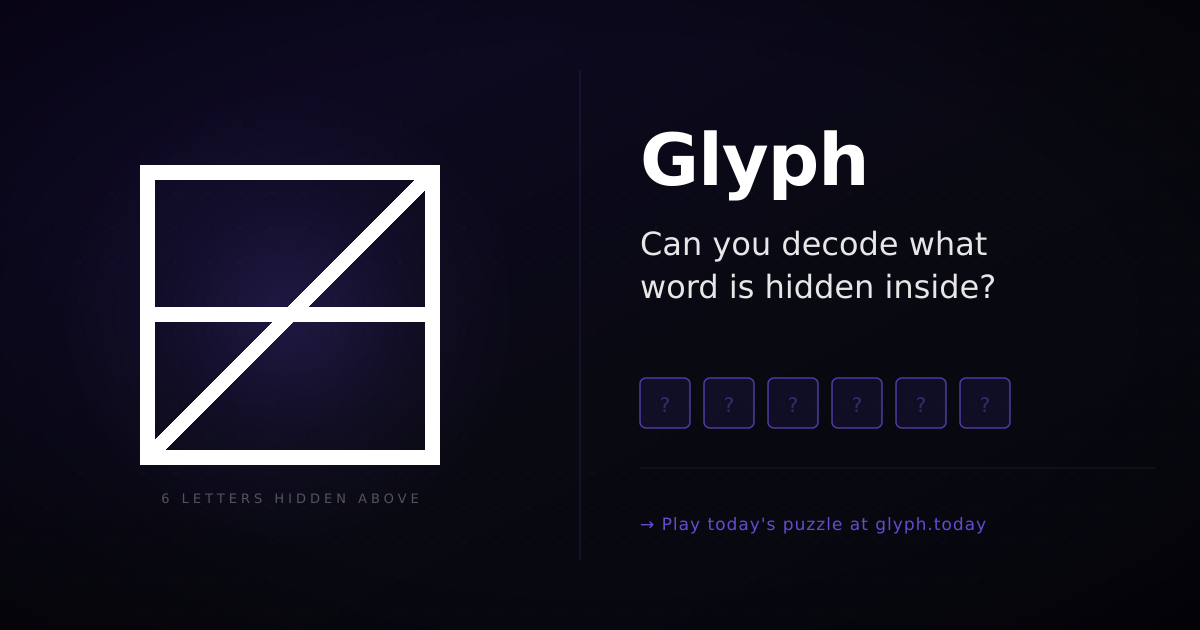

User reviews (0)