Website profiles · Technology insights · Alternatives

goodcrypto.app

Crypto trading bots, advanced orders, technical signals, alerts, screeners & more for CEX and DEX crypto exchanges. Available on Web, Android, and iOS

No paid content found Multilingual
Visit website
Profile views 7 Outbound visits 1 Normal
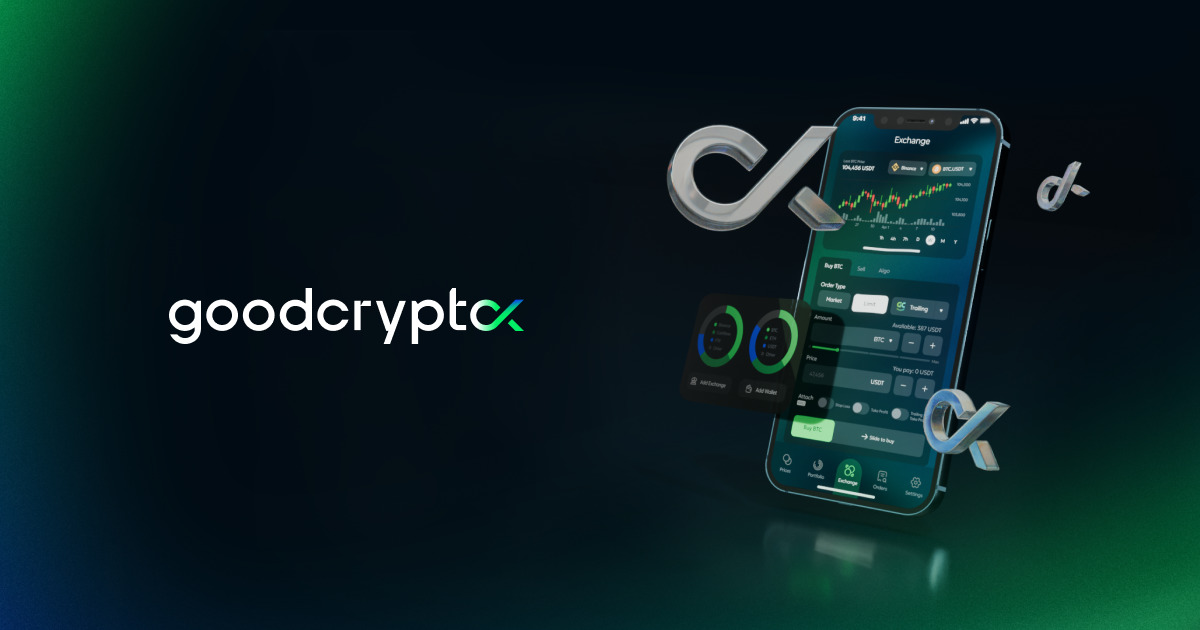
goodcryptoX Full homepage screenshot

At a glance

Category
Finance
Language
English
Paid-content signal
No paid content foundObserved
Registered
2019
Hosting
Amazon CloudFrontInferred
HTTPS certificate trusted
PassedObserved
Last updated

Website review

This review may include AI-generated content and is not individually verified. Domain, certificate and other facts come from the observed data on this page.

What is goodcryptoX?

goodcryptoX is a multi-exchange crypto trading and portfolio app built around automation and advanced order tools. According to its own page, it combines centralized exchanges (CEX), decentralized exchanges (DEX) and perpetuals in one interface, with smart trading bots, a pro trading terminal, and a portfolio tracker. It is available on web, Android and iOS.

Its main selling points, as described on the site:

  • Smart trading bots — DCA, Grid, Sniper and others, for CEX, DEX and perp markets.
  • Advanced trading terminal — trailing stops, advanced TP/SL, pro order types, chart-based execution and webhook automation.
  • Market coverage — 30+ centralized exchanges, AMM DEXs and perp DEXs; spot, perps, RWAs and prediction markets.
  • Portfolio tracker — tracks accounts across 204 exchanges and wallets on 15+ blockchains.
  • Security model — API keys encrypted on-device; a non-custodial DEX wallet using MPC so private keys are never reconstructed.

Who it suits: active traders who already use more than one exchange and want automation and consolidated portfolio tracking without switching between venues. A reader who only buys occasionally on one exchange will likely find a simpler app sufficient.

Important practical note: the page states that goodcryptoX shuts down on October 9. That makes it unsuitable as a long-term platform choice right now — treat any evaluation as historical, and do not move funds or connect API keys to a service that is winding down. If you were considering it for bot trading, look instead at tools from exchanges you already use, or established third-party platforms such as 3Commas or Coinrule.

Next step: if you want to understand what it offered before shutdown, read the site's FAQ and docs sections for how API-key connection and the MPC DEX wallet worked; otherwise, compare bot features on the exchange you trade on most.

How do I connect my exchange accounts and start trading with goodcryptoX?

Connect your centralized exchange (CEX) accounts by generating read-and-trade API keys in each exchange, then adding them inside goodcryptoX; for decentralized trading, create the app's MPC-secured DEX wallet. Once connected, you can trade spot, perps, and DEX markets from one terminal.

Getting started, step by step

  1. Create exchange API keys. In your exchange's account settings, generate a key pair. If you want the bot to place orders, enable trading permission; leave withdrawal permission off — a trading app never needs it.
  2. Connect them in goodcryptoX. Add the key and secret in the app (Web, Android, or iOS). Per the page, API keys are encrypted on-device with asymmetric encryption, and the app reports 1M+ API keys and wallets secured.
  3. Set up the DEX wallet. Create the MPC-secured wallet for on-chain trading. The page states private keys are never reconstructed, so no single device holds a full key.
  4. Start trading or automating. Use the trading terminal for advanced orders (trailing stops, TP/SL, webhooks) or launch a bot — DCA, Grid, Sniper, and others — across CEX, DEX, and perp markets.

What you can trade and track

  • Markets: 30+ CEXs, AMM DEXs, and perp DEXs in one interface; spot, perps, RWAs, and prediction markets.
  • Portfolio tracking: accounts across 204 exchanges and wallets on 15+ blockchains, with performance and allocation analytics.

A practical check before you commit

The site displays a shutdown notice: goodcryptoX shuts down on October 9. Verify the current status on goodcryptoX before moving funds or creating API keys, and read the linked details. If the service is winding down, export your trade history and revoke API keys at each exchange afterward.

For a second opinion on multi-exchange terminals with similar automation, compare 3Commas or CoinTracking for portfolio tracking; both are established alternatives, though features differ.

What trading bots and advanced order types does goodcryptoX support?

goodcryptoX bundles trading bots and advanced order tools for both centralized exchanges (CEX) and decentralized exchanges (DEX), including perpetual futures markets. According to the site, the main automation options are DCA, Grid, and a "Sniper" bot, with the trading terminal supporting trailing stops, advanced take-profit/stop-loss setups, pro order types, chart-based execution, and webhook automation. It says these work across spot and perp markets on 30+ CEXs, AMM DEXs, and perp DEXs, and that accounts can be tracked across 204 exchanges and wallets on 15+ blockchains.

H3 What this means in practice

  • DCA bots suit gradual accumulation or averaging into a position over time, rather than trying to time an entry.
  • Grid bots fit range-bound markets where price oscillates; they tend to struggle in strong one-way trends.
  • Trailing stops and advanced TP/SL help lock in gains or cap losses once a trade is moving, and are most useful where you cannot watch charts continuously.
  • Webhook automation lets an external signal source trigger orders, which is the practical route if you already run your own strategy or alert system.
  • Chart-based execution keeps order placement on the chart, which shortens the gap between analysis and action.

H3 Choosing between them

Need Better fit
Accumulate over weeks DCA bot
Profit from sideways chop Grid bot
Catch fast new listings or moves Sniper bot
Protect an open position Trailing stop / advanced TP-SL
Trigger from your own signals Webhook automation

H3 A concrete scenario A trader holding spot BTC on a CEX and a few tokens on a DEX could run a DCA bot on the CEX position, use a trailing stop on a perp hedge, and place a webhook-triggered order on the DEX side, all from one interface. The trade-off is complexity: more automation and order types mean more parameters to configure, and bot performance still depends on market conditions rather than the tool alone.

Next step: confirm which exchanges you actually use are supported before committing, since bot and advanced-order availability can differ between CEX, AMM DEX, and perp DEX venues. Note that the site states goodcryptoX shuts down on October 9, so verify current availability directly at goodcryptoX before building any workflow around it.

How does goodcryptoX protect my API keys and funds?

goodcryptoX's own security claims centre on keeping your exchange keys and DEX wallet keys out of anyone else's hands. According to the page evidence: API keys are encrypted on-device and stored with asymmetric encryption, data is sharded, compartmentalized and firewalled, and the DEX wallet is non-custodial with MPC security so private keys are never reconstructed. The site also states it has secured 1M+ API keys and wallets, traded $5B, and operated 5+ years without a major incident, with ongoing audits and white-hat collaboration.

What each protection actually means for you

  • On-device encryption of API keys. The keys you paste in are encrypted on your own device before storage, so a server breach alone shouldn't expose usable keys. Practical effect: if you lose the device or its local data, recovery may depend on the app's backup flow — check that before relying on it.
  • Asymmetric encryption. Typically means one key encrypts and another decrypts, so the stored ciphertext isn't readable with the same secret that sits on the server. Treat this as a design claim rather than a guarantee about your specific setup.
  • Sharding and compartmentalization. Your data is split and isolated, so one compromised component doesn't hand over everything. This limits blast radius, not the need for good key hygiene.
  • MPC-secured DEX wallet. No single device ever holds a complete private key; signing happens through a multi-party computation. That removes a single point of theft, but you still must protect your own share and recovery phrase.
  • Non-custodial. The platform says it never holds your funds or full keys — you retain control, and you also retain responsibility.

The most important thing the page doesn't decide for you

API key permissions are set on the exchange, not in the app. This is where most real-world losses happen, and it's standard advice rather than a goodcryptoX feature:

  1. Disable withdrawal rights on every API key you create. Trading and read-only permissions are usually enough for bots and portfolio tracking.
  2. Whitelist IP addresses where the exchange allows it, so a leaked key can't be used from elsewhere.
  3. Use sub-accounts with limited balances for automated strategies instead of your main holdings.
  4. Rotate keys periodically and delete keys for accounts you no longer trade.

A concrete scenario

Suppose you connect a mid-size exchange account to run a Grid bot and track a separate hardware wallet. With withdrawals disabled and an IP whitelist in place, a compromised API key could at worst place unwanted trades on that one account — annoying, but not a drain of your funds. The MPC wallet protects the DEX side similarly, provided your own recovery share stays offline.

One trade-off worth knowing

Automation and broad exchange coverage (30+ CEXs, AMM and perp DEXs, 204 exchanges and wallets across 15+ blockchains for tracking) mean many connected credentials. Convenience scales up, and so does the value of auditing which keys are still active.

Next step: before connecting anything, create a read-and-trade-only API key with an IP whitelist on one exchange, connect it, and confirm in the exchange's own key management page that withdrawal permission is off. Repeat only once you're satisfied. For independent background, see Binance or Coinbase API key documentation on permission scopes.

What is the GOOD token used for and how can I earn with it?

The GOOD token is the native utility token of the goodcryptoX platform. Based on the site's own description, it has three main uses: revenue sharing, trading rewards and swap-fee discounts. The most concrete earning mechanism mentioned is that holding GOOD lets you earn 50% of DEX trading revenue. The platform also describes daily token burns that reduce supply and scale with platform activity, plus extra rewards for trading GOOD itself.

How earning works in practice

  • Hold to share revenue. The headline mechanic: hold GOOD, receive a share of DEX trading revenue (stated as 50%).
  • Trade to unlock rewards. Trading the token is described as unlocking additional rewards, separate from simply holding it.
  • Get fee discounts. Holding GOOD is also tied to discounts on swap fees, which lowers your cost per trade rather than paying you directly.

A practical scenario

Say you already swap on DEXs through the app and want to reduce costs: holding GOOD for the swap-fee discount is the simplest use, and any revenue share or trading rewards come on top. If you are only after yield without trading, the value depends entirely on DEX trading volume flowing through the platform, since the revenue share scales with that activity.

Before you commit

Check the official docs for current eligibility rules, reward rates and how burns are executed, since these mechanics can change. Also note the site displays a shutdown notice dated October 9, so confirm the platform's current status before buying or holding the token for any of these benefits. A good first step is to read the GOOD token section in the docs at goodcryptoX and verify whether the revenue-share and rewards programs are still active.

How do I withdraw my funds and manage my account before goodcryptoX shuts down on October 9?

goodcryptoX is shutting down on October 9, so treat this as a wind-down with two separate jobs: get every asset out of any wallet or exchange connection the app controls or tracks, and close down the account itself so nothing keeps running after the service ends.

Withdrawing funds

The app is non-custodial for DEX trading, so your DEX wallet is the part you control directly. Open the app, find the wallet section, and send each token to an external wallet address you already hold and control. Keep enough of the chain's native token in that wallet to pay the network fee, or the transfer will fail.

For centralized exchanges, your funds sit at the exchange, not with goodcryptoX. Log in to each exchange directly and withdraw from there. Removing API keys from goodcryptoX does not move money and does not close your exchange account.

Closing the account

  • Revoke the API keys you created for goodcryptoX inside each exchange's own API management page. Deleting them only in the app is not enough.
  • Turn off any bots, DCA plans, grids or webhook automations so they cannot fire during the shutdown window.
  • Export your trade history and portfolio records now if you need them for tax or accounting, since access may end abruptly.
  • Check the app's own shutdown notice for the exact final date and any stated withdrawal process, and follow that over general advice.

A practical order of operations

  1. Disable automations first, so nothing trades while you are moving assets.
  2. Withdraw DEX wallet balances to your own external wallet.
  3. Withdraw exchange balances from each exchange's own interface.
  4. Revoke API keys at every exchange.
  5. Export records, then remove the app and any browser sessions.

If you hold significant value, do a small test transfer first and confirm it arrives before sending the rest. If you are unsure which of your assets are held by an exchange versus sitting in the app's DEX wallet, list them out before starting — that distinction decides where you actually need to log in.

Related questions

More questions →
Which Exchanges and Wallets Does goodcryptoX Support?

goodcryptoX connects to 30+ centralized exchanges (CEX), AMM DEXs, and perpetual DEXs for trading, and its portfolio tracker covers 204 exchanges and wallets across 15+ blockchains. You link CEX accounts with API keys and create an MPC-secured wallet for DEX trading. Note that the platform's own site states goodcryptoX shuts down on October 9, so treat this as a description of what the app offered rather than a live recommendation.

Trading integrations: CEX, DEX, and perps

The app is built to trade across three market types from one interface:

  • Centralized exchanges (CEX): 30+ CEXs are supported for spot and perpetual futures trading.
  • AMM DEXs: On-chain automated market maker venues are accessible through a dedicated DEX wallet.
  • Perpetual DEXs: Perp markets on decentralized venues are included in the same toolset.

Across these venues, goodcryptoX supports spot, perps, RWAs (real-world assets), and prediction markets. The site cites 40 CEXs & DEXs and $5B traded as scale figures, which are broader than the "30+" trading figure and likely count integrations and cumulative activity differently.

Portfolio tracking: 204 exchanges and wallets, 15+ blockchains

The portfolio tracker is separate from the trading integrations and has wider coverage:

Dimension Coverage
Exchanges and wallets tracked 204
Blockchains 15+
Update mode Real-time

This means you can monitor accounts you don't actively trade through the app, as long as they're among the supported venues or chains. The tracker shows performance, allocation, and growth analytics.

How you connect

  1. Connect exchanges with API keys. API keys are encrypted on-device and stored with asymmetric encryption; data is sharded, compartmentalized, and firewalled.
  2. Create an MPC-secured DEX trading wallet. It's non-custodial, and private keys are never reconstructed.
  3. Trade on desktop or mobile. Available on Web, iOS, and Android (including an Android APK).

The site reports 1M+ API keys and wallets secured over 5+ years with no major incidents, alongside ongoing audits and white-hat collaboration.

What to check before relying on this

  • The shutdown notice. The site states goodcryptoX shuts down on October 9. If you're evaluating it now, confirm current status before connecting any API keys or funds.
  • Exact venue lists. The site gives counts (30+, 204) but not the named exchanges, DEXs, or blockchains. Check the in-app exchange list or docs for the specific venues you use.
  • Trading vs. tracking coverage. A venue may be trackable in the portfolio tracker without being tradable through the bots and terminal, so verify per-venue if that distinction matters to you.
How to Use Ahrefs for Your First SEO Audit: A Step-by-Step Tutorial

If you're new to Ahrefs and want to run your first SEO audit, the fastest path is: open Site Explorer, enter your target URL, review the Overview for a health snapshot, then dig into Organic Keywords, Top Pages, and Site Audit to find specific problems. From there, build a short prioritized to-do list instead of trying to fix everything at once.

This tutorial walks through that workflow using a realistic starting scenario, explains what the numbers mean, and shows how to turn findings into actions.

Before You Start: Pick a Narrow Scope

A common beginner mistake is auditing an entire large website on day one. The reports become overwhelming, and you can't tell which issues matter.

Instead, choose one of these starting points:

  • A single important page (your homepage or a key product/service page)
  • A small site (under ~50 pages, e.g., a personal blog or small business site)
  • One section of a bigger site (e.g., /blog/)

For this tutorial, assume you're auditing a small business site with about 30 pages. The same steps scale up later.

You'll need an Ahrefs account to follow along. Ahrefs offers paid plans, and pricing and feature limits change over time, so check the current Pricing page for what's included in each tier before committing.

Step 1: Enter Your Target in Site Explorer

Site Explorer is Ahrefs' core tool for analyzing any website or URL.

  1. Open Site Explorer from the top navigation.
  2. In the search box, paste your domain (e.g., example.com).
  3. Choose the Exact URL or Domain mode depending on scope. For a full-site view, use Domain or Prefix; for a single page, use Exact URL.
  4. Press Enter.

You'll land on the Overview report. Don't try to absorb everything — focus on four numbers first.

Reading the Overview Snapshot

Metric What it tells you How to use it
Ahrefs Rank (AR) Relative strength of the site's backlink profile vs. others in the database Useful for comparing against competitors, not as a standalone goal
Organic traffic Estimated monthly visits from search A rough trend indicator, not exact analytics
Organic keywords Estimated number of keywords the site ranks for Shows breadth of visibility
Backlinks / Referring domains Total links and unique sites linking to you Referring domains matter more than raw backlink count

Important caveat: Ahrefs' traffic and keyword numbers are estimates based on its own data. They won't match Google Search Console or your analytics exactly. Treat them as directional, not absolute.

Step 2: See What You Already Rank For

Go to Organic Keywords in the left sidebar. This shows queries where your site appears in search results.

Sort by Traffic (descending) to see which pages bring the most estimated visitors. Then look for:

  • Keywords ranking in positions 4–15 — these are often the easiest wins. A small content or on-page improvement can push them onto page one.
  • Keywords with high volume but low position — potential opportunities if the topic is relevant.
  • Irrelevant keywords — if you rank for something off-topic, it may signal thin or mismatched content.

Write down 5–10 of the position 4–15 keywords. These become your first optimization targets.

Step 3: Find Your Best and Weakest Pages

Open Top Pages. This ranks your URLs by estimated organic traffic.

Look for two things:

  1. Your top performers — understand what topics and formats work. Can you create more content like this?
  2. Pages with traffic but poor rankings — these may need on-page fixes (title, headings, internal links).

If a page gets zero traffic and targets a topic you care about, it's a candidate for a rewrite or consolidation.

Step 4: Run a Technical Site Audit

Now move to Site Audit. This crawls your site and flags technical and on-page issues.

  1. Click Site Audit → New project.
  2. Enter your domain and set crawl settings (default is usually fine for a small site).
  3. Start the crawl and wait for it to finish.

Once complete, you'll see a Health Score and a list of issues grouped by category.

Which Issues to Fix First

Not all issues are equal. Prioritize in this order:

Priority Issue type Why it matters
1 Broken links (404s) Bad for users and crawl efficiency
2 Pages blocked from indexing They can't rank at all
3 Missing or duplicate title tags Directly affects click-through and relevance
4 Slow-loading pages Affects experience and rankings
5 Thin content Low value to users and search engines

Ignore low-impact warnings (like minor meta description length) until the big items are handled.

Step 5: Turn Findings Into a To-Do List

You now have raw data. Convert it into a short, actionable list. Example:

  1. Fix 3 broken links found in Site Audit.
  2. Rewrite title tags on 5 pages with duplicate titles.
  3. Improve 4 pages ranking in positions 6–12 by adding missing subtopics and internal links.
  4. Remove or update 2 thin pages with no traffic.

Keep the list to 5–10 items max for your first audit. Finishing a short list beats starting a long one.

Common Beginner Mistakes

  • Chasing every red flag. Site Audit flags many minor issues. Fix what affects rankings and users first.
  • Trusting estimates as exact numbers. Ahrefs data is modeled, not measured from your analytics.
  • Auditing a huge site too early. Start small to learn the interface.
  • Ignoring search intent. A page can be technically perfect but still fail if it doesn't match what searchers want.
  • Forgetting to re-crawl. After fixes, run Site Audit again to confirm improvements.

Where to Go Next

Once your first audit is done:

  • Compare with competitors using Site Explorer's Competing Domains and Content Gap reports.
  • Track keyword rankings over time with Rank Tracker.
  • Explore backlink opportunities in the Backlinks and Link Intersect reports.
  • Set up recurring Site Audit crawls so new issues surface automatically.

Your first audit isn't about perfection — it's about building a repeatable habit: enter a target, read the key reports, pick the highest-impact fixes, and act. Do that once a month and your site's health compounds.

How secure is goodcryptoX?

goodcryptoX describes a security model built around three layers: encrypted API keys stored on your device, a non-custodial DEX wallet secured with MPC (multi-party computation), and infrastructure-level protections such as data sharding, compartmentalization, and firewalls. The platform states it has secured 1M+ API keys and wallets, processed $5B in traded volume, and operated 5+ years without a major incident. One important caveat before you commit: the site displays a notice that goodcryptoX shuts down on October 9 — so this security overview is most useful for understanding how the platform worked, or for evaluating it before that date.

The three security layers

1. API key handling (CEX connections)

When you connect a centralized exchange, you do it with API keys. According to goodcryptoX:

  • API keys are encrypted on-device and stored with asymmetric encryption.
  • Data is sharded, compartmentalized, and firewalled.

What this means in practice: your exchange credentials are not stored in plaintext on a central server, and access is segmented so a single compromised component doesn't expose everything. Asymmetric encryption means the key used to encrypt differs from the key used to decrypt, so stored data alone isn't enough to reconstruct your credentials.

What to check on your side: when creating API keys on your exchange, disable withdrawal permissions and restrict them to trading only. That limit sits with the exchange, not with goodcryptoX, so it's your main independent safeguard.

2. Non-custodial DEX wallet with MPC

For DEX trading, goodcryptoX uses a non-custodial wallet secured with MPC. The stated property is that private keys are never reconstructed — meaning no single point ever holds a complete key.

This is the key distinction from custodial platforms: with a non-custodial MPC wallet, the platform facilitates transactions without ever assembling your full private key. Setup follows the onboarding flow: connect exchanges with API keys, then create your MPC-secured DEX trading wallet.

3. Audits and ongoing review

goodcryptoX states it runs ongoing audits and white-hat collaboration so vulnerabilities are caught and fixed early. It also cites its track record as evidence: 1M+ API keys and wallets secured, $5B traded, 5+ years on the market, no major incidents.

How to evaluate these claims yourself

Claim What it depends on What you can verify
API keys encrypted on-device Client-side encryption implementation Restrict API key permissions at your exchange
MPC wallet, keys never reconstructed MPC protocol and key-share custody Confirm the wallet is non-custodial before depositing
Data sharded and firewalled Infrastructure design Limited external visibility — treat as vendor-stated
Ongoing audits Scope and frequency of audits Ask which firms audited and when
5+ years, no major incidents Historical record Cross-check independent reporting

The honest summary: the architecture described (on-device encryption, non-custodial MPC, sharding) reflects sound general practices for a trading app, but several claims — audit scope, infrastructure internals — are vendor-stated and not independently verifiable from the page alone. The strongest protections you control are exchange-side API restrictions and keeping DEX funds in a wallet you understand.

The shutdown notice changes the decision

The site shows a banner: "goodcryptoX shuts down on October 9. Read details." If you are evaluating goodcryptoX today, this is the first thing to resolve — check the linked details for what happens to API keys, wallets, and funds before the date. Security features matter less than whether the service will still operate and how your assets and credentials are handled at wind-down.

Practical checklist before connecting anything

  1. Read the shutdown details and confirm the timeline and asset handling.
  2. Create exchange API keys with trading-only permissions — no withdrawals.
  3. Verify the DEX wallet is non-custodial and understand who holds key shares.
  4. Start with small amounts to confirm behavior before scaling up.
  5. Ask for audit specifics (firm, date, scope) if the answer affects your decision.

If the shutdown notice applies to your use case, the security model above is context rather than a reason to onboard — verify the wind-down terms first.

What trading bots and automation features does goodcryptoX offer?

goodcryptoX offers smart trading bots that automate strategies across centralized exchanges (CEX), decentralized exchanges (DEX), and perpetual futures markets. The platform supports DCA, Grid, and Sniper bots, plus an advanced trading terminal with trailing stops, advanced TP/SL setups, and pro order types. Automation runs through chart-based execution and webhooks, and it works on Web, Android, and iOS. Note: the site states goodcryptoX shuts down on October 9, so verify current availability before committing funds or setting up automation.

Trading bots

The bots are designed for simple setup with advanced controls, so you can run a strategy without building it from scratch.

  • DCA bot — automates dollar-cost averaging, spreading entries over time instead of a single buy.
  • Grid bot — places layered buy and sell orders across a price range to capture sideways movement.
  • Sniper bot — targets fast entries, typically on new or volatile listings.
  • More bots — the site lists these as examples ("and more"), so treat the list as a starting point rather than the full catalog.

Each bot can run across CEX, DEX, and perp markets, which means the same strategy type is available whether you trade on a centralized venue or an on-chain one.

Advanced trading terminal

Beyond bots, the terminal adds order types and automation that manual traders use to manage risk:

  • Trailing stops — a stop that follows price as it moves in your favor.
  • Advanced TP/SL setups — layered take-profit and stop-loss configurations.
  • Pro order types — additional order logic beyond basic market and limit orders.
  • Chart-based execution — place and manage orders directly from the chart.
  • Webhook automation — trigger trades from external signals via webhooks.

Spot and perpetual trading are both supported through this terminal.

Market coverage

Automation isn't limited to one venue type. According to the site:

Coverage Detail
Centralized exchanges 30+ CEXs
DEXs AMM DEXs and perp DEXs
Markets Spot, perps, RWAs, and prediction markets
Portfolio tracking 204 exchanges and wallets across 15+ blockchains

The portfolio tracker runs in real time and covers performance, allocation, and growth analytics, so you can monitor automated strategies alongside manual positions.

How to get started

  1. Connect your exchanges using API keys.
  2. Create an MPC-secured DEX trading wallet for on-chain trading.
  3. Trade on desktop or mobile — Web, iOS, and Android are all supported.

Security details relevant to automation: API keys are encrypted on-device with asymmetric encryption, and the DEX wallet is non-custodial with MPC security, meaning private keys are never reconstructed. The site reports 1M+ API keys and wallets secured and $5B traded over 5+ years.

What to check before you rely on it

  • Shutdown notice. The site states goodcryptoX shuts down on October 9. Confirm whether bots, API connections, and withdrawals are still operational before setting up any strategy.
  • Bot parameters. The site names the bot types but doesn't publish default settings, so plan to configure entry sizes, ranges, and risk limits yourself.
  • Webhook source. Webhook automation depends on an external signal provider; the platform handles execution, not signal generation.
  • Pricing. The site references a Pricing page and an affiliate program tied to subscriptions, DEX swaps, and CEX trades, but no specific figures are given here — check the Pricing page directly for current terms.
What Is the GOOD Token and How Does It Work?

GOOD is the native utility token of the goodcryptoX trading platform. According to the platform, it serves three functions: revenue sharing, trading rewards, and swap fee discounts. If you hold GOOD, the stated benefit is earning 50% of DEX trading revenue; if you trade GOOD, you can unlock extra rewards. The platform also describes daily token burns that reduce supply and scale with platform activity.

One important condition applies before you evaluate any of this: the goodcryptoX site states that goodcryptoX shuts down on October 9. Any token utility tied to platform revenue, trading activity, or fee discounts depends on the platform operating, so that shutdown notice is the first thing to verify against current information before acting on anything below.

The three stated uses of GOOD

Use What the platform says What it depends on
Revenue sharing Hold GOOD to earn 50% of DEX trading revenue DEX trading volume generating revenue
Trading rewards Trade GOOD to unlock extra rewards Active trading in the token
Swap fee discounts Holding/using GOOD reduces swap fees Swap activity on the platform

The revenue-sharing figure is the most specific claim: 50% of DEX trading revenue, distributed to holders. That is a platform-stated number, not an independently verified one, and it scales with how much DEX volume the platform actually processes.

How the burn mechanism works

The platform describes daily token burns that reduce supply and "scale with the platform." In plain terms: the more activity the platform sees, the more tokens are removed from circulation each day. This is a supply-side mechanism — it does not by itself create demand, and its effect depends on burn volume relative to total supply and trading activity.

What to check before relying on any of this

  • Platform status. The shutdown notice dated October 9 is the decisive factor. Token utility built on platform revenue has no source of value if the platform stops operating.
  • Where the 50% figure comes from. It is a platform claim from the goodcryptoX site, not a third-party audit or filing.
  • Whether burns are still running. A daily burn schedule tied to platform activity would presumably stop or change with a shutdown.
  • Your own jurisdiction. Token rewards and revenue-sharing arrangements are treated differently across countries; the platform materials do not address this.

Bottom line

GOOD is described as a utility token with three jobs — share DEX revenue with holders, reward trading, and discount swap fees — plus a daily burn that scales with activity. The mechanism is straightforward; the open question is whether the platform it depends on is still running, given the October 9 shutdown notice on the site itself. Confirm current platform status before treating any of the stated benefits as live.

Website Overview

An established domain and managed infrastructure suggest continuity of operations and may support dependable delivery, although neither guarantees service quality. Page metadata, canonical configuration and social previews work together to provide more consistent search and sharing presentation.

Domain and Registration

Registered in 2019, this domain has about 7 years of history. That suggests continuity, although ownership and purpose may have changed. Transfer-protection status is present, helping reduce the risk of unauthorized domain transfers. The domain uses the common .app extension, which is not an independent safety signal.

DNS and Email

The lowest TTL is 60 seconds, supporting rapid record changes at the cost of more frequent lookups. Nameservers are provided by Amazon Route 53, indicating managed DNS hosting. MX records point to the Google Workspace email service. No CNAME was found; the observed records resolve directly to addresses. SPF and DMARC are configured. DKIM status is unknown.

TLS and Certificates

The certificate uses an RSA 2048-bit public key, offering broad client compatibility. The server supplied a complete certificate chain. No organization name is present in the certificate; the available fields are consistent with domain validation. The certificate was issued within the Amazon cloud or CDN ecosystem. The certificate is valid for about 393 days in total, with 105 days remaining.

HTTP and Browser Security

The response lacks these common security headers: CSP, Permissions-Policy. No X-Powered-By header was found, reducing one common source of backend fingerprinting information. The x-cache, via response header indicates a CDN or caching proxy in the delivery path. No obvious internal addresses or debug information were found in the headers. The Server header contains the custom value AmazonS3.

Technology Stack Analysis

The public page identifies WPML ver:4.6.3 stt:60,1,4,3,25,27,29,42,46,2,54,55,58;, WordPress, Bootstrap, Google Tag Manager, Amazon CloudFront without precise versions, leaving fewer clues for version-specific scanning.

Search and Social Sharing

The Generator tag identifies WPML ver:4.6.3 stt:60,1,4,3,25,27,29,42,46,2,54,55,58;, making the publishing system easier to fingerprint. Twitter Card metadata is configured. JSON-LD includes Organization data, helping describe the organization as an entity. The page declares 14 language or regional alternatives using hreflang. The title has 58 characters, within a common display range.

Hosting and Email

DNSAmazon Route 53
HostingAmazon CloudFront
EmailGoogle Workspace
Approximate IP geolocation (inferred; a CDN or proxy may differ from the origin server) United States flagUnited States Inferred 13.226.209.106

Registration details

RDAP / WHOIS

RegistrarName.com, Inc.
Registered2019-04-09
Expires2027-04-09
Domain statusclient transfer prohibited、client update prohibited
Nameserversns-1356.awsdns-41.org、ns-1595.awsdns-07.co.uk、ns-482.awsdns-60.com、ns-820.awsdns-38.net
DNSSECunsigned

DNS records

DNS

TypeNameValueTTLPriority
Agoodcrypto.app13.226.209.10660—
Agoodcrypto.app13.226.209.4160—
Agoodcrypto.app13.226.209.6160—
Agoodcrypto.app13.226.209.9160—
MXgoodcrypto.appaspmx.l.google.com30010
MXgoodcrypto.appalt1.aspmx.l.google.com30020
MXgoodcrypto.appalt2.aspmx.l.google.com30030
MXgoodcrypto.appaspmx2.googlemail.com30040
MXgoodcrypto.appaspmx3.googlemail.com30050
NSgoodcrypto.appns-1356.awsdns-41.org3600—
NSgoodcrypto.appns-1595.awsdns-07.co.uk3600—
NSgoodcrypto.appns-482.awsdns-60.com3600—
NSgoodcrypto.appns-820.awsdns-38.net3600—
TXTgoodcrypto.appahrefs-site-verification_b29366871a8b8ba9f161052925c96e0dc14609b94a900d02558fe7a3f1225b68300—
TXTgoodcrypto.appc090be2a-040f-4f72-92b2-380cab0abfd0=2d5f217278f1681ae3f576f759dc9a569cb48311027ac51677a2c6b87d58019b300—
TXTgoodcrypto.appfacebook-domain-verification=w311cey5i38n57w4lk8cagw1z49tej300—
TXTgoodcrypto.appgoogle-site-verification=-oT4wEZYPNWrFwg5HTKipVoM8yHfOBoEWcW_IiU2r7c300—
TXTgoodcrypto.appgoogle-site-verification=11vqXWndi5svjw5IYQcf2LfODuxe0OnnpmuPcBca5qs300—
TXTgoodcrypto.appgoogle-site-verification=T4fkCDcIZzqjXm3akS6WbMySoYpVQpkK04HBOU40-Mg300—
TXTgoodcrypto.appgoogle-site-verification=haALFo1s0lcB8DZhtufDmgbjcvL7PVwdCGTB97YVtdk300—
TXTgoodcrypto.appgoogle-site-verification=iJP_U9RIYl2FQigkjoQXIOW4-m6rYtQBuFqxlykA5BQ300—
TXTgoodcrypto.appstripe-verification=59714d4674ecda860cb02e2cac7c677a89b6c90033f4cb648972d247750975db300—
TXTgoodcrypto.appv=spf1 include:_spf.mlsend.com include:sendgrid.net include:_spf.google.com -all300—
TXTgoodcrypto.appyandex-verification: 9f3237a3ea7509c0300—
DMARC_dmarc.goodcrypto.appv=DMARC1; p=reject; sp=reject; pct=100; ri=86400; aspf=r; rua=mailto:[email protected];300—

TLS and certificates

TLS / SSL

AssessmentNormal configuration
Supported protocolsTLSv1.2、TLSv1.3
Negotiated protocolTLSv1.3
Certificate subjectgoodcrypto.app
IssuerAmazon
Valid until2027-01-18T23:59 · Remaining when checked: 105 days
Verification detailsCertificate trust: Passed · Hostname match: Passed

HTTP response headers

HTTP

HeaderValue
content-typetext/html; charset=UTF-8
cache-controlpublic, max-age=900
serverAmazonS3
strict-transport-securitymax-age=31536000
x-frame-optionsSAMEORIGIN
x-content-type-optionsnosniff
referrer-policystrict-origin-when-cross-origin

Identified technologies

WPML ver:4.6.3 stt:60,1,4,3,25,27,29,42,46,2,54,55,58;WordPressBootstrapGoogle Tag ManagerAmazon CloudFront

Pages, Search and Sharing

Meta descriptionCrypto trading bots, advanced orders, technical signals, alerts, screeners & more for CEX and DEX crypto exchanges. Available on Web, Android, and iOS
Canonical URLhttps://goodcrypto.app/
LanguageEnglish (default) · Multilingual
Twitter Cardsummary_large_image
All bots 10 allowed · 4 disallowed
  • Allow/wp-content/uploads/
  • Allow/wp-content/themes/
  • Allow/*/*.js
  • Allow/*/*.css
  • Allow/wp-*.png
  • Allow/wp-*.jpg
  • Allow/wp-*.jpeg
  • Allow/wp-*.gif
  • Allow/wp-*.svg
  • Allow/wp-*.pdf
  • Disallow/wp-admin/
  • Disallow/thanks/
  • Disallow/ru/thanks-ru/
  • Disallow/404-page/

User reviews (0)

  • No reviews yet.