Website profiles · Technology insights · Alternatives

gptdemo.net

GptDemo.Net is the Best AI Collection Tools Website, We Will Keep Updating The Latest And Best AI Tools Every Day, You Can Easily Get The AI Tools You Want

Paid content Multilingual
Visit website
Profile views 0 Outbound visits 0 Normal
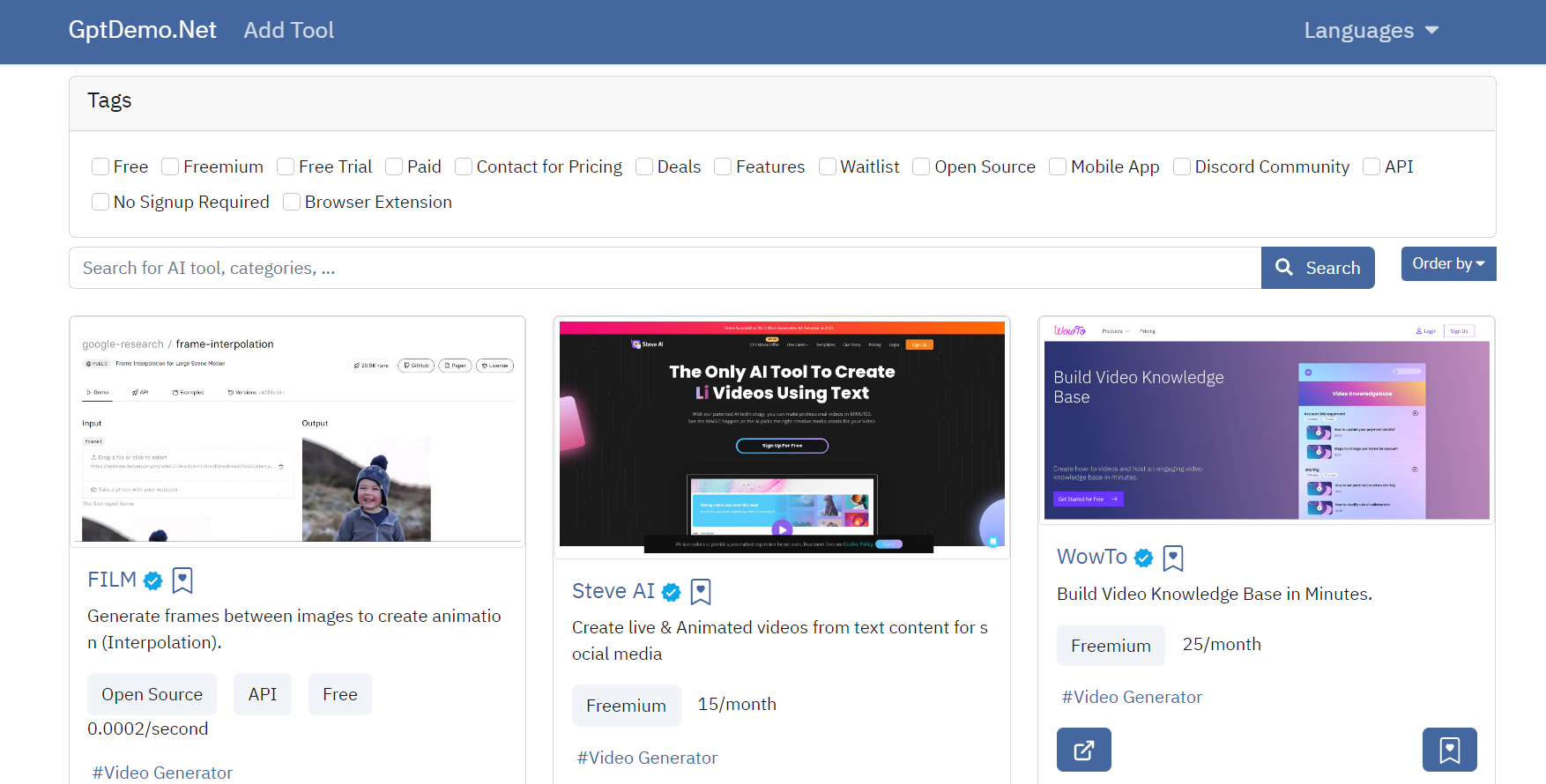
GPT DEMO Full homepage screenshot

At a glance

Category
Artificial Intelligence
Language
English
Paid-content signal
Paid contentObserved
Registered
2023
Hosting
CloudflareInferred
HTTPS certificate trusted
PassedObserved
Last updated

Website review

This review may include AI-generated content and is not individually verified. Domain, certificate and other facts come from the observed data on this page.

What is GPT DEMO?

GPT DEMO is a directory site that catalogs AI tools across a wide range of categories, positioned as a place to "discover the latest and best AI tools." Its own listing counts more than 21,000 entries, organized by job and industry rather than by vendor, so you browse by what you need to do — writing, image editing, video, code, research, sales — and then compare the options inside that category.

What you can actually do with it

  • Browse by task. Categories cover practical work like copywriting, code assistants, transcription, summarizers, email writing, SEO, spreadsheets and SQL, plus creative work such as image generation, video editing, avatars and music.
  • Browse by industry. There are sections for healthcare, finance, legal, real estate, education, human resources and ecommerce, which helps when you need something that fits a regulated or specialized context.
  • Narrow by role or workflow. Subcategories like "AI Email Writer," "AI Product Description Generator" or "AI Background Remover" are specific enough to shortlist candidates quickly.
  • Track what's new. The site says it updates its collection daily, so it works as a periodic check rather than a one-time lookup.

Who it suits

It is most useful for someone starting a search without knowing product names — a marketer who needs a product-description generator, a developer comparing code assistants, or a small team evaluating video tools. It is less useful if you already know the exact product you want, since a directory gives you breadth rather than depth.

How to use it well

Treat the listings as a starting point, not a verdict. Directory entries are typically short, and the category counts are uneven — some categories hold hundreds of tools, others only a handful — so popular areas can be crowded while niche ones are thin. Pick two or three candidates from a category, then verify current features, limits and terms on each vendor's own site before committing.

For a second opinion on a specific tool, established review and community sources are worth checking alongside it, such as G2 for business software reviews, Product Hunt for newer launches, or Futurepedia as another AI tool directory. If you want to compare directories directly, run the same search term — for example "AI transcription" — in two of them and see which returns more relevant, better-described results for your use case.

How can I find the best AI tool for my specific task on GPT DEMO?

Use GPT DEMO's category filters and search rather than browsing the full directory. The site organizes over 21,000 listings into task-based categories, so the fastest route is to name your task first — "remove image background," "write product descriptions," "transcribe interviews" — and then open the matching category instead of scanning general lists.

A short workflow

  1. Define the job in one sentence. "I need to turn 40 minutes of interview audio into a clean transcript" is a better search than "AI transcription."
  2. Open the closest category. The directory splits work into narrow buckets, including Transcription (220), Summarizer (529), Image Editing (1,505), Video Editing (739), Code Assistant (500), Copywriting (1,530) and Customer Support (163). Narrow categories such as AI Background Remover (290) or Captions or Subtitle (166) beat broad ones when your need is specific.
  3. Compare three to five candidates, not twenty. Check what each one says about input format, output format, language support and limits.
  4. Test with your own material. One real file — your audio, your screenshot, your draft — reveals more than any feature list.
  5. Check the pricing page before committing. A "Pricing" link appears in the site's navigation, so cost is at least partly documented per tool; treat listed prices as claims to verify on the tool's own site.

Matching category to task

Your task Where to look Why it fits
Editing photos or product shots Image Editing, AI Background Remover, AI Image Enhancer Large, mature categories with many options
Writing marketing copy Copywriting, AI Product Description Generator Built around commercial text output
Processing audio or video Transcription, Video Editing, Text to Speech Focused on media conversion workflows
Building or debugging software Code Assistant, Developer Tools Aimed at technical users
Handling support tickets Customer Support, Chatbots Tuned for conversational, repeatable replies

Practical trade-offs

Bigger categories give more choice but more noise; a category with only a handful of entries can still hold the right tool for a niche job. Specialist tools usually do one thing better and cost less than all-in-one platforms, but they add another subscription and another login. General assistants are convenient for occasional use but often weaker on format-specific output, such as subtitle timing or print-ready image resolution.

If you want a second opinion on a tool you have shortlisted, check independent directories such as Futurepedia or There's An AI For That, and look for the tool's own site to confirm current features and terms.

Next step: write your one-sentence task, pick the two closest categories from the list above, shortlist three tools, and run the same test file through each before you pay for anything.

Is GPT DEMO free to use, or does it require a paid subscription?

GPT DEMO is a free-to-browse directory of AI tools, not a subscription product in itself. The site's own pricing page exists, so it may offer optional paid placement or premium listings for tool makers, but using the directory to search and discover tools does not appear to require a paid plan.

What that means in practice

  • Browsing and searching: Free. You can explore categories such as ChatGPT Alternatives, Code Assistant, Image Editing, Video Editing, Copywriting, SEO and others without paying.
  • Using the listed tools: Costs depend on each individual tool, not on GPT DEMO. Some listed tools are free, some are freemium, and some require their own paid subscription. Always check the tool's own site before committing.
  • Pricing page: The site links to a pricing page, which typically relates to listing or promotional options rather than a visitor paywall.

A quick way to decide

If your goal is to find an AI tool for a specific task, treat GPT DEMO as a free starting point. Pick a category, shortlist two or three tools, then compare their own pricing and free tiers directly. If your goal is to list your own tool, check the pricing page to see whether promotion costs anything.

Example scenario

A freelance designer wants an image upscaler. They browse the Image Editing category on GPT DEMO for free, shortlist a few tools, then check each tool's own free tier and limits before paying for anything. The directory costs nothing; the tool might.

For broader comparison, official directories like There's An AI For That and Futurepedia work similarly, and Product Hunt is useful for spotting newly launched tools.

How does GPT DEMO verify and update its collection of AI tools?

GPT DEMO presents itself as a continuously updated directory of AI tools, and its own description says the collection is refreshed daily. The visible structure supports that: tools are grouped into a long list of categories and subcategories — from Code Assistant and Copywriting to Image Editing, Video Generator, Transcription and Legal Assistant — with counts shown next to each. That category-and-count layout is the main mechanism a visitor sees for keeping such a large catalog organized as new tools arrive.

What the page evidence does not show is a described verification process. There is no published methodology, no stated review criteria, no "last checked" date per listing, and no explanation of who adds or removes tools. The category counts themselves are the closest thing to a freshness signal: they imply ongoing additions, but a count can grow without any listing ever being tested or re-checked.

What this means in practice

Treat the directory as a discovery layer, not a quality guarantee. A sensible workflow:

  • Use the category counts and narrow subcategories (for example, "AI Background Remover" or "AI Email Writer") to shortlist tools for a specific job.
  • Open the tool's own site and check its pricing page, changelog and recent activity yourself.
  • Verify claims that matter — data handling, output rights, free-tier limits — on the vendor's official documentation.
  • Re-check anything you bookmarked more than a few months ago; small AI tools change pricing and features quickly.

How to judge a directory's reliability

Signal What it suggests
Category counts and breadth Good for discovery; says nothing about quality
Stated update frequency An intention, not proof of review
Per-listing verification notes or dates Stronger evidence of active curation
Absence of any methodology Verify independently before relying on a listing

A concrete example

Suppose you need a transcription tool for interview recordings. Filtering the Transcription or Captions/Subtitle categories gives you a starting list fast. From there, compare two or three candidates on the vendors' own sites for language support, file-size limits and export formats, then test one with a short real recording before committing. The directory saves you the search; it does not save you the evaluation.

For a second opinion on the same tool, cross-check listings on There's An AI For That or Futurepedia, which run comparable AI-tool directories. If a tool appears in several directories with consistent descriptions, that is a mild positive signal — still not a substitute for testing it yourself.

Can I submit my own AI tool to be listed on GPT DEMO?

Yes. GPT DEMO is set up as a browsable collection of AI tools, and its structure — thousands of tools sorted into categories such as Code Assistant, Image Generator, Copywriting and Video Editing — implies a submission route for new listings. The site's own description says it keeps updating with new AI tools, which is consistent with accepting outside submissions.

What to prepare before submitting

  • A one-line description of what the tool does, written for someone scanning a category page.
  • The official product URL, so the listing points to the right destination.
  • The best-fitting category. GPT DEMO's taxonomy is granular, so choose the closest match rather than the broadest one. A writing tool, for example, sits somewhere between "General Writing", "Writing Assistants" and "AI Content Generator".
  • A short list of standout capabilities — the specific job it does, not a feature dump.
  • A logo or screenshot if the form asks for visuals.

Practical considerations

Listings in large directories are usually reviewed before going live, and categories with heavy volume (image editing, video, copywriting) are the most crowded. A tool that occupies a narrow niche — transcription for a specific industry, say — tends to be easier to place and easier for visitors to find than a general-purpose assistant competing in a category with hundreds of entries.

If your tool targets developers, compare how it would sit alongside the tools already gathered under Code Assistant and Developer Tools. That comparison is often more useful than the submission itself: it tells you whether your positioning is distinct enough to be worth listing.

For the exact submission form, current requirements and any review timeline, check the site directly at GPT DEMO and look for a "Submit" or "Add your tool" link, typically in the header or footer navigation.

What categories of AI tools are available on GPT DEMO?

GPT DEMO is a large AI tool directory organised into dozens of use-case categories rather than a single product. Its listings cover everything from writing and image generation to coding, business functions and niche creative tasks, so the site works best as a discovery and comparison starting point.

Main category groups

Group Example categories
Writing and text General Writing, Copywriting, AI Content Generator, AI Blog Writer, Essay Writer, Paraphraser, Summarizer, Transcription, Translation
Images and design Image Generator, Image Editing, Image Enhancer, Background Remover, Logo Generator, Avatar Generator, Wallpaper Generator, Face Swap
Video and audio Video Editing, Video Generator, Text To Video, Text To Speech, Music, Captions or Subtitle
Code and development Code Assistant, Developer Tools, Low Code, SQL, Spreadsheets
Business and professional Customer Support, Sales, Finance, Human Resources, Legal Assistant, Healthcare, Real Estate, Ecommerce, SEO, Social Media
Productivity and research Productivity, Research Assistant, Search Engine, Prompts, Email Assistant, Life Assistant
Fun and experimental Fun Tools, Gaming, Story Telling, AI Detection, Experiments

How the categories are structured

The directory mixes three kinds of labels. Some describe the output (text, image, video, audio), some describe the job function (sales, HR, legal, healthcare), and some describe the technique or format (chatbots, LLMs, computer vision, prompts). Category sizes vary widely: image editing, copywriting and productivity are among the largest, while areas such as biotech, climate and accounting appear with few or no entries. That imbalance is itself useful information — it tells you where the market is crowded and where options are thin.

Practical use

If you know your task, start with the narrowest matching category rather than browsing "All". A marketer writing product descriptions, for instance, would get more relevant results from AI Product Description Generator or Copywriting than from the full directory. If you are exploring, the broad groups above are a faster way in than scrolling thousands of listings.

One caveat: a directory entry confirms a tool exists and is tagged a certain way, not that it performs well. Treat GPT DEMO as a shortlisting aid, then verify a candidate on its own site. For a second opinion on the same tool, cross-check with a comparable directory such as There's An AI For That.

Related questions

More questions →
What Is Machine Learning and How Do Models Learn from Data?

Machine learning is a way of building software that learns patterns from data instead of following rules a person wrote by hand. You use it when the relationship between input and output is too complex or too variable to specify directly — recognizing objects in photos, ranking search results, or predicting whether a transaction is fraudulent. The core idea: show the system many examples, let it adjust internal parameters to reduce its errors, then check whether it works on examples it has never seen.

Learning from data vs. hand-coded rules

In traditional programming, a developer writes explicit logic: if the email contains these words, mark it spam. In machine learning, you supply labeled examples and the model derives its own decision boundary. The trade-off is that the model's behavior depends on the data it saw — change the data, and the behavior changes.

The three main learning paradigms

Paradigm What the model gets What it learns Concrete example
Supervised learning Inputs paired with correct answers A mapping from input to output Predicting house prices from size, location, and age
Unsupervised learning Inputs only, no labels Structure or groupings in the data Grouping customers by purchasing behavior
Reinforcement learning A reward signal from acting in an environment A policy that maximizes cumulative reward Training a model to solve multi-step reasoning tasks

Supervised learning covers most everyday applications. Unsupervised learning is used for clustering, compression, and anomaly detection. Reinforcement learning is harder to stabilize but is the approach behind recent work on scaling language-model reasoning — for instance, Qwen's GSPO research explicitly targets "stable and robust training dynamics" for RL at scale, noting that existing algorithms such as GRPO "exhibit severe instability issues during" training.

The core training loop

Every supervised model follows roughly the same cycle:

  1. Collect and split data. Divide examples into a training set and a held-out test set.
  2. Define a model. Choose an architecture with adjustable parameters (weights).
  3. Measure error with a loss function. The loss quantifies how far predictions are from the correct answers.
  4. Adjust parameters. An optimization algorithm nudges the weights to reduce the loss.
  5. Repeat. Iterate over the data many times until the loss stops improving.
  6. Evaluate on unseen data. Measure performance on the test set, not the training set.

The input is the data and the model definition; the action is repeated parameter updates; the expected result is a model whose error on new data is acceptably low.

Overfitting, underfitting, and why splits matter

  • Underfitting: the model is too simple to capture the pattern — it performs poorly on both training and test data.
  • Overfitting: the model memorizes the training examples, including their noise — it performs well on training data but poorly on test data.

This is why you never judge a model by its training accuracy. A held-out test set (or cross-validation) simulates the real world: data the model has not seen. If training error keeps falling while test error rises, you are overfitting.

Where deep learning and large language models fit

Deep learning is machine learning using neural networks with many layers. It is not a separate field — it is a subcategory that excels when data is abundant and patterns are hierarchical (images, audio, text).

Large language models are deep learning models trained on massive text corpora, usually with a self-supervised objective: predict the next token. That objective needs no human labels, which is why it scales. The Qwen family illustrates the breadth of the umbrella — its releases include a 20B image foundation model (Qwen-Image) for text rendering and editing, a safety classifier (Qwen3Guard) fine-tuned for prompt and response moderation, and RL research (GSPO) for training dynamics. All of these are machine learning systems; they differ in data, objective, and architecture, not in kind.

How to tell the paradigms apart in practice

Ask two questions:

  1. Does the training data include the correct answer? If yes, it is supervised (or self-supervised, where the answer is derived from the data itself).
  2. Does the model learn by taking actions and receiving feedback? If yes, it is reinforcement learning.

If neither applies and you are only looking for structure, it is unsupervised. Most real systems combine these — a language model may be pretrained with self-supervision, fine-tuned with supervised examples, and refined with reinforcement learning.

How to Turn a Git Repository into an LLM-Ready Text Digest with Gitingest

Gitingest converts any Git repository into a plain-text digest of its codebase that you can paste into an LLM prompt. The fastest route: take a GitHub URL and replace hub with ingest — for example, github.com/owner/repo becomes gitingest.com/owner/repo. The page then generates a summary containing the directory structure and file contents, with options to copy or download the result. This works for public repositories directly; private repositories require a personal access token (PAT) that, per the site, is never stored in the backend, is used once for cloning, and is discarded from memory afterward.

What Gitingest produces

The output is a single text digest designed to be "prompt-friendly" for feeding a codebase into any LLM. According to the site, the digest includes:

  • Summary — an overview of the ingested repository
  • Directory Structure — the file/folder tree
  • Files Content — the actual code and text of included files

Each of these sections has Copy controls, and there is a Copy all and Download option for the full digest. That means you can either grab the whole thing in one action or pull just the directory tree when you only need structural context.

Step-by-step: generating a digest

  1. Pick your repository URL. Any GitHub repository works as the starting point.
  2. Replace hub with ingest. Change github.com/... to gitingest.com/... in the address bar. The site describes this as the core trick: "replace 'hub' with 'ingest' in any GitHub URL."
  3. Set Include/Exclude filters (optional). The interface provides Exclude and Include fields. Use them to control which paths enter the digest — for instance, excluding test fixtures or vendored dependencies you don't want the model to read.
  4. Apply the file size limit. There is an "Include files under: 50kB" control. Files above the threshold are left out, which keeps the digest from ballooning past a model's context window.
  5. Wait for processing. The page shows a loading state while it clones and digests the repo.
  6. Copy or download. Use Copy all / Download for the full digest, or the per-section Copy buttons for just the directory structure or file contents.

Trying it without your own repo

The page lists example repositories you can run through immediately to see the output format: Gitingest, FastAPI, Flask, Excalidraw, and ApiAnalytics. Running one of these first is a quick way to judge whether the digest's size and structure suit your prompt before you point it at your own code.

Handling private repositories

For private repos, Gitingest asks for a PAT. The site's stated handling:

  • The PAT is never stored in the backend.
  • It is used once for cloning, then discarded from memory.
  • There is no browser caching.
  • Cloned repos are deleted after processing.

You obtain a token through the site's "Get your token" link. Treat any token you generate with the same care you would anywhere else — scope it to read-only repository access and revoke it when you're done, since the digest workflow doesn't require write permissions.

Controlling digest size and relevance

The main practical constraint is context length. A large repository will produce a digest too big for a single prompt, so the filters matter more than they first appear:

Control What it does When to use it
Exclude Removes matching paths from the digest Drop tests, docs, lockfiles, or generated code
Include Restricts the digest to matching paths Focus the model on one module or package
Include files under 50kB Skips files above the size threshold Avoid binary blobs, datasets, or minified bundles

A workable pattern: start with the full digest to see the directory structure, then re-run with Include/Exclude narrowed to the subsystem you actually want the model to reason about.

Using the digest in an LLM prompt

Once you have the text, paste it into your model of choice as context, then ask your question. Two habits make this more effective:

  • State the task after the code. Put the digest first, then the instruction ("explain the auth flow," "find where retries are configured," "suggest tests for this module").
  • Keep the directory structure even when trimming content. The tree gives the model a map of the project, which improves answers about where things live.

If the digest still exceeds your model's context window, split by directory: run Gitingest with Include set to one folder at a time and feed the pieces in separate prompts.

GPT Demo 是什么?如何用它发现和筛选 AI 工具?

GPT Demo(gptdemo.net)是一个按类别收录 AI 工具的目录网站,而不是某个单一的 AI 产品。它的价值在于把大量工具按用途归类,让你能从一个入口找到写作、图像、视频、代码等方向的候选工具。它适合"我知道要做什么,但不知道用哪个工具"的场景;如果你已经明确要用某个具体产品,直接去该产品官网更高效。需要注意:目录页面本身只提供分类和收录信息,工具的定价、免费额度和实际能力仍需到工具官网核实。

GPT Demo 提供什么

根据网站页面信息,GPT Demo 的定位是"AI 工具集合站",并声称持续更新最新和最好的 AI 工具。页面顶部标注的收录总量为 21562 个(该数字会随时间变化),并按用途划分成大量分类。

从页面可见的分类结构看,覆盖面大致包括:

方向 示例分类
对话与模型 ChatGPT Alternatives、Chatbots、LLMs
写作与文本 Copywriting、General Writing、AI Content Generator、Summarizer、Paraphraser
图像 Image Generator、Image Editing、Text to Image、AI Logo Generator、AI Background Remover
视频与音频 Video Editing、Video Generator、Text To Video、Text To Speech、Music
开发与技术 Code Assistant、Developer Tools、SQL、Low Code
效率与办公 Productivity、Spreadsheets、Presentations、Email Assistant
行业应用 Healthcare、Finance、Legal Assistant、Real Estate、Education Assistant

分类粒度很细,例如图像方向下还分出 AI Avatar Generator、AI Face Swap Generator、AI Tattoo Generator 等。这意味着你可以直接按"我要生成什么"来定位,而不必先理解技术名词。

如何用它找到合适的工具

核心思路是:先用分类缩小范围,再用关键词精确命中,最后到工具官网验证。

  1. 从任务反推分类。 先写下你要完成的具体任务,例如"把一段中文视频转成英文字幕",再对应到 Captions or Subtitle、Transcriber、Translation 这类分类,而不是从"AI 工具"这个大词开始翻。
  2. 用关键词搜索收敛。 目录体量在两万量级,纯浏览容易被无关类别淹没。用具体功能词(如 "background remover"、"essay writer")搜索,比用宽泛词(如 "AI")有效得多。
  3. 看分类归属判断用途。 同一个工具可能同时出现在多个分类里,分类本身就是它适用场景的线索。如果一个工具被归在 Image Editing 而非 Image Generator,说明它更偏修改而非从零生成。
  4. 记录候选,横向对比。 把 3–5 个同类工具列出来,按下面的维度比较,而不是看到第一个就决定。

比较同类工具时可以看的维度

  • 分类归属:它被归在哪个(些)类别,是否正好对应你的任务。
  • 功能描述:目录里的简介通常只说明大致能力,不能当作完整功能清单。
  • 定价信息:网站有独立的 Pricing 页面入口,但具体某个工具是否免费、有无试用,需要到该工具自己的官网确认。
  • 是否需要登录/额度限制:目录页面通常不体现这些,属于必须去官网核实的部分。

常见卡点

  • 把目录当产品。 GPT Demo 本身不生成内容,它只是索引。找不到想要的功能时,问题往往出在关键词或分类选错,而不是"这个网站没有"。
  • 被收录数量误导。 两万多的收录量不等于两万多个可用工具,其中包含大量同类替代品和实验性项目。
  • 只看目录就下结论。 目录里的描述通常较简短,无法反映实际输出质量、速度、语言支持或收费方式。决定使用前,去工具官网看定价页和限制说明。
  • 忽略时效。 AI 工具更新和下线都很快,目录里的信息可能滞后于工具现状。

什么时候适合用 GPT Demo

适合:你有一个明确的任务方向,需要快速看到该方向上有哪些工具可选,再从中挑几个去试用。

不适合:你已经知道要用某个具体产品;或者你需要的是对工具能力的深度评测——目录只提供分类和入口,不提供实测结论。

一句话判断:把它当作"AI 工具的索引和起点",而不是终点。找到候选后,真正的决策发生在工具官网。

What Is Computer Vision and How Can You Use It for 3D Reconstruction?

Computer vision is the field of making software extract meaning from images and video: recognizing objects, tracking motion, and reconstructing 3D structure from 2D pixels. For 3D reconstruction specifically, the practical branch is photogrammetric computer vision — using many overlapping photos of the same subject to recover its shape, camera positions, and surface texture. AliceVision describes itself as exactly this: a "Photogrammetric Computer Vision framework for 3D Reconstruction and Camera Tracking." If you have a camera and a subject you can walk around, you can try this workflow today; if your subject is moving, transparent, or textureless, expect problems.

What computer vision actually does

At a high level, computer vision turns pixel arrays into structured information. The tasks most relevant to 3D work are:

  • Feature detection and matching — finding distinctive points (corners, blobs) in each image and matching them across images.
  • Camera tracking (structure from motion) — estimating where each camera was positioned and oriented, and building a sparse point cloud of the scene.
  • Dense reconstruction — turning the sparse cloud into a detailed surface (depth maps or a mesh).
  • Texture mapping — projecting the original photos back onto the geometry so the model looks real.

Other computer vision tasks — classification, object detection, segmentation — are related but separate. They answer "what is in this image," while photogrammetric computer vision answers "what shape is this, and where was the camera."

Photogrammetric vs. general computer vision

Dimension General computer vision Photogrammetric computer vision
Input Often a single image or video frame Many overlapping photos of one static scene
Output Labels, boxes, masks, tracks 3D points, camera poses, mesh, texture
Key assumption Learned patterns generalize The scene is rigid and visible from multiple angles
Typical tools Neural network frameworks AliceVision, Meshroom, COLMAP, OpenMVG

The distinction matters because photogrammetry fails for reasons general CV does not: not enough overlap, motion between shots, or surfaces with no distinguishable features.

The standard 3D reconstruction workflow

  1. Capture — photograph the subject from many angles with heavy overlap (commonly cited guidance is roughly 60–80% overlap between neighboring shots). Keep lighting consistent and the subject still.
  2. Feature extraction and matching — the software finds keypoints in each image and links them across views.
  3. Camera tracking / structure from motion — it solves for camera positions and a sparse 3D point cloud.
  4. Dense reconstruction — depth maps are computed and fused into a dense surface.
  5. Meshing and texturing — the surface is converted to a mesh and the photos are projected onto it.

Each stage depends on the previous one. If camera tracking fails, everything downstream fails too.

Getting started with AliceVision and Meshroom

AliceVision is the underlying framework; Meshroom is the graphical front end that runs AliceVision's pipeline without requiring you to script each step. The practical entry point for a beginner is Meshroom: you load a folder of photos, start the pipeline, and inspect the resulting 3D model. AliceVision itself is the library you would use if you want to integrate the algorithms into your own software.

A minimal first attempt looks like this:

  • Shoot 30–100 photos of a small object, walking a full circle with overlap.
  • Import the folder into the graph-based interface.
  • Run the default pipeline and watch which nodes complete and which fail.
  • If camera tracking fails, the problem is almost always the photos, not the settings.

Why reconstructions fail

  • Insufficient overlap — gaps between viewpoints leave no matched features.
  • Lighting changes — moving shadows or changing exposure break feature matching.
  • Textureless surfaces — plain walls, glass, and shiny metal give the matcher nothing to lock onto.
  • Motion — anything that moves between shots violates the rigid-scene assumption.
  • Scale ambiguity — a reconstruction from photos alone has no absolute scale unless you add measurements or known reference points.

Where this is actually used

  • Cultural heritage digitization — turning artifacts and sites into archival 3D records.
  • Architecture and surveying — capturing buildings and terrain from drone or ground photos.
  • Game and film asset creation — generating textured models from real objects.
  • Camera tracking for VFX — recovering camera motion to composite CGI into live footage.

If your goal is to learn the pipeline, start with a small, well-lit, textured object and a full circle of overlapping photos. If your goal is a production asset, plan the capture carefully — the reconstruction quality is decided before the software ever runs.

What Is AI Charge Capture and How Does It Turn Documentation into Billable Codes?

AI charge capture is software that reads clinical documentation and produces coded, bill-ready charges automatically. Instead of a provider or coder manually translating a visit note into CPT and ICD-10 codes, the system extracts the relevant details from the note and selects codes for review or submission. It fits teams that already document visits in an EHR or EMR and want to reduce missed charges, manual coding searches, and claim delays — MediMobile's Genesis is one example of this category, positioned as an automated medical coding and charge capture solution.

How AI charge capture differs from manual charge entry

Manual charge capture depends on a person remembering to log the encounter, then finding the right codes by hand. That creates three predictable failure points:

  1. Encounters get missed — billable work falls through the cracks when a busy provider moves to the next patient.
  2. Coding takes time — manual searches and reviews slow coders down.
  3. Claims get delayed — late or incorrect charges affect reimbursement.

AI charge capture targets all three by making code selection part of the documentation workflow rather than a separate step after it.

The workflow: from EMR documentation to bill-ready charges

The mechanism MediMobile describes is deliberately narrow: providers document their visits in their EMR, and the system handles the rest. In practice that means:

  • Input: the clinical note the provider already writes during or after the visit.
  • Action: AI coding reads that documentation and generates CPT and ICD-10 code selections.
  • Output: coded charges that are ready for billing, with a charge review step available for coding teams.

The stated result is that documentation turns into CPT and ICD-10 codes "instantly," so encounters are captured before revenue slips away. The provider's job ends at documentation; the coding and charge creation happen downstream.

How the AI selects CPT and ICD-10 codes

The platform describes AI-assisted coding that produces "coded, bill-ready charges from documentation," paired with cleaner charge review and fewer manual searches for coding teams. Two things are worth separating here:

  • Code generation — the system proposes CPT and ICD-10 codes based on what the note contains.
  • Charge review — a human-facing step where coding teams check and clean up those charges before they move toward billing.

That review layer matters because it keeps a person in the loop on code selection rather than treating AI output as final. The source does not specify the model, accuracy rates, or whether any codes bypass review, so treat "autonomous" coding as a spectrum and confirm the review policy with any vendor.

Who each part of the platform serves

MediMobile frames the product around three roles, which is a useful way to check whether a tool fits your team:

Role What the platform provides
Providers Mobile tools to manage patients and capture charges without extra friction
Coding teams AI-assisted coding and charge review with fewer manual searches
RCM leaders Visibility into missed charges, coding progress, and revenue workflows

If your bottleneck is providers forgetting to log encounters, the provider-side capture matters most. If it's coder throughput, the AI coding and review layer is the relevant piece.

Where charge capture connects to the rest of the revenue cycle

Charge capture is one link in a longer chain, and the platform's other features show where it plugs in:

  • MIPS reporting — quality measures are tracked inside the same workflow, so reporting doesn't require a separate data pull.
  • Integrations — connections to EHR, billing, and data workflows, which is what allows charges to move toward billing without re-entry.
  • Reporting and analytics — visibility into missed charges and coding progress for revenue cycle leaders.

The practical takeaway: evaluate AI charge capture by how well it hands off to coding review and billing, not just by whether it generates codes.

Common failure points to check before adopting

The problems MediMobile names — missed encounters, slow manual coding, delayed claims — are the same things to test against in a demo. Ask specifically:

  • Does the system capture encounters from the EMR automatically, or does someone still trigger each one?
  • How are generated CPT and ICD-10 codes reviewed, and who signs off?
  • What happens to a charge the AI can't confidently code?
  • How do charges flow into billing, and what integration work is required?

MediMobile lists "Service Levels & Pricing" and a demo request as the next steps, but the source does not publish prices or plan details, so cost and contract terms have to come from the vendor directly.

Website Overview

Page metadata, canonical configuration and social previews work together to provide more consistent search and sharing presentation. An active inbound-mail setup with incomplete authentication may leave the domain more open to impersonation. Provider hosting alone does not close that gap.

Domain and Registration

Transfer-protection status is present, helping reduce the risk of unauthorized domain transfers. The domain has about 3 years of registration history; its current configuration provides more context than age alone. The domain uses the common .net extension, which is not an independent safety signal.

DNS and Email

The observed email authentication setup is incomplete: DMARC is missing. Nameservers are provided by Cloudflare, indicating managed DNS hosting. MX records point to the Cloudflare Email Routing email service. No CNAME was found; the observed records resolve directly to addresses. DNSSEC signatures were not detected, so this additional DNS authenticity protection is not confirmed.

TLS and Certificates

The public key uses EC with 256 bits. The server supplied a complete certificate chain. No organization name is present in the certificate; the available fields are consistent with domain validation. The certificate was issued within the Google Trust Services cloud or CDN ecosystem. The certificate's total validity is about 90 days, consistent with a short renewal cycle.

HTTP and Browser Security

The checked browser-security headers were not detected, leaving fewer explicit browser-side safeguards. No X-Powered-By header was found, reducing one common source of backend fingerprinting information. The cf-ray response header indicates a CDN or caching proxy in the delivery path. No obvious internal addresses or debug information were found in the headers. The Server header identifies cloudflare without an exact version.

Technology Stack Analysis

The public page identifies jQuery, Bootstrap, Cloudflare without precise versions, leaving fewer clues for version-specific scanning.

Search and Social Sharing

Open Graph is partially configured; og:description, og:type is missing. Twitter Card metadata is configured. The page declares 13 language or regional alternatives using hreflang. The title has 62 characters, within a common display range. A meta description is present, with 155 characters.

Hosting and Email

DNSCloudflare
HostingCloudflare
EmailCloudflare Email Routing
Approximate IP geolocation (inferred; a CDN or proxy may differ from the origin server) Location unknown Inferred 104.21.84.152

Registration details

RDAP / WHOIS

RegistrarNameSilo, LLC
Registered2023-03-09
Expires2028-03-09
Domain statusclient transfer prohibited
Nameserversjule.ns.cloudflare.com、quincy.ns.cloudflare.com
DNSSECunsigned

DNS records

DNS

TypeNameValueTTLPriority
Awww.gptdemo.net104.21.84.152300—
Awww.gptdemo.net172.67.194.141300—
AAAAwww.gptdemo.net2606:4700:3031::ac43:c28d300—
AAAAwww.gptdemo.net2606:4700:3037::6815:5498300—
MXgptdemo.netroute3.mx.cloudflare.net30011
MXgptdemo.netroute1.mx.cloudflare.net30031
MXgptdemo.netroute2.mx.cloudflare.net30031
NSgptdemo.netjule.ns.cloudflare.com86400—
NSgptdemo.netquincy.ns.cloudflare.com86400—
TXTgptdemo.netv=spf1 include:_spf.mx.cloudflare.net ~all300—

TLS and certificates

TLS / SSL

AssessmentNormal configuration
Supported protocolsTLSv1.2、TLSv1.3
Negotiated protocolTLSv1.3
Certificate subjectgptdemo.net
IssuerGoogle Trust Services
Valid until2026-12-09T07:37 · Remaining when checked: 54 days
Verification detailsCertificate trust: Passed · Hostname match: Passed

HTTP response headers

HTTP

HeaderValue
content-typetext/html; charset=UTF-8
servercloudflare

Identified technologies

jQueryBootstrapCloudflare

Pages, Search and Sharing

Meta descriptionGptDemo.Net is the Best AI Collection Tools Website, We Will Keep Updating The Latest And Best AI Tools Every Day, You Can Easily Get The AI Tools You Want
Canonical URLhttps://www.gptdemo.net/
LanguageEnglish (default) · Multilingual
Twitter Cardsummary_large_image
All bots 0 allowed · 0 disallowed

No sitemaps found

User reviews (0)

  • No reviews yet.