
 theunwindai.com
 Paid content
Categories: Artificial Intelligence
Open-source Ecosystem for High-Leverage AI Builders
 Visit website
 Updated: 2026-10-01 18:14
 Language: English (default)
 Access: Normal
 Profile views 1
 Outbound visits 0
Related questions
More questions →What Are Open-Source UI Element Libraries and How Do They Differ From UI Frameworks?
An open-source UI element library is a collection of individual, ready-made interface pieces—buttons, cards, inputs, toggles, loaders—that you copy into your own project and adapt. A UI framework, by contrast, is a structured system of components, conventions, and often a theming layer that governs how your whole interface is built. The practical difference: an element library gives you a snippet; a framework gives you a way of working. If you need a polished button in ten minutes, reach for the element library. If you're building a 40-screen product with a team, you probably want the framework.
What "open-source UI element library" actually means
The term gets used loosely, so it helps to separate the parts:
- Open-source: the code is publicly available, and the license tells you what you may do with it—copy, modify, redistribute, or use commercially.
- UI element: a single, self-contained piece of interface, usually small enough to read in one sitting. A button with hover states, a pricing card, a search field.
- Library: a browsable, searchable collection of those elements, typically contributed by many different people.
On a site like Uiverse, elements are shared by a community and written in plain CSS or Tailwind. You find one you like, copy the markup and styles, paste them into your project, and adjust colors, spacing, and text to fit. There's no package to install and no build step required—which is exactly the appeal, and also the source of most of the confusion.
Element library vs. UI framework: the core differences
| Dimension | Open-source UI element library | UI framework / design system |
|---|---|---|
| Unit of reuse | A single snippet you copy | A component you import or call |
| Installation | None; paste into your code | Package install, config, sometimes a provider |
| Consistency | Depends on you; each element may look different | Enforced by shared tokens and APIs |
| Theming | Manual edits per element | Central theme/config file |
| Updates | You own the copy; no upstream updates | Version bumps bring fixes and changes |
| Accessibility | Varies per contributor; must be checked | Usually tested and documented |
| Best for | Prototypes, landing pages, small sites, one-off needs | Multi-page apps, teams, long-lived products |
| Learning curve | Low—read the CSS | Higher—learn the API and conventions |
The table isn't a verdict. It's a map of trade-offs. Element libraries win on speed and freedom; frameworks win on consistency and maintenance.
Licensing and attribution: what to check before you paste
This is where people get into trouble, and it's worth slowing down for.
- Find the license. Every element or collection should state one. Common open-source licenses include MIT, Apache-2.0, and BSD. Some projects use copyleft licenses like GPL, which can impose obligations if you redistribute your code.
- Understand what the license permits. MIT and Apache-2.0 are permissive: you can typically use the code in commercial and closed-source projects. Copyleft licenses may require you to release derivative source under the same terms.
- Check attribution requirements. Permissive licenses usually require you to keep the copyright notice and license text somewhere in your project. That's a real obligation, not a formality.
- Look for per-element terms. On community sites, the site's overall terms and the individual contributor's stated wishes may differ. If a contributor asks for credit, honor it.
- When in doubt, ask or avoid. If a snippet has no license at all, you don't have clear permission to reuse it. Treat "no license" as "not open source," even if the code is publicly visible.
This article is general information, not legal advice. For commercial products with real exposure, have someone qualified review the licenses you're relying on.
How to use a community element in your project: a practical workflow
Here's a repeatable process that avoids most of the usual mess.
1. Start from a real need, not a browsing session
Decide what you need first—"a compact primary button with a loading state"—then search. Browsing aimlessly produces a pile of pretty snippets that don't fit together.
2. Copy the smallest version that works
Take the markup and the styles. Strip anything you don't need: demo wrappers, extra animations, decorative layers. Less code means fewer surprises.
3. Convert it to your conventions
If your project uses design tokens or CSS variables, replace hard-coded values:
/* Before: hard-coded */
.button { background: #4f46e5; border-radius: 8px; }

/* After: token-based */
.button { background: var(--color-primary); border-radius: var(--radius-md); }
This one step is what keeps a copied element from looking like a foreign object in your UI.
4. Check accessibility before you ship
Community elements vary widely here. Verify at minimum:
- Keyboard focus is visible and the element is reachable by Tab.
- Color contrast meets WCAG AA (4.5:1 for normal text).
- Interactive elements use semantic HTML (
<button>, not a clickable<div>). - Form inputs have associated labels.
- Motion respects
prefers-reduced-motion.
5. Test in context
Paste it into a real page with real content. Long labels, small screens, and dark mode break more copied elements than anything else.
6. Note where it came from
Keep a short comment or an internal credits file: source, license, date. Future you—and your legal reviewer—will be grateful.
Where element libraries genuinely shine
- Prototypes and demos: you need something clickable today, not a design system.
- Landing pages and marketing sites: a handful of distinctive elements, each custom.
- Filling gaps: your framework lacks one specific component, and you don't want to build it from scratch.
- Learning: reading well-made CSS is one of the fastest ways to improve.
- Small projects: a personal site doesn't need a theming architecture.
Where they fall short
- Consistency at scale: ten elements from ten contributors rarely look like one product.
- Maintenance: you own every copy. When your design changes, you edit each one.
- Accessibility debt: you inherit whatever the contributor did or didn't do.
- No upstream fixes: a bug fixed in the original won't reach your copy.
- Integration friction: different naming conventions, different units, different assumptions about resets.
When to choose which
Choose an element library when the scope is small, the timeline is short, or you need a few distinctive pieces rather than a whole system.
Choose a framework or design system when multiple people build multiple screens over months, when consistency is a product requirement, or when accessibility and theming need to be guaranteed rather than checked.
A hybrid works well for many teams: adopt a framework for the structural components—forms, navigation, layout—and borrow individual elements for the places where you want personality. Just route every borrowed element through the same token and accessibility checks, so it lands as part of your system rather than beside it.
The short version: open-source UI element libraries are a fast, flexible way to get good-looking interface pieces into a project. They are not a substitute for a design system, and the license and accessibility details are the part worth reading carefully.
What Is AI Charge Capture and How Does It Turn Documentation into Billable Codes?
AI charge capture is software that reads clinical documentation and produces coded, bill-ready charges automatically. Instead of a provider or coder manually translating a visit note into CPT and ICD-10 codes, the system extracts the relevant details from the note and selects codes for review or submission. It fits teams that already document visits in an EHR or EMR and want to reduce missed charges, manual coding searches, and claim delays — MediMobile's Genesis is one example of this category, positioned as an automated medical coding and charge capture solution.
How AI charge capture differs from manual charge entry
Manual charge capture depends on a person remembering to log the encounter, then finding the right codes by hand. That creates three predictable failure points:
- Encounters get missed — billable work falls through the cracks when a busy provider moves to the next patient.
- Coding takes time — manual searches and reviews slow coders down.
- Claims get delayed — late or incorrect charges affect reimbursement.
AI charge capture targets all three by making code selection part of the documentation workflow rather than a separate step after it.
The workflow: from EMR documentation to bill-ready charges
The mechanism MediMobile describes is deliberately narrow: providers document their visits in their EMR, and the system handles the rest. In practice that means:
- Input: the clinical note the provider already writes during or after the visit.
- Action: AI coding reads that documentation and generates CPT and ICD-10 code selections.
- Output: coded charges that are ready for billing, with a charge review step available for coding teams.
The stated result is that documentation turns into CPT and ICD-10 codes "instantly," so encounters are captured before revenue slips away. The provider's job ends at documentation; the coding and charge creation happen downstream.
How the AI selects CPT and ICD-10 codes
The platform describes AI-assisted coding that produces "coded, bill-ready charges from documentation," paired with cleaner charge review and fewer manual searches for coding teams. Two things are worth separating here:
- Code generation — the system proposes CPT and ICD-10 codes based on what the note contains.
- Charge review — a human-facing step where coding teams check and clean up those charges before they move toward billing.
That review layer matters because it keeps a person in the loop on code selection rather than treating AI output as final. The source does not specify the model, accuracy rates, or whether any codes bypass review, so treat "autonomous" coding as a spectrum and confirm the review policy with any vendor.
Who each part of the platform serves
MediMobile frames the product around three roles, which is a useful way to check whether a tool fits your team:
| Role | What the platform provides |
|---|---|
| Providers | Mobile tools to manage patients and capture charges without extra friction |
| Coding teams | AI-assisted coding and charge review with fewer manual searches |
| RCM leaders | Visibility into missed charges, coding progress, and revenue workflows |
If your bottleneck is providers forgetting to log encounters, the provider-side capture matters most. If it's coder throughput, the AI coding and review layer is the relevant piece.
Where charge capture connects to the rest of the revenue cycle
Charge capture is one link in a longer chain, and the platform's other features show where it plugs in:
- MIPS reporting — quality measures are tracked inside the same workflow, so reporting doesn't require a separate data pull.
- Integrations — connections to EHR, billing, and data workflows, which is what allows charges to move toward billing without re-entry.
- Reporting and analytics — visibility into missed charges and coding progress for revenue cycle leaders.
The practical takeaway: evaluate AI charge capture by how well it hands off to coding review and billing, not just by whether it generates codes.
Common failure points to check before adopting
The problems MediMobile names — missed encounters, slow manual coding, delayed claims — are the same things to test against in a demo. Ask specifically:
- Does the system capture encounters from the EMR automatically, or does someone still trigger each one?
- How are generated CPT and ICD-10 codes reviewed, and who signs off?
- What happens to a charge the AI can't confidently code?
- How do charges flow into billing, and what integration work is required?
MediMobile lists "Service Levels & Pricing" and a demo request as the next steps, but the source does not publish prices or plan details, so cost and contract terms have to come from the vendor directly.
How Does Netflix Use Technology and Engineering?
Netflix uses technology and engineering to run a global streaming service end to end: encoding and delivering video, personalizing what each viewer sees, operating large-scale cloud infrastructure, and supporting the internal culture that lets teams build and ship software. The Netflix TechBlog is the company's own public record of that work, so it is the most direct place to see how these systems are described by the engineers who build them.
The main technology areas Netflix invests in
Netflix's engineering work clusters around a few broad problems that come with streaming to a large, worldwide audience.
- Streaming and content delivery. Getting video from source to a viewer's device reliably, at high quality, across many device types and network conditions.
- Personalization and recommendations. Deciding what to surface for each viewer, which shapes both the product experience and how content is discovered.
- Cloud infrastructure and platform engineering. Running the underlying systems that other teams build on, including the tooling and operational practices that keep services available.
- Data and experimentation. Measuring behavior and testing changes so product and technology decisions are based on observed results rather than assumptions.
- Studio and content technology. Supporting the production side of the business, not just playback.
These areas are connected. A change in encoding or delivery affects what a viewer actually experiences; a change in personalization affects what they choose to watch. That connection between backend systems and the viewer experience is a recurring theme in how Netflix describes its engineering.
How the engineering culture shapes what gets built
Netflix's culture is part of the technology story because it determines how teams are organized and how decisions get made. The TechBlog frames engineering effort alongside company culture and product development, which signals that the two are treated as linked rather than separate.
In practice, this tends to show up as:
- Teams owning the systems they build, rather than handing work across rigid boundaries.
- A preference for solving problems with tooling and platforms that other teams can reuse.
- Public, detailed write-ups of internal systems, which is itself a cultural choice — it means engineering work is documented and shared rather than kept private.
If you want to understand why Netflix builds something a particular way, the culture context usually explains more than the technical spec alone.
Real systems and tools described on the TechBlog
The Netflix TechBlog is where the company publishes concrete descriptions of systems and tools. Rather than a single product, it functions as a running archive of engineering problems and the approaches taken to solve them.
When reading it, the useful pattern is to look for three things in each post:
- The problem — what constraint or failure mode the team was facing.
- The approach — the system or tool they built, and the tradeoffs involved.
- The outcome — what changed in reliability, scale, or viewer experience.
This structure is what makes the blog useful beyond Netflix: the specific systems are Netflix's, but the problem framing and tradeoffs often apply to other teams running similar workloads.
How technology decisions reach the viewer
The link between engineering and the viewer experience is the thread that ties the blog together. Infrastructure and platform work is not abstract — it exists to keep playback smooth, make recommendations relevant, and let the product change without breaking.
A practical way to read any Netflix engineering post is to ask: what would a viewer notice if this system failed or improved? Sometimes the answer is direct (playback quality, load times). Sometimes it is indirect (the ability to ship product changes faster). Both are part of how technology decisions connect to what people actually use.
Where to follow Netflix's engineering work
The primary source is the Netflix TechBlog at netflixtechblog.com, which covers engineering, company culture, and product developments. It is the place to go for deeper technical detail than a summary can provide, and it is written by the engineers doing the work.
If you are researching Netflix's approach for your own team, the most efficient path is to pick the area closest to your problem — streaming, personalization, infrastructure, or data — and read the posts in that area first, then follow the references and related posts from there.
What Is Machine Learning and How Do Models Learn from Data?
Machine learning is a way of building software that learns patterns from data instead of following rules a person wrote by hand. You use it when the relationship between input and output is too complex or too variable to specify directly — recognizing objects in photos, ranking search results, or predicting whether a transaction is fraudulent. The core idea: show the system many examples, let it adjust internal parameters to reduce its errors, then check whether it works on examples it has never seen.
Learning from data vs. hand-coded rules
In traditional programming, a developer writes explicit logic: if the email contains these words, mark it spam. In machine learning, you supply labeled examples and the model derives its own decision boundary. The trade-off is that the model's behavior depends on the data it saw — change the data, and the behavior changes.
The three main learning paradigms
| Paradigm | What the model gets | What it learns | Concrete example |
|---|---|---|---|
| Supervised learning | Inputs paired with correct answers | A mapping from input to output | Predicting house prices from size, location, and age |
| Unsupervised learning | Inputs only, no labels | Structure or groupings in the data | Grouping customers by purchasing behavior |
| Reinforcement learning | A reward signal from acting in an environment | A policy that maximizes cumulative reward | Training a model to solve multi-step reasoning tasks |
Supervised learning covers most everyday applications. Unsupervised learning is used for clustering, compression, and anomaly detection. Reinforcement learning is harder to stabilize but is the approach behind recent work on scaling language-model reasoning — for instance, Qwen's GSPO research explicitly targets "stable and robust training dynamics" for RL at scale, noting that existing algorithms such as GRPO "exhibit severe instability issues during" training.
The core training loop
Every supervised model follows roughly the same cycle:
- Collect and split data. Divide examples into a training set and a held-out test set.
- Define a model. Choose an architecture with adjustable parameters (weights).
- Measure error with a loss function. The loss quantifies how far predictions are from the correct answers.
- Adjust parameters. An optimization algorithm nudges the weights to reduce the loss.
- Repeat. Iterate over the data many times until the loss stops improving.
- Evaluate on unseen data. Measure performance on the test set, not the training set.
The input is the data and the model definition; the action is repeated parameter updates; the expected result is a model whose error on new data is acceptably low.
Overfitting, underfitting, and why splits matter
- Underfitting: the model is too simple to capture the pattern — it performs poorly on both training and test data.
- Overfitting: the model memorizes the training examples, including their noise — it performs well on training data but poorly on test data.
This is why you never judge a model by its training accuracy. A held-out test set (or cross-validation) simulates the real world: data the model has not seen. If training error keeps falling while test error rises, you are overfitting.
Where deep learning and large language models fit
Deep learning is machine learning using neural networks with many layers. It is not a separate field — it is a subcategory that excels when data is abundant and patterns are hierarchical (images, audio, text).
Large language models are deep learning models trained on massive text corpora, usually with a self-supervised objective: predict the next token. That objective needs no human labels, which is why it scales. The Qwen family illustrates the breadth of the umbrella — its releases include a 20B image foundation model (Qwen-Image) for text rendering and editing, a safety classifier (Qwen3Guard) fine-tuned for prompt and response moderation, and RL research (GSPO) for training dynamics. All of these are machine learning systems; they differ in data, objective, and architecture, not in kind.
How to tell the paradigms apart in practice
Ask two questions:
- Does the training data include the correct answer? If yes, it is supervised (or self-supervised, where the answer is derived from the data itself).
- Does the model learn by taking actions and receiving feedback? If yes, it is reinforcement learning.
If neither applies and you are only looking for structure, it is unsupervised. Most real systems combine these — a language model may be pretrained with self-supervision, fine-tuned with supervised examples, and refined with reinforcement learning.
Website Overview
Page metadata, canonical configuration and social previews work together to provide more consistent search and sharing presentation.
Domain and Registration
Transfer-protection status is present, helping reduce the risk of unauthorized domain transfers. The domain has about 2 years of registration history; its current configuration provides more context than age alone. The registrar is GoDaddy.com, LLC, a widely used domain service provider. The domain uses the common .com extension, which is not an independent safety signal.
DNS and Email
Nameservers are provided by Cloudflare, indicating managed DNS hosting. No CNAME was found; the observed records resolve directly to addresses. No MX record was found. A conventional explicit inbound-mail route is not configured. DNSSEC signatures were not detected, so this additional DNS authenticity protection is not confirmed. The lowest observed DNS TTL is 300 seconds.
TLS and Certificates
The public key uses EC with 256 bits. The server supplied a complete certificate chain. No organization name is present in the certificate; the available fields are consistent with domain validation. The certificate was issued within the Google Trust Services cloud or CDN ecosystem. The certificate's total validity is about 90 days, consistent with a short renewal cycle.
HTTP and Browser Security
The response lacks these common security headers: CSP, Referrer-Policy, Permissions-Policy, clickjacking protection. No X-Powered-By header was found, reducing one common source of backend fingerprinting information. The cf-ray response header indicates a CDN or caching proxy in the delivery path. No obvious internal addresses or debug information were found in the headers. The Server header identifies cloudflare without an exact version.
Technology Stack Analysis
The public page identifies Remix, Cloudflare without precise versions, leaving fewer clues for version-specific scanning.
Search and Social Sharing
Twitter Card metadata is configured. The title has 9 characters, within a common display range. A meta description is present, with 51 characters. The observed directives allow indexing and link following. No Generator meta tag is publicly exposed.
 Hosting and Email
 Cloudflare
 Hosting
 Location
 unknown
104.21.95.243
Location
Location unknown
104.21.95.243
 Pages, Search and Sharing
| Meta description | Open-source Ecosystem for High-Leverage AI Builders |
|---|---|
| Canonical URL | https://www.theunwindai.com/ |
| Language | English (default) |
| Twitter Card | summary_large_image |
Social Sharing Preview
14 fields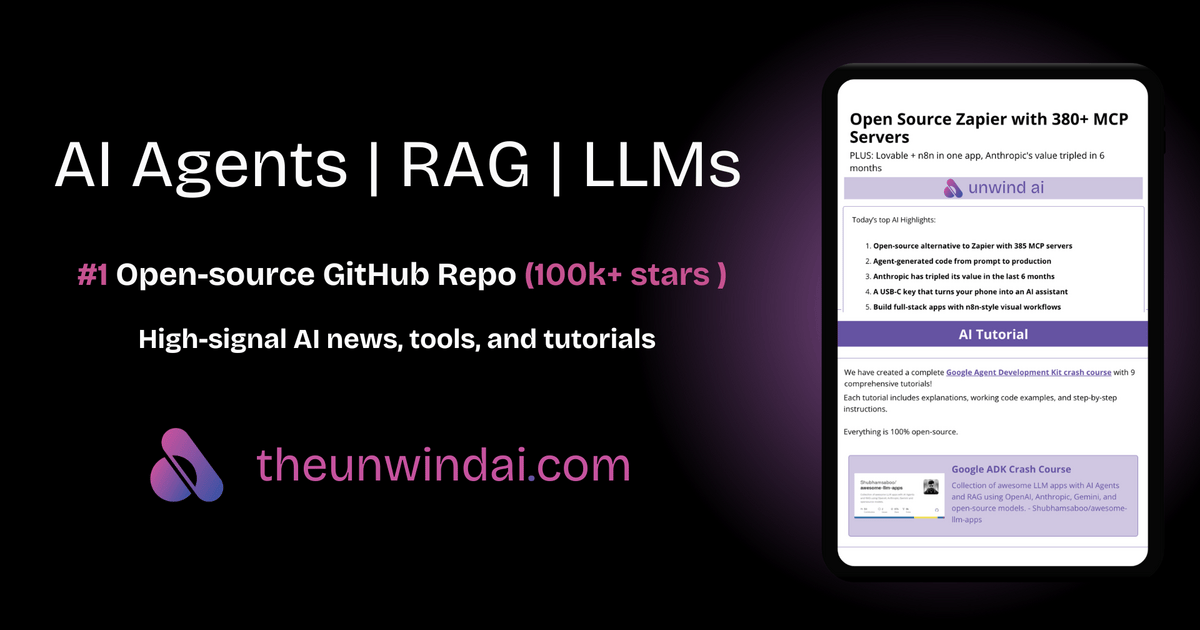

Sharing metadata
| og:url | https://www.theunwindai.com/ |
|---|---|
| og:type | website |
| og:image | https://media.beehiiv.com/cdn-cgi/image/fit=scale-down,format=auto,onerror=redirect,quality=80/uploads/publication/thumbnail/84ac330c-894c-4f61-ac66-e747ce8b32eb/landscape_UAI_new_banner.png |
| og:title | unwind ai |
| og:image:alt | Open-source Ecosystem for High-Leverage AI Builders |
| og:site_name | unwind ai |
| og:description | Open-source Ecosystem for High-Leverage AI Builders |
| og:image:width | 1200 |
| og:image:height | 630 |
| twitter:url | https://www.theunwindai.com/ |
| twitter:card | summary_large_image |
| twitter:image | https://media.beehiiv.com/cdn-cgi/image/fit=scale-down,format=auto,onerror=redirect,quality=80/uploads/publication/thumbnail/84ac330c-894c-4f61-ac66-e747ce8b32eb/landscape_UAI_new_banner.png |
| twitter:title | unwind ai |
| twitter:description | Open-source Ecosystem for High-Leverage AI Builders |
robots.txt (opens in a new tab)
8 rulesamazonbot 0 allowed · 1 disallowed

 amazonbot

/
googlebot 0 allowed · 1 disallowed
/nogooglebot/
All bots 0 allowed · 1 disallowed
/login
adsbot-google 0 allowed · 1 disallowed
/login
nutch 0 allowed · 1 disallowed
/
ahrefsbot 0 allowed · 1 disallowed
/login- Interval
Crawl delay 10 seconds
ahrefssiteaudit 0 allowed · 1 disallowed
/login- Interval
Crawl delay 10 seconds
mj12bot 0 allowed · 1 disallowed
/login- Interval
Crawl delay 10 seconds
No matching rules.
Sitemaps
1 Registration details RDAP / WHOIS
| Registrar | GoDaddy.com, LLC |
|---|---|
| Registered | 2024-06-19 |
| Expires | 2027-06-19 |
| Domain status | client delete prohibited、client renew prohibited、client transfer prohibited、client update prohibited |
| Nameservers | chloe.ns.cloudflare.com、clyde.ns.cloudflare.com |
| DNSSEC | unsigned |
 DNS records
| Type | Name | Value | TTL | Priority |
|---|---|---|---|---|
| A | www.theunwindai.com | 104.21.95.243 | 300 | — |
| A | www.theunwindai.com | 172.67.149.190 | 300 | — |
| AAAA | www.theunwindai.com | 2606:4700:3034::6815:5ff3 | 300 | — |
| AAAA | www.theunwindai.com | 2606:4700:3035::ac43:95be | 300 | — |
| NS | theunwindai.com | chloe.ns.cloudflare.com | 86400 | — |
| NS | theunwindai.com | clyde.ns.cloudflare.com | 86400 | — |
| DMARC | _dmarc.theunwindai.com | v=DMARC1; p=none; | 300 | — |
 TLS and certificates
| Assessment | Normal configuration |
|---|---|
| Supported protocols | TLSv1.2、TLSv1.3 |
| Negotiated protocol | TLSv1.3 |
| Certificate subject | www.theunwindai.com |
| Issuer | Google Trust Services |
| Valid until | 2026-12-23T01:13 · Remaining when checked: 82 days |
| Verification details | Certificate trust: Passed · Hostname match: Passed |
 HTTP response headers
| Header | Value |
|---|---|
| content-type | text/html; charset=utf-8 |
| cache-control | public, max-age=0, s-maxage=2592000, stale-while-revalidate=60 |
| server | cloudflare |
| strict-transport-security | max-age=15552000; includeSubDomains |
| x-content-type-options | nosniff |
| set-cookie | Redacted |
 Identified technologies
User reviews (0)