Website profiles · Technology insights · Alternatives

grainrad.com

Grainrad - Free WebGPU-powered ASCII, dithering, and retro effects at 60fps

No paid content found
Visit website
Profile views 5 Outbound visits 1 Normal
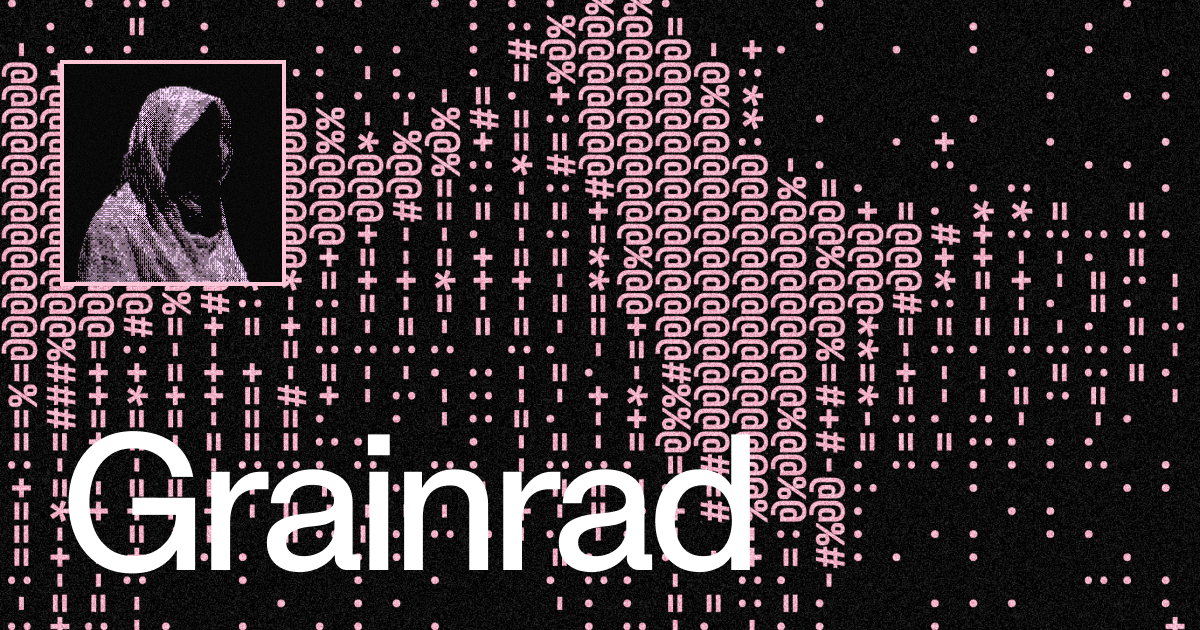
Grainrad Full homepage screenshot

At a glance

Category
Image Tools
Language
English
Paid-content signal
No paid content foundObserved
Registered
2026
Hosting
CloudflareInferred
HTTPS certificate trusted
PassedObserved
Last updated

Website review

This review may include AI-generated content and is not individually verified. Domain, certificate and other facts come from the observed data on this page.

What is Grainrad?

Grainrad is a browser-based visual effects tool that renders ASCII art, dithering, and retro-style effects in real time using WebGPU. According to its own description, it runs free in the browser at up to 60fps, so the processing happens on your machine rather than on a server.

What it does

  • ASCII conversion — turns an image or video into text-character artwork.
  • Dithering — applies the halftone-like dot patterns associated with early computer graphics and print.
  • Retro effects — stylistic filters that mimic older display and rendering looks.

Because these are GPU-accelerated, the preview updates quickly enough to feel interactive rather than like a slow batch export.

Who it suits

  • Designers and illustrators who want a quick ASCII or dithered treatment without installing desktop software.
  • Motion and video creators experimenting with lo-fi, terminal, or CRT aesthetics.
  • Developers curious about what WebGPU can do in a browser tab.

The main trade-off is hardware dependence: WebGPU support varies by browser and device, so an older machine or an unsupported browser may not run it at all. Web-based tools also tend to offer fewer export and fine-tuning options than dedicated desktop software, which matters if you need precise control for print or broadcast.

A practical next step: open Grainrad in an up-to-date Chrome or Edge build, load a single still image first, and adjust the ASCII character set and dither pattern before trying video. Stills make it easier to judge whether the effect reads clearly at your intended output size.

How does Grainrad use WebGPU to render ASCII and dithering effects?

Grainrad is a browser-based effects tool that uses WebGPU to run its ASCII, dithering and retro-style rendering at up to 60fps. WebGPU is the newer browser graphics API that gives web pages direct, low-level access to the GPU, similar in spirit to native APIs like Vulkan or Metal. That direct access is what lets Grainrad apply pixel-by-pixel transformations to a live image or video without the frame rate collapsing.

What the effects actually do

ASCII rendering converts an image into a grid of text characters. Each cell of the image is reduced to a brightness value, and that value is mapped to a character chosen from a ramp, such as .:-=+*#%@. Bright areas get dense characters, dark areas get sparse ones, producing the familiar "text-mode" look.

Dithering is a related technique for simulating shades that a limited palette cannot display directly. Instead of mapping a pixel to one character or one colour, the algorithm distributes error or uses a patterned threshold so that a mix of nearby pixels reads as an intermediate tone. Classic ordered dithering uses a Bayer matrix; error-diffusion methods like Floyd–Steinberg push quantisation error into neighbouring pixels. Both are per-pixel operations over the whole frame, which is exactly the workload GPUs are built for.

Why WebGPU matters here

The practical benefit is parallelism. A 1080p frame is roughly two million pixels, and each pixel needs its brightness computed, its character or palette index selected, and possibly its error propagated. Doing that on the CPU in JavaScript would be slow and would compete with the rest of the page. WebGPU dispatches this work as compute or fragment shader programs across thousands of GPU cores at once, so the effect can keep pace with video playback or a webcam feed.

The trade-off is compatibility. WebGPU support is not universal across all browsers and devices, and older hardware may fall back or fail. Users on unsupported browsers would need a different tool.

A concrete scenario

A streamer wants an ASCII-style overlay for a live webcam feed. They open Grainrad, point it at the camera, pick a character ramp and a dither pattern, and the GPU handles the conversion in real time so the overlay stays smooth during recording. A designer working on a retro poster could instead apply the same effects to a still image and export the result.

Choosing between approaches

  • Real-time video or webcam: GPU-accelerated tools like Grainrad are the sensible choice; CPU-based filters will stutter.
  • One-off still image: A CPU tool or an image editor with a dithering filter may be simpler and more predictable.
  • Broad device support: Check that your target browsers expose WebGPU before committing to a GPU-only workflow.

For a next step, open Grainrad in a WebGPU-capable browser such as a recent Chrome or Edge build and test the ASCII and dithering modes on a short video clip, watching the frame rate as you increase the character grid density. If performance holds, the same settings will generally work for live capture.

Can I apply Grainrad's retro effects to my own images or video?

Yes. Grainrad is built for running ASCII, dithering, and retro-style effects on your own image or video input in the browser, using WebGPU for real-time playback. You supply the media; the site supplies the effect pipeline.

What that means in practice

  • Images: good for one-off conversions — portraits, screenshots, album art, or photos you want to restyle as ASCII or dithered monochrome/duotone art.
  • Video: the 60fps WebGPU claim matters most here, since it suggests the effects are meant to keep up with moving footage rather than only render stills.

Whose experience this is

The source description characterises Grainrad as free, WebGPU-powered, and aimed at ASCII, dithering, and retro effects at 60fps. That is the site's own framing, not an independent test, so treat performance expectations as a design goal rather than a verified benchmark on your hardware.

Practical next step

Before committing to a workflow, test with a short clip rather than a long one:

  1. Load a 5–10 second video at the resolution you actually care about.
  2. Watch whether playback stays smooth and whether the effect holds detail in motion (dither patterns often shimmer on moving subjects).
  3. If it holds up, export or capture at that setting; if it stutters, drop resolution first, then frame rate.

Decision criteria

Choose Grainrad when you want a browser-based, no-install way to restyle your own media and you value speed of iteration. Look elsewhere if you need batch processing of large libraries, precise colour management, or offline rendering — those are usually better served by a desktop tool. For related browser-based creative utilities, Observable is useful for prototyping image-processing logic yourself.

What frame rate can I expect from Grainrad's real-time effects?

Grainrad is described as running its WebGPU-powered ASCII, dithering and retro effects at 60fps, so that is the frame rate to expect when your browser and hardware can keep up.

What that means in practice

The 60fps figure is a target, not a guarantee. WebGPU does the heavy lifting on the GPU, so a modern desktop or laptop with a discrete or recent integrated GPU should hold a smooth 60fps on typical effect settings. On older machines, low-power laptops, or phones with limited GPU support, expect the rate to drop, especially with heavy dithering or large canvas sizes.

Practical factors that affect the real rate:

  • Effect complexity — stacking multiple passes (ASCII conversion plus dithering plus retro scanlines) costs more than a single effect.
  • Canvas resolution — rendering at full screen resolution is heavier than a smaller preview window.
  • Browser and driver — WebGPU availability and driver quality vary, and some browsers may fall back or cap performance.
  • Background load — other GPU-heavy tabs or apps compete for the same resources.

A useful next step

If you want to confirm the rate on your own setup, open Grainrad and watch the effect while resizing the canvas or toggling effects on and off. If it stays smooth at your normal window size, you are getting the intended experience; if it stutters, reduce the canvas size or simplify the effect stack first, since those changes usually recover the most performance.

Do I need to install anything to run Grainrad in my browser?

No. Grainrad runs directly in your browser as a web app, so there is nothing to download or install. You open the site and start working with its ASCII, dithering, and retro effects.

What you do need

  • A modern browser with WebGPU support. Grainrad is described as WebGPU-powered, which means the effects run on your graphics hardware through the browser rather than through a separate program. If your browser does not support WebGPU, the tool may not load or may fall back poorly.
  • A reasonably current device. Because rendering happens at 60fps on the GPU, older machines or browsers with WebGPU disabled may feel slow or fail entirely.

Practical check

Before relying on it for a project, open Grainrad in your usual browser and confirm the preview renders smoothly. If it does not, try an up-to-date version of a Chromium-based browser or check whether WebGPU is enabled in your settings.

How does Grainrad compare to other WebGL or WebGPU effect tools?

Grainrad is a browser-based effects tool that runs on WebGPU and focuses on three specific looks: ASCII conversion, dithering, and retro-style treatments, with the stated aim of smooth 60fps output. That narrow, opinionated scope is its main differentiator. Most general WebGL/WebGPU effect playgrounds try to cover everything — shader authoring, post-processing chains, particle systems, 3D scenes — and treat ASCII or dithering as one preset among hundreds. Grainrad appears to invert that: it is built around a small set of stylized, lo-fi aesthetics rather than being a broad shader sandbox.

Where it likely fits versus alternatives

Tool type Typical strength Where Grainrad differs
General shader playgrounds (e.g. Shadertoy) Writing and sharing GLSL/WebGL shaders from scratch Grainrad targets finished retro/ASCII/dither looks rather than raw shader coding
WebGPU demos and benchmarks Showing off GPU capability, technical experiments Grainrad is aimed at a visual output style, not a capability demo
Node-based compositors Chaining many effects and sources Grainrad's focus is a few specific effects, not a general graph
Desktop retro/ASCII apps Offline, high-control processing Grainrad runs in the browser and is described as free

The trade-off is clear. If you want precise control over a shader pipeline, a general WebGL playground or a desktop compositor will serve you better. If you want to drop in an image or canvas and get an ASCII or dithered retro result quickly, in the browser, at high frame rates, Grainrad's specialization is the advantage. WebGPU matters here because dithering and ASCII passes involve per-pixel work that benefits from the newer API, though browser support for WebGPU is still narrower than WebGL — so on older browsers or hardware, a WebGL-based tool may simply run where Grainrad cannot.

A practical way to decide: pick Grainrad if your goal is a retro, ASCII, or dithered look and you want it fast and in-browser. Pick a general shader tool if you need to author or combine arbitrary effects. Check that your browser supports WebGPU before committing, since that is the foundation the tool is built on.

To evaluate it directly, open a representative image or live canvas, apply each of the three effect families, and watch the frame rate while you adjust parameters — that will tell you more about the real-world 60fps claim than any feature list.

Related questions

More questions →
What is Grainrad?

Grainrad is a free, browser-based tool that applies ASCII, dithering, and retro visual effects to images or video using WebGPU, with the goal of running at 60fps. It is aimed at people who want stylized, low-fi visuals without installing desktop software or building a custom shader pipeline. Because it relies on WebGPU, the practical requirement is a browser and device that support WebGPU; on unsupported hardware the effects may not run at all or may fall back to slower performance.

What Grainrad does

Grainrad combines three related categories of visual processing in one web tool:

  • ASCII effects — converting an image into text characters, where character density approximates brightness or color.
  • Dithering — reducing the color palette while using patterned noise to simulate intermediate tones, the technique behind many retro and print-like looks.
  • Retro effects — the broader family of CRT, scanline, grain, and low-resolution aesthetics that dithering and ASCII styles usually sit alongside.

The site describes these as running at 60fps, which matters mainly for motion: if you are processing video or a live preview, frame rate determines whether the result feels smooth or choppy.

Why WebGPU matters here

WebGPU is the browser API that lets a web page run GPU-accelerated compute and rendering work. For pixel-level effects like dithering and ASCII conversion, this is the difference between a real-time preview and a slideshow, because every frame requires per-pixel decisions.

Two practical consequences:

  1. No installation. The processing happens in the browser, so there is no download or local setup described.
  2. Hardware and browser dependent. WebGPU support varies by browser version, operating system, and GPU. If effects are slow or unavailable, the cause is usually WebGPU support rather than the tool's settings.

When to use it

Grainrad fits tasks such as:

  • Turning a photo or clip into an ASCII-style visual for a thumbnail, title card, or social post.
  • Applying a dither or retro look to footage without opening a full video editor.
  • Quickly previewing how an image reads at a reduced palette before committing to it in a larger project.

It is less suited to work that needs precise, repeatable output pipelines, batch processing, or integration into an existing editing workflow — the description covers a free web tool, not a production pipeline or plugin.

What to check before relying on it

  • WebGPU support in your browser and on your device, since the 60fps claim depends on it.
  • Whether your input is image or video, because frame rate only affects the latter.
  • Export options and limits, which are not specified in the available site information — verify in the tool itself whether you can save the result and at what resolution.

Pricing details beyond "free" are not stated in the available information, so treat any account, export, or resolution limits as unknown until confirmed on the site.

What Kinds of Effects Does Grainrad Offer?

Grainrad offers three main categories of real-time visual effects: ASCII art conversion, dithering styles, and retro/nostalgic filters. All of them run in the browser at up to 60fps, powered by WebGPU. If you want to apply any of these looks to an image or live source without installing software, this is what the tool covers.

ASCII Art Conversion

This effect turns an image into text-based art, where brightness and detail are represented by characters instead of pixels.

  • Character-based rendering — the image is rebuilt from typographic symbols, producing the classic terminal or typewriter look.
  • Tunable output — because it is a real-time effect, the conversion updates continuously rather than requiring a one-off export.
  • Best for — stylized portraits, album art, thumbnails, or any image where a "printed text" aesthetic fits.

When to choose it

Pick ASCII conversion when the goal is a recognizable but clearly digital, low-fidelity look. It reads best on high-contrast images, since character density carries the shading.

Dithering Styles

Dithering recreates gradients and shading using limited patterns of dots or pixels, the same technique early computer and print graphics relied on.

  • Pattern-based shading — smooth areas become textured dot or pixel patterns instead of continuous color.
  • Retro-computing feel — the result resembles old 1-bit or limited-palette displays.
  • Best for — giving modern images an intentionally "old hardware" texture, or unifying an image into a restricted palette.

When to choose it

Use dithering when you want texture and a limited-color aesthetic rather than clean gradients. It works well on photos that you want to look like they came off vintage hardware.

Retro / Nostalgic Effects

This is the broader category covering the vintage, lo-fi, and "old screen" looks that Grainrad is built around.

  • Nostalgic visual style — effects evoke older display and imaging technology.
  • Real-time preview — you see the effect applied live, so you can judge the look before committing.
  • Best for — content that needs a deliberate throwback or analog-era mood.

How the Effects Are Delivered

Aspect Detail
Rendering technology WebGPU
Performance Up to 60fps
Delivery Free web tool, runs in the browser
Effect types ASCII, dithering, retro

The key practical point: because these run through WebGPU at 60fps, the effects are interactive. You are not waiting on a slow batch render to see the result — the preview updates as you adjust.

Choosing Between Them

  • Want text made of characters? → ASCII conversion.
  • Want dot/pixel patterns and limited shading? → Dithering.
  • Want a general old-school screen or analog mood? → Retro effects.

These categories often overlap in practice, so the fastest way to decide is to apply each to the same image and compare the live preview. Since everything renders in real time, testing all three takes only moments.

How to Access and Use Grainrad

Grainrad is a browser-based tool available at grainrad.com. You do not need to download or install anything — you open the site in a WebGPU-capable browser and apply its ASCII, dithering, and retro effects directly in the page. The main condition is browser support: because the effects run on WebGPU, you need a browser and device that expose the WebGPU API.

What You Need Before Starting

  • The URL: grainrad.com
  • A WebGPU-capable browser. WebGPU ships in current versions of major Chromium-based browsers (Chrome, Edge) and is available in recent Safari and Firefox releases, though availability can vary by version and platform.
  • A device with a compatible GPU. WebGPU relies on the underlying graphics hardware, so very old devices or locked-down environments may not expose it.
  • No account or install step is described on the site. Access is through the web page itself.

If WebGPU is unavailable, the effects will not run, so checking browser support is the first practical step.

How to Access Grainrad

  1. Open your browser and go to grainrad.com.
  2. Wait for the page to load. The tool initializes its WebGPU rendering context on load.
  3. If the page loads and renders, your browser supports what Grainrad needs. If it does not, try updating your browser or switching to a current Chromium-based browser.

How to Use the Effects

Grainrad applies effects in real time in the browser, so the workflow is direct:

  1. Load your source. Bring in the image or visual content you want to process within the page.
  2. Choose an effect category. Grainrad offers ASCII conversion, dithering, and retro-style effects.
  3. Adjust the settings for the chosen effect until the preview matches what you want.
  4. Export or capture the result using the page's output option.

Because rendering is GPU-accelerated, changes appear as you adjust them rather than after a long processing wait — the site describes this as running at 60fps.

Common Sticking Points

  • Nothing renders / blank page: Almost always a WebGPU support issue. Update your browser or try a different one.
  • Effects look slow or stutter: Performance depends on your GPU and the complexity of the source. Lower-resolution inputs generally render more smoothly.
  • No download option appears: Grainrad is a web tool; the value is in applying effects in-browser rather than installing software.

Quick Reference

Question Answer
Where do I access it? grainrad.com
Do I install anything? No — it runs in the browser
What powers it? WebGPU
What effects does it offer? ASCII, dithering, and retro effects
What's the main requirement? A WebGPU-capable browser and device

The fastest path is simply to open grainrad.com in an up-to-date browser. If the page renders, you are ready to apply effects; if it does not, the fix is almost always a browser or GPU support issue rather than a missing download.

Is Grainrad Suitable for Real-Time ASCII and Retro Effect Projects?

Grainrad is a reasonable fit if your project needs browser-based ASCII conversion, dithering, or retro visual effects running at real-time frame rates, and you can accept a WebGPU dependency. It is a free web tool rather than a library or engine, so it suits experimentation, prototyping, and interactive demos more than production pipelines that need offline rendering or guaranteed compatibility with older browsers.

What Grainrad actually is

Grainrad is described as a free, WebGPU-powered tool for ASCII, dithering, and retro effects at 60fps. That description defines both its scope and its limits:

  • Scope: three visual styles — ASCII rendering, dithering, and retro effects.
  • Performance target: 60fps, which is what makes it usable for live or interactive output rather than still-image processing.
  • Delivery: a web page, not an installable package.
  • Rendering backend: WebGPU.

If your project is "apply a dither filter to a photo and export it," almost any image editor works and Grainrad is optional. If your project is "show a live camera feed or animation as ASCII art without dropping frames," that is the case Grainrad is aimed at.

The WebGPU dependency is the main decision factor

This is where suitability is usually won or lost. WebGPU is a modern browser graphics API, and support is not universal across all browsers and devices. Before committing, check the following for your target audience:

Question Why it matters
Which browsers do your users actually run? WebGPU availability varies by browser and version
Are mobile devices in scope? Mobile GPU and browser support is the most likely gap
Is there a fallback if WebGPU is unavailable? Grainrad's stated performance relies on WebGPU
Do you control the environment (kiosk, internal demo, single browser)? A controlled environment removes most compatibility risk

If you control the browser — an installation, a booth, an internal tool, a demo you run yourself — the WebGPU requirement is a minor constraint. If you are shipping to a broad public audience on unknown devices, treat WebGPU support as a hard gate you must verify first, not an assumption.

Where it fits well

  • Live visual demos and installations where you pick the browser and machine.
  • Prototyping a look before rebuilding it in a game engine or shader pipeline.
  • Interactive web experiments where 60fps matters and the effect set (ASCII, dithering, retro) matches your intent.
  • Quick evaluation — because it is a free web tool, you can test whether the effect style works for you before investing in custom shaders.

Where it fits poorly

  • Projects needing offline or batch rendering — a browser tool is the wrong shape for a render farm.
  • Audiences on older or restricted browsers without a WebGPU fallback.
  • Projects needing effects outside ASCII, dithering, and retro — the stated feature set is narrow by design.
  • Production pipelines needing a stable, versioned API — a web tool does not give you the dependency control a library does.

How to decide

  1. Confirm your target browsers and devices support WebGPU. If they do not, stop here.
  2. Confirm your effect need is ASCII, dithering, or retro. If it is something else, look elsewhere.
  3. Confirm you need real-time output. If you only need still images, simpler tools will do.
  4. Open the tool and test your actual input at your target frame rate before building anything around it.

If all four checks pass, Grainrad is a low-cost way to get real-time ASCII and retro effects in the browser. If any fails, the constraint — usually WebGPU support or the narrow effect set — is the reason to look for an alternative.

How Does Grainrad Use WebGPU for Real-Time Effects?

Grainrad runs ASCII, dithering, and retro visual effects in the browser at 60fps by using WebGPU, the modern browser API that gives web pages direct, low-overhead access to the GPU. That means the heavy per-pixel work happens on your graphics hardware instead of your CPU, and the results are drawn straight to the page — no plugin, install, or separate app required. The 60fps claim applies to supported browsers and hardware; on unsupported setups, WebGPU simply isn't available.

What WebGPU changes

WebGPU is the successor to WebGL. It exposes a more modern graphics and compute model, closer to native APIs like Vulkan, Metal, and Direct3D 12. For an effects tool, the practical consequences are:

  • Hardware acceleration by default. Shading, filtering, and image transforms execute on the GPU.
  • Lower CPU overhead. Fewer driver-side checks and a tighter command model than WebGL, so the CPU isn't the bottleneck when you push many effects per frame.
  • Compute shaders. Work that isn't strictly "draw a triangle" — like building a character grid or computing a dither threshold map — can run as general-purpose GPU compute.

Why ASCII, dithering, and retro filters are GPU-friendly

These effects share a trait: they are per-pixel or per-cell operations applied uniformly across the whole image. That is exactly the workload GPUs are built for, because thousands of pixels can be processed in parallel.

  • ASCII conversion. Each block of the source image is reduced to a brightness value, which maps to a character from a ramp (e.g. .:-=+*#%@). The GPU can sample and reduce all blocks in parallel, then render the chosen glyphs.
  • Dithering. Ordered and error-diffusion dithering compare each pixel against a threshold pattern. Ordered dithering is trivially parallel; the GPU evaluates the threshold lookup for every pixel at once.
  • Retro filters. Scanlines, color quantization, palette mapping, and CRT-style distortion are all per-pixel color or coordinate transforms — a natural fit for a fragment shader.

Because none of these steps depend on the result of a neighboring pixel in a serial way (ordered dithering) or can be structured as a parallel pass, they scale with GPU width rather than CPU clock speed.

How the pipeline works, conceptually

A typical WebGPU effect chain for something like Grainrad looks like this:

  1. Upload the source. The image or video frame is copied into a GPU texture.
  2. Run effect passes. One or more shaders read that texture and write a new one — for example, a luminance pass, then a dither pass, then a palette/retro pass.
  3. Composite. The final texture is drawn to the canvas that the page displays.

Each pass is a small program. Chaining them lets you stack ASCII + dither + retro without falling back to the CPU between steps, which is what keeps the frame budget under 16.7ms (the threshold for 60fps).

WebGPU vs. CPU and WebGL

Approach Where work runs Typical bottleneck Fit for real-time effects
CPU (JavaScript/canvas 2D) Main thread / CPU cores Per-pixel loops, garbage collection Fine for small images, struggles at 60fps on large ones
WebGL GPU Older API, higher CPU overhead, no compute Good, widely supported
WebGPU GPU Driver/browser support Best overhead and compute flexibility where supported

The gain over CPU rendering is the largest: moving a per-pixel loop from JavaScript to a shader can turn a slideshow into smooth motion. The gain over WebGL is smaller and mostly shows up as lower CPU cost and access to compute shaders.

What you need to run it

  • A browser with WebGPU enabled and shipped (recent Chromium-based browsers are the common case; support varies by version and platform).
  • A GPU and driver that the browser accepts for WebGPU.
  • No additional software — the processing happens in the page.

If WebGPU isn't available in your browser, the effects won't run at the described performance, and the site may not function at all. Check your browser's WebGPU status before assuming a performance problem is the site's fault.

Common snags

  • "It's slow." Usually means WebGPU isn't active and a fallback is doing the work, or the source resolution is very large.
  • First-frame stutter. Shader compilation and texture upload happen on load; steady-state framerate is the meaningful number.
  • Laptop power saving. Integrated GPUs and battery-saver modes can cap performance regardless of the API.

Website Overview

The available information shows a mix of normal operation and configuration gaps. Depending on how the website is used, these gaps may affect secure access or the consistency of its public presentation.

Domain and Registration

The domain was registered less than a year ago and has limited historical evidence to assess. Transfer-protection status is present, helping reduce the risk of unauthorized domain transfers. The registrar is Cloudflare, Inc., a widely used domain service provider. The domain uses the common .com extension, which is not an independent safety signal.

DNS and Email

Nameservers are provided by Cloudflare, indicating managed DNS hosting. No CNAME was found; the observed records resolve directly to addresses. No MX record was found. A conventional explicit inbound-mail route is not configured. DNSSEC signatures were not detected, so this additional DNS authenticity protection is not confirmed. The lowest observed DNS TTL is 138 seconds.

TLS and Certificates

The public key uses EC with 256 bits. The server supplied a complete certificate chain. No organization name is present in the certificate; the available fields are consistent with domain validation. The certificate was issued within the Google Trust Services cloud or CDN ecosystem. The certificate's total validity is about 90 days, consistent with a short renewal cycle.

HTTP and Browser Security

The response lacks these common security headers: HSTS, CSP, Permissions-Policy, clickjacking protection. CORS permits any origin to read this response. This is common for public resources; sensitive responses need narrower handling. No X-Powered-By header was found, reducing one common source of backend fingerprinting information. The cf-ray response header indicates a CDN or caching proxy in the delivery path. No obvious internal addresses or debug information were found in the headers.

Technology Stack Analysis

The public page identifies Cloudflare without precise versions, leaving fewer clues for version-specific scanning.

Search and Social Sharing

No homepage canonical URL was detected. If duplicate URLs exist, consolidation may be less explicit. Twitter Card metadata is configured. The title has 8 characters, within a common display range. A meta description is present, with 75 characters. The observed directives allow indexing and link following.

Hosting and Email

DNSCloudflare
HostingCloudflare
EmailUnknown
Approximate IP geolocation (inferred; a CDN or proxy may differ from the origin server) Location unknown Inferred 172.66.47.100

Registration details

RDAP / WHOIS

RegistrarCloudflare, Inc.
Registered2026-01-21
Expires2027-01-21
Domain statusclient transfer prohibited
Nameserversbraelyn.ns.cloudflare.com、troy.ns.cloudflare.com
DNSSECunsigned

DNS records

DNS

TypeNameValueTTLPriority
Agrainrad.com172.66.44.156138—
Agrainrad.com172.66.47.100138—
AAAAgrainrad.com2606:4700:310c::ac42:2c9c300—
AAAAgrainrad.com2606:4700:310c::ac42:2f64300—
NSgrainrad.combraelyn.ns.cloudflare.com86400—
NSgrainrad.comtroy.ns.cloudflare.com86400—

TLS and certificates

TLS / SSL

AssessmentNormal configuration
Supported protocolsTLSv1.2、TLSv1.3
Negotiated protocolTLSv1.3
Certificate subjectgrainrad.com
IssuerGoogle Trust Services
Valid until2026-12-14T22:22 · Remaining when checked: 69 days
Verification detailsCertificate trust: Passed · Hostname match: Passed

HTTP response headers

HTTP

HeaderValue
content-typetext/html; charset=utf-8
cache-controlpublic, max-age=0, must-revalidate
servercloudflare
x-content-type-optionsnosniff
referrer-policystrict-origin-when-cross-origin
access-control-allow-origin*

Identified technologies

Cloudflare

Pages, Search and Sharing

Meta descriptionGrainrad - Free WebGPU-powered ASCII, dithering, and retro effects at 60fps
Canonical URLNot detected
LanguageEnglish (default)
Twitter Cardsummary_large_image

Unknown

No sitemaps found

User reviews (0)

  • No reviews yet.