Website profiles · Technology insights · Alternatives

korbit.ai

Korbit is an AI code reviewer for GitHub and Bitbucket, enabling faster review cycles and fewer bugs in your production codebase. Korbit conducts comprehensive, context-based PR code reviews. Let Korbit AI review your PRs first; it will find and help you fix bugs fast, then submit the PR for team review/approval—and Korbit will help there, too. Korbit increases productivity, improves code quality, and upskills developers.

No paid content found Multilingual
Visit website
Profile views 0 Outbound visits 0 Normal
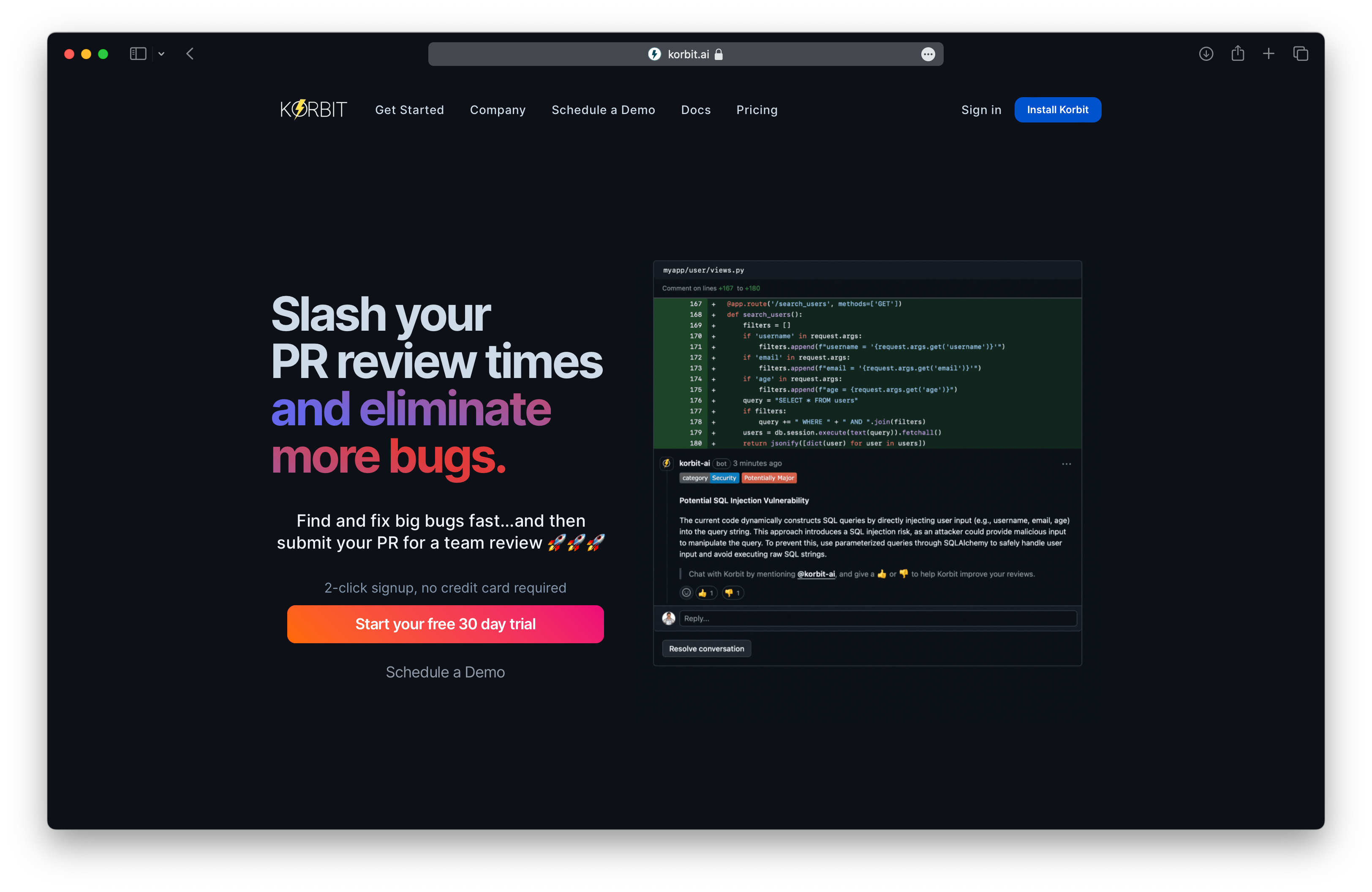
Korbit AI Full homepage screenshot

At a glance

Category
Development
Language
English
Paid-content signal
No paid content foundObserved
Registered
2019
Hosting
Amazon CloudFrontInferred
HTTPS certificate trusted
PassedObserved
Last updated

Website review

This review may include AI-generated content and is not individually verified. Domain, certificate and other facts come from the observed data on this page.

What is Korbit AI?

Korbit AI is an automated code review tool that works inside GitHub, GitLab and Bitbucket. It reviews pull requests before a teammate does, flags likely bugs, and explains how to fix them, then hands the PR on for human approval. In practice it acts as a first-pass reviewer that is always available, so senior engineers spend their time on design and logic rather than routine checks.

Who it suits

  • Small teams without dedicated reviewers. The page's customer quotes describe it as a stand-in lead reviewer that catches issues early and cuts critical support tickets.
  • Teams onboarding junior developers. Several quoted customers say it doubles as a training aid, because the feedback explains fixes rather than just flagging lines.
  • Shops on GitHub, GitLab or Bitbucket that want review comments where the code already lives, without a separate dashboard.

Trade-offs to weigh

  • It complements, not replaces, human review. The vendor's own framing is "review first, then submit for team review," and one quoted CTO notes it caught issues that had slipped past human reviewers—useful, but it also means you still need people in the loop.
  • Value depends on how much your team argues about style versus substance. Automated comments are most useful for logic and bug detection; if your team already has strong linting and CI checks, overlap is the main risk.
  • Adoption is measurable. One customer cites 47% of suggestions being implemented, which is a reasonable metric to track in a trial rather than trusting headline claims.

Next step

Pick one active repository and run a two-week trial on real pull requests, then compare review turnaround time and the share of bot comments your developers actually act on. If most comments are noise, the tool is not earning its place; if they catch real bugs before testing, it is. For a broader comparison of review approaches, see GitHub's own code review and Copilot documentation.

How does Korbit AI integrate with GitHub, GitLab, and Bitbucket for pull request reviews?

Korbit AI reviews pull requests inside the version-control platforms your team already uses—GitHub, GitLab and Bitbucket—rather than in a separate dashboard. According to the site, it works "directly" in those tools and gives real-time, actionable feedback on each pull request, finding bugs and explaining how to fix them. The intended flow is that Korbit reviews the PR first, then the team reviews and approves it, with Korbit continuing to assist at that approval stage. The site also describes PR summaries and review comments as part of the experience.

What that means in practice

  • Setup: you connect Korbit to your repository host; the site frames the value as seamless operation inside GitHub, GitLab and Bitbucket, so reviewers stay in their normal PR view.
  • Trigger: a pull request is opened or updated, and Korbit posts its review on that PR.
  • Output: bug findings with suggested fixes, plus a summary of the change—useful for reviewers opening a large PR cold.
  • Team step: humans still approve and merge; Korbit is positioned as a first-pass reviewer, not a replacement for sign-off.

A concrete scenario

A backend team with a shared GitHub repo and two senior reviewers is the bottleneck. A junior developer opens a PR touching order logic. Korbit comments on a null-handling bug and a confusing TypeScript type, and posts a summary. The juniors fix the flagged issues before the seniors look, so senior time goes to design questions. This matches customer observations on the site: Dan Gordon of Sonr says Korbit caught issues that had slipped through human reviews, and Mark Osborn of Gladstone Software describes it removing a bottleneck on key developers and acting as a training tool for juniors. Those are their experiences, not guarantees; expect value to depend on how noisy the suggestions are for your codebase.

Choosing between the three

Host Best fit Trade-off to weigh
GitHub Teams already using GitHub PRs and Actions-style workflows Little beyond confirming repo permissions and review-comment behavior
GitLab Organizations standardized on GitLab merge requests Verify merge-request coverage and comment formatting match your process
Bitbucket Teams in the Atlassian ecosystem (Jira, Confluence) Check how review comments surface alongside existing Atlassian tooling

The main decision criterion is not which host is "best" but how much review friction your current process has: if PRs sit for days waiting on a few reviewers, a first-pass AI reviewer helps most. If your team already reviews quickly, weigh the cost of extra comment noise.

Next step: pick one active repository, connect it, and run a two-week trial on real PRs. Track how many Korbit comments your developers accept versus dismiss—the site cites a 47% implementation rate among one customer's suggestions, so measure your own. If you also evaluate alternatives, compare against GitHub's built-in code review tooling and GitLab's merge request features before committing.

How accurate is Korbit AI at catching bugs compared to human code reviewers?

Korbit AI is best understood as a first-pass reviewer, not a replacement for human judgment. Its page evidence shows it is designed to find bugs in pull requests and explain how to fix them before a person reviews the code, and customer testimonials describe it catching issues that had slipped through human review. But "accuracy" depends on bug type: it is likely strongest on pattern-based problems (null checks, logic slips, obvious edge cases) and weaker on design intent, business rules, and context that lives outside the diff. No independent benchmark is provided here, so treat claims of catching human-missed bugs as vendor and customer observations, not a measured error rate.

Where each tends to do better

Bug type AI reviewer (Korbit) Human reviewer
Repetitive logic errors, null/edge cases Fast, consistent, 24/7 Slower, attention-limited
Unclear or messy TypeScript logic Testimonials cite logical bugs in hard-to-read code Depends on reviewer skill
Architectural and design trade-offs Limited by diff context Strong
Business-rule correctness Needs explicit context Strong if reviewer knows the domain
Review speed and coverage Near-instant on every PR Bottleneck on key engineers

Practical takeaway

The realistic accuracy gain is coverage and speed: every PR gets a consistent first look, so humans spend time on judgment rather than routine defects. The risk is false positives and missed context-dependent bugs, which is why the page's own framing is "review first, then submit for team approval."

Next step: before trusting it, run it on a sample of your last 20–30 merged PRs and count how many of its comments you would have acted on, plus any real bugs it missed. That gives you a concrete precision/recall sense for your codebase rather than a general accuracy claim. Teams evaluating similar tools often compare against GitHub's built-in code scanning or SonarSource for rule-based static analysis, since those catch different classes of defects than an LLM reviewer.

What does the 14-day free trial include and what happens after it ends?

The page advertises a 14-day free trial but does not itemize what it includes or state what happens when it ends. The only concrete details are the product itself: AI pull-request reviews that work inside GitHub, GitLab and Bitbucket, flag bugs with suggested fixes, and summarize each PR before a human reviewer steps in. Treat the trial as a full-product evaluation rather than a limited feature demo, and confirm the post-trial terms directly with Korbit before you commit a team.

What the page supports

  • Scope: context-based PR reviews in GitHub, GitLab and Bitbucket, including bug detection with fix guidance and PR summaries.
  • Audience signals: the page cites 22K+ developers and testimonials from CTOs, VPs of Technology and engineering leads, so it is positioned for teams rather than solo hobby projects.
  • No details on: seat limits, repository count, review volume, data retention, or whether billing starts automatically.

What to verify before day 14

  1. Conversion terms — whether the trial converts to a paid plan automatically, and what the cancellation window is.
  2. Plan fit — how pricing scales with seats and repos, since a trial rarely exposes cost pressure.
  3. Data handling — where code is processed and retained, which matters for regulated or proprietary codebases.
  4. Workflow fit — whether your team uses GitHub, GitLab or Bitbucket, since all three are listed as supported.

A practical trial plan

Run the trial on one active repository with real PRs for the first week, and log how many Korbit comments your reviewers accept versus dismiss. In week two, compare review turnaround against your baseline and check whether junior developers find the explanations useful. That gives you evidence for a renewal decision instead of a gut call.

For broader context on AI review tooling, see GitHub for its native review features and Bitbucket for its pull-request workflow.

Can Korbit AI help junior developers learn and upskill through code review feedback?

Yes. Korbit AI is explicitly positioned as an upskilling tool as well as a reviewer: its page says it "upskills developers," and customer quotes describe it acting as a training aid for junior staff. The mechanism is that it comments on pull requests inside GitHub, GitLab or Bitbucket before a human reviews them, so a junior developer gets an explanation of a bug and how to fix it at the moment they open the PR, rather than waiting for a senior colleague's time.

What the page evidence shows

  • Explanations, not just flags: the site says it "finds bugs and explains how to fix them," which is the part that matters for learning. A bare "this is wrong" comment teaches little; a fix suggestion plus reasoning teaches a lot.
  • Summaries per PR: one customer, Mike de la Fuente of Payground, singled out the per-PR summaries as a liked feature. For a junior, a plain-language summary of what a change does is useful rehearsal for writing their own PR descriptions.
  • Catching what humans miss: Dan Gordon of Sonr noted it caught issues that had slipped through human review. For a learner, that means the feedback loop is not limited by how thorough a busy reviewer was that day.
  • Training-tool framing: Mark Osborn of Gladstone Software said it "started to act as a training tool for some of the more junior developers" and removed a bottleneck on key developers. That is his observation from his team, not a guarantee.
  • Adoption signal: the page states 47% of Korbit's suggestions get implemented, per Brent Mikkelsen. A high accept rate suggests suggestions are concrete enough to act on, which is what makes them learnable.

A practical way to use it for juniors

  1. Have the junior open the PR and read Korbit's comments first, then attempt fixes themselves before asking a human.
  2. Require a one-line note in the PR on what they learned from each accepted suggestion. This converts passive fixes into retained knowledge.
  3. Reserve human review for design, naming and architecture questions, which automated review handles less well.

Trade-offs to weigh

AI review feedback is strongest on local, mechanical issues — logic bugs, error handling, unclear types — and weaker on intent, domain context and team conventions. A junior who only ever hears from the bot may learn to satisfy the tool rather than the codebase's design taste. Pairing it with periodic human review keeps that balance.

As a next step, run a two-week trial on a small team that includes at least one junior and compare the volume and type of comments they receive against your current human review. Korbit's page advertises a 14-day free trial, and it lists GitHub, GitLab and Bitbucket as supported hosts, so the integration cost is low if you already use one of them.

How do teams measure the impact of Korbit AI on review times and code quality?

Teams typically measure Korbit AI's impact by comparing pull-request review cycles and defect rates before and after adoption, using both platform data and developer feedback. From the page evidence, the intended outcomes are clear: slash review times, increase code quality, and catch bugs before human review in GitHub, GitLab and Bitbucket. The evidence also cites customer observations that Korbit caught issues that had slipped through human reviews and that roughly 47% of its suggestions were implemented, which points to the kind of metrics teams track.

Practical metrics to track

  • Review cycle time: Median time from PR opened to first substantive comment, and to final approval. Korbit's first-pass review should shorten the gap before a human weighs in.
  • Human review effort: Number of reviewer comments per PR and time senior engineers spend on routine feedback versus design decisions.
  • Suggestion adoption: Share of Korbit comments that are implemented or resolved, a signal of relevance rather than volume.
  • Defect leakage: Bugs found in testing or production that originated in reviewed code, plus escaped-defect trends over time.
  • Rework and stability: Reopened PRs, follow-up fix commits, and build stability indicators. One cited customer linked more stable builds to improved retention, though that is their observation, not a universal measure.
  • Developer experience: Survey junior and senior developers on learning value and review burden; several cited customers describe Korbit as a training aid for junior staff.

How to run the comparison

Establish a baseline of four to eight weeks before rollout, then compare the same repositories and team segments afterward. Segment by PR size and complexity, since AI review tends to help most with routine logic checks and least with architectural judgment. Pair quantitative data with a short qualitative review of which comments were accepted or dismissed, because adoption rate alone does not prove quality.

A useful next step is to pilot on one or two high-traffic repositories, define the baseline metrics above, and review results after a month. For context on how other AI review tools frame similar measurements, see GitHub Copilot code review documentation and CodeRabbit.

Related questions

More questions →
What Does a Postal Code API Return? Fields, Formats, and Common Use Cases

A postal code API returns structured location data for a given ZIP Code or Canadian postal code. A typical response includes the code itself, city, state or province, county, latitude/longitude, and — where available — ZIP+4 detail. More complete services add time zone, area codes, boundary geometry, and demographic fields. You send a code (or an address), and the API sends back a machine-readable record you can store, validate, or display.

This article explains what those responses contain, how requests are usually shaped, and where postal code data fits into real applications.

First, clear up the word "code"

The keyword "code" is overloaded, and that causes real confusion for developers:

  • Postal code — the ZIP Code (U.S.) or postal code (Canada) that identifies a delivery area.
  • API key — the credential you use to authenticate your requests. It is not postal data.
  • Source code — the program you write to call the API.

When someone searches for "postal code API code," they usually want example request/response code for a postal code service. The rest of this article treats it that way.

What a postal code API actually returns

Response fields vary by provider and endpoint, but the core set is fairly consistent. A single-code lookup commonly returns:

Field Example Notes
Postal code 90210 The code you queried
City Beverly Hills May be one of several acceptable place names
State / Province CA Two-letter abbreviation
County Los Angeles Useful for tax, territory, and reporting logic
Latitude / Longitude 34.0901, -118.4065 Usually the centroid of the area
ZIP+4 90210-1234 Present only when a specific delivery segment is known
Time zone America/Los_Angeles Helps with scheduling and display
Area codes 310, 424 Regional phone context

Richer datasets add 90+ fields: boundaries, population, income, elevation, and more. You rarely need all of them — request only what your application uses.

A representative JSON response

{
  "postal_code": "90210",
  "city": "Beverly Hills",
  "state": "CA",
  "county": "Los Angeles",
  "latitude": 34.0901,
  "longitude": -118.4065,
  "timezone": "America/Los_Angeles",
  "area_codes": ["310", "424"]
}

XML responses carry the same information in tag form. Choose based on what your stack parses most easily; JSON is the common default.

Common request patterns

Most postal code APIs support four patterns. Knowing which one you need prevents wasted calls.

1. Lookup by code

You have a code and want its details. This is the simplest and fastest call.

GET /lookup?code=90210

2. Reverse lookup by address

You have a street address and want to confirm or complete the code. This is the pattern behind checkout address validation.

GET /validate?street=...&city=...&state=...

3. Radius search

You have a center point and want all codes within a distance. Useful for store locators and delivery zones.

GET /radius?code=90210&miles=10

4. Batch validation

You have a file of addresses and want them cleaned in bulk. Batch endpoints trade latency for throughput and usually have their own limits.

Handling missing and ambiguous matches

Real data is messy. Plan for these cases:

  • No match — the code doesn't exist or the address is malformed. Return a clear error rather than a silent empty object.
  • Multiple matches — a city name may map to several codes, or a code may span several acceptable city names. Decide whether to pick the primary or return a list.
  • Partial match — the street is valid but the ZIP+4 isn't. Fall back to the 5-digit code.
  • Stale data — codes are added, retired, and reassigned. Refresh your dataset on a regular schedule.

A practical rule: validate at the point of entry, store the normalized result, and never re-derive it later from raw user input.

Practical use cases

  • Checkout address validation — catch typos before shipping, reduce failed deliveries.
  • Shipping zone lookup — map a code to a zone, carrier route, or rate table.
  • Data enrichment — append county, coordinates, or demographics to existing records.
  • Store and service locators — radius search to find nearby branches or coverage areas.
  • Territory and tax logic — county and boundary data drive jurisdiction rules.

Licensing and data-source considerations

Postal code data originates with national authorities — USPS in the United States and Canada Post in Canada. Providers license and repackage it, which is why accuracy, update frequency, and field coverage differ between services. Before committing:

  • Confirm the data source and how often it refreshes.
  • Check whether ZIP+4 and boundary data are included or sold separately.
  • Review usage limits and whether batch processing is allowed.
  • Read the license terms for redistribution and storage.

Pricing and plan details change, so check the provider's current documentation rather than relying on secondhand figures.

Getting started

  1. Decide which request pattern you need (lookup, reverse, radius, or batch).
  2. Pick the fields you'll actually store.
  3. Write a small test call and inspect the raw response.
  4. Add error handling for no-match and ambiguous cases.
  5. Cache results where the same codes repeat.

A postal code API is ultimately a translation layer: you give it a code or an address, and it gives back structured location facts. Understand the fields, match them to your use case, and handle the messy edges — that's most of the work.

How can a team try Korbit AI?

A team can try Korbit AI by starting the 14-day free trial advertised on the site or by requesting a demo, then connecting a repository hosted on GitHub, GitLab, or Bitbucket. Once connected, Korbit reviews pull requests automatically and posts feedback in the PR. This path suits teams that already use one of those three platforms and want to evaluate AI review quality on real code before committing.

Before you start

Confirm three things so the trial is useful from day one:

  • Repository host: Korbit works directly inside GitHub, GitLab, and Bitbucket. If your code lives elsewhere, the trial won't reflect your real workflow.
  • A repository to test on: Pick one active repo with regular pull requests rather than an archived project. Review quality shows up best on code your team actually debates.
  • A reviewer or lead to judge output: Someone needs to read Korbit's comments and decide whether they're accurate and actionable. The site cites that 47% of Korbit's suggestions get implemented and fixed, so expect a mix of accepted and rejected feedback.

Step-by-step: from signup to first review

1. Choose your entry point

The site offers two options: a 14-day free trial and a "Request Demo" path. The trial is the faster route for a hands-on evaluation; the demo suits teams that want a guided walkthrough before connecting code. Pricing details beyond the free trial are not specified on the page, so confirm commercial terms directly with Korbit if the trial converts to a paid plan.

2. Connect your version control platform

Authorize Korbit against your GitHub, GitLab, or Bitbucket account and select the repository you want reviewed. The integration is described as working "seamlessly" in all three. Expect to grant repository read access at minimum so Korbit can analyze pull request diffs and surrounding context.

3. Open a pull request

Korbit reviews PRs as they are opened. To get a meaningful first test, submit a PR with real changes — a bug fix or small feature — rather than a trivial comment edit. The review is context-based, meaning it looks beyond the changed lines, so a PR that touches shared logic gives a better signal.

4. Read the feedback and act on it

Korbit posts comments in the pull request identifying bugs and explaining how to fix them. It also generates a summary for each PR, which customers have called out as a strength. Your job at this stage is triage: apply the suggestions that are correct, note the ones that miss, and record both.

5. Verify the value

Run the trial across several PRs over one to two weeks. Track:

What to check Why it matters
Bugs caught before human review The core claim — catching issues earlier
Suggestion accuracy Whether comments are worth acting on
Time saved per review cycle Whether review cycles actually shorten
Junior developer learning Whether explanations help less experienced engineers

What teams report, and what to expect

Published customer testimonials describe several recurring outcomes: catching critical issues before testing, finding logic bugs in hard-to-read TypeScript, and reducing critical support tickets by catching bugs before production. One CTO described Korbit as "unlimited PR reviewers available 24/7"; another said it removed a bottleneck on key developers and doubled as a training tool for junior staff. A director at Techlogix noted it "helped our team find critical issues before they went for testing."

Treat these as vendor-published accounts rather than independent benchmarks. They indicate the kind of value to look for, not a guarantee your team will see the same results.

Common sticking points

  • Skipping the summary: The per-PR summary is one of the most-praised features; read it before diving into line comments.
  • Testing on a quiet repo: A repo with few PRs won't generate enough reviews to judge quality. Choose an active one.
  • Expecting perfection: With roughly half of suggestions implemented, plan for a reviewer to filter output rather than accept everything.
  • Ignoring the demo option: If your team needs buy-in from engineering leadership, the demo may be a faster path to a decision than a solo trial.

When this approach fits

Start the free trial if you use GitHub, GitLab, or Bitbucket, have an active repo, and can assign someone to evaluate feedback within two weeks. Request a demo instead if you need stakeholder alignment or a guided setup before touching production repositories. If your code isn't on one of those three platforms, confirm support with Korbit before investing time in the trial.

How Korbit AI Reviews Pull Requests

Korbit AI reviews pull requests by posting context-based feedback directly inside GitHub, GitLab, or Bitbucket: it reads each PR, finds likely bugs, explains how to fix them, and summarizes the change so a human reviewer can approve faster. It is built for teams that want a first-pass review before a teammate looks at the code — not as a replacement for human approval. The site advertises a 14-day free trial; current pricing and plan limits are not specified in the available material, so check the pricing page before committing.

What Korbit actually does in a pull request

Korbit positions itself as an AI code reviewer rather than a linter. The distinction matters:

  • Linting checks style and known rule violations on individual lines.
  • Korbit's review is described as comprehensive and context-based, meaning it evaluates the change as a whole and comments on issues that depend on how the code is used — for example, logical bugs in hard-to-read TypeScript, which one customer cites as a strength.
  • Feedback arrives in real time on the PR, with each finding explained and paired with a suggested fix.
  • A PR summary is generated so reviewers get the gist before reading the diff.

The vendor's stated workflow is: let Korbit review the PR first, fix what it flags, then send the PR to the team — and Korbit continues to help during that human review stage.

Step by step: running a review

  1. Connect your repository host. Korbit works with GitHub, GitLab, and Bitbucket. You authorize the integration for the repositories you want reviewed.
  2. Open a pull request as usual. No separate dashboard step is described — the review is triggered by normal PR activity.
  3. Read the posted feedback. Expect a PR summary plus inline comments, each naming the problem and describing the fix.
  4. Apply or dismiss suggestions. One customer reports that 47% of Korbit's suggestions get implemented and fixed, which is a useful benchmark: treat the output as proposals to evaluate, not commands.
  5. Request human review. The PR then goes to teammates with the obvious issues already cleared.

Verification: after the first few PRs, compare what Korbit caught against what your human reviewers caught. The most credible signal in the testimonials is the claim that it found issues that had slipped through human review — test that on your own codebase rather than taking it on faith.

What the feedback looks like in practice

Based on customer accounts on the site, the review output tends to fall into these buckets:

Feedback type Example from customer reports
Bug detection Logical bugs in hard-to-understand TypeScript; critical issues found before testing
Fix guidance Comments that explain the problem and how to correct it
PR summaries Summaries for each PR that reviewers found genuinely useful
Review quality Feedback quality rated above competing tools by one VP of Technology

The site also cites aggregate figures — 331M+, 661K+, and 37K+ appear as headline statistics, and "trusted by over 22K developers" — but the page excerpt does not define what each number counts, so don't rely on them for a capacity or usage decision.

Where it fits — and where it doesn't

Good fit if:

  • Your bottleneck is senior developers reviewing every PR, and junior developers wait on them. Multiple customers describe Korbit removing that bottleneck and acting as a training tool for less experienced engineers.
  • You want 24/7 first-pass coverage. One CTO describes it as "unlimited PR reviewers available 24/7."
  • Your stack is GitHub, GitLab, or Bitbucket and you don't want a separate review tool.

Think twice if:

  • You need a formal security or compliance review process — the site references a Security page, but the excerpt gives no certification details, so verify directly.
  • You expect zero human review. Every testimonial still describes humans approving PRs; Korbit is positioned as the first pass.
  • You need confirmed pricing before trialing. Only the 14-day free trial is stated; pricing details require checking the site.

Common sticking points

  • Treating suggestions as mandatory. With roughly half of suggestions being implemented according to the vendor's own customer quote, expect to reject some. Build a habit of reviewing each comment rather than auto-applying.
  • Judging value too early. The benefits customers describe — fewer critical support tickets, more stable builds, improved D1 retention — are outcomes that show up over weeks, not in the first PR.
  • Skipping the trial evaluation. Use the 14-day window on real repositories with a mix of simple and complex PRs; that is the only reliable way to see whether the context-based review suits your codebase.

If your goal is faster review cycles with fewer bugs reaching production, Korbit is worth a trial on one active repository. If your goal is replacing human code review entirely, the available evidence doesn't support that expectation.

What Benefits Do Teams Report After Adopting Korbit AI?

Teams that adopt Korbit AI most often report four outcomes: faster pull request (PR) review cycles, fewer bugs reaching production, less review load on senior engineers, and faster upskilling of junior developers. Korbit is an AI code reviewer that works inside GitHub, GitLab, and Bitbucket, posting context-based feedback on each PR before a human reviews it. The benefits below come from published customer testimonials on korbit.ai; they describe reported experience, not guaranteed results, so treat them as signals to validate in your own pilot.

Faster review cycles and fewer production bugs

The core workflow is that Korbit reviews the PR first, finds and explains bugs, and then the PR goes to the team for approval. Teams describe the effect as shorter review times and earlier bug detection.

  • Earlier detection: Techlogix reported Korbit helped find critical issues before testing, saving team time and effort.
  • Stability gains: Muus Collective linked integration to more stable, less buggy builds and a D1 retention improvement of over 3%.
  • Fewer critical tickets: Power Digital said Korbit significantly reduced critical support tickets by catching bugs before production.
  • Hard-to-spot logic bugs: Minut's backend lead cited logical bugs in difficult TypeScript code.

Catches issues before human reviewers

Several teams frame Korbit as a first-pass reviewer that filters problems before a person looks at the code.

  • Sonr's CTO said Korbit improved review quality by catching issues before human review, including a few that had slipped through human reviewers.
  • Payground rated Korbit's feedback quality above competing tools and valued the per-PR summaries.
  • Server Products noted that 47% of Korbit's suggestions were implemented and fixed, including issues that could have had serious consequences.

That 47% figure is a useful benchmark: it suggests roughly half of AI suggestions were judged worth acting on, which is a reasonable expectation to set for a trial.

Reduces review bottlenecks on senior engineers

A recurring theme is that review capacity stops depending on a few key people.

  • Data Buddies described Korbit as "unlimited PR reviewers available 24/7," with engineers completing more work independently.
  • Gladstone Software said Korbit removed the bottleneck on key developers.
  • Power Digital called it effectively their lead engineer for immediate first-pass review.

For teams where a small number of senior developers gate every merge, this is the benefit most likely to show up quickly in cycle-time metrics.

Acts as a training aid for junior developers

Because Korbit explains how to fix what it flags, some teams use it as a learning tool.

  • Gladstone Software reported it started acting as a training tool for junior developers.
  • Data Buddies said engineers were learning new skills while getting more done on their own.

This works best when reviewers discuss Korbit's comments rather than accepting or dismissing them silently.

Reported outcomes at a glance

Reported benefit Example from customer testimonials What to measure in a trial
Faster review cycles Shorter review times; near-instant feedback Time from PR open to first substantive comment
Fewer production bugs Critical issues caught before testing; fewer critical tickets Escaped defects per release
Better review quality Issues caught that human reviews missed Share of Korbit comments judged valid
Less senior-engineer load Bottlenecks removed on key developers Review load per senior developer
Junior upskilling Used as a training tool Comment resolution patterns over time

How to check these claims for your team

  1. Confirm platform fit. Korbit works directly in GitHub, GitLab, and Bitbucket, so verify your repository host is covered before evaluating anything else.
  2. Run a scoped pilot. The site advertises a 14-day free trial. Apply it to one or two active repositories rather than the whole organization.
  3. Track the metrics above during the trial and compare against your current baseline.
  4. Review the suggestion-implementation rate. If it lands near the 47% reported by Server Products, the tool is adding real value; a much lower rate may mean noisy feedback for your codebase.
  5. Check pricing and security terms on the vendor's pricing and security pages before committing beyond the trial, since those details are not specified in the material reviewed here.

Who is most likely to benefit

Teams most likely to see the reported benefits are those with high PR volume, review bottlenecks concentrated in a few senior engineers, and junior developers who need structured feedback. Teams with very low PR throughput, or those whose repositories sit on version control platforms other than GitHub, GitLab, or Bitbucket, should confirm fit before investing in a pilot.

What is Korbit AI?

Korbit AI is an AI code reviewer that works inside pull requests on GitHub, GitLab, and Bitbucket. It reviews each PR first, finds bugs, and explains how to fix them before a human reviewer steps in. It fits teams that already use one of those three version-control platforms and want faster review cycles, fewer defects reaching production, and a way to upskill junior developers through consistent automated feedback.

How it works in practice

Korbit connects to your repository host and comments directly on pull requests. The workflow described on the site is:

  1. A developer opens or updates a pull request.
  2. Korbit reviews the PR and posts real-time, actionable feedback, including bug explanations and suggested fixes.
  3. The developer addresses the findings, then submits the PR for team review and approval.
  4. Korbit continues to assist during that human review stage.

The intended result is that human reviewers spend their time on design and logic rather than catching mechanical defects, and that issues are found before testing or production.

What it integrates with

Platform Supported
GitHub Yes
GitLab Yes
Bitbucket Yes

Integration happens through your existing version-control system. One customer quoted on the site, Payground's VP of Technology, described the GitHub integration as "a good fit" and highlighted the per-PR summaries and feedback quality.

What teams report

The site's customer testimonials describe several concrete outcomes:

  • Catching issues before human review. Sonr's CTO said Korbit caught issues that had slipped through human reviews, and Power Digital's Director of Engineering said it reduced critical support tickets by catching bugs before production.
  • Faster, less bottlenecked reviews. Data Buddies' CTO described it as "unlimited PR reviewers available 24/7," and Gladstone Software's CTO said it removed a bottleneck on key developers.
  • Training value. Gladstone Software also uses it as a training tool for junior developers; Data Buddies reported engineers learning new skills.
  • Measured impact. Muus Collective's SVP of Technology attributed a 3%+ improvement in D1 retention to more stable, less buggy builds. One engineer reported that 47% of Korbit's suggestions get implemented and fixed.

These are vendor-published testimonials, so treat the numbers as directional rather than independently verified.

Who it suits

Korbit is a reasonable fit if:

  • Your team hosts code on GitHub, GitLab, or Bitbucket.
  • Pull requests are a real bottleneck, either because senior reviewers are overloaded or because review quality varies.
  • You want consistent first-pass feedback on every PR, including for less experienced developers.

It is less relevant if your team does not use pull-request-based workflows on those platforms, or if you already have a code review process that meets your quality and speed targets.

Trying it

The site advertises a 14-day free trial and offers a demo request. Pricing details are not specified in the available page content, so confirm plan costs and seat limits directly with Korbit before committing. The trial is the practical way to judge feedback quality on your own codebase, since review usefulness depends heavily on your language mix and codebase conventions.

Website Overview

An established domain and managed infrastructure suggest continuity of operations and may support dependable delivery, although neither guarantees service quality. An active inbound-mail setup with incomplete authentication may leave the domain more open to impersonation. Provider hosting alone does not close that gap.

Domain and Registration

Registered in 2019, this domain has about 7 years of history. That suggests continuity, although ownership and purpose may have changed. Transfer-protection status is present, helping reduce the risk of unauthorized domain transfers. Registration contact information is publicly available through RDAP. The domain uses the common .ai extension, which is not an independent safety signal.

DNS and Email

The observed email authentication setup is incomplete: DMARC is missing. The lowest TTL is 60 seconds, supporting rapid record changes at the cost of more frequent lookups. Nameservers are provided by eurodns.com, indicating managed DNS hosting. DNS and provider evidence indicate traffic passes through the Amazon CloudFront CDN, which may support caching and traffic distribution. MX records point to the Google Workspace email service.

TLS and Certificates

The certificate uses an RSA 2048-bit public key, offering broad client compatibility. The server supplied a complete certificate chain. No organization name is present in the certificate; the available fields are consistent with domain validation. The certificate was issued within the Amazon cloud or CDN ecosystem. The certificate is valid for about 197 days in total, with 185 days remaining.

HTTP and Browser Security

The checked browser-security headers were not detected, leaving fewer explicit browser-side safeguards. No X-Powered-By header was found, reducing one common source of backend fingerprinting information. The x-cache, via response header indicates a CDN or caching proxy in the delivery path. No obvious internal addresses or debug information were found in the headers. The Server header contains the custom value AmazonS3.

Technology Stack Analysis

The public page identifies Webflow, Amazon CloudFront without precise versions, leaving fewer clues for version-specific scanning.

Search and Social Sharing

The meta description has 425 characters and may be shortened in search results. Twitter Card metadata is configured. The page declares 3 language or regional alternatives using hreflang. The title has 47 characters, within a common display range. The observed directives allow indexing and link following.

Hosting and Email

DNSeurodns.com
HostingAmazon CloudFront
EmailGoogle Workspace
Approximate IP geolocation (inferred; a CDN or proxy may differ from the origin server) United States flagUnited States Inferred 13.225.143.3

Registration details

RDAP / WHOIS

RegistrarEuroDNS S.A.
Registered2019-02-02
Expires2027-02-02
Domain statusclient transfer prohibited
Nameserversns1.eurodns.com、ns2.eurodns.com、ns3.eurodns.com、ns4.eurodns.com
DNSSECunsigned

DNS records

DNS

TypeNameValueTTLPriority
Ad1ibmcwgckv192.cloudfront.net13.225.143.360—
Ad1ibmcwgckv192.cloudfront.net13.225.143.7560—
Ad1ibmcwgckv192.cloudfront.net13.225.143.8460—
Ad1ibmcwgckv192.cloudfront.net13.225.143.9560—
AAAAd1ibmcwgckv192.cloudfront.net2600:9000:21eb:2000:1c:98d7:580:93a160—
AAAAd1ibmcwgckv192.cloudfront.net2600:9000:21eb:400:1c:98d7:580:93a160—
AAAAd1ibmcwgckv192.cloudfront.net2600:9000:21eb:4200:1c:98d7:580:93a160—
AAAAd1ibmcwgckv192.cloudfront.net2600:9000:21eb:5e00:1c:98d7:580:93a160—
AAAAd1ibmcwgckv192.cloudfront.net2600:9000:21eb:600:1c:98d7:580:93a160—
AAAAd1ibmcwgckv192.cloudfront.net2600:9000:21eb:8200:1c:98d7:580:93a160—
AAAAd1ibmcwgckv192.cloudfront.net2600:9000:21eb:9e00:1c:98d7:580:93a160—
AAAAd1ibmcwgckv192.cloudfront.net2600:9000:21eb:c800:1c:98d7:580:93a160—
MXkorbit.aismtp.google.com36000
NSkorbit.ains1.eurodns.com86400—
NSkorbit.ains2.eurodns.com86400—
NSkorbit.ains3.eurodns.com86400—
NSkorbit.ains4.eurodns.com86400—
TXTkorbit.aiv=spf1 include:_spf.google.com ~all3600—
CNAMEwww.korbit.aid1ibmcwgckv192.cloudfront.net600—

TLS and certificates

TLS / SSL

AssessmentNormal configuration
Supported protocolsTLSv1.2、TLSv1.3
Negotiated protocolTLSv1.3
Certificate subjectkorbit.ai
IssuerAmazon
Valid until2027-04-21T23:59 · Remaining when checked: 185 days
Verification detailsCertificate trust: Passed · Hostname match: Passed

HTTP response headers

HTTP

HeaderValue
content-typetext/html
serverAmazonS3

Identified technologies

WebflowAmazon CloudFront

Pages, Search and Sharing

Meta descriptionKorbit is an AI code reviewer for GitHub and Bitbucket, enabling faster review cycles and fewer bugs in your production codebase. Korbit conducts comprehensive, context-based PR code reviews. Let Korbit AI review your PRs first; it will find and help you fix bugs fast, then submit the PR for team review/approval—and Korbit will help there, too. Korbit increases productivity, improves code quality, and upskills developers.
Canonical URLhttps://www.korbit.ai/index.html
LanguageEnglish (default) · Multilingual
Twitter Cardsummary_large_image

No robots.txt found

No sitemaps found

User reviews (0)

  • No reviews yet.