Website profiles · Technology insights · Alternatives

lapsafe.com

Discover LapSafe®’s innovative laptop charging trolleys and smart lockers, built to enhance productivity in education, business and healthcare.

Paid content
Visit website
Profile views 1 Outbound visits 9 Normal
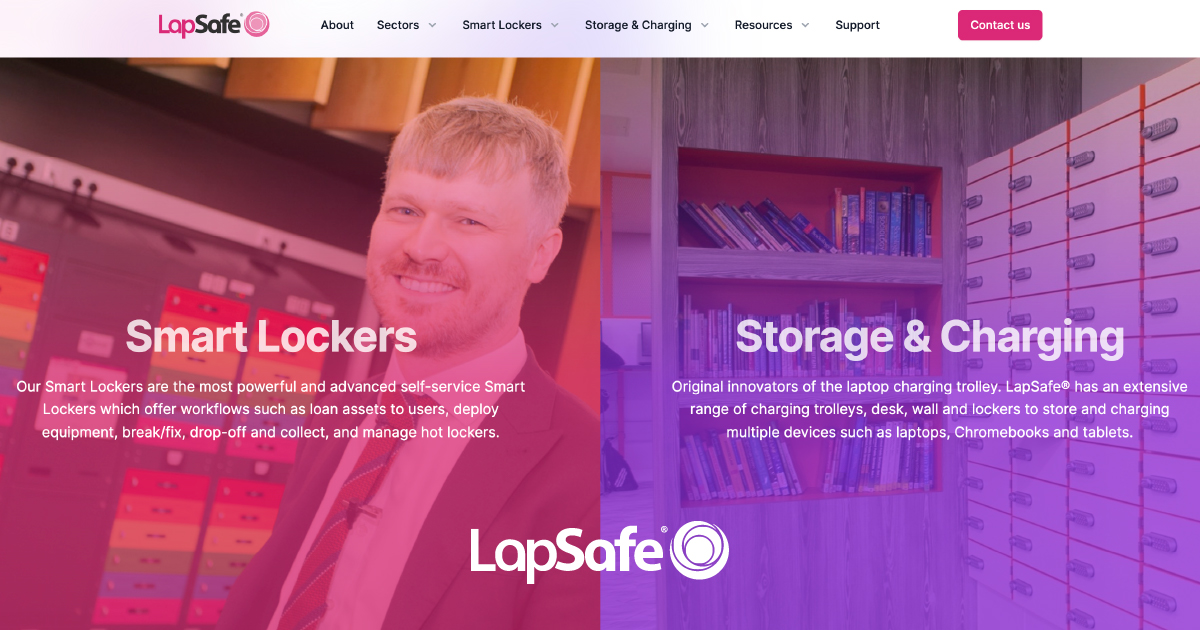
Mobile Device Management Solutions: Charging trolleys and Smart Lockers Full homepage screenshot

At a glance

Category
Education & Learning
Language
English
Paid-content signal
Paid contentObserved
Registered
2000
Hosting
CloudflareInferred
HTTPS certificate trusted
PassedObserved
Last updated

Website review

This review may include AI-generated content and is not individually verified. Domain, certificate and other facts come from the observed data on this page.

What is LapSafe used for?

LapSafe is used to store, charge, loan and track mobile devices and other assets—laptops, tablets and similar equipment—for organisations such as schools, universities, healthcare providers and emergency services. Its range runs from simple charging cabinets and trolleys to self-service smart lockers that let users borrow and return devices without staff involvement, while giving IT teams oversight of what is where.

What it does in practice

  • Storage and charging: Cabinets and trolleys hold devices securely while recharging them, typically for classroom sets or shared equipment pools.
  • Self-service loaning: Smart lockers let staff or students collect and return devices on their own, including outside normal hours, reducing manual handovers.
  • IT service desk support: Lockers can be used for device exchange and repairs, so faulty units are dropped off and replacements issued without a technician present.
  • Asset visibility: Presence detection, loan reporting and analytics show which devices are out, overdue or missing.
  • Beyond devices: The same locker format covers personal storage, parcel collection and vending of peripherals or supplies.

Who it suits

A secondary school wanting to automate laptop loans and keep lessons running when the IT office is closed is a typical case; so is a hospital issuing secure devices to frontline staff at any hour. Smaller settings may only need a charging trolley, while multi-site universities need reporting across locations.

Choosing between options

Need Better fit
Charge and secure a fixed classroom set Charging trolley or cabinet
Unstaffed, round-the-clock borrowing Smart locker system
Track loans and audit asset use Locker system with reporting and analytics
Issue supplies or peripherals Smart vending

As a next step, list how many devices move per day, whether loans happen outside staffed hours, and what reporting you need; those answers point to either a trolley or a full smart locker deployment. LapSafe's own pages describe integration with third-party IoT tools, which matters if you already run a device-management platform. For wider market context, Zebra and LocknCharge also cover device charging and management hardware.

How do LapSafe charging trolleys help schools manage classroom devices?

LapSafe charging trolleys help schools by combining storage, charging and movement in one unit, so a class set of laptops or tablets can be kept together, charged between lessons and wheeled to wherever it is needed. The site frames this as "effortless device and asset management," with primary schools using storage and charging solutions so teachers and technicians can manage IT in classrooms, and secondary schools using them to keep lessons running smoothly.

What the trolleys do in practice

  • Keep devices together and ready: A trolley holds a set of devices in one place, so staff are not hunting across rooms for chargers or missing units.
  • Move IT to the lesson: Instead of fixed computer rooms, the devices travel to the classroom, which suits schools that share devices across year groups.
  • Support technician workflows: The site pairs trolleys with lockers and cabinets as part of a wider device-management approach, aimed at reducing manual admin for IT staff.

Where trolleys fit alongside lockers

LapSafe's page describes a range from simple storage and charging cabinets through to intelligent self-service smart lockers. The trade-off is straightforward: trolleys are best for scheduled, classroom-by-classroom use where a teacher or technician controls distribution; smart lockers suit 24/7 self-service loaning, drop-off and collection, with features like asset presence detection and real-time reporting. A school with predictable timetabled device use may not need locker-level automation, while a campus issuing devices ad hoc to students and staff may find trolleys too manual.

A practical next step

Map your current device flow before choosing: count how many devices move between rooms each day, who unlocks and issues them, and whether charging happens overnight in one location or between lessons. If devices stay with a class for a period, a trolley per department or year group is a sensible unit; if students collect and return devices independently, compare the locker options on the same site. For broader sector context, Jisc publishes guidance on managing student devices in further and higher education.

How do LapSafe smart lockers enable 24/7 self-service device loaning?

LapSafe smart lockers enable 24/7 self-service device loaning by putting devices behind a self-service locker system that users can access at any hour, rather than through staffed handovers. The company describes its smart lockers as "intelligent self-service" systems that combine secure storage with asset management, so a user can borrow and return a device without an IT technician present, while the organisation keeps track of what is where.

What the page says the lockers do

  • 24 x 7 Self-Service: users access and return devices without staff involvement.
  • Asset Presence Detection: the system knows whether a device is in its bay, supporting accountability.
  • Real Time Data & Analytics: usage data such as current loans and loans in the past 30 days is surfaced.
  • Easy Device Loaning & Deployment: described as more than storage, aimed at loaning devices and other assets.
  • Seamless Integration: the lockers connect with IoT ecosystems and third-party tools for monitoring, automated workflows and remote access.

The page also lists sector uses that show the intent: colleges and sixth forms automating manual device loans with 24x7 access and reporting, universities offering drop-off and collect solutions across sites, and emergency services issuing devices to front-line workers quickly.

How that works in practice

Picture a college where a student needs a laptop for an evening class after the IT desk has closed. With a self-service locker, the student authenticates at the locker, a bay releases a charged device, and the system logs the loan. When the device is returned, presence detection confirms it is back in its bay. The IT team then sees loan activity and can spot devices that are overdue or missing. The same pattern fits a hospital issuing equipment to staff on night shifts, or an employer lending devices to visitors.

Trade-offs to weigh

Self-service works best when devices are standardised, charged and restocked on a schedule, and when the authentication method is reliable. The benefits—out-of-hours access, less manual admin, clearer accountability—depend on the lockers being integrated with the organisation's existing IT and asset systems, which the page presents as a core capability. For a first step, decide which device type and user group would gain most from unattended access, then check the locker and software options on LapSafe against that use case.

Can LapSafe lockers integrate with existing IT management and IoT systems?

Yes. LapSafe describes its smart lockers as designed for integration with IoT ecosystems and third-party tools, with real-time monitoring, automated workflows and secure remote access. In practice, that means locker activity—loans, returns, bay status—can feed into the wider IT picture rather than sitting in a separate silo.

What the integration covers, per LapSafe

  • Real-time monitoring: locker and asset status visible as it changes, not just in periodic reports.
  • Automated workflows: loan and return steps can trigger actions instead of relying on manual admin.
  • Remote access: staff can manage lockers and device availability without being on site.
  • Asset presence detection: the system tracks whether devices are in, out or overdue.
  • Reporting and analytics: loan counts and usage data (the page shows live loan figures and 30-day totals) support accountability and planning.

Where it pays off

The value depends on your operating model. A university running multi-site device loans benefits most from live status and 24/7 self-service, because the locker becomes the front door to IT without a technician present. A school with a single charging cabinet gains less from deep integration and more from simple storage and charging. Healthcare and emergency services sit in between: the draw is controlled, auditable issue and return of equipment, which depends on reliable presence detection and reporting.

A practical check before committing

Ask LapSafe—and your own IT team—these questions:

  1. Which third-party systems are supported in practice (service desk, asset management, identity/access control), and via what mechanism?
  2. Does data flow both ways, so a device logged as repaired in your service desk updates its locker status?
  3. How are user identities and permissions managed—does it align with your existing directory?
  4. What happens during a network outage: can lockers still release devices, and how is that reconciled later?

If your priority is joining lockers to an existing service desk and asset register, confirm named integrations and data direction first. If you mainly need secure charging and storage, a simpler configuration may be the better trade-off.

What options does LapSafe offer for healthcare or emergency services device access?

LapSafe’s healthcare and emergency-services options centre on automated, self-service access to devices and equipment: staff can issue and return items without waiting for an IT or stores desk. The site presents this as “fully automated smart solutions” for emergency services, and for healthcare it describes automating access to secure drop-off and collection.

What the site indicates

  • Loan lockers: Smart, secure self-service lockers for loaning devices and other assets, with 24/7 access and reporting.
  • IT service desk lockers: Device exchange and repair drop-off, aimed at streamlining IT support rather than routine storage.
  • Storage and charging: Lockers, trolleys and cabinets for storing, charging and managing devices.
  • Asset visibility: Presence detection, real-time data and analytics, and full asset accountability.
  • Integration: Connection with third-party tools and IoT ecosystems for monitoring and automated workflows.

How this plays out in practice

For a hospital, the clearest fit is a staff-facing loan locker or drop-off-and-collect locker: a nurse or clinician collects a charged device at shift start and returns it at the end, while IT sees which bays are occupied and which devices are overdue. For emergency services, the same logic applies to issuing equipment to frontline workers quickly, with accountability for what has gone out and what has come back.

The trade-off is between self-service speed and control. Lockers reduce desk queues and extend access outside staffed hours, but they depend on reliable integration with your asset or identity systems and on a clear returns process. Simple charging cabinets are cheaper and easier to run but offer less tracking and no unattended issue.

Next step

Map your busiest handover point first—shift change, equipment issue, or device repair drop-off—and ask LapSafe which configuration supports that workflow, including how it integrates with your existing IT management tools. The site’s brochure and “Ask Us How” route are the practical starting points on LapSafe.

How do I request an upgrade for my existing LapSafe system?

For an upgrade request, use LapSafe's own upgrade request page at LapSafe; the site links it from its support area under "Upgrade Request." That page is the intended route for existing customers, so start there rather than with a general sales enquiry.

What to have ready

Upgrade requests move faster when support can identify your exact system and what you want changed. Before you submit, gather:

  • Your organisation name and site location, plus any reference or account details from your original order.
  • The product type and model: charging trolley, storage cabinet, or smart locker bank.
  • Serial numbers or asset tags, usually on a label on the unit or inside the cabinet.
  • A short description of the goal: more charging capacity, locker bays, self-service loaning, integration with your IT tools, or a software change.
  • Photos of the current setup and the room it sits in, if the upgrade may affect space, power or cabling.

How the request is likely to proceed

LapSafe's page presents its range as scalable, from simple storage and charging cabinets up to intelligent self-service smart lockers with presence detection, real-time data and third-party integration. In practice, that means an upgrade request is usually assessed as a fit question: whether your existing hardware can be extended, whether a module or locker bank is swapped or added, and whether the change is mainly software or also physical.

A concrete example: a secondary school IT technician with a trolley that no longer covers a full class set might request additional charging capacity, while a college wanting 24/7 self-service device loans would be asking about locker hardware and management software together. Those are different requests and may follow different routes.

A useful next step

Submit the form with your model and serial details and a one-line goal, then ask explicitly for two things in your message: an assessment of whether your current system can be upgraded in place, and a written scope covering hardware, software, installation and any downtime. If you are unsure which product family you have, ask support to confirm it from your serial number before describing the upgrade, so the request reaches the right team.

Related questions

More questions →
How LapSafe Smart Lockers Help with IT Asset Management

LapSafe smart lockers support IT asset management by turning device storage into a self-service, trackable process: users borrow and return devices without staff involvement, the system records which assets are present, and administrators get real-time data and reporting. This suits organisations that issue laptops, tablets or equipment to many users and want to cut manual sign-in/out work — schools, colleges, universities, healthcare and emergency services are the sectors LapSafe names. The benefits below describe the capabilities LapSafe advertises; exact bay counts, integrations and reporting detail should be confirmed with LapSafe for your site.

What the lockers do for asset management

LapSafe describes its smart lockers as more than storage: they combine charging with controlled, self-service access and a management layer. The core capabilities it lists are:

  • 24/7 self-service — users access and return devices without waiting for IT staff.
  • Asset presence detection — the system knows whether an asset is in its bay.
  • Full asset accountability — each loan is tied to a user and a locker bay.
  • Real-time data and analytics — dashboards and reporting on loans and usage.
  • Workflow integration — connection to IoT ecosystems and third-party tools for monitoring, automated workflows and secure remote access.

A dashboard example on the site shows live counters such as loans this year, loans in the past 30 days and smart locker bays in use — the kind of view an IT team would use to see demand and utilisation.

How this changes day-to-day IT work

Device loaning and deployment

Instead of a technician handing out and logging devices, a user authenticates at the locker and takes an available device. The loan is recorded automatically, so the manual logbook or spreadsheet step disappears. LapSafe positions this for colleges and universities that want to "automate manual device loans" and offer 24x7 access.

IT service desk and device exchange

LapSafe lists an IT service desk use case covering device exchange, repairs and remote management. In practice, a faulty device can be dropped into a locker and a replacement issued through the same self-service flow, with the exchange recorded against the asset.

Presence detection and accountability

Because the locker detects whether a device is in its bay, missing or unreturned assets become visible rather than discovered at the next manual audit. This is the mechanism behind "full asset accountability" — the locker bay is the checkpoint.

Reporting and cost control

Real-time data supports decisions about how many devices and bays you need, which sites are busiest, and where losses occur. LapSafe frames this as boosting efficiencies and reducing costs; the value depends on how actively you use the reporting.

Where it fits by sector

Sector LapSafe's stated use
Primary and secondary schools Storage and charging so teachers and technicians can manage classroom IT
Colleges and sixth forms Automated device loans, remote IT management, 24x7 access, reporting
Universities Multi-site device management, loan and drop-off/collect, 24x7 access
Healthcare Automated secure drop-off and collection
Emergency services Fast issue of devices and equipment to frontline workers

What to check before choosing it

  • Integration fit. Confirm which third-party tools and IoT systems your environment uses are actually supported, rather than assuming "seamless integration" covers them.
  • Authentication method. Ask how users identify themselves at the locker, since that determines the accountability trail.
  • Reporting depth. Ask for a sample report or dashboard so you can judge whether the analytics match what your IT team needs to act on.
  • Scale and siting. Match bay counts and locker type (loan, storage and charging, collection, personal storage, smart vending) to your actual loan volume and locations.
  • Upgrade path. The site has an upgrade request route, so ask what upgrading an existing fleet or system involves.

For a fuller picture of the product range, see the related question on the types of smart lockers and charging solutions LapSafe offers.

What to Consider Before Choosing a LapSafe Device Management Solution

Start by defining the job you need done: simple storage and charging, self-service device loaning, or IT service desk exchange. LapSafe's range spans storage and charging cabinets, trolleys, and intelligent self-service smart lockers, so the right starting point is the workflow you want to fix, not the product name. Then check three things against your environment: whether users need 24/7 self-service access, whether the system must integrate with your existing IoT and third-party IT tools, and which sector-specific use case matches yours. If those answers are clear, request the brochure or ask LapSafe directly to confirm fit.

Step 1: Match the solution type to your actual problem

LapSafe groups its offering into distinct service areas. Use this to narrow the conversation before you contact the company.

If your need is… LapSafe category What it is for
Storing and charging devices Storage & Charging Lockers, trolleys, and cabinets for devices
Letting users borrow devices themselves Loaning Lockers Smart, secure, self-service device loaning
Exchanging, repairing, or remotely managing devices IT Service Desk Efficient device exchange, repairs, and remote management
Distributing peripherals and supplies Smart Vending On-demand peripherals and supplies
Secure personal storage Personal Storage Flexible personal storage lockers
Contactless deliveries and collections Collection Lockers Post and package management

A common mistake is buying storage when the real bottleneck is loan administration. If staff currently log device loans by hand, the Loaning Lockers or IT Service Desk categories address that workflow directly; a plain charging cabinet does not.

Step 2: Check access and self-service requirements

LapSafe positions its smart lockers around 24/7 self-service and remote IT management. Before choosing, confirm:

  • Who needs access, and when? Universities and colleges are described as supporting 24x7 access for users; primary and secondary schools are framed around teachers and technicians managing classroom IT.
  • Do you need self-service or staff-mediated handover? Self-service loaning reduces manual work but shifts responsibility to the user experience and access rules.
  • Do you need remote management? The IT Service Desk category covers remote management, which matters if your IT team supports multiple sites.

If your users only need supervised, daytime access, a simpler storage and charging option may be sufficient. If you need out-of-hours access without staff present, the self-service locker model is the relevant one.

Step 3: Review integration and reporting needs

LapSafe states that its self-service smart lockers integrate with IoT ecosystems for real-time monitoring, automated workflows, and secure remote access, and connect with leading third-party tools and applications. It also lists real-time data and analytics, asset presence detection, and full asset accountability as capabilities.

Use these as questions for LapSafe rather than assumptions:

  • Which of your existing IT management or IoT tools would need to connect, and is that supported?
  • What reporting do you need (for example, loan counts and usage over time)? The site shows dashboard-style metrics such as loans this year, loans in the past 30 days, and smart locker bays, which suggests usage reporting is part of the system.
  • Do you need asset presence detection to know whether a device is in its bay?

Step 4: Confirm sector fit

LapSafe describes use across primary schools, secondary schools, colleges and sixth forms, universities, emergency services, and healthcare. The framing differs by sector:

  • Schools: help teachers and technicians manage IT in classrooms; keep lessons running with device loaning, secure storage, and smart charging.
  • Colleges and universities: automate manual device loans, support multi-site management, drop-off and collect, and 24/7 access.
  • Emergency services: issue devices and equipment to frontline workers quickly through automated smart solutions.
  • Healthcare: automate access to secure drop-off and collection (the source text is truncated at this point, so confirm healthcare specifics directly).

If you operate across several sites, the multi-site management angle for universities is the closest described match and worth raising explicitly.

Step 5: Note the AI option and request details

LapSafe advertises what it calls the world's first AI-powered smart lockers with ONARKEN-AI®. Treat this as an option to evaluate against your needs rather than a default; ask what the AI layer actually changes in day-to-day operation before committing.

The site's calls to action are to download the brochure and ask LapSafe how. There is also an "Upgrade Request" link under support, which suggests existing systems can be upgraded, but the page does not state terms, eligibility, or cost. Pricing is not published on the page, so do not assume any configuration is free or requires no login; confirm commercial details directly.

A practical checklist before you contact LapSafe

  1. Write down the workflow you want to fix (storage, loaning, exchange, vending, personal storage, or collections).
  2. List who needs access and at what hours.
  3. List the IT and IoT tools the system must connect to.
  4. Note your sector and any multi-site requirement.
  5. Ask for the brochure and a walkthrough of the closest matching category, including reporting, integration, upgrade options, and pricing.

If steps 1–3 produce a clear single answer, you are ready to request the brochure or speak to LapSafe. If they produce several, ask LapSafe to map each need to a category before any decision.

What types of smart lockers and charging solutions does LapSafe offer?

LapSafe offers six main product families: loaning lockers for self-service device loans, IT service desk lockers for device exchange and repair workflows, smart vending for peripherals and supplies, personal storage lockers, collection lockers for contactless deliveries, and storage and charging trolleys and cabinets. The right fit depends on whether you need to lend devices, support IT operations, distribute supplies, store personal items, handle deliveries, or simply charge and secure devices. LapSafe also advertises AI-powered smart lockers under the ONARKEN-AI® name.

The six solution types at a glance

Solution Primary use Typical setting
Loaning lockers Self-service device loans with 24/7 access Schools, colleges, universities, healthcare, emergency services
IT service desk lockers Device exchange, repairs, remote management IT teams supporting staff and students
Smart vending On-demand peripherals and supplies Organisations distributing equipment
Personal storage Secure personal lockers Staff and user storage
Collection lockers Contactless deliveries and collections Post and package management
Storage and charging Storing, charging and managing devices Classrooms, IT departments

Loaning lockers

These are self-service lockers for lending devices and other assets. Users borrow and return items without staff involvement, and the system supports 24/7 access. LapSafe positions them for colleges and universities that want to automate manual device loans, and for emergency services issuing devices to frontline workers. The locker dashboard shown on the site tracks loans, including loans in the past 30 days and the number of smart locker bays in use.

IT service desk lockers

These lockers streamline IT support by handling device exchange and repairs. Instead of a staffed counter, users drop off a device and collect a replacement through the locker system, with remote management behind it. This suits IT teams that want to reduce queue time and keep an audit trail of device movements.

Smart vending, personal storage and collection lockers

  • Smart vending delivers peripherals and supplies on demand, useful when you want controlled self-service distribution rather than a staffed store.
  • Personal storage provides flexible, secure lockers for individual users' belongings.
  • Collection lockers simplify contactless deliveries and collections for post and package management.

Storage and charging trolleys and cabinets

For organisations that mainly need to store and charge devices rather than lend them, LapSafe offers lockers, trolleys and cabinets. Primary and secondary schools use these to help teachers and technicians manage classroom IT, keeping devices charged and secure between lessons.

AI smart lockers

LapSafe describes its ONARKEN-AI® range as AI-powered smart lockers. The site presents this as an emerging option alongside the standard locker families; evaluate it against your actual workflow needs rather than treating it as a default upgrade.

How to choose

Start with the task, not the hardware:

  • Lending devices to users → loaning lockers.
  • Running an IT support point → IT service desk lockers.
  • Handing out supplies → smart vending.
  • Storing personal items → personal storage.
  • Managing deliveries → collection lockers.
  • Charging and securing devices in classrooms → trolleys and cabinets.

The site notes that the lockers integrate with IoT ecosystems and third-party tools for real-time monitoring, automated workflows and remote access, so check integration compatibility with your existing IT management systems before committing. For pricing and configuration, the site offers a brochure download and an "Ask Us How" contact route; specific prices are not published on the page.

What is LapSafe and what does lapsafe.com provide?

LapSafe is a provider of mobile device and asset management hardware and software, offering charging trolleys, storage cabinets, and smart locker systems. Its website, lapsafe.com, presents these products as a way to simplify device storage, charging, loaning, and IT support for organisations in education, business, healthcare, and emergency services. If you need to store, charge, loan, or track laptops, tablets, or other equipment across a site, LapSafe is relevant; if you only need a single charging cabinet for occasional use, a simpler product may be sufficient.

What products and services does LapSafe offer?

The site groups its offering into several service lines, all built around secure, self-service management of devices and assets:

Service What it covers
Loaning Lockers Smart, secure, self-service lockers for loaning devices and other assets
IT Service Desk Device exchange, repairs, and remote management to streamline IT support
Smart Vending On-demand delivery of peripherals and supplies
Personal Storage Flexible, secure personal storage lockers
Collection Lockers Contactless deliveries and collections for post and package management
Storage & Charging Lockers, trolleys, and cabinets for storing and charging devices

The site also describes an AI-powered smart locker line, marketed as ONARKEN-AI®, which it calls the world's first AI-powered smart locker system.

What problems is it designed to solve?

The core purpose stated on the site is "effortless device and asset management." The specific capabilities it highlights include:

  • 24/7 self-service — users can access, loan, and return devices without staff involvement.
  • Faster IT support — device exchange and repair workflows are handled through the locker system.
  • Asset presence detection — the system knows where devices are.
  • Full asset accountability — every loan and return is recorded.
  • Real-time data and analytics — usage is reported through dashboards (the site shows example counters such as loans this year, loans in the past 30 days, and smart locker bays).
  • Easy device loaning and deployment — reduces manual handover work.
  • Cost and efficiency gains — the site frames automation as a way to boost efficiencies and reduce costs.

Who is it for?

LapSafe positions its solutions by sector, with slightly different benefits for each:

  • Primary schools — help teachers and technicians manage IT in classrooms with storage and charging.
  • Secondary schools — device loaning, secure storage, and smart charging to keep lessons running.
  • Colleges and sixth forms — automate manual device loans with remote IT management, 24/7 access, and reporting.
  • Universities — multi-site device management, drop-off and collect, and 24/7 access for a smart campus.
  • Emergency services — rapid issue of devices and equipment to frontline workers through automated systems.
  • Healthcare — automated access to secure drop-off and collection.

How does it integrate with existing IT systems?

The site states that its self-service smart lockers integrate with IoT ecosystems, providing real-time monitoring, automated workflows, and secure remote access. It also says the systems connect with leading third-party tools and applications. If integration with your existing asset management or IT service platform matters, that compatibility is the first thing to confirm with LapSafe directly, since the site does not list specific supported platforms.

What to check before deciding

  • Scale and sites — the multi-site management features are most relevant to universities and larger organisations; a single-site school may not need them.
  • Workflow fit — decide whether you need loaning, IT service desk exchange, vending, personal storage, or collection lockers, since these are separate service lines.
  • Integration requirements — confirm which third-party tools your organisation relies on and whether they are supported.
  • Pricing and upgrade path — the site includes an "Upgrade Request" support page, indicating that upgrades are handled through a request process. Current prices are not published on the page, so costs need to be obtained directly from LapSafe.

For a brochure or a closer look, the site offers a "Download The Brochure" option and an "Ask Us How" contact route.

Which sectors does LapSafe serve and how are its solutions used there?

LapSafe serves primary and secondary schools, colleges and sixth forms, universities, healthcare, emergency services, and businesses. Its charging trolleys, cabinets, and smart lockers are used to store and charge devices, automate device loans, run self-service IT service desks, and manage assets across one or more sites. The right fit depends on whether you need simple storage and charging or a self-service locker system with tracking and reporting.

Education: primary and secondary schools

LapSafe positions its storage and charging solutions for schools as a way to help teachers and technicians manage IT in classrooms. In practice, that means:

  • Charging trolleys and cabinets hold laptops or tablets so devices are charged and ready for lessons.
  • Secure storage keeps devices in one place between classes rather than scattered across rooms.
  • Smart charging supports the day-to-day routine of issuing and collecting devices.

The intended users are teachers and on-site IT staff who need lessons to run without device downtime. If your main problem is "devices are flat or missing when a class needs them," storage and charging is the relevant category. If you need staff to borrow and return devices without IT involvement, the locker systems described below are the closer match.

Colleges, sixth forms, and universities

For colleges and universities, LapSafe describes automating manual device loans, remote IT management, 24x7 access, and full reporting. For universities specifically, it lists multi-site device management, easy asset loaning, drop-off and collect solutions, and 24x7 access for users.

These are the features to weigh if your institution:

  • Issues devices to students or staff and currently tracks loans by hand.
  • Operates across several campuses or buildings and needs one management view.
  • Wants users to self-serve outside staffed hours.

The self-service model is the key mechanism: a user authenticates at the locker, takes a device, and the system records the loan. The page shows a live-style dashboard with counters for loans this year, loans in the past 30 days, and smart locker bays, which illustrates the kind of reporting the system is built to produce. Reporting and 24x7 access are the deciding factors for colleges and universities; if you don't need either, simpler charging furniture may be enough.

Healthcare and emergency services

LapSafe lists healthcare and emergency services as sectors where it automates access to secure drop-off and collection, and where devices and equipment are issued to frontline workers quickly and easily.

The use case here is shift-based: staff need a device at the start of a shift and a secure place to return it at the end, without waiting for an IT desk. The relevant capabilities are secure drop-off and collection and fully automated issue. Because these are controlled environments, confirm access control, audit trail, and site requirements directly with LapSafe before specifying a system.

Businesses and IT teams

For general organisations, LapSafe frames its smart lockers around IT asset management: simplifying asset management, 24x7 self-service, speeding up IT support, asset presence detection, full asset accountability, real-time data and analytics, and reducing costs.

The page breaks this into named services:

Service What it covers
Loaning lockers Loan devices and more via smart, secure, self-service
IT service desk Device exchange, repairs, and remote management
Smart vending Peripherals and supplies on demand
Personal storage Flexible, secure personal lockers
Collection lockers Contactless deliveries and collections
Storage and charging Lockers, trolleys, and cabinets for devices

LapSafe also states that its smart lockers integrate with IoT ecosystems and third-party tools for real-time monitoring, automated workflows, and secure remote access. If your goal is fewer manual handovers and better asset visibility, the IT service desk and loaning locker services are the ones to compare.

How to choose between the options

Use the same questions across sectors:

  1. What is the core task? Storage and charging only, or self-service loan and return with tracking?
  2. Who operates it? Staffed IT desk, or users acting alone at any hour?
  3. How many sites? Single building or multi-site management with central reporting?
  4. What evidence do you need? If you must show who has which asset and when, prioritise reporting and asset accountability features.

LapSafe also advertises AI-powered smart lockers under the ONARKEN-AI® name and offers a brochure download and an "Ask Us How" contact route on its site. Pricing is not published on the page; an "Upgrade Request" link exists under support, so treat cost and upgrade terms as things to confirm with LapSafe rather than assume.

Website Overview

An established domain and managed infrastructure suggest continuity of operations and may support dependable delivery, although neither guarantees service quality.

Domain and Registration

Registered in 2000, this domain has about 26 years of history. That suggests continuity, although ownership and purpose may have changed. Transfer-protection status is present, helping reduce the risk of unauthorized domain transfers. The domain uses the common .com extension, which is not an independent safety signal.

DNS and Email

Nameservers are provided by vultr.com, indicating managed DNS hosting. MX records point to the Microsoft 365 email service. No CNAME was found; the observed records resolve directly to addresses. SPF and DMARC are configured. DKIM status is unknown. DNSSEC signatures were not detected, so this additional DNS authenticity protection is not confirmed.

TLS and Certificates

The public key uses EC with 256 bits. The server supplied a complete certificate chain. No organization name is present in the certificate; the available fields are consistent with domain validation. The certificate was issued within the Google Trust Services cloud or CDN ecosystem. The certificate's total validity is about 90 days, consistent with a short renewal cycle.

HTTP and Browser Security

The response lacks these common security headers: HSTS, CSP, Referrer-Policy, Permissions-Policy. No X-Powered-By header was found, reducing one common source of backend fingerprinting information. The cf-ray response header indicates a CDN or caching proxy in the delivery path. No obvious internal addresses or debug information were found in the headers. The Server header identifies cloudflare without an exact version.

Technology Stack Analysis

The public page identifies Alpine.js, Google Tag Manager, Google Analytics, Cloudflare without precise versions, leaving fewer clues for version-specific scanning.

Search and Social Sharing

The title has 71 characters and may be truncated in search results. Twitter Card metadata is configured. A meta description is present, with 143 characters. The observed directives allow indexing and link following. No Generator meta tag is publicly exposed.

Hosting and Email

DNSvultr.com
HostingCloudflare
EmailMicrosoft 365
Approximate IP geolocation (inferred; a CDN or proxy may differ from the origin server) United States flagUnited States Inferred 103.133.1.1

Registration details

RDAP / WHOIS

RegistrarMesh Digital Limited
Registered2000-01-17
Expires2028-01-17
Domain statusclient delete prohibited、client transfer prohibited、client update prohibited
Nameserversns1.vultr.com、ns2.vultr.com
DNSSECunsigned

DNS records

DNS

TypeNameValueTTLPriority
Awww.lapsafe.com103.133.1.13600—
MXlapsafe.comlapsafe-com.mail.protection.outlook.com36000
NSlapsafe.comns1.vultr.com300—
NSlapsafe.comns2.vultr.com300—
TXTlapsafe.comv=spf1 include:spf.protection.outlook.com include:mail.zendesk.com -all3600—
DMARC_dmarc.lapsafe.comv=DMARC1; p=quarantine; rua=mailto:[email protected]3600—

TLS and certificates

TLS / SSL

AssessmentNormal configuration
Supported protocolsTLSv1.2、TLSv1.3
Negotiated protocolTLSv1.3
Certificate subjectwww.lapsafe.com
IssuerGoogle Trust Services
Valid until2026-12-07T19:50 · Remaining when checked: 42 days
Verification detailsCertificate trust: Passed · Hostname match: Passed

HTTP response headers

HTTP

HeaderValue
content-typetext/html; charset=utf-8
cache-controlno-cache, private
servercloudflare
x-frame-optionsdeny
x-content-type-optionsnosniff
set-cookieRedacted

Identified technologies

Alpine.jsGoogle Tag ManagerGoogle AnalyticsCloudflare

Pages, Search and Sharing

Meta descriptionDiscover LapSafe®’s innovative laptop charging trolleys and smart lockers, built to enhance productivity in education, business and healthcare.
Canonical URLhttps://www.lapsafe.com
LanguageEnglish (default)
Twitter Cardsummary_large_image
All bots 1 allowed · 0 disallowed
  • Allow/

User reviews (0)

  • No reviews yet.