
 简体中文
简体中文 English
Website review
This review may include AI-generated content and is not individually verified. Domain, certificate and other facts come from the observed data on this page.
What is MindStudio?
MindStudio is a no-code platform for building and deploying AI agents, aimed at individuals, teams, and enterprises. You assemble agents visually rather than by writing code, though the page notes you can extend them with code if needed. It also offers over 100 templates for common business and personal use cases, and the page states the average build takes 15 minutes to an hour.
The site also introduces Remy, described as a "product agent" in active alpha. Remy works differently from coding agents that generate code directly from prompts: you describe your idea conversationally (voice notes, pasted documents, rough thoughts), approve a plan, and Remy writes a full application spec. Code is then generated from that spec, so you can keep editing at the level of ideas rather than code. Remy handles databases and automated testing and can bring in design, architecture, and QA agents, producing a production-ready app, roadmap, and presentation deck — typically in 30–60 minutes depending on scope.
Which part fits you
| Your situation | Better starting point |
|---|---|
| Automating a business workflow (intake, research, outreach) | The visual agent builder + templates |
| You want a full app built from an idea | Remy (alpha) |
| You need code-level control | Builder with code extensibility |
A practical next step: if you have a specific repetitive task in mind, browse the template library first and adapt one; if you have a product idea but no spec, try describing it to Remy and judge the generated spec before committing. For pricing and plan limits, check MindStudio directly, since the page only signals that a pricing page exists.
How does Remy differ from coding agents like Cursor or Copilot?
Remy is positioned as a product agent, not a coding agent. The distinction is where the work happens: coding agents like Cursor or Copilot generate and edit code from prompts, while Remy works with you at the level of ideas and produces a spec that code is generated from. You can read the full framing on MindStudio.
Where the difference shows up
Input. Remy is built for natural, messy description: voice notes, pasted documents, rambling, open questions. A detailed brief works too, but isn't required. Coding agents generally expect a prompt or instruction tied to a file, function or codebase.
Source of truth. With Remy, the spec is the source of truth: it describes what the app does, how it looks and how it works, and code is generated from that spec. That means you can understand and change the application at the level of ideas rather than reading a diff.
Output. Remy is described as writing code, setting up databases and running automated testing, pulling in design, architecture and QA agents as needed. The result is a production-ready app to explore, tweak and publish, plus a product roadmap and a presentation deck. MindStudio says this typically takes 30–60 minutes depending on what you build.
Maturity. Remy is live in alpha and in active development, with improvements shipping daily. Cursor and Copilot are established tools with large user bases — a real trade-off if you need stability over novelty.
A practical way to choose
Pick by the artifact you want to own:
| If you want to… | Lean toward |
|---|---|
| Ship a working app from a described idea, then evolve it by editing the spec | Remy |
| Edit, review and reason about code line by line inside an existing codebase | Cursor or Copilot |
| Hand engineers a normal repo to maintain | Coding agents |
| Let a non-developer drive the product direction | Remy |
Remy also sits inside MindStudio's broader agent platform, which the page says has 400K+ agents deployed, 200+ AI models, 1,000+ pre-built integrations and 100+ templates, with an average build of 15 minutes to an hour. That context matters: Remy is one path into an agent-building tool, not a standalone IDE replacement.
A useful next step: take one small internal tool you'd normally sketch in a doc — an intake form with a database, say — and describe it to Remy in a voice note the way you'd explain it to a colleague. If the resulting spec reads like something you'd actually approve, the idea-level workflow fits you. If you find yourself wanting to drop into the code immediately, a coding agent is the better fit.
Can I build an AI agent without any coding experience?
Yes. MindStudio is explicitly positioned as a no-code agent builder: you design, build, and deploy AI agents through a visual builder, and the page states coding is not required, though it remains extensible with code if you want it. The page also notes over 100 templates and that a typical build takes roughly 15 minutes to an hour, so a first agent is a realistic afternoon project rather than a software project.
MindStudio also describes a newer product agent, Remy, aimed at building complete applications rather than single agents. The page says you start by describing your idea conversationally — voice notes, pasted documents, or a rough ramble are all fine — then approve a plan, after which Remy writes a full spec. Code is generated from that spec, so you keep editing at the level of ideas rather than source files. Remy reportedly writes code, sets up databases, and runs automated testing, with design, architecture, and QA agents pulled in as needed, typically in 30–60 minutes. Remy is described as live but in active alpha, so expect rough edges and frequent changes.
What no-code does and doesn't cover
| Task | No-code path | Where you may still want help |
|---|---|---|
| Agent logic and steps | Visual builder, templates | Complex branching or unusual data flows |
| Connecting tools | Pre-built integrations (the page cites 1,000+) | Internal or niche systems without a connector |
| Custom behavior | Code extension is optional | Custom code, if you choose to add it |
| App building (Remy) | Conversation → plan → spec → app | Reviewing the spec and roadmap output |
A concrete first project
Pick one repetitive task you already do weekly — sorting inbound requests, drafting replies from a knowledge base, or summarizing documents into a fixed format. Start from the closest template, wire in one integration, and test it on real examples before adding a second step. That keeps the build inside the 15-minute-to-an-hour range the page describes and gives you a working agent to judge.
Decision criterion
Choose the no-code route if your goal is a working agent or app and you'd rather describe behavior than maintain code. Accept the trade-offs: you're limited to what the builder and its integrations expose, and you should expect to review Remy's spec and output rather than trust it blindly — especially while it's in alpha. If your requirements depend on deep custom logic or systems with no connector, plan on using the code extension or bringing in a developer for that piece.
How long does it take to build and deploy an AI agent?
Expect roughly 15–60 minutes for a typical agent, and 30–60 minutes for a full app built with Remy.
MindStudio's own numbers (from the page)
- Average agent build: 15 minutes to 1 hour.
- Remy, its product agent, typically takes 30–60 minutes to produce a production-ready app, depending on scope.
What actually drives the time
- Scope and integrations. A single-purpose agent that reads a form and drafts a reply is a different job from one that touches several systems. MindStudio advertises 1,000+ pre-built integrations and 200+ AI models, so the more of your stack is already covered, the less custom work remains.
- Starting point. The page lists 100+ templates, which is the main reason the low end of that range is realistic. Starting from a template and editing beats starting from a blank canvas.
- Whether you need code. The builder is visual and no-code, but extensible with code. Custom code is usually where a 20-minute build turns into an afternoon.
- Review and testing. Building is not the same as deploying. Someone has to check outputs against real inputs before it goes live to customers or staff.
A practical way to decide If your goal is a first working version today, pick the narrowest useful task, clone the closest template, and connect only the systems it truly needs. Ship that, watch how people use it, then expand. Teams that try to launch the full workflow in one pass tend to spend their time debugging integrations rather than learning whether the idea works.
If you are weighing this against alternatives, it helps to compare a visual, template-driven builder with code-first agent frameworks. MindStudio suits people who want a working agent without writing code, and who value the template and integration library more than fine-grained control. If your team already writes software and needs deep custom logic, a developer-oriented stack may fit better.
For the current feature set and plan limits, check the official pages: MindStudio and MindStudio pricing.
What integrations and AI models does MindStudio support?
MindStudio describes its platform as offering 200+ AI models and 1,000+ pre-built integrations, according to the product page. The exact catalog isn't enumerated there, so the practical takeaway is breadth rather than a specific vendor list: you're meant to pick a model and connect tools from inside the visual builder rather than wire up APIs yourself.
What the page actually states
- 200+ AI models available — enough to swap models per task without rebuilding an agent.
- 1,000+ pre-built integrations — connectors for the business tools agents typically need to read from or write to.
- Visual builder, no coding required, but extensible with code if a connector or model you need isn't covered.
- 100+ templates for common business and personal use cases, which often pre-wire a model and integration set for you.
- Separate AI Media Workbench for AI video and image production.
How to choose a model and integration set
| Your situation | Sensible starting point |
|---|---|
| Simple text automation (summaries, routing, drafting) | A general-purpose model; start from a template close to your use case |
| Tasks needing accuracy on structured data | A reasoning-oriented model, tested against your own examples |
| Agent must act in existing tools (CRM, email, sheets, ticketing) | Check the integration list first — it constrains the design more than the model choice does |
| Unusual internal system with no connector | Plan on the code extension path, or an intermediate tool that does have a connector |
A concrete next step
Before building, write down the two or three systems your agent must touch and the single task it must do well. Then open the pricing page at MindStudio to confirm plan limits on model usage and integrations, and skim the template library for the closest match — adapting a template is usually faster than starting from a blank agent, and it reveals which models and connectors are actually available to you.
If your agent depends on a niche internal API, test that integration path first; model choice is easy to change later, but a missing connector shapes the whole build.
How much does MindStudio cost and what's included in the free plan?
MindStudio's own site points to a pricing page, but the page evidence here doesn't list specific dollar amounts or plan tiers, so I can't give you exact numbers. What it does confirm is that a free starting point exists: the pricing page includes a "Start Building Free" link, and the platform is described as usable by individuals, teams, and enterprises without coding.
What the free plan appears to cover
Based on the site's framing, the free tier is an entry point to the visual agent builder rather than a full enterprise license:
- Access to the visual, no-code agent builder
- A library of pre-built templates (the site cites over 100)
- A stated average build time of 15 minutes to an hour, so the free tier is realistically enough to prototype and test an agent
- Deployment is described broadly, but the free tier's usage limits aren't specified here
What to check on the pricing page
The page signals usage-based elements ("+ usage" appears as a pricing anchor), so expect the free plan to cap something — agent runs, model calls, or integrations. Concrete things to verify:
- How many agent runs or tasks per month the free plan allows
- Which of the 200+ models are available at no cost versus paid tiers
- Whether pre-built integrations (the site claims 1,000+) are limited on free
- Whether the newer "Remy" product agent, currently in alpha, is included or separate
Practical next step
If you're evaluating this for a small team, start with a single real workflow — for example, an agent that triages inbound support emails — and see whether the free limits hold up for a week of actual use. That tells you more than the tier names do.
For the authoritative numbers, check MindStudio directly, and if you want a comparison point for no-code agent builders generally, look at how Zapier and n8n structure their free tiers, since both publish concrete task limits.
 Amazon Route 53
 Vercel
 Google Workspace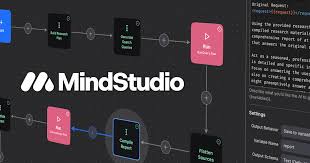

User reviews (0)