Website profiles · Technology insights · Alternatives

numind.ai

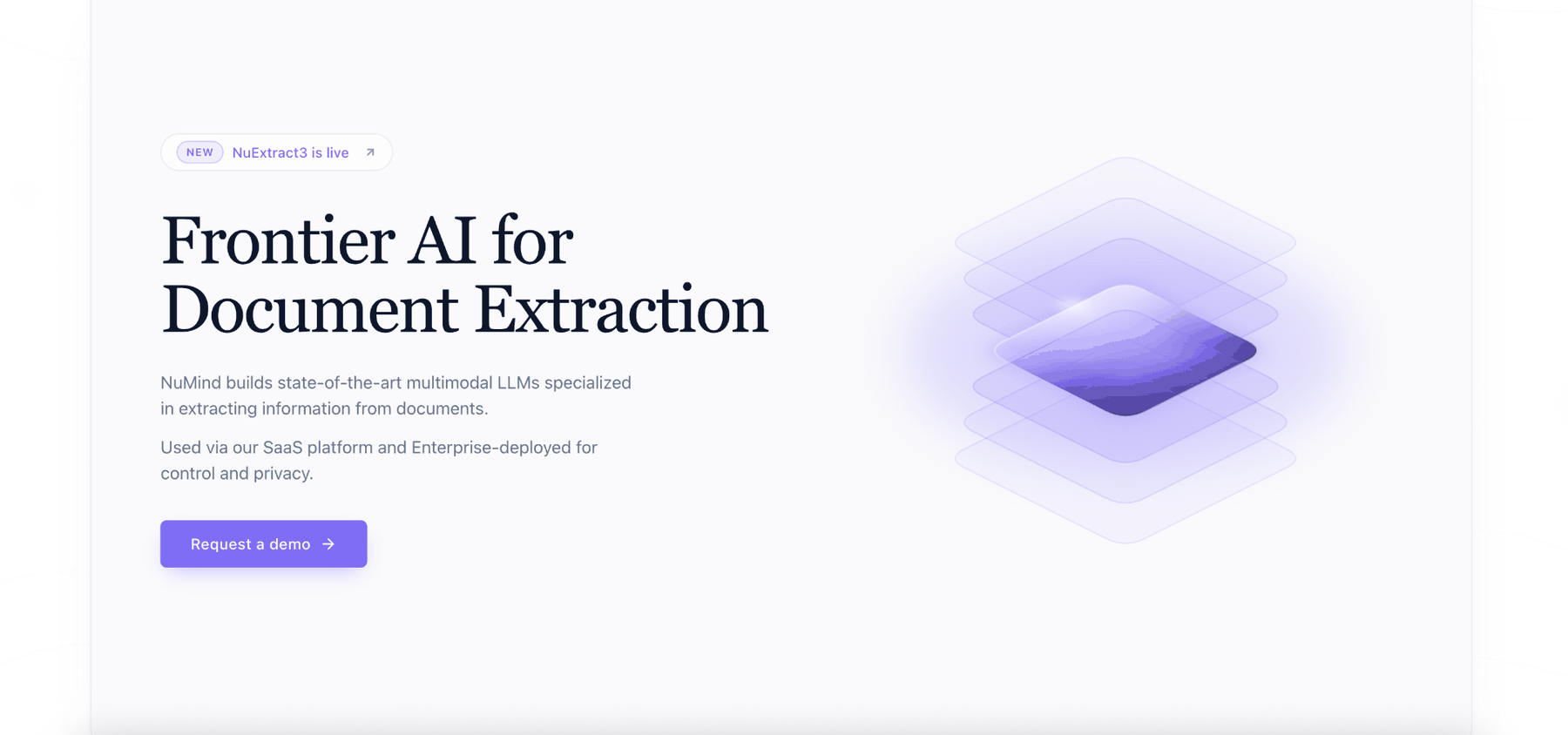
NuMind builds frontier multimodal LLMs that turn documents into structured JSON and clean Markdown. Available via SaaS or private enterprise deployment.

No paid content found
Visit website
Profile views 0 Outbound visits 0 Normal
NuMind Full homepage screenshot

At a glance

Category
Artificial Intelligence
Language
English
Paid-content signal
No paid content foundObserved
Registered
2021
Hosting
CloudflareInferred
HTTPS certificate trusted
PassedObserved
Last updated

Website review

This review may include AI-generated content and is not individually verified. Domain, certificate and other facts come from the observed data on this page.

What is NuMind?

NuMind is an AI company that builds multimodal language models specialized in turning documents into structured data—typically JSON or clean Markdown. Its main product, NuExtract, is available both as a hosted SaaS platform and as a private enterprise deployment, and the company says its models are used in insurance, banking, and healthcare.

What it actually does

  • Structured extraction: pulls specific fields out of documents (forms, invoices, reports) into a defined JSON schema, rather than just returning free text.
  • OCR and content extraction: converts scanned or image-based documents into clean text/Markdown.
  • Deployment choice: teams that can send documents to a vendor can use the SaaS route; regulated industries that cannot can run the models privately inside their own environment.

Who it suits

The clearest fit is an organization with high-volume, document-heavy workflows where a general-purpose model is too unreliable on field-level accuracy—claims processing, loan paperwork, patient records. NuMind's site cites an AXA case where field-level extraction accuracy rose from 30% to 97% after switching to NuExtract, which it frames as a large drop in manual review. That is the vendor's own reported figure, so treat it as a claim to validate on your own documents rather than a guarantee.

NuMind also publishes its models openly, reporting over 5 million Hugging Face downloads, and states that NuExtract3 scores 65.2 on structured extraction versus 53.8 for the next-best similarly sized model. Open weights matter if you want to test accuracy before committing or fine-tune for a niche document type.

Trade-offs to weigh

Consideration What to check
Accuracy on your documents Benchmark leadership is generic; run a sample of your real forms through it
Schema flexibility How complex a JSON schema it handles without hand-tuning prompts
Data control Whether SaaS terms meet your compliance needs, or private deployment is required
Build vs. buy Open models mean you can self-host, but you take on the engineering work

Next step: gather 20–50 representative documents with known correct field values, define the schema you need, and measure field-level accuracy before deciding between the SaaS and private-deployment routes.

How does NuExtract's document extraction accuracy compare to a previous automated workflow?

NuMind reports that one customer, AXA, moved from a previous automated workflow with 30% field-level accuracy to 97% after switching to NuExtract. That is the clearest accuracy comparison on the site, and it is a customer result rather than a general guarantee: the earlier workflow needed heavy human review, while the new one sharply cut manual validation and extraction costs.

What the comparison suggests in practice

  • The gain is in field-level accuracy. This matters most for teams pulling specific values (policy numbers, dates, amounts) from forms, invoices or claims rather than just reading whole pages.
  • Lower accuracy translates into review labor. At 30%, most extracted fields need checking; at 97%, a small share does. For an insurance or banking operations team, that difference changes staffing and turnaround, not just error counts.
  • Benchmarks point in the same direction. NuMind states NuExtract3 scores 65.2 on structured extraction versus 53.8 for the next-best similarly sized model, and that its models outperform generalist models for both structured extraction and OCR.

How to judge it for your own workflow

Treat the 30%-to-97% figure as evidence of what is possible, then test your own documents. Compare your current pipeline against NuExtract on a sample of real files, measuring field-level accuracy per document type and the minutes of human review each requires. If your documents are messy scans, check OCR performance separately from structured extraction, since the two are benchmarked apart.

For context on document AI generally, see Hugging Face, where NuMind's models are distributed.

Can NuMind be deployed privately within a company's own infrastructure instead of using the SaaS platform?

Yes. NuMind states that its document-extraction models can be deployed privately inside a company's own environment as an alternative to its SaaS platform, and that this private deployment is used in insurance, banking and healthcare.

What that means in practice

  • Same underlying models, different delivery. The models that power the SaaS product are the ones offered for private enterprise deployment, so the extraction behavior should be consistent across both routes.
  • Where private deployment fits. Organisations handling sensitive or regulated documents — claims files, loan paperwork, patient records — often cannot send them to an external service. Private deployment keeps documents inside the company's own systems.
  • What to verify before choosing it. Ask NuMind directly about supported infrastructure (on-premises servers vs. a private cloud tenancy), hardware requirements for the vision-language models, how model updates are delivered, and what support and licensing terms apply. The site does not publish these details.

How to decide between the two

Consideration SaaS platform Private deployment
Time to start Fastest — no infrastructure to set up Requires setup and integration work
Data location Documents processed by NuMind's service Documents stay in your environment
Operational burden Handled by the vendor Falls on your IT/ML team
Best fit Teams without strict data-residency rules Regulated industries, strict security policies

A concrete scenario

A mid-sized insurer processing thousands of claims forms per month would likely start on the SaaS platform to test extraction quality on its own document types, then move to private deployment once volume and compliance requirements justify the integration effort. The reported AXA case — field-level accuracy rising from 30% to 97% after switching to NuExtract — is NuMind's own account of a customer result, so treat it as a vendor-reported benchmark and validate against a sample of your documents.

Next step: contact NuMind with your document types, expected volume and infrastructure constraints, and request a private-deployment scoping discussion. For comparison, other vendors in this space include Amazon Web Services (Textract) and Google Cloud (Document AI), both of which offer region-specific processing options worth checking against your requirements.

Which document-intensive industries use NuMind's models, and what results have they reported?

NuMind's models are used in insurance, banking, healthcare and other document-intensive industries, both through its SaaS platform and in private enterprise deployments. The clearest reported result comes from AXA: its earlier automated workflow reached 30% field-level accuracy and depended heavily on human review. After switching to NuExtract, accuracy rose to 97%, which NuMind describes as a 23-fold reduction in errors and a substantial drop in manual validation and extraction costs. NuMind also reports more than 5 million Hugging Face downloads for its in-house models, and says NuExtract3 scores 65.2 on structured extraction versus 53.8 for the next-best similarly sized model.

For a practical read, treat the AXA figure as a single customer case rather than a typical outcome. A useful next step is to benchmark NuExtract on a sample of your own documents and measure field-level accuracy before and after, since that is the metric the case study turns on. Teams in claims processing, loan onboarding or clinical intake—where staff currently re-key fields from scans and PDFs—are the most natural fit; if your documents are mostly clean digital text, the gain over a general-purpose model may be smaller.

How does NuExtract perform on structured extraction and OCR benchmarks versus generalist models?

NuMind reports that NuExtract is designed to outperform generalist models at both structured extraction and OCR-style content extraction. On the structured-extraction benchmark the company cites, NuExtract3 scores 65.2 against 53.8 for the next-best similarly sized model. NuMind frames this as evidence that a document-specialized model is worth choosing over a general-purpose one when the job is turning documents into structured JSON or clean Markdown.

What that means in practice. A 65.2 versus 53.8 gap on a field-level extraction task translates into fewer fields that need human correction, which is where most document-processing cost sits. NuMind's own customer example makes the stakes concrete: it reports that AXA's earlier automated workflow reached 30% field-level accuracy and required heavy human review, rising to 97% after switching to NuExtract. That is a company claim from NuMind's page, not an independent audit, and it describes a single deployment rather than a general guarantee.

Reading the comparison sensibly

Dimension NuExtract (specialized) Generalist models
Design focus Document extraction into JSON/Markdown Broad tasks, extraction as one of many
Benchmark position NuMind reports a lead on structured extraction and OCR NuMind reports lower scores at similar size
Typical trade-off Strong on schemas and layout-heavy documents More flexible for open-ended reasoning or chat
Where it fits High-volume forms, claims, invoices, records Mixed workloads where extraction is occasional

The trade-off is focus. A specialized extractor is the better fit when your pipeline is mostly forms, statements, claims or contracts and you need consistent field-level output; a generalist model may still be preferable for tasks that mix extraction with open-ended reasoning or conversation. The benchmark numbers describe average performance, so validate on your own document types before committing.

Next step

Build a small evaluation set of 50–100 real documents from your workflow, define the exact fields you need, and score both NuExtract and your current generalist model on field-level accuracy. Compare not just the headline score but the human-review rate, since that is the cost driver NuMind's AXA example highlights. For context on the broader extraction-model landscape, see Hugging Face, where NuMind says its models have passed 5 million downloads, and NuMind for the benchmark charts and the NuExtract3 technical blog.

What are the licensing and data processing terms for using NuMind's SaaS platform?

NuMind's public site does not spell out its licensing and data processing terms in product detail. What it does provide is a legal section pointing to SaaS Terms & Conditions and a Data Processing Agreement, which are the two documents that would govern use of the hosted platform and the handling of document data. For licensing specifics, the terms and conditions are the authoritative source; for data processing, the DPA is.

What the site indicates

  • SaaS licensing: The platform is offered as a SaaS product, with terms and conditions listed under Legal. The site does not publish license tiers, seat rules, or usage limits on the page.
  • Data processing: A Data Processing Agreement is listed alongside the SaaS terms, which is the relevant document for questions about how uploaded documents are handled, retention, and subprocessors.
  • Deployment options: NuMind describes both SaaS access and private enterprise deployment. Organizations with strict data-residency or confidentiality requirements may find the private deployment route more relevant than the SaaS terms.
  • Models: NuExtract models are also distributed at open-source scale (the site cites 5M+ Hugging Face downloads), so model licensing and platform licensing are separate questions.

Practical next step

If you are evaluating NuMind for a document-heavy workflow, request the current SaaS Terms & Conditions and the DPA before a pilot, and confirm three things in writing: where document data is stored and for how long, whether data is used for model training, and which entity contracts with you. For regulated sectors such as insurance, banking, or healthcare, also ask whether private deployment changes the DPA terms.

For comparison, other vendors publish their terms publicly, for example OpenAI and Anthropic; reviewing how their DPAs address retention and training use gives you a baseline for judging NuMind's terms.

Related questions

More questions →
What Are Open-Source UI Element Libraries and How Do They Differ From UI Frameworks?

An open-source UI element library is a collection of individual, ready-made interface pieces—buttons, cards, inputs, toggles, loaders—that you copy into your own project and adapt. A UI framework, by contrast, is a structured system of components, conventions, and often a theming layer that governs how your whole interface is built. The practical difference: an element library gives you a snippet; a framework gives you a way of working. If you need a polished button in ten minutes, reach for the element library. If you're building a 40-screen product with a team, you probably want the framework.

What "open-source UI element library" actually means

The term gets used loosely, so it helps to separate the parts:

  • Open-source: the code is publicly available, and the license tells you what you may do with it—copy, modify, redistribute, or use commercially.
  • UI element: a single, self-contained piece of interface, usually small enough to read in one sitting. A button with hover states, a pricing card, a search field.
  • Library: a browsable, searchable collection of those elements, typically contributed by many different people.

On a site like Uiverse, elements are shared by a community and written in plain CSS or Tailwind. You find one you like, copy the markup and styles, paste them into your project, and adjust colors, spacing, and text to fit. There's no package to install and no build step required—which is exactly the appeal, and also the source of most of the confusion.

Element library vs. UI framework: the core differences

Dimension Open-source UI element library UI framework / design system
Unit of reuse A single snippet you copy A component you import or call
Installation None; paste into your code Package install, config, sometimes a provider
Consistency Depends on you; each element may look different Enforced by shared tokens and APIs
Theming Manual edits per element Central theme/config file
Updates You own the copy; no upstream updates Version bumps bring fixes and changes
Accessibility Varies per contributor; must be checked Usually tested and documented
Best for Prototypes, landing pages, small sites, one-off needs Multi-page apps, teams, long-lived products
Learning curve Low—read the CSS Higher—learn the API and conventions

The table isn't a verdict. It's a map of trade-offs. Element libraries win on speed and freedom; frameworks win on consistency and maintenance.

Licensing and attribution: what to check before you paste

This is where people get into trouble, and it's worth slowing down for.

  1. Find the license. Every element or collection should state one. Common open-source licenses include MIT, Apache-2.0, and BSD. Some projects use copyleft licenses like GPL, which can impose obligations if you redistribute your code.
  2. Understand what the license permits. MIT and Apache-2.0 are permissive: you can typically use the code in commercial and closed-source projects. Copyleft licenses may require you to release derivative source under the same terms.
  3. Check attribution requirements. Permissive licenses usually require you to keep the copyright notice and license text somewhere in your project. That's a real obligation, not a formality.
  4. Look for per-element terms. On community sites, the site's overall terms and the individual contributor's stated wishes may differ. If a contributor asks for credit, honor it.
  5. When in doubt, ask or avoid. If a snippet has no license at all, you don't have clear permission to reuse it. Treat "no license" as "not open source," even if the code is publicly visible.

This article is general information, not legal advice. For commercial products with real exposure, have someone qualified review the licenses you're relying on.

How to use a community element in your project: a practical workflow

Here's a repeatable process that avoids most of the usual mess.

1. Start from a real need, not a browsing session

Decide what you need first—"a compact primary button with a loading state"—then search. Browsing aimlessly produces a pile of pretty snippets that don't fit together.

2. Copy the smallest version that works

Take the markup and the styles. Strip anything you don't need: demo wrappers, extra animations, decorative layers. Less code means fewer surprises.

3. Convert it to your conventions

If your project uses design tokens or CSS variables, replace hard-coded values:

/* Before: hard-coded */
.button { background: #4f46e5; border-radius: 8px; }

/* After: token-based */
.button { background: var(--color-primary); border-radius: var(--radius-md); }

This one step is what keeps a copied element from looking like a foreign object in your UI.

4. Check accessibility before you ship

Community elements vary widely here. Verify at minimum:

  • Keyboard focus is visible and the element is reachable by Tab.
  • Color contrast meets WCAG AA (4.5:1 for normal text).
  • Interactive elements use semantic HTML (<button>, not a clickable <div>).
  • Form inputs have associated labels.
  • Motion respects prefers-reduced-motion.

5. Test in context

Paste it into a real page with real content. Long labels, small screens, and dark mode break more copied elements than anything else.

6. Note where it came from

Keep a short comment or an internal credits file: source, license, date. Future you—and your legal reviewer—will be grateful.

Where element libraries genuinely shine

  • Prototypes and demos: you need something clickable today, not a design system.
  • Landing pages and marketing sites: a handful of distinctive elements, each custom.
  • Filling gaps: your framework lacks one specific component, and you don't want to build it from scratch.
  • Learning: reading well-made CSS is one of the fastest ways to improve.
  • Small projects: a personal site doesn't need a theming architecture.

Where they fall short

  • Consistency at scale: ten elements from ten contributors rarely look like one product.
  • Maintenance: you own every copy. When your design changes, you edit each one.
  • Accessibility debt: you inherit whatever the contributor did or didn't do.
  • No upstream fixes: a bug fixed in the original won't reach your copy.
  • Integration friction: different naming conventions, different units, different assumptions about resets.

When to choose which

Choose an element library when the scope is small, the timeline is short, or you need a few distinctive pieces rather than a whole system.

Choose a framework or design system when multiple people build multiple screens over months, when consistency is a product requirement, or when accessibility and theming need to be guaranteed rather than checked.

A hybrid works well for many teams: adopt a framework for the structural components—forms, navigation, layout—and borrow individual elements for the places where you want personality. Just route every borrowed element through the same token and accessibility checks, so it lands as part of your system rather than beside it.

The short version: open-source UI element libraries are a fast, flexible way to get good-looking interface pieces into a project. They are not a substitute for a design system, and the license and accessibility details are the part worth reading carefully.

What Is SaaS? How Software-as-a-Service Works and When to Use It

SaaS (Software-as-a-Service) is a delivery model in which a vendor hosts an application and customers access it over the internet, typically paying a recurring subscription fee rather than buying a perpetual license. It fits most organizations that want faster deployment, lower upfront cost, and automatic updates — but it is a weaker fit when you need deep customization, strict data residency control, or the ability to run fully offline.

The core SaaS model

In a SaaS arrangement, three things move from the customer to the vendor:

  • Infrastructure — servers, storage, and networking are owned and operated by the provider.
  • Maintenance — patching, upgrades, and uptime are the provider's responsibility.
  • Access — users reach the software through a browser or thin client, usually with per-user or usage-based billing.

You consume the software as a service rather than owning a copy of it. That single shift is what drives most of the benefits and most of the trade-offs below.

SaaS vs. on-premise, self-hosted, IaaS, and PaaS

These models are often confused because they all involve "the cloud." The difference is how much the vendor manages.

Model Who manages the app? Who manages the infrastructure? Typical customer control
SaaS Vendor Vendor Configuration and data only
PaaS Customer (builds/deploys) Vendor App code, runtime settings
IaaS Customer Customer (on rented VMs) OS, middleware, app, data
On-premise Customer Customer (own hardware) Everything
Self-hosted Customer Customer (own or rented) Everything, but you install the vendor's software yourself

A quick way to place them: with IaaS you rent the raw building blocks; with PaaS you rent a ready workbench to build on; with SaaS you rent the finished product. On-premise and self-hosted mean you run and maintain the software on infrastructure you control.

Main benefits and trade-offs

Benefits

  • Lower upfront cost — no hardware purchase or large license fee; spend shifts to an operating expense.
  • Faster setup — provisioning is usually measured in hours or days, not procurement cycles.
  • Automatic updates — the vendor ships fixes and new features without a customer-side upgrade project.
  • Elastic scalability — capacity can often be adjusted up or down as demand changes.
  • Anywhere access — a browser and a connection are usually enough, which supports distributed teams.

Trade-offs

  • Less data control — your data lives in the vendor's environment, subject to their architecture and regions.
  • Limited customization — you generally configure within the vendor's boundaries rather than modifying the core.
  • Vendor lock-in — migrating away can be costly if data export and integration are not well supported.
  • Ongoing cost — subscriptions never "finish paying off" the way a perpetual license can.
  • Dependency on connectivity and uptime — if the service is down or unreachable, work may stop.

Typical use cases and examples

SaaS is the default choice for horizontal needs like email, CRM, project management, and HR. It is also increasingly common as vertical SaaS — software built for one industry's specific workflows and compliance requirements.

Regulated industries are a useful illustration. Trust, corporate, and fund services providers handle sensitive client data and face audit and reporting obligations, so they tend to weigh data control and compliance heavily. Quantios, for example, describes itself as an AI-native SaaS platform for global corporate, trust, and fund services providers, positioned to help them reduce risk, boost efficiency, and scale. That is the vertical-SaaS pattern: the delivery model is standard SaaS, but the feature set and compliance posture are tailored to one sector.

How to evaluate a SaaS option

Use the same criteria regardless of vendor, and get specifics rather than assurances:

  1. Security — encryption in transit and at rest, access controls, and how incidents are handled.
  2. Compliance — which standards and regulations the vendor supports, and whether they match your obligations.
  3. Integration — APIs, prebuilt connectors, and how easily it fits your existing stack.
  4. Pricing model — per user, per usage, tiered, or a mix; understand what triggers a cost increase.
  5. Data portability and exit — can you export your data in a usable format, and what happens to it at contract end?
  6. Service levels — uptime commitments, support channels, and response times.

When SaaS is the right fit — and when it isn't

Choose SaaS when you want speed, predictable operating costs, and low maintenance overhead, and your data can reasonably live in a vendor's environment.

Reconsider when you need deep customization, must keep data strictly on your own infrastructure, operate in low-connectivity settings, or face regulations that rule out third-party hosting. In those cases, self-hosted or on-premise may be the better fit — or a SaaS vendor with strong regional and compliance guarantees.

What Is NuMind and What Does It Do?

NuMind is an AI company that builds frontier multimodal large language models (LLMs) specialized in document information extraction. Its models turn documents into structured JSON and clean Markdown, and are available through a SaaS platform or private enterprise deployment. It is aimed at document-intensive industries such as insurance, banking, and healthcare, where the goal is to replace slow, error-prone manual review with automated extraction.

What NuMind actually provides

NuMind's core offering is a family of vision-language models (VLMs) built for pulling information out of documents rather than general chat. The company describes two output formats:

  • Structured JSON — field-level data extracted from documents, suitable for feeding downstream systems.
  • Clean Markdown — a readable, normalized text representation of document content.

These models power NuMind's own SaaS platform, and the same technology is privately deployed inside enterprise environments. That dual delivery model matters: organizations that cannot send documents to a hosted service can run the models in-house instead.

The models behind the platform

NuMind's flagship extraction model is NuExtract, with NuExtract3 as the current generation. According to the company, NuExtract3 is a reasoning open-source OCR and structured extraction LLM.

Two signals support the models' credibility:

Signal What the company reports
Open-source adoption 5M+ downloads on Hugging Face
Benchmark performance NuExtract3 scores 65.2 on structured extraction, vs. 53.8 for the next-best similarly sized model

NuMind states that NuExtract outperforms generalist models on both structured extraction and content extraction (OCR). The company also publishes research; its NuNER entity-recognition work appeared at EMNLP 2024 and has 100+ citations.

A concrete example of the impact

NuMind cites a customer case with AXA. AXA's previous automated workflow achieved 30% field-level accuracy, which required extensive human review. After switching to NuExtract, accuracy rose to 97% — described as a 23-fold reduction in errors — which the company says dramatically lowered manual validation and extraction costs.

That example illustrates the typical use case: a workflow already exists but produces unreliable output, and the bottleneck is the human review layer. Higher field-level accuracy directly reduces how much of that review is needed.

When NuMind is a fit — and when it isn't

NuMind is worth evaluating if:

  • Your documents are structured or semi-structured forms (claims, applications, statements) where you need specific fields, not just a summary.
  • You operate in insurance, banking, healthcare, or another document-heavy industry with high manual-review volume.
  • You need either a hosted SaaS option or a private enterprise deployment for data-residency or compliance reasons.
  • You want an open-source model you can inspect and test before committing (NuExtract is available on Hugging Face).

It may be less suitable if your primary need is general-purpose chat or text generation rather than extraction, or if you need published, transparent pricing before shortlisting — the site does not list pricing or payment details, so commercial terms would need to be confirmed directly with NuMind.

How to evaluate it

  1. Check the model on your own documents. Download NuExtract from Hugging Face and run a sample of your real forms through it, comparing extracted fields against ground truth to get your own field-level accuracy number.
  2. Define your target fields. Because the output is structured JSON, decide in advance which fields matter and how you will score them.
  3. Compare against your current baseline. Use the same sample to measure your existing workflow's accuracy, mirroring how the AXA case was framed (before vs. after).
  4. Choose a deployment path. If your documents cannot leave your environment, ask about private enterprise deployment; otherwise, the SaaS platform is the faster route.
  5. Confirm commercial terms. Pricing, limits, and contract details are not published on the site, so request them as part of the evaluation.
How Accurate Is NuExtract for Document Extraction in Production?

NuExtract reports high production accuracy: in a published customer case, AXA's field-level extraction accuracy rose from 30% to 97% after switching to NuExtract, which NuMind describes as a 23-fold reduction in errors. That figure reflects one insurer's workflow, not a universal guarantee—your results will depend on document types, field complexity, and validation design. The evidence below helps you judge whether that level of accuracy is plausible for your use case.

What the AXA case actually shows

NuMind's site states that AXA's previous automated workflow achieved 30% field-level accuracy and required extensive human review. After adopting NuExtract, accuracy reached 97%, which the company says dramatically lowered manual validation and extraction costs.

Two things are worth noting when reading this:

  • It is field-level accuracy, meaning each extracted field is scored individually. A document with many fields can still have errors even at high field-level accuracy, so downstream validation remains relevant.
  • It is a before/after comparison within one organization. The baseline was a prior automated workflow, not a manual process, so the gain reflects replacing an underperforming system rather than starting from zero.

For a practical read: if your current pipeline produces mostly unusable fields and heavy human review, a jump toward the 90s is the kind of improvement this case describes. If your baseline is already strong, expect smaller marginal gains and test on your own documents.

Benchmark performance against similar models

NuMind reports that NuExtract outperforms generalist models on both structured extraction and content extraction (OCR). Specifically, NuExtract3 scores 65.2 on structured extraction, compared with 53.8 for the next-best similarly sized model.

The comparison is explicitly against similarly sized models, which matters: it supports choosing NuExtract over general-purpose alternatives of comparable scale, but it is not a claim of beating every larger model on every task. If your workload mixes extraction with broader reasoning or generation, evaluate those tasks separately.

Open-source validation as a credibility signal

NuMind states its models have 5M+ downloads on Hugging Face and describes them as "validated at open-source scale." This is useful for adoption decisions in two ways:

  • You can inspect and test the open models before committing to a paid or private deployment.
  • A large download base suggests the models have been exercised across many document types by outside users, which is a reasonable proxy for robustness—though downloads are not the same as verified accuracy.

The company also cites peer-reviewed research (an EMNLP 2024 paper on entity recognition with 100+ citations), indicating the underlying methods have been externally reviewed.

How to verify accuracy on your own documents

Because published accuracy is domain-specific, run a small evaluation before rollout:

  1. Assemble a labeled sample. Collect 50–200 real documents from your workflow and manually record the correct value for each field you plan to extract.
  2. Define field-level scoring. Count a field as correct only on exact or clearly defined matches (decide upfront how to handle formatting, dates, and abbreviations).
  3. Run extraction and compare. Measure accuracy per field type, not just overall—some fields (names, dates) typically score higher than free-text or ambiguous fields.
  4. Inspect failures. Group errors by document layout or field type to see whether problems cluster in specific templates you can exclude or handle separately.
  5. Set a validation threshold. Decide what accuracy justifies reduced human review, and keep spot-checks in place for low-performing fields.

Expected result: you get a field-level accuracy number comparable to the AXA metric, plus a list of weak spots to address before scaling.

Common pitfalls when interpreting accuracy claims

  • Treating 97% as guaranteed. It came from one customer's document mix; your templates may be harder or easier.
  • Ignoring per-field variance. A high average can hide a critical field that performs poorly.
  • Skipping the baseline. Measure your current process first so you can tell whether a switch is worth it.
  • Assuming accuracy removes review entirely. Even at high field-level accuracy, high-stakes fields usually warrant sampling or rules-based checks.

Bottom line

NuExtract's accuracy case is credible and specific: a documented 30% → 97% field-level improvement at AXA, benchmark leadership over similarly sized models, and broad open-source adoption. Use those as reasons to test, not as a substitute for testing—run a labeled evaluation on your own documents and judge per field before reducing human review.

NuMind Deployment Options: SaaS Platform vs. Private Enterprise Deployment

NuMind offers two deployment paths for its document extraction models: a hosted SaaS platform and private enterprise deployment inside a company's own infrastructure. The right choice depends mainly on data sensitivity and scale. Regulated, high-volume environments such as insurance, banking, and healthcare are where NuMind says its models are privately deployed, while the SaaS platform is the faster route for teams that want to use the same models without standing up their own infrastructure. NuMind does not publish pricing or login details for either option, so commercial terms need to be confirmed directly.

The Two Deployment Options

Dimension SaaS platform Private enterprise deployment
Where the model runs NuMind's hosted platform Inside the customer's own environment
Setup effort Lower — use the platform directly Higher — requires internal deployment work
Data control Data is processed through NuMind's service Data stays within company infrastructure
Best fit Teams that want quick access to NuExtract Organizations with strict data-handling requirements
Evidence of use Powers NuMind's SaaS offering Insurance, banking, healthcare, and other document-intensive industries

Both options run the same underlying models. NuMind describes its VLMs as powering the SaaS platform and being privately deployed across document-intensive industries, so the extraction capability is not split into a "lite" hosted version and a "full" private version.

What the Models Do

NuExtract turns documents into structured JSON and clean Markdown. NuMind positions it for two related jobs:

  • Structured extraction — pulling fields out of documents into JSON.
  • Content extraction (OCR) — converting document content into clean Markdown.

NuMind reports that NuExtract outperforms generalist models on both tasks. On structured extraction, NuExtract3 scores 65.2 versus 53.8 for the next-best similarly sized model. The models are also validated at open-source scale, with more than 5 million downloads on Hugging Face.

How to Decide

Choose the SaaS platform if

  • You want to evaluate or use NuExtract without building deployment infrastructure.
  • Your documents can be processed through a third-party hosted service under your data policies.
  • You are running a pilot or a lower-volume workflow before committing to a private setup.

Choose private enterprise deployment if

  • Your documents contain data that must remain inside your own environment — the pattern NuMind cites for insurance, banking, and healthcare.
  • You need the model running within existing internal systems and controls.
  • You have the engineering capacity to deploy and operate the model privately.

A concrete way to frame the decision

Take a sample of your actual documents and ask two questions: (1) would sending these to a hosted service be acceptable under your data rules, and (2) what volume and accuracy target must the workflow hit? If the answer to (1) is no, private deployment is the relevant path regardless of volume. If (1) is yes, start on the SaaS platform and move to private deployment only when a specific requirement forces it.

What the AXA Result Suggests About Accuracy Expectations

NuMind reports that AXA's previous automated workflow achieved 30% field-level accuracy and required extensive human review. After switching to NuExtract, accuracy rose to 97% — described as a 23-fold reduction in errors — which NuMind says dramatically lowered manual validation and extraction costs.

The practical takeaway is not that every workflow will hit 97%. It is that field-level accuracy determines how much human review remains, and human review is often the dominant cost in document extraction. When comparing deployment options, ask what accuracy your specific document types achieve and how much review that leaves — that number, not the deployment model itself, drives the business case.

Practical Next Steps

  1. Define the extraction target. List the fields you need as JSON and the documents they come from. This is the input to any evaluation.
  2. Test on real documents. Run a representative sample through NuExtract and measure field-level accuracy, not overall document pass rate.
  3. Check the data constraint. Confirm whether your documents can be processed by a hosted service under your policies.
  4. Pick the path. SaaS for speed and lower setup effort; private deployment where data must stay in-house.
  5. Confirm commercial terms directly. NuMind's site does not publish pricing, so ask about SaaS access and private deployment terms before planning a budget.

For teams that want to inspect the models first, NuExtract is available on Hugging Face, where NuMind reports over 5 million downloads — a way to assess output quality before choosing a deployment path.

Website Overview

Page metadata, canonical configuration and social previews work together to provide more consistent search and sharing presentation.

Domain and Registration

Transfer-protection status is present, helping reduce the risk of unauthorized domain transfers. The domain has about 5 years of registration history; its current configuration provides more context than age alone. The registrar is GoDaddy.com, LLC, a widely used domain service provider. Registration contact information is publicly available through RDAP. The domain uses the common .ai extension, which is not an independent safety signal.

DNS and Email

Nameservers are provided by Cloudflare, indicating managed DNS hosting. MX records point to the Google Workspace email service. DNSSEC is enabled, allowing validating resolvers to authenticate signed DNS data. No CNAME was found; the observed records resolve directly to addresses. SPF and DMARC are configured. DKIM status is unknown.

TLS and Certificates

The public key uses EC with 256 bits. The server supplied a complete certificate chain. No organization name is present in the certificate; the available fields are consistent with domain validation. The certificate was issued within the Google Trust Services cloud or CDN ecosystem. The certificate's total validity is about 90 days, consistent with a short renewal cycle.

HTTP and Browser Security

The response lacks these common security headers: CSP, Permissions-Policy, clickjacking protection. No X-Powered-By header was found, reducing one common source of backend fingerprinting information. The cf-ray response header indicates a CDN or caching proxy in the delivery path. No obvious internal addresses or debug information were found in the headers. The Server header identifies cloudflare without an exact version.

Technology Stack Analysis

The public page identifies Cloudflare without precise versions, leaving fewer clues for version-specific scanning.

Search and Social Sharing

Twitter Card metadata is configured. JSON-LD includes Organization data, helping describe the organization as an entity. The title has 44 characters, within a common display range. A meta description is present, with 152 characters. The observed directives allow indexing and link following.

Hosting and Email

DNSCloudflare
HostingCloudflare
EmailGoogle Workspace
Approximate IP geolocation (inferred; a CDN or proxy may differ from the origin server) Germany flagFrankfurt am Main, Hesse, Germany Inferred 185.158.133.1

Registration details

RDAP / WHOIS

RegistrarGoDaddy.com, LLC
Registered2021-07-22
Expires2027-07-22
Domain statusclient delete prohibited、client renew prohibited、client transfer prohibited、client update prohibited
Nameserverscoraline.ns.cloudflare.com、shane.ns.cloudflare.com
DNSSECsigned

DNS records

DNS

TypeNameValueTTLPriority
Anumind.ai185.158.133.1300—
MXnumind.aismtp.google.com3001
NSnumind.aicoraline.ns.cloudflare.com86400—
NSnumind.aishane.ns.cloudflare.com86400—
TXTnumind.aiMS=ms53738254300—
TXTnumind.aibrevo-code:2daa7852df33e373cf13a2758a416977300—
TXTnumind.aigoogle-site-verification=ScWwoq4BdHXa8CxnlD1m7DFAnIWrcXzTrNJVgUCQBmY300—
TXTnumind.aimistral-domain-verification=0443737e6024e1ad186e7c86e98e284b65dbb988300—
TXTnumind.aioneleet-domain-verification-79b67aea-350a-435f-bf4f-46ccd25f2152300—
TXTnumind.aiopenai-domain-verification=dv-Uj17NlzIPV9UG9mgJhjmeW3M300—
TXTnumind.aistripe-verification=b20dd4cea5714fededc906e586399093188962776e3b6d54fd12e458c2077da7300—
TXTnumind.aistripe-verification=d13728f257a1889f88c60ac3d83159e41535542f340b941c6225ff63bfdeeaac300—
TXTnumind.aiv=spf1 include:_spf.google.com include:spf.mailjet.com ~all300—
DSnumind.ai2371 13 2 c7cfa755c718a7b38d8c4447fb7ed41cd22e0612d247331a680c884ce6ab3ca83600—
DMARC_dmarc.numind.aiv=DMARC1; p=reject; rua=mailto:[email protected],mailto:[email protected]; ruf=mailto:[email protected]; adkim=r; aspf=r300—

TLS and certificates

TLS / SSL

AssessmentNormal configuration
Supported protocolsTLSv1.2、TLSv1.3
Negotiated protocolTLSv1.3
Certificate subjectnumind.ai
IssuerGoogle Trust Services
Valid until2026-12-13T13:02 · Remaining when checked: 49 days
Verification detailsCertificate trust: Passed · Hostname match: Passed

HTTP response headers

HTTP

HeaderValue
content-typetext/html; charset=utf-8
cache-controlno-cache, must-revalidate, max-age=0
servercloudflare
strict-transport-securitymax-age=31536000; includeSubDomains
x-content-type-optionsnosniff
referrer-policystrict-origin-when-cross-origin

Identified technologies

Cloudflare

Pages, Search and Sharing

Meta descriptionNuMind builds frontier multimodal LLMs that turn documents into structured JSON and clean Markdown. Available via SaaS or private enterprise deployment.
Canonical URLhttps://numind.ai/
LanguageEnglish (default)
Twitter Cardsummary_large_image
googlebot 1 allowed · 0 disallowed
  • Allow/
bingbot 1 allowed · 0 disallowed
  • Allow/
twitterbot 1 allowed · 0 disallowed
  • Allow/
facebookexternalhit 1 allowed · 0 disallowed
  • Allow/
gptbot 1 allowed · 0 disallowed
  • Allow/
oai-searchbot 1 allowed · 0 disallowed
  • Allow/
chatgpt-user 1 allowed · 0 disallowed
  • Allow/
claudebot 1 allowed · 0 disallowed
  • Allow/
claude-searchbot 1 allowed · 0 disallowed
  • Allow/
claude-user 1 allowed · 0 disallowed
  • Allow/
perplexitybot 1 allowed · 0 disallowed
  • Allow/
perplexity-user 1 allowed · 0 disallowed
  • Allow/
google-extended 1 allowed · 0 disallowed
  • Allow/
applebot-extended 1 allowed · 0 disallowed
  • Allow/
ccbot 1 allowed · 0 disallowed
  • Allow/
meta-externalagent 1 allowed · 0 disallowed
  • Allow/
amazonbot 1 allowed · 0 disallowed
  • Allow/
bytespider 1 allowed · 0 disallowed
  • Allow/
cohere-ai 1 allowed · 0 disallowed
  • Allow/
diffbot 1 allowed · 0 disallowed
  • Allow/
timpibot 1 allowed · 0 disallowed
  • Allow/
All bots 1 allowed · 0 disallowed
  • Allow/

User reviews (0)

  • No reviews yet.