Website profiles · Technology insights · Alternatives

nvchad.com

Blazing fast Neovim config providing solid defaults and a beautiful UI, enhancing your Neovim experience.

No paid content found
Visit website
Profile views 7 Outbound visits 13 Normal
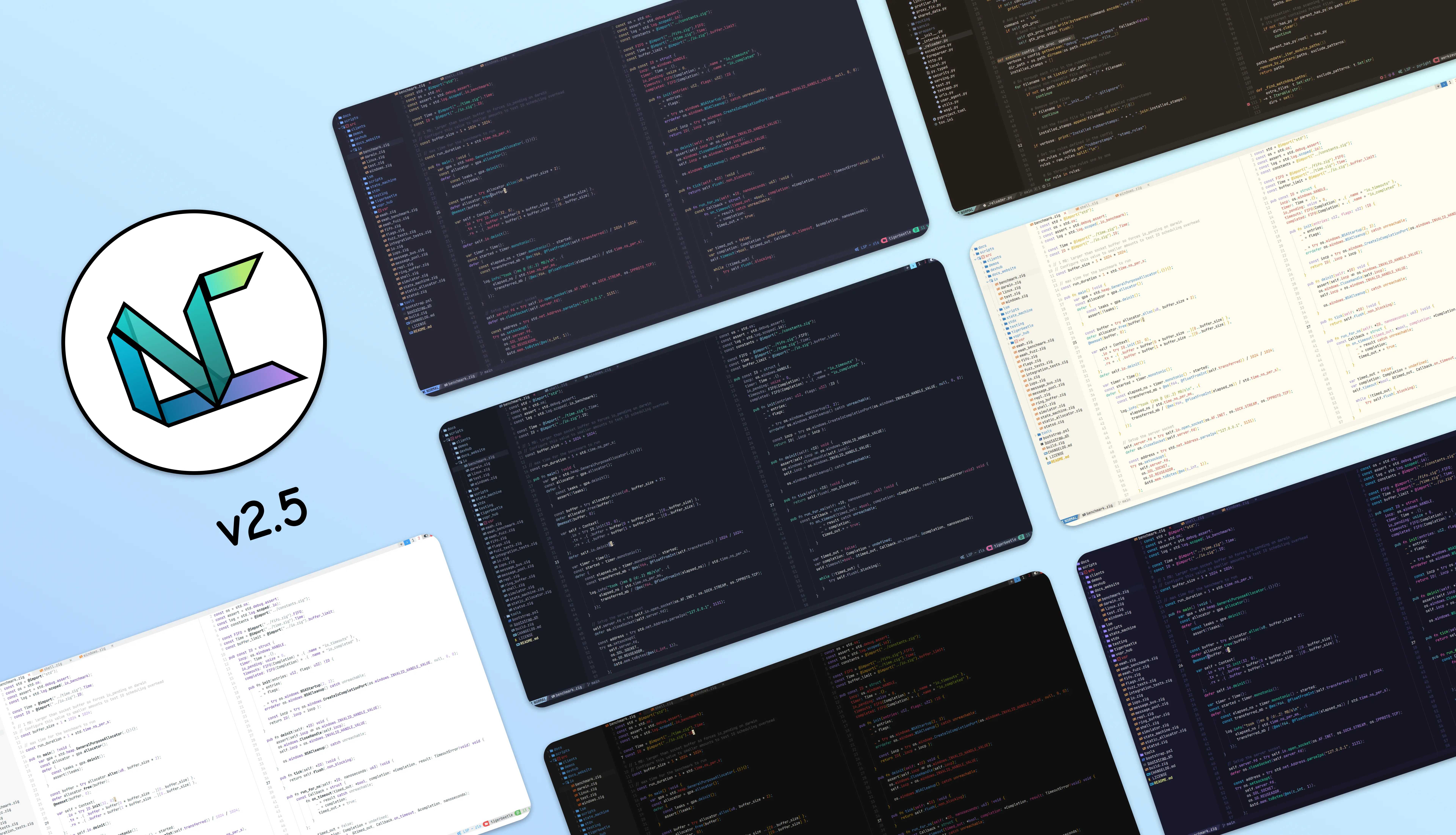
NvChad Full homepage screenshot

At a glance

Category
Development
Language
English
Paid-content signal
No paid content foundObserved
Registered
2022
Hosting
FastlyInferred
HTTPS certificate trusted
PassedObserved
Last updated

Website review

This review may include AI-generated content and is not individually verified. Domain, certificate and other facts come from the observed data on this page.

What is NvChad?

NvChad is a prebuilt Neovim configuration distributed as a plugin you layer your own settings on top of. Rather than installing a fork you edit directly, you keep NvChad as the base and put your personal config above it, which makes updating the base far less painful. Its stated goals are fast startup through lazy loading, a polished terminal-native interface, and easy extension or override of the defaults.

What you actually get

  • Speed-oriented defaults. Plugins and modules are lazy loaded wherever possible, so startup cost is paid only when a feature is needed.
  • A designed UI that stays in the terminal. Statusline, bufferline and theme handling are managed by NvChad's own UI plugins rather than left to you to assemble.
  • Themes. A large set of built-in themes, with theme colors overridable individually.
  • Lua configuration. Everything is written in Lua, matching Neovim's own Lua API and the wider Lua plugin ecosystem.
  • Updates through lazy.nvim. The same package manager handles both your plugins and NvChad itself.
  • A small codebase. The config is described as roughly 900 lines, kept deliberately lean.

Who it suits, and the trade-off

NvChad fits people who want a capable Neovim setup immediately but still intend to own their configuration — you get sensible behavior on day one and override what you dislike. It is a weaker fit if you want to understand every line of your editor from scratch, since you inherit a structure and a set of conventions before you have learned why they exist. The usual path is to install it, use it as-is for a week, then start overriding pieces.

A concrete next step

Install it, open a file, and try three things in sequence: change the theme, disable one default plugin, and add one plugin of your own. If all three feel straightforward, the plugin-on-top model is working for you. If overriding feels like fighting the config, a bare starter may serve you better.

For a lighter, more minimal alternative in the same spirit, compare GitHub-hosted starter configs before committing.

How do I install NvChad on my system?

Install NvChad by letting it take over a fresh Neovim configuration folder, then running Neovim to let the plugin manager finish setup. The site's own install path is the safest starting point: NvChad.

Typical install flow

  1. Back up any existing config. NvChad is designed to sit on top of your own config as a plugin, but a clean slate avoids clashes with an existing init.lua or plugin manager.
  2. Clone the starter into your Neovim config directory. On Linux/macOS this is usually ~/.config/nvim; on Windows it is typically ~/AppData/Local/nvim. The exact clone command is on the NvChad install page.
  3. Run nvim. On first launch, lazy.nvim (NvChad's package manager) bootstraps itself and installs the default plugins and themes.
  4. Restart Neovim once the plugin sync finishes, so the UI, statusline and bufferline load cleanly.

What to expect

  • Fast startup because plugins and modules are lazy-loaded.
  • A styled CLI, not a GUI — the UI plugins for statusline and bufferline are managed by NvChad itself.
  • Lua-based config, so overrides integrate with Neovim's Lua API.
  • Around 68 built-in themes, all with overridable colors.

Practical notes

  • NvChad is meant to be used as a plugin, on top of which you write your own config. Treat the starter as a base, then add your own lua/ modules rather than editing NvChad files directly — that keeps updates smooth.
  • Updates go through lazy.nvim, so the same mechanism that manages plugins can update NvChad itself.
  • If you are new to Neovim, install it first and confirm nvim --version works before cloning anything.

Decision criterion

Choose NvChad if you want a polished, lightweight Neovim base you can extend in Lua. If you prefer building every plugin choice yourself, a bare init.lua with lazy.nvim may suit you better.

How does NvChad compare to other Neovim configurations like LazyVim or AstroNvim?

NvChad is best understood as a minimal, fast base configuration rather than a full distribution. Its own pitch is "solid defaults and a beautiful UI," with lazy-loaded plugins for startup speed, a Lua codebase around 900 lines, 68 built-in themes, and built-in UI components for statusline and bufferline. It is explicitly designed to be used as a plugin on top of which you write your own config — so it gives you a polished starting point and expects you to extend it.

LazyVim and AstroNvim sit at the other end of the spectrum: they are larger, opinionated setups that bundle many plugins and preconfigured language support, aiming to work well out of the box for people who want less assembly. That is a general characterization of those projects, not a feature list from this page.

How to choose

If you want... Better fit
A small, fast core you build on yourself NvChad
A batteries-included setup with many defaults already wired LazyVim or AstroNvim
A specific look with theme control NvChad (theme colors are overridable)
Minimal time spent choosing and configuring plugins LazyVim or AstroNvim

A practical next step: install NvChad, open a file, and try adding one plugin and one keymap of your own. If that feels natural, NvChad's "base config" model suits you. If you find yourself wishing a dozen common plugins and LSP setups were already configured, try LazyVim or AstroNvim instead. You can also read NvChad's own docs at NvChad to see its defaults before committing.

Can I customize NvChad's UI and plugins without breaking updates?

Yes — NvChad is built so that your changes live in your own config rather than in NvChad's files, which is what keeps updates from overwriting them. The site describes NvChad as "used as a plugin, on top of which you make your own config," and says default plugins, UI and configuration "can easily be extended, disabled or overridden." Updates are handled through lazy.nvim, the same plugin manager used for the config itself. NvChad

H3 What you can change safely

  • Themes and colors: NvChad ships 68 built-in themes, and the page states all theme colors are overridable — so you can restyle without touching the theme plugin's source.
  • UI components: Statusline, bufferline and the theme plugin are managed by NvChad itself; the intended path is overriding or extending them from your own config.
  • Plugins: Defaults can be disabled or replaced. If you want to drop a bundled plugin, you disable it in your config rather than deleting files.
  • Your own additions: Your personal plugins and keymaps belong in your config layer, which sits on top of NvChad.

H3 Where breakage actually comes from

The realistic risks are not "editing NvChad" but these:

  1. Pinning to internals. If you call NvChad's internal Lua modules directly, a refactor upstream can rename or remove them. Prefer documented override points.
  2. Overriding too broadly. Replacing a whole module to tweak one highlight means you inherit maintenance for everything else in it.
  3. Stale plugin versions. Because lazy.nvim also updates NvChad, a mixed set of old and new plugins is a common source of errors. Update as a set, then restart.
  4. Config sprawl. With roughly 900 lines in the base config, it stays readable — but only if your additions are organized into clearly named files.

H3 A practical decision rule

Ask: am I changing a value, or replacing a component? Changing a value (theme color, option, keymap) is low-risk. Replacing a component means you own its future compatibility, so do it only when the default genuinely blocks you — and keep a comment noting which upstream file you based it on.

H3 Next step

Treat your config as a separate layer: put overrides in your own files, keep it under version control, and after each update, start Neovim once and check :Lazy for errors before you keep working. If a plugin misbehaves, disable it in your config first to confirm whether the cause is NvChad or your override — that one check resolves most "did the update break my setup?" questions quickly.

How do I update NvChad and its plugins?

NvChad updates through lazy.nvim, the plugin manager it uses. The same mechanism handles both the NvChad config itself and the plugins it ships with, so you do not need a separate updater for each.

In practice, you have two routes:

  • Inside Neovim: open the Lazy UI (commonly :Lazy) and use its sync/update actions. A full sync updates plugins and cleans out removed ones; a plain update pulls newer plugin versions without pruning.
  • From the shell: run the equivalent lazy.nvim sync command headlessly, which suits scripted or dotfile-managed setups.

After syncing, restart Neovim so the new config and plugin versions load cleanly. If something breaks, lazy.nvim keeps a lockfile, so you can revert to the previously recorded plugin revisions and re-sync.

A practical routine

  1. Read the changelog or release notes first, especially for the NvChad config itself.
  2. Sync, then restart.
  3. If startup errors appear, roll back via the lockfile and re-sync, then update again in smaller batches to find the culprit.

Who this suits

NvChad is used as a plugin layer on top of which you build your own config, so updates are most predictable if you keep personal changes in your own files rather than editing NvChad's internals. If you have forked or heavily patched the config, treat updates as merges and expect occasional conflicts.

For exact keybindings and command names in the current release, check the project's documentation at NvChad.

Is NvChad suitable for beginners or does it require advanced Neovim knowledge?

It sits in the middle: NvChad gives you a polished, fast starting point, but it expects you to be comfortable editing a config and reading Neovim documentation. If you have never opened Neovim before, expect a learning curve; if you already use Neovim occasionally, it is a reasonable way to get a good-looking, responsive setup without building everything yourself.

Where it helps beginners

  • Solid defaults: The page describes lazy-loaded plugins and modules, so startup stays fast without you tuning anything.
  • Built-in UI: It manages its own theme plugin and UI components for statusline, bufferline and similar elements, so you do not have to assemble a coherent interface from scratch.
  • Themes: 68 inbuilt themes are listed, with overridable colors, which reduces the need to write your own color scheme.
  • Small surface area: The config is described as around 900 lines, so there is less unfamiliar code to wade through than in a large hand-rolled setup.

Where it expects more experience

  • It is a plugin, not a full distribution: The page states NvChad is used as a plugin on top of which you make your own config. You are still responsible for your own configuration, keymaps and language tooling.
  • Lua-based: Configuration is written in Lua and integrates with Neovim's Lua API and Lua plugins. If you have only edited Vimscript or never written Lua, plan to learn some.
  • Update mechanism: It uses lazy.nvim, which also handles updating NvChad. Knowing how to run and read plugin manager output helps when something breaks.
  • Customization is manual by design: Default plugins, UI and configuration can be extended, disabled or overridden — but you are the one doing the extending.

A practical comparison

Situation Likely fit
New to Neovim, want to learn gradually Workable if you accept reading docs and editing Lua; otherwise start with a simpler setup first
Comfortable with basic Neovim, want a fast, attractive base Strong fit — defaults plus easy overrides
Need a fully managed, batteries-included experience Less ideal; you still build your own config on top
Want to understand every line of your config Good fit, given the small codebase and clean structure

A useful next step

If you are unsure, install it in a separate Neovim profile or config directory and use it for a week of real editing. Keep a note of every time you have to search for how to change something. If most changes are simple overrides — colors, keymaps, enabling or disabling a plugin — NvChad is a good base. If you find yourself rewriting the UI or plugin-loading logic, you may prefer starting from a minimal config instead.

Related questions

More questions →
What Are the Main Features of NvChad?

NvChad is a Neovim configuration distributed as a plugin, built on Lua and lazy.nvim, that provides fast startup, a crafted CLI-friendly UI, and a small codebase you extend with your own config. It suits Neovim users who want solid defaults and a polished interface without assembling a config from scratch, and who are comfortable overriding or disabling what they don't need.

Fast by default

Plugins and modules are lazy loaded wherever possible, which keeps startup time low. This is a default behavior rather than something you configure yourself, so the speed benefit applies from the first launch.

Beautiful UI while staying in the CLI

NvChad ships its own UI plugins and manages its own theme plugin plus UI components for the statusline, bufferline, and similar elements. The stated goal is a pretty interface that still embraces the command-line workflow rather than hiding it behind a GUI.

Highly customizable

Default plugins, UI, and configuration can be extended, disabled, or overridden. Because NvChad is used as a plugin on top of which you build your own config, your customizations live in your config rather than requiring edits to NvChad itself.

Themes

NvChad includes 68 inbuilt themes, described as beautifully ported and custom. All theme colors are overridable, so you can keep a built-in theme and adjust individual colors instead of writing a theme from scratch.

Lightweight codebase

The config is around 900 lines of code (LOC), and the codebase is kept as clean as possible. A smaller surface makes it easier to read what the defaults do before you override them.

Update mechanism

NvChad uses lazy.nvim as its package manager, and the same tool can be used to update NvChad itself. That means plugin management and config updates follow one workflow rather than two.

Powered by Lua

The configuration is written in Lua, which integrates well with the Neovim Lua API and Lua plugins. If you already write Lua for Neovim, extending NvChad uses the same language and patterns.

Feature summary

Feature What it means in practice
Fast by default Plugins and modules lazy loaded wherever possible
Beautiful UI Crafted UI plugins, still CLI-oriented
Highly customizable Defaults can be extended, disabled, or overridden
Themes 68 inbuilt themes, all colors overridable
Lightweight ~900 LOC, kept clean
Update mechanism lazy.nvim manages packages and updates NvChad
Powered by Lua Integrates with the Neovim Lua API and Lua plugins

Who it fits

Choose NvChad if you want a fast, good-looking Neovim setup with sensible defaults and are willing to layer your own configuration on top. If you prefer to build every piece of your config yourself, or you don't want a plugin-managed base config, NvChad's defaults will be more than you need.

How to Install NvChad

NvChad is installed as a plugin on top of an existing Neovim setup, not as a standalone editor. You need Neovim already installed, and you should expect to build your own configuration on top of NvChad's defaults rather than treat it as a finished config. The official site provides an Install entry point that leads to the current setup instructions — follow those rather than any older guide, since the project uses lazy.nvim for plugin management and updates.

What you need before starting

  • Neovim installed and working. NvChad is a Neovim config, so Neovim must already run on your machine. The site does not state a minimum version, so check the official docs for the current requirement.
  • A clean or backed-up Neovim config. NvChad is used as a plugin on top of which you make your own config, so it will occupy your Neovim configuration directory. If you already have a config you want to keep, move it aside first.
  • Git and a terminal. The install path goes through the official docs and the project's GitHub repository.
  • A Nerd Font (recommended). NvChad ships a UI with statusline, bufferline, and theme components; icon-based UI generally needs a patched font to render correctly. The site does not list this as a hard requirement, so treat it as a practical recommendation.

Install steps

  1. Open the official site at nvchad.com and use the Install link. This is the authoritative entry point and points to the current instructions.
  2. Follow the documented setup, which installs NvChad into your Neovim config location and bootstraps lazy.nvim as the package manager.
  3. Launch Neovim. On first start, lazy.nvim pulls the plugins. Expect the first launch to take longer than later ones.
  4. Verify the install by checking that NvChad's UI appears — the statusline, bufferline, and one of the built-in themes should be visible.
  5. Start your own config. NvChad is designed to be extended: default plugins, UI, and configuration can be extended, disabled, or overridden. Put your changes in your own config files rather than editing NvChad's internals, so updates stay clean.

Verifying it worked

  • Neovim starts without errors and shows NvChad's UI components.
  • :Lazy opens the lazy.nvim interface, confirming the package manager is active.
  • Startup is fast — NvChad lazy-loads plugins and modules wherever possible, so a slow start usually means something in your own config, not NvChad itself.

Common sticking points

  • Treating NvChad as a complete config. It is a base. If you expect it to be your final setup with no further work, you will be surprised. Plan to write your own overrides.
  • Editing NvChad's files directly. Because NvChad updates through lazy.nvim, local edits to its internals can be overwritten. Override instead.
  • Skipping the docs for version requirements. The site does not publish a Neovim version floor, so confirm it in the official docs before troubleshooting.
  • Icon or glyph problems. Broken or missing icons in the UI usually point to a missing or misconfigured Nerd Font, not a broken install.

What you get once installed

Feature What it means for you
Fast by default Plugins and modules are lazy-loaded, so startup stays quick
Beautiful UI Statusline, bufferline, and theme components are built in
Highly customizable Defaults can be extended, disabled, or overridden
Update mechanism lazy.nvim handles both plugins and NvChad updates
Powered by Lua Config is Lua, integrating with the Neovim Lua API
Themes 68 built-in themes, with overridable colors
Lightweight Around 900 lines of config, kept clean

If you want a fast, good-looking Neovim base that you shape yourself, install NvChad from the official site and build on top of it. If you want a config you never have to touch, NvChad is the wrong fit — its whole design assumes you will write your own config over it.

How Customizable Is NvChad Compared to Building Your Own Neovim Config?

NvChad is a Neovim configuration distributed as a plugin, not a standalone config you fork and edit in place. That distinction is the whole answer to the customization question: you layer your own config on top of it, and you can extend, disable, or override its defaults. Building your own config from scratch gives you total control but no starting point. NvChad gives you a working baseline of roughly 900 lines of Lua that you can reshape without rewriting the parts you don't care about.

What "customizable" means in NvChad

The site describes three specific mechanisms, and they matter more than the general claim:

  • Extend, disable, or override defaults. Default plugins, UI, and configuration are all replaceable. You aren't editing NvChad's internals; you're supplying your own definitions that take precedence.
  • Used as a plugin, on top of which you make your own config. This is the structural point. NvChad sits underneath your configuration rather than being the configuration.
  • Lua throughout. The config is written in Lua, which integrates with the Neovim Lua API and Lua plugins. If you already write Lua for Neovim, there's no second language or DSL to learn.

Themes follow the same pattern: 68 built-in themes, and all theme colors are overridable.

NvChad vs. building your own: same dimensions, different tradeoffs

Dimension NvChad Building your own
Starting point Working config with solid defaults and UI Empty init.lua
Code you maintain ~900 LOC baseline, plus your overrides Everything you write
Customization method Extend, disable, or override defaults Define everything directly
Plugin management lazy.nvim, also used for updating NvChad Your choice
UI components Inbuilt statusline, bufferline, theme plugin You pick and wire each one
Language Lua, integrating with the Neovim Lua API Your choice
Startup behavior Lazy loading of plugins and modules where possible Depends entirely on your setup

The comparison isn't about which is more capable. Both end at the same place — a Neovim config you control. The difference is how much of the path is already built.

When NvChad is the better fit

Choose NvChad if you want a fast, good-looking Neovim setup now and intend to adjust it incrementally. The ~900 LOC codebase is small enough to read through, and because you override rather than edit, upstream changes don't collide with your work. The lazy-loading defaults mean you inherit startup performance without tuning it yourself.

Choose to build your own if you want to understand and own every line, or if your workflow diverges sharply from NvChad's defaults and you'd end up disabling most of what it provides. At that point the baseline stops saving you work.

A practical middle path: start with NvChad, override what you dislike, and only replace a component outright when overriding it becomes more effort than writing it. The override mechanism is designed for exactly that progression.

The maintenance question

Customization and maintenance are linked, and NvChad's update mechanism is part of its customization story. It uses lazy.nvim as its package manager, and the same tool updates NvChad itself. Because your changes live as overrides on top of the plugin rather than edits inside it, updates don't require you to re-apply your modifications by hand.

With a self-built config, updates are whatever you make them — there's no upstream to pull from, but also no upstream to stay compatible with. That's the real tradeoff: NvChad asks you to work within its override model in exchange for a maintained baseline; a personal config asks you to maintain everything in exchange for no constraints.

How NvChad Handles Updates

NvChad uses lazy.nvim as its package manager, and that same plugin manager is also what you use to update NvChad itself. In practice, this means updates aren't handled by a separate updater or a custom script — they go through the standard lazy.nvim workflow you already use for plugins. The official docs are the place to check for the exact commands and any caveats.

The update mechanism in short

NvChad's own feature list describes the update mechanism this way: the config relies on lazy.nvim for package management, "which can be used for updating nvchad too."

That single sentence carries most of what you need to know:

  • One tool, two jobs. lazy.nvim installs and manages plugins, and it also updates NvChad.
  • No separate updater. There is no indication of a dedicated NvChad update command outside the lazy.nvim flow.
  • Updates are part of plugin management. Because NvChad is distributed as a plugin (see below), updating it is conceptually the same operation as updating any other plugin.

Why NvChad can be updated like a plugin

The key design detail is how NvChad is installed. According to the site, "NvChad is used as a plugin, on top of which you make your own config."

That matters for updates because it means:

  1. NvChad lives in your Neovim setup as a plugin entry, not as a fork you maintain by hand.
  2. Your personal configuration sits on top of it, so pulling in a newer NvChad doesn't require you to re-apply your settings from scratch.
  3. The update path stays the same as the plugin path — you're refreshing a plugin, not migrating an installation.

What this means for your config

NvChad's customization model is built around extending or overriding defaults rather than editing them in place. The site states that default plugins, UI, and configuration "can easily be extended, disabled or overridden."

This is what makes updating relatively low-friction:

Concern How NvChad's design addresses it
Losing your changes You override defaults instead of editing them, so your config lives separately
Update tooling lazy.nvim handles both plugins and NvChad
Config language Lua, integrating with the Neovim Lua API and Lua plugins
Codebase size Around 900 LOC, kept as clean as possible

The lightweight codebase (~900 LOC) is also relevant: a smaller, cleaner config is easier to update without conflicts than a large one with many local edits.

Practical update checklist

Because the exact commands belong to lazy.nvim and the official NvChad docs, treat this as the shape of the process rather than a copy-paste script:

  1. Confirm lazy.nvim is managing your setup. NvChad uses it as the package manager, so updates run through it.
  2. Run the lazy.nvim update flow for your plugins. Since NvChad is one of those plugins, it's included.
  3. Restart or reload Neovim so the updated config takes effect.
  4. Check for breakage in your overrides. If a default you were extending changed, your override may need adjusting.
  5. Consult the official docs for the current recommended commands and any notes specific to the latest release.

Common sticking points

  • Assuming there's a separate NvChad updater. The documented mechanism is lazy.nvim, not a standalone tool.
  • Editing defaults directly. If you modify NvChad's own files instead of overriding them, updates can overwrite your work. The intended pattern is extend/disable/override.
  • Skipping the docs for commands. The site points to its docs for specifics; commands and any release notes are best taken from there rather than from memory.

Bottom line

NvChad handles updates through lazy.nvim, the same package manager it uses for plugins — there's no separate update system to learn. Because NvChad is installed as a plugin and your config is layered on top of it, updating is essentially a plugin refresh. Keep your customizations as overrides rather than direct edits, and check the official docs for the exact commands.

What Is NvChad?

NvChad is a Neovim configuration written in Lua that ships with solid defaults and a polished UI, aimed at people who want a faster, better-looking Neovim without building a config from scratch. You use it as a plugin and layer your own configuration on top, so it suits both newcomers who want something that works immediately and experienced users who want a strong base to extend.

What NvChad actually is

It is not a fork of Neovim or a separate editor. It is a configuration layer: NvChad provides the defaults, theme system, and UI components, and you add your own settings and plugins above it. The project describes itself as "used as a plugin, on top of which you make your own config."

That design choice matters. You are not locked into someone else's setup — you inherit a working one and override what you don't like.

Core features

Feature What it means in practice
Fast by default Plugins and modules are lazy loaded wherever possible, so startup time stays low
Beautiful UI UI plugins are built in-house and designed to keep the CLI feel rather than hide it
Highly customizable Default plugins, UI, and configuration can be extended, disabled, or overridden
Update mechanism Uses lazy.nvim as the package manager, which also updates NvChad itself
Powered by Lua Configuration is Lua, integrating with the Neovim Lua API and Lua plugins
Themes 68 built-in themes, all with overridable colors
Lightweight The config is around 900 lines of code, kept as clean as possible
Inbuilt UI plugins Manages its own theme plugin plus UI components for statusline, bufferline, and similar

Who it is for

NvChad fits you if:

  • You want a Neovim setup that looks good and starts fast without weeks of tuning.
  • You are willing to learn a small amount of Lua to customize things.
  • You want a maintained base that you can extend rather than a frozen dotfiles repo.

It is a weaker fit if you want zero configuration surface at all, or if you already have a heavily customized config you are happy with — adopting NvChad means restructuring around its plugin and override model.

How it relates to your own config

The mental model is layered:

  1. NvChad supplies defaults — plugins, UI components, themes, keymaps.
  2. Your config sits on top and overrides or disables whatever you don't want.
  3. lazy.nvim manages both, including updating NvChad itself.

So the question "does NvChad do X?" is usually answered by "it has a default for X, and you can replace it."

Getting started

The site's primary call to action is Install, with Docker offered as an alternative path. Documentation, themes, and news are available from the same site. Since installation steps and requirements can change between versions, follow the current install instructions on nvchad.com rather than relying on older guides.

Practical notes

  • Because the config is roughly 900 LOC, reading through it to understand what you're inheriting is realistic.
  • All theme colors are overridable, so you can keep the structure and change the look without swapping themes.
  • Updates flow through lazy.nvim, which means keeping NvChad current is part of your normal plugin update routine rather than a separate process.

Website Overview

Several search or sharing settings need attention. Together they may make snippets, preview images or preferred URLs less consistent across platforms.

Domain and Registration

Transfer-protection status is present, helping reduce the risk of unauthorized domain transfers. The domain has about 4 years of registration history; its current configuration provides more context than age alone. The domain uses the common .com extension, which is not an independent safety signal.

DNS and Email

Nameservers are provided by dns-parking.com, indicating managed DNS hosting. MX records point to the skiff.com email service. SPF, DKIM and DMARC records were found, with DMARC policy reject. Together they can help recipients reject impersonated messages. No CNAME was found; the observed records resolve directly to addresses. DNSSEC signatures were not detected, so this additional DNS authenticity protection is not confirmed.

TLS and Certificates

The certificate uses an RSA 2048-bit public key, offering broad client compatibility. The server supplied a complete certificate chain. No organization name is present in the certificate; the available fields are consistent with domain validation. The certificate was issued by Let's Encrypt, commonly associated with automated certificate services. The certificate's total validity is about 89 days, consistent with a short renewal cycle.

HTTP and Browser Security

The response lacks these common security headers: CSP, X-Content-Type-Options, Referrer-Policy, Permissions-Policy, clickjacking protection. CORS permits any origin to read this response. This is common for public resources; sensitive responses need narrower handling. No X-Powered-By header was found, reducing one common source of backend fingerprinting information. The x-cache, x-served-by, via response header indicates a CDN or caching proxy in the delivery path. No obvious internal addresses or debug information were found in the headers.

Technology Stack Analysis

The public page identifies Fastly without precise versions, leaving fewer clues for version-specific scanning.

Search and Social Sharing

No homepage canonical URL was detected. If duplicate URLs exist, consolidation may be less explicit. Open Graph is partially configured; og:title, og:description, og:type is missing. Twitter Card metadata is configured. The title has 6 characters, within a common display range. A meta description is present, with 105 characters.

Hosting and Email

DNSdns-parking.com
HostingFastly
Emailskiff.com
Approximate IP geolocation (inferred; a CDN or proxy may differ from the origin server) United States flagUnited States Inferred 185.199.108.153

Registration details

RDAP / WHOIS

RegistrarHOSTINGER operations, UAB
Registered2022-08-27
Expires2027-08-27
Domain statusclient transfer prohibited
Nameserversns1.dns-parking.com、ns2.dns-parking.com
DNSSECunsigned

DNS records

DNS

TypeNameValueTTLPriority
Anvchad.com185.199.108.15314400—
Anvchad.com185.199.109.15314400—
Anvchad.com185.199.110.15314400—
Anvchad.com185.199.111.15314400—
MXnvchad.cominbound-smtp.skiff.com144000
NSnvchad.comns1.dns-parking.com86400—
NSnvchad.comns2.dns-parking.com86400—
TXTnvchad.comv=DKIM1; k=rsa; p=MIGfMA0GCSqGSIb3DQEBAQUAA4GNADCBiQKBgQCK9K1nKxA3CZKsONEzCYJHkXFx8Al26QB2QLx3xlIe9vRNOKgVwzJnSn91Ro0kWdt2ghwOHCepCrIm0NW4x3YHdncX8XNL7C/PoKyShmpdnzVXuCKagKL6ZLV8m14WSZ3qSS5qzLambIOKu/ikx8fAosIjvjuO7cdzwTJYFMZfUQIDAQAB14400—
TXTnvchad.comv=spf1 include:lep8qsovn86obc6.spf.skiff.com -all14400—
DMARC_dmarc.nvchad.comv=DMARC1; p=reject; pct=100; adkim=s; aspf=s14400—

TLS and certificates

TLS / SSL

AssessmentNormal configuration
Supported protocolsTLSv1.2、TLSv1.3
Negotiated protocolTLSv1.3
Certificate subjectnvchad.com
IssuerLet's Encrypt
Valid until2026-11-24T21:21 · Remaining when checked: 55 days
Verification detailsCertificate trust: Passed · Hostname match: Passed

HTTP response headers

HTTP

HeaderValue
content-typetext/html; charset=utf-8
cache-controlmax-age=600
serverGitHub.com
strict-transport-securitymax-age=31556952
access-control-allow-origin*

Identified technologies

Fastly

Pages, Search and Sharing

Meta descriptionBlazing fast Neovim config providing solid defaults and a beautiful UI, enhancing your Neovim experience.
Canonical URLNot detected
LanguageEnglish (default)
Twitter Cardsummary_large_image

No robots.txt found

User reviews (0)

  • No reviews yet.