
 简体中文
简体中文 English
Website review
This review may include AI-generated content and is not individually verified. Domain, certificate and other facts come from the observed data on this page.
What is Pixnio?
Pixnio is a free stock photo library built around public domain and royalty-free images. Its own description is straightforward: the photos are free for personal and commercial use, with no attribution required. That makes it a practical first stop when you need a usable image quickly and don't want to manage credits or licensing paperwork.
What you'll find there
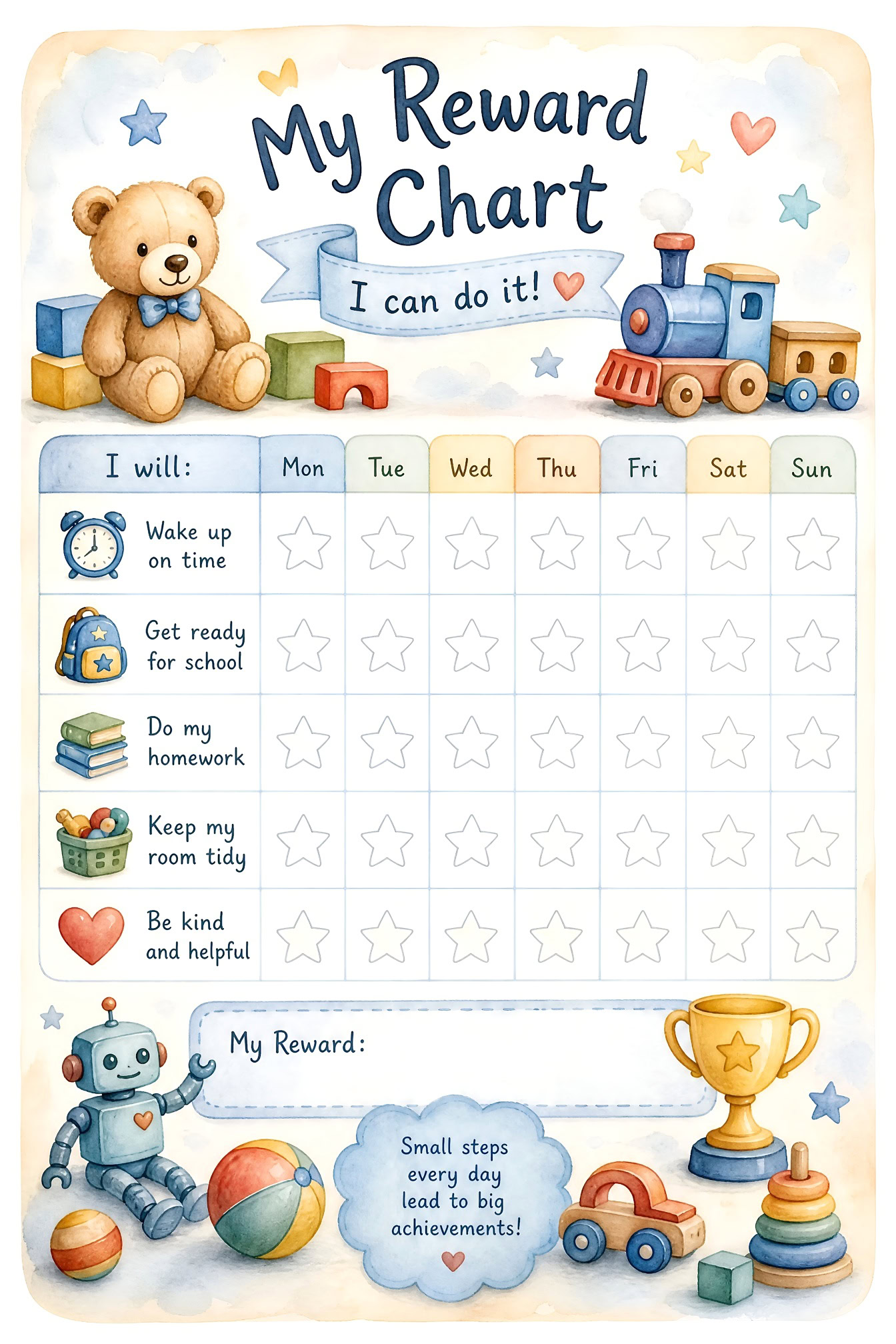
The collection leans toward general-purpose photography rather than niche or highly polished commercial sets. Page evidence shows categories such as animal, nature, landscape and people, alongside travel and historic locations like a fortress in Gjirokastër, the old city of Berat, a Norwegian mountain lake and the Viru swamp in Estonia. There are also space-themed images, such as a satellite in orbit, plus some design templates and illustrations, including reward charts and a coloring page.
That mix suggests two main uses:
- Editorial and educational content — travel articles, nature blogs, classroom material, presentations.
- Small commercial projects — social posts, simple web graphics, mockups or internal documents where a clean, no-strings image is enough.
How it compares in practice
| Consideration | What Pixnio offers |
|---|---|
| Cost and licensing | Free for personal and commercial use, no attribution needed |
| Best fit | Nature, landscape, travel, animals, general subjects |
| Less suited to | Highly specific commercial concepts, consistent branded photo sets |
| Main trade-off | A broad public-domain archive can mean more browsing to find a polished, on-brief shot |
Who it suits
A blogger writing about a hiking trip, a teacher building a slide deck, or a small business needing a background photo can all use it without worrying about rights. A brand campaign that needs a tightly art-directed, consistent look will usually need a different source.
A useful next step
Before downloading, check the image at full size and confirm it fits your layout. If you need a different feel or a larger, more curated selection, compare with Unsplash for modern photography or Pexels for a broad mix of photos and video.
How can I legally use Pixnio images for commercial projects?
Pixnio states that its images are free to use for both personal and commercial projects, with no attribution required. That means you can generally drop a Pixnio photo into a client website, ad, product mockup, or social post without paying a fee or crediting the source. The site describes its collection as public domain images and royalty-free stock photos.
Practical conditions to keep in mind
- Check each image page. Even when a site advertises no-attribution use, individual uploads can carry different terms. Pixnio's own description says no attribution is needed, but the safest habit is to confirm the specific image you download.
- Avoid implying endorsement. You can use a photo of a person, brand, or landmark, but don't suggest that the depicted person or organization sponsors your product.
- Watch for identifiable people and property. Commercial use of a recognizable face, logo, or private building can raise publicity or trademark issues that a public-domain license doesn't automatically solve.
- Keep a record. Save the image URL, download date, and any license note. This is useful if a client or platform later asks where the asset came from.
H3. Example workflow for a commercial project Suppose you're building a landing page for an outdoor gear brand. You find a Pixnio shot of a hiker overlooking a mountain lake. You can use it as a hero image, crop it, and overlay your headline without paying or crediting Pixnio. Before publishing, confirm the image page still lists it as free for commercial use, and avoid using it in a way that implies the hiker endorses your brand.
H3. When to look elsewhere If you need a signed model release, an exclusive license, or a guarantee against third-party claims, a public-domain stock site may not be enough. In those cases, a paid stock library with explicit commercial indemnification is a better fit. For general commercial projects where budget matters and attribution isn't required, Pixnio is a reasonable first stop.
A useful next step: open the specific Pixnio image page you want, note its stated terms, and then decide whether your use involves a recognizable person or brand that would need extra clearance.
Can I modify or edit Pixnio images without violating any terms?
Yes. Pixnio states that its images are free for personal and commercial use with no attribution required, which is the usual baseline for editing and repurposing. You can crop, recolor, composite, or use them in designs without asking permission.
Two practical caveats:
- Verify the individual image page. Pixnio hosts public domain and CC0-style images, but a small number may carry different terms. The site-level statement is not a substitute for checking the specific file.
- Watch for identifiable people, trademarks, and private property. Copyright freedom does not grant model or property releases. Using an edited photo of a recognizable person in an advertisement, or a branded product in a commercial context, can create rights issues unrelated to the image license.
Decision criterion: if your use is commercial and the image contains a face, logo, artwork, or recognizable building interior, treat the license as only the first of two checks.
Next step: open the image page, confirm the license line, and save a screenshot of it alongside your project file for your records.
For comparison, other sources with clear editing permissions:
| Site | Editing allowed | Attribution |
|---|---|---|
| Pixnio | Yes, per its stated terms | Not required |
| Pexels | Yes | Not required |
| Unsplash | Yes | Not required |
| Openverse | Depends on each item's license | Varies |
Example: a small Etsy seller editing a Pixnio landscape into a printable wall art design is generally fine; the same seller editing a Pixnio photo of a person into a product ad should first confirm no personality rights apply.
Do I need to credit Pixnio or the photographer when using their images?
No. Pixnio states that all images on the site are free to use for personal or commercial projects without a fee, and that attribution is not required.
What that means in practice
- You can publish a Pixnio photo on a website, in a video, in a school project, or in commercial work without adding a credit line.
- You do not need to ask permission or pay a licence fee for the images the site presents as public domain or free stock photos.
- Attribution is still allowed if you want to give credit — it is simply not required.
A sensible next step
Even without a credit obligation, download the image file and keep a note of the page you got it from. If your project is later questioned, that record shows where the asset came from. For public-domain collections generally, the same habit is useful: save the source URL, the download date, and the image title.
One trade-off to weigh
No-attribution does not always mean no-risk. Public-domain and free-stock sites can host user uploads, and an uploader may occasionally submit an image they do not actually own. If an image is central to a commercial campaign or a printed product, do a quick reverse-image search before committing. For lower-stakes use — a blog post, a class slide deck, a mockup — that extra step is usually unnecessary.
If you would rather credit anyway
A simple line works: the photographer's name if the page lists one, plus the site. When no photographer is named, crediting the collection is enough. You can also compare terms on other free-image sources such as Unsplash or Pexels, which have their own attribution expectations and licence wording.
What types of images are available on Pixnio?
Pixnio hosts public domain and royalty-free stock photos that can be used for personal or commercial projects without attribution, according to the site's own description. The content leans toward general-purpose photography rather than a single niche.
Main categories you'll find
The site organizes images under broad labels such as animal, nature, landscape, and people, alongside a mix of other subjects.
- Nature and landscapes — mountain lakes, untouched scenery, swamps and bogs, sunset wildlife scenes. Examples in the archive include a Norwegian nature park lake, a bog pool in Estonia's Lahemaa National Park, and a hiker overlooking a lake in Slovakia's High Tatras.
- Animals and wildlife — a mole emerging from underground, an African elephant feeding at sunset, and similar natural-history shots.
- Architecture and historic sites — the Gjirokastër fortress in Albania, the Ottoman-era city of Berat, Krakow's 14th-century city hall tower, and a stained-glass window in St Giles' Cathedral, Edinburgh.
- People and lifestyle — a summer outfit flat lay with denim shorts, a white shirt, and espadrille shoes, plus outdoor portraits and activity shots.
- Space and science — satellites in orbit above Earth, shown with golden thermal foil, solar panels, and dish antennas.
- Design templates and illustrations — reward charts with weekly schedules, unicorn-themed designs for children, and black-and-white coloring-book pages.
Who it suits
If you need a quick scenic or wildlife photo for a blog post, slide deck, or small commercial project, the no-attribution, free-for-commercial-use terms remove the usual licensing friction. Designers may find the templates and coloring pages useful as starting points, though these are simpler assets than polished stock illustrations.
How it compares
| Type of site | Best for | Trade-off |
|---|---|---|
| Pixnio-style public domain archives | Fast, unrestricted use with no credit required | Selection is broad but not curated to a specific industry |
| Subscription stock libraries | Consistent quality and model-released people shots | Cost and licensing terms to manage |
| Government or museum collections | Historical, scientific, and documentary material | Narrower subject range, often older imagery |
A practical next step
Before downloading, confirm the specific image fits your use — for example, a recognizable building or a person may still raise privacy or property concerns even when copyright is waived. For editorial work, Library of Congress and Smithsonian Institution collections are worth checking alongside Pixnio when you need verifiable historical or scientific images.
How do I download images from Pixnio?
Downloading from Pixnio is designed to be a one-click action rather than a checkout process. The site states that all images are free to use for personal or commercial projects without a fee, so there is no cart, license selector or account step standing between you and the file.
The basic steps
- Open the photo you want from the search results or category pages (animals, nature, landscapes, people and similar).
- Look for the download button or link on the image's own page — Pixnio's model is a direct download rather than a "add to basket" flow.
- Save the file, then check the pixel dimensions before you commit to using it in a layout.
If a thumbnail looks right but the download does not appear on the detail page, try opening the image in a new tab and saving it from there; some browsers block automatic downloads until you allow them for the site.
Practical things to check before you use the file
- Resolution versus placement. A photo that looks sharp as a thumbnail may be too small for a full-page hero or a printed poster. Download first, then judge.
- Crops and orientation. Many Pixnio images are landscape scenes, such as the mountain lake in Slovakia's High Tatras or the Norwegian nature park; a portrait-format social post will need a different crop.
- Subject fit. The archive mixes travel and architecture (the Gjirokastër fortress in Albania, Krakow's clock tower), nature (a mole emerging from its burrow), space imagery and design templates such as reward charts and colouring pages. Decide which category your project actually needs before browsing.
Whose observation is this?
The page evidence describes the collection and its free-use terms; it does not record a specific user's download experience. Treat the steps above as practical guidance based on how the site presents its images, not as a documented walkthrough.
A useful next step
If you need a specific subject — say, a European cityscape for a travel blog — search by place name first, then download two or three candidates and compare them at full size on your own screen. That is faster than deciding from thumbnails.
For alternatives with similar free-use terms, you can also browse Wikimedia Commons for encyclopaedic and documentary images, Openverse for a cross-source search, or Pexels and Unsplash for more contemporary stock-style photography. Each has its own licence terms, so confirm them on the individual image page.
User reviews (0)