Website profiles · Technology insights · Alternatives

randomscreenshot.com

Browse freely random screenshots taken by people and uploaded on the internet, like and share the most interesting ones with your friends.

No paid content found
Visit website
Profile views 1 Outbound visits 0 Normal
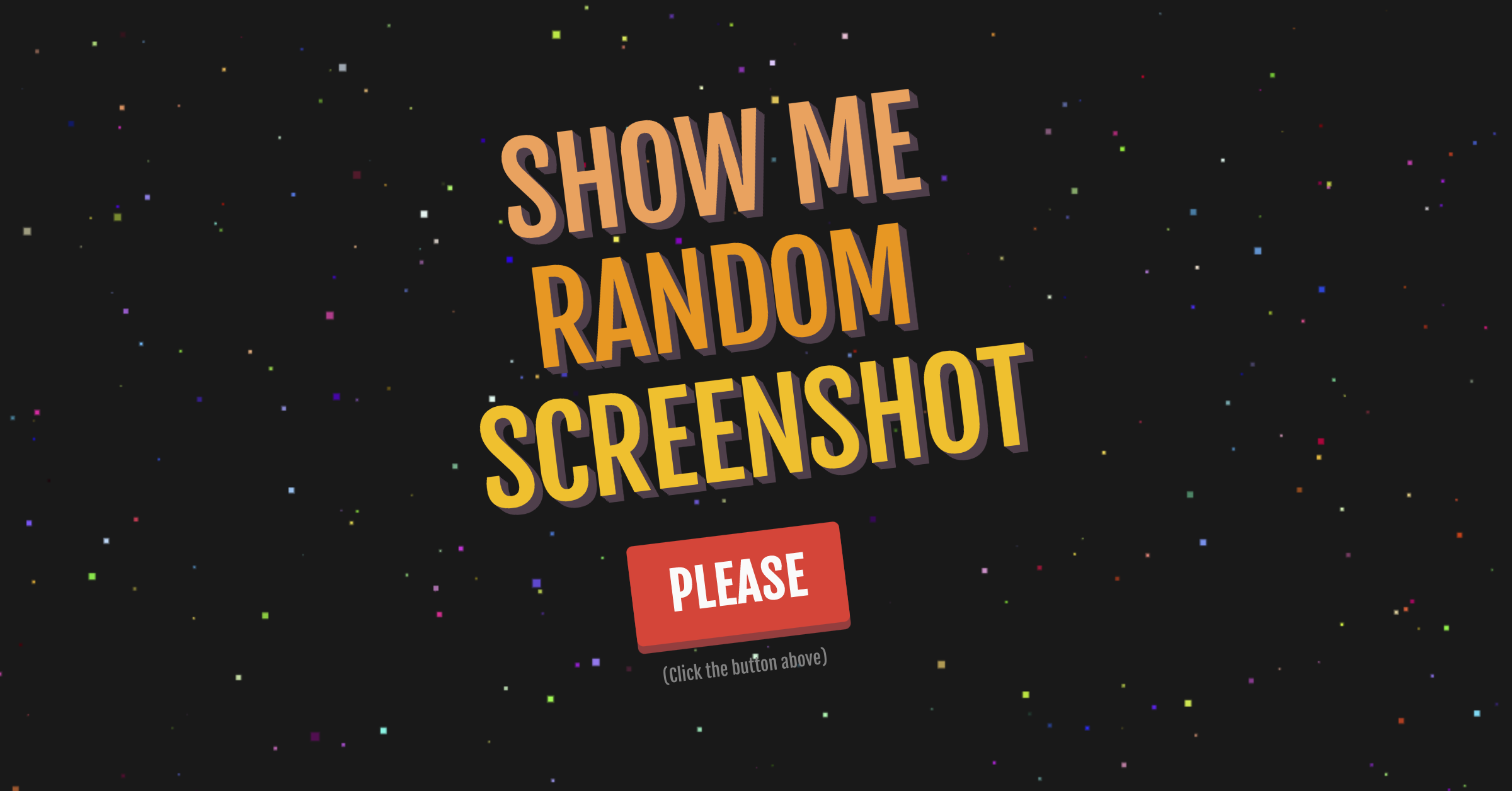
Random Screenshot Full homepage screenshot

At a glance

Category
Image Tools
Language
English
Paid-content signal
No paid content foundObserved
Registered
2017
Hosting
NetlifyInferred
HTTPS certificate trusted
PassedObserved
Last updated

Website review

This review may include AI-generated content and is not individually verified. Domain, certificate and other facts come from the observed data on this page.

What is Random Screenshot?

Random Screenshot is a browsing site for flipping through screenshots that strangers have captured and uploaded, with options to like and share the ones that catch your eye. It is built for casual, low-commitment browsing rather than research or archiving: think of it as a feed of odd, funny or baffling moments from other people's screens.

What you actually do there

  • Scroll or refresh to see a random screenshot rather than searching for a specific one.
  • Like or share items you find interesting.
  • Treat it as a short break activity, similar to browsing a meme feed.

Who it suits, and the trade-off

It fits people who enjoy surprise-driven browsing and don't mind seeing content with no theme, quality filter or context. The trade-off is the flip side of that randomness: you cannot reliably find a particular screenshot again, and the value of any single visit depends entirely on what happens to surface. If you want curated or searchable image collections, a general image-sharing community such as Imgur or a themed forum will serve you better.

A practical next step: give it a two- or three-minute trial on a break. If you find yourself sharing something within that window, it's worth keeping as a quick-diversion bookmark; if not, the randomness isn't earning its place in your routine.

How can I share a screenshot I find with friends?

Open the screenshot you want to share, then use the site's own share control (the buttons shown on or near each screenshot) or copy the page link from your browser's address bar and paste it into a message. Random Screenshot is built around browsing and passing on screenshots, so sharing is the natural next step after liking one.

A practical routine

  • Check what's in the image first. Screenshots often contain names, handles, chat text or profile pictures. Crop or describe rather than forward if it exposes someone.
  • Match the channel to the joke. A single odd screenshot lands well in a group chat; a running collection works better as a short thread or a few links with a one-line caption.
  • Add context. "Found this while browsing random screenshots" tells friends why it appeared in their messages and sets expectations for the site.

Choosing how to send it

Method Best for Trade-off
Site share buttons Quick posting to a social platform Depends on which platforms the site supports
Copying the page link Messaging apps, email, forums Link previews may not show the image clearly
Saving and sending the image file Friends who won't click links Loses the source page and any credit to the uploader

If a friend enjoys this kind of browsing, point them to the site directly so they can like and share their own finds; similar time-killer browsing exists at The Useless Web. As a rule, share the link rather than re-uploading someone else's screenshot, since the page keeps the original context and uploader visible.

Can I upload my own screenshots to the site?

The available information describes browsing, liking and sharing random screenshots that other people have uploaded; it does not confirm any upload function for visitors. Treat uploading as unconfirmed rather than supported, and check the site directly if contributing your own images matters to you.

What to do instead

  • If you want to contribute: look for an upload or submit option on the site itself before preparing a batch of images.
  • If you just want to browse: the site works as a casual time-filler—open it when you have a few spare minutes and want something mildly amusing, not when you need a specific image.
  • If you need a guaranteed place for your own screenshots: use a general image host or a screenshot-sharing service with a clear upload flow, and keep copies locally.

Decision criterion

Ask whether your goal is consuming random content or publishing your own. For consuming, this site fits. For publishing, confirm an upload path exists first; otherwise choose a service built around uploads.

Are the screenshots on Random Screenshot moderated for inappropriate content?

Random Screenshot's own description explains the site as a place to browse random screenshots people have uploaded and to like and share the interesting ones. It does not state any moderation, review or content-filtering process, so from the information the site provides, you should assume that inappropriate content may appear and that browsing is effectively unfiltered.

What that means in practice

  • Treat it as unpredictable. The appeal is randomness, so you cannot expect a curated feed. Screenshots can include offensive text, personal information visible in a chat or social post, or misleading out-of-context material.
  • Audience fit matters. It suits adults looking for a quick distraction or meme-style browsing. It is a poor fit for classrooms, shared family devices or workplaces where unvetted content is a risk.
  • Sharing carries extra care. Because screenshots often capture real conversations and usernames, re-sharing one can spread someone else's private details even if the original uploader did not intend that.

A useful next step

If you want to use the site, open it on a personal device, avoid sharing screenshots that show names, handles or messages, and report or skip anything that looks like harassment or private data. If you need a moderated, safer browsing environment, look for platforms with published community guidelines and active reporting systems, such as Reddit, where each community sets and enforces its own rules.

Is Random Screenshot free to use, and do I need an account?

Random Screenshot presents itself as a free browsing site, and nothing in the supplied page information describes an account requirement. The site's own description frames it as browsing random screenshots people have uploaded, then liking and sharing the interesting ones with friends. So the intended use is open browsing, not a gated membership experience.

A practical way to read that: you can expect to land on the site and start flipping through screenshots without a signup wall in front of you. If liking or sharing later prompts for a login, treat that as a feature-level restriction rather than a condition for using the site at all.

What to expect in practice

  • Cost: No pricing signals appear in the supplied information, which fits a free, ad-supported casual browsing site rather than a paid product.
  • Account: No account is described for browsing. Sharing with friends may work through ordinary share links, but the exact mechanics aren't specified.
  • Audience: People with a few spare minutes who enjoy the mild curiosity of seeing strangers' screenshots — the site's own keywords include "time eater" and "useless website," which is an honest signal about its purpose.
  • Trade-off: The appeal is randomness, so there's no search or curation promise here. If you need a specific kind of screenshot, this isn't the tool; if you want low-stakes browsing, the lack of a signup lowers the commitment.

Next step

Open the site and browse a handful of screenshots before deciding whether to interact. If a like or share button asks you to create an account, weigh whether that interaction matters to you — browsing alone appears to be the core, account-free experience.

How does Random Screenshot differ from other random-image or meme browsing sites?

Random Screenshot is built around screenshots specifically—captures of phone and desktop screens that people uploaded—rather than stock photography, AI-generated images, or curated meme templates. The appeal is the unfiltered, slice-of-life quality: chats, error messages, social feeds and odd interface moments, presented randomly and paired with like and share actions. That makes it closer to a casual time-waster than to a meme library you'd search for a known format.

Where the difference shows up

Aspect Random Screenshot Typical meme sites Typical random-image sites
Content unit User-uploaded screenshots Templated or captioned memes Photos, often stock or AI
Discovery Random browsing Categories, search, trending Random shuffle or tags
Social layer Like and share individual items Voting, remixing, reposting Often minimal
Best for Ambient browsing, "what is this person's screen" curiosity Finding a specific joke format Visual inspiration or filler

The practical trade-off: randomness gives novelty but no targeting. If you want a specific meme to send to a friend, a searchable meme archive serves you better; if you want to stumble on something strange and human, the random model wins. The like-and-share loop also means the most engaging screenshots surface over time, which nudges the feed toward relatable or funny captures rather than purely mundane ones.

A concrete scenario: you have five minutes between meetings and want something mildly amusing without choosing a topic—random screenshot browsing fits. If you're assembling a presentation or need a reaction image for a specific message, you'd be better served by a searchable collection such as Imgur or a meme database like Know Your Meme.

Related questions

More questions →
What Is Random Screenshot and How Do You Browse and Share Random Screenshots?

Random Screenshot (randomscreenshot.com) is a casual browsing site where people upload screenshots they've taken and anyone can flip through them at random, then like or share the ones they find interesting. It's an entertainment and time-killer site, not a tool for capturing screenshots yourself. If you want a quick, low-effort way to see what strangers found worth capturing, this is the kind of site you'd open when you're bored; if you need to actually take or automate screenshots, you want a screenshot tool or API instead.

What the Site Actually Is

The site describes itself as a place to "browse freely random screenshots taken by people and uploaded on the internet, like and share the most interesting ones with your friends." Its own keywords include "useless website," "fun," and "time eater," which tells you the intended use: idle browsing, not productivity.

A few things follow from that description:

  • The content is user-uploaded. Nobody curates or verifies what appears, so quality, relevance, and appropriateness vary wildly.
  • It's random by design. You don't search for a topic; you get whatever comes up next. That's the appeal and the limitation.
  • It's social-lite. Liking and sharing are the main interactions, aimed at passing interesting finds to friends.

The available site information doesn't specify upload rules, moderation policies, account requirements, or whether any features need login. Treat those as unknowns and check the site itself before relying on any of them.

How to Browse Random Screenshots

The core loop is simple and doesn't require a tutorial:

  1. Open the site in your browser at randomscreenshot.com.
  2. Start browsing the random screenshots it presents. The site's premise is that you don't choose — you just keep going.
  3. Keep moving to see the next ones. Because the feed is random, the fastest way to find something you like is volume: skim quickly and stop only when something catches your eye.
  4. Like what you find interesting using the site's like control, so it's marked as a favorite-style signal.
  5. Share the good ones with friends through the share option, which is the site's stated purpose for the content.

What to expect: since screenshots are whatever users happened to capture — chats, game moments, error messages, memes, desktop clutter — most will be noise to you. The value comes from the occasional gem, so treat browsing as a quick skim rather than a search.

Common snag: if you're looking for something specific ("screenshots of a certain game" or "funny chat screenshots"), random browsing is the wrong approach. There's no indication the site offers topic search or filtering, so use a searchable image community instead.

Liking and Sharing: What It's For

Liking and sharing are lightweight social features, not a publishing workflow:

  • Liking is a personal bookmark-style signal on the site. It doesn't imply the screenshot is verified, popular, or safe — just that someone tapped like.
  • Sharing sends a screenshot to friends, which is the site's whole point: "share the most interesting ones with your friends."

Before you share, look at the screenshot itself. Because content is user-uploaded and unvetted, a screenshot can contain personal information (names, handles, phone numbers, addresses), offensive material, or misleading context. Sharing it passes that along to your friends under your name. A quick glance before hitting share is the practical safeguard.

Using It Safely

The site's own framing as a "useless website" and "time eater" is a fair warning about both its purpose and its content. Practical habits:

  • Assume screenshots are unverified. A screenshot can be edited, taken out of context, or fabricated. Don't treat one as evidence of anything.
  • Watch for personal data. If a screenshot shows someone's private information, don't reshare it.
  • Keep expectations low on quality. Random means random; most of the feed won't interest you.
  • Don't upload anything sensitive if you use the upload side — anything you post publicly can be copied and reshared.

When to Use It — and When Not To

You want to… Random Screenshot fits? Better alternative
Kill a few minutes browsing odd screenshots Yes — that's its purpose —
Share a funny find with friends Yes —
Capture a screenshot of a web page yourself No A screenshot tool or screenshot API
Find screenshots on a specific topic No A searchable image community
Verify whether a screenshot is authentic No Check the original source directly

The distinction matters: a "screenshot API" is a developer tool that programmatically captures web pages, while Random Screenshot is a place to look at screenshots other people already took. Same word, completely different job.

If you just want a few minutes of low-stakes browsing and the occasional share, open the site and skim. If you need to produce, find, or verify screenshots, use a purpose-built tool instead.

What Is a "Useless Website" and How Do You Use Random Screenshot?

A "useless website" is a site built purely for entertainment rather than for completing a task—no productivity, no data, no utility. Random Screenshot (randomscreenshot.com) fits that category: it lets you browse random screenshots that people have taken and uploaded to the internet, and like or share the ones you find interesting. Use it when you want a low-effort time-killer, not when you need information or a tool.

What Makes a Site "Useless" in This Sense

The label is affectionate, not a criticism. These sites share a few traits:

  • No practical output. You don't finish a job, save a file, or learn a skill.
  • Browsing is the whole product. The value is the next click, not a result.
  • Low commitment. You can open it for two minutes and leave with nothing lost.

Random Screenshot's own keywords—"fun" and "time eater"—describe the intent directly. It is a place to scroll, not a place to accomplish something.

How Random Screenshot Works

The premise is simple: people upload screenshots they've taken, and visitors browse them at random.

  1. Open the site. You land on a random screenshot rather than a menu or feed you have to configure.
  2. Keep browsing. Move to the next random screenshot to see what someone else captured—a chat, a game moment, an error message, a meme.
  3. Like what stands out. The site supports liking screenshots you find interesting.
  4. Share with friends. Interesting finds can be shared so others see the same screenshot.

The randomness is the point. You aren't searching for a specific image; you're letting the site hand you whatever comes next.

What You'll Actually See

Because the content is user-uploaded screenshots, expect a wide and unpredictable mix—humor, odd moments, fragments of other people's screens. There is no curation promise and no guarantee the next image will be interesting. That unpredictability is what makes it a "time eater."

Browsing and Sharing: A Quick Walkthrough

Step Action What to expect
1 Visit randomscreenshot.com A random screenshot appears
2 Advance to the next screenshot A new, unrelated image loads
3 Like a screenshot you enjoy Your reaction is recorded on that item
4 Share a screenshot A link or share action lets friends view it

There are no accounts, filters, or search tools described on the site—so treat it as a casual browse, not a library you can query.

When to Use It—and When Not To

Good fit:

  • You have a few spare minutes and want something to scroll.
  • You enjoy the surprise of random, unfiltered content.
  • You want to send a funny screenshot to a friend.

Poor fit:

  • You need a specific image, reference, or piece of information.
  • You're looking for a tool that captures screenshots for you (that's a different kind of site entirely).
  • You need reliable, curated, or moderated content.

The Takeaway

Random Screenshot is a textbook "useless website": its only job is to serve you random screenshots to browse, like, and share. Go in expecting entertainment and unpredictability, and it does exactly what it promises. Go in expecting utility, and you'll be disappointed—by design.

What Is a Ski and Snowboard Club and What Do Members Actually Do?

A ski and snowboard club is a membership organization that combines organized trips with a local social calendar, so members get group travel logistics and a year-round community rather than just lift tickets. It suits you if you want someone else to handle lodging, trip planning, and group coordination, and if you value meeting the same people repeatedly across a season. It suits you less if you prefer fully independent travel or only ski a few isolated days a year.

The Susquehanna Ski & Snowboard Club's President's Corner gives a concrete picture of how one club actually runs.

The two halves of a club: trips and social events

Organized trips

Clubs typically run several trip formats at once:

  • Destination resort weeks — the club's 2027 lineup includes Jackson Hole, WY (IKON), Aspen-Snowmass, CO (IKON), Park City, UT (EPIC), Davos, Switzerland, and Iceland.
  • Bus trips — Lake Placid, NY runs as a bus trip, led in this case by a newer trip leader.
  • Non-ski trips — the Iceland trip is a non-ski option, and it sold out shortly after launch.
  • Local day trips — the trip committee actively solicits suggestions for day trips in Pennsylvania and asks members to step up and lead one or two.

Note the pass annotations: IKON and EPIC labels tell you which multi-resort pass covers the destination, which matters for budgeting and for whether your existing pass is usable.

Social events

Social activity is not an afterthought — it is the recruitment and retention engine:

  • A September membership gathering featured a sponsor (Madden Physical Therapy) leading conditioning prep for the coming ski season.
  • Winter social gatherings happen at Roundtop Mountain Resort, planned along the lines of the club's summer deck parties.
  • An Annual Get-Acquainted Party is held at Roundtop in November, run in a "picnic" style format, combining social time with a briefing on the resort's upcoming season.

The seasonal rhythm

A club year tends to cycle like this:

Season Typical activity
Fall Conditioning sessions, membership renewal, get-acquainted party, trip sign-ups
Winter Local socials at the home mountain, destination trips depart
Spring/Summer Deck parties, planning for the following year's trips

Membership mechanics

  • Renewal cycle — this club renews on a 2026-27 membership year, and the president explicitly reminds members to renew and to bring active friends in.
  • Trip capacity — 2027 trips were described as "almost full," and the Iceland trip sold out. Popular trips fill, so joining earlier in the cycle gives you more choice.
  • Volunteering — members are asked to contact a board member or trip committee member to suggest destinations or lead a day trip. Leadership roles, including trip leader, are filled from within the membership.

The source material does not state dues amounts, what dues cover, or whether any events require separate payment, so treat those as questions to ask the club directly.

How to decide whether a club fits you

Ask these before joining:

  1. Do the destinations match your pass and budget? Check whether trips are IKON, EPIC, or independent.
  2. What is the skill mix? A club running both resort weeks and beginner-friendly bus trips usually spans abilities; one focused on expert destinations may not.
  3. How much of the calendar is local? If winter socials and day trips are near you, the club is a year-round social outlet. If everything is a fly-away trip, it is closer to a travel agent with a group discount.
  4. Can you get on a trip in year one? Ask how quickly trips fill and whether new members get priority or waitlist access.
  5. Is there a path to contribute? Clubs that ask members to lead day trips or facilitate socials tend to have stronger communities — and volunteering is often the fastest way to become a known member rather than a name on a roster.

How to join and get started

  1. Find the club's membership page and check the current renewal year.
  2. Attend a get-acquainted or new-member event before committing — this is where you meet trip leaders and board members in person.
  3. Email the board or a trip leader with your destination interests; this club routes contact through a general board email and named officers.
  4. Renew or join before trip registration opens for the season you want.
  5. Offer to help with one event or day trip — it converts you from attendee to participant.
What Is a Screenshot API and How Do You Capture Any Web Page?

A screenshot API is a hosted service that accepts a URL and returns an image of that page, rendered in a real browser on the provider's infrastructure. You use one instead of taking manual screenshots when you need captures at scale, on a schedule, or from pages that only render correctly with JavaScript. Geekflare's Screenshot API, for example, returns full-page or viewport captures of any URL, with JavaScript rendering and ads and cookie banners blocked. The trade-off: you send the URL to a third party, and you depend on their rendering environment rather than your own browser.

What a screenshot API actually does

You send an HTTP request containing the target URL. The provider loads that URL in a headless browser, waits for the page to render, and returns an image file or a link to one. You never install a browser, manage proxies, or handle bot detection yourself — the provider does that on its side.

That division of labor is the whole point. A local script using a headless browser works fine for a handful of pages, but breaks down when you need many captures, consistent rendering across regions, or resilience against anti-bot measures.

When to use one instead of manual screenshots

Manual screenshots are fine for one-off, human-judged captures. A screenshot API earns its place when any of these apply:

  • Volume or repetition — capturing the same pages daily, or hundreds of URLs in a batch.
  • Dynamic content — pages where prices, dashboards, or feeds only appear after JavaScript runs.
  • Clean output — you want the page without cookie consent modals or ad overlays covering the content.
  • Automation — the capture feeds a pipeline, report, or agent rather than a person's clipboard.
  • Consistency — every capture uses the same viewport, scale, and rendering rules.

If none of those apply, a manual screenshot is simpler and costs nothing.

Full-page vs viewport captures

The two modes answer different questions, and picking the wrong one is a common source of wasted effort.

Mode What it captures Use it when
Viewport Only what fits in the defined window (e.g. 1440×900) You want to see the page as a user first sees it, or you're comparing above-the-fold layouts
Full page The entire scrollable page, top to bottom You need the complete content — long articles, pricing tables, documentation

Geekflare's example shows a 1440×900 viewport at @2x scale as a full-page capture, which illustrates that viewport size and capture mode are separate settings: the viewport defines the rendering window, and full-page extends the capture beyond it. Decide based on what the image is for — a layout comparison wants a viewport shot; an archive of page content wants full page.

Why JavaScript rendering and banner blocking matter

Two features separate a useful capture from a misleading one.

JavaScript rendering. Many pages ship an empty HTML shell and fill it in with JavaScript. A capture that doesn't execute scripts returns a blank or partial page. Because the API renders in a real browser, the returned image reflects the page as a visitor would see it, including dynamically loaded content.

Ad and cookie-banner blocking. Consent modals and ad overlays frequently sit on top of the content you actually want. Geekflare's Screenshot API blocks both, so the capture shows the page rather than the interruptions layered over it. If you've ever screenshotted a page and gotten a cookie dialog across the middle, this is the fix.

Making a first request

The mechanics are the same across most screenshot APIs: authenticate, send the URL, specify the output. Using the Geekflare playground as the concrete example:

  1. Get an API key. The free plan includes 500 credits a month, and no card is required to start. Failed requests cost nothing.
  2. Send a request to the screenshot endpoint with the target URL as a parameter. The playground exposes every endpoint and parameter, plus saved requests, so you can build and test the call before wiring it into code.
  3. Choose the capture options — full page or viewport, viewport dimensions, and scale.
  4. Read the response. You get back the rendered image; the same API suite also returns Markdown, JSON, and PDF for other endpoints, so confirm you're hitting the screenshot endpoint and not a scraping one.

The playground is the fastest way to see the exact request shape for your account, since it lists every parameter rather than making you guess.

Common failure points and how to troubleshoot

  • Blank or partial captures. Usually means JavaScript didn't finish before the shot was taken. Check whether the provider waits for rendering, and whether the page loads content after a delay or a user interaction.
  • Blocked requests. Some sites actively refuse automated browsers. A provider that handles proxies and anti-bot measures reduces this, but no service guarantees every URL.
  • Wrong content in the frame. If a cookie banner or ad still appears, banner blocking may not cover that specific consent framework — verify the feature is enabled for the request.
  • Unexpected dimensions. A capture that looks cropped or stretched usually traces back to a viewport or scale mismatch. Set both explicitly rather than relying on defaults.
  • Cost surprises. Credits are consumed per request, so a large batch of full-page captures at high scale adds up faster than viewport shots. Track usage against your plan.

Choosing between a screenshot API and doing it yourself

Run a headless browser yourself if you have few pages, full control over the environment, and no objection to maintaining proxies and bot-handling code. Use a hosted screenshot API when volume, dynamic rendering, or clean output matter more than control — and accept that the URL leaves your infrastructure. For teams already using the same provider for scraping and search, keeping screenshots in the same suite means one key, one billing line, and consistent rendering across all three.

What Is Watabou's Procgen Arcana and What Random Maps Can It Generate?

Watabou's Procgen Arcana is a set of free procedural map generators for tabletop role-playing games and worldbuilding. You open the site, pick a map type from the card-style menu, and the generator produces a random map you can reroll until it fits your campaign. It is aimed at GMs and worldbuilders who need usable maps quickly, without drawing them by hand or buying a map tool.

What the site offers

The homepage presents its generators as a "Pick a card..." menu. The listed map types are:

  • Realm — large-scale world or region maps
  • City — urban maps
  • Village — smaller settlement maps
  • Cave/Glade — cave and clearing maps
  • Dungeon — dungeon layouts
  • Dwelling — building or residence maps

Each card leads to a different generator, so the type you pick determines the scale and purpose of the output. A Realm map suits continental or regional planning, while a Dungeon or Dwelling map suits a single session's encounter location.

How to use it

  1. Go to the site and choose the map type that matches the scope you need (Realm for a world, City or Village for settlements, Cave/Glade, Dungeon, or Dwelling for smaller locations).
  2. Let the generator produce a map. Because the output is procedural, each result is random.
  3. Reroll or regenerate until the layout fits your story, then use it as-is or as inspiration for your own notes.

The practical value is speed: you can generate a settlement, dungeon, or region on demand during prep or mid-session when players go somewhere you did not plan.

When it fits your game

Use Procgen Arcana when you need a map fast and do not care about exact control over every wall and street. It works well for:

  • Session prep when you want a location but have not designed one
  • Improvised detours when players wander off your prepared path
  • Worldbuilding when you need many settlements or regions to fill a setting

If you need a precise, hand-tuned battle map with specific terrain and grid alignment for tactical combat, a dedicated battle map tool may serve you better. Procgen Arcana is strongest as a fast random source, not a precision editor.

What to check before relying on it

The site describes itself as free procedural generators, and the homepage lists the map categories above. Pricing details and any account or login requirements are not stated in the available page information, so verify those on the site itself if they matter to you. Also confirm the current generator list on the homepage, since the card menu is the entry point for every map type.

Website Overview

An established domain and managed infrastructure suggest continuity of operations and may support dependable delivery, although neither guarantees service quality.

Domain and Registration

Registered in 2017, this domain has about 9 years of history. That suggests continuity, although ownership and purpose may have changed. The domain uses the common .com extension, which is not an independent safety signal.

DNS and Email

Nameservers are provided by Cloudflare, indicating managed DNS hosting. No CNAME was found; the observed records resolve directly to addresses. No MX record was found. A conventional explicit inbound-mail route is not configured. TXT records include verification markers for Google. Such markers may also remain after a service stops being used. DNSSEC signatures were not detected, so this additional DNS authenticity protection is not confirmed.

TLS and Certificates

The public key uses EC with 256 bits. The server supplied a complete certificate chain. No organization name is present in the certificate; the available fields are consistent with domain validation. The certificate was issued within the Google Trust Services cloud or CDN ecosystem. The certificate's total validity is about 90 days, consistent with a short renewal cycle.

HTTP and Browser Security

The response lacks these common security headers: CSP, X-Content-Type-Options, Referrer-Policy, Permissions-Policy, clickjacking protection. No X-Powered-By header was found, reducing one common source of backend fingerprinting information. The cf-ray response header indicates a CDN or caching proxy in the delivery path. No obvious internal addresses or debug information were found in the headers. The Server header identifies cloudflare without an exact version.

Technology Stack Analysis

The public page identifies Cloudflare, Netlify without precise versions, leaving fewer clues for version-specific scanning.

Search and Social Sharing

No homepage canonical URL was detected. If duplicate URLs exist, consolidation may be less explicit. Twitter Card metadata is configured. The title has 17 characters, within a common display range. A meta description is present, with 138 characters. No Generator meta tag is publicly exposed.

Hosting and Email

DNSCloudflare
HostingNetlify
EmailUnknown
Approximate IP geolocation (inferred; a CDN or proxy may differ from the origin server) Location unknown Inferred 104.21.9.202

Registration details

RDAP / WHOIS

RegistrarWEDOS Internet, a.s.
Registered2017-07-18
Expires2027-07-18
Domain statusactive
Nameserversdonald.ns.cloudflare.com、heather.ns.cloudflare.com
DNSSECunsigned

DNS records

DNS

TypeNameValueTTLPriority
Arandomscreenshot.com104.21.9.202300—
Arandomscreenshot.com172.67.189.143300—
AAAArandomscreenshot.com2606:4700:3030::ac43:bd8f300—
AAAArandomscreenshot.com2606:4700:3033::6815:9ca300—
NSrandomscreenshot.comdonald.ns.cloudflare.com86400—
NSrandomscreenshot.comheather.ns.cloudflare.com86400—
TXTrandomscreenshot.comgoogle-site-verification=TD_sIHYiP4RI66lMPdtm4ejzG7wbP4RJUhOlr0jq-qU300—

TLS and certificates

TLS / SSL

AssessmentNormal configuration
Supported protocolsTLSv1.2、TLSv1.3
Negotiated protocolTLSv1.3
Certificate subjectrandomscreenshot.com
IssuerGoogle Trust Services
Valid until2026-12-26T03:58 · Remaining when checked: 68 days
Verification detailsCertificate trust: Passed · Hostname match: Passed

HTTP response headers

HTTP

HeaderValue
content-typetext/html; charset=UTF-8
cache-controlpublic, max-age=0, must-revalidate
servercloudflare
strict-transport-securitymax-age=31536000

Identified technologies

CloudflareNetlify

Pages, Search and Sharing

Meta descriptionBrowse freely random screenshots taken by people and uploaded on the internet, like and share the most interesting ones with your friends.
Canonical URLNot detected
LanguageEnglish (default)
Twitter Cardsummary_large_image

Unknown

No sitemaps found

User reviews (0)

  • No reviews yet.