Website profiles · Technology insights · Alternatives

rcv123.org

Make your own ranked choice voting election or poll. Secure voting methods. Free.

No paid content found
Visit website
Profile views 9 Outbound visits 13 Normal
RCV123 Full homepage screenshot

At a glance

Category
Resources & Utilities
Language
English
Paid-content signal
No paid content foundObserved
Registered
2020
Hosting
googlehosted.comInferred
HTTPS certificate trusted
PassedObserved
Last updated

Website review

This review may include AI-generated content and is not individually verified. Domain, certificate and other facts come from the observed data on this page.

What is RCV123?

RCV123 is a free, nonprofit online tool for running ranked choice voting (RCV) elections and polls. You set up a ballot, share it, and the site handles the counting. It also offers an RCV calculator and spreadsheet upload, so you can tally ranked results without running the vote through the site itself.

The site is aimed at organizations and groups that want a secure way to make a collective decision: clubs, schools, boards, unions, HOAs, or any group choosing between several options. Its stated mission is ranked choice voting education, which explains why it pairs election hosting with background material on how RCV works.

What you can do with it

  • Create a ranked choice election or poll from scratch
  • Upload a spreadsheet of ballots and calculate results
  • Import ballots from Google Classroom & Forms
  • Read instructions, FAQs, and material on the pros and cons of RCV
  • View sample ballots

Trade-offs to weigh

Consideration What it means for you
Free and nonprofit-run Low cost and an education focus, but not a commercial election vendor
Self-service setup Fast for small to mid-size votes; you own the configuration
Online-only Fine for groups that can vote on a device; not for paper-only settings
RCV-specific Great if you want ranked ballots; overkill if a simple yes/no or plurality vote suffices

A practical next step: if your group is deciding between three or more options and you want the winner to have broad support, open the site, look at a sample ballot, then set up a test election with a handful of colleagues before sending it to everyone. If your vote is a straight yes/no question, a basic poll will be simpler.

To compare the method itself, see FairVote.

How do I set up a ranked choice voting election or poll on RCV123?

On RCV123, setting up an election or poll means building a ballot, choosing how people will vote, and then sharing the voting link or importing existing responses. The site presents itself as a free, non-profit tool for ranked choice voting education and for running secure RCV elections for organizations. Start by selecting Set up ballot from the main menu.

The basic setup flow

  1. Create or sign in to an account. The site says you can sign in or create a free account to track ballots and access all features. If you only need a quick poll, you may be able to start without an account, but an account is what lets you manage and monitor the election over time.

  2. Define the contest. Enter the race or question, the choices voters will rank, and any instructions you want them to see.

  3. Choose how votes will be cast. RCV123 lists several ballot-creation routes: a direct online ballot, an RCV calculator / spreadsheet upload, and Google Classroom & Forms import. That means you can either run the whole thing on the platform or bring in rankings collected elsewhere.

  4. Configure the voting method. The site mentions "secure voting methods," so look for the settings that control who can vote and how many times. For a serious election, use whatever voter verification or one-vote-per-person option is available rather than an open link anyone can forward.

  5. Share the ballot and monitor results. After publishing, distribute the voting link and use the tracking features to see ballots as they come in. RCV123 also provides a vote-counting tool, so you can watch the rounds play out instead of tallying by hand.

Which setup route fits your situation

Situation Sensible approach
Small group decision, informal Quick online ballot, share the link, no heavy verification
Classroom activity Google Classroom & Forms import, since the site supports it directly
Rankings already collected in a spreadsheet Spreadsheet upload into the RCV calculator
Organization election needing oversight Account-based setup with tracking and the platform's security options

A practical example

Suppose a neighborhood association is choosing among four designs for a new playground. You create an account, set up a ballot listing the four designs, and write a short instruction line explaining that voters should rank them in order of preference. You publish it, email the link to members, and check the ballot tracker as responses arrive. On closing day, the vote-counting tool shows the elimination rounds, so you can report not just the winner but how support shifted.

Decisions worth making before you start

  • Who is eligible to vote? This determines how much verification you need and whether an open link is acceptable.
  • How many choices should voters rank? Requiring a full ranking versus allowing partial rankings changes the result in close contests.
  • What is your tie-breaking or stopping rule? Decide this in advance so the outcome is not disputed afterward.

For detailed field-by-field instructions, the site's own Help, Instructions, and Frequently asked questions pages are the right next stop; they are linked from the top menu on RCV123.

Can I import voter data or ballots from Google Classroom, Google Forms, or a spreadsheet?

Yes. RCV123 supports importing ballots and voter data from Google Classroom, Google Forms, and spreadsheet uploads.

H3 What each import path is for

  • Google Classroom & Forms: Useful when your voters are students or members already in a Google Workspace environment. You can collect rankings through a Google Form, then bring that structure into RCV123 rather than re-entering responses by hand.
  • Spreadsheet upload: The general-purpose option for any organization. Prepare your ranked choices in a sheet, upload it, and let RCV123 handle the counting instead of tallying manually.
  • RCV calculator: A lighter tool for quick, ad-hoc calculations when you don't need a full election setup.

H3 A practical scenario A department chair runs a search committee vote. They send a Google Form asking each member to rank three candidates, export the responses, and upload the sheet to RCV123. The tool runs the ranked-choice count and produces the result, saving the chair from building a tally spreadsheet from scratch.

H3 Decision points

  • If your voters are already in Google Classroom, the Forms route reduces friction and keeps collection in one place.
  • If you're working with non-Google systems (Moodle, email, paper), spreadsheet upload is the more portable choice.
  • For a one-off, low-stakes decision, the RCV calculator may be enough; for anything you need to document or audit, use the full ballot setup so results are tracked.

H3 Next step Before committing, run a small test: create a sample ballot, submit a handful of test responses, and confirm the import and count behave as expected. That surfaces formatting issues (column order, ranking notation) before your real vote opens.

The site is a non-profit focused on ranked-choice voting education, so the tooling is aimed at organizations running their own elections rather than at large-scale government administration. For official or legally binding elections, check your jurisdiction's requirements separately.

How does RCV123 count ranked choice voting ballots and calculate the winner?

RCV123 counts ranked-choice ballots in rounds, eliminating the lowest-ranked candidate each round until someone wins a majority (or the field is reduced to a final winner). The site presents itself as a free, non-profit tool for running ranked-choice elections, polls, and group decisions, with a built-in RCV calculator for vote counting RCV123.

How the count works in practice

  1. First choices are counted. Every ballot's top-ranked candidate gets one vote.
  2. Majority check. If a candidate has more than half of the votes, that candidate wins.
  3. Elimination round. If no one has a majority, the candidate with the fewest votes is eliminated.
  4. Transfer. Ballots whose top choice was eliminated move to their next continuing preference.
  5. Repeat. Steps 2–4 repeat until a candidate reaches a majority or only one candidate remains.

Ballots that run out of ranked candidates are typically "exhausted" and stop counting in later rounds; depending on the rules used, this can affect whether a majority is measured against all original ballots or only continuing ones.

What to check before you trust a result

  • Whether a majority is required or a plurality is enough in the final round.
  • How ties are broken when two candidates have equal votes.
  • Whether exhausted ballots are reported, since a winner can emerge with less than half of the original votes.
  • How many rankings voters may mark, which changes how often transfers happen.

A useful next step: run a small test election with a handful of ballots where you already know the expected outcome, then compare it with the calculator's round-by-round report. For a real group, publish the round-by-round totals alongside the winner so participants can see exactly how transfers shaped the result.

What are the pros and cons of using ranked choice voting for group decisions?

Ranked choice voting (RCV) lets voters rank options in order of preference instead of picking just one. If no option wins a majority outright, the lowest-ranked option is eliminated and its votes transfer to the next choices on each ballot, repeating until someone wins. RCV123, a non-profit focused on RCV education, offers a free online tool for running these elections and polls, including a calculator and ballot setup for organizations.

Pros

  • Reduces wasted votes. A vote for a less popular first choice can still help a later choice win, so voters can support who they truly prefer.
  • Favors broadly acceptable winners. Candidates or options that many people rank highly tend to do well, which can reduce polarization.
  • Handles many options gracefully. With three or more choices, RCV avoids the "spoiler" problem and the need for separate runoff elections.
  • Simple for voters. Ranking is intuitive, and the counting is handled automatically by software like RCV123.

Cons

  • Counting is more complex. Results depend on elimination order and transfer rules, which can confuse participants and require trusted software.
  • Not always intuitive. In some races the candidate with the most first-choice votes can lose, which can feel unfair without clear explanation.
  • Ballot burden. With many options, voters may rank only a few, and truncated ballots can affect outcomes.
  • Trust and logistics. Groups need a transparent process and clear rules, especially if the vote is binding.

Quick comparison

Factor RCV Plurality (single choice)
Voter effort Rank several options Pick one
Spoiler effect Largely avoided Common
Counting More complex Simple
Best for 3+ options, group decisions Two options or quick polls

Practical next step

If you're deciding whether to use RCV, ask: How many options are there? Will voters understand ranking? Do you need a majority winner? For a small, low-stakes poll, a simple vote may be enough. For a contested group decision with several candidates, RCV is often worth the extra setup. A tool like RCV123 can handle the counting and ballot setup, letting you focus on explaining the process to participants.

Is RCV123 really free, and what does the non-profit status mean for users?

Yes, RCV123 presents itself as free to use, and that free access is tied to its identity as a non-profit focused on ranked choice voting education. According to the site's own description, you can "make your own ranked choice voting election or poll" with "secure voting methods" at no cost, and the homepage states plainly: "Free Ranked Choice Voting for Everyone." The non-profit framing matters less as a pricing gimmick and more as a signal about intent: the organization says its purpose is RCV education, not selling election software.

What "free" likely covers

The page evidence shows a set of tools aimed at running an election end to end:

  • Ballot setup
  • An RCV calculator
  • Spreadsheet upload
  • Google Classroom & Forms import
  • Vote counting
  • Sample ballots and instructions

For a user, that combination suggests you can create a ballot, collect rankings, and get a result without paying for a license. The site also mentions signing in or creating a free account to "track your ballots and access all features," which implies some features may sit behind an account even if the service itself is free.

What non-profit status means in practice

A non-profit structure usually means the goal is the mission rather than profit extraction, so you should expect education-oriented content, FAQs, and explanations of RCV pros and cons alongside the tool. It does not automatically mean every feature is unlimited, that data is handled differently, or that there is no cost to anything ever. The page does not spell out storage limits, advanced integrations, or support terms, so those are worth checking directly if your election is large.

A practical next step

If you are considering RCV123 for a real vote, start with a small test: set up a sample ballot, run a handful of test votes, and confirm the counting output matches what you expect. That tells you more about fit than any pricing statement. For context on ranked choice voting generally, you can also look at FairVote.

Related questions

More questions →
How Does Ranked Choice Voting Work on RCV123?

RCV123 runs ranked choice voting (RCV) by letting voters rank candidates in order of preference, then counting in rounds until one option has a majority. If no candidate wins a majority in the first round, the lowest-ranked candidate is eliminated and those ballots move to the voter's next choice. RCV123 provides an RCV calculator to automate this multi-round count, and the site also publishes pros and cons of RCV for reference. This suits any group decision — an election, a poll, or a general group choice — where you want a single winner without a separate runoff.

The core mechanics of ranked choice voting

Ranked choice voting changes two things compared to a simple plurality vote:

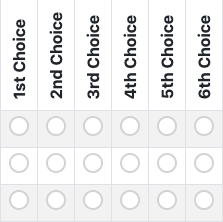
  • The ballot: instead of picking one candidate, each voter orders candidates by preference (1st, 2nd, 3rd, and so on).
  • The count: votes are counted in rounds rather than once.

The counting logic works like this:

  1. First round: count every ballot's first-choice candidate.
  2. Majority check: if one candidate has more than half of the votes, that candidate wins and counting stops.
  3. Elimination: if no one has a majority, the candidate with the fewest votes is eliminated.
  4. Transfer: every ballot whose top remaining choice was the eliminated candidate moves to that voter's next preferred candidate still in the race.
  5. Repeat: return to the majority check and repeat until a candidate crosses the majority threshold.

This is why RCV is sometimes described as an "instant runoff" — it produces the same effect as a runoff election without requiring voters to come back a second time.

A concrete example

Suppose three candidates — A, B, and C — and 100 voters:

Round A B C Action
Round 1 40 35 25 No majority (need 51). Eliminate C.
Round 2 40 35 + 25 = 60 — B reaches 60, wins.

In round 1, C has the fewest votes, so C is eliminated. The 25 ballots that ranked C first move to their next choice. If those 25 voters all ranked B second, B jumps to 60 and wins. If they split differently, the count would continue.

How RCV123 handles the count

RCV123's role is to remove the manual work from this process. According to the site, it offers an RCV calculator that performs the round-by-round counting automatically, so you don't have to transfer ballots by hand. The site also lists tools for setting up a ballot, uploading a spreadsheet, and importing from Google Classroom & Forms, along with instructions and an FAQ.

For a group running a decision, the practical flow is:

  1. Set up the ballot — define the candidates or options voters will rank.
  2. Collect votes — voters submit their rankings.
  3. Run the count — the RCV calculator applies the elimination-and-transfer logic across rounds.
  4. Review the result — see which option reached a majority and how the rounds played out.

The site describes itself as a non-profit focused on ranked choice voting education, and its stated purpose is to make it easy for organizations to conduct secure RCV elections.

When RCV is a good fit — and when it isn't

RCV123 itself publishes pros and cons of RCV, which is worth reading before committing. As a general guide:

RCV tends to fit well when:

  • You have three or more candidates or options.
  • You want to avoid a separate runoff election.
  • You want the winner to reflect broader support rather than a split plurality.
  • Voters can reasonably express a preference order among the options.

RCV may be less suitable when:

  • There are only two options (a simple majority vote is enough).
  • Voters are unlikely to understand or complete a ranking.
  • The group needs a fast, single-round tally and ranking adds unnecessary complexity.

FAQ

Do I need an account? The site offers a "Set up ballot" path and also a sign-in option to "track your ballots and access all features." So you can start setting up a ballot, while an account is presented as the way to access tracking and the full feature set.

Is it only for formal elections? No. The site states RCV can be used for "any election, poll or group decision," so it applies to informal group choices as well as structured elections.

What does the calculator actually do? It automates the multi-round count: first-choice tally, majority check, elimination of the lowest candidate, and transfer of those ballots to the next preference — repeating until a majority is reached.

How to Set Up and Run an Election or Poll with RCV123

You can run a ranked choice voting (RCV) election or poll on RCV123.org by setting up a ballot, sharing it with voters, tracking ballots as they come in, and then using the vote counting tools to see results. This works for any election, poll, or group decision, and RCV123 describes itself as a non-profit focused on ranked choice voting education that makes it easy for organizations to conduct secure RCV elections. You don't need an account to set up a ballot, but signing in (or creating a free account) is what lets you track your ballots and access all features.

Before you start

Decide two things first:

  • What you're deciding — a candidate election, a poll, or a group decision. RCV123 supports all three.
  • Who votes and how — a shared link that anyone can open, or a more controlled setup where you import a specific voter list.

If you want ballot tracking and the full feature set, plan to sign in or create a free account. If you just want to try a quick poll, you can start from "Set up ballot" without one.

Step 1: Set up the ballot

  1. Go to RCV123.org and choose Set up ballot.
  2. Add your candidates or options. These are the choices voters will rank.
  3. Configure the ballot so it matches your decision — for example, how many rankings a voter can submit.

The expected result is a finished ballot you can share. If you're unsure how ranking should be presented to voters, RCV123 provides Sample ballots you can look at before finalizing yours.

Step 2 (optional): Build the ballot from a spreadsheet or Google Classroom

Instead of typing options by hand, you can bring them in:

  • Spreadsheet upload — prepare your candidates/options in a spreadsheet and upload it.
  • Google Classroom & Forms import — pull in a ballot from Google Classroom & Forms.

Use these when you already have your options or voter data in a structured file and want to avoid re-entering it. If your options are few and simple, manual setup is faster.

Step 3: Share the ballot and collect votes

Once the ballot exists, share its link so participants can vote. Voters rank the options in their order of preference rather than picking just one.

If you signed in, you can track your ballots and monitor progress as votes come in. This is the main reason to create an account: without it, you lose the tracking and full-feature access.

Step 4: Count the votes and read the results

When voting closes, use the vote counting feature to tally the rankings and produce the result. RCV123 also offers an RCV calculator, which is useful if you want to run the ranked choice math on its own — for example, to check a result or work through a set of rankings separately from a live ballot.

What RCV123 gives you at a glance

Stage What you use What it does
Create Set up ballot Build the ballot with candidates/options
Create (optional) Spreadsheet upload, Google Classroom & Forms import Bring in options or ballots you already have
Share & track Ballot link, sign-in Let people vote and monitor ballots
Count Vote counting, RCV calculator Produce and verify results

Common sticking points

  • Skipping sign-in. You can set up a ballot without an account, but tracking ballots and accessing all features requires signing in or creating a free account. Decide this early so you don't lose tracking mid-election.
  • Not checking a sample first. If your voters are new to ranking, review a Sample ballots example so the instructions you give them match what they'll actually see.
  • Forgetting the counting step. Setting up and sharing the ballot doesn't produce a winner on its own — you still run the vote counting (or the RCV calculator) at the end.

If you want the background on how the ranking and counting actually work before you build anything, RCV123's Help, Instructions, and Frequently asked questions sections cover the method, and the site also discusses the pros and cons of RCV.

Is RCV123 secure and free to use?

RCV123.org describes itself as a free, non-profit platform for running ranked choice voting (RCV) elections and polls, and its homepage states that it uses "secure voting methods." The site also states it is "Always free" and that it is a non-profit focused on ranked choice voting education. If you want to confirm the specifics of data handling and security before trusting it with a real election, the site provides Privacy and Terms & Conditions pages you can review directly.

What RCV123 says about itself

According to the site's own description, RCV123.org is:

  • A non-profit for ranked choice voting education
  • Free to use — the homepage states "Always free" and "Free Ranked Choice Voting for Everyone"
  • Built for organizations — it says it makes it easy for organizations to conduct secure RCV elections
  • Usable for any election, poll, or group decision

These are the platform's own claims, not independent verification. Treat them as the starting point for your own evaluation.

What "secure voting methods" means here

The homepage uses the phrase "secure voting methods" but does not spell out the technical details on the page excerpt available. If security is your deciding factor, check the site's Help, Instructions, and Frequently Asked Questions sections, plus the Privacy and Terms & Conditions pages, for specifics such as:

  • How ballots are stored and whether they are encrypted
  • Whether voter identity is verified and how
  • Who can see individual ballots versus aggregate results
  • How long data is retained

If those pages don't answer your questions, that gap itself is useful information for a high-stakes election.

Is it actually free?

The site states it is "Always free" and describes itself as a non-profit. The available page evidence does not list any pricing tiers, payment links, or paid plans. That said, "free" claims should be confirmed against the current Terms & Conditions, since terms can change and the excerpt only reflects what the homepage states.

How to decide whether to use it

Question What to do
Is cost a concern? The site states it is always free; verify in Terms & Conditions
Is it a low-stakes poll? The stated free, non-profit setup is likely sufficient
Is it a binding or high-stakes election? Read the Privacy and Terms pages and confirm security specifics before committing
Do you need RCV education? The site positions itself as an education-focused non-profit

Practical next steps

  1. Go to rcv123.org and open the Privacy and Terms & Conditions pages.
  2. Read the Help, Instructions, and Frequently Asked Questions sections for security and data-handling details.
  3. If you need to track ballots and access all features, the site notes you can sign in or create a free account.
  4. Run a small test poll first to see how ballot setup, voting, and counting behave before using it for anything important.

The bottom line: RCV123 presents itself as a free, non-profit RCV tool with secure voting methods, and it gives you the Privacy and Terms pages to check those claims yourself. Whether that's enough depends on how sensitive your election is — for casual polls it's likely fine, but for binding votes, verify the security details directly rather than relying on the homepage wording.

What is RCV123.org?

RCV123.org is a free online platform for running ranked choice voting (RCV) elections, polls, and group decisions. It is operated by a non-profit focused on ranked choice voting education, and it is designed so that organizations can set up and conduct secure RCV elections without paying for software. If you need to run a single election, a quick poll, or a recurring group decision and want ranked ballots rather than a simple plurality vote, RCV123 is built for that use case.

What RCV123 does

The site centers on a few connected tasks:

  • Set up a ballot — create the election or poll and define the choices voters will rank.
  • Collect votes — voters rank the options rather than picking just one.
  • Count the results — the platform handles the ranked-choice tally.
  • Use the RCV calculator — a standalone tool for computing RCV outcomes.
  • Import data — support for spreadsheet upload and Google Classroom & Forms import.
  • Track ballots — signing in lets you track your ballots and access all features.

The stated purpose is to make it easy for organizations to conduct secure RCV elections, and the site frames the service as "Free Ranked Choice Voting for Everyone."

Who it is for

RCV123 targets any group that needs a collective decision:

  • Organizations running internal elections or votes
  • Groups polling members on a set of options
  • Anyone who wants ranked choice voting instead of first-past-the-post
  • Educators and others interested in RCV as a topic, since the operator is an education-focused non-profit

Because the platform is positioned as free and non-profit-run, cost is not presented as a barrier to entry. The site does not list pricing tiers or payment requirements in the material available; it describes the service as free and always free in its own title.

How to get started

  1. Go to rcv123.org.
  2. Choose Set up ballot if you want to run an election or poll.
  3. Define your choices and configure the ballot.
  4. Share it with voters so they can rank the options.
  5. Use the counting tools to see the RCV result.

If you want to track ballots and reach the full feature set, sign in or create a free account. The site also offers sample ballots and a new-features section, which are useful for seeing how an RCV ballot looks before you build your own.

What to check before committing

  • Account vs. no account — setting up a ballot appears available from the main page, but tracking ballots and accessing all features requires signing in. Decide whether you need tracking before you start.
  • Import path — if your voter list or choices already live in a spreadsheet or Google Classroom/Forms, the import options may save setup time.
  • RCV familiarity — if your voters have never ranked candidates, the site's education focus and sample ballots can help explain the process. The site also links to pros and cons of RCV, which is worth reading if you are deciding whether RCV fits your decision.

RCV123 is best understood as a free, non-profit-run tool for running ranked choice elections and polls end to end — setup, voting, and counting — with optional accounts for tracking and full features.

What features and resources does RCV123 offer?

RCV123.org is a non-profit site for ranked choice voting (RCV) education that lets organizations run RCV elections and polls. Its core offering is a free RCV calculator and ballot setup tool, supported by instructions, FAQs, sample ballots, and background material on RCV. You can start a ballot without an account, but signing in or creating a free account is what lets you track ballots and access all features.

Core tools for running an election or poll

The site groups its main functions under a "Tools" area:

  • Set up ballot — create an RCV election or poll for any election, poll, or group decision.
  • RCV calculator — the counting engine that tallies ranked ballots.
  • Spreadsheet upload — bring in ballot data from a spreadsheet rather than entering it manually.
  • Google Classroom & Forms import — pull in participation from Google Classroom and Google Forms.
  • Vote counting — run and review the tabulation of ranked choices.

The homepage frames the purpose directly: "Use RCV for any election, poll or group decision," and describes the organization as making it "easy for organizations to conduct secure RCV elections."

Supporting resources and reference material

Beyond the tools, RCV123 provides material to help you understand and run RCV correctly:

  • Instructions — how-to guidance for setting up and running a ballot.
  • Frequently asked questions — answers to common questions about the process.
  • Sample ballots — example ballots you can look at before building your own.
  • Pros and cons of RCV — background on the tradeoffs of ranked choice voting.
  • Labs — an area for experimental or in-development work.
  • New features — a running list of what has been added.
  • About us — who runs the site and its non-profit mission.

Accounts, tracking, and access

You can set up a ballot without signing in, but the site separates basic use from full use:

Access level What you get
No account Set up a ballot and use the basic tools
Free account (sign in or create one) Track your ballots and access all features

The site describes itself as "Free Ranked Choice Voting for Everyone," and the source title states the RCV calculator is "Always free." The page does not list pricing tiers or payment options, so treat "free" as the stated positioning rather than a detailed pricing breakdown.

How to decide whether to register

  • Register a free account if you need to track ballots over time or want the full feature set — the site explicitly ties tracking and "all features" to signing in.
  • Skip registration for now if you just want to try the RCV calculator or set up a single ballot to see how it works.
  • Check the Instructions and FAQ first if you are new to RCV, then look at a sample ballot before building your own.
  • Review "Pros and cons of RCV" if you are deciding whether ranked choice voting fits your group's decision.

To get started, use "Set up ballot" from the top menu, and explore the menu bar to reach the tools and reference sections described above.

Website Overview

An established domain and managed infrastructure suggest continuity of operations and may support dependable delivery, although neither guarantees service quality. Several search or sharing settings need attention. Together they may make snippets, preview images or preferred URLs less consistent across platforms.

Domain and Registration

Registered in 2020, this domain has about 6 years of history. That suggests continuity, although ownership and purpose may have changed. Transfer-protection status is present, helping reduce the risk of unauthorized domain transfers. The registrar is GoDaddy.com, LLC, a widely used domain service provider. The domain uses the common .org extension, which is not an independent safety signal.

DNS and Email

The observed email authentication setup is incomplete: DMARC is missing. Nameservers are provided by GoDaddy, indicating managed DNS hosting. MX records point to the Google Workspace email service. TXT records include verification markers for Google. Such markers may also remain after a service stops being used. DNSSEC signatures were not detected, so this additional DNS authenticity protection is not confirmed.

TLS and Certificates

The certificate uses an RSA 2048-bit public key, offering broad client compatibility. The server supplied a complete certificate chain. No organization name is present in the certificate; the available fields are consistent with domain validation. The certificate was issued within the Google Trust Services cloud or CDN ecosystem. The certificate's total validity is about 90 days, consistent with a short renewal cycle.

HTTP and Browser Security

X-Powered-By exposes backend information: Express. The checked browser-security headers were not detected, leaving fewer explicit browser-side safeguards. No obvious internal addresses or debug information were found in the headers. The Server header contains the custom value Google Frontend. No explicit CDN or WAF marker was found in the response headers.

Technology Stack Analysis

The public page identifies jQuery, Bootstrap, Express without precise versions, leaving fewer clues for version-specific scanning.

Search and Social Sharing

The title has 78 characters and may be truncated in search results. No homepage canonical URL was detected. If duplicate URLs exist, consolidation may be less explicit. Open Graph is partially configured; og:image, og:type is missing. Twitter Card metadata is configured. A meta description is present, with 81 characters.

Hosting and Email

DNSGoDaddy
Hostinggooglehosted.com
EmailGoogle Workspace
Approximate IP geolocation (inferred; a CDN or proxy may differ from the origin server) United States flagUnited States Inferred 172.253.62.121

Registration details

RDAP / WHOIS

RegistrarGoDaddy.com, LLC
Registered2020-02-02
Expires2030-02-02
Domain statusclient delete prohibited、client renew prohibited、client transfer prohibited、client update prohibited
Nameserversns03.domaincontrol.com、ns04.domaincontrol.com
DNSSECunsigned

DNS records

DNS

TypeNameValueTTLPriority
Aghs.googlehosted.com172.253.62.121300—
AAAAghs.googlehosted.com2607:f8b0:4004:c21::79300—
MXrcv123.orgaspmx.l.google.com36001
MXrcv123.orgalt1.aspmx.l.google.com36005
MXrcv123.orgalt2.aspmx.l.google.com36005
MXrcv123.orgalt3.aspmx.l.google.com360010
MXrcv123.orgalt4.aspmx.l.google.com360010
NSrcv123.orgns03.domaincontrol.com3600—
NSrcv123.orgns04.domaincontrol.com3600—
TXTrcv123.orggoogle-site-verification=JI3h_2wM_09HkqSnO7mxzzLq4pQRQRPSngwG5OcxP7w3600—
TXTrcv123.orggoogle-site-verification=XEvGYADSdlbKYZzhWJYf0TPCp7GXGshBYDaxtEGKue03600—
TXTrcv123.orggoogle-site-verification=Z7fn9fW0_8e_J5UXw5JXge7guNQlnZ_Dmkoxur-UkoQ3600—
TXTrcv123.orggoogle-site-verification=kB3M0UkckrFiQlfgh0tSfou7XPdGsBCdl-635_qN1Ms3600—
TXTrcv123.orgv=spf1 a mx include:_spf.google.com include:_spf.smtp.com ~all3600—
CNAMEwww.rcv123.orgghs.googlehosted.com600—

TLS and certificates

TLS / SSL

AssessmentNormal configuration
Supported protocolsTLSv1.2、TLSv1.3
Negotiated protocolTLSv1.3
Certificate subjectwww.rcv123.org
IssuerGoogle Trust Services
Valid until2026-12-13T15:54 · Remaining when checked: 74 days
Verification detailsCertificate trust: Passed · Hostname match: Passed

HTTP response headers

HTTP

HeaderValue
content-typetext/html; charset=utf-8
serverGoogle Frontend

Identified technologies

jQueryBootstrapExpress

Pages, Search and Sharing

Meta descriptionMake your own ranked choice voting election or poll. Secure voting methods. Free.
Canonical URLNot detected
LanguageEnglish (default)
Twitter Cardsummary
All bots 0 allowed · 1 disallowed
  • Disallow/results/

User reviews (0)

  • No reviews yet.