
 简体中文
简体中文 English
Website review
This review may include AI-generated content and is not individually verified. Domain, certificate and other facts come from the observed data on this page.
What is Repurpose.io?
Repurpose.io is an automation tool for redistributing content you have already published. Rather than uploading the same video to each app by hand, you connect your source platform and your destination accounts, and the service handles the copying, reformatting and scheduled posting. Its own page describes the workflow as "Post on one platform. Your content gets repurposed everywhere else — watermarks removed, captions intact, completely hands-free," and it names Instagram Reels, TikTok and YouTube Shorts among the destinations. The site also promotes a newer capability for photos, carousels and slideshows across TikTok, Instagram and Facebook.
Who it suits
- Solo creators posting the same short video to several apps and losing hours to re-uploading.
- Small businesses that want a consistent presence on multiple channels without hiring an editor.
- E-commerce sellers turning product clips into posts across platforms.
- Agencies managing republishing for several client accounts.
What it is not
It is a distribution and reformatting layer, not a production studio. It does not write scripts, shoot footage or design graphics. If your bottleneck is creating content rather than placing it, this solves the wrong problem. It also assumes you already have a primary platform where you publish first — the whole model depends on that habit.
Trade-offs to weigh
Automated cross-posting can flatten the fit between a video and each platform's audience and culture. Watermark removal and caption preservation save effort, but a clip that performs on one app may need different framing, length or hooks elsewhere. Republishing everything can also look repetitive to followers who use more than one of your channels. Treat automation as the default and manual tailoring as the exception for your most important posts.
The page lists a free tier of 10 videos with no credit card required, plus a paid subscription and a free trial, so you can test the workflow before committing.
Next step
Pick one video you have already posted and run it through the free tier to see how the reformatted version looks on each destination. Check three things: whether captions survive, whether the aspect ratio holds up, and whether the result feels native enough to publish. If it passes, connect your remaining accounts and schedule a week of posts in one sitting. Compare tiers on Repurpose.io once you know your monthly volume.
How does Repurpose.io automatically remove watermarks from repurposed videos?
Repurpose.io does not publicly document the exact watermark-removal method it uses. What the site does state is the outcome: when you post on one platform, your content is repurposed elsewhere with "watermarks removed, captions intact, completely hands-free." That wording tells you the feature exists and is automatic, but not the technical mechanism behind it.
What that means in practice
- The removal happens as part of the automated repurposing flow, not as a separate editing step you perform.
- The site pairs it with caption preservation, so the intended result is a clean, ready-to-publish version rather than a raw re-download.
- Because the method isn't described, you can't predict edge cases from the page alone — for example, how it handles watermarks that move position, overlap burned-in captions, or sit on complex backgrounds.
A concrete test If watermark quality matters to you, run one real video through the free tier (the site advertises publishing 10 videos free, no credit card required) and compare the output frame-by-frame against your source. Check a few things:
- Is the watermark fully gone, or blurred/covered?
- Are captions, logos you want to keep, and on-screen text still legible?
- Does the result hold up on a small phone screen, where artifacts are most visible?
Decision criterion Treat watermark removal as one convenience among several. If your main goal is consistent multi-platform publishing and captions surviving intact, the automation itself may be the bigger win. If your brand depends on pixel-clean output, verify with your own footage before committing.
For context on the platforms involved, see TikTok, Instagram and YouTube.
Can I repurpose photos and carousels across TikTok, Instagram, and Facebook with Repurpose.io?
Yes. Repurpose.io now supports repurposing photos, carousels and slideshows across TikTok, Instagram and Facebook, alongside its core video repurposing. The site presents this as its most-requested feature, so it is a first-class option rather than an afterthought.
What that means in practice
- You publish an image set or carousel once, and the platform distributes it to the other connected destinations.
- The workflow is positioned as hands-free: watermarks removed, captions carried over, no manual re-uploading per network.
- It sits alongside the existing video path (Reels, TikTok, YouTube Shorts and similar), so one source post can feed both video and image formats.
Who gets the most out of it
- Solo creators posting the same carousel to Instagram and Facebook, plus a TikTok photo post.
- Small teams without an editor, where the bottleneck is repetitive uploading rather than content ideas.
- Agencies managing several client accounts who need consistent posting without logging into each network.
Trade-offs to weigh
- Format differences still matter. A carousel built for Instagram may need different dimensions or text placement on TikTok, and automation will not fix a design that was never suited to the second platform.
- Automatic watermark removal and caption transfer save time, but they also mean mistakes propagate everywhere at once. Review a source post before it fans out.
- Captions and hashtags that perform well on one network often underperform on another, so a fully hands-free setup can flatten your reach if you never tailor per platform.
- If you only post to one network, the value is limited; the benefit scales with the number of destinations.
A practical next step
Pick one carousel you have already published and map it against your other two networks. If the same asset would work with minor tweaks, that is a good candidate for automation. Then start with the free tier to test the image workflow before committing to a paid plan; the site advertises publishing 10 videos free with no credit card required, and pricing details are listed separately at Repurpose.io. If you want to compare how other scheduling tools handle carousels, official documentation from the networks themselves, such as Instagram Help Center, is the most reliable place to confirm current format limits.
Decision criterion: choose it if your main pain is repeated manual uploading across three or more platforms. Skip it if your content is heavily platform-specific or you post to only one destination.
What are the pricing plans and is there a free trial for Repurpose.io?
Repurpose.io's homepage shows a Pricing link and promotes a free trial option, so you can check current plans and trial terms directly at Repurpose.io. The site also advertises "Publish 10 videos for FREE. No credit card required," which suggests you can test the core repurposing workflow before committing to a paid plan.
What to expect from the pricing page
- Free trial / free tier: The homepage mentions both a "Start Free Trial" button and a free allowance of 10 videos without a credit card. These may be the same offer or two separate entry points, so confirm on the pricing page.
- Paid plans: Exact tiers, limits and prices are not listed on the homepage. The pricing page is the authoritative source for current plan names, video quotas and billing details.
- Payment options: No payment platforms are confirmed from the available page evidence, so check the pricing page for accepted methods.
A practical way to decide
If you publish to several platforms (for example, Instagram Reels, TikTok and YouTube Shorts) and want to avoid manual re-uploading, start with the free trial or free video allowance. Use it to test:
- Whether your source platforms and destination platforms are supported.
- How well watermarks are removed and captions are preserved.
- Whether the automation fits your posting schedule.
If the free allowance covers your testing needs, you can evaluate a paid plan based on your monthly video volume rather than committing upfront.
How does Repurpose.io help grow my YouTube and Instagram followers?
Repurpose.io grows your YouTube and Instagram followings by removing the manual work of cross-posting: you publish once, and the platform redistributes that content to the other channels automatically. The page describes it as "Post on one platform. Your content gets repurposed everywhere else — watermarks removed, captions intact, completely hands-free." That means more consistent output on both YouTube (including Shorts) and Instagram (including Reels), which is usually the practical bottleneck for creators juggling multiple channels.
What the automation actually changes
- Consistency without extra filming. A single long video or short can be routed to multiple destinations, so your Instagram feed keeps moving even in weeks when you only record for YouTube.
- Cleaner cross-posts. Automatic watermark removal and preserved captions matter because recycled clips with another platform's watermark tend to look low-effort and get skipped.
- Image formats too. The page highlights a newer capability for repurposing photos, carousels and slideshows across TikTok, Instagram and Facebook, which extends the same one-to-many approach beyond video.
- Audience-specific pages. The site separates use cases for content creators, small businesses, e-commerce and agencies, so the intended fit is anyone publishing regularly across several channels rather than a single-platform hobbyist.
Whose experience is being reported
The testimonials on the page are from the creators themselves, not independent testing. Vicki Marsh, an online entrepreneur, describes the time savings as "literally life-changing" for a single parent. Yong Pratt, a content repurposing coach, frames it as removing manual work. Molly Mahoney, a digital marketing strategist, says it turns one video into over 15 pieces of content and publishes automatically. My practical read: these are the people most likely to benefit, because they already produce volume and treat distribution as a job. If you post once a week, the time saved is real but small; if you post daily across three or four platforms, the leverage compounds.
How to judge whether it fits you
| Your situation | Likely value |
|---|---|
| One channel, occasional posts | Low — manual posting is fine |
| YouTube-first, Instagram as secondary | High — Shorts/Reels routing saves repeated uploads |
| Agency or team handling client accounts | High — consistent publishing across many profiles |
| You rely on heavy per-post editing | Medium — automation handles distribution, not creative polish |
A concrete next step
Pick your two highest-effort repeat tasks — say, exporting a YouTube video, stripping the watermark, and re-uploading to Instagram Reels — and time them for one week. Then test the free tier, which the page states allows 10 videos with no credit card required, and see whether the automated version produces comparable reach. Compare that against simply scheduling posts manually in each app's native tools, which costs nothing but still requires you to do each upload. The deciding factor is usually volume: automation wins when the number of posts per week makes manual cross-posting genuinely painful. You can review plans at Repurpose.io before committing.
Is Repurpose.io suitable for small businesses and e-commerce stores?
Yes — Repurpose.io is aimed at exactly those two groups, alongside content creators and agencies. Its core promise is "post on one platform, your content gets repurposed everywhere else," which suits anyone who has content but not the hours to manually re-upload it.
Where it fits a small business
- You already publish somewhere — a YouTube channel, a podcast, a Facebook page — and want the same material to appear on TikTok, Instagram Reels, YouTube Shorts and similar without re-editing each time.
- You are a one- or two-person team, so the value is time saved rather than a dedicated social media workflow.
- The page states watermarks are removed and captions kept intact during repurposing, which matters if you are cross-posting between platforms with different watermark rules.
Where it fits e-commerce
- Product videos, demos and unboxings can be pushed from one source to several short-form channels, so a single shoot feeds more of your funnel.
- The page also highlights newer image repurposing for photos, carousels and slideshows across TikTok, Instagram and Facebook — useful for product carousels and promo slides.
- If your goal is consistent posting cadence rather than bespoke creative per platform, automation covers the repetitive part.
Trade-offs to weigh
- Automated cross-posting produces platform-agnostic content. Captions, hashtags and formats that feel native to TikTok may look generic on Reels, so plan for occasional manual tweaks.
- The page references a free tier of 10 videos with no credit card, and a separate pricing page — check current limits there before committing, since volume caps drive the real cost.
- The customer stories shown are creator-focused (subscriber and view growth), not store-focused, so treat e-commerce fit as reasonable inference from the features rather than a proven retail case study.
Next step: pick your single best-performing source platform, connect it to two destinations, and run the free allowance for a week. If the auto-published versions need heavy editing, the time saving is smaller than it looks; if they need none, it scales well. For broader comparison, Buffer and Later are established alternatives worth checking against your specific channel mix.
 GoDaddy
 Cloudflare
 Google Workspace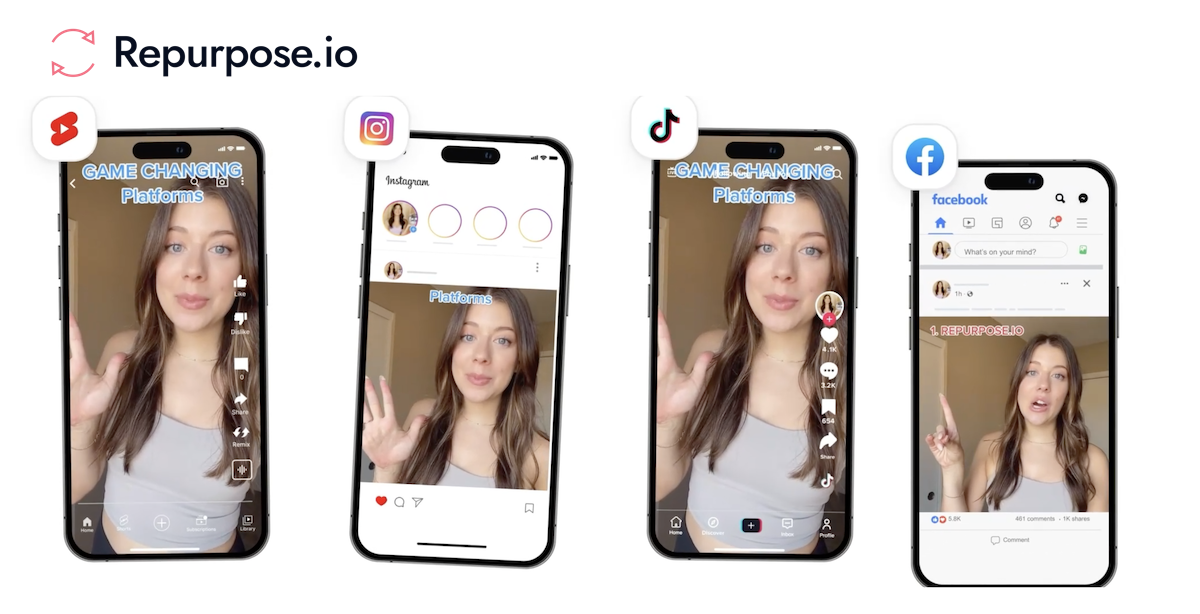
User reviews (0)