
 schemecolor.com
No paid content found
schemecolor.com
No paid content found
Categories: Design & Creativity
SchemeColor.com is a top-rated website to download, create and share thousands of beautiful color combinations. Get detailed information on hexadecimal colors codes and convert them to RGB and CMYK equivalents.
 Visit website
 Updated: 2026-09-25 20:53
 Language: English (default)
 Access: Normal
 Profile views 0
 Outbound visits 0
Related questions
More questions →How Designers Choose and Use Icons8 Icons, Illustrations, and 3D Assets
Icons8 is a library of icons, illustrations, and 3D assets drawn by its own designers so that styles stay consistent across formats, available for download in SVG and PNG, with an MCP server for AI agents and coding tools. It fits designers who need a matching set fast — a UI, a deck, or a landing page — and who want vector files they can still edit. It is less suited to work that requires a fully custom visual language, since ready-made assets carry the house style of whichever set you pick.
Start by matching the asset style to the project
The fastest way to waste time is to pick assets one at a time by look. Decide the style first, then filter everything to that style.
| Project type | Style that usually fits | Why |
|---|---|---|
| Product UI, dashboards, dense screens | Outline or filled icon set, one weight | Small sizes stay legible; mixing outline and filled in one toolbar reads as an error |
| Marketing pages, hero sections | Flat or 3D illustrations | More visual weight, room to carry a concept |
| Slides, internal docs | PNG icons and simple illustrations | Fast to drop in, no vector editing needed |
| Brand-critical or editorial work | Custom or heavily edited assets | Ready-made sets are recognizable and shared across many products |
The consistency claim in Icons8's own description — icons and illustrations "drawn by our own designers so every style matches" — is the practical reason to filter by one style across all three asset types rather than mixing a 3D illustration with an outline icon set.
Pick the file format by what happens next
- SVG — editable vector. Use it when the asset will be recolored, resized without loss, animated, or handed to a developer. This is the default for UI work.
- PNG — raster. Use it for quick mockups, slides, and anywhere you cannot paste or render vector files.
If you are unsure, download SVG. You can always export a PNG from it later; you cannot cleanly go the other way.
Keep a set consistent
- Choose one style (for example, a single outline weight) before searching.
- Filter icons, illustrations, and 3D to that same style so a page does not mix visual languages.
- Reuse the same icon for the same meaning across screens — a second "settings" icon in a different style is a common slip.
- Check the set covers your edge cases (empty states, errors, onboarding) before committing, not after you have built ten screens.
Check licensing and pricing before client work
Icons8 lists a pricing page, which is the place to confirm what a given use requires. Before shipping assets in client or commercial work, verify the license terms for the specific asset and plan rather than assuming downloads are unrestricted. Pricing and plan details are not covered here — check the site directly, since terms and prices change.
Getting assets into your workflow
- Figma and design tools — SVG imports as editable vector layers, so you can recolor and resize inside the file.
- Web — SVG inline or as a file keeps icons sharp at any size and lets CSS control color.
- Presentations — PNG avoids font and vector rendering issues in slide software.
Icons8 also offers an MCP server for AI agents and coding tools, which is relevant if you are wiring asset lookup into an automated or agent-driven workflow rather than browsing manually.
Customize or download ready-made?
Download ready-made when the asset is generic — a search icon, a folder, a chart — and speed matters more than uniqueness. Customize (recolor, adjust stroke, simplify) when the asset sits in a branded context or appears at large size where its original style would clash. Build fully custom only when the visual language itself is the product, since that is where a shared library stops helping.
How to Download and Install Cascadeur for 3D Character Animation
Cascadeur is a 3D animation tool for character animation, mocap cleanup, AI motion generation, and editing, and the only reliable place to get it is the official site at cascadeur.com. Start from the download entry on that site, then use the "Start trial" link on the Plans page if you want to test the paid tiers before committing. The site lists Plans and a trial but does not publish prices or system requirements on the pages captured here, so treat those as things to confirm on the official pages rather than assume.
Where to Get the Installer
Go to cascadeur.com and use the download link on the site itself. Avoid third-party mirrors, repacked installers, or file-sharing links — animation software is a common target for bundled malware, and a mirror will not give you a legitimate license or update path.
The homepage presents two relevant entry points:
- A Try for free action, which is the fastest route to a working install.
- A Plans page (cascadeur.com/plans) with a Start trial link (cascadeur.com/plans#trial) if you want to evaluate paid functionality.
The site does not state which operating systems the installer supports, so check the download page for the platform list before you start. If you need Windows, macOS, or Linux specifically, confirm it there rather than assuming all three are covered.
What You Get After Installing
Once running, Cascadeur covers a specific set of animation tasks. Knowing these up front tells you whether the download is worth your time:
| Feature | What it does |
|---|---|
| Inbetweening | AI interpolation that generates motion between keyframes |
| AI Motion Generation | Generates running, jumping, combat, acrobatics, idles, and more |
| AutoPosing | Produces natural poses by moving fewer control points |
| Ragdoll | Procedural tool for impacts, falls, and collisions |
| AutoPhysics | Physically accurate secondary motion and inertia |
| Rigging | Drag-and-drop joints to auto-generate rigs for humanoids and quadrupeds |
| Retargeting | Copy/paste animation between characters with different skeletons |
| UE Live Link | Streams animation to Unreal Engine with real-time updates |
It also ships tools aimed at mocap cleanup — fixing foot sliding, knee pops, and geometry penetration — plus previz and animation editing workflows.
File Compatibility Before You Commit
Cascadeur works with .FBX, .DAE, .GLB/.GLTF, and .USD files. If your pipeline already exports one of these, integration is straightforward. If your character assets live in a format outside this list, plan a conversion step before importing, or the download will not get you far.
First Steps After Install
- Launch the application and create or sign into an account if prompted.
- Start a trial or free session through the entry you chose on the Plans page.
- Import a character file in FBX, DAE, GLB/GLTF, or USD.
- Use drag-and-drop rigging to generate a skeleton for a humanoid or quadruped.
- Test one feature end to end — for example, AutoPosing on a single pose, or Inbetweening between two keyframes — to confirm the install is functional before building a full workflow.
Common Snags
- Download fails or stalls. Retry from the official site; corporate networks and some browsers block large installers. Try a different browser or network.
- Installer errors on launch. Confirm your OS version against the download page, since the captured pages do not list requirements.
- Import rejects your file. Check the extension against the supported list above; a format that looks similar (for example, an older FBX variant) may still need re-export.
- Trial or plan confusion. The Plans page is the authoritative source for what each tier includes and what the trial covers. The site does not publish pricing in the material available here, so read the Plans page directly rather than relying on secondhand summaries.
Is It Worth Downloading
Download Cascadeur if you need AI-assisted keyframe animation, mocap cleanup, or retargeting between characters with different skeletons, and your assets are in FBX, DAE, GLB/GLTF, or USD. Skip it if your pipeline depends on a format outside that list or you need confirmed system requirements before installing — in that case, check the official download and Plans pages first, since those details are not published in the source material here.
What Does Design Mean in Stainless Steel Fabrication?
In stainless steel fabrication, design means engineering the part so it can actually be made: setting dimensions, material grade, joint and weld details, finish and tolerances, then checking that the workshop can cut, form, weld and finish it as drawn. It is not graphic design or product styling. This stage matters whenever you need a bespoke stainless item — a frame, tank, duct, pipework run or enclosure — and it usually starts from your sketch, sample or drawing rather than a finished CAD model.
What the design stage covers
Design work in a fabrication shop turns an idea into instructions the workshop can follow. That normally includes:
- Geometry and dimensions — overall sizes, bend radii, hole positions, and how parts fit together.
- Material grade — which stainless grade suits the environment (for example a grade chosen for corrosion resistance or for weldability). The fabricator should confirm the grade rather than assume it.
- Joint and weld details — where seams run, whether welds are visible or dressed, and how access is provided for the welder.
- Finish — the surface treatment required, such as a brushed, polished or other finish, and which faces are cosmetic.
- Tolerances — how accurate the finished part must be, since tighter tolerances generally mean more work.
How design decisions affect manufacture and cost
Most cost and lead-time differences between two apparently similar parts come from design choices, not from the amount of steel:
| Design choice | Effect on fabrication |
|---|---|
| Complex geometry with many bends | More forming steps, more chances of distortion |
| Welds in hard-to-reach positions | Slower welding, higher risk of defects |
| Visible, dressed welds | Extra finishing time |
| Tight tolerances | More checking and rework |
| Cosmetic finish on all faces | More handling and protection during work |
A design that is easy to weld and finish is usually cheaper and faster than one that only looks simple on paper.
Typical design-to-manufacture workflow
- Brief or sketch — you provide a drawing, sketch, photo or sample, plus what the part must do.
- Design review — the fabricator checks feasibility, suggests changes, and confirms grade, finish and tolerances.
- Agreed drawing — a dimensioned drawing or model is signed off before cutting starts.
- Fabrication — cutting, forming, welding and finishing to the agreed drawing.
- Inspection — the finished part is checked against the drawing and finish specification.
The design review step is where most problems are caught cheaply, before any material is cut.
Common design mistakes that cause delays
- Missing dimensions, or dimensions that do not add up.
- No material grade specified, or a grade that is hard to weld or form.
- Finish left undefined, so the workshop guesses.
- No tolerance stated, leading to disagreement at inspection.
- No allowance for weld distortion on large or thin panels.
- Cosmetic faces not marked, so they get scratched during handling.
Questions to ask a fabricator at the design stage
- Which grade do you recommend for this environment, and why?
- Can this be made as drawn, or would a small change reduce cost or lead time?
- Which faces are cosmetic, and how will you protect them?
- What tolerance can you hold, and how will it be checked?
- Will welds be visible, dressed or hidden?
- What do you need from me before you can quote and start?
Getting clear answers to these before fabrication begins is the practical way to avoid rework and unexpected cost.
What Is Hex Encoding and How Do You Encode or Decode It?
Hex encoding represents each byte of data as two characters from the set 0-9 and A-F. You encode when you need binary data to survive a text-only channel (logs, config files, URLs, source code), and you decode when you have a hex string and want the original bytes back. The two rules that prevent almost every error: the string must have an even number of characters, and it may only contain valid hex digits.
What hex encoding actually does
Hex is base 16, so one hex digit carries 4 bits of information. One byte is 8 bits, which is exactly two hex digits. That clean 2-characters-per-byte mapping is why hex is used instead of raw binary whenever data has to pass through something that only handles text.
Encoding is a pure transformation, not encryption and not compression. It adds no secrecy and makes data larger — every byte becomes two characters, so a 1 KB file becomes roughly 2 KB of text. If you need to hide data, hex is the wrong tool; if you need to move or inspect bytes safely, it is the right one.
Why hex shows up everywhere
- Hashes and checksums. MD5, SHA-1, and SHA-256 outputs are conventionally displayed as hex, e.g.
e3b0c44298fc1c149afbf4c8996fb924.... - Debugging binary data. Hex dumps let you see exact byte values, including non-printable ones, without corrupting them.
- Color codes and identifiers.
#FF8800is three bytes written in hex; UUIDs and MAC addresses use the same convention. - Escaping in text formats.
\x41in many languages means the byte0x41, which is the letterA.
How to encode text to hex
- Start with the exact bytes. Decide the character encoding first — usually UTF-8. The letter
Ais one byte (0x41), butéis two bytes in UTF-8 (0xC3 0xA9), so encoding choice changes the output. - Convert each byte to two hex digits.
A→41,B→42, and so on. - Join the pairs.
ABbecomes4142. You can add separators like spaces or0xprefixes for readability, but the raw form has none.
Expected result: Hello in UTF-8 encodes to 48656C6C6F.
How to decode hex back to text
- Check the length is even.
48656C6C6has 11 characters and cannot be decoded — one byte is missing half its representation. - Check every character is a valid hex digit.
48656C6C6Gfails becauseGis not in0-9A-F. - Split into pairs and convert each pair to a byte.
48→H,65→e, and so on. - Interpret the bytes with the right character encoding. The same bytes can mean different text under UTF-8, Latin-1, or UTF-16.
Expected result: 48656C6C6F decodes to Hello.
Common pitfalls
| Problem | Example | What happens | Fix |
|---|---|---|---|
| Odd length | ABC |
Cannot split into whole bytes | Add or remove a digit; the input is truncated or malformed |
| Invalid character | 48G1 |
G is not a hex digit |
Remove stray characters, often from copy-paste |
| Case mismatch assumptions | 48656c6c6f vs 48656C6C6F |
Both are valid; hex is case-insensitive | Normalize case if a tool or comparison requires it |
| Wrong character encoding | C3A9 read as Latin-1 |
Shows é instead of é |
Decode as UTF-8 |
| Separators left in | 48 65 6C |
Space breaks strict decoders | Strip spaces, 0x, or \x first |
Case sensitivity is a frequent source of confusion: a and A mean the same value, but string comparisons in code are case-sensitive, so "48656c6c6f" == "48656C6C6F" is false even though the bytes are identical.
Doing it in CyberChef
CyberChef (cyberchef.org) is a browser-based tool for encoding, decoding, encryption, compression, and data analysis that handles hex conversion without installing anything. The workflow is the same as above, just automated:
- Add the From Hex operation to decode a hex string into bytes, then optionally chain Decode text to read it as UTF-8.
- Add To Hex to encode input into a hex string.
- Use the delimiter option to control whether output is spaced or continuous.
The practical advantage is chaining: you can decode hex, then Base64-decode, then decompress, all in one recipe, which is useful when inspecting layered or obfuscated data. For a single conversion, a one-line script is often faster:
bytes.fromhex("48656C6C6F").decode("utf-8")   # 'Hello'
"Hello".encode("utf-8").hex()                 # '48656c6c6f'
Note that Python's .hex() outputs lowercase, while many tools and specs use uppercase — both decode identically.
When to use hex (and when not to)
Use hex when you need a reversible, human-readable, text-safe representation of bytes: hashes, debugging, identifiers, or embedding binary in text formats. Avoid it when size matters, since it doubles the data — Base64 is more compact at about 4 characters per 3 bytes — or when you need confidentiality, since hex provides none. If your goal is to shorten or obscure data rather than represent it, hex is the wrong choice.
How to Find and Download Open Source Fonts from Font Library
Font Library (fontlibrary.org) is a community-driven catalog of open-source fonts that you can download and use in personal and commercial projects. Use it when you need a font you can legally embed, modify, or redistribute, and when you want to verify the license before committing to a typeface. It is not a commercial marketplace, so you will not find paid retail fonts or premium support there.
What Font Library Is
Font Library describes itself as "all fonts" with free downloads and quality support, and its keyword set centers on open source, community, and free software. That framing matters: the catalog is built around fonts whose licenses permit reuse, not around a storefront that sells licenses.
The practical difference from a commercial marketplace:
| Dimension | Font Library | Commercial marketplace |
|---|---|---|
| Cost model | Free downloads | Paid licenses, sometimes with free tiers |
| Licensing | Open-source licenses | Per-use or per-seat commercial licenses |
| Modification | Usually permitted by the license | Often restricted |
| Redistribution | Usually permitted by the license | Usually restricted |
| Support | Community and project documentation | Vendor support channels |
Because the site's own description emphasizes free downloads and support, treat it as a discovery and download layer. The license attached to each individual font is what actually governs your use.
Browsing and Searching the Catalog
The catalog is organized so you can narrow by the attributes that matter for a project. In practice you will filter along three axes:
- Style — serif, sans-serif, display, monospace, handwriting, and similar categories, so you can match a font to the tone of a design.
- Language and script coverage — important if your project needs Latin Extended, Cyrillic, Greek, Arabic, CJK, or other scripts. Check this before you fall in love with a typeface.
- License — the specific open-source license attached to the font, which determines what you may do with it.
A workable workflow:
- Start from the style you need, not from a specific font name.
- Filter or scan for language coverage that matches your content.
- Open the individual font page and read the license and the character set before downloading.
- Download only after the license and glyph coverage both check out.
Checking the License Before You Use a Font
This is the step people skip, and it is the step that causes problems later. "Open source" is a category, not a single license, and different licenses carry different obligations.
Questions to answer from the font's own page:
- Does the license allow commercial use?
- Does it allow modification (for example, subsetting or adding glyphs)?
- Does it require attribution, and in what form?
- Does it require that derivative fonts use the same license (a copyleft-style term)?
- Does it require you to rename modified versions?
If the font page states the license, read it there. If the license is named but not explained, look up that license's canonical text before shipping the font in a product. When a project's requirements are strict — embedded in an app, redistributed in a template, or used in client work — confirm the terms rather than assuming.
Downloading and Installing
Desktop use
- Download the font files from the font's page. Fonts typically arrive as
.ttf,.otf, or.woff/.woff2files. - Unzip the archive if the download is compressed.
- Install the files using your operating system's font installation method.
- Restart or refresh any application that was open during installation so it picks up the new font.
- Verify by typing a test string that includes the characters your project actually needs.
Web use
- Prefer
.woff2for modern browsers, with.woffas a fallback if the font is distributed in that format. - Host the font files yourself or serve them from your own project, respecting the license terms.
- Declare the font with
@font-face, pointingsrcat your hosted files and settingfont-family,font-weight, andfont-styleto match the actual font files. - Reference the family in your CSS.
- Test in the browsers you support, and confirm the glyphs you need render rather than falling back to a system font.
Expected result: the font appears in your application or page, and the characters you tested render from the font itself, not from a fallback.
Common Problems and How to Resolve Them
Missing glyphs. A font may cover Latin but not the accented characters, symbols, or non-Latin script your content uses. Check the character set on the font page before downloading, and test with real content rather than placeholder text. If glyphs are missing, either choose a font with broader coverage or pair it with a fallback that covers the gap.
License mismatch. A font that is fine for a personal project may have terms that matter for commercial or redistributed work. Re-read the license for the specific use case, and if the terms are unclear, choose a font whose license you can verify.
File format issues. Older formats may not work well on the web, and some applications prefer .ttf or .otf. Match the format to the target: .woff2 for web, desktop formats for installed use.
Rendering differences. A font can look different across operating systems and browsers due to hinting and rendering engines. Test on your actual target platforms rather than assuming one screenshot represents all of them.
Attribution obligations. If the license requires attribution, plan where that credit lives — a licenses file, an about page, or your project documentation — before release, not after.
Choosing Font Library for a Project
Font Library is a good fit when you want open-source fonts, need to verify licensing, and are comfortable reading license terms yourself. It is a weaker fit when you need guaranteed vendor support, a specific retail typeface, or a formal license agreement with a company.
The decision rule is simple: pick the font for its style and coverage, then let the license decide whether you can actually use it the way you intend.
Website Overview
An established domain and managed infrastructure suggest continuity of operations and may support dependable delivery, although neither guarantees service quality. Several search or sharing settings need attention. Together they may make snippets, preview images or preferred URLs less consistent across platforms.
Domain and Registration
Registered in 2015, this domain has about 11 years of history. That suggests continuity, although ownership and purpose may have changed. Transfer-protection status is present, helping reduce the risk of unauthorized domain transfers. The domain uses the common .com extension, which is not an independent safety signal.
DNS and Email
Nameservers are provided by fozzy.com, indicating managed DNS hosting. MX records point to the emailsrvr.com email service. No CNAME was found; the observed records resolve directly to addresses. SPF and DMARC are configured. DKIM status is unknown. DNSSEC signatures were not detected, so this additional DNS authenticity protection is not confirmed.
TLS and Certificates
The public key uses EC with 256 bits. The server supplied a complete certificate chain. No organization name is present in the certificate; the available fields are consistent with domain validation. The certificate was issued within the Google Trust Services cloud or CDN ecosystem. The certificate's total validity is about 90 days, consistent with a short renewal cycle.
HTTP and Browser Security
The response lacks these common security headers: HSTS, X-Content-Type-Options, Referrer-Policy, Permissions-Policy, clickjacking protection. No X-Powered-By header was found, reducing one common source of backend fingerprinting information. The cf-ray, x-cache response header indicates a CDN or caching proxy in the delivery path. No obvious internal addresses or debug information were found in the headers. The Server header identifies cloudflare without an exact version.
Technology Stack Analysis
The public page identifies WordPress, jQuery, Google Tag Manager, Cloudflare without precise versions, leaving fewer clues for version-specific scanning.
Search and Social Sharing
The title has 70 characters and may be truncated in search results. The meta description has 210 characters and may be shortened in search results. Twitter Card metadata is configured. No Generator meta tag is publicly exposed. A viewport declaration is present, providing a basis for mobile layout.
 Hosting and Email
 Hosting
 Cloudflare
 Location
 United States
 Pages, Search and Sharing
| Meta description | SchemeColor.com is a top-rated website to download, create and share thousands of beautiful color combinations. Get detailed information on hexadecimal colors codes and convert them to RGB and CMYK equivalents. |
|---|---|
| Canonical URL | https://www.schemecolor.com |
| Language | English (default) |
| Twitter Card | summary_large_image |
Social Sharing Preview
9 fields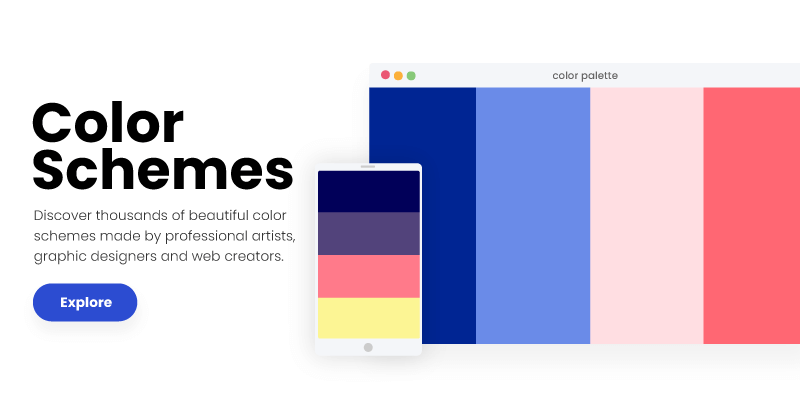
Sharing metadata
| og:url | https://www.schemecolor.com |
|---|---|
| og:type | website |
| og:image | https://www.schemecolor.com/images/schemecolor-cover.png |
| og:title | SchemeColor.com: Download, create & share beautiful color combinations |
| og:site_name | SchemeColor |
| og:description | SchemeColor.com is a top-rated website to download, create and share thousands of beautiful color combinations. Get detailed information on hexadecimal colors codes and convert them to RGB and CMYK equivalents. |
| og:image:width | 800 |
| og:image:height | 416 |
| twitter:card | summary_large_image |
robots.txt (opens in a new tab)
3 rulesyandexbot 0 allowed · 1 disallowed

 yandexbot

/
baiduspider 0 allowed · 1 disallowed
/
dotbot 0 allowed · 1 disallowed
/
No matching rules.
Sitemaps
2 Registration details RDAP / WHOIS
| Registrar | URL Solutions, Inc. |
|---|---|
| Registered | 2015-09-09 |
| Expires | 2030-09-09 |
| Domain status | client transfer prohibited |
| Nameservers | ns1.fozzy.com、ns2.fozzy.com |
| DNSSEC | unsigned |
 DNS records
| Type | Name | Value | TTL | Priority |
|---|---|---|---|---|
| A | www.schemecolor.com | 162.159.136.54 | 7930 | — |
| A | www.schemecolor.com | 162.159.137.54 | 7930 | — |
| MX | schemecolor.com | mx1.emailsrvr.com | 14440 | 10 |
| MX | schemecolor.com | mx2.emailsrvr.com | 14440 | 20 |
| NS | schemecolor.com | ns1.fozzy.com | 86400 | — |
| NS | schemecolor.com | ns2.fozzy.com | 86400 | — |
| TXT | schemecolor.com | v=spf1 a mx include:_spf.elasticemail.com ~all | 14440 | — |
| TXT | schemecolor.com | v=spf1 include:emailsrvr.com ~all\009 | 14440 | — |
| DMARC | _dmarc.schemecolor.com | v=DMARC1; p=none; | 14440 | — |
 TLS and certificates
| Assessment | Normal configuration |
|---|---|
| Supported protocols | TLSv1.2、TLSv1.3 |
| Negotiated protocol | TLSv1.3 |
| Certificate subject | www.schemecolor.com |
| Issuer | Google Trust Services |
| Valid until | 2026-11-22T11:32 · Remaining when checked: 57 days |
| Verification details | Certificate trust: Passed · Hostname match: Passed |
 HTTP response headers
| Header | Value |
|---|---|
| content-type | text/html; charset=UTF-8 |
| cache-control | max-age=0, s-maxage=2592000 |
| server | cloudflare |
| content-security-policy | block-all-mixed-content |
 Identified technologies
Recent Updates
- Website images
- Screenshots
User reviews (0)